
10 Melhores Práticas de Design Instrucional para 2025
Eleve o nível dos seus treinamentos com as 10 melhores práticas de design instrucional. Aprenda estratégias para engajamento, retenção e aprendizagem eficaz.
Veo3 AI · 29 min read · Dec 1, 2025
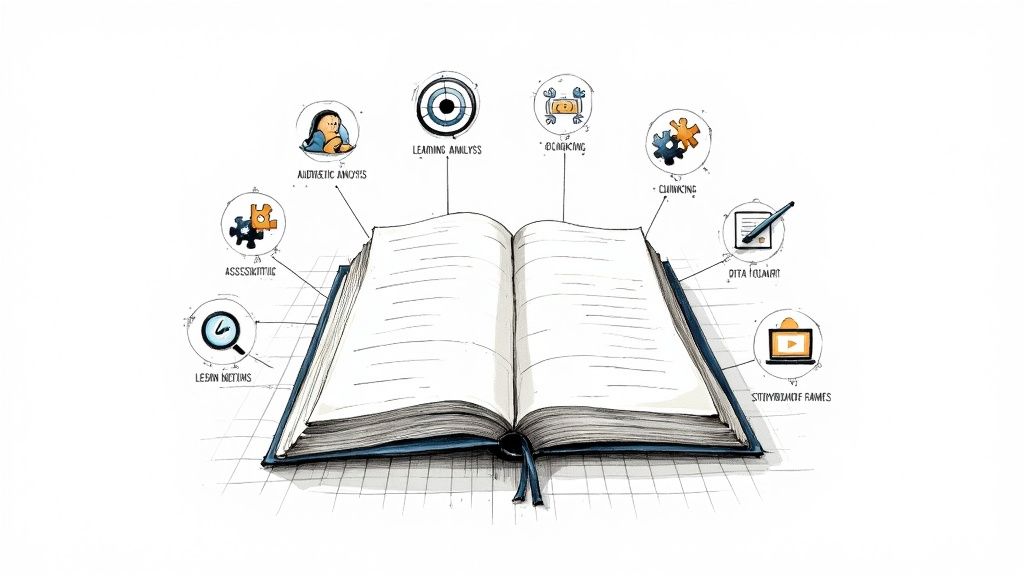
O mundo da aprendizagem está evoluindo mais rápido do que nunca, impulsionado por novas tecnologias e uma compreensão mais profunda da ciência cognitiva. Criar experiências de aprendizagem verdadeiramente eficazes não se trata mais apenas de digitalizar conteúdo; trata-se de construir uma estrutura estratégica que engaje, empodere e garanta a retenção. Isso requer um domínio sólido das melhores práticas de design instrucional — os princípios comprovados que separam treinamentos impactantes de PowerPoints esquecíveis.
Seja você um educador desenvolvendo materiais visuais, um influenciador de mídia social criando conteúdo curto compartilhável ou um instrutor visando consolidar o aprendizado, este guia detalha 10 estratégias essenciais que formam a base da aprendizagem moderna. Iremos além da teoria para fornecer passos práticos, exemplos do mundo real e novas perspectivas para ajudá-lo a projetar uma aprendizagem que entregue resultados mensuráveis. Nosso foco está na aplicação prática, oferecendo a você um plano para criar conteúdo que não apenas informa, mas transforma. Para explorar ainda mais abordagens contemporâneas e manter-se à frente na área, considere estas 8 melhores práticas de design instrucional para 2025 como um recurso complementar.
Desde a implementação do design centrado no aluno e estratégias de aprendizagem ativa até o domínio do microlearning e simulações baseadas em cenários, cada ponto desta lista é um componente crítico de um kit de ferramentas abrangente de design instrucional. Exploraremos como integrar a avaliação formativa, aproveitar os princípios de design multimídia e aplicar conceitos da ciência cognitiva como a repetição espaçada. Ao final, você terá um roteiro claro e prático para criar experiências de aprendizagem que não sejam apenas consumidas, mas verdadeiramente absorvidas e aplicadas. Vamos mergulhar nas práticas fundamentais que elevarão seu conteúdo instrucional.
1. Design Centrado no Aluno
Em sua essência, o design centrado no aluno é uma melhor prática fundamental de design instrucional que muda o foco do que o instrutor quer ensinar para o que o aluno precisa aprender. Em vez de criar um despejo de conteúdo de tamanho único, esta abordagem prioriza as necessidades, o histórico, os objetivos e as preferências do aluno em cada estágio do processo de design. O resultado é uma experiência de aprendizagem mais relevante, motivadora e eficaz.
Esta filosofia, enraizada no trabalho de teóricos educacionais como John Dewey e Carl Rogers, trata os alunos como participantes ativos em vez de receptores passivos. Ela reconhece que adultos aprendem melhor quando o conteúdo é diretamente aplicável às suas funções e desafios. Por exemplo, o caminho de aprendizagem adaptativo do Duolingo ajusta a dificuldade com base no desempenho do usuário, enquanto o LinkedIn Learning fornece recomendações personalizadas de cursos com base em objetivos de carreira e histórico de visualização.
Como Implementar o Design Centrado no Aluno
Aplicar este princípio com sucesso requer uma compreensão profunda do seu público. Comece indo além das suposições e coletando dados concretos.
- Crie Personas de Aprendizes: Desenvolva perfis detalhados dos seus segmentos de público-alvo. Inclua o cargo, conhecimento existente, habilidades técnicas, motivações e potenciais barreiras de aprendizagem.
- Realize Avaliações de Necessidades: Use pesquisas, entrevistas e grupos focais para identificar lacunas de conhecimento específicas e necessidades de desempenho antes de começar a projetar.
- Ofereça Escolha e Flexibilidade: Onde for possível, incorpore opções. Isso pode significar permitir que os aprendizes escolham seu caminho de aprendizagem, selecionem diferentes formatos de conteúdo (vídeo, texto, interativo) ou realizem testes para dispensar módulos que já compreendem.
Insight Principal: O treinamento mais eficaz não apenas apresenta informações; ele resolve um problema para o aprendiz. Ao centrar o design em suas necessidades específicas, você garante que o conteúdo seja percebido como valioso e imediatamente útil, o que aumenta drasticamente o engajamento e a retenção.
Ao adotar uma mentalidade centrada no aprendiz, você cria um treinamento que ressoa em um nível pessoal. Isso não apenas melhora a aquisição de conhecimento, mas também promove uma cultura de aprendizagem mais positiva e envolvente. Para mais dicas sobre como fazer seu conteúdo fixar, explore nosso guia sobre como criar conteúdo envolvente.
2. Modelo ADDIE (Análise, Design, Desenvolvimento, Implementação, Avaliação)
O modelo ADDIE é uma pedra angular do design instrucional, fornecendo uma estrutura sistemática de cinco fases para a construção de programas de treinamento eficazes. Ele atua como um roteiro detalhado, garantindo que cada etapa do processo de design seja deliberada, lógica e alinhada com os resultados de aprendizagem pretendidos. Essa abordagem estruturada ajuda a evitar descuidos e garante um produto final consistente e de alta qualidade.
Originalmente desenvolvido para as forças armadas dos EUA e popularizado pelo trabalho na Florida State University, o ADDIE é um processo linear, porém iterativo. A saída de cada fase torna-se a entrada para a próxima, criando um fluxo de trabalho claro e organizado. Sua natureza estruturada o torna ideal para projetos de grande escala, como treinamento de conformidade corporativa ou integração de funcionários do governo, onde a consistência e a documentação completa são críticas. Por exemplo, empresas farmacêuticas frequentemente usam o ADDIE para desenvolver treinamentos padronizados de produtos que devem atender a requisitos regulatórios rigorosos.
Como Implementar o Modelo ADDIE
O uso bem-sucedido do ADDIE envolve tratá-lo como um guia dinâmico, em vez de uma lista de verificação rígida. Cada fase requer atenção cuidadosa aos detalhes e colaboração com as partes interessadas.
- Análise: Comece definindo o problema. Identifique o público-alvo, as restrições de aprendizado e objetivos de aprendizado claros. Esta é a fase mais crucial; economizar esforços aqui muitas vezes leva a um treinamento ineficaz.
- Design: Nesta fase, você cria o projeto (blueprint). Você fará o storyboard do conteúdo, selecionará estratégias instrucionais, escolherá formatos de mídia e projetará avaliações que se alinhem aos seus objetivos.
- Desenvolvimento: Aqui, você dá vida ao projeto criando os materiais reais do curso. Isso inclui escrever roteiros, gravar vídeos e construir elementos interativos.
- Implementação: Entregue o treinamento ao público-alvo. Esta fase envolve preparar instrutores, gerenciar a inscrição dos alunos e garantir que o ambiente de aprendizado esteja pronto.
- Avaliação: Avalie a eficácia do treinamento. Isso acontece em todas as etapas (avaliação formativa) e após a implementação (avaliação somativa) para medir o quão bem os objetivos foram atingidos e identificar áreas de melhoria.
Insight Principal: O poder do ADDIE reside em sua estrutura e em sua ênfase na avaliação. Ao criar ciclos de feedback em cada fase, você pode detectar problemas precocemente e fazer ajustes baseados em dados, garantindo que o produto final resolva efetivamente o problema de desempenho inicial.
Aderir ao modelo ADDIE é uma prática recomendada fundamental de design instrucional que fornece clareza, reduz riscos e ajuda as equipes a criar experiências de aprendizado abrangentes. Ele transforma um processo criativo potencialmente caótico em um projeto gerenciável e previsível.
3. Estratégias de Aprendizagem Ativa
Ir além do consumo passivo de informações é a pedra angular das práticas recomendadas de design instrucional eficazes. As estratégias de aprendizagem ativa são técnicas que envolvem os alunos diretamente no processo de aprendizado por meio de fazer, pensar e colaborar. Em vez de simplesmente ouvir uma palestra ou ler um texto, os alunos são encarregados de resolver problemas, discutir e aplicar conceitos, o que aprofunda significativamente a compreensão e melhora a retenção a longo prazo.
Essa abordagem é defendida por pesquisas de líderes educacionais como Bonwell e Eison, que demonstraram que a participação ativa leva a um envolvimento cognitivo mais significativo. Por exemplo, o treinamento baseado em simulação na área da saúde permite que estudantes de medicina pratiquem procedimentos em um ambiente livre de riscos, enquanto análises colaborativas de estudos de caso em escolas de negócios exigem que os alunos apliquem modelos teóricos a problemas do mundo real. Ambos os cenários exigem participação ativa, não recepção passiva.
Como Implementar Estratégias de Aprendizagem Ativa
Integrar a aprendizagem ativa requer uma mudança de mentalidade de "sábio no palco" para "guia ao lado". Trata-se de projetar experiências, não apenas entregar conteúdo.
- Projete Atividades Significativas: Garanta que as atividades apoiem diretamente os objetivos de aprendizado. Peça aos alunos para resolver um problema relevante, analisar um estudo de caso ou participar de um cenário de RPG (role-playing) que imite desafios do mundo real.
- Forneça Estrutura e Orientação: O trabalho em grupo e as discussões podem ser caóticos sem instruções claras. Forneça prompts específicos, papéis definidos e limites de tempo para manter os alunos focados e produtivos.
- Incorpore a Reflexão: Após uma atividade, use prompts para incentivar os alunos a refletir sobre o que fizeram, o que aprenderam e como podem aplicar isso. Esta etapa metacognitiva solidifica a experiência de aprendizado.
Insight Principal: O aprendizado não é um esporte para espectadores. Quando os alunos constroem ativamente o conhecimento em vez de recebê-lo passivamente, eles criam caminhos neurais mais fortes e desenvolvem habilidades de pensamento crítico que são essenciais para aplicar as informações no trabalho.
Ao incorporar estratégias de aprendizagem ativa em seu design, você transforma o treinamento de um monólogo em um diálogo dinâmico. Isso não apenas aumenta o engajamento, mas também capacita os alunos a assumir a responsabilidade pelo seu desenvolvimento, promovendo uma força de trabalho mais proativa e capaz. Para mais ideias sobre como aumentar a interatividade, confira nosso guia sobre criação de vídeos interativos.
4. Repetição Espaçada e Prática de Recuperação
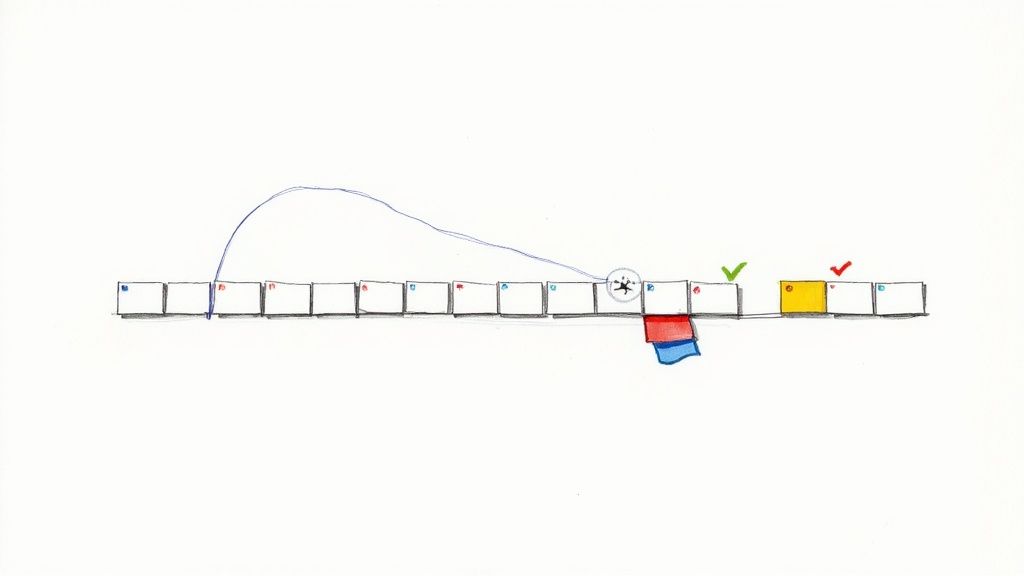
A repetição espaçada é uma poderosa melhor prática de design instrucional baseada no princípio psicológico de que lembramos melhor das informações quando as revisamos em intervalos de tempo crescentes. Em vez de acumular conteúdo em uma única sessão, essa técnica aproveita o "efeito de espaçamento" para combater a curva natural do esquecimento, movendo o conhecimento da memória de curto prazo para a de longo prazo. Ela foca no reforço estratégico, garantindo que os alunos revisitem conceitos logo antes de estarem prestes a esquecê-los.
Este método, explorado inicialmente por Hermann Ebbinghaus no século XIX, trata de tornar a recuperação da memória trabalhosa, mas bem-sucedida. Quando os alunos relembram ativamente as informações, eles fortalecem os caminhos neurais associados a elas. Aplicativos populares de aprendizado de idiomas, como Duolingo e Memrise, usam isso com maestria, solicitando aos usuários que revisem o vocabulário em intervalos otimizados, enquanto estudantes de medicina confiam em aplicativos de flashcards, como o Anki, para reter grandes quantidades de informações complexas para exames de qualificação.
Como Implementar a Repetição Espaçada e a Recuperação
Integrar essa técnica requer uma mudança de um evento de treinamento pontual para uma jornada de aprendizado contínuo. O objetivo é criar oportunidades automatizadas e de baixo risco para a recordação.
- Agende Revisões Estratégicas: Projete um cronograma de acompanhamento para conceitos-chave. Comece com intervalos curtos (por exemplo, 1 dia, 3 dias) e estenda-os gradualmente (por exemplo, 1 semana, 2 semanas, 1 mês) à medida que a retenção melhora.
- Use Questionários de Baixo Risco: Incorpore questionários frequentes e sem nota, enquetes ou exercícios com flashcards que exijam que os alunos recuperem ativamente as informações em vez de apenas reconhecê-las em opções de múltipla escolha.
- Automatize o Processo: Aproveite tecnologias de aprendizagem como um Sistema de Gestão de Aprendizagem (LMS) ou plataformas dedicadas de microlearning para enviar automaticamente perguntas de revisão ou atividades curtas de acordo com um cronograma espaçado.
Insight Principal: O aprendizado não para quando o curso termina; é aí que o esquecimento começa. A repetição espaçada e a prática de recuperação são as ferramentas mais eficazes para interromper esse processo, garantindo que o investimento em treinamento se traduza em conhecimento duradouro e aplicação no mundo real.
Ao incorporar essas oportunidades estruturadas de recordação, você vai além da simples entrega de conteúdo e projeta ativamente a retenção a longo prazo. Isso torna a experiência de aprendizado mais durável e impactante, consolidando-a como um pilar das melhores práticas eficazes de design instrucional.
5. Microlearning
O Microlearning é uma prática recomendada de design instrucional poderosa que entrega o aprendizado em segmentos pequenos, focados e de fácil digestão. Em vez de criar cursos longos e abrangentes, essa abordagem divide tópicos complexos em módulos compactos, tipicamente durando entre dois e quinze minutos. Cada módulo visa um único objetivo de aprendizado específico, tornando-o ideal para os alunos ocupados de hoje que precisam de conhecimento just-in-time.
Esta estratégia respeita o tempo e a capacidade de atenção limitados do aluno, permitindo que aprendam nos seus próprios termos, frequentemente em dispositivos móveis. Exemplos disso em ação incluem os cursos em vídeo curtos do LinkedIn Learning que ensinam uma habilidade específica, módulos rápidos de treinamento de segurança entregues via aplicativo móvel, ou até mesmo as microcredenciais baseadas em habilidades do Google. O objetivo é fornecer informações imediatas e acionáveis que os alunos possam aplicar imediatamente.
Como Implementar o Microlearning
O microlearning eficaz não se trata apenas de tornar o conteúdo mais curto; trata-se de torná-lo mais focado e impactante. Comece isolando os pontos de conhecimento mais críticos.
- Foque em Um Objetivo: Cada micromódulo deve responder a uma pergunta ou ensinar uma habilidade. Evite a tentação de colocar vários tópicos em um único vídeo curto.
- Otimize para Dispositivos Móveis: Projete com uma mentalidade mobile-first. Use fontes grandes, visuais claros e formatos de vídeo verticais onde apropriado para garantir uma experiência perfeita em qualquer dispositivo.
- Mantenha os Vídeos com Menos de 5 Minutos: Para microlearning baseado em vídeo, a brevidade é fundamental. Mire em uma duração de menos de cinco minutos para maximizar o engajamento do espectador e as taxas de conclusão.
- Incorpore Microavaliações: Conclua cada módulo com uma verificação rápida de conhecimento, como uma única pergunta de múltipla escolha ou uma atividade simples de arrastar e soltar, para reforçar o objetivo de aprendizado.
Insight Principal: O Microlearning prospera na precisão. Sua eficácia vem da entrega da informação exata que um aluno precisa no momento exato em que precisa, e é por isso que é um pilar do suporte moderno ao desempenho e desenvolvimento de habilidades.
Ao adotar uma estratégia de microlearning, você capacita os alunos a assumir o controle de seu desenvolvimento de uma maneira que se encaixa em seu fluxo de trabalho. Essa abordagem não apenas aumenta o engajamento, mas também torna o conhecimento mais acessível e fácil de reter. Para começar a criar seu próprio conteúdo de aprendizado focado, descubra nossas dicas sobre como criar vídeos instrucionais.
6. Aprendizagem Baseada em Cenários e Simulações
A aprendizagem baseada em cenários (SBL) é uma prática recomendada de design instrucional que move os alunos da absorção passiva de conhecimento para a tomada de decisão ativa. Ela os coloca em situações realistas e contextuais onde devem aplicar suas habilidades para navegar por desafios e alcançar resultados específicos. Essa abordagem preenche efetivamente a lacuna entre o conhecimento teórico e a aplicação no mundo real, permitindo a prática segura de habilidades complexas.
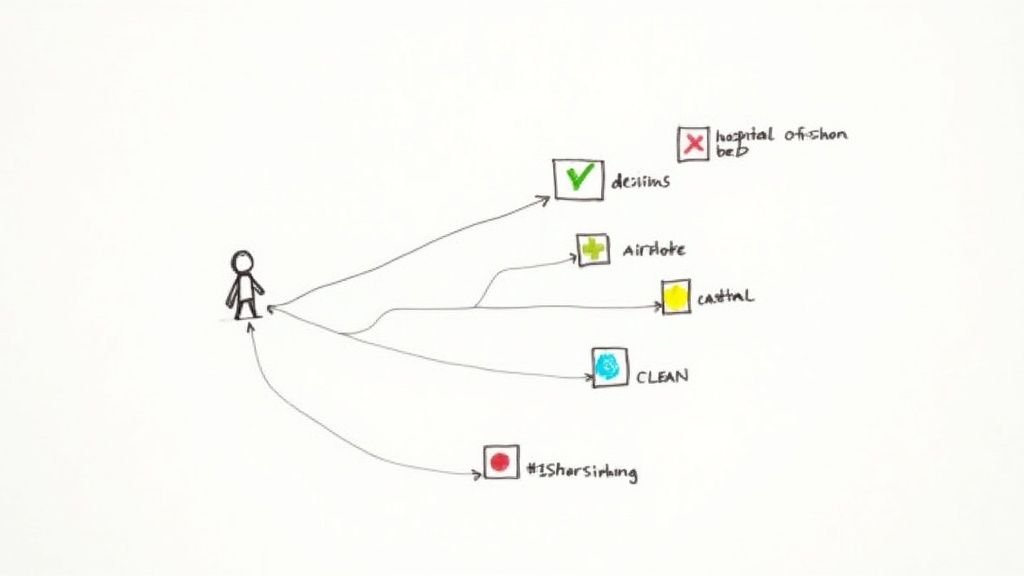
O poder da SBL reside na sua capacidade de simular consequências da vida real sem riscos reais. Considere simuladores de voo para pilotos ou simulações cirúrgicas complexas para estudantes de medicina; estas ferramentas são indispensáveis para profissões de alto risco. Da mesma forma, um cenário de vídeo ramificado pode treinar um representante de atendimento ao cliente sobre como desescalar uma conversa difícil, proporcionando uma lição muito mais memorável do que um PDF estático. Este método experiencial, defendido por defensores da aprendizagem imersiva como Clark Aldrich, melhora o pensamento crítico e as capacidades de resolução de problemas.
<iframe width="560" height="315" src="https://www.youtube.com/embed/k2nGe5xXugw" frameborder="0" allow="accelerometer; autoplay; clipboard-write; encrypted-media; gyroscope; picture-in-picture" allowfullscreen></iframe>
Como Implementar a Aprendizagem Baseada em Cenários
Criar simulações eficazes requer um planejamento cuidadoso e uma compreensão profunda dos resultados de desempenho desejados. O objetivo é a autenticidade e pontos de decisão significativos.
- Fundamente os Cenários na Realidade: Baseie os seus cenários em desafios e tarefas autênticas do local de trabalho. Entreviste especialistas no assunto para coletar detalhes realistas, pontos de decisão e consequências.
- Projete Escolhas Significativas: Garanta que cada ponto de decisão tenha resultados realistas que resultem diretamente da escolha do aluno. Evite perguntas capciosas e concentre-se no ensino do julgamento crítico.
- Forneça Feedback Imediato e Construtivo: Depois que um aluno faz uma escolha, explique por que ela levou a um determinado resultado. Este ciclo de feedback é onde ocorre a aprendizagem mais profunda.
- Permita a Falha Segura: Incentive a exploração permitindo que os alunos cometam erros e tentem os cenários várias vezes. O fracasso é um professor poderoso quando os riscos são baixos.
Insight Principal: As pessoas aprendem melhor fazendo. A aprendizagem baseada em cenários permite que os alunos pratiquem novas habilidades e comportamentos num ambiente controlado, construindo a confiança de que precisam para atuar de forma eficaz quando realmente importa.
Ao imergir os alunos em situações relevantes e interativas, torna o treinamento mais envolvente e diretamente transferível para as suas funções de trabalho. Para planejar adequadamente essas experiências interativas, confira o nosso guia sobre como fazer o storyboard de um vídeo.
7. Scaffolding e Descoberta Guiada
O Scaffolding é uma prática recomendada de design instrucional onde os educadores fornecem suporte temporário e estruturado que é gradualmente removido à medida que os alunos desenvolvem competência. Esta abordagem, enraizada na "Zona de Desenvolvimento Proximal" de Lev Vygotsky, garante que os alunos sejam desafiados, mas nunca sobrecarregados. Ajuda-os a preencher a lacuna entre as suas capacidades atuais e o resultado de aprendizagem desejado.
Combinado com a descoberta guiada, este método equilibra a instrução direta com a exploração liderada pelo aluno. Em vez de simplesmente fornecer respostas, cria-se um ambiente estruturado onde os alunos podem construir a sua própria compreensão. Por exemplo, um bootcamp de programação pode fornecer primeiro um exemplo de código totalmente resolvido, depois um parcialmente concluído para terminar e, finalmente, apenas uma declaração do problema, diminuindo gradualmente o suporte à medida que as habilidades do aluno crescem.
Como Implementar Scaffolding e Descoberta Guiada
Um scaffolding eficaz requer uma liberação estratégica e gradual de responsabilidade. O objetivo é construir a confiança e a independência do aluno sem causar frustração.
- Comece com Suporte Altamente Estruturado: Inicie com modelos claros, exemplos trabalhados e listas de verificação. Por exemplo, forneça um modelo de script completo para uma chamada de vendas antes de pedir aos novos contratados que criem o seu próprio.
- Use o "Pensar em Voz Alta" para Modelar Processos: Descreva verbalmente seu processo de pensamento enquanto resolve um problema. Isso torna os passos internos e invisíveis do pensamento especializado visíveis para o aprendiz.
- Reduza Gradualmente o Suporte: À medida que os aprendizes demonstram proficiência, reduza sistematicamente o nível de assistência. Isso pode significar remover avisos de uma simulação, fornecer menos dicas em um questionário ou passar do trabalho em grupo para tarefas individuais.
Insight Principal: O scaffolding (suporte estruturado) não se trata de tornar as tarefas mais fáceis; trata-se de tornar tarefas desafiadoras realizáveis. Ao fornecer o suporte certo no momento certo, você capacita os aprendizes a enfrentar problemas complexos e a desenvolver uma compreensão mais profunda e resiliente.
Implementar scaffolding e descoberta guiada ajuda a prevenir a sobrecarga cognitiva, ao mesmo tempo que promove o pensamento crítico e as habilidades de resolução de problemas. Isso torna essa técnica poderosa para dominar processos complexos, desde diagnósticos médicos até o desenvolvimento de software.
8. Aprendizagem Multimodal e Design Multimídia
A aprendizagem multimodal é uma melhor prática de design instrucional que envolve apresentar informações através de múltiplos canais sensoriais, como texto, áudio, imagens e vídeo. Essa abordagem aproveita a capacidade do cérebro de processar informações de forma mais eficaz quando recebe pistas visuais e verbais complementares simultaneamente. Em vez de depender de um único formato, um design multimídia eficaz combina esses elementos estrategicamente para reduzir a carga cognitiva e melhorar a compreensão.
Este princípio, fortemente influenciado pela Teoria Cognitiva da Aprendizagem Multimídia de Richard Mayer, reconhece que a multimídia bem projetada pode melhorar significativamente os resultados de aprendizagem. Por exemplo, os vídeos da Khan Academy combinam explicações faladas com desenhos na tela, tornando conceitos matemáticos abstratos concretos e mais fáceis de seguir. Da mesma forma, o TED-Ed usa animações envolventes para ilustrar tópicos científicos e históricos complexos, atendendo tanto a aprendizes visuais quanto auditivos.
Como Implementar a Aprendizagem Multimodal e o Design Multimídia
Uma implementação eficaz trata-se de sinergia, não apenas de adicionar mais mídia. O objetivo é garantir que cada elemento apoie o objetivo de aprendizagem sem criar distrações.
- Siga os Princípios de Mayer: Adira a diretrizes baseadas em evidências. O Princípio da Coerência aconselha remover palavras, sons e imagens estranhos, enquanto o Princípio da Sinalização sugere o uso de pistas (como setas ou destaque) para direcionar a atenção.
- Integre Áudio e Visuais Perfeitamente: Garanta que a narração explique diretamente o que está acontecendo na tela. Evite a armadilha do Princípio da Redundância, onde você apresenta informações idênticas como texto na tela e narração, o que pode sobrecarregar o aprendiz.
- Prioritize a Acessibilidade: Um bom design multimídia é inerentemente acessível. Forneça legendas sincronizadas para todo o conteúdo de vídeo, escreva texto alternativo descritivo para todas as imagens significativas e garanta que os elementos interativos sejam navegáveis por teclado.
Insight Principal: O cérebro não é apenas um recipiente para informações; é um processador. O design multimodal funciona porque se alinha com a forma como os nossos cérebros processam naturalmente o mundo, integrando o que vemos e o que ouvimos. Quando os elementos visuais e a narração são complementares, criam uma experiência de aprendizagem que é mais poderosa do que a soma das suas partes.
Ao combinar cuidadosamente diferentes formatos de mídia, atende a uma gama mais ampla de preferências de aprendizagem e cria uma experiência educacional mais rica e memorável. Esta abordagem transforma o consumo passivo de conteúdo num processo cognitivo ativo, solidificando a retenção de conhecimento.
9. Avaliação Formativa e Feedback
A avaliação formativa é uma prática recomendada de design instrucional poderosa que integra a avaliação contínua diretamente no processo de aprendizagem. Ao contrário das avaliações somativas que julgam a aprendizagem no final, as verificações formativas monitorizam o progresso em tempo real. Esta abordagem fornece feedback imediato e acionável para ajudar os alunos a identificar equívocos e orientar ajustes instrucionais, tornando a aprendizagem um processo dinâmico e responsivo.
Este princípio, fortemente influenciado pela pesquisa de Paul Black, Dylan Wiliam e John Hattie, trata a avaliação como uma ferramenta para a aprendizagem, não apenas da aprendizagem. Transforma a avaliação de um julgamento final numa conversa de apoio. Por exemplo, um módulo de formação de vendas pode usar cenários interativos com feedback instantâneo após cada decisão, enquanto um curso de conformidade pode usar questionários de baixo risco após cada vídeo para reforçar as políticas principais, orientando os alunos de volta ao conteúdo que não compreenderam.
Como Implementar a Avaliação Formativa e o Feedback
A avaliação formativa eficaz trata-se de criar um ciclo de feedback contínuo. Requer a conceção de oportunidades frequentes e de baixo risco para os alunos verificarem a sua compreensão e para os instrutores avaliarem a compreensão.
- Crie Verificações Alinhadas e de Baixo Risco: Crie questionários curtos, sondagens ou sugestões de reflexão que estejam diretamente ligados aos seus objetivos de aprendizagem. Torne-os não punitivos para encorajar tentativas honestas e reduzir a ansiedade.
- Forneça Feedback Oportuno e Específico: Automatize o feedback num LMS ou forneça-o imediatamente após uma atividade. Certifique-se de que não é apenas uma pontuação de "correto/incorreto", mas que explica por que uma resposta está certa ou errada e como melhorar.
- Use Dados para Ajustar a Instrução: Analise os resultados da avaliação para identificar pontos de bloqueio comuns. Se uma grande percentagem de alunos tiver dificuldades com um conceito, use esses dados para revisitar o tópico, fornecer mais recursos ou ajustar a sua abordagem de ensino.
Insight Principal: O feedback é mais eficaz quando se concentra na tarefa e orienta o aluno para a frente, em vez de o avaliar como pessoa. Ao tornar a avaliação um diálogo contínuo e de apoio, promove uma mentalidade de crescimento e capacita os alunos a assumirem a responsabilidade pelo seu desenvolvimento.
Ao incorporar a avaliação formativa e o feedback no seu design, cria um ambiente de aprendizagem mais adaptável e de apoio. Isto não só melhora a compreensão e a retenção, mas também constrói a confiança e a resiliência do aluno.
10. Aprendizagem Baseada em Competências e Progressão Baseada no Domínio
Afastando-se dos modelos tradicionais baseados no tempo, a aprendizagem baseada em competências foca no que os alunos conseguem fazer em vez de quantas horas passaram num curso. Esta melhor prática de design instrucional exige que os alunos demonstrem domínio de competências e conhecimentos específicos antes de avançar, garantindo a aquisição genuína de competências e permitindo um ritmo altamente individualizado. A ênfase muda da carga horária para o desempenho.
Esta abordagem garante que cada aluno que conclui um programa possui um conjunto verificado de competências. Por exemplo, os Google Career Certificates exigem que os participantes passem em avaliações baseadas no desempenho que simulam tarefas de trabalho do mundo real antes de obter uma credencial. Da mesma forma, a formação médica baseada em competências garante que os cirurgiões consigam realizar um procedimento com sucesso, e não apenas que tenham completado um número definido de horas de formação. O princípio fundamental é que a progressão está ligada diretamente à capacidade demonstrada.
Como Implementar a Aprendizagem Baseada em Competências
Construir um programa de sucesso baseado em competências requer uma definição clara de sucesso e formas autênticas de o medir. O foco está nos resultados, não nos insumos.
- Defina Competências Claras e Mensuráveis: Comece por identificar e articular as competências, conhecimentos e comportamentos específicos que um aluno deve demonstrar. Estes devem ser observáveis e mensuráveis.
- Crie Avaliações de Desempenho Autênticas: Crie avaliações que espelhem tarefas do mundo real. Em vez de um teste de escolha múltipla, peça aos alunos para construir um projeto, resolver um estudo de caso ou realizar uma simulação.
- Forneça Múltiplos Caminhos e Tentativas: Permita que os alunos demonstrem domínio de diferentes formas e ofereça oportunidades para tentar novamente as avaliações após receber feedback. Isto apoia diferentes estilos de aprendizagem e reduz a ansiedade dos testes.
Insight Principal: Os modelos baseados em competências constroem confiança e credibilidade ao certificar competências reais. Quando os alunos sabem que dominaram comprovadamente um tópico, estão mais bem preparados para aplicar esse conhecimento no trabalho, e os empregadores obtêm uma compreensão mais clara das verdadeiras capacidades de um candidato.
Ao vincular a progressão ao domínio, garante um padrão mínimo de desempenho para todos os graduados do seu programa. Este método cria uma experiência de aprendizagem mais rigorosa, relevante e, em última análise, mais valiosa, que se traduz diretamente em eficácia no mundo real.
Melhores Práticas de Design Instrucional — Comparação de 10 Pontos
| Abordagem | Implementação 🔄 (Complexidade) | Recursos ⚡ (Tempo e Custo) | Resultados Esperados 📊 (Impacto) | Casos de Uso Ideais 💡 | Principais Vantagens ⭐ |
|---|---|---|---|---|---|
| Design Centrado no Aprendiz | Alta — extensa pesquisa do aprendiz e personalização | Alta — análise, tempo de design, atualizações contínuas | Alta — engajamento, retenção, conclusão | Onboarding corporativo personalizado, cursos adaptativos, instrução diferenciada | Aumento da motivação; alinhamento com as necessidades do aprendiz |
| Modelo ADDIE (A,D,D,I,E) | Moderada‑Alta — em fases e com muita documentação | Alta — cronogramas longos, coordenação de equipe | Confiável — programas bem estruturados e auditáveis | Treinamento em larga escala, compliance, programas governamentais e militares | Abrangente, repetível, facilita a colaboração |
| Estratégias de Aprendizagem Ativa | Moderada — requer facilitação qualificada e design de atividades | Moderada — tempo de preparação e recursos do facilitador | Alta — melhor retenção, habilidades de ordem superior | Salas de aula, laboratórios, workshops, debriefings de simulação | Aumenta o engajamento, pensamento crítico, transferência |
| Repetição Espaçada e Prática de Recuperação | Baixa‑Moderada — agendamento e sequenciamento de conteúdo | Baixa — ferramentas tecnológicas (flashcards/LMS) e manutenção | Muito Alta — retenção a longo prazo e estudo eficiente | Preparação para exames, aprendizado de idiomas, programas de reforço contínuo | Retenção com bom custo‑benefício; combate a curva do esquecimento |
| Microlearning | Baixa — fragmentação e design de módulos focados | Baixa — rápido de produzir e atualizar; focado em dispositivos móveis | Moderada — maior conclusão, desempenho just‑in‑time | Profissionais ocupados, treinamento móvel, reciclagens rápidas | Alto engajamento; atualizações fáceis; adequa‑se a períodos de atenção limitados |
| Aprendizagem Baseada em Cenários e Simulações | Muito Alta — ramificação complexa e design imersivo | Muito Alta — custo de desenvolvimento, tecnologia (VR/simulação) | Muito Alta — forte transferência para tarefas do mundo real | Treinamento de alto risco (médico, aviação, militar), atendimento ao cliente | Prática segura de habilidades complexas; tomada de decisão realista |
| Scaffolding e Descoberta Guiada | Moderada‑Alta — calibração cuidadosa do suporte | Moderada — design instrucional e suporte de mentores | Alta — compreensão mais profunda e autonomia do aprendiz | Aprendizados, bootcamps, tutoria, tutoriais progressivos | Constrói independência; reduz ansiedade; apoia a ZDP |
| Aprendizagem Multimodal e Design Multimídia | Moderada‑Alta — design transmídia coeso e acessibilidade | Alta — produção, largura de banda, testes de acessibilidade | Alta — melhor compreensão, engajamento, acessibilidade | Conceitos complexos, públicos diversos, programas híbridos (blended) | Inclusivo; aproveita os pontos fortes de múltiplas mídias |
| Avaliação Formativa e Feedback | Moderada — design de avaliação contínua e uso de dados | Moderada — autoria de avaliações e sistemas de rastreamento | Muito Alta — detecção precoce de lacunas; melhores resultados | Salas de aula, cursos em LMS, programas de treinamento iterativos | Ajustes instrucionais oportunos; apropriação pelo aprendiz |
| Baseado em Competências / Progressão por Domínio | Alta — redesenho do ritmo e das avaliações | Alta — infraestrutura robusta de avaliação e rastreamento | Alta — domínio assegurado; ritmo individualizado | Certificação profissional, treinamento vocacional, programas de domínio | Garante competência antes do avanço; trilhas personalizadas |
Unindo Tudo: Seu Próximo Passo no Design de Aprendizagem
Navegar pelo cenário do design instrucional pode parecer como montar um quebra-cabeça complexo. Exploramos dez princípios fundamentais, desde o modelo ADDIE básico e a abordagem impulsionada pela empatia do Design Centrado no Aluno até estratégias dinâmicas como a Aprendizagem Baseada em Cenários e a entrega eficiente do Microlearning. Cada um destes representa uma peça crítica, uma ferramenta poderosa no seu arsenal para criar uma aprendizagem que não apenas informa, mas verdadeiramente transforma.
A jornada de um novato a um profissional especialista não se trata de memorizar esses conceitos como uma lista de verificação rígida. Em vez disso, o verdadeiro domínio reside em compreendê-los como um kit de ferramentas flexível e interconectado. A verdadeira inovação acontece na interseção dessas práticas. Imagine usar a Repetição Espaçada dentro de um módulo de Microlearning para reforçar conceitos-chave de um currículo maior Baseado em Competências. Ou, imagine incorporar Avaliações Formativas ricas diretamente em uma simulação complexa para fornecer feedback imediato e acionável. É nesta síntese que o design de aprendizagem eficaz ganha vida.
Dos Princípios à Prática: Seu Caminho Acionável para o Futuro
A principal conclusão é esta: o design instrucional eficaz é um processo proativo, iterativo e profundamente humano. Começa com uma compreensão profunda do seu público e termina com um impacto mensurável nas suas competências e conhecimentos. As melhores práticas que abordamos, como a Aprendizagem Ativa e o Scaffolding, não são apenas teorias; são estruturas práticas para guiar os alunos de um estado de incerteza para um de domínio confiante.
Para consolidar a sua compreensão e começar a aplicar estes conceitos, considere estes próximos passos imediatos:
- Realize uma 'Auditoria de Prática': Selecione um dos seus módulos de treinamento ou cursos existentes. Revise-o através da lente de duas ou três práticas deste artigo. Onde você poderia injetar mais aprendizagem ativa? O conteúdo está apropriadamente 'fragmentado' para microlearning? Esta simples auditoria pode revelar oportunidades poderosas de melhoria.
- Comece Pequeno com uma Nova Estratégia: Não tente reformular tudo de uma vez. Escolha uma nova abordagem, como a Aprendizagem Baseada em Cenários, e construa um único módulo curto em torno dela. Este experimento focado permite que você aprenda as nuances da técnica sem a pressão de um projeto em grande escala.
- Adote um Ciclo de Feedback: Implemente mecanismos de Avaliação Formativa e feedback mais robustos no seu próximo projeto. Solicite ativamente a opinião do aluno não apenas sobre o conteúdo, mas sobre a própria experiência de aprendizagem. Este feedback é o dado mais valioso que você pode coletar para refinar as suas melhores práticas de design instrucional.
O Futuro da Aprendizagem é Visual e Ágil
À medida que a tecnologia continua a evoluir, as nossas ferramentas para implementar estes princípios tornam-se mais poderosas. A ascensão da IA, por exemplo, está diminuindo drasticamente a barreira para a criação de conteúdo multimídia envolvente e de alta qualidade. Ferramentas como geradores de vídeo com IA estão tornando possível para qualquer pessoa aplicar princípios de Aprendizagem Multimodal sem precisar de experiência em produção de vídeo. Agora você pode transformar um simples roteiro ou storyboard em um vídeo instrucional dinâmico em minutos, liberando seu tempo para focar no design central e na estratégia de aprendizagem.
Ao aplicar consistentemente estas melhores práticas de design instrucional fundamentais e adotar novas tecnologias, você transita de criador de conteúdo para arquiteto de experiências de aprendizagem. Você constrói caminhos que não são apenas eficientes e envolventes, mas também acessíveis e impactantes, capacitando, em última análise, os seus aprendizes a alcançarem os seus objetivos. Para aqueles que procuram formalizar as suas competências e obter uma compreensão mais profunda e estruturada destes princípios, buscar uma certificação em design instrucional pode ser um passo valioso para acelerar o seu crescimento profissional.
Pronto para dar vida ao seu conteúdo instrucional com visuais deslumbrantes? O Veo3 AI permite criar vídeos instrucionais de qualidade profissional a partir de simples prompts de texto, tornando mais fácil do que nunca aplicar princípios de design multimídia. Transforme os seus roteiros e storyboards em experiências de aprendizagem envolventes visitando o Veo3 AI hoje.
Related Articles
Continue with more blog posts in the same locale.
O Gemini Omni é gratuito? Planos, limites e acesso
O Gemini Omni é gratuito? Entenda o que o Google diz oficialmente sobre acesso ao Gemini Omni, planos Google AI, créditos do Flow, implementação no YouTube, limites e pontos ainda
Read article
Preço do Gemini Omni: é gratuito ou pago?
Preço do Gemini Omni explicado: acesso sem custo, planos Google AI Plus, Pro e Ultra, créditos do Flow, limites e o que ainda não está oficialmente confirmado.
Read article
API do Gemini Omni: disponibilidade, preço e acesso para desenvolvedores
Disponibilidade da API do Gemini Omni explicada: o que o Google confirmou oficialmente, o que ainda é desconhecido, sinais de preço, acesso para desenvolvedores e etapas seguras de
Read article