
Gemini Omniは無料?プラン、制限、利用条件
Gemini Omniは無料?Googleが公式に説明しているGemini Omniのアクセス条件、Google AIプラン、Flow credits、YouTubeでの展開、制限、API未確定事項を整理します。
Emma Chen · 2 min read · May 20, 2026
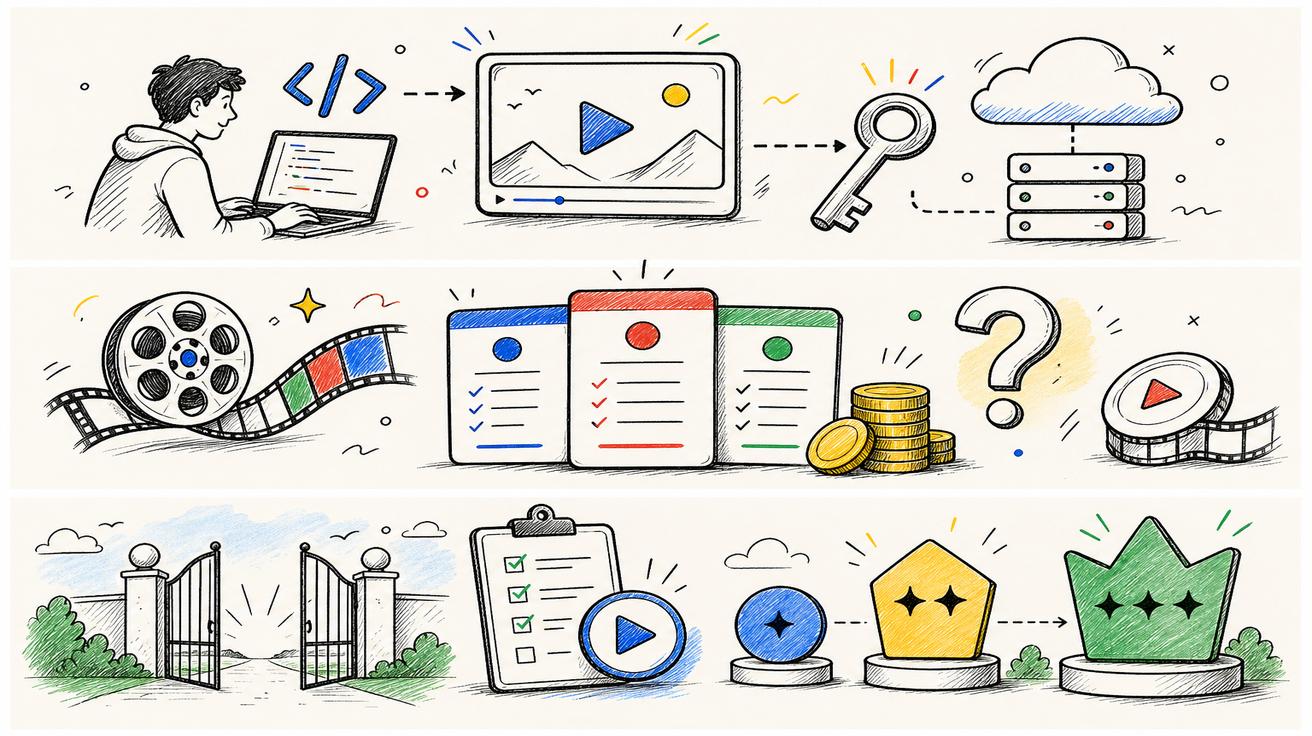
短い答え: Gemini Omniは、誰でも無条件に無料で使えるサービスではありません。Google公式のGemini動画生成ページでは、Gemini OmniはGeminiアプリを利用できる地域において、18歳以上のGoogle AI Plus、Pro、Ultraプランのユーザー向けに提供されると説明されています。一方、Googleの発表では、Omni FlashがYouTube ShortsとYouTube Create Appのユーザー向けに追加料金なしで順次提供されるとも述べられています。ただし、これはYouTube上の特定の利用面に限った話です。確認した公式情報の範囲では、API料金はまだ公式に確定していません。
「Gemini Omniは無料か」と検索している場合、答えはどこで使いたいかによって変わります。Geminiアプリなのか、Google Flowなのか、YouTubeなのか、それとも今後の開発者向けAPIなのかで判断が異なります。このガイドでは、それぞれの利用面ごとに整理して説明します。
このガイドで確認した公式ソース:
- Google Gemini video generation page:Gemini OmniがGeminiアプリ内でVeoを置き換えること、またGeminiアプリを利用できる地域でGoogle AI Plus、Pro、Ultraユーザー向けに提供されることを説明しています。
- Google Blog: Introducing Gemini Omni:Gemini Omni FlashがGeminiアプリ、Google Flow、YouTube Shortsに順次展開され、開発者およびエンタープライズ向けAPIアクセスは今後数週間で提供予定と説明しています。
- Google AI subscriptions page:Free、Google AI Plus、Google AI Pro、Google AI Ultraの各プラン、Flow credits、プラン別のGemini Omni Flash利用可否を掲載しています。
- Google DeepMind: Gemini Omni:Omniのマルチモーダル動画作成、編集、SynthID、C2PAに関する文脈を説明しています。
- Google DeepMind: Veo 3.1:Veo 3.1のページは現在も公開されています。そのため、この記事ではVeoが世界的に終了したとは主張しません。
関連するveo3ai.ioガイド:
- Gemini Omni hub
- What Happened to Veo? Gemini Omni Replaces Veo in the Gemini App
- Gemini Omni vs Veo 3.1: What Changed?
- Best Gemini Omni Alternatives: Veo Replacement Guide
- Veo 3 pricing
- Google Veo 3 pricing and free access
- Best free AI video generators
- Image-to-video tools
- Text-to-video AI tools
もっとも分かりやすい答え
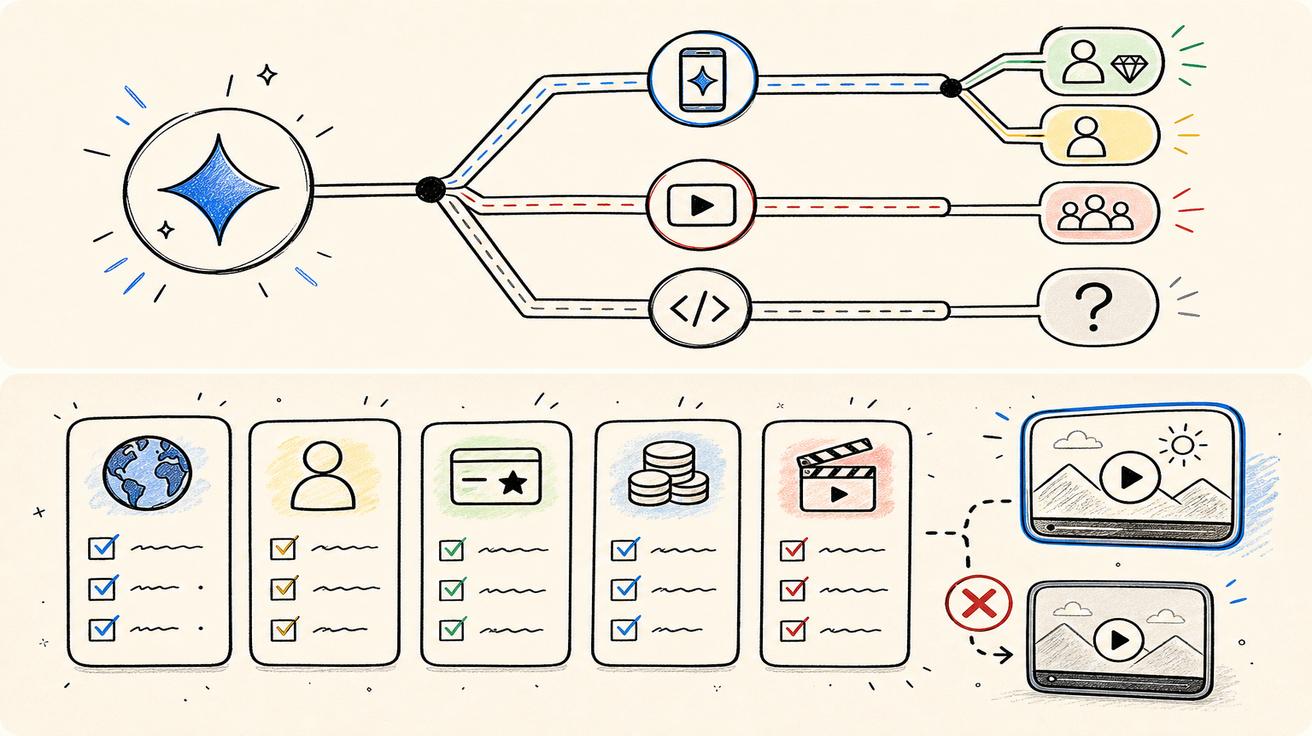
Geminiアプリについては、GoogleはGemini OmniをGoogle AI Plus、Pro、Ultraに紐づけています。つまり、Gemini Omniの動画生成・編集体験がFreeプランにすべて含まれていると考えるべきではありません。利用可否は年齢、地域、機能の展開状況にも左右されます。
YouTube ShortsとYouTube Createについては、GoogleはOmni Flashをユーザー向けに追加料金なしで順次提供すると説明しています。ただし、これはGeminiアプリ全体のアクセスが無料になるという意味ではありません。YouTubeという特定プロダクト上での展開が無料になる可能性を示すものです。
Google Flowについては、サブスクリプションページに有料プランごとのFlow creditsが掲載されており、FlowでのGemini Omni Flashアクセスにも触れられています。Freeユーザーにも限定的なFlowアクセスが見える場合がありますが、有料プランではより多くのクレジットと利用量が提供されます。
API利用については、公式の開発者向け料金が確認したソース内で確定していないため、「無料か有料か」を完全に断定することはできません。
Google AI Freeと「Gemini Omni無料」は同じではない
Googleのサブスクリプションページには、日常的なGemini機能を利用できるFreeプランが掲載されています。そこには、一部モデルへのアクセス、画像生成、Deep Research、Gemini Live、Canvas、GemsなどのGeminiアプリ機能が含まれます。また、AIクリエイティブスタジオであるGoogle Flowへの限定的なアクセスも掲載されています。
しかし、Gemini動画生成ページでは、Gemini OmniはGoogle AI Plus、Pro、Ultraのユーザー向けに提供されると明記されています。Omniのアプリ内アクセスについては、このページの説明がより直接的な根拠になります。したがって、安全な表現は次の通りです。Freeプランユーザーは一般的なGemini機能や限定的なクリエイティブ機能を利用できる場合がありますが、公式ページで確認できる範囲では、Gemini Omniの本格的なアプリ内動画アクセスは有料プランに紐づいています。
Plus、Pro、Ultraでのアクセス
Google AI Plusは、Freeより利用量が多く、動画生成などより多くの機能にアクセスできる入門的な有料プランとして位置づけられています。サブスクリプションページでは、Flow creditsやFlow内でのGemini Omni Flashアクセスも記載されています。Gemini Omniを試したい多くのユーザーにとって、最初に検討する有料プランになる可能性があります。
Google AI Proは、より高い利用上限と多くのFlow creditsを提供します。複数のクリップを生成したり、複数のプロンプトを試したり、AIクリエイティブツールを定期的に使うユーザーに向いています。
Google AI Ultraは、最も高い利用量とかなり多くのFlow creditsを提供し、地域や言語によってはGemini Sparkのような早期アクセス機能も含まれます。カジュアルユーザーには過剰かもしれませんが、ヘビークリエイターやチームには関係があります。
プラン名、価格、提供状況は国によって異なる場合があります。必ず自分のアカウントで表示される最新のGoogleサブスクリプションページを確認してください。
注意すべき制限
アクセスできるとしても、「無料かどうか」だけが重要ではありません。動画生成では再試行がよく発生するため、制限のほうが実務上は重要になることがあります。完成した1本のクリップを得るまでに、複数回の生成が必要になる場合があります。既存動画の編集は、テキストから動画を生成する場合とは異なるリソースを消費する可能性もあります。生成、延長、修正を繰り返すと、Flow creditsは予想より早く消費されるかもしれません。
確認すべき制限は以下です。
- 月間利用上限。
- Flow credits。
- 出力動画の長さ。
- 参照画像または参照動画の数。
- Video-to-video編集の利用可否。
- 地域制限。
- 年齢制限。
- 音声生成が利用できるか。
- 出力にSynthIDまたはC2PA認証情報が含まれるか。
- 商用利用およびポリシー条件。
YouTubeでの追加料金なしの展開
Googleの発表では、Gemini Omni FlashがYouTube ShortsとYouTube Create Appのユーザー向けに追加料金なしで順次提供されると説明されています。これは、多くのユーザーがGeminiアプリの有料プランを購入しなくても、Omniを使った制作を試せる可能性があるという点で重要です。ただし、Googleの表現どおりに説明する必要があります。対象はYouTube上の利用面であり、その週からの順次展開であり、具体的な展開内容はGoogleとYouTubeが管理します。
YouTubeでOmni機能にアクセスできるユーザーでも、GeminiアプリやFlowで使うには有料のGoogle AIプランが必要になる場合があります。どのプロダクト面で使うのかが重要です。
Gemini Omni APIは無料?
確認したソースの範囲では、Gemini Omni APIが無料かどうかについて公式に確定した答えはありません。Googleは、開発者およびエンタープライズ向けAPIアクセスを今後数週間で提供予定と説明しています。GoogleがモデルID、価格、クォータ、課金単位を公開するまでは、APIが無料である、または特定の料金で有料であると主張すべきではありません。
開発者はGoogleの公式APIドキュメントを監視し、予算は暫定的に扱うべきです。今すぐ本番向けの動画生成が必要な場合は、既にAPI利用に対応しているツールを比較し、プロバイダー層を柔軟に保つのが現実的です。
いつ支払うべきか
支払うべきなのは、その機能が自分のアカウントで実際に利用可能であり、用途に見合う場合だけです。数本のクリップを試したいだけなら、YouTubeや限定的なFlowアクセスで十分か確認してください。GeminiアプリでOmniのフル動画ワークフローを使いたい場合は、Plusが最初に検討するプランになるかもしれません。繰り返し生成が必要なら、ProまたはUltraのほうが現実的な場合があります。
ビジネス利用では、単なるプラン価格だけで判断しないでください。重要なのは、実際に使える1本のクリップあたりのコストです。再試行、レビュー時間、失敗した出力、ポリシーブロック、エクスポート制約、チームのワークフローを含めて考える必要があります。高く見えるプランでも失敗生成を減らせるなら安くなる場合があり、安いプランでも本番制作には制限が強すぎる可能性があります。
誤解を招く表現を避ける方法
Gemini Omniの料金についてコンテンツを公開する場合、Googleが公式に確認していない限り、以下のような主張は避けてください。
- 「Gemini Omniは完全に無料です。」
- 「Gemini Omni APIは無料です。」
- 「Veoは終了したので、Omniに必ず課金しなければなりません。」
- 「すべてのGoogle AIプランでOmniの制限は同じです。」
- 「YouTubeで追加料金なしなら、Geminiアプリのアクセスも無料です。」
代わりに、より安全な表現を使いましょう。Googleの公式ページでは、Gemini Omniのアプリ内アクセスはPlus、Pro、Ultraに紐づいています。YouTubeでの展開はYouTube上の特定の利用面で追加料金なしになる可能性があります。API料金はまだ公式に確定していません。
今すぐ無料のAI動画が必要な場合の代替案
自分のアカウントやプランでGemini Omniを利用できない場合は、ブランド名ではなく目的別にツールを比較してください。テキストプロンプトから動画を作るなら、まずtext-to-video AI toolsを確認してください。商品写真やアプリのスクリーンショットを動画化するなら、image-to-video toolsが役立ちます。無料またはトライアルの選択肢を探すなら、best free AI video generatorsを確認してください。より広い移行の文脈については、Best Gemini Omni Alternativesを読んでください。
結論
Gemini Omniは、誰でも無条件に無料で使えるものではありません。公式のGeminiアプリ関連の説明では、Google AI Plus、Pro、Ultraに紐づいています。Google Flowではプランベースのクレジットが使われます。YouTubeでの展開では、特定のYouTube利用面において追加料金なしのアクセスが提供される可能性があります。API料金はまだ公式に確定していません。正しい答えは、Omniをどこで使いたいのか、そして自分のワークフローがどの制限まで許容できるのかによって変わります。
無料、トライアル、プラン内利用の違い
ユーザーは「無料」という言葉を、異なる意味で使うことがよくあります。無料とは、サブスクリプション不要という意味かもしれません。限定的なトライアルという意味かもしれません。有料プランに追加料金なしで含まれるという意味かもしれません。あるプラットフォームでは無料でも、別のプラットフォームでは有料という意味かもしれません。Gemini Omniは、Geminiアプリ、Flow、YouTube Shorts、将来のAPIという複数の利用面にまたがるため、これらすべての意味が関係します。
Geminiアプリユーザーについては、公式動画ページがPlus、Pro、Ultraを示しています。YouTubeユーザーについては、Googleの発表がYouTube ShortsとYouTube Createでの追加料金なしの展開に触れています。Flowユーザーについては、クレジットがプランごとに異なります。開発者については、料金がまだ確定していません。良い回答は、どの意味の「無料」が当てはまるのかを説明する必要があります。
実用的なアクセス確認チェックリスト
今日Gemini Omniを使えるか知りたい場合は、次のチェックリストに沿って確認してください。まず、公式のGeminiアプリまたはWeb体験を開き、自分のアカウントで動画生成ページが利用できるか確認します。次に、自分のGoogle AIプランを確認します。第三に、自分の国でその機能がサポートされているか確認します。第四に、年齢要件を満たしているか確認します。第五に、使いたい機能がtext-to-video、image-to-video、video-to-video編集、アバター作成のどれなのかを確認します。機能によって制限が異なる可能性があるためです。
YouTubeアクセスを探している場合は、YouTube ShortsまたはYouTube Createを別途確認してください。開発者アクセスを探している場合は、アプリで使えることをAPIが存在する証拠として扱わないでください。公式の開発者向けドキュメントを待つ必要があります。
「無料」を単純にしない制限
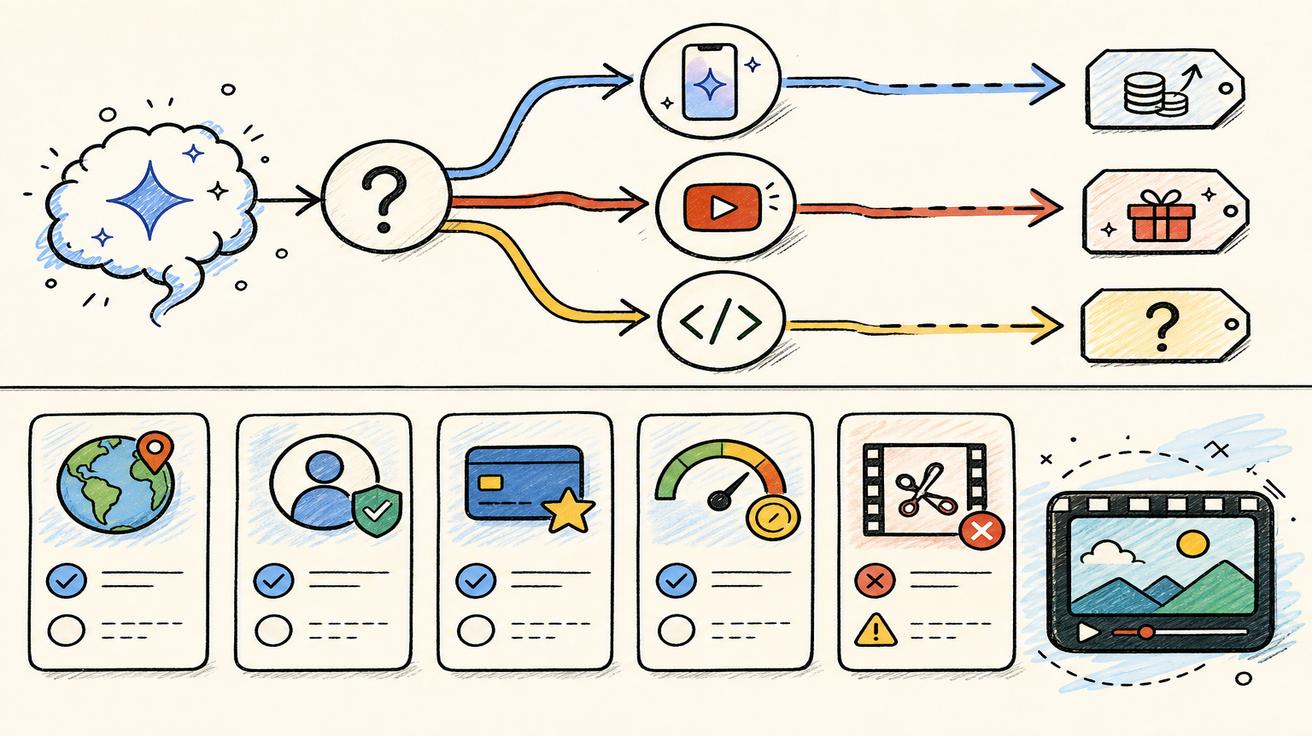
機能が追加料金なしで利用できるとしても、制限によって本番利用には向かない場合があります。制限には、生成回数、出力時間、解像度、待機時間、ウォーターマーク、編集操作、参照ファイルのアップロード、商用利用制限、地域での提供状況などが含まれる可能性があります。無料アクセスはテストには便利ですが、マーケティングカレンダーやプロダクト機能には不十分な場合があります。
たとえば、ソーシャル投稿用に1本の短いクリップを作るクリエイターなら、少ない生成回数でも満足できるかもしれません。一方、数百本の商品動画を作るecommerceチームは、クレジット、一貫性、バッチワークフローを重視します。アプリに動画生成を組み込む開発者には、無料のコンシューマー向け画面ではなく、APIクォータと課金情報が必要です。
代替ツールを検討すべきタイミング
Gemini Omniが自分のアカウントで利用できない場合、プランコストが高すぎる場合、APIアクセスが確認されていない場合、別のワークフローが必要な場合、または組織に合う出力権利やレビュープロセスが必要な場合は、代替ツールを検討する意味があります。その場合は、text-to-video、image-to-video、動画編集、商品広告、API自動化など、作業内容ごとにツールを比較してください。
良い代替戦略とは、Omniを無視することではありません。公式に利用できる場所ではOmniを使い、アクセス、コスト、ワークフロー要件をより満たす場面では別のツールを選ぶということです。
ユーザーに直接答えるなら
ユーザーが「Gemini Omniは無料ですか?」と聞いた場合、最もよい直接回答は次のようになります。「無条件に無料ではありません。Googleは、サポートされる地域のGeminiアプリで、Google AI Plus、Pro、Ultraユーザー向けにGemini Omniを提供すると説明しています。また、Omni FlashはYouTube ShortsとYouTube Createのユーザー向けに追加料金なしで順次提供されるとも説明しています。API料金はまだ公式に確定していません。」
この一文は正確で実用的であり、後から修正が必要になるリスクも比較的低い表現です。また、ユーザーが次に何を確認すべきか、つまりプラン、利用面、APIドキュメントのどれを確認すべきかを判断しやすくします。
今後確認すべき項目
無料アクセスに関する状況はすぐに変わる可能性があります。Geminiのリリースノート、Google AIサブスクリプションページ、YouTubeの発表、開発者向けドキュメントを確認してください。Googleがトライアルを提供したり、プラン制限を変更したり、API料金を公開したりした場合は、記事を更新する必要があります。また、GSCクエリも監視してください。ユーザーは「Gemini Omni free trial」「Gemini Omni Plus」「Gemini Omni Ultra」「Gemini Omni YouTube free」などで検索する可能性があります。これらのクエリは、次に作るべき関連コンテンツのヒントになります。
変化の速いGoogleローンチに関する編集メモ
このページは、ライブローンチへの迅速な対応として書かれています。Googleは公開後に、プラン名、アクセスルール、モデルの利用可否、ドキュメントを更新する可能性があります。このガイドを使う最も安全な方法は、公式Googleページを一次情報として扱い、この記事をクリエイター、開発者、SEOチーム向けに現時点の公開情報の意味を整理する解釈レイヤーとして扱うことです。Googleが新しいAPIドキュメント、移行ガイド、改訂版の料金表を公開した場合、本番判断の前に推奨内容を見直す必要があります。
今日プランを比較するユーザーにとって、実用的な次のステップは、実際に使う国とGoogleアカウントで公式サブスクリプションページを開くことです。別地域のスクリーンショットは、現地通貨、機能展開、税金、トライアルオファー、アカウントの eligibility と一致しない場合があります。機能が表示されない場合は、そのページが間違っていると決めつけるのではなく、ロールアウト更新後に再確認してください。
すぐに無料オプションが必要な場合は、テストと本番利用を分けて考えてください。無料または追加料金なしの利用面でワークフローを学び、品質を評価することはできます。しかし、制限、エクスポート権利、再現性が分かるまでは、ビジネス上の納品物を約束しないでください。AI動画は最初のデモでは印象的に見えても、商用利用できる1本のクリップにするには複数回の再試行が必要になることがよくあります。 これにより、予算面の想定外を避けられます。 公開前には、必ず公式の制限を確認してください。
<script type="application/ld+json"> { "@context": "https://schema.org", "@type": "Article", "headline": "Gemini Omniは無料?プラン、制限、利用条件", "description": "Gemini Omniは無料?Googleが公式に説明しているGemini Omniのアクセス条件、Google AIプラン、Flow credits、YouTubeでの展開、制限、API未確定事項を整理します。", "author": { "@type": "Person", "name": "Emma Chen" }, "publisher": { "@type": "Organization", "name": "Veo3AI", "url": "https://www.veo3ai.io" }, "mainEntityOfPage": { "@type": "WebPage", "@id": "https://www.veo3ai.io/blog/is-gemini-omni-free-plans-limits-access" }, "datePublished": "2026-05-20", "dateModified": "2026-05-20" } </script>
<script type="application/ld+json"> { "@context": "https://schema.org", "@type": "FAQPage", "mainEntity": [ { "@type": "Question", "name": "Gemini Omniは無料ですか?", "acceptedAnswer": { "@type": "Answer", "text": "公式のGemini動画ページでは、完全なGeminiアプリ体験としてのGemini OmniはGoogle AI Plus、Pro、Ultraに紐づけられています。そのため、一般的には無条件に無料とは言えません。一部のYouTube展開はユーザー向けに追加料金なしと説明されています。" } }, { "@type": "Question", "name": "FreeユーザーはGemini Omniを使えますか?", "acceptedAnswer": { "@type": "Answer", "text": "Freeプランには一般的なGemini機能や一部のFlowアクセスが含まれますが、公式のGemini動画ページではGemini OmniはPlus、Pro、Ultraユーザー向けとして掲載されています。" } }, { "@type": "Question", "name": "Gemini OmniはYouTube Shortsで無料ですか?", "acceptedAnswer": { "@type": "Answer", "text": "Googleは、Gemini Omni FlashがYouTube ShortsとYouTube Create Appのユーザー向けに、その週から追加料金なしで順次提供されると説明しています。ただし、これはYouTube上の特定の利用面に限った話です。" } }, { "@type": "Question", "name": "利用制限はありますか?", "acceptedAnswer": { "@type": "Answer", "text": "あります。Googleは機能がプランや地域によって異なると説明しており、サブスクリプションページではプランごとに異なる利用上限やFlow creditsが示されています。" } }, { "@type": "Question", "name": "Gemini Omni APIは無料ですか?", "acceptedAnswer": { "@type": "Answer", "text": "確認したソースの範囲では、無料API料金は公式に確認されていません。開発者およびエンタープライズ向けAPIアクセスは今後数週間で提供予定と説明されています。" } } ] } </script>
Related Articles
Continue with more blog posts in the same locale.

2026年版:無料で使えるおすすめ動画作成ソフト10選
2026年版・無料で使える最高の動画作成ソフトを探そう。SNS・マーケティング・AI動画に対応した厳選10ツール——透かしなし、完全無料。
Read article
Veo 3 AIでスポーツハイライト動画を作る方法(2026年)
Veo 3 AIで魅せるスポーツハイライト動画を作成。AIプロンプトでダイナミックなアクションショット、スローモーション、劇的なリプレイを生成。
Read article
Veo 3 AIで短編映画を作る方法(2026年完全ガイド)
Veo 3 AIでプロ品質の短編映画を作る方法|プロンプト・ワークフロー・映像技法の完全ガイド
Read article