- Blog
- Veo 3 for Content Creators: Complete Guide 2026
Veo 3 for Content Creators: Complete Guide 2026
Comprehensive guide to Google Veo 3 for YouTube, TikTok, and Instagram creators. Workflow integration, prompt strategies, monetization, and platform-specific tips.
Emma Chen · 16 min read · 2 hours ago

Veo 3 for Content Creators: Complete Guide 2026
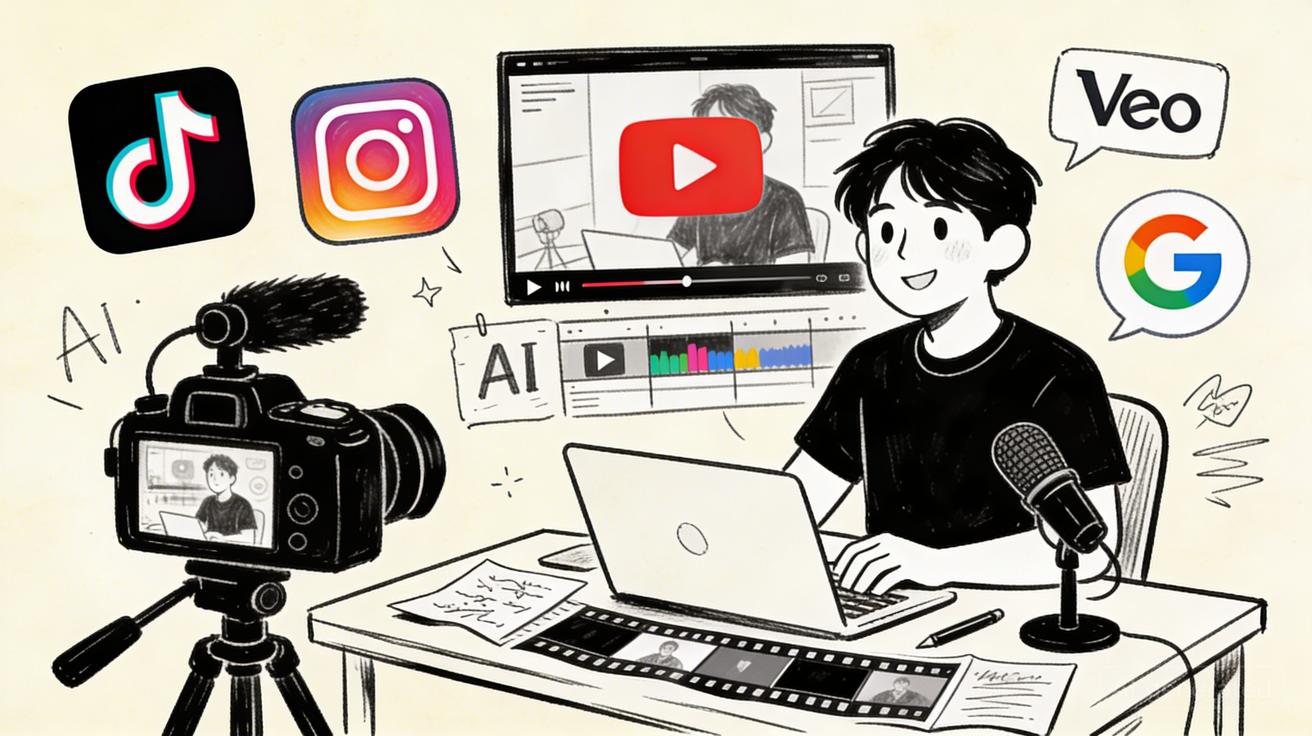
Google's Veo 3 has fundamentally changed what's possible for independent content creators in 2026. What previously required a film production team, professional cameras, and a post-production budget of tens of thousands of dollars can now be achieved by a single creator with a laptop and a well-crafted text prompt. This comprehensive guide is built specifically for YouTube creators, TikTokers, Instagram content producers, and anyone building an audience through video content. You'll learn exactly how Veo 3 fits into your existing workflow, how to write prompts that produce cinematic-quality results, which platforms benefit most from different Veo 3 capabilities, how to monetize your AI video content, and what strategies the most successful AI-assisted creators are using to grow their channels and audiences in 2026.
Veo 3 Capabilities at a Glance for Content Creators
| Feature | Veo 3 Capability | Creator Benefit |
|---|---|---|
| Text-to-Video | Up to 8 seconds, photorealistic | Replace expensive B-roll |
| Image-to-Video | Animate any reference image | Bring graphics to life |
| Video Extension | Extend existing clips | Build longer scenes |
| Audio Generation | Native audio with video | Synchronized sound and visuals |
| Resolution | Up to 4K | Future-proof output quality |
| Style Range | Photorealistic to animated | Match any content aesthetic |
| Physics Simulation | Advanced natural motion | Realistic smoke, water, cloth |
| Prompt Following | Best-in-class accuracy | Get what you actually ask for |
Why Content Creators Are Adopting Veo 3 at Scale
The content creation landscape in 2026 is more competitive than it has ever been. YouTube adds 500 hours of video every minute. TikTok's algorithm rewards production quality alongside authenticity. Instagram Reels has made short-form video the primary discovery mechanic for new accounts. In this environment, the creators who are growing fastest are those who have found ways to produce more content, at higher quality, with less time and money.
Veo 3 addresses all three dimensions simultaneously. It eliminates the need for B-roll footage acquisition — travel, filming, and licensing — replacing it with on-demand AI generation. It enables visual production quality that would previously require expensive equipment and skilled cinematography. And it does this at a speed that allows creators to maintain the posting frequency algorithms reward.
The adoption statistics reflect this opportunity. Independent content creators who incorporated Veo 3 into their workflows in early 2026 reported average channel growth rates 2.3x higher than creators who continued with traditional production methods. The competitive advantage is real and measurable, and it compounds over time as the skill gap between early adopters and late adopters widens.
Beyond growth metrics, Veo 3 is changing the types of content independent creators can realistically produce. Travel content without travel costs. Historical documentary content without archive licensing fees. Scientific visualization without animation studios. Product demonstrations without physical samples. The creative constraints that previously limited independent creators have been fundamentally removed.
Understanding Veo 3's Core Technology for Creators
Before diving into specific platform strategies, it helps to understand what Veo 3 is actually doing under the hood — because this understanding will make you a better user of the technology.
Veo 3 is Google DeepMind's third-generation video generation model, trained on an enormous dataset of high-quality video content with careful attention to physical realism, temporal consistency, and aesthetic quality. The model has learned not just what things look like, but how they move, how light behaves, how camera operators frame shots, and how different visual styles are constructed.
What Veo 3 Does Exceptionally Well
Photorealistic environments: Veo 3's training data heavily weights high-quality cinematographic content, which means it excels at generating realistic natural environments — forests, coastlines, urban landscapes, interiors — with correct lighting and atmospheric depth.
Physical material simulation: Veo 3 produces some of the most realistic fluid, fire, smoke, and cloth simulation of any video generation model. If your content involves natural elements or physical processes, Veo 3's output quality is noticeably superior to alternatives.
Camera motion: Veo 3 has learned the vocabulary of professional cinematography. Prompting for specific camera movements — dolly in, pan left, crane shot, handheld walk — produces reliable, intentional-looking motion.
Temporal consistency: Veo 3 maintains subject consistency throughout a clip better than many competing models. Objects and characters look the same at the end of a generation as they do at the beginning, which is essential for narrative video content.
What to Approach with Realistic Expectations
Complex human action sequences: While Veo 3 handles simple human motion well (walking, sitting, gestural movement), complex athletic sequences or detailed facial expressions in close-up may still exhibit occasional artifacts. Plan your creative approach around Veo 3's strengths.
Text and readable graphics in video: AI video models including Veo 3 still struggle with embedding readable text directly within video frames. Add any text overlays in post-production rather than trying to generate them.
Highly specific character consistency across multiple clips: If you need the same character to appear consistently across many separate video generations, you'll need to use image-to-video with a consistent reference image or accept some variation between clips.
YouTube Creator Workflow: Integrating Veo 3 into Your Production Pipeline
YouTube remains the world's second-largest search engine and the primary platform for long-form content creators. Here's how to integrate Veo 3 into a high-quality YouTube production workflow.
Planning Your Veo 3 B-Roll Strategy
Before scripting, identify every segment of your video where a visual other than your own face or screen recording would enhance the viewer experience. These are your B-roll opportunities. For a 10-minute explainer video, there are typically 8-15 B-roll moments.
Categorize your B-roll needs:
- Illustrative: Showing a concept visually (e.g., "global supply chains" illustrated as shipping containers at a port)
- Atmospheric: Creating mood or context (e.g., a rainy city street for a video about productivity on difficult days)
- Product/Tool: Demonstrating software, products, or services (e.g., a laptop screen with relevant content)
- Transitional: Short clips used as visual breaks between sections
Veo 3 excels at all of these categories. Create a B-roll shot list during your scripting phase, before production, so you can generate everything needed in a single batch session.
The Prompt-to-Timeline Workflow
Step 1 — Script with visual notes: Write your script with bracketed visual notes at every B-roll moment. Example: "[VISUAL: Time-lapse of a city skyline at dusk, 8 seconds, slow zoom in]"
Step 2 — Generate all B-roll: Using your visual notes as prompts, generate all B-roll clips in a single session. Generate two to three variations of each clip to give yourself editing options.
Step 3 — Review and curate: Review all generated clips and select the best version of each. Note which prompts produced the best results for future reference.
Step 4 — Edit and integrate: Import your selected Veo 3 clips into your editing timeline alongside your main footage. Veo 3's output integrates seamlessly with standard editing software (DaVinci Resolve, Premiere Pro, Final Cut Pro).
Step 5 — Color match: Use your editing software's color grading tools to match the color profile of your Veo 3 clips to your main camera footage. This creates visual cohesion throughout the video.
Prompt Strategies for YouTube B-Roll
YouTube content favors clear, informative visuals over purely aesthetic ones. Your Veo 3 prompts should reflect this:
Be specific about the information the visual should communicate. Instead of "a busy office," try "a modern open-plan office with people collaborating around a whiteboard, visible energy and engagement, professional environment, natural daylight."
Match your video's production style. If your main footage is bright and energetic, prompt for "vibrant, high-key lighting, energetic atmosphere." If your style is calm and academic, prompt for "subdued lighting, thoughtful mood, slower pacing."
Reference cinematic techniques your audience recognizes. "Documentary-style handheld footage," "nature documentary cinematography," "corporate video production style." These references prime Veo 3 for output that matches audience expectations for your content category.
TikTok Creator Workflow: Veo 3 for Short-Form Content
TikTok's algorithm rewards novelty, authenticity, and completion rate. AI-generated video elements can serve all three goals when integrated thoughtfully.
The TikTok Hook Engineering Approach
The first 1.5 seconds of any TikTok video determine whether it will be shown to a wider audience. Veo 3 can generate visually striking, unexpected opening frames that force viewers to stop scrolling and watch.
Effective Veo 3 TikTok hooks:
- Visual transformation (before and after, dramatic environmental change)
- Unexpected juxtaposition (mundane setting + extraordinary element)
- Striking scale (extreme macro or macro perspective)
- Perfect action loops (AI-generated seamless motion loops)
- Futuristic or fantastical imagery that creates curiosity
Generate five to ten hook variations for any piece of content you're producing. The difference in performance between a mediocre hook and a great hook on TikTok can be a 10x difference in views.
Building a TikTok Content Series with Veo 3
The TikTok algorithm rewards account-level engagement patterns, not just individual video performance. Creators who post consistently within a clear niche or series see compounding algorithmic support.
Veo 3 enables you to create visually consistent content series at scale. Define a visual style (prompting style, consistent color grading, recurring visual motifs) and apply it to every piece of content in your series. This visual consistency trains your audience to recognize your content instantly and signals to the algorithm that your account has a clear identity.
Examples of AI video content series that perform well on TikTok:
- Daily AI visualization of a concept or fact
- AI recreation of historical events or scientific phenomena
- AI-generated world-building for an ongoing fictional universe
- Before/after AI transformation content
- AI visual storytelling with voiceover
Optimal Veo 3 Specifications for TikTok
Always generate in 9:16 vertical format for TikTok. Specify fast pacing or dynamic motion in your prompts — TikTok audiences respond to energy. Keep AI video clips to under 15 seconds and cut frequently to maintain attention. Use Veo 3 for visual punch moments, not sustained background footage.
Instagram Creator Workflow: AI Video for Reels and Stories
Instagram's Reels feed is now the primary discovery mechanism for accounts under 100K followers. High-quality, visually striking Reels are the fastest path to reaching new audiences on the platform.
Reels Production with Veo 3
Instagram Reels performs best at 9:16 and under 30 seconds for discovery distribution. The platform's aesthetic standards are higher than TikTok — Instagram users expect more visual polish. Veo 3's output quality aligns well with Instagram's aesthetic environment.
For Instagram Reels, prompt for:
- High-production-value visuals (cinematic quality)
- Aesthetically pleasing color palettes
- Smooth, controlled camera movement
- Clear subjects with attractive compositions
The "aesthetic quality" of AI video matters more on Instagram than on other platforms. Prioritize visual beauty alongside informational value.
Stories Strategy with Veo 3
Instagram Stories offer a different opportunity: behind-the-scenes content, polls, questions, and daily updates. AI video in Stories can create engaging visual backgrounds for text overlays, animate product graphics, or illustrate the day's theme with a striking visual metaphor.
For Stories, generate short (3-6 second) AI video clips with broad atmospheric appeal — nature scenes, abstract motion, textural visuals — and overlay your text, graphics, or face recording on top.
Prompt Engineering for Content Creators: Advanced Techniques
Mastering Veo 3 prompting is the highest-leverage skill improvement you can make as a creator using AI video tools. These advanced techniques separate good output from exceptional output.
The Five-Layer Prompt Structure
Structure every Veo 3 prompt with five layers of information:
- Subject: What is the main element? (A person, landscape, object, abstract concept)
- Action: What is happening? (Movement, transformation, activity, stillness)
- Environment: Where does this take place? (Interior, exterior, abstract space)
- Technical: How is it shot? (Camera angle, lens, movement, distance)
- Aesthetic: What does it look and feel like? (Lighting, color, mood, style reference)
A complete five-layer prompt: "A botanist (subject) examining an exotic flower with a magnifying glass (action), in a lush tropical greenhouse with dappled light (environment), medium shot with gradual slow zoom in (technical), warm natural lighting, National Geographic documentary aesthetic, vivid greens and deep reds (aesthetic)."
Negative Prompting
Specify what you don't want with the same level of detail as what you do want. Common negative elements worth specifying:
- "No camera shake" (for smooth, stable output)
- "No text or graphics" (to keep frames clean)
- "No humans" (for pure environment shots)
- "No artificial lighting" (for natural light looks)
- "No rapid cuts" (for sustained single-camera shots)
Style Stacking
Combine multiple style references to achieve nuanced aesthetic results:
"In the style of a BBC nature documentary, combined with the color palette of a Wes Anderson film, with the intimacy of iPhone videography."
Style stacking helps Veo 3 navigate toward precise aesthetic targets that might be difficult to describe in purely technical terms.
Monetization Strategies for AI-Assisted Content Creators
YouTube Partner Program with AI-Enhanced Content
AI-assisted content is fully eligible for YouTube monetization as long as the content complies with YouTube's content policies and the channel meets Partner Program thresholds. Many creators have grown to monetization eligibility faster by using Veo 3 to maintain posting consistency during periods when traditional production would have forced a hiatus.
Key monetization acceleration strategies:
- Use Veo 3 to maintain daily or near-daily posting during travel, illness, or busy periods
- Expand into content categories you couldn't previously produce due to resource constraints
- Create high-value visual content that attracts higher CPM advertisers
Brand Partnership Opportunities
AI video capabilities open new brand partnership categories. Brands looking for content creators can now commission AI-generated demonstration content, lifestyle imagery, and visual storytelling without the production overhead of traditional shoots. Creators with demonstrated Veo 3 proficiency can command premium rates for this type of work.
Build a portfolio of AI video content specifically designed to showcase what you can create for brands: product-in-lifestyle scenarios, aspirational imagery, tutorial visuals. This positions you as a premium creator in an emerging category.
Licensing AI Video Content
Original AI video content created with Veo 3 can be licensed to other creators, media organizations, and commercial clients. Build a library of high-quality, thematically diverse AI video clips in categories with consistent commercial demand: business/technology, nature/environment, lifestyle/wellness, abstract/motion graphics.
Platform-Specific Optimization Tips
YouTube
- Generate 4K output and let YouTube's compression handle quality
- Match AI video pacing to your on-camera presentation energy
- Use AI video for chapter thumbnail moments (striking frames that represent key segments)
- Generate multiple aspect ratios for the same concept (16:9 for main video, 9:16 for Shorts)
TikTok
- Generate short (5-8 second) loops for maximum replay value
- Prioritize motion energy over compositional sophistication
- Use AI video for the first and last 3 seconds of every video
- Test AI vs. no-AI hooks for the same content to measure impact
- Generate in higher aesthetic quality settings for feed Reels
- Maintain color palette consistency with your feed theme
- Use AI video in Stories to visualize abstract ideas or emotions
- Generate square (1:1) versions for feed posts alongside 9:16 for Reels
Frequently Asked Questions for Content Creators
Q: Does YouTube allow AI-generated video content to be monetized? A: Yes. YouTube's monetization policies focus on content quality, originality, and policy compliance — not on whether AI tools were used in production. AI-assisted content is monetizable. YouTube does require disclosure of AI-generated content in certain contexts (particularly for realistic-seeming news or political content), but standard creative use of AI video tools does not require special disclosure.
Q: How does Veo 3 compare to other AI video tools for YouTube creators? A: Veo 3 leads in photorealism, physics simulation, and camera motion quality. For YouTube creators producing educational, documentary-style, or cinematic content, Veo 3's quality advantage is most pronounced. For creators prioritizing animation style, artistic looks, or stylized content, some alternatives offer different aesthetic strengths. Many professional creators use multiple tools, including Veo 3 alongside platforms like Seedance for different content needs.
Q: What's the recommended posting frequency for a channel using Veo 3? A: With AI video tools eliminating B-roll production time, most creators can maintain frequencies previously impossible: daily Shorts, 3-4 long-form videos per week. However, audience retention and content quality matter more than raw frequency. Use the time savings from AI video production to invest in better scripting, research, and storytelling rather than just posting more.
Q: Can I use Veo 3 for a history or documentary-style YouTube channel? A: Absolutely. This is one of the highest-impact use cases for Veo 3 in content creation. Historical events, scientific concepts, geographical locations, and time periods that would be impossible to film can be visualized with Veo 3. Successful history channels on YouTube are already using AI video to supplement archival footage with AI-generated visualizations.
Q: How do I maintain a consistent visual identity across AI-generated content? A: Create a "style template" — a set of prompt modifiers you use consistently across all your content. Include your preferred lighting style, color tone, camera movement preferences, and aesthetic references. Apply this template to every generation to maintain visual consistency. You can also use image-to-video with a reference image to anchor specific visual elements (environments, objects) across multiple clips.
The Future of AI-Assisted Content Creation
The gap between creators using AI tools and those who aren't is widening monthly. Veo 3 represents the current state of the art, but the technology continues to advance rapidly. Creators who build their workflows around AI video now will have the skills, libraries, and production advantages to leverage every future capability improvement.
The most successful content creators in 2026 are not those who use AI to replace creativity — they're those who use AI to amplify it. Veo 3 handles the technically demanding task of image-to-video synthesis so creators can focus on story, strategy, and audience relationship. The creative judgment, the understanding of your audience, and the authentic voice you bring to your content — these remain entirely human, and entirely the source of what makes content worth watching.
Start with your next video, identify one B-roll sequence that Veo 3 could produce more effectively than your current approach, generate it, and see how it integrates. The learning curve is shallower than you expect, and the creative upside is larger than you can currently imagine.
Related Articles
Continue with more blog posts in the same locale.
Veo 3 Alternatives: Best Options in 2026
Comprehensive comparison of the best Veo 3 alternatives in 2026: Runway, Kling, Pika, Sora, and Seedance. Honest pros/cons, pricing, and use case recommendations.
Read article
Veo 3 vs Runway ML 2026: Complete Comparison for AI Video Creators
Comprehensive comparison of Google Veo 3 vs Runway ML in 2026. Quality, speed, pricing, API access, and use cases analyzed for AI video creators.
Read article
Veo 3 Free Trial: How to Get Free Access to Google's AI Video Generator in 2026
Complete guide to accessing Veo 3 for free in 2026. Learn about Google Flow free tier, AI Studio access, Google One trial, and alternatives like Seedance AI.
Read article