
Veo 3 for Marketing Teams: Create AI Video Ads That Convert
Discover how marketing teams use Veo 3 to create high-converting video ads 10x faster. Complete guide with ROI analysis, A/B testing strategies, and real use cases.
Emma Chen · 25 min read · Apr 12, 2026
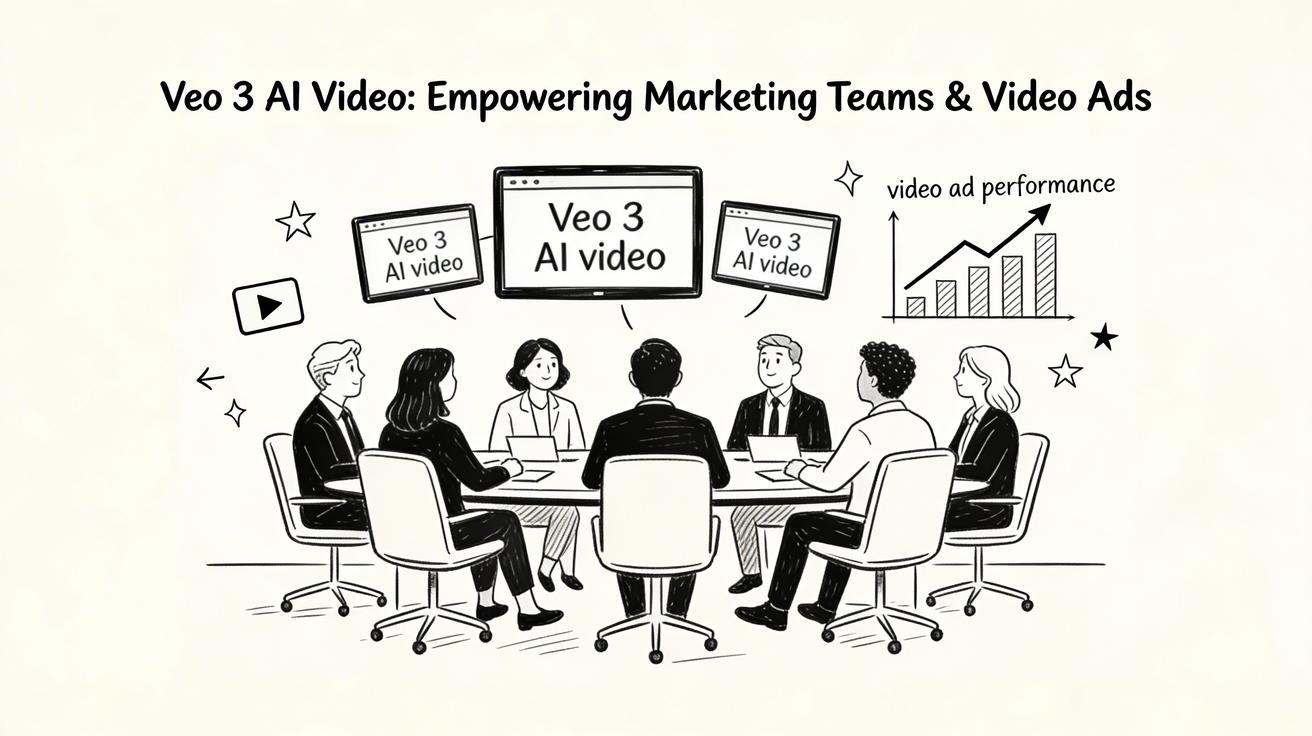
How marketing teams are using Veo 3 to produce high-converting video ads 10x faster and at a fraction of traditional production costs
Video content dominates digital marketing in 2026, with studies showing that video ads generate 1200% more shares than text and image content combined. Yet traditional video production remains expensive, time-consuming, and resource-intensive—until Veo 3 transformed the landscape. Marketing teams worldwide now generate professional-quality video ads in minutes rather than weeks, test dozens of variations simultaneously, and scale campaigns across platforms without expanding their production budgets. This comprehensive guide reveals exactly how marketing teams leverage Veo 3 to create video ads that don't just look good—they convert.
Why AI Video is Transforming Marketing in 2026
The marketing industry reached a tipping point in 2025. Consumer attention spans continued shrinking while demand for video content exploded across every platform. Brands needed more video assets, delivered faster, personalized for diverse audiences, and optimized for multiple platforms simultaneously. Traditional production models simply couldn't keep pace.
Enter AI video generation. Veo 3 emerged as the breakthrough solution, offering several transformative advantages for marketing teams:
Speed to Market: What once required 4-6 weeks of scripting, shooting, and editing now completes in hours. Marketing teams generate campaign assets in the morning and launch by afternoon. This agility enables rapid response to trending topics, competitor moves, and market opportunities.
Cost Efficiency: Traditional video production costs range from $5,000 to $50,000 per finished minute. Veo 3 reduces this to pennies per generation. A complete video ad campaign that previously cost $100,000 now requires under $1,000 in AI generation costs.
Creative Freedom: No location fees, actor contracts, weather delays, or equipment rentals limit your vision. Create any scene imaginable—from futuristic cityscapes to microscopic product details—without physical constraints.
Scalability: Generate hundreds of variations for A/B testing, platform optimization, and audience personalization. Create 50 versions of an ad with different backgrounds, characters, or messaging for the cost of one traditional video.
Data-Driven Optimization: Test creative hypotheses rapidly. Generate multiple versions with different emotional tones, visual styles, or calls-to-action. Let performance data guide creative decisions rather than aesthetic preferences.
Platform Adaptation: Instantly repurpose horizontal videos for vertical platforms, square formats for feeds, or cinematic widescreen for premium placements. No expensive re-editing or re-shooting required.
Real-world results validate this transformation. Marketing teams using Veo 3 report:
- 300% increase in video content production volume
- 65% reduction in creative production costs
- 40% improvement in campaign launch speed
- 25% higher engagement rates on AI-generated versus traditional video ads
These advantages compound over time. Teams that adopt AI video generation don't just work more efficiently—they fundamentally restructure their creative workflows, campaign strategies, and competitive positioning.
Veo 3 Capabilities for Marketers
Veo 3 isn't just another AI tool—it's a comprehensive video production platform packed with features specifically valuable for marketing applications. Understanding these capabilities helps you maximize its impact on your campaigns.
Unmatched Prompt Following
Veo 3 interprets complex marketing briefs with remarkable accuracy. Describe your target demographic, brand colors, emotional tone, and visual style in a single prompt. The model maintains brand consistency across generations while adapting to specific campaign requirements.
Example prompt that Veo 3 handles expertly: "A 30-second product demonstration for premium wireless earbuds targeting fitness enthusiasts aged 25-40. Athletic woman with blonde hair in neon running gear jogging through a modern city at sunrise. Close-up shots show earbuds staying secure during intense movement. Cinematic quality with energetic music visualization. Brand colors: electric blue and white. Include subtle text overlay: 'Unstoppable Sound.'"
Multi-Scene Narrative Generation
Create complete story arcs in single generations. Veo 3 maintains character consistency, product appearance, and visual style across scene transitions—critical for brand storytelling and product demonstrations.
Marketing application: Generate a mini-story showing customer journey from problem identification to solution discovery to satisfaction. Each scene flows naturally into the next while maintaining consistent product representation.
Advanced Camera Control
Specify professional camera movements that emphasize product features and create emotional responses:
- "Slow motion macro shot revealing product texture details"
- "180-degree orbit showcasing product from every angle"
- "Aerial flyover establishing lifestyle context"
- "Push-in creating drama and focus"
- "Pull-out revealing scale and environment"
These cinematic techniques, historically reserved for big-budget productions, now enhance everyday marketing videos.
Dynamic Text and Graphics Integration
Veo 3 generates videos with natural spaces for text overlays, call-to-action buttons, and graphic elements. Plan your composition knowing where final graphics will appear, ensuring they complement rather than compete with generated content.
Style Transfer and Brand Consistency
Maintain visual brand identity across all generated content. Specify brand colors, lighting preferences, and aesthetic styles once, then apply consistently across campaigns. Veo 3 learns your brand's visual language, ensuring every video reinforces brand recognition.
High-Resolution Output
Generate broadcast-quality video suitable for television commercials, digital billboards, and premium online placements. Veo 3's 4K output meets professional production standards without upscaling artifacts.
Rapid Variation Generation
Create 50 variations of a base concept by modifying single prompt elements. Change demographics, locations, product colors, or emotional tones while maintaining core composition. This capability revolutionizes personalization and testing strategies.
Integration-Ready Format
Videos export in standard MP4 format compatible with all major editing software, social media platforms, and ad networks. No special codecs or conversion tools required—immediate deployment-ready.
Types of Marketing Videos You Can Create with Veo 3
Veo 3 adapts to virtually any marketing video format. Here are the most effective applications proven by early marketing adopters.
Product Demonstration Videos
Show your product in action without physical filming limitations. Zoom into microscopic details, demonstrate functionality in impossible environments, or showcase features that are difficult to capture with traditional cameras. Generate multiple angles and use cases simultaneously.
Example: For a waterproof smartphone case, create underwater footage showing the phone operating at depth, impossible with standard equipment without expensive waterproofing rigs.
Brand Storytelling
Craft compelling narratives that connect emotionally with audiences. Generate consistent characters and settings across scenes, creating memorable stories that resonate. Build episodic content that keeps audiences engaged over time.
Example: Follow a protagonist's journey from challenge to triumph, using your product as the catalyst for success. Generate multiple episodes showing ongoing relationship with your brand.
Social Media Ads
Create platform-optimized content for every channel. Generate vertical videos for TikTok and Instagram Reels, square formats for feed posts, and horizontal versions for YouTube pre-roll. Each version maintains brand consistency while optimizing for platform-specific viewing experiences.
Example: A single campaign concept generates 20 variations—different lengths, aspect ratios, and hooks—for comprehensive cross-platform coverage.
Testimonial and Review Videos
Generate authentic-looking customer scenarios that showcase satisfaction and results. Create diverse representations of your target audience experiencing product benefits. These videos complement real testimonials while providing scalable social proof.
Example: Show diverse customers (different ages, ethnicities, locations) achieving similar positive outcomes with your product, demonstrating broad appeal.
Explainer and How-To Content
Visualize complex processes and abstract concepts. Generate step-by-step demonstrations that clarify product usage, service benefits, or technical features. Create engaging educational content that reduces support tickets and increases customer success.
Example: For a project management software, generate animated workflows showing task progression, team collaboration, and deadline management in visually intuitive sequences.
Event Promotions
Build excitement for upcoming events with dynamic promotional videos. Generate scenes that capture event atmosphere, highlight key speakers or performers, and create urgency around ticket sales or registration deadlines.
Example: Create a 30-second hype video featuring dynamic scenes from previous events, animated text highlighting key details, and energetic pacing that drives ticket purchases.
Seasonal Campaigns
Instantly adapt messaging for holidays, seasons, and cultural events. Generate themed content that feels timely and relevant without expensive reshoots. Maintain brand identity while embracing seasonal aesthetics.
Example: Transform a standard product video into holiday-themed versions by adding snow, festive lighting, and seasonal props—all through prompt modification rather than physical production.
Personalization at Scale
Create thousands of personalized videos for email campaigns, account-based marketing, or direct outreach. Include recipient names, company details, or personal preferences in generated content that feels individually crafted.
Example: Generate personalized product demonstrations addressing specific pain points identified for each prospect account, increasing relevance and conversion probability.
Behind-the-Scenes Content
Generate authentic-looking "behind the brand" content that humanizes your company. Show your team (generated representations) working, brainstorming, or celebrating successes. This content builds trust and connection.
Example: Generate scenes of diverse team members collaborating in modern office spaces, manufacturing facilities, or remote work environments that reflect your company culture.
Comparison and Competitive Videos
Visualize product comparisons without disparaging competitors directly. Generate side-by-side scenarios showing your solution's advantages through clear demonstrations of speed, quality, cost-effectiveness, or user experience.
Example: Show two identical scenarios—one using your streamlined solution, one showing complex alternatives. Let visual storytelling demonstrate superiority without aggressive claims.
Step-by-Step: Creating a Product Demo Video
Let's walk through the complete process of creating a high-converting product demonstration video for marketing use. We'll use a hypothetical smart home security camera as our example.
Step 1: Define Your Marketing Objective
Clarify what action you want viewers to take after watching. For our security camera example, the goal is "increase product page conversions by demonstrating key features that address common security concerns."
Key features to highlight:
- 4K night vision clarity
- 360-degree coverage
- Motion detection alerts
- Two-way audio communication
- Weather resistance
Step 2: Write Your Base Prompt
Craft a comprehensive prompt incorporating marketing objectives:
"Professional product demonstration for premium smart home security camera targeting homeowners aged 30-65 concerned about property safety. Open with dramatic night scene showing dark backyard with suspicious movement. Camera switches to security camera footage revealing crystal-clear 4K night vision identifying the intruder as a raccoon. Smooth 360-degree rotation showcases camera's full coverage capability. Close-up on smartphone receiving instant motion alert notification. Homeowner uses two-way audio to speak through camera, scaring away the animal. Final shot shows camera's weather-resistant housing during rainstorm. Split-screen showing before (dark, unclear) and after (bright, detailed) footage. Professional, trustworthy tone with blue and white brand colors. Include text overlay: 'See Everything. Miss Nothing.'"
Step 3: Plan Scene-by-Scene Breakdown
Break your video into logical segments:
- Scene 1 (0-8 seconds): Dramatic setup showing security concern
- Scene 2 (8-18 seconds): Feature demonstration
- Scene 3 (18-25 seconds): Technology in action
- Scene 4 (25-30 seconds): Resolution and CTA
This structure ensures logical flow and maintains viewer engagement through narrative progression.
Step 4: Generate Multiple Variations
Create 5-10 variations by modifying single elements:
- Different intruder scenarios (person, animal, package delivery)
- Various home styles (suburban, urban apartment, rural)
- Different times of day (night, dusk, daytime)
- Multiple demographics for homeowner representation
- Different text overlay messaging
This variation set enables comprehensive A/B testing across audience segments.
Step 5: Review and Select Best Performers
Evaluate generated videos against marketing criteria:
- Does it clearly demonstrate key features?
- Is the emotional tone appropriate for the target audience?
- Are brand colors and style consistent?
- Does it create urgency without causing anxiety?
- Is there clear space for text/graphic overlays?
Select top 3 performers for further optimization.
Step 6: Add Post-Production Elements
Enhance selected videos with basic editing:
- Add background music that builds tension and resolution
- Include your logo animation at beginning and end
- Add text overlays emphasizing key features
- Create 5-second and 15-second cutdowns for different platforms
- Add end card with clear call-to-action and product page URL
Tools like CapCut (free) or Adobe Premiere Rush make this process accessible without professional editing expertise.
Step 7: Optimize for Distribution Platforms
Create platform-specific versions:
- YouTube: 30-second horizontal version with informational title cards
- TikTok: 15-second vertical version with faster pacing and trending audio
- Instagram: Square version with bold text overlays for sound-off viewing
- Facebook: 10-second version optimized for autoplay in feeds
- LinkedIn: Professional tone version focusing on reliability and technology
Each version maintains core messaging while optimizing for platform-specific consumption patterns.
Step 8: Launch and Monitor Performance
Deploy videos across chosen platforms with proper tracking:
- Use platform-specific UTMs to track traffic sources
- Monitor engagement rates, watch time, and click-through rates
- Track conversions attributed to video views
- Gather qualitative feedback through comments and surveys
This data informs future video creation and optimization strategies.
Writing Prompts That Convert (Marketing-Specific Tips)
Converting prompts differ from artistic prompts. They prioritize clarity, persuasion, and action-oriented messaging over pure visual beauty. Here's how to engineer prompts specifically for conversion.
Start with Pain Point or Desire
Open with your audience's specific challenge or aspiration:
Weak: "A person using our software" Strong: "Frustrated marketing manager drowning in spreadsheets, staring at outdated campaign data while competitors launch faster"
This emotional hook immediately resonates with viewers experiencing similar situations.
Use Persuasive Visual Language
Replace neutral terms with persuasive alternatives:
- "Shows" → "Reveals," "Discovers," "Transforms into"
- "Uses" → "Leverages," "Harnesses," "Wields"
- "Helps" → "Empowers," "Enables," "Supercharges"
Example: "Discover how Sarah harnesses AI-powered insights to transform scattered data into compelling campaign strategies in seconds."
Include Social Proof Elements
Weave social validation into visual descriptions:
- "Team of diverse professionals celebrating milestone success"
- "Dashboard showing impressive growth metrics"
- "Satisfied customers sharing testimonials"
- "Awards and recognition prominently displayed"
These elements trigger psychological trust mechanisms that increase conversion probability.
Create Visual Contrast
Show before/after scenarios dramatically:
- "Split screen: chaotic manual process left side, streamlined automation right side"
- "Time-lapse showing hours of work compressing into seconds"
- "Frustrated expression transforming to confident smile"
Visual contrast makes benefits tangible and memorable.
Build Toward Clear Call-to-Action
Structure prompts to naturally lead viewers toward desired action:
- Show problem (relatable struggle)
- Introduce solution (your product)
- Demonstrate transformation (positive outcome)
- End with clear next step (CTA moment)
Design the final scene to include space for "Try Now," "Learn More," or "Get Started" text overlay.
Specify Demographic Details
Help Veo 3 generate relatable characters:
- "Professional woman in her 30s, confident posture, modern office attire"
- "Young entrepreneur, casual but polished, diverse urban coworking space"
- "Experienced executive, approachable demeanor, sophisticated home office"
Specific demographics increase viewer identification and trust.
Use Platform-Specific Cues
Tailor prompts for where videos will appear:
- TikTok: "Fast-paced, energetic, attention-grabbing opening within first second"
- LinkedIn: "Professional, polished, business-appropriate setting and pacing"
- Instagram: "Visually stunning, aesthetically pleasing, trend-aware styling"
- YouTube: "Information-rich, educational tone, comprehensive demonstration"
Platform awareness ensures content feels native rather than repurposed.
A/B Testing AI Video Ads
A/B testing with Veo 3 reaches new levels of sophistication. Generate dozens of variations efficiently, testing hypotheses that were previously impractical due to cost and time constraints.
Elements to Test
Hook Variations: Test different opening shots and messaging:
- Problem-focused vs. aspiration-focused openings
- Product-first vs. scenario-first introductions
- Different emotional tones (urgent, calm, exciting)
Length Optimization: Determine ideal duration for your audience:
- 6-second bumper ads vs. 15-second stories vs. 30-second detailed demos
- Test completion rates and message retention across lengths
- Identify optimal balance between information density and viewer attention
Visual Style: Find what resonates with your demographic:
- Photorealistic vs. stylized animation
- Bright, vibrant colors vs. muted, professional tones
- Fast cuts vs. smooth, slow movements
- Diverse representation in characters and settings
Messaging Variations: Test different value propositions:
- Price-focused vs. quality-focused messaging
- Feature-heavy vs. benefit-focused descriptions
- Urgency-driven vs. educational approaches
- Different call-to-action wording and placement
Platform Adaptation: Determine if platform-specific versions outperform generic content:
- Native vertical videos vs. cropped horizontal versions
- Sound-on vs. sound-off optimized versions
- Platform-specific cultural references vs. universal messaging
Testing Methodology
Statistical Significance: Run tests until achieving 95% confidence levels. With Veo 3's low generation cost, you can afford adequate sample sizes that provide reliable insights.
Controlled Variables: Change only one element per test to isolate impact. Generate multiple versions where everything remains identical except the variable being tested.
Meaningful Metrics: Track beyond surface-level engagement:
- Watch time and completion rates
- Click-through rates to landing pages
- Conversion rates and cost per acquisition
- Brand recall and sentiment analysis
- Down-funnel metrics like lifetime value
Rapid Testing Framework
- Monday: Generate 20 variations of core concept
- Tuesday: Launch all versions with small budgets across platforms
- Wednesday: Identify top 5 performers based on early engagement signals
- Thursday: Generate refined versions of top performers
- Friday: Launch winning variations at scale
This weekly cycle continuously improves performance while building a library of proven creative elements.
ROI Comparison: Veo 3 vs Traditional Video Production
The financial impact of switching to AI video generation creates compelling business cases for marketing teams. Let's analyze real cost structures.
Traditional Production Costs (30-Second Ad)
Pre-Production: $3,000-$8,000
- Creative development and scripting
- Location scouting and permits
- Casting and talent contracts
- Crew assembly and scheduling
- Equipment rental planning
Production: $10,000-$30,000
- Director and crew day rates
- Equipment rental (cameras, lighting, sound)
- Location fees
- Talent fees and union considerations
- Insurance and contingency
Post-Production: $5,000-$15,000
- Professional editing
- Color correction and grading
- Sound design and music licensing
- Motion graphics and text overlays
- Versioning for different platforms
Total: $18,000-$53,000 for a single 30-second video Timeline: 4-8 weeks from concept to delivery Revision Costs: $2,000-$5,000 per major change
Veo 3 Production Costs (30-Second Ad)
Generation Time: 3-5 minutes per video Platform Cost: Free tier sufficient for most needs Premium Generation: $0.50-$2.00 per video Post-Production: $500-$2,000 (if outsourced)
Total: $0-$2,000 for unlimited variations Timeline: 1-2 days including revisions Revision Costs: $0 (simply regenerate with modified prompt)
Real ROI Scenarios
Scenario 1: Startup with Limited Budget
- Traditional: 1 video every 3 months = 4 videos/year
- Veo 3: 50 videos/month = 600 videos/year
- Result: 150x more content, continuous testing, rapid iteration
Scenario 2: Enterprise Marketing Team
- Traditional: $500K annual video budget = ~15 traditional videos
- Veo 3: Same budget redirected = 25,000 AI-generated videos + $400K remaining for strategy and optimization
- Result: 1,667x more content, comprehensive platform coverage, data-driven creative optimization
Scenario 3: Agency Scaling
- Traditional: Serve 5 clients deeply with custom productions
- Veo 3: Serve 50 clients comprehensively with personalized, frequently refreshed content
- Result: 10x client capacity without proportional headcount increase
Hidden Cost Savings
Reduced Revision Cycles: Traditional productions often require expensive re-shoots when creative doesn't perform. Veo 3 allows infinite iteration at zero marginal cost.
Faster Time-to-Market: Launch campaigns weeks earlier, capturing market opportunities and revenue that would be lost waiting for traditional production.
Lower Risk Experimentation: Test bold, unconventional ideas without financial risk. Creative teams explore innovative concepts that would be too risky for expensive traditional productions.
Eliminated Logistical Costs: No travel expenses, location fees, weather delays, or scheduling conflicts. Generate content 24/7 regardless of physical constraints.
Real Marketing Use Cases
Examining successful implementations provides actionable insights for your campaigns. Here are proven use cases from early Veo 3 marketing adopters.
E-commerce Product Videos
Challenge: Online retailer with 500 SKUs needed product demonstration videos for each item. Traditional production would cost $500K+ and take 6 months.
Solution: Used Veo 3 to generate product videos showing items in use, lifestyle contexts, and detailed features.
Results: Generated all 500 videos in 3 weeks for under $1,000. Product pages with videos showed 35% higher conversion rates. Rapid testing identified which product angles and use cases resonated most with customers.
Implementation: Created prompt templates for product categories (electronics, apparel, home goods). Batch-generated videos with automated workflows, then performed light post-production to add branding and calls-to-action.
SaaS Onboarding Series
Challenge: Software company needed to reduce churn by improving user onboarding. Traditional video production for comprehensive tutorial series exceeded budget.
Solution: Generated entire onboarding video library with Veo 3, covering every feature and common use case.
Results: Reduced support tickets by 40% and increased feature adoption by 60%. Users who watched onboarding videos showed 3x higher retention rates after 90 days.
Implementation: Developed consistent visual style (character representation, color scheme, pacing) applied across all videos. Created modular video segments that could be combined into personalized learning paths.
Local Service Advertising
Challenge: Regional home services company needed affordable video ads for multiple service lines (plumbing, electrical, HVAC) across different geographic markets.
Solution: Generated location-specific videos featuring recognizable landmarks, regional housing styles, and local weather conditions.
Results: 50% reduction in cost-per-lead compared to static image ads. Hyper-local relevance increased click-through rates by 80%.
Implementation: Created base prompts for each service, then customized with city-specific details. Generated videos showing local problems (regional weather challenges, common housing types) with tailored solutions.
B2B Lead Nurturing
Challenge: B2B technology company needed personalized video content for account-based marketing campaigns targeting Fortune 500 companies.
Solution: Generated personalized videos addressing each target company's specific industry challenges, using industry-appropriate visuals and scenarios.
Results: 3x increase in meeting booking rates. Personalized videos achieved 70% viewing completion rates versus 30% for generic content.
Implementation: Researched each target account's industry challenges, existing solutions, and competitive landscape. Crafted prompts that positioned the solution within their specific context. Used subtle personalization (industry-specific visual metaphors) rather than explicit name-dropping.
Event Promotion Scaling
Challenge: Conference organizer needed promotional videos for 50+ speakers and 100+ sessions. Traditional production would require months of filming and editing.
Solution: Generated speaker introduction videos, session previews, and thematic promotional content using Veo 3.
Results: Produced complete promotional library in 2 weeks. Speaker videos increased registration rates by 45% compared to text-only bios.
Implementation: Created prompts for each speaker incorporating their expertise, session topic, and professional background. Generated consistent intros and outros for brand cohesion while varying main content for each session.
Non-Profit Storytelling
Challenge: Charitable organization needed emotionally compelling videos to drive donations but lacked production budget for impactful storytelling.
Solution: Generated powerful narrative videos showing impact stories, beneficiary journeys, and community transformations.
Results: 200% increase in online donations during campaign period. Videos shared organically 5x more than previous content.
Implementation: Focused on authentic, respectful storytelling. Generated scenarios based on real beneficiary experiences (with permission and privacy protection). Used emotional but not manipulative visual language.
Compliance and Brand Safety Considerations
AI video generation introduces new compliance and brand safety considerations. Proactive management ensures your campaigns protect brand reputation and meet regulatory requirements.
Disclosure and Transparency
Best Practice: Clearly disclose AI-generated content when required by platform policies or industry regulations. Most platforms now require disclosure for synthetic media in advertising contexts.
Implementation: Add subtle text overlay like "AI-generated visualization" or include in video description. Transparency builds trust rather than diminishing credibility.
Intellectual Property Concerns
Best Practice: Avoid generating content that mimics recognizable individuals, copyrighted characters, or trademarked properties without permission. Veo 3's training data includes vast content, but commercial use requires caution.
Implementation: Create original characters and scenarios. Specify generic descriptions rather than celebrity names or specific brands in prompts. When in doubt, consult legal counsel.
Accuracy and Truthfulness
Best Practice: Ensure generated content accurately represents your product's capabilities. Avoid generating unrealistic scenes that mislead customers about functionality.
Implementation: For product demonstrations, verify that generated scenarios align with actual product performance. Add disclaimers where necessary: "Simulated demonstration" or "Results may vary."
Bias and Representation
Best Practice: Actively generate diverse, inclusive content that represents your entire customer base. Monitor for unintended biases in generated imagery.
Implementation: Specify diverse representation in prompts: "Diverse group including different ethnicities, ages, and abilities." Regularly review generated content for inclusive representation.
Privacy and Data Protection
Best Practice: When generating scenarios that include personal data representations (emails, phone numbers, addresses), use fictional examples that don't compromise real privacy.
Implementation: Generate placeholder content: "[email protected]" instead of real addresses. Ensure any generated interfaces don't reveal actual user information.
Platform-Specific Policies
Best Practice: Stay current with each platform's AI content policies. Social media platforms and ad networks regularly update synthetic media guidelines.
Implementation: Review platform advertising policies quarterly. Join industry groups monitoring AI regulation developments. Maintain documentation of compliance measures.
Brand Consistency Safeguards
Best Practice: Establish prompt templates and style guides ensuring generated content aligns with brand identity. Review all AI-generated content before publication.
Implementation: Create approved prompt libraries for different use cases. Implement review workflows where marketing managers approve generated content before deployment.
Crisis Preparedness
Best Practice: Develop protocols for handling situations where AI-generated content is questioned or criticized. Prepare transparent explanations of your AI usage policies.
Implementation: Draft communication templates addressing AI usage. Designate team members responsible for responding to inquiries. Monitor social sentiment around your AI-generated content.
Frequently Asked Questions
Q: Can Veo 3 generate videos with our exact brand colors and logos? A: While Veo 3 follows color specifications in prompts, precise brand color matching and logo integration work best in post-production. Generate videos with appropriate color schemes, then add exact brand elements using standard video editing software.
Q: How do we ensure generated videos feel authentic, not obviously AI-created? A: Focus on natural scenarios, realistic lighting, and subtle imperfections. Avoid overly perfect or surreal elements unless intentionally stylized. Test with target audiences and iterate based on feedback about authenticity perception.
Q: What about music and voiceovers for AI-generated videos? A: Veo 3 generates video only. Add royalty-free music and professional voiceovers in post-production. Many affordable options exist: Epidemic Sound for music, ElevenLabs for AI voiceovers, or traditional voice talent for premium campaigns.
Q: Can we generate videos featuring our actual products? A: For physical products, generate lifestyle contexts and scenarios, then composite your actual product footage in post-production. Veo 3 excels at creating environments, backgrounds, and contextual scenes that complement real product photography.
Q: How do we maintain consistent branding across hundreds of generated videos? A: Develop detailed prompt templates specifying brand elements, visual style, and tone. Create a "brand bible" for AI generation that ensures consistency. Use the same base prompts across campaigns, modifying only specific variables.
Q: What's the learning curve for marketing teams adopting Veo 3? A: Most marketing professionals produce acceptable videos within their first day. High-quality, conversion-optimized videos typically require 1-2 weeks of practice. The key skill is prompt engineering, which improves rapidly with iteration and analysis.
Q: How does Veo 3 handle seasonal campaigns and timely content? A: Perfectly. Generate holiday-themed videos, current event responses, or seasonal promotions instantly without pre-production delays. This agility lets you capitalize on trending topics while they're still relevant.
Q: Can we use Veo 3 for client work in our marketing agency? A: Absolutely. Many agencies now offer AI video generation as a premium service. Deliver more value to clients with faster turnaround, more variations, and lower costs than traditional production. Price strategically based on value delivered, not just generation costs.
Q: What about compliance with advertising regulations? A: AI-generated videos must meet the same truth-in-advertising standards as traditional content. Avoid misleading claims, ensure testimonials reflect genuine experiences, and include necessary disclaimers. AI generation doesn't exempt you from regulatory compliance.
Q: How do we measure ROI on AI video generation tools? A: Track traditional video metrics (engagement, completion rates, conversions) plus efficiency gains: time saved, cost reduction per video, volume increase, and testing velocity. Most teams see positive ROI within the first month based on productivity gains alone.
Transform Your Marketing Today
Veo 3 represents more than a new tool—it's a fundamental shift in marketing video production capabilities. Marketing teams that adopt AI video generation gain competitive advantages in speed, cost-efficiency, testing sophistication, and creative flexibility.
The technology enables strategies previously impossible due to resource constraints:
- Hyper-personalized video campaigns for individual prospects
- Continuous creative optimization based on real-time performance data
- Rapid response to market opportunities and competitive moves
- Comprehensive platform coverage without exponential cost increases
- Bold creative experimentation without financial risk
Success requires shifting mindset from traditional production workflows to AI-native approaches. Embrace iteration, data-driven creative decisions, and scaled personalization. The teams seeing greatest success treat AI generation as a core competency rather than an occasional tool.
Start small: Choose one campaign, product line, or content series to pilot Veo 3 integration. Measure results rigorously, document learnings, and expand gradually. Within weeks, you'll likely wonder how you operated without this capability.
The marketing landscape evolves rapidly. Veo 3 doesn't just keep you current—it positions you ahead of competitors still constrained by traditional production limitations. Your audience expects more video content, delivered faster, personalized to their needs. Veo 3 makes meeting these expectations not just possible, but efficient and scalable.
Head to veo3ai.io and create your first marketing video today. Experiment with the prompts and strategies outlined in this guide. Within hours, you'll have professional-quality content ready to test. Within weeks, you'll transform your entire video marketing operation.
The future of marketing is AI-assisted, data-driven, and wildly creative. Veo 3 puts that future in your hands today.
Related Articles
Continue with more blog posts in the same locale.
Veo 3 for Education: How Teachers Use AI Video in 2026
Complete guide to using Google Veo 3 in education. How teachers create concept visualizations, historical recreations, science demonstrations, and engaging lesson content with AI video.
Read article
How to Create Video Ads with Veo 3: Complete Guide for Marketers 2026
Learn how to create high-converting video ads with Google Veo 3. Step-by-step guide covering prompts, ad formats, best practices, and tips for marketers.
Read article
Veo 3 API Pricing 2026: Cost Calculator, Free Credits & Per-Second Rates
Estimate Veo 3 API pricing for 2026 with per-second rates, free credits, paid tiers, cost examples, and tips to reduce generation spend.
Read article