
YouTube Shorts Monetization Requirements Explained
Unlock your earnings with our guide to YouTube Shorts monetization requirements. Learn the exact thresholds and rules to start monetizing your Shorts today.
Veo3 AI · 22 min read · Dec 5, 2025
Ready to turn those viral Shorts into actual income? The first step is getting into the YouTube Partner Program (YPP). Think of the YPP as the exclusive club for creators who can earn money on the platform.
Quick Answer: YouTube success in 2025 comes from consistent uploads, strong video SEO (titles, descriptions, tags), compelling thumbnails, and audience retention in the first 30 seconds. AI video tools can significantly speed up production, helping you publish more high-quality content consistently.
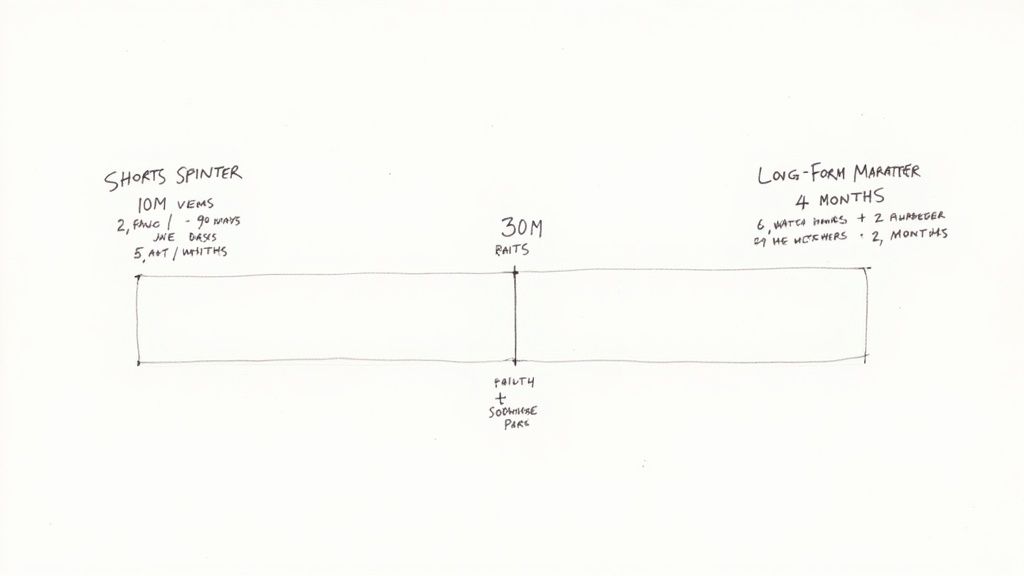
To get your membership card, you need to hit some key milestones. The main path for Shorts creators is getting 1,000 subscribers and racking up 10 million valid public Shorts views in the last 90 days. It’s a sprint, not a marathon.
Alternatively, if you also create long-form content, you can qualify with 1,000 subscribers and 4,000 watch hours from your regular videos over the past year. YouTube gives you options, which is great.
There's also an earlier entry point. If you have at least 500 subscribers and 3 million Shorts views, you can unlock "fan funding" features like Super Thanks. It's a fantastic way to start earning directly from your community while you work toward the bigger ad-revenue goal.
Understanding Your Path to Earning Revenue
So, how do you actually start making money from your YouTube Shorts? It’s not about finding a secret button. Instead, it’s about hitting specific, measurable goals that show YouTube you have a real, engaged audience.
Think of it like a video game with two main levels to unlock. First, you can unlock fan funding, where your dedicated viewers can support you directly. The final boss level is unlocking full monetization, which includes a share of the ad revenue.
YouTube created these different paths so creators of all types have a fair shot. Whether your strength is pumping out viral Shorts that get millions of views or building a loyal following with longer videos, there’s a route for you. Let's break down exactly what you need to do.
The Two Tiers of Monetization
YouTube’s Partner Program isn’t an all-or-nothing deal anymore. It’s a tiered system designed to help more creators start earning sooner.
- Fan Funding Access: This is your first stop. It lets your biggest fans show their support with features like Super Thanks, Super Stickers, and channel memberships. It's a great way to get your feet wet with monetization.
- Full Monetization Access: This is the big one. Once you’re here, you get a slice of the ad revenue from the Shorts feed, on top of all the fan funding features. This is where your channel can really start to feel like a business.
To give you a clearer picture, here’s how the requirements for each tier stack up.
YouTube Partner Program Eligibility at a Glance
This table breaks down the two main monetization tiers and what you need to qualify for each. It's your roadmap to getting paid.
| Requirement | Fan Funding Only (Super Thanks, etc.) | Full Monetization (Ad Revenue + Fan Funding) |
|---|---|---|
| Subscribers | 500 | 1,000 |
| Shorts Views | 3 Million (in last 90 days) | 10 Million (in last 90 days) |
| Long-Form Watch Hours | 3,000 (in last 12 months) | 4,000 (in last 12 months) |
| Public Uploads | 3 (in last 90 days) | 3 (in last 90 days) |
Basically, you need to meet the subscriber count and one of the two viewership metrics (either Shorts views or long-form watch hours) to qualify for that tier.
Thankfully, you don't have to track this with a spreadsheet. Your YouTube Studio has a dedicated "Earn" tab that shows your progress in real-time.
This dashboard makes it super easy to see which goal you're closest to hitting, so you can focus your energy where it counts.
Of course, hitting the numbers is only half the battle. To keep the momentum going, you'll need to follow solid https://www.veo3ai.io/blog/content-creation-best-practices. And if you're still wondering if Shorts are worth the effort, learning about the Top 3 Benefits of YouTube Shorts will show you the bigger picture beyond just monetization.
Choosing Your Path to the Partner Program
Getting into the YouTube Partner Program (YPP) isn't a one-size-fits-all deal. YouTube actually gives you two distinct routes to get there, and each one is built for a different kind of creator. Think of it like being a sprinter or a marathon runner—both can cross the finish line, but their training and race strategy are worlds apart.
Your best bet is to pick the path that plays to your channel's strengths. Once you figure out which one makes more sense for you, you can focus your energy and turn what feels like a huge mountain into a series of manageable steps.
The Shorts Sprinter Path
This route is for creators who are all about fast, high-energy content that can blow up overnight. It's the high-intensity interval training of the YouTube world, demanding a constant stream of fresh ideas and a sharp sense of what's trending right now.
The magic numbers here are 1,000 subscribers and a whopping 10 million valid public Shorts views within the last 90 days.
This path is a perfect fit for channels that specialize in:
- Comedy sketches: Quick, punchy bits that people can't help but share.
- Dance challenges: Hopping on the latest sounds and trends.
- Quick tips & hacks: Super-fast tutorials that solve a simple problem.
- "Satisfying" clips: Think ASMR, cool gadget demos, or mesmerizing loops.
The biggest challenge with the Sprinter path is the pace. That 90-day window is a rolling one, so your view count is always in flux. You have to keep feeding the algorithm with content that grabs viewers scrolling through the Shorts feed to keep your momentum going.
The Long-Form Marathoner Path
On the flip side, the Marathoner path is for creators who are in it for the long haul, building a deep connection with their audience through more substantial videos. This route isn't about a single viral hit; it's about creating a library of content that people stick around to watch.
Here, you'll need that same 1,000 subscribers, but the second requirement is 4,000 valid public watch hours on your regular videos over the last 12 months.
This approach works great for creators making:
- In-depth explainers: Deep dives into complex topics that need time to unpack.
- Vlogs and storytelling: Sharing personal journeys and building a narrative.
- Detailed product reviews: Thorough analysis and hands-on demonstrations.
- Gaming videos: Full playthroughs or long-form commentary.
The big advantage here is time. You have a full year to build up those watch hours, which allows for a more organic, community-focused growth. The tricky part? You have to create content compelling enough to hold someone's attention for way longer than a 60-second clip.
Key Takeaway: Neither path is better than the other. They just reward different ways of engaging an audience. The smartest move is to pick the one that aligns with the content you genuinely love to make.
It's also worth noting how each path drives growth. Shorts are fantastic for getting your channel in front of a ton of new faces and racking up subscribers quickly. In fact, some data shows that smaller creators get about 16.9 subscribers for every 10,000 Shorts views. But traditional long-form videos tend to build a more dedicated audience, bringing in around 22.7 subscribers for the same number of views.
This shows how Shorts can be an amazing discovery tool, while long-form content is often what turns a casual viewer into a loyal fan. You can learn more about how to balance these growth patterns for the best results.
How YouTube Shorts Revenue Sharing Really Works
Figuring out how you get paid for YouTube Shorts can feel a bit confusing at first, mostly because it’s a whole different ballgame than traditional long-form videos. The trick is to stop thinking about what each individual Short earns and start picturing a big, collective pot of money.
Let’s use an analogy. Imagine YouTube throws a massive party every single month for all its Shorts creators who are in the YouTube Partner Program. All the money from the ads that run between Shorts in the feed gets thrown into a giant "Creator Pool." Think of it as the total party budget.
Before anyone gets paid, YouTube has to cover the "music" for the party. This represents the licensing fees for all those popular, trending songs you use in your Shorts. It’s a huge plus for creators, as it lets you use copyrighted audio without getting hit with individual claims down the road.
Slicing Up the Creator Pool
After the music licensing costs are paid, what's left is the Creator Pool. This is the total amount of money that will be split among all eligible creators.
Your piece of that pie isn't a fixed amount. It's all about your performance.
Think of it this way: your share is based on how many views your Shorts brought in compared to everyone else. If your Shorts got 1% of all the eligible views from monetized creators in your country for a given month, you get allocated 1% of the Creator Pool. This system is designed to reward creators who drive the most engagement.
Your Final 45% Share
Once your share of the Creator Pool is determined, there's one last step: the revenue split.
For YouTube Shorts, creators receive 45% of their allocated revenue, while YouTube keeps 55%. This is the reverse of the 55% cut creators get for long-form videos, and it's mainly because this model has to cover those broad music licensing costs for the entire platform.
So, if your view share earned you an allocation of $100 from the Creator Pool, you would take home $45. It's a system that rewards performance while also making it easy and legal to use the trending audio that helps Shorts go viral in the first place.
Keep in mind, the total size of the Creator Pool changes every month. It can grow or shrink based on how much advertisers are spending and even where your audience is located, since ad rates vary a lot from one country to another. For a clearer picture of what this looks like in practice, check out this guide on how much YouTube Shorts pay for 1 million views.
Your Step-by-Step Guide to Applying for YPP
So, you’ve put in the work and hit those magic numbers. Whether you blitzed your way there with Shorts or played the long game with traditional videos, the next step is applying to the YouTube Partner Program (YPP). This is where your views and subscribers turn into a real opportunity to earn.
The whole process goes down inside YouTube Studio. Think of it like cashing in your tickets at the arcade after a big win—you’ve earned the points, and now it’s time to claim your prize. The application itself is pretty straightforward, but knowing what to expect makes it a whole lot smoother.
Navigating the Application in YouTube Studio
First things first, let's find that "apply" button. Thankfully, YouTube doesn't hide it.
- Log into YouTube Studio, your channel's command center.
- On the left-hand menu, find and click the 'Earn' tab. This is where you’ve been watching your progress bars fill up.
- If you're eligible, you’ll see a big 'Apply Now' button. Click it to get the ball rolling.
From there, you’ll be guided through a few critical setup stages. Each one is a checkpoint to make sure you and your channel are ready to go.
The Three Core Application Steps
The application is really just three main hurdles to clear. Getting them right the first time is key to a speedy review.
- Step 1: Review Base Terms. This is the handshake agreement between you and YouTube. You'll need to read and accept the official terms of the YPP.
- Step 2: Sign Up for Google AdSense. AdSense is how you get paid. You’ll link an approved AdSense account to your channel. If you don’t have one, YouTube will walk you through setting one up. Quick tip: you can only have one AdSense account per person, so double-check that you don't already have one before creating a new one.
- Step 3: Get Reviewed. Now comes the waiting game. Once the first two steps are done, your channel officially enters the review queue. A real person at YouTube will take a close look at your content to make sure it follows all their policies.
This is the perfect time to do a quick audit of your channel. Clean up anything that might not fly with the reviewers. For a deeper dive, our guide on how to make social media videos that platforms love is a great resource.
Once you’re approved, this is how the money from Shorts actually gets to you.
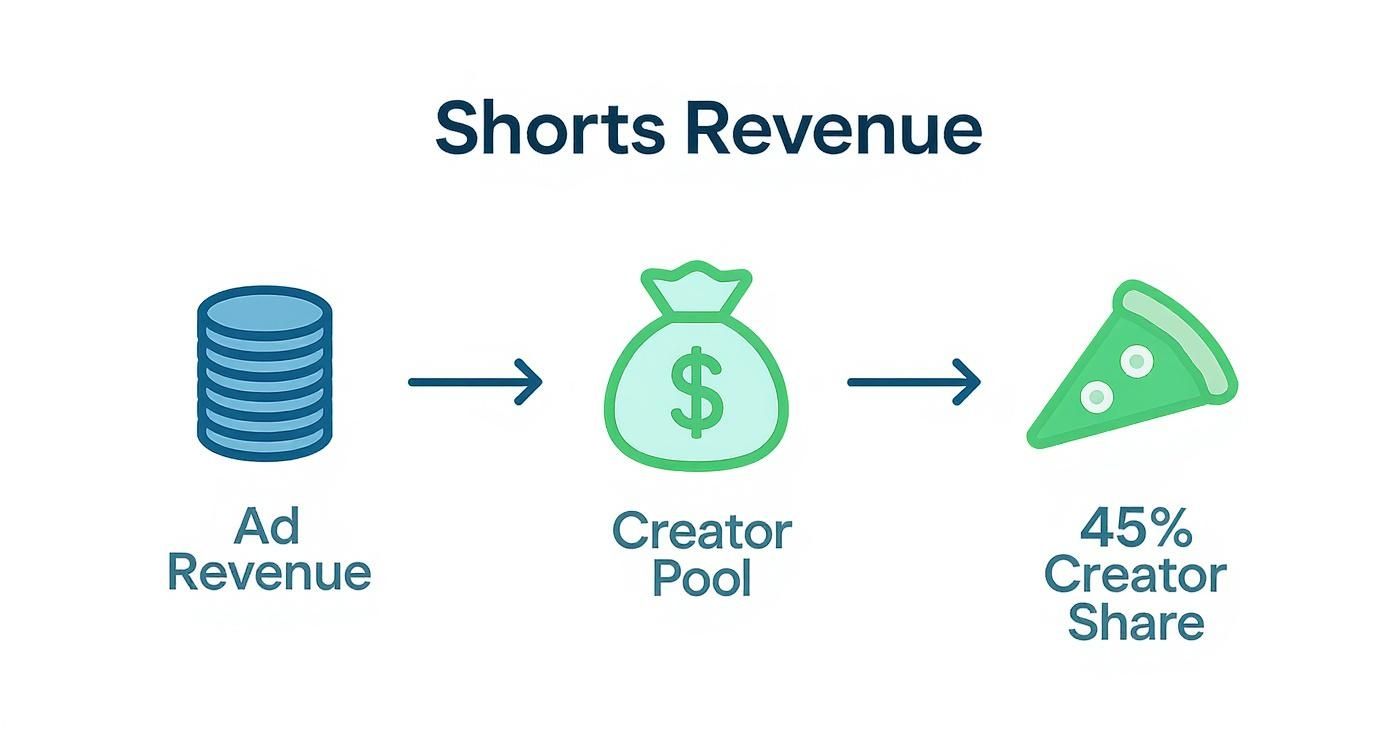
The flowchart shows how all the ad revenue gets pooled together first. From that pool, you, the creator, get a 45% share based on your Shorts' performance.
What Happens After You Apply
Once you hit submit, the review process usually takes about a month. It can be faster or slower depending on how many people are in the queue.
During this time, the review team is looking at your channel as a whole. They’ll check out your main theme, your most-watched videos, your newest content, and all your metadata—titles, thumbnails, and descriptions—to make sure you're a good fit for advertisers.
The review is holistic. They aren't just looking at one video. They're evaluating your entire channel's brand and making sure you’re consistently following the community and advertiser-friendly guidelines.
If you get the green light, you’ll get a celebratory email, and the 'Earn' tab in Studio will unlock all the money-making features. If your application is rejected, don't panic. YouTube will give you a general reason why, and you can fix the issues and re-apply after 30 days.
Dodging Common Reasons for YPP Rejection
So, you've hit the numbers and you're ready to apply for the YouTube Partner Program. This is a huge milestone! But before you hit that button, let’s talk about something that trips up a ton of creators: getting rejected.
<iframe width="100%" style="aspect-ratio: 16 / 9;" src="https://www.youtube.com/embed/YPrCfgbX71E" frameborder="0" allow="autoplay; encrypted-media" allowfullscreen></iframe>
It’s incredibly frustrating to get that "denied" email after all your hard work, but most of the time, the reasons are preventable. YouTube’s review process isn't just about counting your views and subscribers; a real person is looking at your channel to make sure it's a good home for advertisers. They’re checking for quality, originality, and adherence to the rules.
Think of it like getting your house ready for a showing. You wouldn't just sweep the floor; you'd tidy up, fix that leaky faucet, and make sure everything looks its best. We’re going to do the same thing for your channel, starting with the biggest rejection reason of them all.
Understanding "Reused Content"
If there's one phrase that sends a chill down a creator's spine, it's "Reused Content." This is, by far, the most common reason channels get denied, and it's often misunderstood.
In simple terms, YouTube wants to pay creators for making original stuff. They're not interested in channels that just re-upload content made by someone else without changing it in a meaningful way.
It’s not about if you use other people's content—it’s about how you use it. Your own creative input has to be the star of the show.
Think about a movie review. Just uploading a 10-minute clip from a film is a clear violation. But a video where you show short clips while providing insightful commentary, analysis, or a funny critique? That’s transformative. You've added significant value. The same goes for Shorts—simply clipping a popular streamer's highlight and uploading it won't cut it.
Keeping Your Account in Good Standing
Beyond reused content, the YouTube review team takes a close look at your channel's overall behavior. Any active Copyright Strikes or recent Community Guideline violations are massive red flags.
A copyright strike means a rights holder has formally requested your video be taken down. Having even one active strike when you apply can get you an automatic rejection. Period.
Likewise, the Community Guidelines are the fundamental rules of the platform. Violations for things like spam, misleading thumbnails, or harmful content tell YouTube you might not be a reliable partner. It's crucial to make sure your record is clean before you ask to join the program.
Here's a quick rundown to stay on the right side of the rules:
- Be the Creator: The safest route is always to use footage you shot and audio you recorded or have the rights to.
- Add Your Voice: If you use third-party clips, your commentary, creative editing, or educational perspective needs to be front and center.
- Don't Rely on "Fair Use": While fair use is a real legal concept, it's a defense used in court, not a permission slip. Don't assume it covers you.
- Check Your Dashboard: Make it a habit to check your YouTube Studio dashboard for any warnings or strikes. Address them right away.
Avoiding Common Monetization Policy Violations
To give you a practical tool, I've put together a table breaking down the most frequent policy slip-ups that lead to YPP rejection. Use this as a final checklist to audit your channel and clean up any potential problem videos before you apply.
Avoiding Common Monetization Policy Violations
| Policy Violation | What It Means | Example of What to Avoid | Example of What to Do Instead |
|---|---|---|---|
| Reused Content | Uploading content you didn't create without adding significant original commentary or educational value. | A compilation of "funny moments" from a streamer with no voiceover or original edits. | A video analyzing a streamer's gameplay, with your voiceover providing strategic insights. |
| Repetitious Content | Mass-producing videos that are nearly identical with only minor changes, often to game the algorithm. | Uploading 100 Shorts that are the same template with only the background color changed. | Creating a series where each Short teaches a distinct new vocabulary word with unique examples. |
| Artificial Engagement | Using services to inflate views, likes, or subscribers, or participating in "sub4sub" schemes. | Paying a third-party website for 10,000 "bot" views to meet the 10M view threshold faster. | Promoting your Shorts on other social media platforms to drive authentic traffic to your channel. |
Taking the time to review your channel through this lens can make all the difference between a frustrating rejection and a celebratory "Welcome to the YouTube Partner Program!" email.
Strategies to Reach 10 Million Views Faster
So, you're staring at that 10 million view target for your Shorts and wondering how on earth to get there in just 90 days. It feels like a massive mountain to climb, but trust me, it's not about luck. It's about having a smart, repeatable strategy.
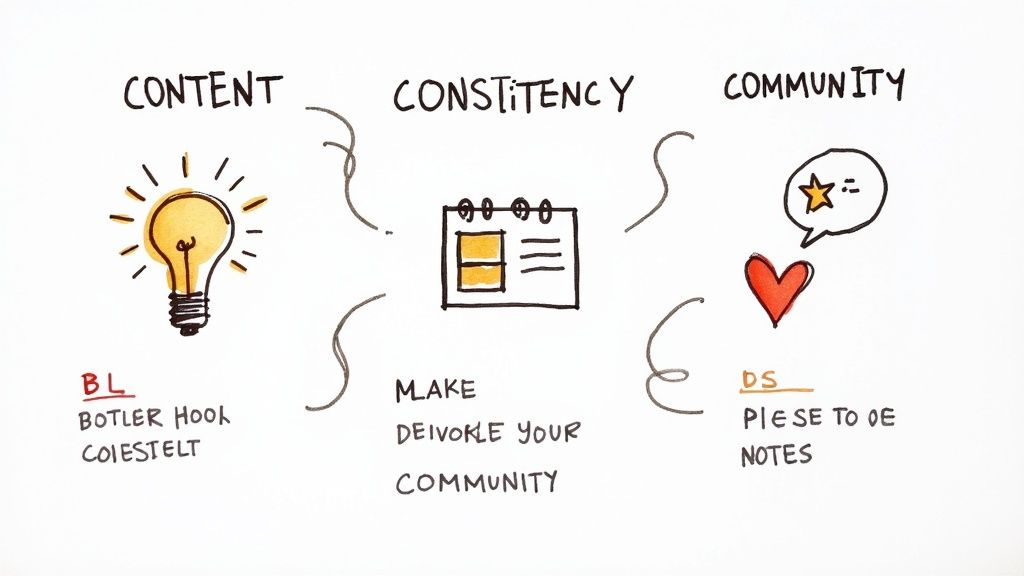
If you break it down, success on Shorts really comes down to three things: your Content, your Consistency, and your Community. Nail these three, and you're not just hoping for views—you're building a system for them. The YouTube algorithm is just looking for signals that people love what you're making, and this is how you send those signals.
Nail Your Content Strategy
Let's be blunt: your content is everything. If your Shorts don't make someone stop their endless scrolling, nothing else matters. It all starts with the hook.
You have maybe two seconds—tops—to grab someone. That's it. You need to hit them with a juicy problem, a question that makes them think, or something so visually interesting they can't look away. Forget a slow intro; get straight to the good stuff.
Trending audio is another huge cheat code. The algorithm is already pushing videos with these sounds, so why not ride the wave? Don't just slap a popular song on a random video, though. The real magic happens when you build your Short's concept around the audio trend.
Key Insight: Aim to create a "perfect loop." This is where the end of your video flows so seamlessly back into the beginning that people watch it two or three times before they even realize what happened. It’s a simple trick that can dramatically boost your views and watch time.
Finally, don't reinvent the wheel. Look at the Shorts that are already going viral in your niche. What are they doing in the first few seconds? How are they edited? What story are they telling in under a minute? Don't copy them, but learn from their formula and apply it to your own style. This is the core of smart short-form video marketing—using what's proven to work.
Master Consistency and Scheduling
The YouTube algorithm is a machine, and it likes predictability. When you post on a consistent schedule, you’re signaling that you’re a reliable creator who is serious about their channel. YouTube rewards that.
Figure out a schedule that actually works for you. Whether that’s one Short per day or three, what matters most is that you can keep it up. Going hard for one week and then burning out is the fastest way to kill your momentum.
This is where batching will save your sanity. Block out a few hours one day a week to film and edit all your Shorts for the upcoming week. This way, you’re not scrambling to create something new every single day and can focus your energy on engaging with your audience instead.
Build an Engaging Community
A view is just a number. What you really want is engagement—the likes, comments, and shares that tell the algorithm your content is worth showing to more people.
- Ask for a response: Don’t just end your video. Ask a question. Prompt viewers to share their own stories or opinions in the comments.
- Use a pinned comment: After you post, pin a comment with a follow-up question or some extra context. It’s a great way to spark a conversation right away.
When you actively build a conversation around your content, you're doing more than just chasing views. You’re creating a community of people who will come back for more, making it that much easier to hit your monetization goals.
Common Questions About Monetizing Your Shorts
When you're grinding to hit those big monetization numbers for your YouTube Shorts, a few questions always seem to pop up. Let's tackle some of the most common hurdles and clear up the confusion.
Do All Shorts Views Count Toward the 10 Million?
Great question, and the answer is a resounding yes—for the most part. Any view on a public Short is a good view. YouTube is simply looking for 10 million legitimate views within a 90-day period.
It doesn’t matter where those eyeballs come from. A view is a view, whether it's from:
- The scroll-frenzy of the Shorts feed
- Someone browsing your channel page
- A discovery through YouTube search
- A Short embedded on a blog or social media site
As long as the view is real (YouTube's systems are smart about spotting bots) and your Short is public, it counts toward your goal.
What if My Views Dip Below 10 Million After I've Hit It?
Don't panic! The 90-day window is a rolling metric, not a one-and-done snapshot. Think of it as a moving window that looks back over the last three months from today.
If your views drop off, you haven't been disqualified or sent back to square one.
The Bottom Line: Your progress isn't lost. The system is always recalculating, adding your views from today while dropping off the views from 91 days ago. Just keep creating good content, and as soon as that rolling 90-day total crosses 10 million again, you're eligible to apply.
Can I Still Make Money if I Use Copyrighted Music?
Absolutely, and this is a huge advantage of the Shorts ecosystem. Using that trending song from YouTube’s own audio library is not only allowed but encouraged.
Here's how it works: YouTube sorts out all the music licensing costs before distributing any money to creators. The fees are paid from the overall Creator Pool, which means you can use popular tracks to get more visibility and still collect your slice of the ad revenue pie without worrying about getting a copyright strike.
Ready to create stunning videos for your Shorts without the editing headache? With Veo3 AI, you can generate professional-quality videos from a simple text prompt or image. Create engaging content faster and meet your monetization goals sooner. Try it for free at https://veo3ai.io.
Our Verdict
After reviewing the available options and capabilities for youtube shorts monetization requirements, we recommend taking a hands-on approach: start with a free trial of the leading platforms, test with your actual use cases, and upgrade to the plan that best matches your volume and quality requirements. The AI tools in this space are advancing rapidly, making now an excellent time to integrate them into your content creation workflow.
Related Articles
Continue with more blog posts in the same locale.
MiniMax H3 Pricing: Rates, Credits and Clip Costs
MiniMax H3 pricing explained: per-second rates, credit packs, cost-per-clip examples and ways to lower your AI video budget.
Read article
How to Remove the Google Flow Watermark (2026 Guide)
Why Google Flow videos carry a Veo watermark, which plans skip it, how to fix an Ultra account that still shows it, what editing can and can't remove, and how to get a clean video.
Read article
MiniMax H3 使い方: How to Set Up and Make Your First Video
Learn MiniMax H3 使い方 step by step: specs, first clip setup, prompts, multi-shot workflows, cost per clip and fixes for common errors.
Read article