
Free Image to Video AI Generator: Best Tools in 2026
Discover the best free image to video AI generators in 2026. Compare Veo 3, Seedance, Kling, Runway and more to find the perfect tool for your needs.
Emma Chen · 17 min read · Apr 11, 2026
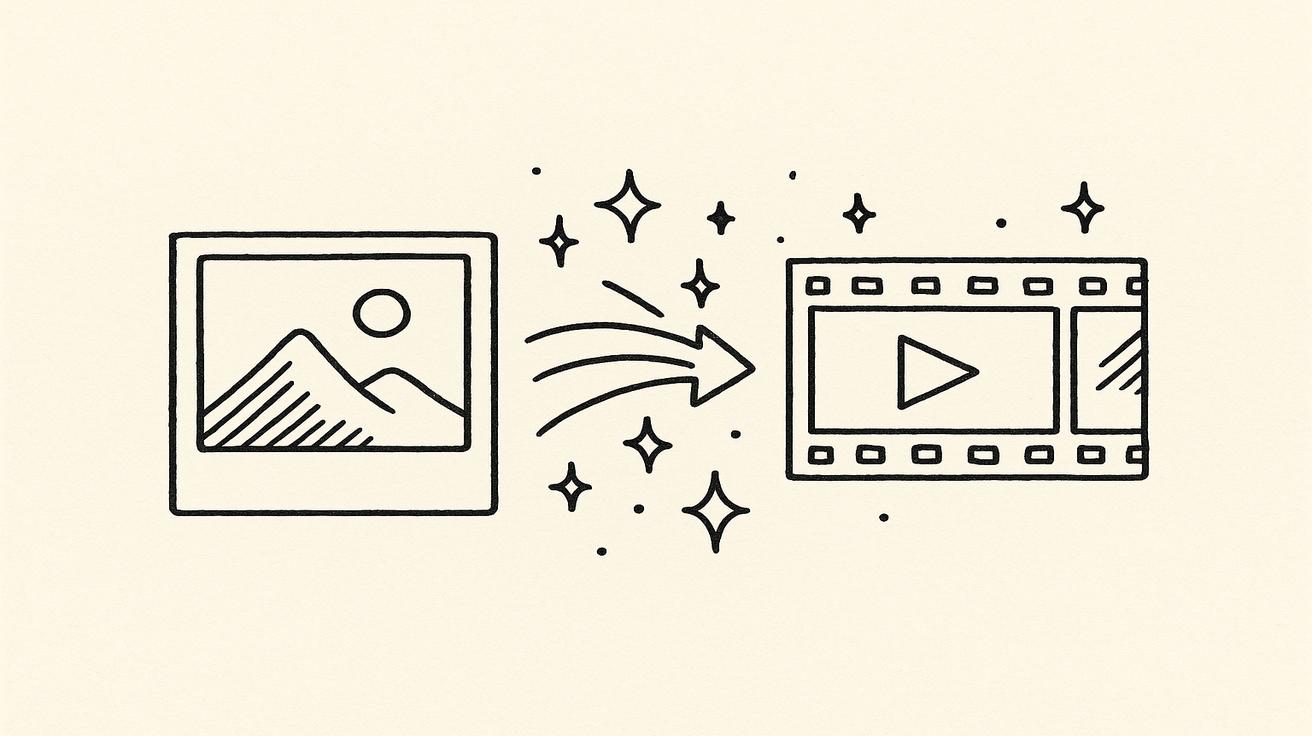
Turning a static photo into a dynamic, cinematic video used to require a professional film crew and thousands of dollars in post-production. Today, AI has changed everything. Image-to-video AI generators let anyone—creators, marketers, educators, and hobbyists—breathe life into still images in seconds, completely for free. Whether you want to animate a portrait, build a product demo, or craft a social media reel, the rig
Quick Answer: The best options for free image to video ai generator: tools in 2026 in 2025 combine ease of use, output quality, and pricing flexibility. Our top picks are highlighted below with hands-on testing insights.
ht tool can make it happen without opening your wallet.
But with so many options flooding the market in 2026, choosing the best free image to video AI generator is harder than ever. Quality varies wildly. Some tools watermark every clip. Others cap your free usage at just a handful of videos per month. This guide cuts through the noise. We tested the top platforms so you can find the one that fits your workflow, your budget, and your creative vision—starting with the most powerful free option available right now.
What is Image to Video AI?
Image to video AI is a class of generative artificial intelligence that takes a single still image—or a series of photos—and produces a short video clip from it. Unlike traditional video editing, which requires frame-by-frame work, these models use deep learning to predict realistic motion, lighting changes, camera movement, and even object behavior that could plausibly follow from the visual content of the original image.
Under the hood, most modern image-to-video models use a combination of diffusion models (the same family behind text-to-image tools like Stable Diffusion and Midjourney) and temporal attention mechanisms that ensure frame-to-frame consistency. You upload your photo, optionally add a text prompt describing the desired motion (e.g., "gentle ocean waves," "hair blowing in the wind," "zoom out slowly"), and the model generates a 3–10 second clip.
Key capabilities of today's image to video AI tools:
- Motion synthesis: Adds realistic movement to objects, hair, water, fire, clouds, and more
- Camera control: Simulate dolly shots, zooms, pans, and orbital camera paths
- Style preservation: Maintains the artistic style, color palette, and composition of the source image
- Audio generation: Some tools now add ambient sound or music (Veo 3 leads here)
- Upscaling: Output resolutions up to 4K in premium tiers
The technology has reached a tipping point in 2026. Free tiers are now genuinely useful, offering HD output, no mandatory watermarks on some platforms, and fast generation times. Here's a breakdown of the best free image to video AI tools available today.
Best Free Image to Video AI Generators
1. Veo 3 (Google DeepMind) — Best Overall
Veo 3 is Google DeepMind's flagship video generation model and, as of 2026, it is widely regarded as the most capable image-to-video AI available anywhere. What sets Veo 3 apart from every competitor is its native audio generation—it doesn't just create video; it generates synchronized ambient sound, dialogue-ready audio tracks, and realistic environmental audio in a single pass. No other free tool does this.
Why Veo 3 leads the pack:
- State-of-the-art motion quality with cinematic frame interpolation
- Native audio synthesis: sound effects, ambient audio, even lip-synced speech
- Exceptional prompt adherence—complex motion instructions are followed accurately
- Photorealistic output that preserves fine detail from the source image
- Available via veo3ai.io with a free plan
Free tier details:
- Free access available through veo3ai.io with daily generation credits
- Outputs up to 1080p resolution on the free plan
- No permanent watermark on standard exports
- Daily credit refresh means consistent access for regular creators
Best for: Creators who need the absolute best quality output, marketers producing premium content, anyone who needs audio + video in one workflow, and professionals testing AI video before committing to a paid plan.
Supported use cases on the image-to-video page: Portrait animation, product showcase, landscape cinematic, social media reels, and explainer content.
2. Seedance 2.0 — Best for Creative Control
Seedance 2.0, developed by ByteDance, has emerged as one of the strongest challengers to Veo 3 in the image-to-video space. Powered by the Seedance diffusion architecture, it excels at artistic and stylized motion, making it a favorite for illustrators, concept artists, and social media creators who want their animations to feel intentional rather than generic.
Strengths:
- Exceptional at animating illustrated and stylized artwork without degrading the art style
- Fine-grained camera control (orbit, push-in, pull-back, tilt)
- High-quality motion for fantasy, anime, and painterly content
- Fast generation speed—clips are ready in 20–40 seconds
Free tier details:
- Generous daily free credits for new and returning users
- Access to standard resolution (720p) on free plan
- Watermark-free exports available on free tier
Best for: Illustrators, digital artists, concept designers, and content creators working with stylized or non-photorealistic imagery.
3. Kling 3.0 (Kuaishou) — Best for Realistic Motion
Kling 3.0, built by Kuaishou Technology, has become the go-to choice for creators who need physically accurate, realistic motion in their videos. If you're animating a real photograph—a person's face, a natural landscape, or a product—Kling's physics-aware motion engine produces results that often fool the eye.
Strengths:
- Industry-leading realism for photographs of people and objects
- Advanced facial motion: natural eye movement, micro-expressions, head turns
- Smooth, physically plausible motion for hair, fabric, and liquids
- 5–10 second clip generation with strong temporal consistency
Free tier details:
- Free plan includes a monthly credit allowance (approximately 66 credits/month)
- Standard resolution output (720p) with no watermark on standard exports
- Daily bonus credits available for active users
Best for: Portrait photographers, product photographers, travel content creators, and anyone working with real-world photographs who needs hyper-realistic animation.
4. Runway Gen-4 — Best for Professionals
Runway has been one of the most recognizable names in AI video for years, and Gen-4 continues that legacy. It's a professional-grade tool with a polished interface, deep editing features, and a suite of tools beyond just image-to-video—including video-to-video, inpainting, and motion brushes.
Strengths:
- Professional-grade toolset: motion brush, inpainting, camera controls
- Strong community and tutorial ecosystem
- Consistent quality across diverse image types
- Integrates with broader Runway creative suite
Free tier details:
- 125 one-time free credits upon signup (no monthly refresh)
- Watermark applied to exports on free plan
- Standard resolution output
Limitations: The free tier is limited—once your 125 credits are used, you need to subscribe. The watermark on free exports is a meaningful restriction for professional use.
Best for: Professional video editors and filmmakers who want to evaluate Runway before subscribing, or users who need occasional high-quality clips and can work within the credit limit.
5. Pika 2.2 — Best for Ease of Use
Pika has always prioritized accessibility, and version 2.2 doubles down on that philosophy. Its interface is the most beginner-friendly of any tool on this list—you can go from image upload to finished video in under 60 seconds with no technical knowledge required.
Strengths:
- Fastest learning curve: truly drag-and-drop simple
- Built-in style templates and motion presets
- Good quality for social media content (Instagram Reels, TikTok)
- Fun features like "pikaffects" for creative stylized motion
Free tier details:
- 150 free credits per month on the free plan
- 720p resolution exports with watermark on free tier
- Credits replenish monthly
Best for: Beginners, social media managers, small business owners, and anyone who wants to create quick animated content without a steep learning curve.
6. Hailuo AI (MiniMax) — Best for Long Clips
Hailuo AI by MiniMax stands out for one key reason: it generates longer video clips than most competitors on its free tier—up to 6 seconds at high quality, with consistency that rivals paid tools. Its Director Mode also gives you explicit control over camera movement through text commands.
Strengths:
- Generates up to 6-second clips at high quality on free tier
- Strong temporal consistency—objects and people stay coherent over longer sequences
- Director Mode for camera control via text prompts
- Good handling of complex scenes with multiple elements
Free tier details:
- Daily free generation quota (approximately 10 videos/day)
- 720p output, no watermark on standard exports
- Director Mode available on free plan
Best for: Creators who need longer clips, storytellers building sequential scenes, and users who prioritize consistency over stylization.
7. Luma Dream Machine — Best for Dreamy Aesthetics
Luma Dream Machine by Luma AI has built a devoted following for its distinctive aesthetic: soft, luminous, slightly surreal motion that feels like a dream sequence. It's not the most realistic tool, but for certain styles of content—ambient visualizations, artistic portfolios, music videos—it's unmatched.
Strengths:
- Unique, cinematic "dream-like" visual aesthetic
- Strong performance with abstract and artistic imagery
- Good camera path generation
- Loop generation for seamless ambient video
Free tier details:
- 30 free generations per month on the free plan
- Outputs at 720p with Luma watermark
- Monthly credit reset
Limitations: 30 generations/month is the most restrictive free tier on this list. The watermark is also present on all free exports.
Best for: Artists, musicians, ambient content creators, and anyone whose brand aesthetic aligns with the soft, cinematic Luma look.
How to Choose the Right Image to Video AI Tool
With seven strong options on the table, the decision comes down to four key factors. Here's how to think through each one:
1. Output Quality
If quality is your top priority and you're not constrained by specific aesthetic needs, Veo 3 is the clear winner in 2026. Its motion quality, prompt adherence, and native audio generation put it a full generation ahead of competitors. For realistic photo animation, Kling 3.0 is the runner-up. For stylized and illustrated content, Seedance 2.0 edges out the competition.
2. Generation Speed
For the fastest results, Pika 2.2 and Hailuo AI consistently deliver clips in 15–30 seconds. Veo 3 and Kling can take 60–120 seconds depending on server load and clip complexity, but the quality improvement is worth the wait for most use cases.
3. Free Quota Generosity
Ranked by free tier generosity (credits/videos available per month):
- Pika 2.2 — 150 credits/month
- Hailuo AI — ~300 videos/month (10/day)
- Veo 3 — Daily credit refresh (varies)
- Kling 3.0 — ~66 credits/month
- Seedance 2.0 — Daily credits
- Luma Dream Machine — 30 videos/month
- Runway Gen-4 — 125 one-time credits (no monthly refresh)
4. Ease of Use
For pure ease of use, the ranking is: Pika 2.2 > Hailuo > Veo 3 > Seedance > Luma > Kling > Runway. Runway has the most features but also the steepest learning curve.
5. Watermark Policy
If watermark-free output matters to you on the free tier:
- Veo 3: No permanent watermark on standard exports ✅
- Kling 3.0: No watermark on standard exports ✅
- Hailuo AI: No watermark on standard exports ✅
- Seedance 2.0: No watermark on free tier ✅
- Pika 2.2: Watermark on free exports ⚠️
- Luma Dream Machine: Watermark on free exports ⚠️
- Runway Gen-4: Watermark on free exports ⚠️
How to Create Image to Video for Free (Step-by-Step with Veo 3)
Here's a complete walkthrough of creating your first free image-to-video using Veo 3 on veo3ai.io:
Step 1: Create Your Free Account
Go to veo3ai.io and sign up for a free account. The process takes under 60 seconds—you can sign in with your Google account for instant access. No credit card is required to start your free plan.
Step 2: Navigate to the Image-to-Video Tool
Once logged in, look for the "Image to Video" option in the main navigation or dashboard. Click it to open the image-to-video workspace. You can also go directly to veo3ai.io/image-to-video.
Step 3: Upload Your Source Image
Click the image upload area and select your photo. Veo 3 accepts JPEG, PNG, and WebP formats. For best results:
- Use high-resolution images (at least 1024px on the shortest side)
- Choose images with clear subjects and good lighting
- Avoid heavily compressed or blurry photos
Step 4: Write Your Motion Prompt
This is the most important step. In the text prompt field, describe the motion you want to see. Be specific:
Weak prompt: "Make it move"
Strong prompt: "Gentle ocean waves lap at the shore, seagulls glide slowly overhead, golden hour light shimmers on the water surface, slow cinematic push-in toward the horizon"
Tips for better prompts:
- Describe the type of motion (wave, sway, flow, zoom, pan)
- Specify the speed (slow, gentle, dramatic)
- Mention camera movement if you want it (push in, pull back, orbit)
- Include lighting behavior (shimmer, flicker, glow)
Step 5: Select Your Settings
Choose your video duration (3–8 seconds on the free plan) and aspect ratio:
- 16:9 — Best for YouTube, presentations, and landscape content
- 9:16 — Best for TikTok, Instagram Reels, and vertical video
- 1:1 — Best for Instagram feed posts
Step 6: Generate and Review
Click Generate. Veo 3 typically takes 60–120 seconds to produce your clip. Once it's ready, preview it in the built-in player. If the motion isn't exactly what you wanted, you can:
- Refine your prompt and regenerate
- Use the variation button to get a different interpretation
- Adjust motion intensity if the option is available
Step 7: Download Your Video
Once you're satisfied, click Download. On the free plan, you'll receive your video in MP4 format at up to 1080p resolution. The file is yours to use, share, or publish.
Pro tip: Save your best prompts. Once you find a formula that works for your style of content, it's repeatable. Many creators build a personal prompt library for consistent results.
Tips for Better Results
Getting great results from image-to-video AI tools isn't just about picking the best platform—it's also about how you use them. Here are the most effective techniques:
Choose the Right Source Image
The quality of your output is heavily influenced by your input. Images with:
- Clear, uncluttered subjects produce cleaner motion
- Distinct depth layers (foreground, midground, background) give the AI more to work with for parallax effects
- Good natural lighting animate more realistically than images with heavy post-processing filters
- High resolution preserve detail during motion synthesis
Avoid very dark images, heavily filtered photos, and images with complex text overlays—these tend to degrade during animation.
Write Descriptive, Specific Prompts
Generic prompts produce generic results. The more specific and visual your language, the better the output. Instead of saying "make the trees move," say "pine branches sway gently in a light breeze, needles catching sunlight, slow graceful movement." Think like a cinematographer describing a shot.
Match the Tool to the Content Type
- Photographs of people → Kling 3.0 or Veo 3
- AI-generated or illustrated art → Seedance 2.0 or Luma
- Product shots → Veo 3 or Kling 3.0
- Landscape and nature → Veo 3 or Hailuo
- Quick social media content → Pika 2.2
Use Camera Prompts Strategically
Camera motion adds a professional quality to AI-generated video. Common prompts:
- "slow dolly push-in" — moves the camera toward the subject
- "orbital camera" — circles around the subject
- "slow aerial tilt-down" — moves from sky to ground
- "gentle handheld shake" — adds realistic documentary feel
- "smooth zoom out" — reveals the wider environment
Iterate, Don't Settle
The first generation is rarely the best. Use your free credits strategically by treating each generation as a test. Adjust your prompt, tweak the settings, and regenerate until you get something close to your vision. Most free tiers give you enough credits to iterate several times per day.
Optimize Your Images Before Uploading
- Crop to the final aspect ratio before uploading (don't let the AI crop for you)
- Boost contrast slightly if your image is flat—it helps the AI identify depth
- Remove compression artifacts by exporting from your photo editor at high quality
Frequently Asked Questions
Which image to video AI tool is truly free?
All seven tools on this list have genuine free plans—they don't require a credit card to get started. However, "free" looks different across platforms. Veo 3 (via veo3ai.io), Kling 3.0, and Hailuo AI offer the most generous free tiers with daily credit refreshes. Runway gives you 125 one-time credits with no monthly renewal, making it more of a free trial than an ongoing free plan. For creators who need regular free access, Veo 3, Pika, and Hailuo offer the most sustainable free usage.
Which free tool produces the best video quality?
In 2026, Veo 3 by Google DeepMind produces the highest quality output across most content categories. Its cinematic motion quality, native audio generation, and prompt adherence set it apart. For specific use cases—realistic portrait animation, Kling 3.0 is a strong second choice. For stylized art animation, Seedance 2.0 often outperforms Veo 3 in preserving artistic styles.
Can I get watermark-free videos on the free plan?
Yes, several tools offer watermark-free exports on their free plans. Veo 3, Kling 3.0, Hailuo AI, and Seedance 2.0 all provide standard exports without permanent watermarks on free accounts. Pika 2.2, Luma Dream Machine, and Runway apply watermarks to free-plan exports. If watermark-free output is important to you, choose from the first group.
Can I use AI-generated videos for commercial purposes?
This depends on the platform's terms of service. In general:
- Veo 3 (veo3ai.io): Check the platform's commercial use policy—commercial use is available on paid plans
- Kling 3.0: Free-plan content is generally for non-commercial use; commercial rights require a paid subscription
- Runway: Free plan is limited to personal use; commercial rights require a paid plan
- Pika 2.2: Non-commercial on the free plan; commercial use requires upgrading
Always review the specific terms of service for the platform you're using before publishing AI-generated content commercially.
How long can the videos be on the free plan?
Most free plans cap video length at 3–8 seconds per generation:
- Veo 3: Up to 8 seconds on standard plans
- Kling 3.0: 5 seconds standard
- Hailuo AI: Up to 6 seconds on free tier
- Pika 2.2: 3–5 seconds on free plan
- Runway: Up to 10 seconds (counts heavily against limited free credits)
- Luma Dream Machine: Up to 5 seconds on free plan
- Seedance 2.0: Up to 5 seconds on free tier
Do these tools work on mobile?
Most platforms offer web-based interfaces that work on mobile browsers, but the experience is best on desktop. Pika 2.2 has the most mobile-optimized interface. For professional use, a desktop browser on a modern computer will give you the most control and the best performance.
What image formats are supported?
The universal support is JPEG and PNG. Most tools also accept WebP. For best results, upload the highest-resolution version of your image available, ideally at least 1024×1024 pixels. Very small images (under 512px) may result in lower-quality video output.
Conclusion
The image to video AI landscape in 2026 is richer than ever, and the best news for creators is that you genuinely don't need to spend money to access world-class tools. Whether you're a professional marketer looking to elevate your content, a hobbyist wanting to bring your photos to life, or a creator building a social media presence, there's a free image to video AI generator on this list that fits your needs.
Our top recommendation remains Veo 3—not just because it's the most capable tool available today, but because its free plan is genuinely competitive. The combination of cinematic motion quality, native audio generation, and accessible pricing makes it the obvious starting point for anyone serious about AI video creation. Try the image-to-video tool on veo3ai.io today and see what's possible.
For creators with specific needs, Kling 3.0 remains the best choice for photorealistic portrait animation, Seedance 2.0 leads for stylized and illustrated content, and Pika 2.2 is the friendliest entry point for beginners. Use this guide as your starting point, experiment with multiple tools using their free tiers, and find the one that fits your creative workflow.
The era of static images is over. Your photos deserve to move.
Written by Emma Chen | Last updated: April 2026
Related Articles
Continue with more blog posts in the same locale.

Veo 3 vs HeyGen 2026: AI Video Generation vs AI Avatar Studio
Veo 3 vs HeyGen 2026: compare AI video generation and AI avatar studio workflows, see where each excels, and decide which belongs in your video production stack.
Read article
Veo 3 vs InVideo AI: Which Should You Use in 2026?
Veo 3 vs InVideo AI: understand the core difference between AI video generation and AI-assisted production, see how each excels, and decide which fits your workflow in 2026.
Read article
Veo 3 vs Pollo AI: Which AI Video Generator Should You Choose in 2026?
Compare Veo 3 and Pollo AI across video quality, native audio generation, pricing, and use cases. Find out which AI video generator is right for your workflow in 2026.
Read article