
Higgsfield vs Veo: Which AI Video Tool Wins in 2026
Higgsfield vs Veo compared side by side on quality, speed, pricing, and best use cases so you can pick the right AI video generator in 2026.
Veo3 AI · 16 min read · Sep 25, 2026
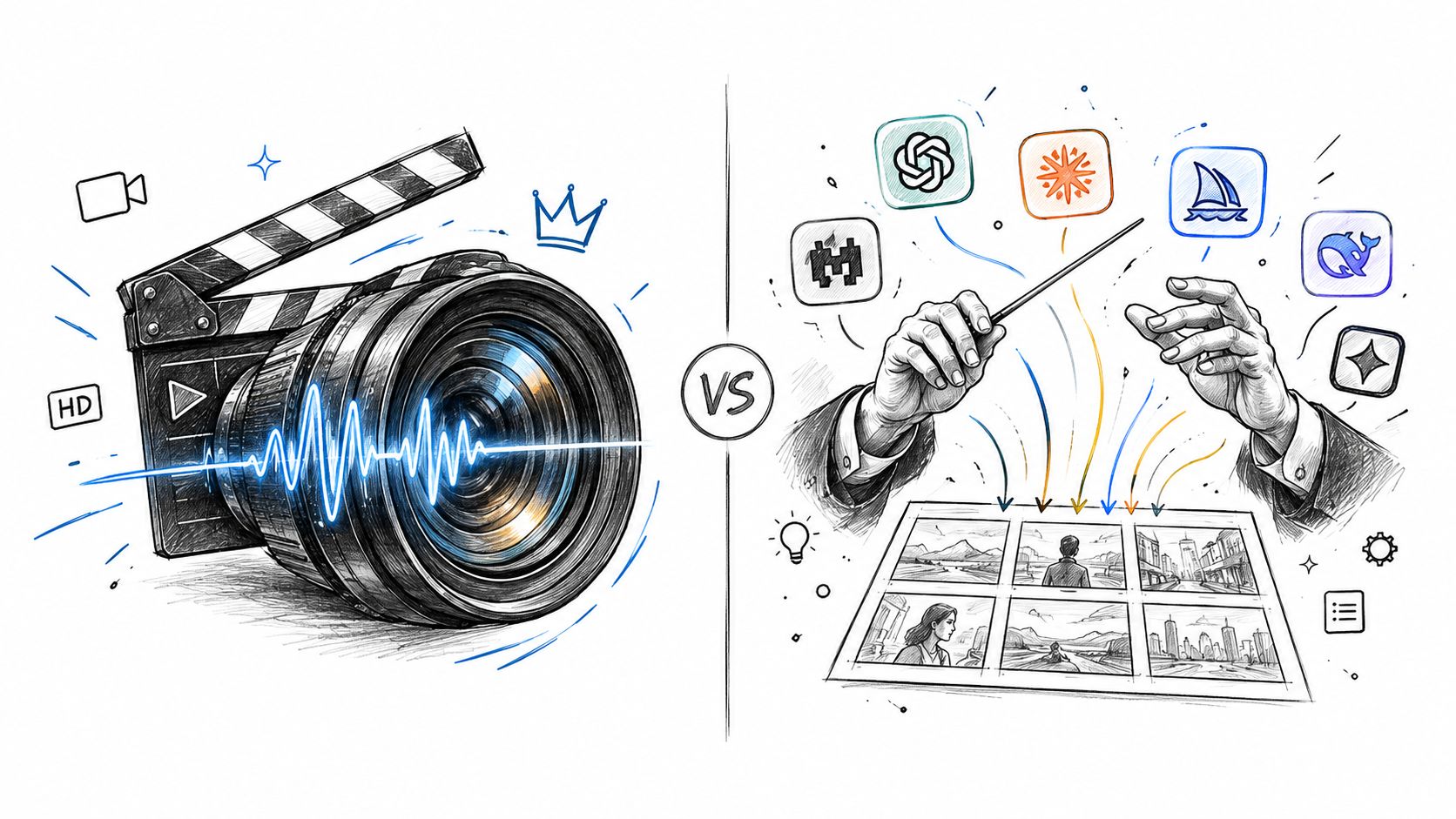
Most higgsfield vs veo comparisons ask the wrong question. They obsess over which model looks prettier in a demo, when the key decision is whether you need a single premium model or a multi-model workspace that lets you test, switch, and ship faster. If you're building a workflow for real output, that distinction matters more than any isolated clip.
| Dimension | Higgsfield | Veo (Veo 3.1) |
|---|---|---|
| Core product | Multi-model creative workspace | Native Google video model |
| Best fit | Breadth, prototyping, workflow switching | Depth, realism, model-native generation |
| Output strategy | Compare several engines in one place | Push one model to its highest-quality tier |
| Creative control | Broad, workflow-led control | Narrower, model-led control |
| Team use | Strong when teams need options | Strong when teams need repeatability |
| Main trade-off | More orchestration, less single-model purity | Less breadth, more model focus |
The comparison most review sites miss is simple. Higgsfield is a harness. Veo is an engine. That changes how you judge the result, because the value isn't just the clip you get, it's how many good clips you can reliably ship in a day.
Table of Contents
- The Comparison Most Head-to-Head Reviews Get Wrong
- What Higgsfield and Veo Are in 2026
- Output Quality, Speed, and Reliability Compared
- Customization, Model Access, and Integration Workflows
- Pricing Models and Cost-Efficiency for Real Workflows
- Best Use Cases for Each Platform
- Which One You Should Choose by Buyer Persona
<a id="the-comparison-most-head-to-head-reviews-get-wrong"></a>
The Comparison Most Head-to-Head Reviews Get Wrong
Most head-to-head articles treat Higgsfield and Veo like two versions of the same thing. They're not. Veo is the model you go to when you want Google's video generation path, while Higgsfield is the workspace that sits on top of multiple models and lets you move between them without rebuilding your process every time.
That difference shows up immediately in how each product was built. Higgsfield says it launched in 2025, and Reuters says the company was founded in 2023 and launched its browser-based product in March 2025, which tells you it's the newer entrant in this comparison. Google, by contrast, announced Veo at I/O in May 2024 and kept iterating through Veo 2 and Veo 3, so you're dealing with a faster-moving model line inside a major AI platform, not a hub trying to coordinate other engines. Higgsfield's own about page makes that timeline clear.
<a id="the-real-buying-decision"></a>
The real buying decision
If you're a creator, the question isn't “which is better?” It's what are you paying for. Do you want one premium model with a stronger ceiling, or a workspace that lets you compare multiple engines, rerun the same brief, and keep moving if one model misses?
Practical rule: if your team spends more time choosing between models than editing the final clip, a multi-model workspace is usually the better investment.
That's why the usual quality-first framing is too shallow. A founder making daily social clips, an agency comparing concepts, and a film team rendering one hero shot are solving different problems. The winning tool is the one that matches the job you need to finish, not the one that wins a screenshot contest.
If you want a broader map of the market, the RemotionAI round-up of top AI video generators is a useful place to compare where Higgsfield and Veo sit among adjacent tools.
<a id="what-higgsfield-and-veo-are-in-2026"></a>
What Higgsfield and Veo Are in 2026
Higgsfield is a multi-model video workspace. Its value is not one generator, but the ability to switch between engines in one place, rerun the same brief, and compare outputs without rebuilding the workflow each time. That matters if your team cares about speed of iteration more than loyalty to a single model.
Veo 3.1 sits on the model-first side of the comparison. It is tied more tightly to Google's ecosystem, so the experience is built around a focused generation path instead of a broad tool layer. If you want a premium model with a clearer creative center of gravity, Veo is the cleaner fit.
The difference is practical, not philosophical. A founder making daily social clips, an agency testing ad concepts, and a film team polishing one hero shot are not buying the same thing. One group needs breadth and fast comparison, another needs one strong model and fewer moving parts.
| Higgsfield vs Veo at a Glance (2026) | Higgsfield | Veo (Veo 3.1) |
|---|---|---|
| Product identity | Multi-model workspace | Native Google model |
| Primary value | Model switching and workflow breadth | Model depth and integrated generation |
| Access style | One subscription, multiple engines | Google-native access to Veo |
| Creative emphasis | Prototyping, comparison, iteration | Physics realism, cinematic output |
| Best use pattern | Teams that want one place to test options | Teams that want a focused premium model |
| Workflow shape | Broad harness around several engines | Narrower, model-centric generation |
That table is the decision. Review pages usually obsess over output quality and skip the operational question, which is where the mistake starts. If your team keeps losing time because one model misses the brief and you have to start over, a workspace built for comparison is the smarter buy. If your process is already disciplined and you want a single model pushed as far as it can go, Veo is the more direct route.
Higgsfield's own AI video materials frame the choice as a platform decision, not just a model decision, and that framing is useful. It matches how teams work. Some need orchestration, some need a single engine they can trust, and many need to compare those options before they commit.
If you want a broader map of the category, the RemotionAI round-up of top AI video generators is helpful for context. It still does not answer the harder question, which is whether your workflow benefits more from a multi-model workspace or from one premium model with a tighter pipeline.
<a id="output-quality-speed-and-reliability-compared"></a>
Output Quality, Speed, and Reliability Compared
The question here is not which model looks better on paper. It is which setup gives you usable clips faster under real production pressure.
Veo is the cleaner pick for raw output quality. Higgsfield's own 2026 comparison material says Veo 3.1 is strongest for physics realism, material behavior, and grounded scenes, while also noting weaker performance with on-screen text and some named colors. That tells you where Veo is built to shine, and where you should stop expecting it to solve every shot problem.
Higgsfield's edge is workflow, not a single-frame knockout. It lets you retry the same brief across multiple engines without leaving the workspace, which often gets you to a workable result faster than staying married to one model path. For production teams, that matters more than marginal differences in a perfect prompt test.
<a id="where-veo-pulls-ahead"></a>
Where Veo pulls ahead
Veo is the better choice for clips that need temporal consistency, realistic lighting, gravity, object interaction, and native synchronized audio. Google's early positioning for Veo set expectations around 1080p video over a minute long, and that standard still shapes how people judge the model family. Later reporting on Veo 3.1 shows that same emphasis carrying through Google's creative tooling and API ecosystem.
The downside is simple. Veo can be excellent, but it still asks you to keep your prompt discipline tight. If the brief is sloppy, the model will expose that immediately.
For teams making hero clips or polished branded assets, that trade-off is acceptable. For social content, ad variants, and concept testing, it can slow you down.
<a id="where-higgsfield-wins"></a>
Where Higgsfield wins
Higgsfield often wins on usable output per hour. That does not mean the clip is technically superior. It means the platform helps you get from failed render to acceptable render faster because you are not locked into one model path.
If a scene misses, you can test another engine without restarting the whole workflow. That is the practical difference most head-to-head reviews skip.
For teams shipping mixed content, this is the true test. A product marketer does not need every generation to be the most impressive clip possible. They need enough clips that survive review, stay on-brand, and reach publish.
| Quality, Speed, and Reliability | Veo 3.1 | Higgsfield (multi-model) |
|---|---|---|
| Physics realism | Strongest when scenes are grounded | Depends on the engine selected |
| Motion continuity | Very reliable with good prompts | More variable, but faster to reroute |
| Native audio | Built into the Veo path | Depends on workflow and model choice |
| Retry efficiency | Single-model iteration can be slower | Faster comparisons across engines |
| Output consistency | Strong and repeatable | Better as a comparison workspace |
| Best practical use | Final hero clips | Production teams needing options |
For a broader look at tool selection criteria, Writingmate's best video AI platforms compared is useful context. The short version is plain. Veo wins on raw quality. Higgsfield often wins on production efficiency.
<a id="customization-model-access-and-integration-workflows"></a>
Customization, Model Access, and Integration Workflows
Higgsfield is the broader platform. Its value comes from letting you access more than one model in one place, which is exactly what creators want when they're not yet sure which engine will fit the brief. That's why workflow breadth is the point. You're not buying a single output style, you're buying the ability to move between styles quickly.
Veo is deeper, but narrower. Its strongest argument is not variety, it's that you can stay close to one model family and build a cleaner generation habit around it. That's why teams that care about consistency, documentation, and repeatability keep circling back to Veo 3.1.
<a id="breadth-versus-depth"></a>
Breadth versus depth
Higgsfield's own materials position the platform as a workspace that bundles multiple models, including Veo 3.1, inside a single environment. That matters for teams that want to test different looks, compare motion behavior, or switch from one creative direction to another without paying the mental overhead of new tools every time.
Veo, especially in the Google path, is stronger when you want a tighter generation loop. The comparison table in Higgsfield's pricing-and-coverage material shows Veo 3.1 access split across Google's plan structure, while Higgsfield bundles multiple models into one subscription. That's not just a pricing difference. It's a workflow philosophy difference.
<a id="what-matters-in-practice"></a>
What matters in practice
For a team lead, the question is whether your bottleneck is creative exploration or production repeatability. If it's exploration, Higgsfield's model switching and broader creative shell make sense. If it's repeatability, Veo's single-model depth is the better fit.
The best way to think about it is simple.
- Higgsfield for breadth: better when you're comparing looks, testing different engines, or handling a campaign with varied asset types.
- Veo for depth: better when the same style, motion logic, and output quality have to hold across multiple revisions.
- Higgsfield for switching: useful when the team wants to stay inside one editor.
- Veo for focus: useful when you'd rather optimize one premium model than manage several.
That's also why hybrid workflows are so common. Use Higgsfield to explore, then move the final brief to Veo when the shot matters enough to justify the stricter model path. Veo 3 AI video generator fits naturally into that kind of final-stage workflow, because it's positioned around model access and video generation in one place.
<a id="pricing-models-and-cost-efficiency-for-real-workflows"></a>
Pricing Models and Cost-Efficiency for Real Workflows
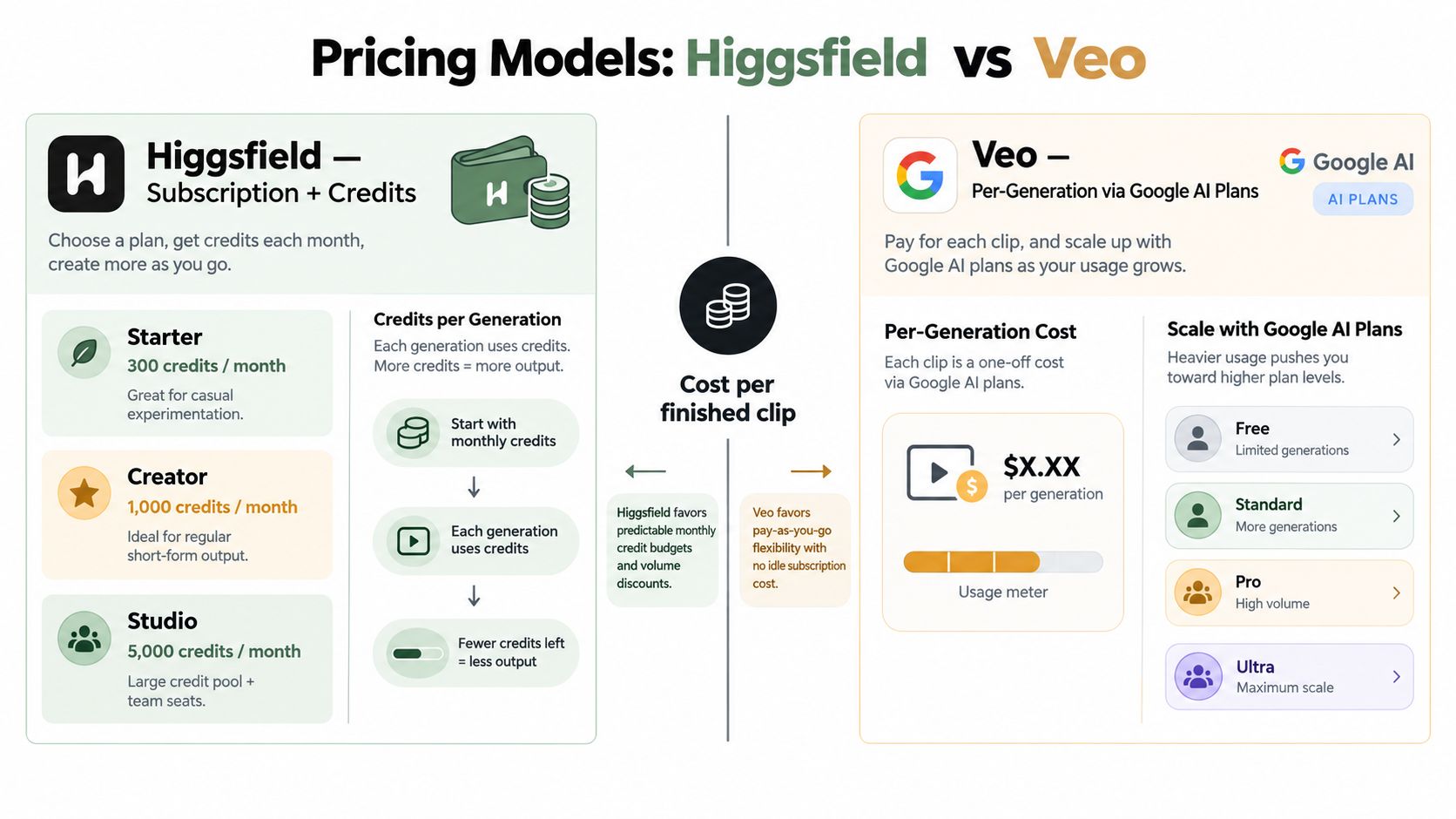
Pricing is where a lot of comparisons get sloppy. Higgsfield is mainly a subscription plus credits product, while Veo is generally handled as a pay-per-generation model through Google's access layers. Those are different buying logics, so stop trying to reduce them to one simple monthly number.
The practical question is whether you want predictable budget control or usage-based flexibility. Higgsfield's multi-model structure is easier to plan around if your team generates often and wants a fixed monthly envelope. Veo's pay-per-second structure is cleaner when you want to pay only for the clips you generate.
<a id="how-to-think-about-spend"></a>
How to think about spend
The only safe way to compare cost is by workflow shape. A solo creator making short clips all month usually cares about predictable monthly burn. An agency comparing several concepts cares about rerolls and time lost to bad generations. An enterprise team cares about whether the output is good enough to avoid extra production passes.
If you want current Veo rates, don't rely on stale screenshots. Use the Veo pricing guide for the latest structure, because the live pricing model can shift as access changes.
Hidden costs matter too. Failed generations, extra rerolls, and the time spent cleaning outputs can easily outweigh a plan's headline price. That's why the cheaper-looking tool is not always the cheaper tool.
<a id="which-pricing-model-fits-which-buyer"></a>
Which pricing model fits which buyer
- Solo creators: Higgsfield usually makes more sense if you want one budget with several models available.
- Agencies: Higgsfield is better when you're pitching multiple directions and need a workspace for comparison.
- Enterprise teams: Veo is stronger when you want a tighter, model-native generation path and clearer usage accounting.
For the current access structure and rates, the Veo pricing guide is the right place to check before you commit.
<a id="best-use-cases-for-each-platform"></a>
Best Use Cases for Each Platform
Stop choosing between Higgsfield and Veo by model quality alone. The decision comes down to workflow fit. Higgsfield is built for teams that need breadth, fast iteration, and a place to test ideas. Veo is built for teams that want one premium model path and care more about the final frame than the number of options.
<a id="when-higgsfield-is-the-smarter-choice"></a>
When Higgsfield is the smarter choice
If you publish short-form social content every day, Higgsfield is the cleaner default. The value is not just generation. It is the multi-model workspace, which removes friction when your team needs to compare looks, rerun ideas, and keep moving without reopening a different tool for every test.
That matters for agencies too. If you are pitching several visual directions, you want to compare outputs in one place and show clients a real spread of options without stacking extra subscriptions. If you are also evaluating clip-generation tools alongside Higgsfield and Veo, compare Klap vs alternatives before you lock in a short-form workflow.
Higgsfield also fits brand campaigns that need a consistent style across multiple deliverables. Social cuts, teaser clips, and early concept variations are easier to manage when the team stays in one workspace instead of splitting production across separate tools.
<a id="when-veo-is-the-smarter-choice"></a>
When Veo is the smarter choice
Veo is the better call for cinematic dialogue scenes, product shots that need realistic motion, and narrative clips where one polished output matters more than a broad set of options. Its edge is simple, it behaves like a model you direct, not a workspace you negotiate with.
That makes it the stronger fit for marketers and film teams that care about believable interaction, grounded motion, and native audio that supports the scene. It is also the better choice when your team wants one premium model and does not need a larger creative sandbox.
Direct advice: if the clip is a hero asset, start with Veo. If the clip sits inside a daily testing pipeline, start with Higgsfield.
| Scenario | Best fit | Why |
|---|---|---|
| Daily short-form social | Higgsfield | Faster comparison, less friction |
| Multi-concept agency pitching | Higgsfield | More creative breadth in one place |
| Product ad with realistic motion | Veo | Stronger physics and consistency |
| Dialogue-driven premium scene | Veo | Better native generation path |
| Hybrid creative pipeline | Both | Higgsfield for ideation, Veo for finals |
The only exception is narrow and practical. Use Higgsfield for one-off hero exploration if you need to compare several directions quickly. Use Veo for social tests only when the clip carries brand weight and needs stronger realism.
<a id="which-one-you-should-choose-by-buyer-persona"></a>
Which One You Should Choose by Buyer Persona
If you're a solo creator posting every day, choose Higgsfield. The multi-model workspace matters more than squeezing out the last bit of single-model purity, because your real problem is keeping output volume high without stalling on tool choice.
If you're a marketing team shipping product ads, explainer clips, or testimonial scenes, choose Veo. You want physics realism, coherent motion, and a cleaner path to a polished final asset, not a sandbox full of options you'll never use.
If you're an agency prototyping across styles, choose Higgsfield. Model breadth helps you pitch better, compare faster, and avoid separate subscriptions just to test creative directions.
If you're an enterprise studio or filmmaking team rendering narrative scenes with on-screen actors and lip-synced dialogue, choose Veo. That's the better fit when fidelity and repeatability matter more than breadth.
<a id="decision-matrix"></a>
Decision matrix
- Short-form creator, daily output: Higgsfield
- Agency, concept testing: Higgsfield
- Marketing team, brand-safe final clips: Veo
- Studio, hero scenes and realism: Veo
- Hybrid team, exploration plus finals: Both, but start in Higgsfield and finish in Veo
The decision rule is simple. Pick Higgsfield when you need breadth and velocity, pick Veo when you need depth and realism.
If you want a practical place to keep comparing model-led and workflow-led video generation, Veo3 AI gives you a focused way to explore Veo 3.1 alongside other AI video options. Use it when you're deciding whether your team needs a multi-model workspace or a stronger single-model path.
Related Articles
Continue with more blog posts in the same locale.
Veo Subscription Cost: Plans, Pricing, and Value
Understand veo subscription cost with a clear breakdown of free vs paid tiers, what each plan includes, and how to evaluate value before you pay.
Read article
Tribute Video Maker Guide: Plan, Create, and Share
Learn how a tribute video maker works and follow a clear process to plan, build, and share heartfelt tribute videos for memorials, birthdays, and milestones.
Read article
What Is AI Marketing and How It Transforms Growth
Learn what is AI marketing, how it works, key use cases, benefits and how to implement it effectively with real examples and tools.
Read article