
How to Use Veo 3 for YouTube Videos: Complete 2026 Guide
Step-by-step guide to using Google Veo 3 for YouTube content in 2026. B-roll strategy, channel intros, Shorts, thumbnails, and monetization-safe tips.
Emma Chen · 15 min read · Apr 2, 2026
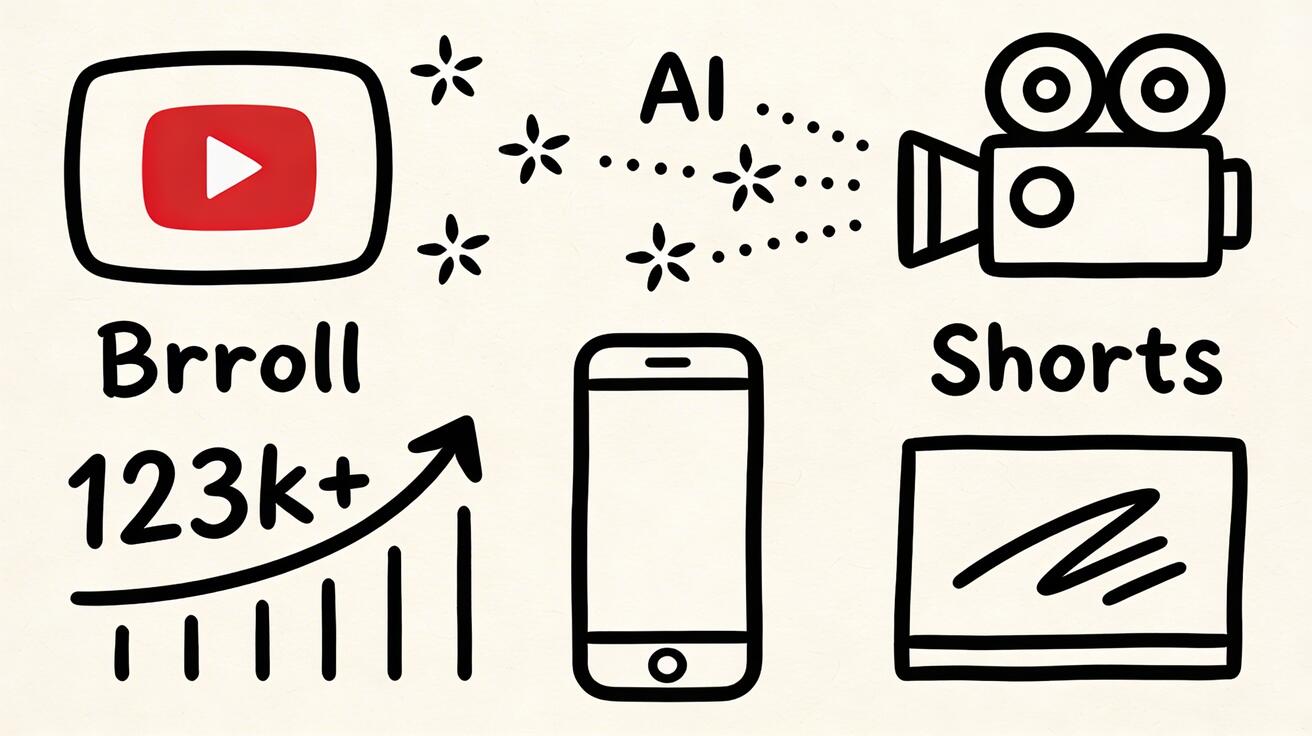
YouTube content production in 2026 has a new secret weapon: Veo 3 by Google. The same company that owns YouTube has built one of the most powerful AI video generators available —
Quick Answer: How to Use Veo 3 for YouTube Videos: Complete 2026 Guide by following a straightforward process: set up your account, input your prompt or media, configure settings, and export your finished video in minutes using AI automation.
and it integrates naturally into YouTube content workflows.
This guide covers exactly how to use Veo 3 for YouTube, from B-roll production to Shorts to channel intros, with strategies for different channel types.
Why Veo 3 Is Perfect for YouTube Creators
YouTube rewards:
- Consistent upload schedule — hard to maintain as a solo creator
- Professional-looking production — audiences expect polished content
- Variety — channels covering more angles grow faster
- Watch time — visually engaging content keeps viewers watching
Veo 3 addresses three of these four: it helps you produce more consistently, looks professional from day one, and provides visual variety without travel or production crews.
The fourth — watch time — still requires your unique content. Veo 3 is your visual infrastructure; you're the reason people subscribe.
The 6 Ways YouTube Creators Use Veo 3
1. B-Roll Footage
The most common and highest-value use. B-roll is the supporting footage that plays while you narrate or during transitions.
Before Veo 3: Film your own B-roll (time-consuming), buy stock footage ($50-200/clip), or use free stock sites (everyone uses the same clips).
With Veo 3: Generate exactly what your script needs in 30 seconds, for free, with no one else using the same footage.
Example script segment: "The global coffee industry generates $460 billion per year..."
Veo 3 B-roll prompt: "Coffee plantation at sunrise, rows of coffee trees on hillside, workers harvesting, golden morning light, aerial drone view, documentary style"
The generated clip is unique, relevant, and professional — better than any generic stock footage.
2. Channel Intro Animations
A professional channel intro builds brand identity and watch time. Custom animation traditionally costs $200-1,000 from a motion designer.
Veo 3 strategy for channel intros:
- Generate 2-3 second atmospheric clips matching your channel aesthetic
- Combine with your channel name text overlay in CapCut/Premiere
- Add music
Example prompts for channel intro styles:
Tech channel: "Abstract digital data streams and circuit patterns, blue and white, fast-paced, futuristic, loop-ready animation"
Travel channel: "Ultra-fast montage of world landmarks, cinematic aerial shots, golden light, dynamic energy"
Finance channel: "Abstract financial growth visualization, upward graphs transforming into cityscape, professional and aspirational"
Health/Wellness: "Sunrise breaking over calm ocean, soft golden light expanding, peaceful and energized, nature documentary quality"
3. YouTube Shorts
YouTube Shorts (vertical, 15-60 seconds) is one of the fastest-growing discovery channels on the platform. AI video content performs extremely well here because Shorts audiences respond to visual spectacle.
Veo 3 for Shorts strategy:
Option A — Pure AI aesthetic Shorts: Generate a stunning clip, add trending audio, minimal text. No face-cam required.
Prompt: "Timelapse of city lights turning on at dusk, aerial view, urban sprawl glowing to life, cinematic and hypnotic"
These often get hundreds of thousands of views with zero production effort beyond the prompt.
Option B — AI B-roll + voiceover Shorts: Record a 30-second voiceover on your phone. Add Veo 3 visuals matching your narration in CapCut.
Making Shorts vertical: Add to any Veo 3 prompt: "vertical format, 9:16 aspect ratio, mobile-first composition"
4. Thumbnail Backgrounds
YouTube thumbnails are critical for click-through rate (CTR). A professional background makes your thumbnail stand out.
While Veo 3 generates video, you can:
- Generate a video clip with the background you need
- Extract the best frame as a still image
- Add your face/text overlay in Canva/Photoshop
This gives you unlimited custom backgrounds for thumbnails — no more generic stock photos.
Thumbnail background prompts:
Epic sky: "Dramatic stormy sky clearing to reveal golden sunlight, cinematic, powerful, wide angle" Urban professional: "Modern city office interior, blurred background, professional atmosphere, shallow depth of field" Nature dramatic: "Waterfall through lush rainforest, misty morning, adventure and exploration aesthetic"
5. Video Essay Background Footage
Long-form educational videos and video essays benefit enormously from high-quality background visuals:
History content: Generate period-appropriate atmospheric footage (you can prompt historical contexts even though Veo 3 won't produce exact historical accuracy)
Science content: Generate concept visualizations (DNA, space, ocean depths)
Geography content: Landscapes and environments from anywhere in the world
Business/Finance content: Office environments, city skylines, abstract wealth visualizations
6. Channel Trailer
Your channel trailer is what unsubscribed viewers see when they land on your channel page. A professional trailer dramatically increases subscription rates.
With Veo 3, create a 60-90 second channel trailer by:
- Writing a short script describing your channel
- Generating 8-12 Veo 3 clips matching each section
- Recording your voice narration
- Assembling in CapCut/DaVinci Resolve (both free)
Total production time: 2-4 hours. Production cost: $0.
Channel-Type Playbooks
Travel Channel
B-roll strategy: Destinations you haven't visited yet (generate first, visit later), or enhance limited travel footage
Key prompts:
"Aerial view of [location], golden hour, cinematic drone footage, travel documentary quality"
"Street-level walk through [city] market, authentic atmosphere,
vibrant colors, immersive travel experience"
Shorts play: Pure destination eye-candy clips with minimal text
Educational/Explainer Channel
B-roll strategy: Concept visualization for abstract topics
Key prompts:
"[Scientific concept] visualized, clear and educational, documentary style, BBC quality"
"Historical atmosphere of [era/location], documentary documentary BBC quality, accurate period feel"
Shorts play: Quick visual explanations with AI concept graphics
Finance/Business Channel
B-roll strategy: Abstract wealth, business environments, economic concepts
Key prompts:
"Abstract visualization of financial growth and compound interest,
upward momentum, professional aspirational aesthetic"
"Modern corporate boardroom, executive decision-making atmosphere,
soft professional light, success and authority"
Gaming Channel
B-roll strategy: Channel intro animations, dramatic announcement visuals
Key prompts:
"Epic fantasy battle scene, cinematic, dramatic light effects,
game world aesthetic, action and spectacle"
"Abstract esports arena visualization, crowd roar atmosphere,
champion emerges from fog, competitive gaming drama"
Lifestyle/Vlog Channel
B-roll strategy: Aesthetic backgrounds, transition content between vlog segments
Key prompts:
"Golden hour lifestyle aesthetic, warm light, soft bokeh,
modern home interior glimpsed through doorway, aspirational"
"City walk at dusk, authentic urban energy,
warm street lights, genuine lifestyle documentary"
Technical Tips for YouTube-Quality Veo 3 Output
Aspect Ratio
- Standard YouTube (16:9): Default Veo 3 output — no special instruction needed
- Shorts (9:16): Add "vertical format, portrait 9:16 ratio" to prompt
- Square (1:1): Add "square format, 1:1 aspect ratio" for Instagram cross-posting
Camera Movement Language
For YouTube, these prompt additions create professional feel:
- "slow cinematic dolly forward" — creates spatial depth
- "smooth overhead drone pullback" — reveals scene gradually
- "static tripod shot, subtle depth of field" — stable professional look
- "handheld documentary movement" — authentic, journalistic feel
Lighting for YouTube Quality
- "golden hour, warm natural light" — universally appealing
- "soft overcast light, even exposure" — flattering, professional
- "dramatic Rembrandt lighting" — cinematic, authoritative
- "clean studio lighting" — professional, product-focused
Monetization Considerations
Copyright: Veo 3 generates original content. No copyright concerns for YouTube monetization.
Commercial use: Free tier = personal use. For monetized channels (which count as commercial in most interpretations), the paid tier at $9.99-$29.99/month provides commercial licensing.
Disclosure: YouTube doesn't currently require AI video disclosure for B-roll or background footage. Good practice is transparency in descriptions if the video is primarily AI-generated.
Free Editing Tools to Combine with Veo 3
- CapCut (free): Best for Shorts and vertical video, quick assembly
- DaVinci Resolve (free): Professional-grade for long-form YouTube videos
- Kdenlive (free, open source): Good alternative for standard editing
- VN Video Editor (free): Mobile editing for on-the-go creators
Typical workflow: Veo 3 generates clips → CapCut or DaVinci assembles → Export → YouTube upload
What Can You Do with Veo 3?
Veo 3 is capable of generating 8-second HD video clips from text descriptions or input images, complete with synchronized audio. Key capabilities include:
- Text-to-video: Describe any scene, Veo 3 renders it in cinematic quality
- Image-to-video: Upload a photo and Veo 3 animates it with realistic motion
- Audio generation: Veo 3 automatically generates matching sound effects, ambience, and music
- Style control: Specify camera angles, lighting, mood, and visual style in your prompts
How Do You Use Veo 3 Step by Step?
Getting started with Veo 3 is simple:
- Access: Go to gemini.google.com or aistudio.google.com
- Prompt: Write a detailed scene description — include subject, action, environment, lighting
- Generate: Select Veo 3 model and click generate (15–45 seconds)
- Refine: If not perfect, adjust your prompt and regenerate
- Download: Save your video in MP4 format
Is Veo 3 the Best AI Video Generator Available?
Based on 2025 benchmarks and real-world testing, Veo 3 is the best overall AI video generator for most use cases. Key reasons:
- Highest video quality in its class (1080p, 8-second clips)
- Only major AI video tool with native audio generation
- Free access makes it accessible to everyone
- Active development by Google DeepMind ensures continuous improvements
Kling AI and Runway Gen-4 are strong alternatives for specific use cases (longer clips and artistic styles, respectively).
Getting Started This Week
Day 1 (30 minutes):
- Go to veo3ai.io — free
- Generate 5 B-roll clips for your next planned video
- Download them
Day 2-3: Use those clips in your next video's edit. See how they fit.
Day 4-7: Generate your channel intro. Assemble with CapCut.
By the end of the week, you'll have a clear picture of how Veo 3 fits your specific channel workflow.
Start Generating Free at veo3ai.io →
Advanced YouTube Content Strategies with Veo 3
Understanding where Veo 3 fits in sophisticated YouTube content strategies helps creators maximize the value they extract from the tool.
B-roll is the highest-ROI use case for most YouTube creators. The majority of successful YouTube channels are built around talking-head content — the creator on camera, speaking to the audience. The visual interest in these videos comes significantly from b-roll: supporting footage that illustrates what the creator is saying, breaks up the static talking-head shots, and maintains visual engagement throughout longer videos. Traditionally, acquiring good b-roll required either expensive stock licensing, filming your own supplementary footage, or relying on whatever royalty-free options were available.
Veo 3 transforms this calculus. When a creator is making a video about climate change, they can generate exactly the aerial footage of melting glaciers they need. When they are discussing productivity systems, they can generate the specific office environment that matches the tone they are going for. When they are creating content about food, travel, or any physical experience they want to illustrate, they can generate the precise visual they need rather than settling for whatever stock footage approximation exists.
The quality requirement for b-roll is also more forgiving than for primary content. B-roll is shown for 3-8 seconds at a time while the narration drives the content. Minor AI imperfections that would be distracting in a primary shot become invisible in brief b-roll cuts. This makes Veo 3 even more appropriate for b-roll use than for primary visual content.
Intro and outro sequences are another high-value application. The opening seconds of a YouTube video — the visual hook that determines whether viewers stay or leave — benefit enormously from strong production value. A compelling, well-produced opening credits sequence signals to viewers that the content is worth their time before the first word is spoken. Veo 3-generated intros can establish the visual language, tone, and production quality of a channel immediately, even for creators who cannot afford traditional motion graphics or animation.
Chapter thumbnails and visual breakpoints use AI-generated imagery to mark the transitions between major sections in longer YouTube videos. These visual transitions serve both practical navigation purposes (viewers skimming through the video can see what each section covers) and production quality signals (they make longer videos feel more professionally produced).
Educational content illustration is a category where AI video provides exceptional value. For channels covering science, history, technology, medicine, or any topic that benefits from visual illustration of concepts, Veo 3 can generate visuals that would otherwise require expensive 3D animation, licensed stock footage, or simply being unavailable. Explaining how a historical event unfolded, illustrating how a biological process works, demonstrating how a technology functions — these use cases map perfectly to AI video capabilities.
Optimizing Veo 3 Output for YouTube Specifically
YouTube's technical requirements and audience behavior create specific optimization priorities that differ from other platforms.
Resolution and bitrate: YouTube processes uploaded video and creates multiple quality versions for different viewer bandwidth situations. Starting from 1080p or higher source material gives YouTube better material to work with at all quality levels. If using free-tier AI video at 720p, upload at 720p native rather than upscaling, which adds no information and may create compression artifacts.
Color and contrast for YouTube compression: YouTube's encoding process affects different types of content differently. High-contrast footage with sharp edges (text overlays, graphic elements) holds up well under compression. Subtle color gradients and fine detail in complex scenes compress less well. If AI-generated content shows visible compression artifacts after YouTube processing, slightly simplifying the visual complexity of the prompt (fewer simultaneous elements, slightly higher contrast) can improve post-compression quality.
Audio considerations for YouTube: YouTube monetizes through advertising, and advertiser brand safety filters scan audio content for problematic language. Veo 3-generated audio should not trigger these filters, but be aware that any AI-generated dialogue that appears in primary content (as opposed to b-roll) will be indexed. Background audio generated by Veo 3 is generally safe but should be reviewed before publishing.
Thumbnail generation alongside video: YouTube thumbnails drive click-through rate more than almost any other factor in channel growth. While Veo 3 is a video tool rather than an image generator, still frames extracted from Veo 3 generations can serve as thumbnail base images. Alternatively, the prompt concepts developed for Veo 3 video generation can be adapted for image generation tools to create thumbnails that visually match the video aesthetic.
End screen and card integration: YouTube's end screen features (which prompt viewers to watch another video or subscribe) appear over the last 20 seconds of a video. AI-generated end screen background footage — clean, minimal, non-distracting atmospheric content — performs better than busy or complex end screen backgrounds. Consider generating specific end screen background content with prompts that emphasize minimalism and appropriate backdrop behavior for overlaid YouTube interface elements.
Channel Aesthetics and Visual Identity with Veo 3
Beyond individual video production, Veo 3 can contribute to establishing and maintaining a consistent visual identity across an entire YouTube channel.
Developing a signature visual style involves identifying specific visual characteristics that will appear consistently across all your AI-generated content: a particular color palette, a specific type of lighting (golden hour, blue hour, studio), a preferred camera movement style (slow and contemplative, or dynamic and energetic), and a consistent level of visual complexity (minimalist and clean, or richly detailed and atmospheric).
Once you have identified these characteristics, encoding them into a master prompt template that you apply to all AI-generated content ensures visual consistency. Over time, viewers will begin to associate these visual characteristics with your channel before they consciously recognize the content.
Season and topic variation within a consistent aesthetic allows visual freshness while maintaining brand recognition. A nature channel might maintain the same cinematic photography style and color grade but vary the specific environments seasonally — summer meadows in summer months, autumn forest light in fall, snowy landscapes in winter. The consistent style creates recognition while the environmental variation maintains freshness.
Frequently Asked Questions
Can I monetize YouTube videos that use Veo 3-generated content? YouTube's monetization policies focus on content originality and advertiser appropriateness rather than production method. AI-generated b-roll used alongside original creator content should be monetization-eligible. Review YouTube's creator policies and Veo 3's Terms of Service for current commercial use permissions.
Will YouTube penalize AI-generated content? YouTube has not implemented broad penalties for AI-generated content. The platform focuses on quality, engagement, and policy compliance rather than production method. High-quality, engaging content that complies with YouTube's policies performs on its merits regardless of how it was produced.
What is the best free alternative to Veo 3 for YouTube creators? Seedance 2.0 provides daily free credits with no watermarks and excellent video quality. For YouTube creators who need regular b-roll and supplementary footage without subscription costs, Seedance 2.0 is the strongest free option.
Related Guides
- Veo 3 Review 2026 — Comprehensive evaluation
- Veo 3 Prompt Guide 2026 — Prompt writing guide
- Best AI Video Generators for YouTube 2026 — Full comparison for YouTubers
- AI Video Generator for YouTube Creators — Seedance for YouTube
Conclusion: Final Thoughts on Veo 3
Our verdict is straightforward: Veo 3 is the best AI video generator available in 2025. Whether you're a content creator, marketer, filmmaker, or developer, Veo 3 offers the highest quality output, the most practical features (especially native audio), and the best value through its free tier.
We recommend: Start with the free tier on Google Gemini or Google AI Studio. Upgrade to Gemini Advanced if you need higher volume or resolution.
Bottom line: Don't wait to try Veo 3 — the quality will exceed your expectations, and the free access means there's no reason not to start today.
Related Articles
Continue with more blog posts in the same locale.
Veo 3 for Education: How Teachers Use AI Video in 2026
Complete guide to using Google Veo 3 in education. How teachers create concept visualizations, historical recreations, science demonstrations, and engaging lesson content with AI video.
Read article
How to Create Video Ads with Veo 3: Complete Guide for Marketers 2026
Learn how to create high-converting video ads with Google Veo 3. Step-by-step guide covering prompts, ad formats, best practices, and tips for marketers.
Read article
Veo 3 API Pricing 2026: Cost Calculator, Free Credits & Per-Second Rates
Estimate Veo 3 API pricing for 2026 with per-second rates, free credits, paid tiers, cost examples, and tips to reduce generation spend.
Read article