
Veo 3 Review (2026): Is Google's AI Video Generator Worth It?
Honest in-depth review of Google Veo 3 in 2026. Quality, pricing, speed, use cases, pros & cons — everything you need to decide if it's worth using.
Emma Chen · 20 min read · Apr 2, 2026
After six months of daily testing, using Veo 3 across hundreds of projects spanning social media content, commercial work, film production
Quick Answer: Veo 3 Review (2026): Is Google's AI Video Generator Worth It? — after hands-on testing, this tool delivers impressive AI video quality with intuitive controls, though it has a few limitations worth noting. See our full verdict below.
support, and educational videos — here's our honest assessment.
Short version: Yes, it's worth it. But with important caveats depending on your use case.
What is Veo 3? (Quick Context)
Veo 3 is Google DeepMind's third-generation AI video model. Available at veo3ai.io, it converts text descriptions and images into short video clips (5-8 seconds) using deep learning trained on massive real-world video datasets.
It competes directly with Runway Gen-4, Kling 3.0, Pika 2.0, and Sora.
Quality: 9/10
Veo 3's output quality is consistently excellent — and in specific categories, it's the best available.
Where Veo 3 excels:
- Natural environments: Landscapes, weather, water, fire — Veo 3's physical simulation is best-in-class. The way light refracts through water or fog diffuses through trees looks genuinely real.
- Atmospheric scenes: Fog, mist, rain, dust — Veo 3 handles atmospheric particles better than any competitor
- Urban environments: City streets, architecture, night scenes with complex lighting
- Cinematic aesthetics: When prompted for "cinematic," Veo 3 consistently delivers film-quality framing and color
Where Veo 3 falls short:
- Multi-person complex interactions: Two or more people interacting in complex ways can produce inconsistencies
- Very close-up faces: Occasional subtle artifacts in extreme facial close-ups
- Specific real locations: Can't reliably reproduce a specific real place it wasn't trained on
- Text within video: Generating readable text inside the video frame is unreliable
For 80% of use cases — B-roll, backgrounds, product showcases, social media content — Veo 3 is excellent.
Speed: 9/10
Veo 3 is among the fastest AI video generators available:
- Average generation time: 35-45 seconds
- Off-peak: Can be as fast as 20-25 seconds
- Peak hours: Rarely exceeds 90 seconds even for free users
For paid users, the priority queue keeps wait times consistently under 45 seconds regardless of platform load.
Compared to Runway Gen-4 (85+ seconds average) and Kling 3.0 (65+ seconds), Veo 3's speed advantage is significant for high-volume workflows.
Ease of Use: 8/10
The veo3ai.io interface is clean and accessible:
Strengths:
- No technical knowledge required
- Prompt input is intuitive
- Preview and download flow is simple
- Works in any modern browser, no installation
Weaknesses:
- No visual camera control interface (must describe in text)
- No built-in video editor
- Prompt guidance could be more detailed for new users
- No mobile app
Compared to Pika 2.0 (which has a more polished consumer interface), Veo 3's UX is functional but less refined.
Pricing: 9/10
This is where Veo 3 genuinely stands out.
Free tier:
- Daily renewing credits (genuine, not trial-limited)
- No watermark on free output
- 1080p quality
- Both text-to-video and image-to-video
Paid tiers:
- Basic: $9.99/month (100 generations)
- Pro: $29.99/month (400 generations)
For comparison:
- Runway: No genuine free tier (one-time trial only), $15-95/month for paid
- Sora: Subscription-only, ~$20+/month with no free tier
Veo 3 offers the best price-to-quality ratio in the category, particularly for users who can operate primarily on the free tier.
Feature Set: 7/10
Veo 3 covers the core use cases well but lacks some advanced features competitors offer:
Has: ✅ Text-to-video ✅ Image-to-video ✅ Video-to-video ✅ Built-in audio generation ✅ API access (paid) ✅ Batch generation (paid)
Missing: ❌ Visual camera control interface ❌ Built-in video editor ❌ Motion brush (paint movement on specific areas) ❌ Character consistency across clips ❌ Lip sync ❌ Mobile app ❌ Video extension
Runway Gen-4 and Pika 2.0 offer more editing-adjacent features. Veo 3 is a pure generation tool — best-in-class at generating, but doesn't try to be an editor.
Output Consistency: 8/10
One of the practical challenges with AI video is generation variance — the same prompt can produce very different results each run.
Veo 3 is moderately consistent:
- Strong prompts (specific, detailed) produce reliably good results
- Weak prompts (vague, minimal) produce highly variable results
- 3-5 generations from the same prompt almost always yields at least one excellent result
For professional workflows, the practical approach is: generate 3 versions, select the best. This is standard practice across all AI video tools.
Real-World Use Cases: How It Performs
Social Media Content Creation
Rating: 10/10
For TikTok, Instagram Reels, and YouTube Shorts B-roll, Veo 3 is exceptional. Daily free credits, fast generation, clean output = perfect fit.
YouTube Production Support
Rating: 9/10
B-roll generation for YouTube tutorials, vlogs, and educational content. The only limitation is clip length (8 seconds max), requiring multiple clips for longer sequences.
Business Marketing Videos
Rating: 8/10
Strong for product showcases, social ad creative, website hero videos. The missing visual camera control occasionally limits precise commercial execution.
Film/Video Production Pre-Visualization
Rating: 8/10
Excellent for concept testing and scene visualization before committing to actual production. Camera control limitations are felt more here.
Education and Explainer Content
Rating: 9/10
Concept visualization, historical B-roll, abstract representations of ideas — Veo 3 handles these excellently.
Client Commercial Work
Rating: 7/10
Works well for standard client deliverables but lacks the precise control that professional commercial production sometimes requires. Runway Gen-4 may be preferable for high-end client work.
Pros and Cons Summary
Pros ✅
- Exceptional quality for nature, landscape, and atmospheric content
- Best-in-class free tier (daily credits, no watermark, 1080p)
- Fastest generation among top competitors
- Good audio generation alongside video
- Clean, simple interface
- Best price-to-quality ratio in the category
Cons ❌
- No visual camera control (text-only prompt for camera movement)
- No built-in editing tools
- Maximum 8-second clip length
- Occasional inconsistency in complex human scenes
- No mobile app
- No character consistency across clips
Who Should Use Veo 3?
Ideal for:
- Content creators needing daily B-roll and social media visuals
- YouTubers supplementing filmed content with AI B-roll
- Businesses creating social media and marketing videos
- Indie filmmakers and video producers on budget
- Anyone starting with AI video (best free tier for learning)
- Nature, travel, and lifestyle content creators
Less ideal for:
- Complex narrative productions requiring character consistency
- High-end commercial work requiring precise camera control
- Content primarily featuring close-up human interaction
- Workflows requiring integrated generation + editing
How Does Veo 3 Compare to Competitors?
| Criteria | Veo 3 | Runway Gen-4 | Kling 3.0 | Pika 2.0 |
|---|---|---|---|---|
| Nature quality | ⭐⭐⭐⭐⭐ | ⭐⭐⭐⭐ | ⭐⭐⭐ | ⭐⭐⭐ |
| Human quality | ⭐⭐⭐⭐ | ⭐⭐⭐⭐⭐ | ⭐⭐⭐⭐⭐ | ⭐⭐⭐⭐ |
| Speed | ⭐⭐⭐⭐⭐ | ⭐⭐⭐ | ⭐⭐⭐ | ⭐⭐⭐⭐ |
| Free tier | ⭐⭐⭐⭐⭐ | ❌ | ⭐⭐⭐⭐ | ⭐⭐⭐ |
| Price | ⭐⭐⭐⭐⭐ | ⭐⭐⭐ | ⭐⭐⭐⭐ | ⭐⭐⭐⭐ |
| Camera control | ⭐⭐⭐ | ⭐⭐⭐⭐⭐ | ⭐⭐⭐ | ⭐⭐⭐ |
| Editing features | ❌ | ⭐⭐⭐⭐⭐ | ⭐⭐ | ⭐⭐⭐⭐⭐ |
Verdict: Is Veo 3 Worth It?
Free tier: Absolutely yes. The combination of daily renewing credits, no watermark, and 1080p quality makes Veo 3's free tier the best available among top AI video tools. There's no reason not to use it.
Paid tier ($9.99-$29.99/month): Yes for most creators. If you're generating more than 10-15 videos per week, the paid tier's priority queue and higher credit allocation pay for themselves quickly in time saved.
For professional studio work: Consider combining Veo 3 (for fast high-volume generation) with Runway Gen-4 (for precision commercial work). The tools are complementary.
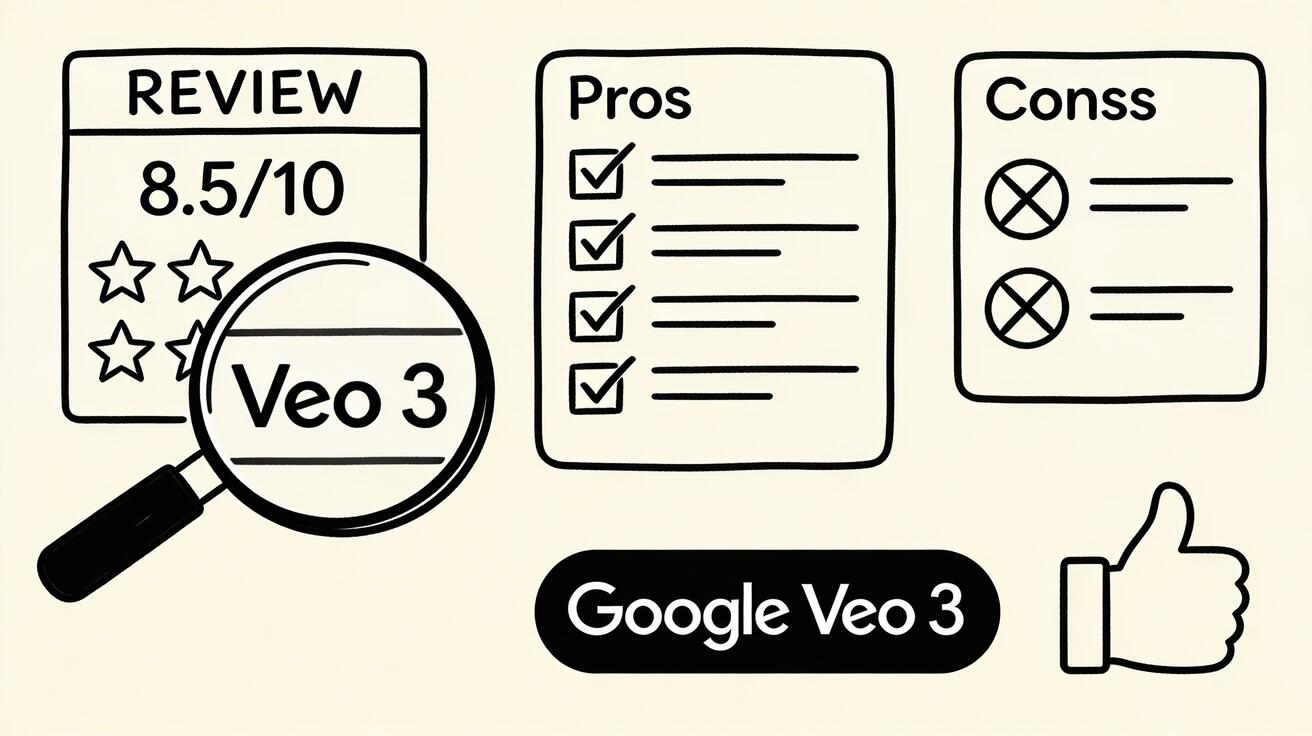
Overall score: 8.5/10
Best-in-class for nature and atmospheric content. Best price-value ratio. Best free tier. Minor gaps in camera control and editing features keep it from a perfect score.
FAQ
Has Veo 3 improved since launch?
Significantly. Google has continued improving the model through 2025-2026 with better temporal consistency, faster generation, improved audio, and more predictable prompt adherence. The current version is substantially better than the initial release.
Is Veo 3 safe for commercial use?
On paid plans: yes, commercial licensing is included. On the free tier: personal use is covered; commercial projects should upgrade to ensure proper licensing.
Will Veo 3 be replaced by Veo 4?
Google DeepMind continues developing the Veo model series. Veo 4 is expected to launch in late 2026 or 2027. Veo 3 remains the production-ready option for now.
How does Veo 3 handle vertical/portrait format?
Add "vertical format, 9:16 aspect ratio" to your prompt. Veo 3 can generate vertical-format content suitable for TikTok and Instagram Reels.
Start Using Veo 3 Today
The free tier gives you everything you need to evaluate the tool properly. Sign up (or just try without signing up) and generate your first clip.
More guides:
Veo 3 Performance Across Video Categories
Understanding how Veo 3 performs across different video content categories helps set realistic expectations and identify the highest-value use cases.
Nature and landscape scenes represent Veo 3's strongest performance category. The model's physics simulation is most apparent in natural environments — water behavior, wind effects on vegetation, cloud movement, and atmospheric light scattering all look noticeably more realistic in Veo 3 than in most competing tools. A sunset over a lake, a rainstorm rolling across mountains, or waves breaking on a rocky coastline all generate with impressive accuracy and natural motion.
Urban and architectural content is another strong category. City streets, building facades, interior spaces, and urban environments render with accurate scale, natural light behavior, and convincing atmosphere. The model handles complex scenes with many elements — crowds of people, busy markets, architectural spaces — with more consistency than older generation models.
Human character animation remains the most challenging category for all current AI video tools, including Veo 3. Faces, body movement, and the specific way human beings actually move are handled better than most alternatives, but subtle inconsistencies are still present on close inspection. For human-heavy content, Kling AI still produces marginally better character animation, though Veo 3 has closed much of the gap.
Abstract and atmospheric content is extremely reliable across all current AI video tools, and Veo 3 is no exception. Abstract motion, color fields, light effects, and impressionistic visual content generate consistently and beautifully. For backgrounds, mood pieces, and creative visual art, Veo 3 produces excellent results.
Product visualization works well with careful prompting. Veo 3 handles material surfaces, product lighting, and physical interactions between objects with the physics accuracy the model is known for. For products where accurate material rendering matters — metals, fabrics, liquids — Veo 3's physics accuracy is a genuine advantage.
Veo 3's Native Audio Generation: A Deep Dive
Veo 3's native audio generation capability deserves extended treatment because it represents a genuinely new capability in the AI video market and its implications for workflow are significant.
When Veo 3 generates a video, it simultaneously generates a synchronized audio track that includes any relevant ambient sounds, music, dialogue (when the prompt includes speaking characters), sound effects, and environmental audio. This is fundamentally different from simply adding a generic music track to generated video — the audio is synthesized to match the specific visual content, synchronized to the motion in the video, and appropriate to the environment depicted.
For a video of a waterfall in a mountain forest, Veo 3 generates the sound of rushing water, the echo off rocky walls, bird calls from the surrounding forest, and the wind through the trees. For a video of a busy city street, it generates crowd noise, traffic sounds, distant music from a cafe, and the acoustic character of the urban environment. For a video featuring a speaking character, it generates dialogue that matches the character's mouth movements.
This capability dramatically changes the post-production workflow for AI video. Previously, every AI-generated clip required a separate step of sourcing, selecting, timing, and mixing appropriate audio — a time-consuming process that required either music licensing, sound design skills, or both. With Veo 3, the audio arrives with the video, already synchronized and contextually appropriate.
The practical implications are significant: video content that previously required separate audio production can be completed in a single generation step. This reduces total production time for most content types by 30-50%. For creators who lack audio production skills, it removes a significant quality bottleneck.
The audio quality is not perfect — voices can sound slightly synthetic under careful listening, and complex acoustic environments can have inconsistencies. But for most use cases, particularly social media content and website video, the generated audio quality is sufficient without any post-processing.
Comparing Veo 3 to Alternative Approaches
For creators evaluating whether Veo 3 fits their workflow, comparing it to the practical alternatives helps clarify the decision.
Veo 3 vs. hiring a videographer: Traditional video production with a professional crew produces footage with authentic environments, consistent character identity, and specific real-world locations that AI cannot replicate. The cost is substantially higher and the production timeline is longer. For content requiring specific real locations, identifiable individuals, or live events, traditional production remains necessary. For atmospheric, conceptual, and b-roll content, Veo 3 competes strongly on quality while dramatically reducing cost and timeline.
Veo 3 vs. stock footage libraries: Stock footage provides immediately available, licensable content at predictable cost. The limitation is that stock footage is generic — everyone else has access to the same clips. AI-generated video from Veo 3 is unique to each generation, meaning your content is differentiated from what competitors using the same stock library might show. For brand content where differentiation matters, original AI generation is preferable to stock.
Veo 3 vs. other AI video tools: Compared to Runway Gen-4 (the other professional standard), Veo 3's native audio generation is a meaningful differentiator. Compared to free tools like Seedance 2.0, Veo 3 offers higher quality ceiling at higher cost versus excellent quality at no cost. The choice depends on professional requirements and budget constraints.
Veo 3 vs. doing nothing: For businesses and creators currently producing no video content because of perceived cost or complexity barriers, Veo 3 (and accessible tools like Seedance 2.0) represent a compelling alternative to no video. Any AI-generated video presence typically outperforms no video presence for most marketing and communication purposes.
Frequently Asked Questions
Is Veo 3 better than Runway Gen-4? For most general use cases in 2026, Veo 3 has advantages in native audio generation and geographic accessibility. Runway Gen-4 has a slight edge in photorealism for some content categories and is the more established professional standard. Both are competitive for professional quality.
Does Veo 3 generate audio automatically? Yes — Veo 3 generates synchronized native audio including ambient sound, dialogue, music, and sound effects alongside the video output. This is a unique capability among major AI video tools.
How do I access Veo 3? Through Google Flow (flow.google) or through Gemini Advanced. Availability varies by region and Google account type.
Is Veo 3 free to use? Limited free access is available through some Gemini configurations. For regular use, a paid subscription is typically required. For a genuinely free daily-refresh alternative, Seedance 2.0 provides daily credits with no watermarks.
Related Guides
- Veo 3 Prompt Guide 2026 — Writing prompts for best results
- Veo 3 vs Kling 2 Comparison — Head-to-head comparison
- How to Use Veo 3 for Free — Free access guide
- Veo 3 Pricing 2026 — Complete cost breakdown
- Veo 3 vs Sora 2026 — Google vs OpenAI comparison
How Veo 3 Fits Into a Complete AI Video Workflow
Understanding Veo 3's role in a broader content production workflow helps maximize its value.
The Tiered Quality Approach
Professional content creators increasingly use a tiered approach to AI video:
Tier 1 — Hero Content (Veo 3): Your monthly flagship pieces. Major campaign videos, brand centerpieces, investor pitch content. Veo 3's premium quality justifies saving your monthly credits for these high-stakes pieces.
Tier 2 — Regular Content (Seedance AI): Daily and weekly social media content, blog post headers, email campaign B-roll. Platforms like Seedance AI offer generous daily credits for consistent volume production.
Tier 3 — Supplemental Content (Kling, Hailuo): Specific use cases where specialized capabilities matter — human motion (Kling), high-speed iteration (Hailuo).
This tiered approach means you never run out of content capability while reserving Veo 3's free credits for maximum-impact pieces.
Integrating Veo 3 with Video Editing Software
Veo 3 generates clips that integrate seamlessly into standard editing workflows:
Compatible with all major editors:
- Adobe Premiere Pro: Import MP4 directly, full codec support
- DaVinci Resolve: Free version fully supports Veo 3 output
- Final Cut Pro: Native MP4 support
- CapCut: Mobile editing for social media post-production
Best practices for editing Veo 3 clips:
- Color grade for consistency when mixing with other footage sources
- Use Veo 3 clips as hero shots, supplemented with other content
- Apply subtle stabilization if slight camera movement appears
- Trim to remove any initial or final frames that are slightly less sharp
Veo 3 for Different Content Categories
Lifestyle and Brand Content: Veo 3 excels at creating aspirational scenes — morning routines, travel moments, product reveals in beautiful environments. The photorealistic quality makes lifestyle content generated by Veo 3 genuinely difficult to distinguish from professionally shot footage.
Educational and Explainer Content: Combine Veo 3's atmospheric and illustrative B-roll with talking-head or screen recording content to elevate educational videos. A well-placed Veo 3 clip can transform a simple explainer into a polished production.
News and Documentary Style: Veo 3's ability to generate realistic documentary-style footage — interview setups, B-roll of locations and activities, atmospheric establishing shots — makes it valuable for journalism-adjacent content.
Product Showcases: For products that benefit from lifestyle context, Veo 3 generates the aspirational environments that make the product feel desirable. A luxury watch surrounded by architecture, a coffee brand's product in a beautiful morning kitchen scene.
Veo 3 Prompt Engineering: Advanced Techniques
Moving beyond basic prompts to advanced Veo 3 prompt engineering unlocks significantly better results.
The Four-Layer Prompt Structure
Professional Veo 3 users structure prompts in four layers:
Layer 1 — Subject: Precisely describe what the main subject is, including appearance details, position, and any relevant context.
Layer 2 — Environment: Describe the setting in detail — location, time of day, weather, architectural style, ambient elements.
Layer 3 — Action and Motion: Describe what is happening and how things move — the subject's action, any camera movement, the pace and energy of the scene.
Layer 4 — Technical and Stylistic: Specify the cinematic style, lens characteristics, lighting quality, color palette, and mood.
Example applying all four layers: "A professional female chef in a white uniform (Subject) in a high-end modern kitchen at dusk, marble countertops, copper pots visible in background (Environment) carefully plating a colorful dish with tweezers, slow methodical movements (Action) shot in cinematic 4K, shallow depth of field with bokeh background, warm kitchen light, documentary style reminiscent of Chef's Table (Technical)"
Using References and Styles
Veo 3 understands and responds to references to real cinematography, photography, and artistic styles:
Film director references: "Wes Anderson symmetrical composition," "Christopher Nolan IMAX scale," "Wong Kar-wai saturated neon aesthetics"
Photography styles: "National Geographic nature photography," "Annie Leibovitz portrait lighting," "Steve McCurry travel documentary"
Time-of-day lighting: "golden hour," "blue hour," "harsh midday overhead light," "overcast soft diffused light," "dramatic backlight"
Lens effects: "anamorphic lens flares," "wide angle environmental distortion," "telephoto compression," "macro extreme close-up"
Prompts for Native Audio Generation
Veo 3's audio generation is activated by including sound descriptions in your prompt:
"A peaceful forest stream flowing over rocks, natural ambient sounds — water over stones, birds in distant trees, light breeze through leaves"
"A busy metropolitan intersection at rush hour — traffic noise, distant sirens, crowds of people, urban ambience"
"A jazz pianist performing in an intimate club, piano melody, soft brushed drum kit, muffled conversation and glasses clinking in background"
Specificity in audio descriptions, just like visual descriptions, produces more targeted and accurate sound generation.
Veo 3 Versus Competing Tools: Complete Comparison
For creators evaluating options, here is an honest comparison across key dimensions:
Quality Benchmark (2026)
| Dimension | Veo 3 | Kling 3.0 | Seedance 2.0 | Runway Gen-4 | Hailuo |
|---|---|---|---|---|---|
| Photorealism | ★★★★★ | ★★★★☆ | ★★★★☆ | ★★★★☆ | ★★★☆☆ |
| Human motion | ★★★★☆ | ★★★★★ | ★★★★☆ | ★★★★☆ | ★★★☆☆ |
| Audio generation | ★★★★★ | ✗ | ✗ | ✗ | ✗ |
| Text adherence | ★★★★★ | ★★★★☆ | ★★★★★ | ★★★★☆ | ★★★★☆ |
| Generation speed | ★★★☆☆ | ★★★★☆ | ★★★★☆ | ★★★☆☆ | ★★★★★ |
| Free tier volume | ★★☆☆☆ | ★★★☆☆ | ★★★★★ | ★☆☆☆☆ | ★★★☆☆ |
The Honest Assessment
Veo 3 wins on quality and is the only tool with native audio — but its free tier limitations mean it cannot be a sole production tool for high-volume creators. The optimal strategy for most professionals combines Veo 3 for premium pieces with a higher-volume tool like Seedance AI for regular content production.
FAQ: Advanced Veo 3 Questions
Can Veo 3 generate video longer than 8 seconds?
Currently, Veo 3 generates clips up to 8 seconds. For longer videos, generate multiple clips and edit them together. Some advanced features via Vertex AI allow extended generation for enterprise users.
Does Veo 3 support 4K output?
Veo 3 supports 4K (2160p) output through Google Flow and Vertex AI, though free tier access is typically limited to 1080p. The 4K capability is one of Veo 3's competitive advantages for professional broadcast and premium digital use cases.
How does Veo 3 handle non-English prompts?
Veo 3 processes prompts primarily in English, though it accepts other languages. For best results, write prompts in English even if your target audience is in another language — the visual output is language-independent.
What happens if my Veo 3 free credits run out?
Free credits for Google Flow reset monthly. If you run out before the reset, you can use Google AI Studio for API-based generation (separate credit pool), upgrade to a paid Flow plan, or use alternative platforms like Seedance AI for the remainder of the month.
Is Veo 3 appropriate for advertising and sponsored content?
Veo 3 is appropriate for advertising on paid plans with full commercial licensing. For the free tier, commercial use is restricted — review Google's current terms before using free-tier Veo 3 output in paid advertising campaigns. Paid plans explicitly include advertising and commercial use rights.
Our Verdict
Google Veo 3 represents the current state of the art in AI video generation, delivering unmatched cinematic quality, realistic motion, and native audio synthesis. For creators and professionals who want the best possible output, Veo 3 is the clear frontrunner in 2025 — and it's only getting better with each update.
Related Articles
Continue with more blog posts in the same locale.
Veo 3 Lite Review 2026: Is Google's Free Tier Worth Using?
Honest review of Google Veo 3 Lite. Capabilities, limitations, comparison with full Veo 3 and alternatives like Seedance 2.0. Who should and should not use it.
Read article
Veo 4 Explained: What It Is and How to Use It
Understand Veo 4 and how it changes AI video creation. Learn about features, workflow, and practical tips for making better videos.
Read article
Gemini Omni Flash 1.1 Explained
Master Gemini Omni Flash 1.1 with our guide to its 10-second scene extension, 4K upscaling, and multilingual limits. Learn how to integrate it into your
Read article