
Veo 3.1 vs Runway Gen-4.5: Audio, Physics, and Camera Control Compared
A production-focused Veo 3.1 vs Runway Gen-4.5 comparison across audio, physics, camera control, prompts, pricing, access, and best use cases.
Emma Chen · 20 min read · Apr 28, 2026
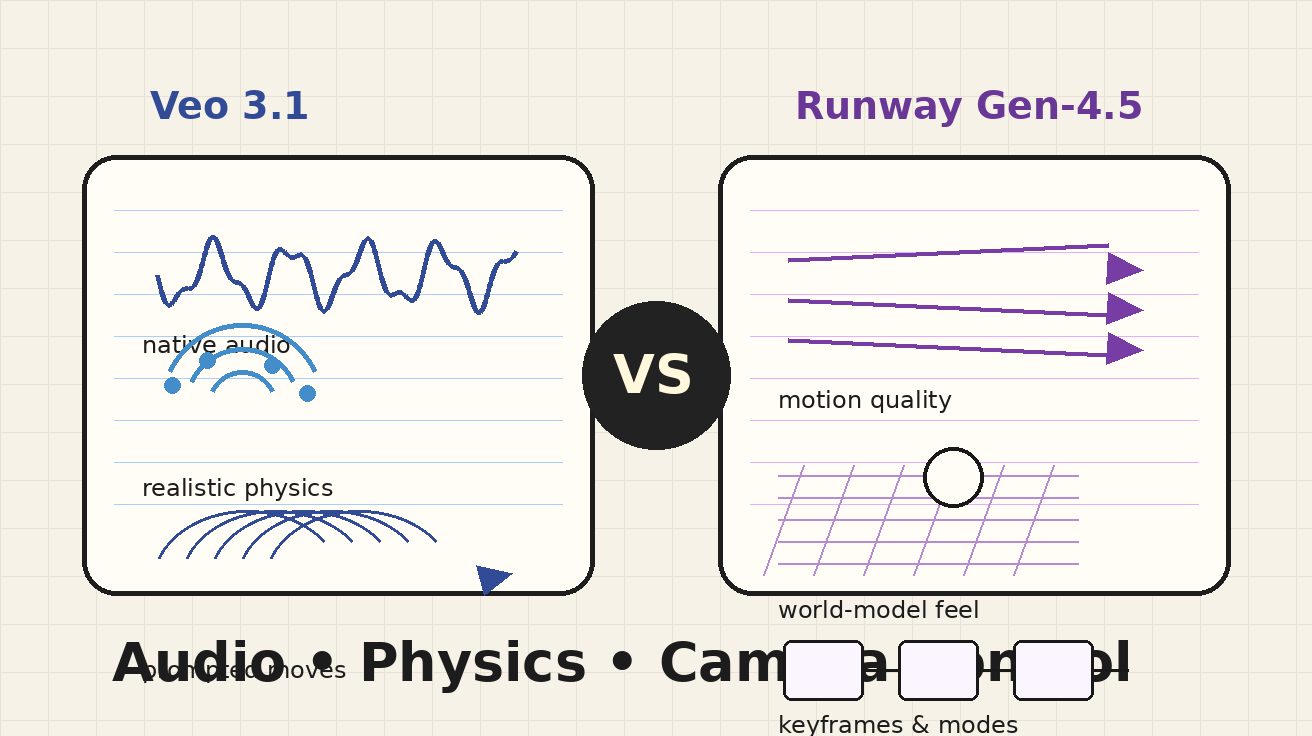
Meta description: Veo 3.1 vs Runway Gen-4.5 compared across audio, physics, camera control, prompts, pricing, access, and best use cases for creators.
If you are comparing Veo 3.1 vs Runway Gen-4.5, you are probably not asking a casual “which AI video model is better?” question. You are asking a production question: which system should you trust when the shot needs synchronized sound, believable motion, repeatable camera language, and enough control to survive revisions?
That distinction matters. Veo 3.1 and Runway Gen-4.5 are both high-end AI video systems, but they are not optimized for the same workflow. Veo 3.1 is strongest when the prompt describes a complete audiovisual scene: subject, action, environment, camera movement, dialogue, ambience, and sound effects. Google’s positioning around Veo emphasizes native audio, prompt adherence, realistic physics, and access through products such as Flow, Gemini, Google AI Studio, Gemini API, and Vertex AI. For creators who want an 8-second clip that already feels like a finished moment, Veo 3.1 is the more direct tool.
Runway Gen-4.5 is strongest when the video is part of a broader creative pipeline. Runway positions Gen-4.5 around motion quality, visual fidelity, physical accuracy, controllable generation, and the promise of bringing existing control modes such as Image to Video, Keyframes, Video to Video, and more into the Gen-4.5 generation workflow. Its pricing page also makes Gen-4.5 available across paid Runway plans, with credits that are easy to understand for teams already using Runway’s editing, image, audio, and workflow tools.
The practical answer: choose Veo 3.1 when audio and prompt-to-scene completeness are the priority. Choose Runway Gen-4.5 when you want cinematic motion, strong visual control, and an integrated studio workflow. If your team produces ads, social videos, storyboards, product demos, or previsualization every week, the best choice may also depend on how you revise. The first generation is important, but the second, third, and fourth revision often decide the real winner.
Below is a production-focused comparison of Veo 3.1 and Runway Gen-4.5 across the criteria that matter most: audio, physics, camera control, prompts, pricing, access, and best use cases.
Quick verdict: which one should you use?
Use Veo 3.1 if your prompt includes dialogue, environmental sound, music direction, or a sound design concept. It is especially useful for narrative clips, product teasers, cinematic moments, and social videos where native audio saves an extra editing pass. Veo 3.1 is also a strong pick when the shot can be described clearly in one prompt and you want the model to follow that prompt with minimal setup.
Use Runway Gen-4.5 if you care most about cinematic motion, shot polish, world-model-style physical behavior, and a creator workspace with many adjacent tools. Runway is particularly attractive for filmmakers, agencies, designers, and production teams that want one environment for video generation, image generation, editing, upscaling, asset storage, and more structured creative workflows.
Use both if you are building a serious AI video pipeline. A practical workflow is to use Veo 3.1 for audiovisual concept exploration and dialogue-heavy scenes, then use Runway Gen-4.5 for visual explorations, action beats, stylized shots, and controlled iterations. The models overlap, but they are not interchangeable.
Veo 3.1 vs Runway Gen-4.5 comparison table
| Criteria | Veo 3.1 | Runway Gen-4.5 | Practical winner |
|---|---|---|---|
| Native audio | Designed for native sound effects, ambience, and dialogue in the generation | Audio support depends on the current Runway workflow and plan features; Runway has generative audio tools, but Gen-4.5 is primarily positioned around video quality and control | Veo 3.1 |
| Audio-video alignment | Strong for clips where sound must match visible action, dialogue, or atmosphere | Better when audio can be added or refined separately in the Runway ecosystem | Veo 3.1 |
| Physics realism | Strong real-world physics, especially when the prompt clearly defines cause, motion, and materials | Strong physical accuracy claims: weight, momentum, force, liquids, collisions, and coherent details | Tie, with Runway edge for visual physical motion and Veo edge for audiovisual scene physics |
| Camera control | Prompt-driven camera language: push in, handheld, dolly, tracking, close-up, overhead, rack focus | Strong creative control culture, with existing Runway modes such as keyframes and video workflows expected to matter for Gen-4.5 users | Runway Gen-4.5 for structured control; Veo 3.1 for natural-language camera direction |
| Prompt adherence | Very strong when the prompt describes the whole scene clearly | Strong, especially for cinematic and detailed visual prompts | Tie |
| Best prompt style | Complete scene prompt: subject + action + environment + camera + lighting + audio | Shot design prompt: camera + subject + action + environment + style + continuity constraints | Depends on workflow |
| Access | Google ecosystem: Flow, Gemini, Google AI Studio, Gemini API, Vertex AI, and partner tools | Runway paid plans, Runway app, team workspaces, and enterprise options | Depends on your stack |
| Pricing model | Depends on access route; Veo3 AI plans use monthly credits and video counts, while API routes may price differently | Runway paid plans use credits; Standard includes 625 monthly credits, equal to 25 seconds of Gen-4.5 on the pricing page | Runway is clearer for Runway-native teams; Veo3 AI is clear for direct Veo-focused usage |
| Best for | Dialogue clips, social ads, narrative moments, product demos with sound, prompt-to-video completeness | Cinematic visuals, controlled shot design, agency workflows, motion-heavy scenes, production iteration | Split |
Audio: the biggest difference in the Veo 3.1 vs Runway Gen-4.5 decision
Audio is the first reason many creators compare Veo 3.1 with Runway Gen-4.5. Most AI video comparisons focus on visual quality, but audio changes the production math. A silent clip can look impressive and still require a full post-production pass. A clip with usable dialogue, ambience, and sound effects can move straight into a storyboard, pitch deck, social cut, or ad draft.
Veo 3.1 has the clearer advantage for native audiovisual generation. Google’s Veo page describes the model as supporting sound effects, ambient noise, and dialogue generated natively. That matters because audio is not just decoration. It affects timing. A footstep needs to land when the foot touches the floor. A line of dialogue needs to feel attached to the person speaking. A coffee machine hiss, city murmur, rain bed, or low music cue changes how the scene is perceived.
For marketers and creators, native audio reduces friction. Instead of generating a video, exporting it, searching for sound effects, adding a voiceover, syncing timing, and then reviewing the combined result, you can prompt the desired soundscape as part of the initial concept. The first output may not be final, but it is more complete.
Runway Gen-4.5 is not weak because of this. Runway has a broader creative suite that includes generative audio tools, text to speech, audio apps, editing, and workflows. If you are already in Runway, adding or adjusting audio separately may be normal. In fact, many professional teams prefer separate sound design because it gives them more control over voice, licensing, mixing, and revisions. But if the question is which model gives you the stronger all-in-one prompt-to-scene result, Veo 3.1 is the safer answer.
A simple test illustrates the difference. Prompt both systems for “a close-up of a chef dropping vegetables into a hot wok, steam rising, camera pushes in, sizzling oil, kitchen chatter in the background, chef says ‘fire makes the flavor’.” With Veo 3.1, the audio requirements belong naturally in the prompt. With Runway Gen-4.5, you may get a visually excellent shot, but the sound design is more likely to become a separate production layer.
Verdict on audio: Veo 3.1 wins for native sound and audio-video completeness. Runway Gen-4.5 remains strong if you prefer a separate post-production audio workflow.
Physics: weight, motion, liquids, and cause-and-effect
Physics is where the comparison becomes more nuanced. Both models are positioned as advanced systems for realistic motion, but “physics” has several meanings in AI video.
One meaning is visual believability. Does the falling object appear to have weight? Does the camera perceive a body moving through space rather than a texture warping across frames? Does water splash in a plausible direction? Does hair, cloth, smoke, or liquid remain coherent as the shot moves?
Another meaning is causal consistency. Does the effect happen after the cause? Does a door open only after the hand reaches it? Does a glass break only after impact? Does an object remain in the scene after being occluded? Runway’s own Gen-4.5 introduction notes that video models can still struggle with causal reasoning, object permanence, and success bias. That honesty is useful, because every serious creator has seen similar artifacts across all AI video systems.
Runway Gen-4.5 has a strong claim in visual physical accuracy. Its launch messaging describes realistic weight, momentum, force, liquid dynamics, collisions, hair strands, material weave, and motion coherence. This is exactly the language creators care about when making sports clips, action shots, product interactions, robotics demos, dance scenes, or scenes with multiple moving objects.
Veo 3.1 is also very strong in physics, especially when the prompt is explicit. Google’s Veo materials emphasize real-world physics, realism, and prompt adherence. The advantage of Veo is that physics can be tied to audio and scene intent. For example, if the prompt describes a skateboard landing on wet pavement with a sharp slap, a small splash, and echo under an overpass, Veo can treat the physical and audio cues as part of one generated moment.
The key difference is how to prompt. With Veo 3.1, write the physics into the scene: “the glass tips slowly, hits the marble counter, shatters after impact, tiny fragments slide outward, a sharp crack echoes.” With Runway Gen-4.5, focus on motion clarity and continuity: “single continuous shot, real-time motion, glass remains visible after impact, fragments spread outward with weight, no reverse motion, no teleporting pieces.” Both benefit from constraints, but Runway prompts often reward more explicit visual continuity language.
Verdict on physics: Runway Gen-4.5 has the stronger visual physics positioning, while Veo 3.1 is excellent when physics is part of an audiovisual scene. For motion-heavy silent shots, lean Runway. For complete scenes with sound and physical action, lean Veo.
Camera control: natural-language direction vs structured creative control
Camera control is the most misunderstood part of the Veo 3.1 vs Runway Gen-4.5 debate. Many users ask, “Which model has better camera movement?” A better question is, “Which model gives me the camera control style I can actually use?”
Veo 3.1 is strong at natural-language camera direction. You can describe a medium shot, a slow push-in, a handheld documentary feel, a tracking shot from behind, a low-angle product reveal, an overhead food shot, a rack focus, or a wide establishing shot. If the rest of the prompt is clear, Veo can usually translate that cinematic language into a plausible result.
This is valuable for creators who think in scenes rather than tool settings. A marketer can write: “Start with a macro shot of condensation on the bottle, then a slow dolly back revealing the product on a neon-lit counter, shallow depth of field, soft electronic ambience.” A director can write: “Handheld close-up, nervous energy, actor looks toward the sound off-screen, camera drifts left as if searching.” That language is easy to iterate.
Runway Gen-4.5 is attractive for a different reason. Runway has spent years building a creator toolset around control modes, workflows, keyframes, image-to-video, video-to-video, upscaling, and editing. Its Gen-4.5 announcement says existing control modes such as Image to Video, Keyframes, Video to Video, and more are coming to Gen-4.5. That matters because structured control is often more useful than a beautiful first prompt.
For example, a brand team may need the product to remain at a certain angle, the camera to move along a planned path, or a character to hold a pose across several shots. A filmmaker may want to start from a reference frame and guide the motion. An agency may need to revise the shot without reinventing the entire prompt. In those contexts, Runway’s broader control environment can be more important than the base model alone.
The best way to decide is to map your workflow. If you mostly write prompts and select the best generation, Veo 3.1’s natural-language direction is enough. If you need repeatable shot construction, reference-based iteration, and a workspace where assets and revisions stay organized, Runway Gen-4.5 may be the better production tool.
Verdict on camera control: Veo 3.1 is excellent for prompt-based cinematography. Runway Gen-4.5 is better for structured creative control and team workflows.
Prompting: how to get better results from each model
Prompting Veo 3.1 and Runway Gen-4.5 should not be identical. The models may accept similar language, but the best prompt structure is different.
For Veo 3.1, treat the prompt like a compact screenplay moment. Include the subject, the action, the environment, the camera movement, the lighting, the emotional tone, and the audio. Do not write only “cinematic video of a city street.” Write the full scene: “A rainy night street in Tokyo, close-up of a delivery cyclist braking near a glowing ramen shop, water sprays from the tire, camera tracks beside the bike, neon reflections ripple on the pavement, muffled traffic, rain patter, distant conversation, no text.”
Veo 3.1 prompts improve when audio is specific but not overloaded. Use phrases like “soft room tone,” “subtle cafe ambience,” “distant crowd murmur,” “synchronized footsteps,” “gentle synth bed,” or “short line of dialogue.” If you need dialogue, keep it short. A single sentence often works better than a paragraph.
For Runway Gen-4.5, treat the prompt like a shot brief. Start with camera and subject, then define action, environment, style, and continuity constraints. Example: “Locked-off medium shot of a ceramic mug sliding across a wooden table, real-time motion, mug maintains shape and color, visible friction, stops naturally near the edge, warm morning light, shallow depth of field, no sudden cuts, no object disappearance.”
Runway prompts often benefit from negative constraints and continuity language: “single continuous take,” “no jump cuts,” “object remains visible,” “real-time motion,” “consistent face,” “consistent product label,” “natural gravity,” “no morphing.” These instructions do not guarantee perfection, but they reduce common failure modes.
If you are using image-to-video or reference-based workflows, the prompt should not fight the reference. Describe how the image should move, not a completely new image. If your reference is a product bottle on a white background, ask for a slow turntable reveal, condensation forming, or a soft camera push, not a crowded nightclub scene unless you expect the model to reinterpret heavily.
Pricing and access: what creators should know
Pricing changes often, so always check the current plan page before budgeting a campaign. Still, the current structure reveals how each platform thinks about users.
Veo 3.1 can be accessed through several Google ecosystem paths, including Flow, Gemini, Google AI Studio, Gemini API, Vertex AI, and partner tools. On Veo3 AI, plans are credit-based. The pricing page lists a Mini plan, Standard plan, Plus plan, and Max plan, with monthly credits, 1080p or 4K output depending on the tier, commercial usage rights, and higher queues on larger plans. This style is simple for creators who want to buy Veo-focused output directly and estimate how many 8-second videos they can produce.
Runway pricing is also credit-based, but it is bundled into a broader creative suite. The Runway pricing page lists a free plan for exploration, then paid Standard, Pro, Unlimited, and Enterprise plans. Standard is listed at $12 per user per month when billed annually and includes 625 monthly credits; the page explains that 625 credits equal 25 seconds of Gen-4.5. Pro increases monthly credits, while Unlimited adds relaxed-rate Explore Mode for unlimited generations of supported image and video models. Runway also includes tools beyond Gen-4.5, such as image tools, audio tools, workflows, storage, watermark removal on paid plans, and access to third-party models.
For solo creators, the main pricing question is output volume. How many usable seconds do you need per week? How many failed generations can you tolerate? How many revisions does each project require? For teams, the question is workflow value. If Runway replaces several separate tools, the plan may make sense even if raw Gen-4.5 seconds are not the cheapest possible option. If you only need Veo-style clips with audio, a direct Veo-focused plan may be more efficient.
Verdict on pricing and access: Veo3 AI is straightforward for Veo-focused generation. Runway is stronger as a complete creative workspace. Compare based on usable finished seconds, not just listed credits.
Best use cases for Veo 3.1
Veo 3.1 is best when the video needs to feel like a complete scene quickly. Use it for short narrative clips, social ads, product teasers, educational examples, cinematic tests, and dialogue or ambience-driven content.
A product marketer might use Veo 3.1 to create a short coffee ad with a steaming cup, a slow push-in, cafe ambience, and a whispered tagline. A YouTube creator might use it for a dramatic intro shot with rain, footsteps, and a voice line. A game studio might use it to prototype cutscene moods before building the final animation. An educator might use it to demonstrate a science concept where motion and sound make the explanation easier to understand.
Veo 3.1 is also useful when you need fast ideation. Because the prompt can include audio and visual details together, it can produce a more complete concept in fewer steps. That does not mean every output is final. It means the review conversation can start earlier: “Does this feel like the campaign?” rather than “Imagine this with sound later.”
For hands-on creation, start with a clear text-to-video workflow on Veo3 AI Text to Video, then test reference-based variations through Image to Video or model-specific pages such as Veo 3.1. If the first output is close, adjust camera distance, sound intensity, and action timing rather than rewriting the entire prompt.
Best use cases for Runway Gen-4.5
Runway Gen-4.5 is best when visual motion quality and iteration matter more than native sound. Use it for cinematic concept art, action-heavy shots, brand films, design prototypes, previsualization, music video visuals, fashion clips, and agency workflows where the team needs to organize assets and revisions.
A filmmaker might use Runway Gen-4.5 to explore camera language before a shoot. A creative director might test several versions of the same product reveal. A motion designer might create stylized transitions or surreal visual beats. A brand team might prefer Runway because the workspace includes storage, editing, image generation, audio tools, and team collaboration features.
Runway is also a strong choice when control modes are central to the workflow. If your process begins with a reference image, keyframes, or a previous video that needs transformation, Runway’s broader platform matters. The model is only one layer; the surrounding interface can save time during revisions.
For best results, keep Runway prompts visually precise. Define camera movement, physical action, and continuity. If sound is required, plan a separate audio pass or use Runway’s audio tools as part of the finishing workflow.
Common mistakes when comparing these models
The first mistake is judging only the best demo. Every model can produce a stunning clip under ideal conditions. Production teams should judge average reliability across the prompts they actually need.
The second mistake is ignoring revision cost. A model that creates one beautiful generation but is difficult to steer may be slower than a model that gives slightly less impressive first outputs but better iteration.
The third mistake is mixing tasks. If you test Veo 3.1 with a dialogue-and-sound prompt and test Runway Gen-4.5 with a silent cinematic prompt, you are not comparing the same job. Run one audio-heavy test, one physics-heavy test, one camera-control test, and one product-consistency test.
The fourth mistake is overloading prompts. Long prompts can help, but only if the details are organized. Put the most important instructions first. Use short sentences. Avoid contradictory style cues. If you ask for handheld chaos, locked-off symmetry, macro close-up, and wide establishing shot in one 8-second clip, you are creating confusion.
Final recommendation
For the exact query veo 3.1 vs runway gen 4.5, the honest answer is not one universal winner. Veo 3.1 wins when the desired output is a complete audiovisual moment: visual scene, camera movement, dialogue, ambience, and sound effects in one prompt. Runway Gen-4.5 wins when the desired output is a visually controlled production asset inside a broader creative workflow.
If you are a solo creator making social videos, ads, educational clips, or narrative tests with sound, start with Veo 3.1. If you are a filmmaker, agency, or brand team building a repeatable AI video pipeline, test Runway Gen-4.5 seriously. If you can afford both, use them as complementary tools: Veo for audio-first scene generation, Runway for controlled visual iteration.
The best model is the one that reduces your total path from idea to usable video. In 2026, that path is no longer just about image quality. It is about sound, physics, camera control, prompt reliability, access, pricing, and revision speed. That is why Veo 3.1 and Runway Gen-4.5 are both worth testing — but for different reasons.
FAQ
Is Veo 3.1 better than Runway Gen-4.5?
Veo 3.1 is better for native audio, dialogue, ambience, and complete prompt-to-scene generation. Runway Gen-4.5 is better for cinematic visual control, motion quality, and team workflows. The better choice depends on whether your project is audio-first or control-first.
Does Runway Gen-4.5 have native audio?
Runway offers generative audio tools in its broader platform, but Gen-4.5 is primarily positioned around video quality, motion, visual fidelity, and creative control. If native audio inside the generated video is your top requirement, Veo 3.1 is usually the safer starting point.
Which model has better physics?
Both are strong. Runway Gen-4.5 has very strong visual physics positioning, including weight, momentum, force, collisions, liquids, and coherent motion. Veo 3.1 is also strong and becomes especially useful when physical action needs synchronized sound.
Which model is better for camera control?
Veo 3.1 is strong for natural-language camera instructions such as push-in, handheld, tracking shot, close-up, and rack focus. Runway Gen-4.5 is stronger when you need structured control workflows, reference-based generation, keyframes, or team iteration.
Which is better for ads and product videos?
For short ads with dialogue, sound effects, ambience, or music direction, start with Veo 3.1. For product visuals that need controlled motion, multiple revisions, or integration with a broader creative workspace, Runway Gen-4.5 may be better.
How should I test Veo 3.1 vs Runway Gen-4.5 fairly?
Create four prompts: one audio-heavy scene, one physics-heavy action, one camera-control shot, and one product-consistency test. Score each output on prompt adherence, motion, sound, editability, and revision effort. Do not judge the tools from only one demo prompt.
Can I use Veo 3.1 and Runway Gen-4.5 together?
Yes. Many creators will get the best results by using both. Veo 3.1 can generate audiovisual concepts quickly, while Runway Gen-4.5 can help with controlled visual exploration and production-style iteration.
Where can I start creating Veo-style videos?
You can start with Veo3 AI Text to Video, try reference-based creation with Image to Video, explore Veo 3.1, or compare plan options on the Veo3 AI pricing page.
Related Articles
Continue with more blog posts in the same locale.

How to Make Sports Highlight Videos with Veo 3 AI (2026)
Create stunning sports highlight videos with Veo 3 AI. Generate dynamic action shots, slow-motion sequences, and dramatic replays using AI prompts.
Read article
How to Make a Short Film with Veo 3 AI (2026 Guide)
Learn how to create professional short films using Veo 3 AI. Step-by-step guide with prompts, workflow tips, and cinematic techniques.
Read article
How to Make Documentary Videos with Veo 3 AI (2026 Guide)
Create compelling documentary videos with Veo 3 AI. Learn prompting techniques, narrative structure, realistic footage generation, and post-production tips.
Read article