
How to Access and Use the Veo 3 API: Developer Guide (2026)
Complete developer guide to accessing and using the Veo 3 API in 2026. Covers Vertex AI setup, authentication, Python and Node.js code examples, rate limits, pricing, and real-world use cases for integrating Google's most advanced video generation model.
Emma Chen · 9 min read · Apr 2, 2026
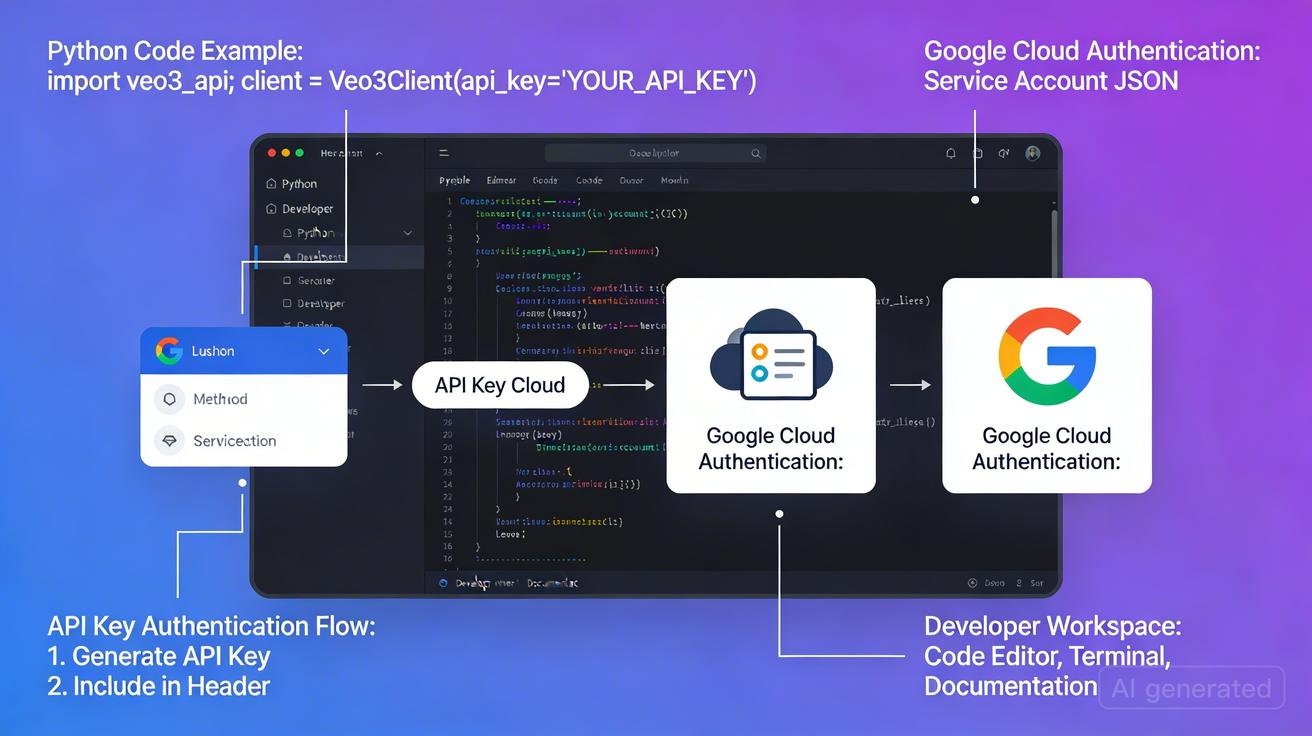
Google's Veo 3 represents a quantum leap in AI video generation — producing photorealistic footage with native audio in a single generation call. For developers, the Veo 3 API unlocks the ability to integrate this technology directly into applications, platforms, and automated workflows. Whether you're building a video production tool, an e-commerce product visualization system, or a creative platform, this guide walks you through
Quick Answer: How to Access and Use the Veo 3 API: Developer Guide (2026) by following a straightforward process: set up your account, input your prompt or media, configure settings, and export your finished video in minutes using AI automation.
everything you need to get started with the Veo 3 API in 2026.
This guide covers API access pathways, authentication, code examples in Python and Node.js, rate limits, pricing, and real-world use cases. By the end, you'll have a complete picture of how to integrate Veo 3 video generation into your own projects.
What Is the Veo 3 API?
The Veo 3 API is Google's programmatic interface for accessing the Veo 3 video generation model — the same model available through Google Flow, Vertex AI, and the veo3ai.io platform. Through the API, developers can:
- Submit text prompts and receive generated video clips
- Submit image inputs alongside text to generate videos from visual references
- Control generation parameters such as duration, aspect ratio, and quality settings
- Integrate audio generation natively — Veo 3's signature feature
- Automate batch workflows for high-volume production pipelines
Veo 3 is currently Google's most capable video generation model, succeeding Veo 2. The model is notable for generating video and synchronized audio simultaneously — ambient sounds, dialogue, music, and sound effects are produced in a single inference pass. This makes the API particularly powerful for applications requiring production-ready media without extensive post-processing.
Veo 3 vs. Veo 2: Key Improvements
| Feature | Veo 2 | Veo 3 |
|---|---|---|
| Native audio | No | Yes |
| Max resolution | 1080p | 1080p+ |
| Generation quality | High | Industry-leading |
| Physics realism | Good | Exceptional |
| Character consistency | Moderate | Strong |
| Lip sync | No | Yes (native) |
How to Get Access to the Veo 3 API
There are currently two primary pathways to access the Veo 3 API, each suited for different use cases and scales.
Pathway 1: Google Vertex AI (Primary API Access)
Vertex AI is Google Cloud's enterprise ML platform and the primary route for production-grade Veo 3 API access.
Requirements:
- A Google Cloud account (free to create at cloud.google.com)
- A billing-enabled Google Cloud project
- Vertex AI API enabled on your project
- API access request approval (Veo 3 access has a waitlist)
Step-by-step setup:
Step 1: Create and configure your Google Cloud project
# Install and initialize Google Cloud CLI
gcloud init
gcloud config set project YOUR_PROJECT_ID

# Enable required APIs
gcloud services enable aiplatform.googleapis.com
gcloud services enable storage.googleapis.com
Step 2: Request Veo 3 access
Navigate to the Vertex AI generative media models page and submit an access request form. Google reviews these for acceptable use compliance. Approval typically takes 1–5 business days.
Step 3: Create a service account for authentication
# Create service account
gcloud iam service-accounts create veo3-api-client \
  --display-name="Veo 3 API Client"

# Grant necessary roles
gcloud projects add-iam-policy-binding YOUR_PROJECT_ID \
  --member="serviceAccount:veo3-api-client@YOUR_PROJECT_ID.iam.gserviceaccount.com" \
  --role="roles/aiplatform.user"

# Download credentials
gcloud iam service-accounts keys create veo3-credentials.json \
  --iam-account=veo3-api-client@YOUR_PROJECT_ID.iam.gserviceaccount.com
Pathway 2: Google AI Studio / Gemini API
For prototyping and smaller-scale applications, Google AI Studio provides access to Veo 3 through the Gemini API interface.
Requirements:
- Google account
- API key from aistudio.google.com
- Veo 3 access (subject to availability in your region)
This pathway is simpler to set up but may have lower rate limits and is primarily intended for development and testing.
Pathway 3: Third-Party API Platforms
Several platforms provide simplified access to Veo 3 via unified API endpoints:
- veo3ai.io: Consumer-grade interface with API access for developers
- Replicate: Hosts Veo 3 with straightforward REST API access
- fal.ai: Low-latency inference API with Veo 3 support
These platforms handle billing and infrastructure, making them faster to get started with but typically at a higher per-unit cost than direct Vertex AI access.
Authentication
Vertex AI Authentication (Service Account)
The recommended authentication method for production applications is service account credentials via the Google Cloud client libraries.
Environment setup:
export GOOGLE_APPLICATION_CREDENTIALS="/path/to/veo3-credentials.json"
export GOOGLE_CLOUD_PROJECT="your-project-id"
export GOOGLE_CLOUD_LOCATION="us-central1"
Gemini API Authentication (API Key)
For the Gemini API pathway:
export GEMINI_API_KEY="your-api-key-here"
Security note: Never commit API keys or credential files to version control. Use environment variables or a secrets manager like Google Secret Manager, HashiCorp Vault, or AWS Secrets Manager.
Code Examples
Python: Generate a Video with Vertex AI
import os
import time
from google.cloud import aiplatform
from google.protobuf import json_format
from google.protobuf.struct_pb2 import Value

def generate_veo3_video(
    prompt: str,
    duration_seconds: int = 8,
    aspect_ratio: str = "16:9",
    resolution: str = "1080p",
    project_id: str = None,
    location: str = "us-central1"
) -> str:
    """
    Generate a video using the Veo 3 API via Vertex AI.

    Args:
        prompt: Text description of the video to generate
        duration_seconds: Video duration (5-8 seconds for Veo 3)
        aspect_ratio: "16:9", "9:16", or "1:1"
        resolution: "720p" or "1080p"
        project_id: Google Cloud project ID
        location: Vertex AI region

    Returns:
        GCS URI of the generated video
    """
    project_id = project_id or os.environ["GOOGLE_CLOUD_PROJECT"]

    # Initialize Vertex AI
    aiplatform.init(project=project_id, location=location)

    # Construct the API endpoint
    endpoint = f"projects/{project_id}/locations/{location}/publishers/google/models/veo-003"

    # Build the prediction request
    instance = {
        "prompt": prompt,
        "video_generation_config": {
            "duration_seconds": duration_seconds,
            "aspect_ratio": aspect_ratio,
            "resolution": resolution,
            "enable_audio": True  # Veo 3's native audio feature
        }
    }

    # Submit the generation request (long-running operation)
    client = aiplatform.gapic.PredictionServiceClient(
        client_options={"api_endpoint": f"{location}-aiplatform.googleapis.com"}
    )

    response = client.predict(
        endpoint=endpoint,
        instances=[json_format.ParseDict(instance, Value())],
    )

    # Extract the operation name for polling
    operation_name = response.predictions[0]["operation_name"]

    # Poll for completion
    print(f"Generation started. Operation: {operation_name}")
    result = poll_for_completion(client, operation_name)

    video_uri = result["video_uri"]
    print(f"Video generated: {video_uri}")
    return video_uri


def poll_for_completion(client, operation_name: str, max_wait: int = 300) -> dict:
    """Poll Vertex AI operation until video generation completes."""
    operations_client = client._transport._operations_client
    start_time = time.time()

    while time.time() - start_time < max_wait:
        operation = operations_client.get_operation(name=operation_name)

        if operation.done:
            if operation.error.code:
                raise RuntimeError(f"Generation failed: {operation.error.message}")
            return json_format.MessageToDict(operation.response)

        print("Still generating... waiting 10 seconds")
        time.sleep(10)

    raise TimeoutError(f"Generation did not complete within {max_wait} seconds")


# Example usage
if __name__ == "__main__":
    video_uri = generate_veo3_video(
        prompt="A developer typing code on a laptop in a modern office, "
               "time-lapse, soft ambient office sounds, cinematic depth of field",
        duration_seconds=8,
        aspect_ratio="16:9",
        resolution="1080p"
    )
    print(f"Generated video available at: {video_uri}")
Python: Image-to-Video Generation
import base64
from pathlib import Path

def image_to_video(
    image_path: str,
    prompt: str,
    duration_seconds: int = 8,
    project_id: str = None,
    location: str = "us-central1"
) -> str:
    """
    Generate a video from a reference image using Veo 3.

    Args:
        image_path: Local path to the reference image
        prompt: Text description of the desired video motion
        duration_seconds: Video duration

    Returns:
        GCS URI of the generated video
    """
    project_id = project_id or os.environ["GOOGLE_CLOUD_PROJECT"]

    # Encode image to base64
    image_data = Path(image_path).read_bytes()
    image_b64 = base64.b64encode(image_data).decode("utf-8")

    # Determine MIME type
    suffix = Path(image_path).suffix.lower()
    mime_type = {"jpg": "image/jpeg", ".jpeg": "image/jpeg",
                 ".png": "image/png"}.get(suffix, "image/jpeg")

    instance = {
        "prompt": prompt,
        "image": {
            "bytesBase64Encoded": image_b64,
            "mimeType": mime_type
        },
        "video_generation_config": {
            "duration_seconds": duration_seconds,
            "aspect_ratio": "16:9",
            "enable_audio": True
        }
    }

    # (Same API call structure as text-to-video)
    # ... see generate_veo3_video() for the full client setup
    print(f"Submitting image-to-video request for: {image_path}")
    return "gs://your-bucket/generated-video.mp4"  # Replace with actual call
Node.js: Generate Video with Gemini API
import { GoogleGenerativeAI } from "@google/generative-ai";
import fs from "fs/promises";
import path from "path";

const genAI = new GoogleGenerativeAI(process.env.GEMINI_API_KEY);

/**
 * Generate a video using Veo 3 via Gemini API
 * @param {string} prompt - Text prompt for video generation
 * @param {Object} options - Generation options
 * @returns {Promise<string>} - URL or path to generated video
 */
async function generateVeo3Video(prompt, options = {}) {
  const {
    durationSeconds = 8,
    aspectRatio = "16:9",
    enableAudio = true,
  } = options;

  try {
    // Get the Veo 3 model
    const model = genAI.getGenerativeModel({
      model: "veo-3.0-generate-preview", // Current model identifier
    });

    console.log("Submitting generation request...");

    // Start the video generation operation
    const operation = await model.generateVideo({
      prompt,
      config: {
        durationSeconds,
        aspectRatio,
        enableAudio,
      },
    });

    console.log(`Operation started: ${operation.name}`);

    // Wait for completion
    const result = await waitForOperation(operation);

    console.log("Video generation complete!");
    return result.videoUri;
  } catch (error) {
    console.error("Video generation failed:", error.message);
    throw error;
  }
}

/**
 * Poll operation until video generation completes
 */
async function waitForOperation(operation, timeoutMs = 300000) {
  const startTime = Date.now();

  while (Date.now() - startTime < timeoutMs) {
    const status = await operation.getOperation();

    if (status.done) {
      if (status.error) {
        throw new Error(`Generation failed: ${status.error.message}`);
      }
      return status.response;
    }

    console.log("Generating... waiting 10 seconds");
    await new Promise((resolve) => setTimeout(resolve, 10000));
  }

  throw new Error("Generation timed out after 5 minutes");
}

// Example: Download and save generated video
async function generateAndSave(prompt, outputPath) {
  const videoUri = await generateVeo3Video(prompt, {
    durationSeconds: 8,
    aspectRatio: "16:9",
    enableAudio: true,
  });

  // If GCS URI, download it
  if (videoUri.startsWith("gs://")) {
    console.log(`Video at GCS: ${videoUri}`);
    // Use @google-cloud/storage to download
  } else {
    // Direct URL — fetch and save
    const response = await fetch(videoUri);
    const buffer = await response.arrayBuffer();
    await fs.writeFile(outputPath, Buffer.from(buffer));
    console.log(`Video saved to: ${outputPath}`);
  }

  return videoUri;
}

// Usage
generateAndSave(
  "A time-lapse of a modern city at dusk, lights gradually turning on, " +
    "ambient urban sounds fading in, cinematic wide angle",
  "./output/city-timelapse.mp4"
);
Python: Downloading Generated Videos from GCS
Generated videos are stored in Google Cloud Storage. Here's how to download them:
from google.cloud import storage

def download_video_from_gcs(gcs_uri: str, local_path: str) -> None:
    """Download a generated video from Google Cloud Storage."""
    # Parse GCS URI: gs://bucket-name/path/to/file.mp4
    gcs_path = gcs_uri.replace("gs://", "")
    bucket_name, blob_path = gcs_path.split("/", 1)

    client = storage.Client()
    bucket = client.bucket(bucket_name)
    blob = bucket.blob(blob_path)

    blob.download_to_filename(local_path)
    print(f"Video downloaded to: {local_path}")


# Usage
download_video_from_gcs(
    "gs://your-project-videos/generated/video-abc123.mp4",
    "./output/my-generated-video.mp4"
)
Rate Limits and Quotas
Understanding Veo 3 API rate limits is essential for production planning.
Vertex AI Rate Limits (as of 2026)
| Metric | Default Limit | Quota Type |
|---|---|---|
| Requests per minute | 5 RPM | Per project |
| Concurrent operations | 3 | Per project |
| Daily video minutes | 60 min/day | Per project |
| Max video duration | 8 seconds | Per request |
| Max prompt length | 2,000 characters | Per request |
Note: These are default quotas. You can request quota increases through the Google Cloud Console for production workloads.
Managing Rate Limits in Code
import time
import functools
from typing import Callable

def rate_limited(max_calls_per_minute: int):
    """Decorator to enforce rate limits on API calls."""
    min_interval = 60.0 / max_calls_per_minute
    last_called = [0.0]

    def decorator(func: Callable):
        @functools.wraps(func)
        def wrapper(*args, **kwargs):
            elapsed = time.time() - last_called[0]
            if elapsed < min_interval:
                sleep_time = min_interval - elapsed
                print(f"Rate limiting: sleeping {sleep_time:.1f}s")
                time.sleep(sleep_time)
            result = func(*args, **kwargs)
            last_called[0] = time.time()
            return result
        return wrapper
    return decorator

@rate_limited(max_calls_per_minute=5)
def generate_video_with_rate_limit(prompt: str) -> str:
    return generate_veo3_video(prompt)
Pricing
Veo 3 API pricing is consumption-based, charged per second of video generated.
Vertex AI Pricing (2026 estimates)
| Tier | Price per video second | Notes |
|---|---|---|
| Standard | ~$0.35/second | On-demand |
| Committed use | ~$0.25/second | 1-year commitment |
Example cost calculations:
- 1 video clip (8 seconds): ~$2.80
- 100 video clips per day: ~$280/day
- 1,000 video clips per day: ~$2,800/day
For high-volume use cases, committed use discounts (via Google Cloud's committed use contracts) can reduce per-second costs significantly. Enterprise pricing is also available for sustained high-volume workloads.
Gemini API Pricing
The Gemini API pathway is generally priced per token, with video generation charged at a premium. Check the Google AI Pricing page for current rates.
Cost Optimization Tips
- Cache and reuse outputs: Store generated videos in GCS and serve from CDN rather than regenerating identical content
- Batch similar requests: Group similar generation requests to maximize throughput within rate limits
- Use shorter durations when possible: 5-second clips cost ~37.5% less than 8-second clips
- Implement request deduplication: Prevent duplicate API calls through request ID tracking
Real-World Use Cases
1. Automated Product Video Generation
E-commerce platforms can use Veo 3 to auto-generate product showcase videos from product images and descriptions:
def generate_product_video(product_name: str, product_image_url: str, description: str) -> str:
    prompt = f"""
    Product showcase video for: {product_name}
    {description}
    Professional product photography style, rotating 360-degree view,
    soft studio lighting, clean white background, subtle ambient sound
    """
    return generate_veo3_video(prompt, duration_seconds=8)
2. Educational Content Generation
EdTech platforms can generate explainer videos at scale:
topics = [
    "How photosynthesis works in plant cells",
    "The water cycle explained visually",
    "Introduction to quantum computing concepts"
]

for topic in topics:
    prompt = f"Educational animation explaining: {topic}. Clear visual metaphors, narrator-friendly pacing, clean minimalist style"
    video_uri = generate_veo3_video(prompt)
    print(f"Generated: {topic} → {video_uri}")
3. Social Media Content Pipeline
Automate the creation of video content for social channels:
const contentCalendar = [
  { date: "2026-04-03", topic: "Morning productivity tips", platform: "reels" },
  { date: "2026-04-04", topic: "AI tools for developers", platform: "youtube" },
];

for (const item of contentCalendar) {
  const aspectRatio = item.platform === "reels" ? "9:16" : "16:9";
  const videoUri = await generateVeo3Video(
    `Short engaging video about: ${item.topic}`,
    { aspectRatio, durationSeconds: 8 }
  );
  console.log(`Generated for ${item.date}: ${videoUri}`);
}
4. Real Estate Virtual Tours
Generate dynamic walkthroughs from static property images:
def create_property_tour(property_images: list, property_description: str) -> list:
    videos = []
    for img_path in property_images:
        prompt = f"Smooth cinematic walkthrough of {property_description}, natural ambient sounds, professional real estate video style"
        video_uri = image_to_video(img_path, prompt)
        videos.append(video_uri)
    return videos
Veo 3 API vs. Alternatives
When choosing a video generation API, it's worth comparing Veo 3 against the leading alternatives:
| API | Native Audio | Max Quality | Avg Price/sec | Access |
|---|---|---|---|---|
| Veo 3 (Google) | ✅ Yes | 1080p+ | ~$0.35 | Waitlist |
| Runway Gen-4 | ❌ No | 1080p | ~$0.28 | Open |
| Kling 2.0 | ❌ No | 1080p | ~$0.20 | Open |
| Sora (OpenAI) | ❌ No | 1080p | TBD | Limited |
| Pika 2.0 | ❌ No | 1080p | ~$0.15 | Open |
Veo 3's key advantages:
- The only video generation API with native synchronized audio
- Superior physics simulation and lighting realism
- Strongest character and scene consistency in the industry
- Google-grade infrastructure and uptime SLAs
When to choose alternatives:
- Immediate access without waitlist (Runway, Kling)
- Lower cost at scale (Kling, Pika)
- Existing OpenAI ecosystem integration (Sora, when available)
Frequently Asked Questions
Q: Is there a free tier for the Veo 3 API? A: Google AI Studio offers limited free usage of Veo 3 through the Gemini API, subject to regional availability. Vertex AI does not have a free tier for video generation but includes it within the Google Cloud free trial credit ($300).
Q: What video formats does the Veo 3 API output? A: Generated videos are delivered as MP4 files stored in Google Cloud Storage (GCS), encoded with H.264 video and AAC audio.
Q: Can I control the style or aesthetic of generated videos? A: Yes — your text prompt is the primary style control. Specify cinematography style, lighting, color palette, camera movement, and other visual parameters directly in your prompt.
Q: How long does a Veo 3 generation take? A: Generation time varies from approximately 60 to 180 seconds for an 8-second clip, depending on server load. The API returns an asynchronous operation that you poll for completion.
Q: Can I use Veo 3 API outputs commercially? A: Yes, Google's current terms of service permit commercial use of Veo 3 generated content, subject to usage policy compliance. Always verify current terms at cloud.google.com before deploying at scale.
Q: Does Veo 3 support custom model fine-tuning? A: Fine-tuning is not publicly available for Veo 3 as of early 2026. Google may release fine-tuning capabilities for enterprise customers later in 2026.
Q: What regions support Veo 3 on Vertex AI?
A: As of 2026, Veo 3 is available in us-central1 and select additional regions. Check the Vertex AI region documentation for the latest availability.
Q: How does Veo 3 handle content safety? A: Google's SafeSearch and responsible AI systems are integrated into the API. Requests that violate content policies are automatically rejected. The API includes a content filter bypass rate metric in your project's usage dashboard.
Conclusion: Start Building with the Veo 3 API
The Veo 3 API represents a genuine generational shift in what's possible with programmatic video generation. The combination of photorealistic visuals, synchronized native audio, and robust Google Cloud infrastructure makes it the most capable video generation API available today.
Whether you're building a consumer-facing creative platform, an enterprise content automation system, or an experimental art project, the Veo 3 API provides the building blocks for a new class of video-native applications.
Ready to explore Veo 3?
Start by visiting veo3ai.io to experience the model's capabilities firsthand, then apply for Vertex AI API access to begin integrating it into your own applications. The future of AI video generation is programmable — and Veo 3 puts that power directly in developers' hands.
For more resources on Veo 3 capabilities, use cases, and updates, visit veo3ai.io.
Related Articles
Continue with more blog posts in the same locale.

Veo 3 for Education: How Teachers Use AI Video in 2026
Complete guide to using Google Veo 3 in education. How teachers create concept visualizations, historical recreations, science demonstrations, and engaging lesson content with AI video.
Read article
How to Create Video Ads with Veo 3: Complete Guide for Marketers 2026
Learn how to create high-converting video ads with Google Veo 3. Step-by-step guide covering prompts, ad formats, best practices, and tips for marketers.
Read article
Veo 3 API Pricing 2026: Cost Calculator, Free Credits & Per-Second Rates
Estimate Veo 3 API pricing for 2026 with per-second rates, free credits, paid tiers, cost examples, and tips to reduce generation spend.
Read article