
Veo 3 API Guide for Developers: Integrate AI Video Generation into Your Apps (2026)
Complete Veo 3 API guide for developers. Python and Node.js examples, authentication, rate limits, audio API, image-to-video, and integration patterns.
Emma Chen · 9 min read · Apr 1, 2026
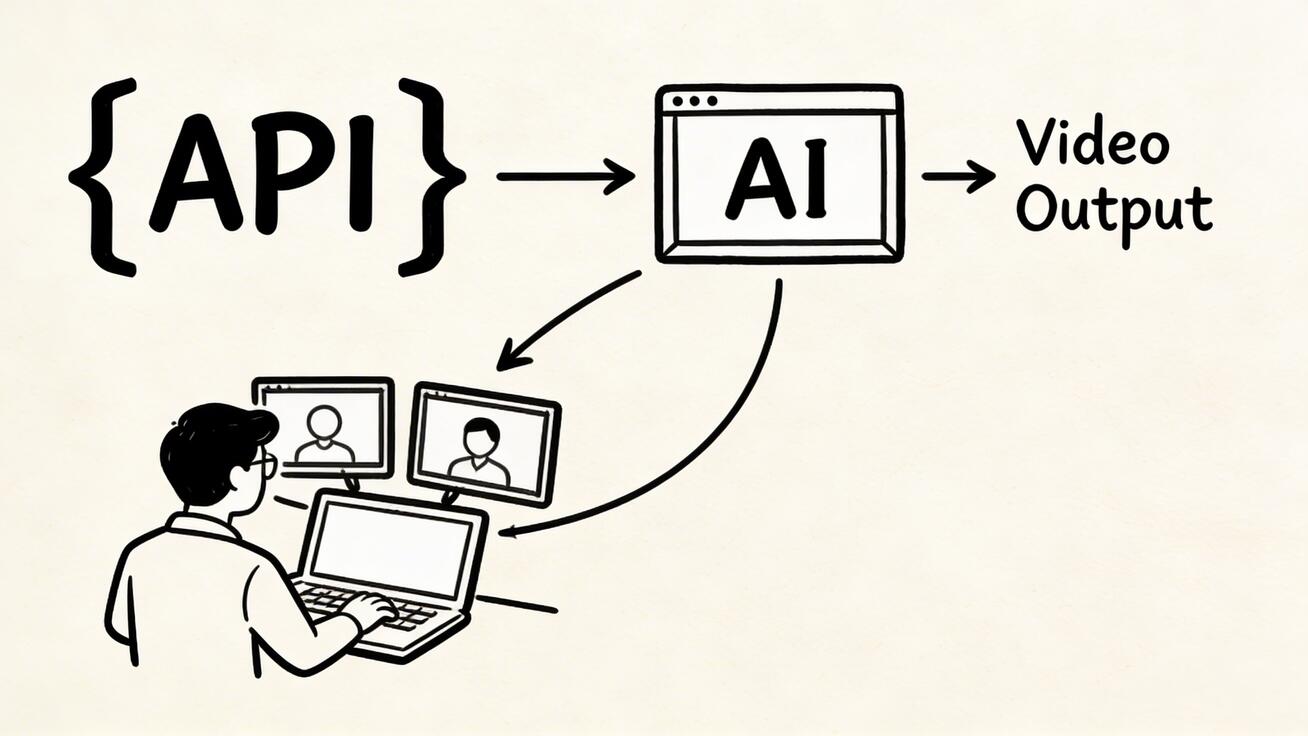
Veo 3 isn't just a consumer tool — Google provides API access that lets developers integrate state-of-the-art AI video generation directly into applications, platforms, and work
Quick Answer: Veo 3 API Guide for Developers: Integrate AI Video Generation into Your Apps (2026) by following a straightforward process: set up your account, input your prompt or media, configure settings, and export your finished video in minutes using AI automation.
flows. This guide covers everything developers need to get started with the Veo 3 API.
Veo 3 API Access Options
Developers can access Veo 3 capabilities through multiple paths:
1. Google AI Studio API
The primary developer access route. Google AI Studio provides REST API access to Veo 3 with straightforward authentication via API keys.
Base URL: https://generativelanguage.googleapis.com/v1beta/
Authentication: API Key or OAuth 2.0
Rate limits: Vary by tier (free: 10 req/min; paid: higher)
2. Vertex AI (Enterprise)
For enterprise applications requiring SLAs, higher quotas, and Google Cloud integration:
- Full Vertex AI SDK support (Python, Node.js, Java, Go)
- VPC-SC and private endpoint support
- Detailed usage monitoring and billing controls
- Regional deployment options
3. Google Cloud Video Intelligence API
For workflows already integrated with Google Cloud, the Video Intelligence API provides additional video processing capabilities that complement Veo 3 generation.
Getting Started: Veo 3 API Quick Start
Step 1: Get API Key
- Go to Google AI Studio
- Click Get API key in the left sidebar
- Create a new key or use an existing Google Cloud project key
- Copy your API key — you'll use this in all requests
Step 2: First API Call (Python)
import google.generativeai as genai
import time

genai.configure(api_key='YOUR_API_KEY')

# Initialize the model
model = genai.GenerativeModel('veo-3.0-generate-preview')

# Generate a video
operation = model.generate_video(
    prompt='A golden retriever puppy playing in autumn leaves, cinematic slow motion',
    config={
        'duration_seconds': 8,
        'aspect_ratio': '16:9',
        'resolution': '1080p',  # or '4k' on paid tier
    }
)

# Poll until complete
while not operation.done():
    time.sleep(5)
    operation.refresh()

video_url = operation.result().videos[0].uri
print(f'Generated video: {video_url}')
Step 3: REST API Example
# Start generation job
curl -X POST \
  'https://generativelanguage.googleapis.com/v1beta/models/veo-3.0-generate-preview:generateVideo' \
  -H 'Content-Type: application/json' \
  -H 'x-goog-api-key: YOUR_API_KEY' \
  -d '{
    "prompt": "Aerial drone shot of mountain peaks at sunrise, golden hour light",
    "generationConfig": {
      "durationSeconds": 8,
      "aspectRatio": "16:9",
      "resolution": "1080p"
    }
  }'

# Response contains operation name for polling
# Poll for completion:
curl -X GET \
  'https://generativelanguage.googleapis.com/v1beta/{operation_name}' \
  -H 'x-goog-api-key: YOUR_API_KEY'
API Parameters Reference
| Parameter | Type | Values | Description |
|---|---|---|---|
prompt |
string | Any text | Video description (max 2000 chars) |
durationSeconds |
int | 1–8 | Video length |
aspectRatio |
string | 16:9, 9:16, 1:1 |
Video shape |
resolution |
string | 720p, 1080p, 4k |
Output resolution |
seed |
int | Any | Reproducible generation |
negativePrompt |
string | Any text | Elements to avoid |
referenceImage |
base64/URL | Image data | Image-to-video input |
Audio Generation via API
Veo 3's native audio can be controlled through the API:
operation = model.generate_video(
    prompt='A barista making espresso, coffee shop sounds, morning ambience',
    config={
        'duration_seconds': 8,
        'generate_audio': True,  # Enable audio synthesis
        'audio_config': {
            'include_dialogue': True,
            'include_ambient': True,
            'include_music': False  # Background music optional
        }
    }
)
Image-to-Video API
Animate existing images using the API:
import base64

with open('product_photo.jpg', 'rb') as f:
    image_data = base64.b64encode(f.read()).decode()

operation = model.generate_video(
    prompt='Product rotating slowly, studio lighting, 360 degree view',
    config={
        'reference_image': {
            'mime_type': 'image/jpeg',
            'data': image_data
        },
        'duration_seconds': 6
    }
)
Rate Limits and Pricing
| Tier | Rate Limit | Cost |
|---|---|---|
| Free | 10 req/min, 50/day | Free |
| Pay-as-you-go | 60 req/min | ~$0.05–0.15 per video |
| Enterprise | Custom | Volume pricing |
Pricing subject to change — verify current rates at Google AI Studio pricing page.
Common Integration Patterns
1. Async Job Queue
Video generation takes 30–90 seconds. Use a job queue (Redis Queue, Celery, Bull) to handle generation asynchronously and notify users via webhook when complete.
2. Batch Processing
For bulk video generation, implement rate limiting and exponential backoff:
import asyncio
from tenacity import retry, stop_after_attempt, wait_exponential

@retry(stop=stop_after_attempt(3), wait=wait_exponential(min=1, max=60))
async def generate_with_retry(prompt):
    return await model.generate_video_async(prompt=prompt, config={...})

# Process batch with rate limiting
async def process_batch(prompts, rate_limit=10):
    semaphore = asyncio.Semaphore(rate_limit)
    async def limited_generate(p):
        async with semaphore:
            return await generate_with_retry(p)
    return await asyncio.gather(*[limited_generate(p) for p in prompts])
3. Caching Generated Videos
Cache generated videos by prompt hash to avoid redundant API calls: Store in Cloud Storage → serve from CDN → regenerate only on cache miss.
Error Handling
| Error Code | Meaning | Solution |
|---|---|---|
| 400 | Invalid prompt or parameters | Check prompt length and parameter values |
| 401 | Invalid API key | Verify key and permissions |
| 429 | Rate limit exceeded | Implement exponential backoff |
| 500 | Generation failed | Retry with different seed |
| 503 | Service unavailable | Retry after 30–60 seconds |
Node.js SDK Example
import { GoogleGenerativeAI } from '@google/generative-ai';

const genAI = new GoogleGenerativeAI(process.env.GEMINI_API_KEY);
const model = genAI.getGenerativeModel({ model: 'veo-3.0-generate-preview' });

async function generateVideo(prompt) {
  const operation = await model.generateVideo({
    prompt,
    generationConfig: { durationSeconds: 8, aspectRatio: '16:9' }
  });

  // Poll for completion
  while (!operation.done) {
    await new Promise(r => setTimeout(r, 5000));
    await operation.refresh();
  }

  return operation.result.videos[0].uri;
}
Frequently Asked Questions
Is there a free Veo 3 API tier?
Yes. Google AI Studio provides a free tier with limited daily requests (50/day, 10/min). For development and testing, this is sufficient. Production applications typically require pay-as-you-go billing.
What's the maximum video length via API?
Currently 8 seconds per generation. Longer content requires stitching multiple generations together.
Can I generate multiple videos in parallel?
Yes, up to your rate limit. The free tier supports 10 concurrent requests per minute; paid tiers support higher parallelism.
Does the API support webhooks?
Direct webhook support is available via Vertex AI. The AI Studio API uses polling. Implement webhooks by wrapping the polling logic in your own queue system.
Start building with Veo 3 API — sign up at veo3ai.io for the latest API docs and examples.
Related: Veo 3 Complete Guide | Veo 3 Pricing | Best AI Video APIs 2026
Complete Veo 3 API Reference
Authentication and Setup
Before making your first API call, you need a Google Cloud project with the Vertex AI API enabled and proper authentication configured.
Step 1: Create a Google Cloud Project
- Go to console.cloud.google.com
- Create a new project or select an existing one
- Enable the Vertex AI API:
gcloud services enable aiplatform.googleapis.com - Set up billing (required for API usage beyond free tier)
Step 2: Configure Authentication
For local development:
# Install Google Cloud SDK
curl https://sdk.cloud.google.com | bash

# Authenticate
gcloud auth application-default login

# Set your project
gcloud config set project YOUR_PROJECT_ID
For production deployments:
# Create a service account
gcloud iam service-accounts create veo3-service-account \
    --display-name="Veo 3 Service Account"

# Grant necessary permissions
gcloud projects add-iam-policy-binding YOUR_PROJECT_ID \
    --member="serviceAccount:veo3-service-account@YOUR_PROJECT_ID.iam.gserviceaccount.com" \
    --role="roles/aiplatform.user"

# Create and download a key
gcloud iam service-accounts keys create key.json \
    --iam-account=veo3-service-account@YOUR_PROJECT_ID.iam.gserviceaccount.com
Text-to-Video API Calls
Python Implementation:
import vertexai
from vertexai.preview.vision_models import VideoGenerationModel

# Initialize Vertex AI
vertexai.init(project="your-project-id", location="us-central1")

# Load the Veo 3 model
model = VideoGenerationModel.from_pretrained("veo-3.0-generate-preview")

# Generate video from text
response = model.generate_video(
    prompt="A golden retriever running through autumn leaves, slow motion, cinematic",
    aspect_ratio="16:9",
    duration_seconds=8,
    audio_generation=True  # Enable native audio
)

# Save the output
response.videos[0].save("output.mp4")
print(f"Video saved: output.mp4")
print(f"Duration: {response.videos[0].duration_seconds} seconds")
Batch Generation:
import vertexai
from vertexai.preview.vision_models import VideoGenerationModel
import concurrent.futures

vertexai.init(project="your-project-id", location="us-central1")
model = VideoGenerationModel.from_pretrained("veo-3.0-generate-preview")

prompts = [
    "Product shot: ceramic coffee mug on wood table, morning light",
    "Aerial view of mountain trail, autumn colors, drone shot",
    "City street at night, rain reflections, shallow depth of field",
]

def generate_single(prompt: str, index: int) -> str:
    response = model.generate_video(
        prompt=prompt,
        aspect_ratio="16:9",
        duration_seconds=8
    )
    output_path = f"video_{index}.mp4"
    response.videos[0].save(output_path)
    return output_path

# Parallel generation with rate limiting
with concurrent.futures.ThreadPoolExecutor(max_workers=3) as executor:
    futures = {executor.submit(generate_single, p, i): i
               for i, p in enumerate(prompts)}
    for future in concurrent.futures.as_completed(futures):
        path = future.result()
        print(f"Generated: {path}")
Image-to-Video API
Convert existing images into video content:
import vertexai
from vertexai.preview.vision_models import VideoGenerationModel
from vertexai.preview.vision_models import Image
import base64

vertexai.init(project="your-project-id", location="us-central1")
model = VideoGenerationModel.from_pretrained("veo-3.0-generate-preview")

# Load reference image
reference_image = Image.load_from_file("product_photo.jpg")

# Generate video from image
response = model.generate_video(
    prompt="The product gently rotates on display, studio lighting, subtle motion",
    reference_image=reference_image,
    aspect_ratio="1:1",
    duration_seconds=6
)

response.videos[0].save("animated_product.mp4")
print("Animated product video saved")
Node.js Implementation
const { VertexAI } = require('@google-cloud/vertexai');
const fs = require('fs');
const path = require('path');

async function generateVideo(prompt, outputPath) {
  const vertexAI = new VertexAI({
    project: process.env.GOOGLE_CLOUD_PROJECT,
    location: 'us-central1',
  });

  const model = vertexAI.preview.getGenerativeModel({
    model: 'veo-3.0-generate-preview',
  });

  const request = {
    contents: [{ role: 'user', parts: [{ text: prompt }] }],
    generationConfig: {
      aspectRatio: '16:9',
      durationSeconds: 8,
    },
  };

  const response = await model.generateVideo(request);

  if (response.candidates && response.candidates[0]) {
    const videoData = response.candidates[0].content.parts[0].fileData;
    // Handle video data - download or process
    console.log(`Video generated: ${videoData.fileUri}`);
    return videoData.fileUri;
  }

  throw new Error('No video generated');
}

// Usage
generateVideo(
  "Drone shot over ocean at sunset, golden hour, 4K cinematic",
  "sunset_ocean.mp4"
).then(uri => console.log(`Saved to: ${uri}`));
Production Best Practices
Rate Limiting and Quota Management
Veo 3 API has rate limits that vary by tier. To avoid rate limit errors in production:
import time
import vertexai
from vertexai.preview.vision_models import VideoGenerationModel
from typing import List

class VeoGenerationPipeline:
    def __init__(self, project_id: str, delay_between_calls: float = 2.0):
        vertexai.init(project=project_id, location="us-central1")
        self.model = VideoGenerationModel.from_pretrained("veo-3.0-generate-preview")
        self.delay = delay_between_calls
        self.generated_count = 0

    def generate_with_retry(self, prompt: str, max_retries: int = 3) -> str:
        """Generate video with automatic retry on rate limit errors."""
        for attempt in range(max_retries):
            try:
                response = self.model.generate_video(
                    prompt=prompt,
                    aspect_ratio="16:9",
                    duration_seconds=8
                )
                output_path = f"video_{self.generated_count}.mp4"
                response.videos[0].save(output_path)
                self.generated_count += 1
                time.sleep(self.delay)  # Respect rate limits
                return output_path
            except Exception as e:
                if "RESOURCE_EXHAUSTED" in str(e) and attempt < max_retries - 1:
                    wait_time = (2 ** attempt) * 5  # Exponential backoff
                    print(f"Rate limited. Waiting {wait_time}s before retry...")
                    time.sleep(wait_time)
                else:
                    raise
        raise Exception(f"Failed after {max_retries} retries")

    def batch_generate(self, prompts: List[str]) -> List[str]:
        """Generate multiple videos with rate limit protection."""
        results = []
        for i, prompt in enumerate(prompts):
            print(f"Generating {i+1}/{len(prompts)}: {prompt[:50]}...")
            path = self.generate_with_retry(prompt)
            results.append(path)
        return results

# Usage
pipeline = VeoGenerationPipeline("your-project-id")
videos = pipeline.batch_generate([
    "Product demo: coffee machine in action",
    "Office environment, modern, natural light",
    "City skyline at dusk, time-lapse effect"
])
Cost Optimization
At $0.35/second of output video on Vertex AI, a 100-video/month production pipeline costs approximately:
- 100 videos × 8 seconds = 800 seconds of output
- 800 × $0.35 = $280/month via Vertex AI API
For most users, Google One AI Premium at $19.99/month is dramatically more cost-effective. Switch to Vertex AI API only when you need programmatic access, enterprise SLAs, or volume that exceeds what Google One provides.
Common Integration Patterns
Content Management System Integration
import requests
import vertexai
from vertexai.preview.vision_models import VideoGenerationModel

class CMSVideoGenerator:
    """Integrate Veo 3 with your CMS for automated video production."""

    def __init__(self, project_id: str, cms_api_url: str, cms_api_key: str):
        vertexai.init(project=project_id, location="us-central1")
        self.model = VideoGenerationModel.from_pretrained("veo-3.0-generate-preview")
        self.cms_url = cms_api_url
        self.cms_key = cms_api_key

    def generate_and_upload(self, article_data: dict) -> str:
        """Generate a video for an article and upload to CMS."""
        # Generate video based on article content
        prompt = self._build_prompt_from_article(article_data)
        response = self.model.generate_video(prompt=prompt, aspect_ratio="16:9")

        # Save locally
        video_path = f"/tmp/article_{article_data['id']}_hero.mp4"
        response.videos[0].save(video_path)

        # Upload to CMS
        with open(video_path, 'rb') as f:
            upload_response = requests.post(
                f"{self.cms_url}/media",
                headers={"Authorization": f"Bearer {self.cms_key}"},
                files={"file": f}
            )

        return upload_response.json()['url']

    def _build_prompt_from_article(self, article: dict) -> str:
        """Build a Veo 3 prompt from article metadata."""
        keywords = article.get('keywords', [])[:3]
        style = article.get('style', 'modern, professional')
        return f"Visual representation of {', '.join(keywords)}, {style}, cinematic quality"
Conclusion: Building Production-Ready Veo 3 Integrations
The Veo 3 API provides everything developers need to integrate world-class AI video generation into applications, content pipelines, and automated workflows. The combination of high-quality video output, optional native audio generation, and Google Cloud's reliable infrastructure makes it suitable for production use at any scale.
Key takeaways for developers:
- Start with Vertex AI SDK for the cleanest integration path
- Implement retry logic and rate limiting from day one
- Use Google One AI Premium for personal use — switch to Vertex API only when programmatic access is required
- Monitor costs carefully — the Vertex API charges per second of output video
Access Veo 3 for testing and development at veo3ai.io where you can explore capabilities without API setup overhead.
Advanced Use Cases for Veo 3 API
Social Media Content Automation
Building automated pipelines with Veo 3 enables marketing teams to produce platform-appropriate video content at scale. A single API integration can serve Instagram Reels (9:16), YouTube (16:9), and LinkedIn (16:9) simultaneously, generating the same conceptual content in each platform's native format.
The core pattern is straightforward: define your content brief as a dictionary of parameters (topic, tone, brand style, call-to-action), transform these parameters into Veo 3 prompts using a template function, generate for each platform aspect ratio, and upload to your CDN or social scheduling tool.
For a brand running daily social media posts across 4 platforms, this approach reduces video production from a full-day task to a 30-minute automated job. At Vertex AI pricing, 4 platforms times 8 seconds each costs approximately $11.20 per day — far below any human production alternative.
E-commerce Product Video Generation
E-commerce operations with large product catalogs represent one of Veo 3 API's highest-value applications. For a retailer with 10,000 SKUs, generating professional product showcase videos for every item would cost tens of thousands of dollars with traditional production. With Veo 3 API, the same project costs approximately $2,800 (10,000 products times 8 seconds at $0.035/second) and can be completed in a single automated run over several days.
The workflow maps product catalog fields (name, color, material, category, use case) to structured Veo 3 prompts. Consistent prompt templates ensure visual brand consistency across all generated videos, while category-specific templates ensure appropriate settings (studio white background for apparel, outdoor lifestyle for sports equipment, kitchen setting for cookware).
Event and Campaign Rapid Response
When events happen that require immediate content response — product launches, breaking industry news, competitive announcements — the Veo 3 API allows marketing teams to generate relevant video content in minutes rather than days. A webhook integration can trigger video generation automatically based on calendar events, social listening signals, or editorial decisions made in your CMS.
This real-time capability is increasingly important as social media algorithms reward early engagement with trending topics. Brands with Veo 3 API integrations can participate in trend cycles that previously required production lead times that made real-time participation impossible.
Personalization at Scale
Perhaps the most technically exciting application is personalized video generation. Rather than one video for all customers, API access enables generating customer-segment-specific or even individual-specific video variants. An email campaign can include dynamically generated videos that reference the customer's specific product category, location, or account data.
This type of personalization at scale is new territory — it was technically impossible with traditional video production and economically impossible with earlier AI video tools. Veo 3's API makes it feasible for the first time.
Monitoring and Observability
Production Veo 3 integrations should include proper monitoring:
Track generation success rates and error types to identify reliability patterns. Monitor average generation latency — if times increase significantly, it may indicate quota or infrastructure issues. Set up cost alerts in Google Cloud to prevent unexpected billing from runaway generation loops. Log all prompts and outputs for quality review and prompt optimization over time.
Google Cloud's built-in monitoring (Cloud Monitoring, Cloud Logging) provides all the infrastructure you need for production Veo 3 API observability.
Getting Started Today
The fastest path to experimenting with Veo 3 is through veo3ai.io which provides streamlined access without requiring full Google Cloud API setup. Once you have validated your use case and are ready to build an automated pipeline, the Vertex AI SDK gives you programmatic access with all the features described in this guide.
The API documentation is maintained at Google Cloud's official docs, and the veo3ai.io resource hub provides prompt guides, workflow examples, and community support for developers building on the Veo 3 platform.
Start building your AI video pipeline with Veo 3 today.
Related Articles
Continue with more blog posts in the same locale.

How Veo 3 Generates Audio: The Technology Behind AI Video Sound (2026)
How Veo 3 generates synchronized audio with video: dialogue, sound effects, and music. Prompt techniques to control audio and current limitations.
Read article
Veo 4 Explained: What It Is and How to Use It
Understand Veo 4 and how it changes AI video creation. Learn about features, workflow, and practical tips for making better videos.
Read article
Gemini Omni Flash 1.1 Explained
Master Gemini Omni Flash 1.1 with our guide to its 10-second scene extension, 4K upscaling, and multilingual limits. Learn how to integrate it into your
Read article