- Blog
- Veo 3 Text to Video: Complete Guide to Google AI Video Generation (2026)
Veo 3 Text to Video: Complete Guide to Google AI Video Generation (2026)
Comprehensive guide to using Veo 3 for text-to-video generation. Covers access, prompting framework, comparisons with Runway and Kling, limitations, and workflow optimization.
Veo3 AI · 14 min read · a few seconds ago

Veo 3 Text to Video: Complete Guide to Google AI Video Generation (2026)
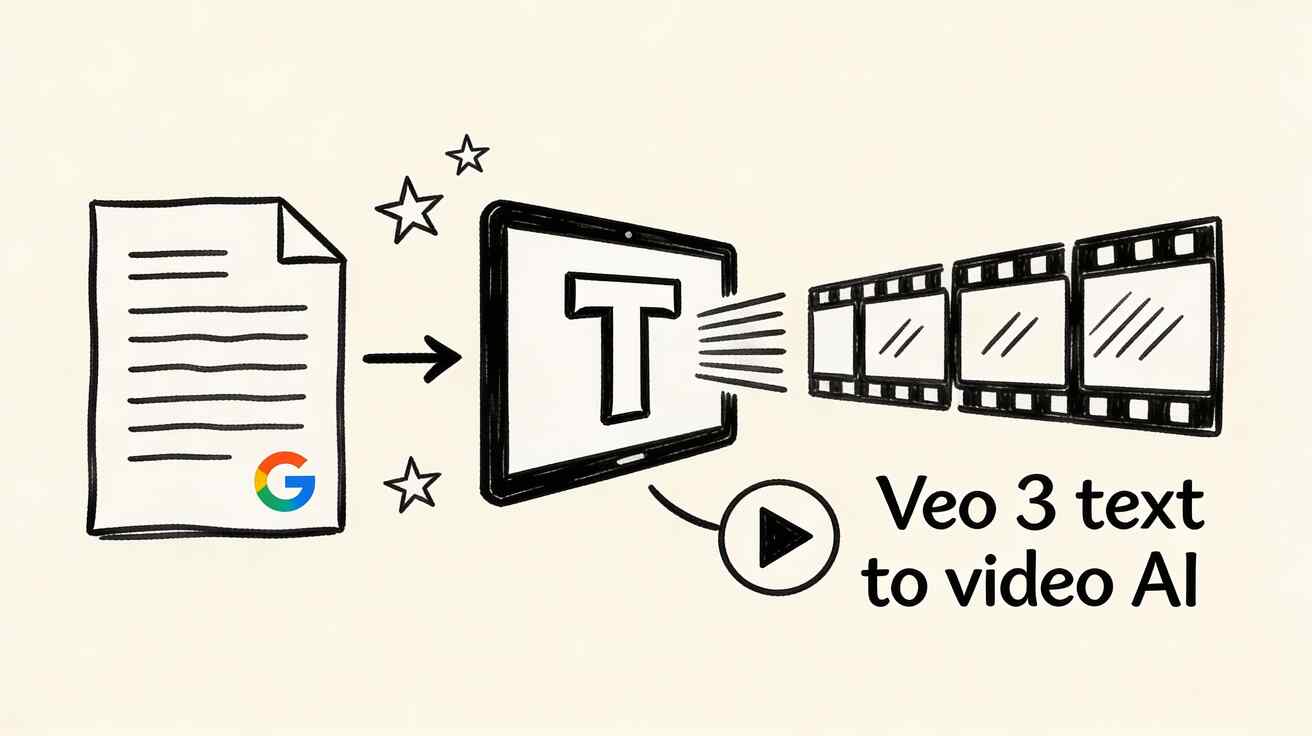
Google Veo 3 has redefined what is possible with text-to-video AI generation. With the ability to produce cinematic 1080p video clips from simple text prompts, complete with synchronized audio, Veo 3 represents a major leap forward over earlier video generation models. In this comprehensive guide we cover everything you need to know: how it works, how to access it, how to write effective prompts, what it does better than competitors, and where it falls short.

What is Veo 3 Text-to-Video?
Veo 3 is Google DeepMind's third-generation video generation model released in 2025. Unlike its predecessors, Veo 3 introduces native audio generation meaning it produces video with synchronized sound effects, ambient audio, and even dialogue from a single text prompt.
Key capabilities include generating video directly from written text descriptions, animating existing images with natural motion, producing native audio including background sounds and speech alongside video, full lip synchronization for characters, output up to 1080p resolution, individual clips up to eight seconds per generation, and film-like depth of field with professional motion blur and lighting quality.
How Veo 3 Differs from Earlier Versions
The three generations of Veo show rapid capability improvement. Veo 1 had no audio generation and produced clips up to four seconds at 720p with good motion quality. Veo 2 added 1080p output and six-second clips with better motion consistency but still no audio. Veo 3 introduced native audio generation, full lip synchronization, eight-second clips at 1080p with cinema-grade motion quality and excellent prompt adherence.
How to Access Veo 3 for Text-to-Video Generation
Veo 3 is accessible through several Google platforms depending on your use case and budget.
Google AI Ultra provides the most direct path. Subscribe to Google AI Ultra at 249.99 dollars per month, access via Gemini Advanced at gemini.google.com, type your video prompt in the chat interface, and Veo 3 generates the video within 30 to 90 seconds. This is the primary access path for individual creators and marketers.
Google Vertex AI serves developers and enterprise users. Access through Google Cloud Console provides an API endpoint for programmatic generation. Pay-per-use pricing is based on video length and resolution. This path is required for bulk generation and integration into applications, products, and automated workflows.
VideoFX offers limited free access. This early access experiment at labs.google.com/videoFX provides a free tier with limited generations per month through a waitlist. It is focused on creative experimentation rather than professional production volume.
Whisk handles image-to-video specifically. Access at labs.google.com/whisk, upload an image, describe the motion you want, and Veo 3 animates it with natural movement.
Writing Effective Text-to-Video Prompts for Veo 3
The quality of your Veo 3 output depends heavily on prompt quality. Here is the complete prompting framework for consistent excellent results.
The SCAM Framework for Video Prompts
Every strong Veo 3 prompt should include four elements. The Subject covers what or who is the main focus of the scene. The Context covers where the scene takes place, when, and under what conditions. The Action covers what is happening or what is moving in the scene. The Mood covers the emotional tone, lighting quality, and overall atmosphere.
A basic prompt might be: A golden retriever playing in a park. A SCAM-enhanced version of the same scene would be: A fluffy golden retriever puppy playing in Central Park on a sunny autumn afternoon, chasing falling maple leaves with joyful bounding leaps, warm golden hour light casting long shadows on the grass, cinematic slow motion with shallow depth of field on the puppy. The enhanced version produces dramatically more cinematic and emotionally resonant results.
Camera Movement Vocabulary
Veo 3 responds reliably to professional cinematography terminology. Dolly in moves the camera toward the subject. Dolly out moves the camera away from the subject. A tracking shot follows the subject laterally. Pan left or pan right rotates the camera horizontally. Tilt up or tilt down rotates the camera vertically. A crane shot raises or lowers the camera on a vertical axis. Aerial or drone shot provides a bird-eye perspective with forward movement. Handheld produces slight natural camera shake with a documentary feel. Locked off means a completely static camera with no movement. Orbit circles the camera around a stationary subject.
Lighting Vocabulary
Lighting terms that work reliably with Veo 3 include golden hour for warm orange-tinted late afternoon sunlight, blue hour for cool dim light just after sunset, overcast for soft diffused natural lighting with no harsh shadows, dramatic side lighting for strong shadows and theatrical atmosphere, rim lighting where the subject is outlined by backlight from behind, neon lighting for colorful urban night atmosphere, studio lighting for professional even illumination, and candlelight for warm flickering intimate atmosphere.
Audio Prompting (Unique to Veo 3)
Unlike competing models, Veo 3 generates synchronized audio alongside video. You can specifically prompt for audio content. Examples include adding ambient city sounds with distant traffic and birds chirping, including a character speaking specific dialogue, generating audio for a thunderstorm with rain on windows and occasional lightning, or adding a specific music style like upbeat jazz at 120 beats per minute. This audio generation capability is a genuine competitive advantage that no other consumer video generation model currently matches.
Practical Prompt Templates for Common Use Cases
Business and Marketing Videos
For a product showcase: A premium leather wallet sits on a white marble surface, camera slowly orbiting clockwise revealing all angles, soft studio lighting from upper left, dramatic product photography style, shallow depth of field, the wallet slightly opens revealing cards inside mid-rotation, audio of soft ambient music.
For a service introduction: A confident businesswoman in a modern glass office smiles at camera, gestures toward a holographic data display, professional corporate environment, warm natural light through floor-to-ceiling windows, dolly in slowly, audio of office ambience and quiet background.
Social Media Content
For TikTok style content: A colorful smoothie bowl being assembled from above in a flat lay perspective, each ingredient dropped in with satisfying splashes, bright natural light, vibrant saturated colors, fast-paced four seconds, ASMR style audio with gentle food sounds.
For Instagram lifestyle content: A young woman in a yellow dress walking through a lavender field at golden hour, shot from behind, slow motion, tracking shot following her movement, soft bokeh background, dreamy romantic atmosphere, audio of gentle breeze and soft ambient music.
Educational and Tutorial Content
For a how-to demonstration: Hands assembling a small electronic circuit on a clean workbench, step by step close-up shots, bright overhead lighting, clean white background, camera slowly zooms in to show detail work, technical yet approachable style, audio of quiet focused work sounds.
Cinematic and Artistic Content
For a nature scene: Time-lapse of storm clouds gathering over a mountain range at dusk, lightning flashing in the distance every few seconds, camera slowly pulls back to reveal full panoramic landscape, cinematic scope ratio, dramatic audio with thunder rolling and wind.
For urban poetry: A lone figure walks through rain-soaked neon-lit streets at midnight, reflections of colored signs shimmering in puddles, slow motion, desaturated colors with vibrant neon accents, film noir aesthetic, audio of rain on pavement and distant jazz music.
Veo 3 vs Competitors: Honest Comparison
Veo 3 vs Runway Gen-4
Veo 3 leads with native audio generation and lip synchronization which Runway does not have. Both deliver excellent visual quality. Veo 3 produces eight-second clips while Runway produces ten-second clips. Veo 3 requires 249 dollars per month for AI Ultra or pay-per-use Vertex pricing while Runway costs 15 to 95 dollars per month. Veo 3 has superior prompt adherence for complex multi-element scenes.
Veo 3 vs Kling 3.0
Veo 3 has audio generation while Kling has limited audio support. Veo 3 produces better results for Western aesthetics while Kling excels at East Asian aesthetic styles and character work. Motion quality is excellent in both models. Kling pricing is significantly more competitive for high-volume production use cases.
Veo 3 vs Seedance 2.0
This comparison is particularly interesting because the tools serve somewhat different primary use cases. Veo 3 leads on audio-visual synthesis and raw cinematic quality with no free tier. Seedance 2.0 leads on character consistency using the at-reference system, offers a genuine free tier accessible immediately at seedance.tv, requires no waitlist or expensive subscription, and is specifically optimized for image-to-video workflows where you animate existing photos and illustrations. For creators who need audio in their AI-generated videos, Veo 3 is the current leader. For creators who need character consistency, affordability, and immediate accessibility, Seedance 2.0 is the practical choice.
Known Limitations of Veo 3
Veo 3 has significant limitations that serious users need to understand before committing to it as their primary tool.
Access and cost present the most immediate barrier. The full Veo 3 experience costs 249.99 dollars per month through AI Ultra. The VideoFX waitlist can take weeks or months to clear. This makes Veo 3 inaccessible for casual creators, students, and small businesses.
Clip length remains a production bottleneck. Eight seconds per generation means you need 20 to 30 or more individual clips for a three-minute video. Every clip requires reviewing, downloading, organizing, and editing. This is substantial production overhead even with a smooth workflow.
Character consistency across scenes is a known weakness. Each new Veo 3 prompt may produce a slightly different-looking character even with identical descriptions. Maintaining a consistent human character throughout a multi-scene video requires significant prompt engineering and manual selection. Seedance 2.0's at-reference system currently handles this challenge better.
Content restrictions can be frustratingly conservative. Google applies content filters that sometimes block legitimate creative requests. Complex action scenes, certain historical representations, and political imagery can trigger refusals that interrupt production workflows.
Optimizing Your Veo 3 Workflow
Batch generation maximizes efficiency. Write all prompts before starting any generation work. Submit five to ten prompts simultaneously in different browser tabs. Download and review results while new generations are running in other tabs. Organize downloaded clips by scene number before beginning any editing work.
Prompt iteration produces the best final results. Start with a basic prompt and generate two to three variations. Identify which elements worked best in each variation. Combine those successful elements into a refined prompt for the final generation. This process consistently produces better results than trying to write a perfect prompt on the first attempt.
Reference images improve consistency. Veo 3's image-to-video mode is often more consistent than pure text-to-video. Generate or find a reference frame, then use animate this image with a motion description. This approach maintains visual consistency significantly better than text description alone for character-heavy content.
FAQ
Is Veo 3 free to use? Veo 3 has limited free access via VideoFX with a waitlist requirement and through Google AI Studio. Full-featured access for professional use requires Google AI Ultra at 249 dollars per month or Vertex AI at pay-per-use rates. For a free alternative with comparable visual quality for most use cases, try Seedance 2.0 which has a genuine free tier available immediately.
How long does Veo 3 generation take? Typical generation time is 30 to 90 seconds for an eight-second clip at 1080p. During peak usage hours this can extend to two or three minutes. Running multiple generations in parallel in separate browser tabs is the standard approach for managing this wait time efficiently.
Can Veo 3 videos be used commercially? Yes with a paid Google AI subscription you can use generated videos commercially. Google's terms of service grant commercial usage rights for paid plan subscribers. Always review current terms as these policies continue to evolve with the rapidly changing AI landscape.
How does Veo 3 audio generation actually work? Veo 3 uses a multimodal approach where the audio model and video model were trained jointly on paired audio-visual data. The audio is not added on top of finished video but generated simultaneously with the video in a process where both modalities inform each other. This joint training is why the audio feels synchronized rather than artificially attached.
What resolution does Veo 3 generate? Current output is at 1080p Full HD. Higher resolution generation including 4K is in active development and expected in the next generation of the model.
The Future of Text-to-Video AI
Veo 3 represents the current state of the art but the technology is advancing at a pace that surprises even researchers. Longer continuous clips of 30 seconds or more are expected soon. 4K output is confirmed to be in development. Real-time generation where video appears as fast as you type is technically feasible and being pursued. Consistent characters maintained across dozens of generated scenes is the most requested improvement. Interactive generation allowing creators to guide the video while it generates is being prototyped.
The most reliable prediction is that today's technical limitations will be largely resolved within 12 to 24 months. The creators who invest in learning to work effectively with text-to-video AI now will have accumulated thousands of hours of practice by the time the technology reaches its mature form.
Start Creating with Veo 3 and AI Video Tools
Whether you choose Veo 3 for its groundbreaking audio capabilities or a more accessible alternative like Seedance 2.0 for everyday content creation, text-to-video AI has permanently changed what is possible for creators, marketers, and businesses of every size. The barrier to professional video production has never been lower. Start experimenting, build your skills, and create something worth watching.
Related guides: Veo 3 Prompt Guide | Veo 3 vs Runway Gen-4 | How to Use Veo 3 for Free
Comparing Text-to-Video Prompt Complexity Across AI Models
One of the clearest ways to understand Veo 3's strengths is to compare how the same prompt performs across different models. Professional video creators who have tested all major platforms report consistent findings about where each model excels.
For simple prompts with a single subject and clear action, all major models including Veo 3, Runway, Kling, and Seedance 2.0 produce comparable quality results. The differentiation appears when prompts become complex with multiple interacting subjects, specific lighting requirements, precise camera movement descriptions, or detailed atmospheric specifications. Veo 3 maintains higher prompt adherence in these complex scenarios, meaning the generated output more accurately reflects what was described.
For prompts that include audio description, Veo 3 has no direct competitors at the consumer level. The model generates dialogue, ambient sounds, music, and sound effects simultaneously with video in a way that feels genuinely synchronized rather than artificially added. This opens creative possibilities that simply do not exist with competing tools.
For prompts requiring consistent character appearance across multiple generations, Seedance 2.0 currently leads because of its explicit character reference system. You upload a reference image of your character and the model uses that image as an anchor for all subsequent generations featuring that character. Veo 3 lacks an equivalent feature, making it less suitable for narrative content requiring consistent protagonists.
Understanding these comparative strengths helps creators choose the right tool for each specific project rather than defaulting to a single model for all work. Many professional creators use Veo 3 for hero scenes that benefit from cinematic quality and audio, Seedance 2.0 for character-consistent scenes and accessible day-to-day production, and Runway for detailed post-generation editing workflows.
Professional video producers who have integrated text-to-video AI into their commercial work report that the technology has fundamentally changed their project economics. Productions that previously required two to three days of filming with a crew can now be completed in four to six hours of AI generation and editing work. The cost reduction is substantial and the creative iteration speed is dramatically higher. Clients can see rough cuts within hours of a creative brief rather than waiting days for a shoot to be scheduled, executed, and edited. This acceleration changes the entire rhythm of video production and makes it economically viable to create video content at volumes that were previously impossible without large production budgets.
Related Articles
Continue with more blog posts in the same locale.
What is Veo 3? Google's AI Video Generator Explained (2026)
Everything you need to know about Google Veo 3 — what it is, how it works, what it can do, and how to get started in 2026. Complete beginner's guide.
Read article
Veo 3 Free: How to Get Free Generations & Maximize Credits (2026)
Complete guide to Veo 3's free tier in 2026. How many free generations you get, how to maximize them, and tips to get the most from every free credit.
Read article
Veo 3 for Business (2026): Marketing Videos, Ads & Corporate Content Guide
How businesses use Google Veo 3 to create marketing videos, social media ads, corporate presentations, and branded content in 2026. Complete business guide.
Read article