
Veo 3 vs Atlabs AI Video Generator 2026: Model Access, Quality, and Workflow
Compare Veo 3 vs Atlabs for model access, quality, pricing logic, and workflow. Learn when direct Veo 3 or Atlabs Veo 3 fits your video pipeline.
Emma Chen · 20 min read · May 5, 2026
<script type="application/ld+json"> {"@context":"https://schema.org","@type":"FAQPage","mainEntity":[{"@type":"Question","name":"Is Atlabs the same as Veo 3?","acceptedAnswer":{"@type":"Answer","text":"No. Veo 3 is Google DeepMind's video generation model family, while Atlabs is a creative production platform that can provide access to Google Veo models alongside other AI video, image, voice, caption, and editing tools. Use Veo 3 when the model quality is the main decision; use Atlabs when the whole delivery workflow matters."}},{"@type":"Question","name":"Can I use Veo 3 inside Atlabs?","acceptedAnswer":{"@type":"Answer","text":"Atlabs public model and pricing pages list Google Veo 3 or Veo 3.1 access on the platform. Availability, credit cost, plan limits, and model version can change, so check the current Atlabs pricing and model pages before budgeting a production workflow."}},{"@type":"Question","name":"Which is better for quality, direct Veo 3 or Atlabs?","acceptedAnswer":{"@type":"Answer","text":"For a single clip where native audio, realism, physics, and prompt adherence are the core requirement, direct Veo 3 access is usually the cleanest quality benchmark. Atlabs can still be useful when you need to compare Veo against other models, build variants, add voiceover, localize, caption, or assemble a finished video."}},{"@type":"Question","name":"What is a multi-model AI video workflow?","acceptedAnswer":{"@type":"Answer","text":"A multi-model AI video workflow routes different tasks to different models instead of forcing one model to do everything. A team might use Veo 3 for the hero cinematic shot, another model for low-cost drafts, an image model for references, and an editing platform for captions, voice, localization, and export."}},{"@type":"Question","name":"Is Atlabs cheaper than Veo 3 direct access?","acceptedAnswer":{"@type":"Answer","text":"Not automatically. Atlabs may be cheaper for teams that would otherwise pay for several tools and lose time moving assets between them. Direct Veo 3 can be cheaper for users who only need a few high-quality clips. Compare cost per approved video, not just monthly price or headline credits."}},{"@type":"Question","name":"What is the best Veo 3 workflow for marketers?","acceptedAnswer":{"@type":"Answer","text":"The best Veo 3 workflow for marketers starts with a tight creative brief, generates one hero clip with strict quality criteria, routes variants through a multi-model workspace when needed, adds captions and voice under editorial control, and scores each output by brand safety, prompt adherence, and cost per usable asset."}}]} </script>
Veo 3 vs Atlabs AI Video Generator 2026: Model Access, Quality, and Workflow
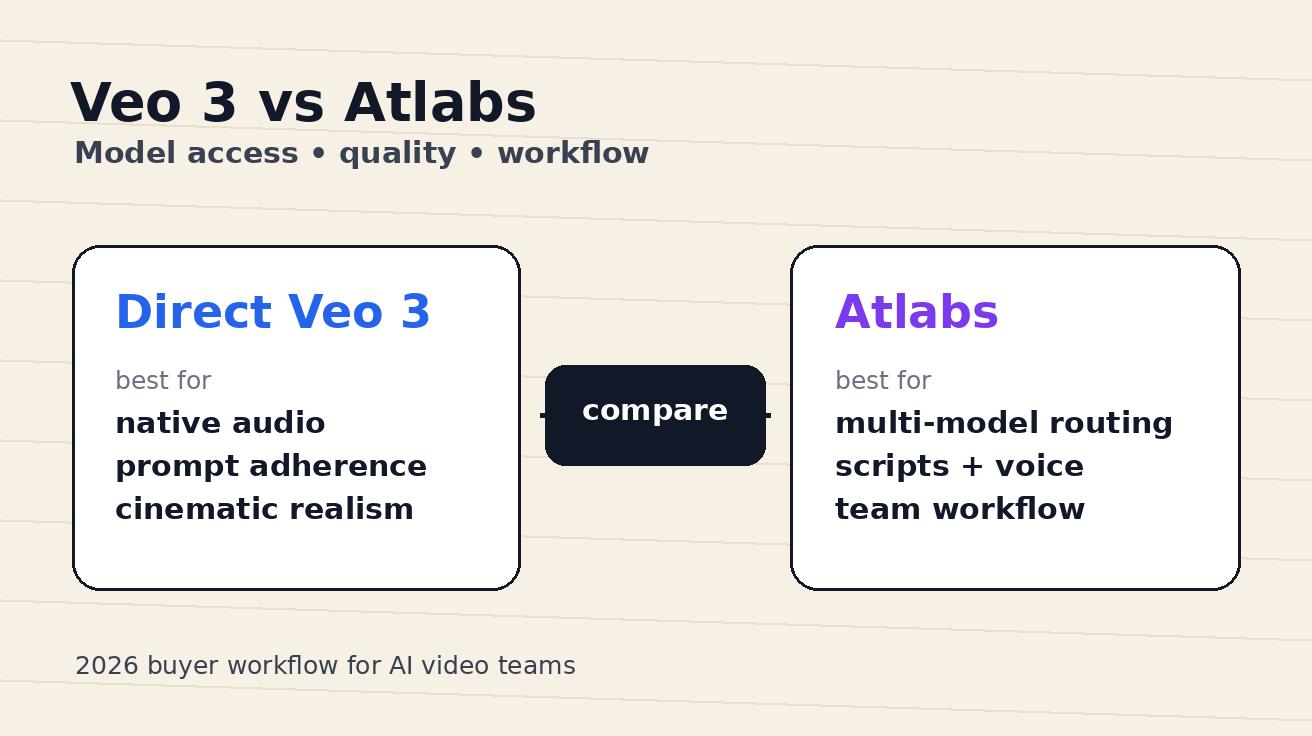
If you are comparing Veo 3 vs Atlabs, the first thing to clarify is that you are not choosing between two identical products. Veo 3 is a Google DeepMind video generation model family known for realism, prompt adherence, physics, and native audio. Atlabs AI Video Generator is a creative production platform that presents Google Veo models alongside other video, image, voice, caption, localization, and editing tools. That distinction changes the buying decision.
A creator asking "Which gives better video quality?" may only need to test Veo 3 directly. A growth team asking "How do we produce twenty ad variants, localize them, keep characters consistent, add captions, and export quickly?" may care more about the Atlabs workflow. The answer is not simply "Veo is better" or "Atlabs is easier." The useful answer is: use Veo 3 as the quality benchmark, and use Atlabs Veo 3 access when model routing and production assembly save more time than direct model access alone.
This guide is written for marketers, creators, agencies, and founders deciding where to build a Veo 3 workflow in 2026. It compares model access, output quality, credit planning, editing control, team workflow, and the practical role of a multi-model AI video workflow. I will be careful about claims because public plan details can change fast. The recommendation here is based on publicly visible product pages and the practical workflow questions that matter after the first impressive demo.
Quick verdict: when to choose Veo 3 direct vs Atlabs
Choose direct Veo 3 access when the model itself is the product decision. If you are testing cinematic realism, synchronized audio, physics, scene coherence, prompt adherence, or image-to-video fidelity, start as close to the model as possible. Direct access through Google's own surfaces or API documentation gives you the cleanest benchmark for what Veo can do before another platform adds workflow layers.
Choose Atlabs when the clip is only one part of the production job. Atlabs positions itself as an AI video creation suite with model access, script writing, storyboarding, consistent characters, voiceovers, lip sync, captions, translation, brand controls, and export options. Its public pages also list Google Veo models among the available model options. That makes Atlabs interesting for teams that do not want to maintain a separate script tool, image tool, voice tool, caption tool, editor, localization tool, and asset handoff process.
Here is the simplest decision rule:
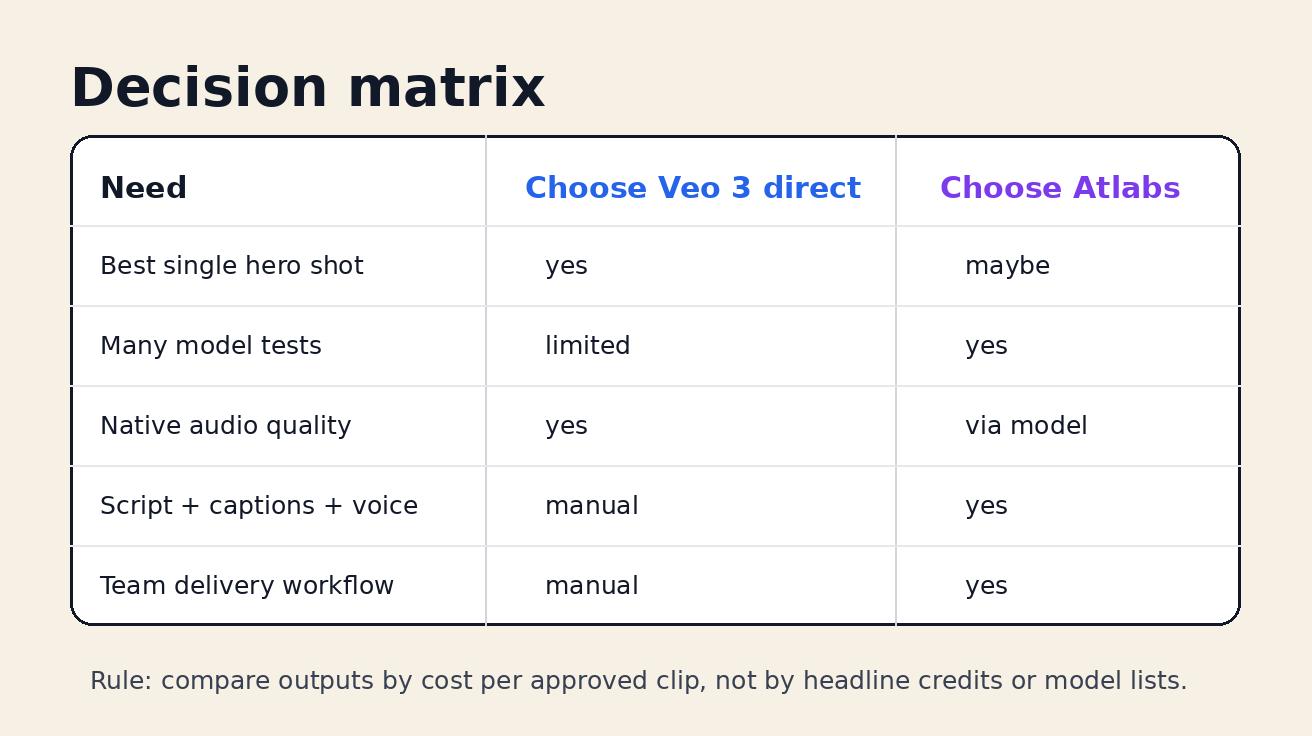
| Need | Better starting point | Why |
|---|---|---|
| One highest-quality cinematic clip | Veo 3 direct | Fewer workflow variables; clearer quality benchmark |
| Native audio and realistic motion test | Veo 3 direct | Veo's core advantage is the model output itself |
| Compare Veo with Kling, Seedance, Runway, or other models | Atlabs | Multi-model access reduces switching cost |
| Turn a script into a finished marketing video | Atlabs | Production tools matter after generation |
| Localized campaign variants | Atlabs | Voiceover, captions, languages, and exports become central |
| Low-volume personal testing | Veo 3 direct or free routes | Simpler than paying for a suite |
| Agency or brand workflow | Atlabs | Collaboration, repeatability, and delivery speed matter |
The most expensive mistake is judging the tools by the wrong layer. Veo 3 is the engine. Atlabs is a production garage that may include that engine plus many others. If your bottleneck is engine quality, test Veo. If your bottleneck is turning clips into approved deliverables, evaluate Atlabs.
What Veo 3 brings to the comparison
Veo 3 matters because it changed the quality bar for short AI video. Google's own Veo page emphasizes realism, prompt adherence, physics, native audio, sound effects, ambient noise, and dialogue generated with the video. It also frames Flow as a creative environment for building cinematic clips, scenes, and stories with Google's generative models. For creators, that means Veo is not just a visual model; it is a video-and-audio generation system.
In practical terms, Veo 3 is strongest when the prompt requires one of these outcomes:
- A cinematic scene where light, camera motion, and physical movement must feel believable.
- A short social or ad clip where synchronized audio makes the output feel more complete.
- A product, lifestyle, or character shot where prompt adherence is more important than random visual style.
- An image-to-video prompt where the reference needs to stay recognizable.
- A hero shot for a landing page, trailer, pitch deck, or paid creative test.
That does not mean every Veo output is ready to publish. You still need prompt discipline, retries, editorial review, legal review for claims, and brand safety checks. But for a single premium clip, Veo 3 gives you a strong baseline. If a platform claims it can route to Veo, your first evaluation should ask: does it preserve the model's advantage, or does the platform layer make the process slower, more expensive, or less controllable?
For more context on access routes, see our guide to the Veo 3 free trial and Google Flow options and the Google Flow Veo 3 workflow guide.
What Atlabs adds on top of model access
Atlabs describes itself as a video creation suite built around AI visuals, consistent characters, voiceovers, editing control, captions, brand assets, localization, and exports. Its public homepage and pricing pages emphasize 50+ models, visual styles, character consistency, 40+ language localization, auto lip sync, voiceovers, background music, subtitles, reframing, upscaling, and editable exports. Its models hub lists Google Veo among multiple video models, and its Veo model page presents Google Veo 3.1 as available through Atlabs for image-to-video style workflows.
That matters because most teams do not fail at AI video because they cannot generate one cool clip. They fail because the clip is not a finished asset. It needs a script. It needs aspect ratio variants. It needs a voice track. It needs captions. It needs localization. It needs a safe final frame. It needs version control. It needs a client approval loop. It needs to be exported in the format the paid media team actually uses.
This is where an Atlabs-style platform can be valuable. The question is not only "Can Atlabs access Veo 3?" The better question is "Does Atlabs reduce the total time between idea and publish-ready video?" If the answer is yes, the platform fee can be justified even when direct model access looks cheaper on paper.
However, workflow platforms also create tradeoffs. You need to understand plan limits, model availability, credit accounting, export rights, resolution limits, watermark rules, and whether the advertised model version is available on the plan you are using. You also need to test whether the platform's prompt interface exposes enough control for your use case. A multi-model workspace is only useful if you can reliably route the right job to the right model.
Model access: direct Veo 3 vs Atlabs Veo 3
Model access has three layers: availability, control, and predictability.
Availability answers the obvious question: can you actually generate with Veo 3 or a current Veo model today? Direct Google surfaces such as Flow, AI Studio, or Gemini API documentation are the most official route. Atlabs public pages list Google Veo models, including Google Veo 3 and Google Veo 3.1 references, but the exact version, plan availability, and credit cost should be checked at signup because AI video platforms update model menus frequently.
Control is about prompt settings, reference inputs, aspect ratio, duration, seed-like repeatability, first and last frame options, audio behavior, and export quality. Direct model access may give cleaner documentation for the Veo-specific feature set. A platform may simplify those controls so non-technical users can move faster. That is good for speed, but it can be limiting for advanced testing.
Predictability is about budgeting. Direct access can be easier to compare if credits map clearly to a generation. A suite can be harder to price because credits, seconds, unlimited promotional periods, model tiers, and export limits all interact. Atlabs pricing pages publicly describe several annual plans, credits per year, and model-specific seconds or unlimited periods. That can be attractive, but your production budget should still be calculated by approved output, not theoretical seconds.
A practical access checklist:
- Confirm which Veo version is available on the plan: Veo 3, Veo 3.1, or another Google model.
- Confirm whether text-to-video, image-to-video, first frame, end frame, and audio behavior match your need.
- Check duration, resolution, aspect ratio, watermark, commercial use, and export rules.
- Run the same prompt directly in Veo and through Atlabs if possible.
- Track failed generations, almost-good generations, and approved generations separately.
- Calculate cost per approved clip, not cost per attempted clip.
The phrase Atlabs Veo 3 is useful for search, but the real buyer question is not the phrase. The real question is whether Atlabs gives you enough control over the Veo model while also making the rest of the production pipeline faster.
Quality: how to compare outputs fairly
Do not compare Veo 3 and Atlabs by watching one cherry-picked demo. Compare them with a fixed test set. AI video quality varies by prompt, source asset, model version, queue conditions, safety filters, duration, and post-processing. A fair comparison needs repeatable prompts and a scoring rubric.
Use five prompts:
- Cinematic product hero: a product on a table, controlled lighting, slow camera movement, clear sound cue.
- Human scene: two people in a realistic environment with subtle dialogue or ambient audio.
- Image-to-video reference: a product image or character frame that must stay recognizable.
- Brand ad variant: a 9:16 short clip with clean final frame for text overlay.
- Complex motion: water, fabric, hands, reflections, or camera parallax.
Score each result from 1 to 5 on these criteria:
- Prompt adherence: did the video follow the actual instructions?
- Visual realism: does the image quality hold up after the first second?
- Motion stability: do objects behave consistently across frames?
- Audio fit: are ambience, sound effects, or dialogue aligned with the scene?
- Reference preservation: did the source image, product, or character remain recognizable?
- Edit readiness: can a marketer actually use the clip after captions, crop, and export?
- Retry efficiency: how many attempts were needed before one approved output?
Direct Veo 3 should be judged as a model quality baseline. Atlabs should be judged as an end-to-end output path. A clip generated through Atlabs may not beat direct Veo on pure model evaluation, but it may win the business test if it becomes a captioned, voiced, localized, approved ad faster.
This is especially important for teams making campaign assets. The best model in isolation may not be the best workflow. A slightly less perfect clip that ships in six languages, three aspect ratios, and one brand-safe approval flow may outperform a beautiful raw clip that never leaves the experiments folder.
Workflow: where Atlabs can beat direct access
The strongest argument for Atlabs is workflow compression. In a direct Veo 3 workflow, you often need separate steps:
- Write the creative brief.
- Write or refine the prompt.
- Generate one or more Veo clips.
- Download and organize outputs.
- Add or edit voiceover if needed.
- Add captions.
- Add background music.
- Create 9:16, 1:1, and 16:9 versions.
- Localize the script.
- Export and hand off to the marketing team.
Each step is simple alone. Together they create friction. Files get renamed, prompts get lost, approvals happen in chat, and the team forgets which version was used in the final ad. A platform that keeps scripts, visual generation, voiceover, captions, translation, and exports in one place can be valuable because it reduces handoff loss.
A strong multi-model AI video workflow uses Veo only where Veo creates leverage. For example:
- Use Veo 3 for the hero scene with native audio and cinematic realism.
- Use a faster or cheaper model for rough variants and background motion tests.
- Use an image model to prepare clean reference frames.
- Use a voice tool for localized narration.
- Use caption and reframe tools for platform-specific delivery.
- Use a final editor for claims, CTA copy, and legal-safe overlays.
The mistake is forcing Veo 3 to solve every task. Veo is excellent for premium generation, but not every step needs premium generation. Atlabs can be useful if it helps you route work intelligently instead of treating every asset as a full-price hero clip.
Cost: compare approved outputs, not headline credits
AI video pricing is easy to misunderstand. A plan can say it includes many credits, many seconds, or even promotional unlimited access, but the only number that matters for a business is cost per approved asset. Approved means the clip passed quality review, brand review, format requirements, and usage rights.
For direct Veo 3, calculate:
- Monthly subscription or API cost.
- Credits or per-generation cost.
- Average retries per approved clip.
- Post-production tool costs.
- Time spent adding captions, voice, edits, and exports.
For Atlabs, calculate:
- Monthly or annual plan cost.
- Credits, seconds, or model-specific allowances.
- Whether Google Veo access is included on the plan you want.
- Whether export quality, watermark removal, brand controls, and commercial rights match your need.
- How many external tools the workflow replaces.
- How much production time is saved per finished video.
A direct Veo route may win for a solo creator making a few clips per month. Atlabs may win for an agency creating many variants, because the platform can replace tool switching and reduce delivery time. But neither is automatically cheaper. The math changes by use case.
Use this simple formula:
Cost per approved video = (tool cost + retry cost + editing cost + team time cost) / approved publish-ready videos
If you only calculate generation cost, you will undercount the real production cost. If you only calculate monthly subscription price, you may overpay for a workflow you do not need.
Best use cases for direct Veo 3
Direct Veo 3 is the right starting point when you need to understand what the model can do without platform abstraction. I would choose it for:
- Benchmarking cinematic quality against other models.
- Testing native audio and dialogue behavior.
- Creating one premium hero clip for a launch page or investor deck.
- Evaluating reference-image preservation.
- Running API or documentation-based experiments.
- Learning Veo-specific prompt language before scaling production.
A good direct Veo 3 workflow is simple: choose one creative goal, write a precise prompt, generate a small batch, score the outputs, and only then move the best result into editing. Do not start by generating dozens of random ideas. Start with a narrow concept and a measurable quality bar.
For prompt examples and broader tool comparisons, see our guide to the best free AI video generators in 2026.
Best use cases for Atlabs AI Video Generator
Atlabs is more attractive when the video is part of a repeatable content operation. I would evaluate it for:
- Agencies producing many client videos from scripts.
- Brands that need consistent characters or styles across campaigns.
- Teams creating localized ads in many languages.
- Social teams that need 9:16, 1:1, and 16:9 variants quickly.
- Educators and creators building narrated videos rather than standalone clips.
- Marketers comparing Veo, Kling, Seedance, Runway, and other models in one workspace.
- Teams that need captions, voiceovers, music, lip sync, editing, and export in one flow.
The keyword is repeatability. If your team makes one experimental video, a suite may feel heavy. If your team makes video every week, workflow consistency becomes a competitive advantage.
A practical Veo 3 workflow for 2026
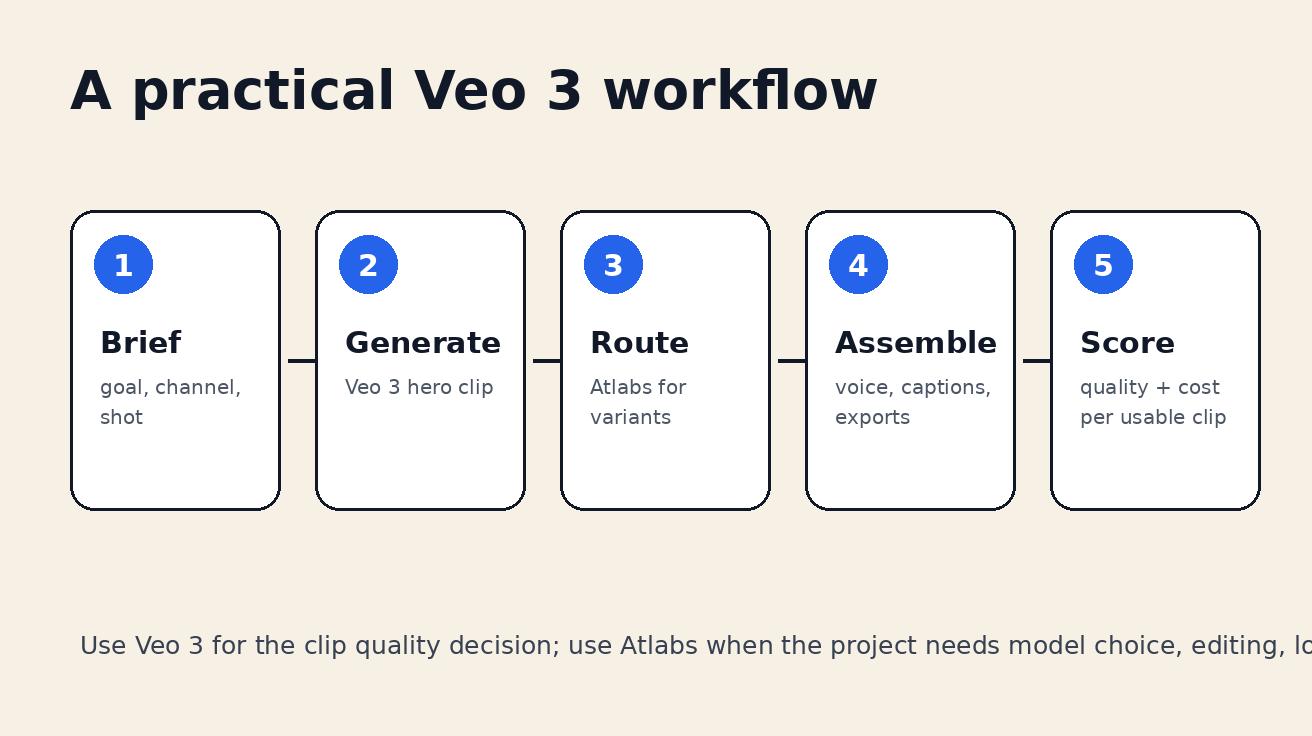
Here is the workflow I would use for a marketing team deciding between Veo 3 direct and Atlabs.
Step 1: Write a quality brief before choosing the tool
Define the asset, channel, audience, length, aspect ratio, claim risk, and success criteria. Example: "Create a 12-second 9:16 AI product teaser for a landing page retargeting ad. It must show one visual benefit, avoid fake metrics, include no generated text inside the scene, and leave space for edited captions."
This prevents tool-driven creativity. The tool should serve the brief, not replace it.
Step 2: Generate a direct Veo 3 benchmark
Run one or two prompts directly through a Veo route if available. The goal is not to finish the campaign. The goal is to understand the quality ceiling. Save the best output and record prompt, settings, cost, render time, and quality score.
Step 3: Test Atlabs with the same brief
Now run the same brief in Atlabs. If Atlabs provides Veo access on your plan, test the Veo option. Also test one alternate model if the platform recommends it. Track whether the output is worse, equal, or better after considering the full workflow. Did the platform make it easier to add voice? Did captions save time? Did the export flow help? Did model choice reduce retries?
Step 4: Build a two-tier production rule
Do not make every video a premium Veo job. Create a rule:
- Tier 1: Veo 3 for hero assets, launch videos, cinematic paid ads, and high-risk brand moments.
- Tier 2: Atlabs multi-model workflow for variants, localization, narrated explainers, social repurposing, and lower-risk campaign tests.
This gives you quality where it matters and speed where volume matters.
Step 5: Keep final claims outside generated footage
AI video can invent UI text, product claims, signs, labels, numbers, and logos. Keep legally meaningful claims in the editor layer. Use generated video for motion and atmosphere, not for unreviewed facts. This applies whether you use direct Veo 3 or Atlabs.
Common mistakes when comparing Veo 3 and Atlabs
The first mistake is comparing a raw Veo clip to a finished Atlabs video. That is unfair because one is model output and the other may include editing, voice, captions, and post-processing. Compare raw to raw, then compare finished workflow to finished workflow.
The second mistake is assuming a model list equals useful access. A platform can list many models, but you still need to know which plan includes them, how credits work, what settings are exposed, and whether the output is commercially usable.
The third mistake is ignoring retries. AI video cost is dominated by almost-good outputs. A clip with one distorted hand, one wrong logo, or one confusing audio cue may be unusable. Track failed and rejected generations.
The fourth mistake is publishing generated text or numbers without review. If Veo or Atlabs creates a dashboard, product label, testimonial, price, or growth number, verify it. Do not publish fake metrics.
The fifth mistake is asking one model to do every job. A strong Veo 3 workflow uses model choice intentionally. Hero scenes deserve the best model. Drafts, variants, captions, and localization may be better handled elsewhere.
Final recommendation
For Veo 3 vs Atlabs in 2026, my recommendation is layered. Use direct Veo 3 when you need the cleanest quality benchmark and the best chance at premium cinematic output with native audio. Use Atlabs when you need a production system that can route between models, assemble scripts, add voiceovers, manage captions, localize, and export publish-ready assets.
If you are a solo creator testing AI video, start with direct Veo 3 or free/low-cost routes. If you are a marketer or agency building weekly video campaigns, test Atlabs with a real project and measure cost per approved output. The winner is not the tool with the most impressive demo. The winner is the tool that repeatedly turns a brief into a usable video at a predictable cost.
The smartest 2026 AI video stack is not single-model loyalty. It is disciplined model routing: Veo 3 for the moments where quality matters most, and a multi-model workflow for the production steps that turn those moments into shipped campaigns.
FAQ: Veo 3 vs Atlabs AI Video Generator
Is Atlabs the same as Veo 3?
No. Veo 3 is Google DeepMind's video generation model family. Atlabs is a creative production platform that can provide access to Google Veo models alongside other AI video, image, voice, caption, and editing tools. Use Veo 3 when model quality is the main decision; use Atlabs when the whole delivery workflow matters.
Can I use Veo 3 inside Atlabs?
Atlabs public model and pricing pages list Google Veo 3 or Veo 3.1 access on the platform. Availability, credit cost, plan limits, and model version can change, so check the current Atlabs pricing and model pages before budgeting a production workflow.
Which is better for quality, direct Veo 3 or Atlabs?
For a single clip where native audio, realism, physics, and prompt adherence are the core requirement, direct Veo 3 access is usually the cleanest quality benchmark. Atlabs can still be useful when you need to compare Veo against other models, build variants, add voiceover, localize, caption, or assemble a finished video.
What is a multi-model AI video workflow?
A multi-model AI video workflow routes different tasks to different models instead of forcing one model to do everything. A team might use Veo 3 for the hero cinematic shot, another model for low-cost drafts, an image model for references, and an editing platform for captions, voice, localization, and export.
Is Atlabs cheaper than Veo 3 direct access?
Not automatically. Atlabs may be cheaper for teams that would otherwise pay for several tools and lose time moving assets between them. Direct Veo 3 can be cheaper for users who only need a few high-quality clips. Compare cost per approved video, not just monthly price or headline credits.
What is the best Veo 3 workflow for marketers?
The best Veo 3 workflow for marketers starts with a tight creative brief, generates one hero clip with strict quality criteria, routes variants through a multi-model workspace when needed, adds captions and voice under editorial control, and scores each output by brand safety, prompt adherence, and cost per usable asset.
Related Articles
Continue with more blog posts in the same locale.
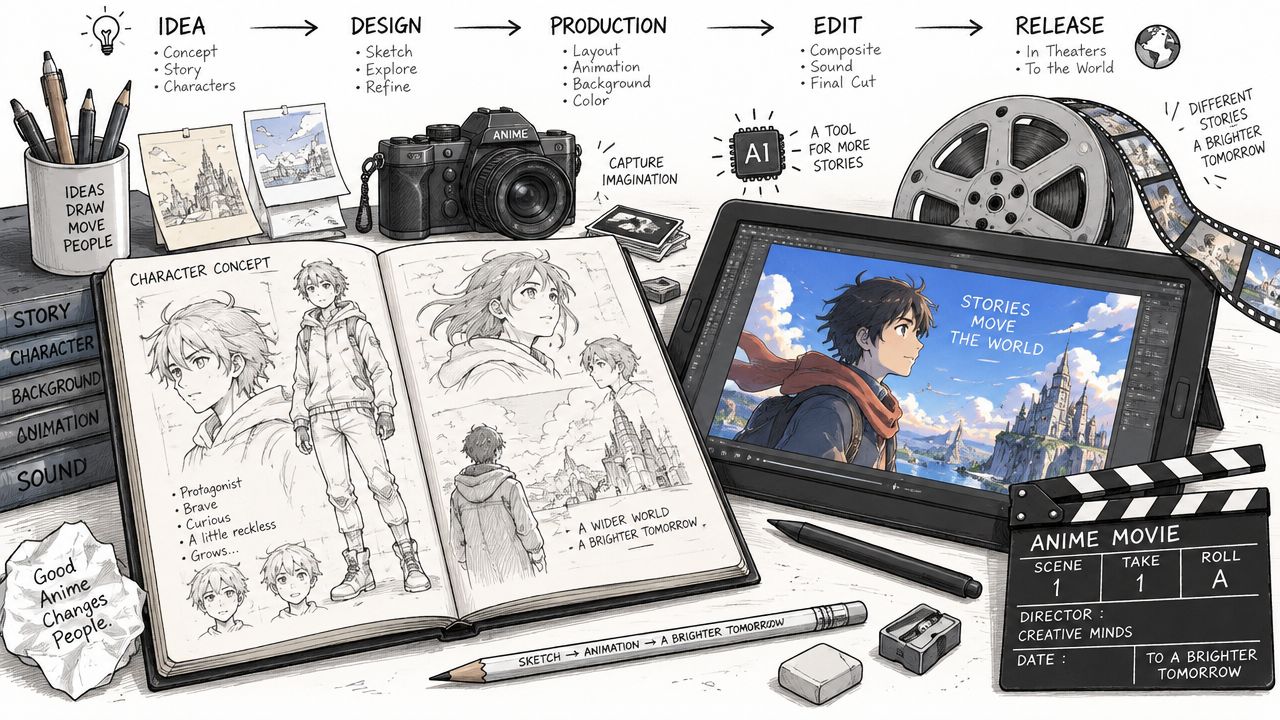
How to Make Anime Movies from Idea to Release
Learn how to make anime movies from concept to distribution with AI workflows, Veo3 prompts, and pro pipeline tips for indie creators.
Read article
Best Time to Upload Video on YouTube: A Data-Driven Guide
Discover the best time to upload video on YouTube. Learn how to read analytics, run timing experiments, and schedule uploads for maximum reach.
Read article
How to Change the Lighting in Photos and Video Fast
Learn how to change the lighting in photos and video with Veo3 AI prompts, color controls, and relighting tips for natural, cinematic results.
Read article