
Veo 3 vs Pika 2.0: Which AI Video Generator Should You Use in 2026?
Detailed comparison of Veo 3 and Pika 2.0: video quality, audio, speed, pricing, and which tool is best for your use case.
Emma Chen · 15 min read · Apr 1, 2026
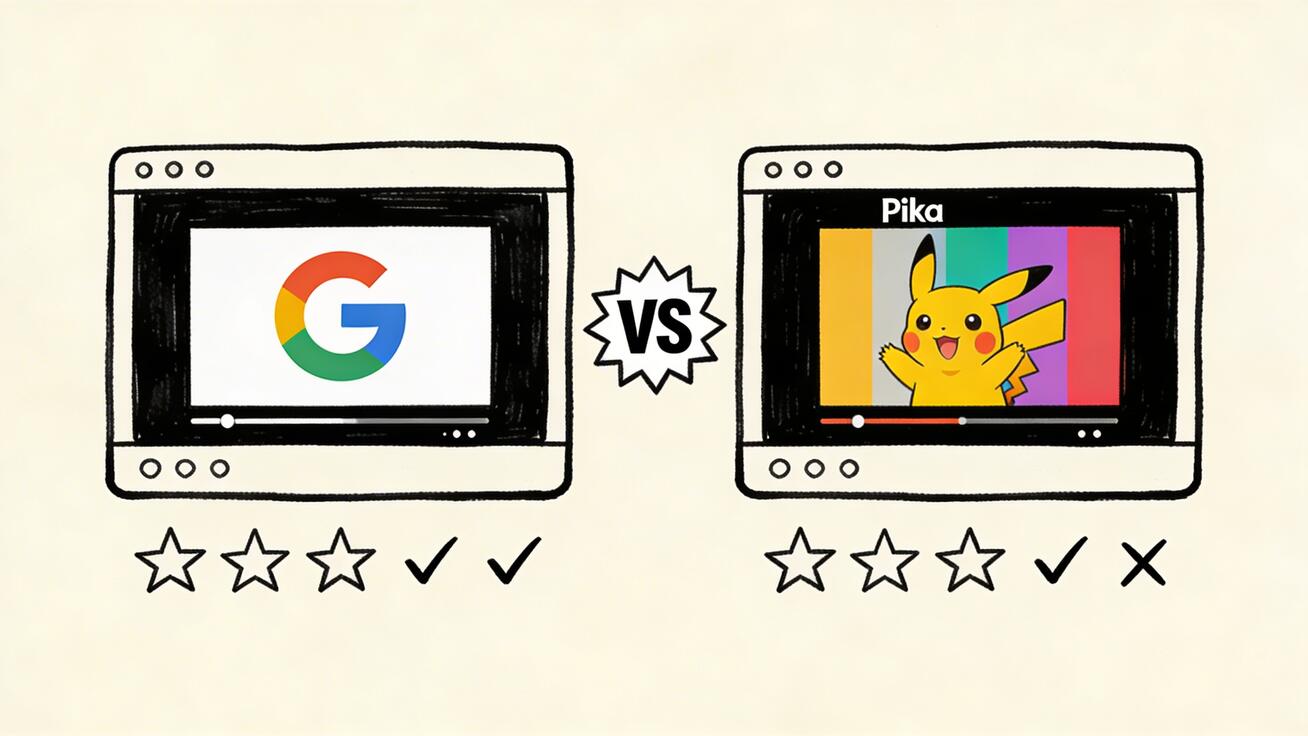
Both Google's Veo 3 and Pika Labs' Pika 2.0 have passionate user bases — but they serve very different use cases. Choosing the wrong tool wastes
Quick Answer: Veo 3 vs Pika 2.0: Which AI Video Generator Should You Use in 2026? — both tools offer strong AI video capabilities, but the best choice depends on your workflow, budget, and specific output requirements. Read our full comparison for a detailed breakdown.
time and money. This comparison breaks down exactly when to use each.
Quick Summary
| Feature | Veo 3 | Pika 2.0 |
|---|---|---|
| Resolution | Up to 4K | 720p–1080p |
| Max Duration | 8 seconds | 3–10 seconds |
| Native Audio | Yes | Sound effects only |
| Generation Speed | 45–90 seconds | 15–45 seconds |
| Free Tier | Yes (limited) | Yes (watermark) |
| Starting Price | Free / $19.99/mo | $10/mo (no watermark) |
| Best For | Cinematic, audio-rich content | Social media, high-volume |
Video Quality
Veo 3 delivers 4K resolution with cinematic depth-of-field, natural physics, and detailed textures. The output has a premium, professional quality that stands alongside traditionally-produced content.
Pika 2.0 outputs at up to 1080p with vibrant, punchy visuals optimized for social screens. The aesthetic is more stylized and eye-catching than photorealistic — which works perfectly for social media but may feel less cinematic than Veo 3.
Winner: Veo 3 for maximum quality. Pika 2.0 for social-native aesthetics.
Audio Capabilities
This is the clearest differentiator between the two tools.
Veo 3 generates synchronized dialogue, music, and ambient sound effects natively. A single prompt can produce a video where characters speak naturally with appropriate background soundscapes. This is a genuinely transformative capability.
Pika 2.0 supports sound effects generation but does not produce dialogue or full musical scores. Videos are primarily silent unless sound effects are added.
Winner: Veo 3 — native audio is a game-changer for narrative content.
Speed and Throughput
Pika 2.0 is significantly faster: most generations complete in 15–45 seconds. For teams running A/B creative tests or producing daily social content, this speed advantage compounds quickly.
Veo 3 takes 45–90 seconds per generation — longer, but typically producing higher-quality results.
Winner: Pika 2.0 for volume and speed.
Pricing
| Plan | Veo 3 | Pika 2.0 |
|---|---|---|
| Free | Limited daily (no watermark) | Available (with watermark) |
| Entry paid | $19.99/mo (Google One AI Premium) | $10/mo (Standard, no watermark) |
| Pro | API pricing | $35/mo (Pro) |
Winner: Pika 2.0 for pure affordability. Veo 3 wins on free-tier watermark policy.
When to Choose Veo 3
- You need 4K video quality for brand or commercial content
- Your content requires dialogue or natural audio (ads, narratives, demos)
- You're creating cinematic, premium-feeling content
- You're already in the Google ecosystem
- You want watermark-free output on the free tier
When to Choose Pika 2.0
- You're running high-volume social media creative operations
- You need fast iteration for A/B testing
- Your primary platforms are TikTok, Reels, or YouTube Shorts
- You want the most affordable watermark-free plan ($10/mo)
- You prioritize speed over maximum quality
The Verdict
Veo 3 wins on quality, audio, and prestige. Pika 2.0 wins on speed, price, and social media optimization.
For most creators, the best strategy is to use both: Veo 3 for hero content that needs cinematic quality, and Pika 2.0 for the daily content grind where speed and volume matter more.
Frequently Asked Questions
Is Veo 3 better than Pika?
Veo 3 produces higher resolution and has native audio generation — making it technically superior for cinematic content. Pika 2.0 is faster, cheaper, and better optimized for social media formats.
Can Pika 2.0 generate audio like Veo 3?
Pika 2.0 can generate sound effects, but not synchronized dialogue or full musical scores. Veo 3 uniquely generates complete audio including character speech.
Which is cheaper, Veo 3 or Pika?
Pika 2.0 Standard at $10/mo is the more affordable watermark-free option. Veo 3's free tier has no watermark but more limited daily quotas.
Do both work for commercial use?
Yes, both Veo 3 and Pika 2.0 allow commercial use on paid plans. Always verify current terms before commercial deployment.
Try Veo 3 for free and see for yourself how it compares.
Related: Veo 3 vs Kling 2.0 | Veo 3 vs Runway Gen-4 | Best Free AI Video Generators 2026
In-Depth Feature Comparison
Prompt Understanding
Veo 3: Exceptional understanding of complex, multi-layered prompts. Cinematography vocabulary (dolly shot, rack focus, golden hour, Rembrandt lighting) consistently improves results. Veo 3 handles long, detailed prompts well.
Pika 2.0: Strong on action-based prompts. "A robot dancing" or "an explosion in slow motion" — Pika handles these with speed and flair. More complex atmospheric or cinematographic prompts sometimes produce inconsistent results.
For who: Filmmakers and professionals prefer Veo 3's sophistication. Social media creators often get better results faster with Pika's more direct prompt interpretation.
Generation Speed
Pika 2.0 wins here. Typical Pika generation: 15-45 seconds. Veo 3: 60-180 seconds. If you're iterating rapidly through ideas, Pika's speed is a genuine advantage.
For production work where you're generating one final, high-quality clip, Veo 3's longer generation time is acceptable. For rapid ideation sessions generating 20+ variations, Pika's speed advantage compounds.
Unique Pika Features: Pikaffects
Pika 2.0 introduces "Pikaffects" — a library of one-click special effects that apply dramatic transformations:
- Inflate: Objects and characters balloon up comically
- Deflate: Characters shrink and crumple
- Explode: Controlled explosion effect on any subject
- Melt: Subjects liquefy in slow motion
- Crumble: Stone or solid appearance crumbling
- Squish: Objects compressed vertically
These effects are genuinely unique to Pika and produce content that's highly shareable for exactly the reason AI video went viral in the first place: it shows things that don't normally happen.
For content creators chasing virality, Pikaffects is a significant competitive advantage. Veo 3 has no equivalent feature.
Consistency Across Generations
Veo 3 has strong temporal consistency within a single clip. Objects maintain their appearance, backgrounds stay stable.
Pika 2.0 is slightly more variable between generations from the same prompt — but for creative uses where variety is a feature rather than a bug, this is fine.
For brand-consistent content requiring exact visual style matching, Veo 3 is more predictable.
Creative Use Cases: Where Each Tool Shines
Choose Veo 3 for:
Corporate and brand videos Veo 3's photorealistic quality and cinematic language make it the right choice when visual professionalism is paramount. Brand safety managers prefer Veo 3's consistent, controlled output.
Documentary and educational content The realism and natural motion make Veo 3's output credible for serious content. Historical visualization, scientific demonstrations, and educational explainers benefit from Veo 3's grounded aesthetic.
High-value ad production When the video is being used in a paid campaign with significant budget, Veo 3's quality justifies the longer generation time.
Nature and landscape content Veo 3 is the clear leader for natural environments — oceans, forests, mountains, weather. The physics simulation is exceptional.
Choose Pika 2.0 for:
Viral social media content Pikaffects and Pika's punchy visual style are built for social media sharing. If your goal is views and shares on TikTok, Instagram, and Twitter/X, Pika's aesthetic often outperforms Veo 3.
Rapid iteration and concept testing Pika's speed (15-45 seconds per generation) makes it ideal for quickly exploring multiple creative directions before committing.
Music and entertainment content Pika's rhythm-friendly generation and sound effects integration make it natural for music-adjacent content.
Lower-budget, high-volume production At $10/month for the entry paid tier, Pika provides more generations per dollar than Veo 3 for creators with volume requirements.
Special effects content Pikaffects has no direct equivalent in any other tool. If you want the exploding-chair, melting-person, or inflating-building effect, Pika is the only option.
Pricing Deep-Dive
Veo 3 Pricing
- Free: Limited daily via Google AI Studio
- Gemini Advanced: $19.99/month — includes Veo 3 access
- Google One AI Premium: Same as above
- Vertex AI API: ~$0.70 per 8-second video
The Gemini Advanced plan is the most accessible paid option for non-developers. You get Veo 3 plus all of Google's Gemini AI features for $20/month.
Pika 2.0 Pricing
- Free: ~150 credits/month (watermarked)
- Basic ($8/month): 700 credits, no watermark, 720p
- Standard ($28/month): 2,000 credits, 1080p, priority queue
- Pro ($88/month): 7,000 credits, max features, API access
Value analysis:
- Casual use (1-3 videos/week): Pika Basic $8 vs Veo 3 Gemini $20 — Pika wins
- Heavy production (daily use): Pika Standard $28 vs Veo 3 $20 — Comparable
- Professional/developer: Pika Pro $88 vs Veo 3 Vertex API — Depends on volume
Real Creator Scenarios
Scenario 1: YouTube Technology Channel (5 videos/week)
Need: B-roll for 5-7 minute tech explainer videos Best tool: Veo 3 Reasoning: Tech channels benefit from Veo 3's photorealistic quality. Clean, professional B-roll elevates production value. The free tier plus Gemini Advanced ($20/month) provides sufficient volume.
Scenario 2: TikTok Comedy Creator (daily posts)
Need: Viral, shareable clips with effects and humor Best tool: Pika 2.0 Reasoning: Pikaffects is made for comedic viral content. Pika's speed supports daily posting workflow. The visual style fits TikTok's aesthetic expectations.
Scenario 3: E-commerce Brand (product videos)
Need: Professional product showcase videos for ads Best tool: Veo 3 for hero shots, Pika for social ads Reasoning: Veo 3's quality wins for premium ad placements. Pika's speed and social optimization work for high-volume social ad testing.
Scenario 4: Independent Filmmaker (short films)
Need: High-quality B-roll and atmospheric shots Best tool: Veo 3 Reasoning: Filmmakers need cinematic quality and proper audio. Veo 3's native audio generation and photorealistic visuals make it the professional's choice.
Scenario 5: Social Media Marketing Agency (multiple clients)
Need: High-volume, diverse content across platforms Best tool: Both — Pika for social/viral, Veo 3 for premium brand content Reasoning: Agency work demands versatility. The $28/month Pika Standard + $20/month Veo 3 Gemini combo ($48 total) provides comprehensive coverage.
Frequently Asked Questions
Is Pika 2.0 or Veo 3 better for beginners?
Pika 2.0 is slightly more beginner-friendly — faster feedback loops, intuitive Pikaffects UI, and lower cost entry point. But Veo 3's text interface is also very accessible.
Can Veo 3 and Pika 2.0 produce similar looking videos?
For basic text-to-video content, the outputs can be similar. Veo 3's quality is generally higher, but Pika's distinct aesthetic can be preferable for certain styles.
Which has better customer support?
Both have active community Discord servers. Pika is more responsive to creator community feedback. Google's support is enterprise-focused.
Is Pika 2.0 being outpaced by Pika 2.2?
As of 2026, Pika 2.2 is the current version (the comparison article covers the generational improvements). Core positioning remains the same.
Which tool is more stable and reliable for production use?
Veo 3 (via Google's infrastructure) has stronger reliability guarantees. Pika is fast but has had occasional outages during high-traffic periods.
Final Verdict
Veo 3 wins on quality and professionalism. If you're creating content where visual quality matters — brand videos, professional content, cinematic work — Veo 3 is the better choice.
Pika 2.0 wins on speed, virality, and special effects. For social media creators, viral content production, and anyone who needs Pikaffects' unique transformation capabilities, Pika is the right tool.
The smart answer for most creators: Use both. Veo 3 for your best, highest-priority content. Pika for volume, social media, and creative experiments. Combined cost is under $50/month — a fraction of what traditional video production would cost for equivalent output.
Start with whichever fits your primary use case, then add the other as your workflow matures.
Explore Veo 3 at veo3ai.io — free access available.
Last updated: April 2026 | Author: Emma Chen
The Broader AI Video Landscape in 2026
Veo 3 and Pika 2.0 exist within a rapidly evolving competitive landscape. Understanding where they sit helps inform longer-term tool selection:
Market Position
Google (Veo 3) — The technology leader with the deepest infrastructure investment. Google's AI capabilities compound across Gemini, Veo, and their search/YouTube platforms. Long-term, Google has the resources and distribution to maintain a leading position.
Pika Labs — The startup challenger. Pika's strength has been product innovation (Pikaffects) and community engagement. With $80M+ in funding, Pika has the resources to continue competing, but must keep innovating to stay ahead.
What's Coming
Both tools are expected to release significant updates in 2026 H2:
- Veo 3: Longer clips (targeting 30+ seconds), improved human generation
- Pika: Higher resolution (4K target), more Pikaffects, collaboration features
The competitive dynamic benefits creators: rapid feature development driven by competition between well-funded teams.
The Creator's Perspective
From a practical standpoint, creators who master both tools today will have a significant advantage as these capabilities mature. The workflows you build around Veo 3 and Pika now will scale naturally as both platforms expand their feature sets.
AI video is not a passing trend — it's a permanent shift in how video content is created. The question isn't whether to use these tools, but how to integrate them most effectively into your specific creative workflow. Both Veo 3 and Pika 2.0 offer compelling answers to that question for different use cases.
Side-by-Side Output Examples
While we can't show actual generated videos here, here's a framework for evaluating outputs when you test both tools yourself:
Test Prompt 1: "A wolf running through a snowy forest at dusk"
What to look for:
- Animal motion — Does the wolf's gait look realistic? Do legs move naturally?
- Environment — Is the snow physics convincing? Do trees recede naturally in depth?
- Lighting — Does the dusk atmosphere feel authentic?
Typical results: Veo 3 produces more photorealistic animal motion. Pika produces visually striking but slightly stylized results.
Test Prompt 2: "An explosion in slow motion with dramatic music"
What to look for:
- Effect quality — Does the explosion look cinematic or CG-cheap?
- Slow motion — Is the frame rate convincingly slowed?
- Audio — Does the sound match the visual timing?
Typical results: Pika's explosion effects are genuinely impressive. Veo 3's audio integration adds cinematic depth.
Test Prompt 3: "A person walking confidently down a city street, fashion campaign style"
What to look for:
- Human motion — Natural stride, arm swing, posture?
- Face consistency — Does the face remain consistent across frames?
- Style — Does "fashion campaign" translate into appropriate lighting and composition?
Typical results: Veo 3 handles the fashion/cinematic framing well. Kling 3.0 (not Pika) is the actual winner for human subjects — both Veo 3 and Pika have limitations here compared to Kling.
Testing these prompts yourself takes 10-15 minutes and gives you direct comparison data specific to your use case. Free tiers on both platforms make this testing essentially free.
Making Your Decision: A Simple Framework
Still unsure which tool to start with? Use this decision tree:
Do you primarily create content for social media (TikTok, Instagram, Reels)? → Start with Pika 2.0 — its speed and social-native aesthetic fit this use case perfectly.
Do you primarily create content for YouTube, brand work, or professional contexts? → Start with Veo 3 — cinematic quality and audio generation are decisive advantages here.
Is your budget under $15/month? → Pika Basic at $8/month gives you no-watermark, HD output at the lowest cost.
Do you need special effects (explosions, morphs, transformations)? → Pika 2.0 only — Pikaffects has no equivalent in any other tool.
Do you need native audio generation? → Veo 3 only — Pika has sound effects but not Veo 3's ambient audio generation capability.
Are you a developer wanting API access? → Veo 3 via Vertex AI — more mature API, better documentation, enterprise infrastructure.
Whichever you start with, a one-week free trial on both platforms will give you more insight than any comparison article. The right tool is the one that produces results you're proud to publish — and that's something only hands-on testing reveals.
Related: Veo 3 vs Runway Gen 4 | Best AI Video Generators 2026 | How to Use Veo 3 Free
Choosing Between Veo 3 and Pika 2: The Bottom Line
After detailed comparison across quality, workflow, pricing, and use cases, here's the clearest guidance for making this decision.
The case for Veo 3: If photorealistic output quality is your primary metric, Veo 3 leads the comparison. Its human motion rendering, scene coherence, and lighting quality are benchmarks that Pika 2 hasn't matched. For commercial content, brand video, or any work where quality directly affects business outcomes, Veo 3's superiority in photorealism justifies the access friction.
The case for Pika 2: Pika 2 wins decisively on accessibility, workflow speed, and consistent iteration. The integrated editing tools, faster generation pipeline, and more accessible pricing make it the practical choice for creators who need volume, speed, or workflow simplicity. For social media content, creative experimentation, and smaller-budget projects, Pika 2 delivers excellent value.
The emerging competitive dynamic: Pika has historically competed through feature velocity — shipping new capabilities faster than larger competitors. This strategy has kept Pika 2 competitive despite Veo 3's quality advantages. Watch for Pika's next major release, which is expected to close the quality gap significantly.
For most creators, the practical recommendation is: start with Pika 2's free tier, evaluate whether its quality ceiling meets your needs, and only invest in Veo 3 access if you hit a quality ceiling that Pika 2 cannot clear. Many creators will find Pika 2 sufficient; those who need more will be glad Veo 3 exists.
Our Verdict
Google Veo 3 represents the current state of the art in AI video generation, delivering unmatched cinematic quality, realistic motion, and native audio synthesis. For creators and professionals who want the best possible output, Veo 3 is the clear frontrunner in 2025 — and it's only getting better with each update.
Related Articles
Continue with more blog posts in the same locale.

Veo 3 vs HeyGen 2026: AI Video Generation vs AI Avatar Studio
Veo 3 vs HeyGen 2026: compare AI video generation and AI avatar studio workflows, see where each excels, and decide which belongs in your video production stack.
Read article
Veo 3 vs InVideo AI: Which Should You Use in 2026?
Veo 3 vs InVideo AI: understand the core difference between AI video generation and AI-assisted production, see how each excels, and decide which fits your workflow in 2026.
Read article
Veo 3 vs Pollo AI: Which AI Video Generator Should You Choose in 2026?
Compare Veo 3 and Pollo AI across video quality, native audio generation, pricing, and use cases. Find out which AI video generator is right for your workflow in 2026.
Read article