
Veo 3 15秒動画プロンプト 2026:音声とカメラワーク付きショートクリップ
Veo 3 で15秒ショートクリップを作る実用ガイド。音声、カメラワーク、timing beats、コピー可能な prompt templates を整理。
Emma Chen · 5 min read · May 4, 2026
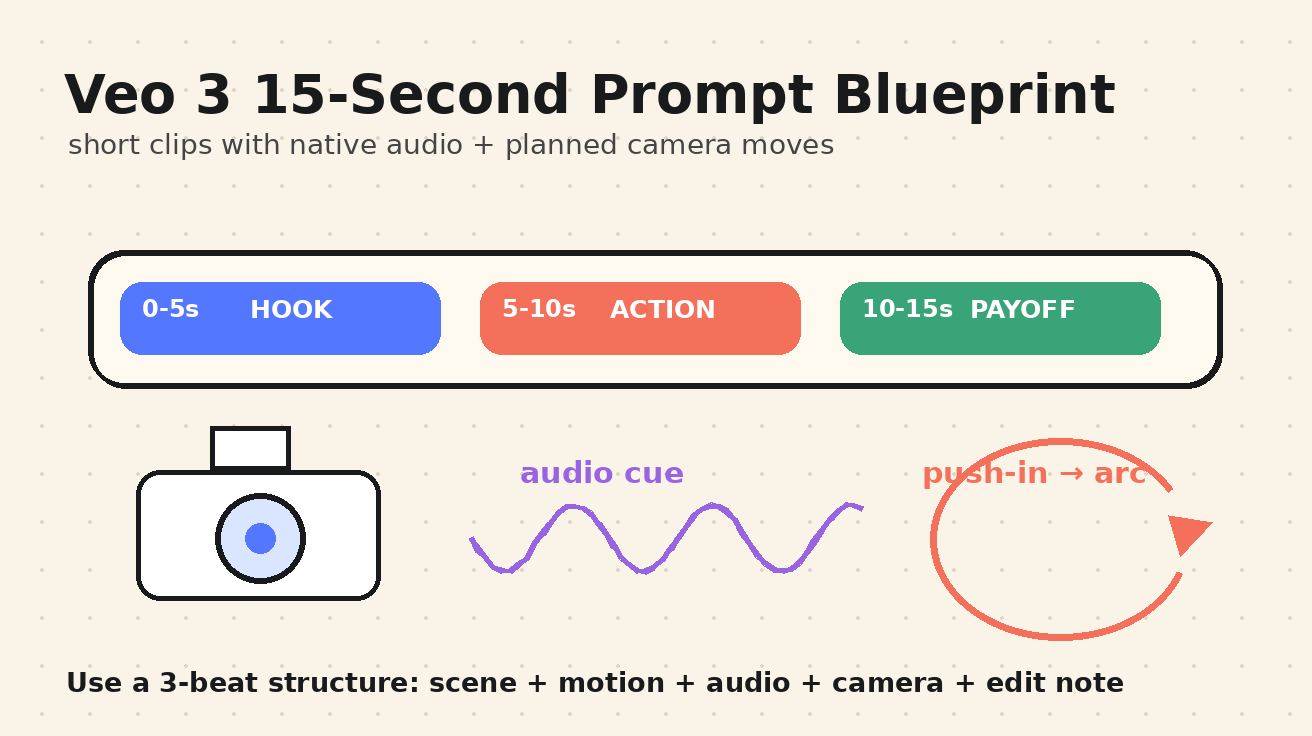
強い短尺動画プロンプトは、長い願望リストではありません。小さな撮影計画です。優れた Veo 3 15秒動画プロンプト は、最初の beat で何が起きるか、カメラがどう動くか、どんな音が聞こえるべきか、終わる前にどんな感情へ着地するかを明確に伝えます。短尺動画フィードでは、最初の1秒の分かりやすさ、意図のある動き、沈黙を埋めるだけではない音声設計が重要だからです。
実践に入る前に、制作上の注意があります。多くの Veo workflow では、「15秒」の結果は無制限の連続生成ではなく、短いショットを組み合わせたシーケンスとして作られます。Google の Veo 3 / Veo 3.1 の説明でも、短い clips、native audio、dialogue、sound effects、camera framing、具体的な shot direction が重視されています。利用するインターフェースによって、8秒の1ショット、つながった2ショット、または複数 clips を編集した15秒版になることがあります。prompt 戦略は同じです。作品を三つの beat を持つ短いシーンとして設計し、最終編集に本当に必要なショットだけを生成します。
このガイドでは、音声付き Veo 3 short clips の再利用できる構造、camera moves のテンプレート、15秒 storyboard パターン、そして Veo 3 short video generator workflow にコピーできる実例をまとめます。Reels、TikTok 草案、Shorts、製品 teaser、cinematic B-roll、micro ads、app demos、creator-style clips など、1秒ごとに役割がある動画に使えます。
クイック回答:15秒 Veo 3 クリップの最適構造
この順序を使います。
| 時間 beat | prompt に書くこと | 効果 |
|---|---|---|
| 0-3秒 | Hook:主体、場所、見える動作、最初の音 | 視聴者がすぐ理解できます。 |
| 3-10秒 | Motion:主要なカメラ移動1つと主体の動作1つ | ランダムではなく演出された印象になります。 |
| 10-15秒 | Payoff:reveal、台詞、製品 moment、視覚変化 | クリップの存在理由が生まれます。 |
実用的な master prompt は次の形です。
2つのつながった Veo 3 ショットで構成された15秒の縦型ショート動画を作成。シーン:[具体的な主体] が [具体的な場所] にいる。Beat 1、0-4秒:[hook の動作]。カメラ:[1つのカメラ移動]。音声:[環境音と任意の台詞]。Beat 2、4-11秒:[主要動作または変化]。カメラ:[2つ目の簡単な移動、または同じ移動の継続]。音声:[動作に同期した効果音]。Beat 3、11-15秒:[payoff または最終フレーム]。スタイル:[cinematic / documentary / product demo / handheld creator]。照明:[具体的な照明]。避ける:文字 overlay、歪んだ手、logo、余計な人物、読めない字幕。
短い生成しかできない場合は、同じ構造を Shot A と Shot B に分けます。Shot A で hook と build-up、Shot B で payoff を作ります。大事なのはボタン名ではなく、timing、camera direction、sound direction、ending を prompt に持たせることです。
15秒が Veo 3 short video に向いている理由
15秒は micro-story を完結させるのに十分で、同時に余計な情報を入れにくい長さです。8秒は美しい瞬間を切り取るのに向きますが、30秒は filler が入りやすくなります。15秒計画は、主体を1つ、動作を1つ、カメラ案を1つ、記憶に残る sound cue を1つ選ばせます。
SEO と social distribution の面でも、この形式は検索意図に合います。ユーザーは単に「AI video prompts」を探しているのではなく、「Veo 3 camera moves prompts」「short clips with audio」「TikTok product video prompt」「cinematic push-in prompt」「dialogue prompt for Veo 3」「15 second video ideas」のような実用テンプレートを探しています。良い短尺 prompt はそれらの仕事をまとめて解決します。
Veo 3 が面白いのは、同じ prompt 内で視覚と音声の指示に反応できる点です。dialogue、sound effects、ambient noise、music direction、camera framing、lighting、subject motion を書けます。無音の image-to-video prompt よりも完全な creative brief になります。ただし曖昧な prompt は失敗しやすくなります。「かっこいいコーヒー動画を作って」では選択肢が多すぎます。「冷えた cold brew ボトルに水滴が流れ、カメラがゆっくり push-in し、氷が割れる音、柔らかいカフェのざわめき、最後はラベルの hero frame に着地する15秒 macro product short」なら実行しやすくなります。
prompt の anatomy:scene、action、camera、audio、edit note
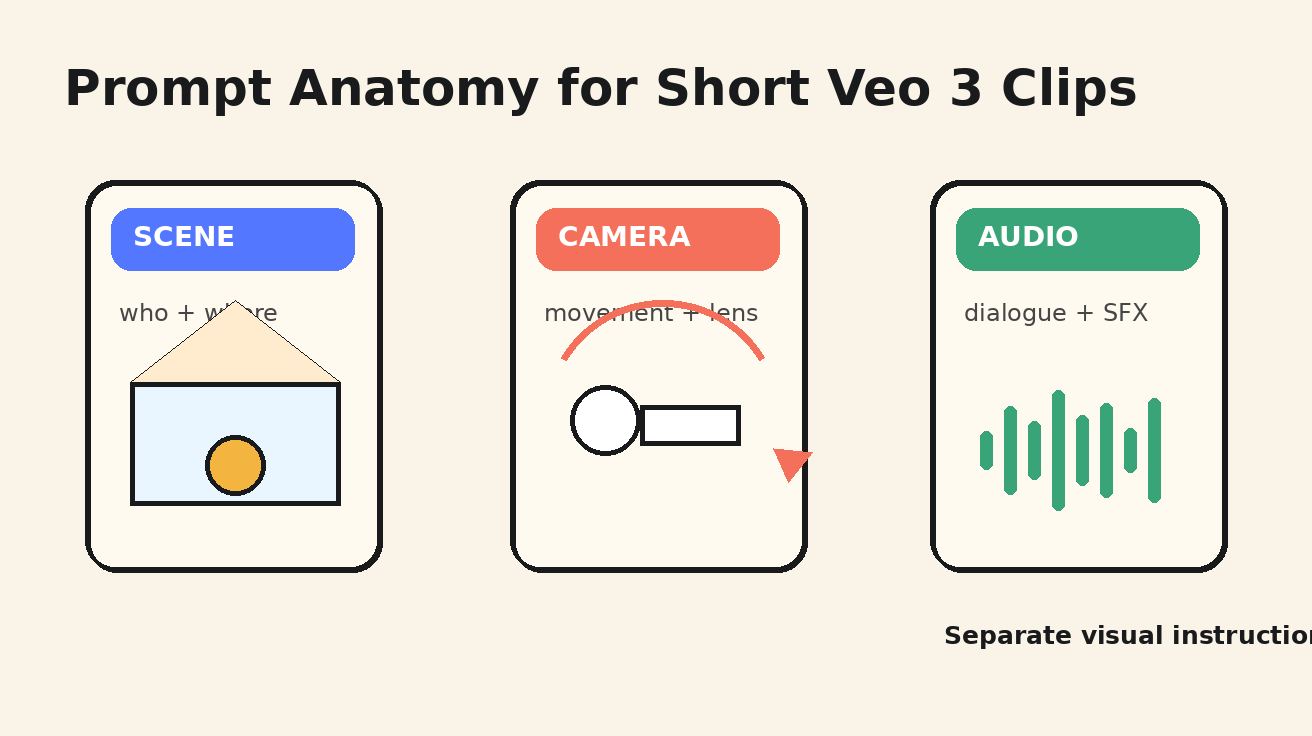
短尺動画では5つの prompt block を使います。各 block は具体的にし、1回の生成で複数のスタイルを混ぜすぎないようにします。
1. Scene
Scene block は、どこにいて、どんな視覚世界を作るかを Veo に伝えます。主体、環境、服装や物体の詳細、照明、aspect ratio を含めます。弱い例は「街にいる女性」。強い例は「雨上がりのネオンのコンビニ前に立つ、クリーム色のリネンジャケットを着た若い founder、路面に反射、縦型 9:16」です。
2. Action
Action block は、clip 中に何が変わるかを説明します。短尺動画には変化が必要です。主体が画面に入る、振り向く、注ぐ、開く、明かす、反応する、持ち上げる、組み立てる、変形する。何も変わらなければ、視聴者が見続ける理由はありません。
3. Camera
Camera direction は、動く画像と演出されたショットを分けます。1ショットにつき主な移動は1つにします。slow push-in、lateral tracking、handheld follow、top-down tilt、180-degree arc、crane up、whip pan、rack focus、または static locked-off product shot。組み合わせるほど motion は崩れやすくなります。
4. Audio
Audio は後付けではなく計画します。ambient sound、dialogue、sound effects、music を分けて書きます。例:「音声:ガラスに当たる静かな雨、濡れた路面の sneaker squeak、ささやく台詞『今夜ローンチする』、背景音楽なし」。リアルさが欲しい場合は、不要なものも書きます。字幕なし、ナレーターなし、ランダムな群衆の声なし。
5. Edit note
Edit note は、最終 asset としてどう感じるべきかを伝えます。「TikTok hook 用」「clean product demo」「cinematic B-roll」「documentary handheld」「loopable ending」「最後の frame を1秒保持」などが使えます。15秒 prompt では、この note が payoff を定義します。
15秒 Veo 3 prompt で使いやすい camera moves
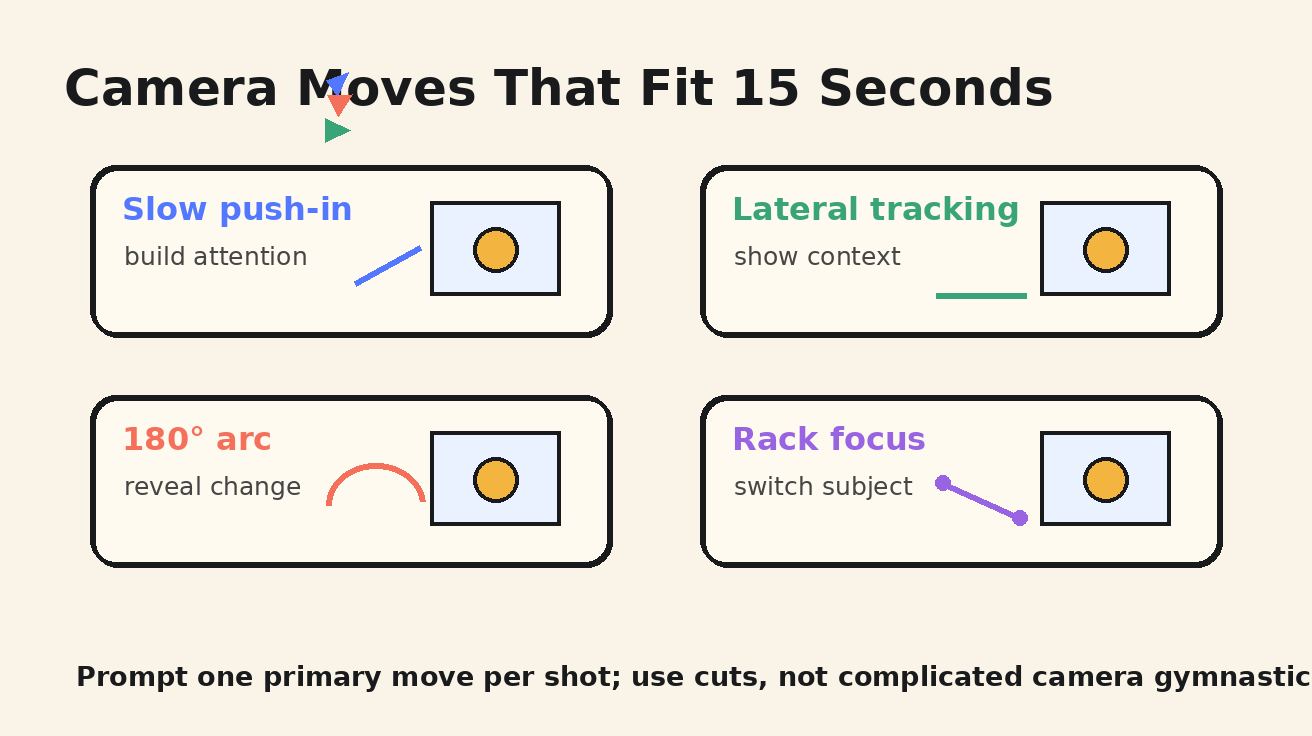
安全なルールは、生成ショット1つにつき主な camera move は1つです。複数必要ならショット列にします。
Slow push-in
感情 hook、製品 reveal、food shot、founder line、cinematic portrait に向きます。混乱させずに注意を集めます。
カメラ:ミディアムショットから close-up へ slow push-in、滑らかな gimbal movement、主体は中央、浅い被写界深度。
Lateral tracking
市場を歩く、製品を机の上で滑らせる、自転車を追う、workspace を見せるなど、主体が空間を移動する時に使います。
カメラ:主体と同じ速度で左から右へ lateral tracking、安定した handheld feel、前景がレンズ近くを通過。
180-degree arc
reveal、before-and-after、感情変化に使います。背景が複雑になりやすいため、主体はシンプルにします。
カメラ:主体の周囲を滑らかに 180 度 arc、横顔から始まり正面で終わる、目線を一定に、急な zoom なし。
Rack focus
手から製品、画面から顔、背景看板から人物、食材から完成料理など、物語の焦点が移る時に使います。
カメラ:静的 close-up、前景オブジェクトから主体の顔へ rack focus、柔らかい背景 blur、手ぶれなし。
Top-down tilt
レシピ、craft demo、app interface mockup、梱包、desk setup に向きます。
カメラ:top-down shot から hero object へわずかに tilt、手は画面下から入る、清潔な作業面、制御された動き。
Handheld follow
creator-style clips、street scenes、event recaps、documentary moments に使います。激しい揺れではなく controlled handheld を指定します。
カメラ:主体の後ろから handheld follow、自然な微小 shake、主体は中央三分割内、リアルな歩行速度。
そのまま使える Veo 3 15秒動画プロンプト 12個
角括弧の詳細を自分の brand、scene、product に置き換えて使います。
1. Audio hit 付き product teaser
2つのつながったショットで15秒の縦型 product teaser を作成。シーン:雨の夜、窓際のウォルナット机に置かれたマットブラックの wireless speaker。Beat 1、0-4秒:指が電源ボタンを押し、LED ring が点灯する。カメラ:ボタンから光る ring への macro slow push-in。音声:ガラスの雨音、小さなプラスチックのクリック、低く温かい起動 chime。Beat 2、4-12秒:カメラが speaker の周囲を track し、低音の振動で近くの水が波打つ。音声:深い bass pulse、voiceover なし。Beat 3、12-15秒:speaker が中央、LED ring が光り、背後に雨の反射がある hero frame。スタイル:premium cinematic product ad、浅い被写界深度、読める brand logo なし、text overlay なし。
2. Coffee shop micro-story
15秒の縦型ショート動画を作成。シーン:日の出の小さな独立系 coffee shop、温かい amber light、espresso machine から steam。Beat 1:barista が cappuccino をカウンター上で、laptop を開く疲れた designer へ滑らせる。カメラ:カップを追う lateral tracking。音声:espresso の hiss、陶器カップの滑る音、静かな朝の cafe ambience。Beat 2:designer が一口飲んで、日光が keyboard に当たると微笑む。カメラ:顔とカップへ slow push-in。台詞:designer が小さく「よし、もう一案だけ」と言う。Beat 3:latte art と光る laptop screen の横で final frame を保持。スタイル:cozy documentary realism、自然な肌色、字幕なし。
3. Fitness transformation hook
15秒の縦型 fitness short を作成。シーン:黒い rubber floor と朝の side light がある minimal gym。Beat 1、0-3秒:チョークの付いた手が kettlebell grip を締める close-up。カメラ:chalk dust から handle へ rack focus。音声:chalk rub、深い inhale、遠い gym ambience。Beat 2、3-10秒:athlete が完璧な form で1回の controlled kettlebell clean を行う。カメラ:低角度 handheld follow、安定して力強い。音声:kettlebell whoosh、shoe grip、音楽なし。Beat 3、10-15秒:athlete が rack position で保持し、自信を持って exhale。スタイル:realistic sports commercial、dramatic side light、誇張した筋肉なし、文字なし。
4. Shorts 用 travel reveal
15秒の縦型 travel reveal を作成。シーン:小雨後の京都の狭い石畳の路地、地面に lantern が反射、夕方の blue hour。Beat 1:小さな傘を持つ traveler の後ろをカメラが追う。音声:柔らかい雨、濡れた石の足音。Beat 2:traveler が角を曲がると、暖かい lantern light の静かな temple gate が現れる。カメラ:handheld follow から slow crane-up reveal へ。Beat 3:temple gate と傘の silhouette で final frame を保持。スタイル:cinematic travel B-roll、穏やかな movement、人混みなし、captions なし、realistic atmosphere。
5. 偽 UI text なしの app demo
15秒の縦型 app demo concept を作成。シーン:電話、notebook、柔らかい daylight のある clean desk。Beat 1:手が phone を unlock し、読める文字のない simple shapes だけの generic productivity app interface を開く。カメラ:phone へ top-down tilt。音声:柔らかい tap、かすかな room tone。Beat 2:colorful task cards が整った timeline に animation し、手が1項目を check。カメラ:slow push-in、画面は simple UI shapes としてのみ見える。音声:優しい confirmation chime。Beat 3:completed notebook checklist の横に phone がある final frame。スタイル:polished SaaS product demo、real logos なし、歪んだ指なし、text overlays なし。
6. Restaurant dish reveal
15秒の縦型 restaurant short を作成。シーン:modern bistro kitchen の dark stone counter にある ceramic plate。Beat 1:chef が seared salmon fillet を皿に置く。カメラ:浅い被写界深度の static close-up。音声:軽い plate tap、kitchen ambience。Beat 2:chef が glossy citrus sauce を魚の周囲に spoon し herbs を加える。カメラ:皿の周りを slow 180-degree arc。音声:sauce spoon、背景 pan の faint sizzle。Beat 3:steam が上がり sauce が光を受ける hero frame。スタイル:premium food cinematography、自然な色、手が皿を覆わない、文字なし。
7. Founder announcement with one line
15秒の縦型 founder announcement を作成。シーン:小さな design studio に立つ founder、壁に prototypes、柔らかな afternoon light。Beat 1:founder が messy whiteboard を見てから camera に向く。カメラ:medium shot、slow push-in。音声:静かな studio ambience、marker cap click。台詞:founder がはっきり「チームを待たせないために、これを作りました」と言う。Beat 2:founder が prototype を table に置いて微笑む。カメラ:prototype から顔へ rack focus。Beat 3:暖かい光の下の prototype で final frame。スタイル:authentic startup documentary、dramatic music なし、字幕なし。
8. Beauty product texture shot
15秒の縦型 beauty product clip を作成。シーン:朝の光と柔らかい影、cream bathroom counter の translucent serum bottle。Beat 1:dropper から透明な一滴が glass に落ちる macro close-up。カメラ:extreme close-up、slow push-in。音声:小さな glass clink、一滴の液体音。Beat 2:光が液体を通り、カメラが bottle へ track。音声:静かな bathroom ambience、声なし。Beat 3:bottle、dropper、反射した光の pattern を見せる final frame。スタイル:elegant skincare commercial、clean composition、fake brand text なし、歪んだ手なし。
9. Sound design 付き mini sci-fi
15秒の cinematic sci-fi short を作成。シーン:真夜中の neon train station に、silver raincoat の lone courier。Beat 1:courier が小さな glowing case を開く。カメラ:case から顔へ向かう low-angle close-up。音声:遠い train hum、雨、case の electrical pulse。Beat 2:青い光が courier の目に反射し、背景を train が通過。カメラ:smooth 180-degree arc、controlled motion blur。音声:train rush、上昇する synth tone。Beat 3:courier が「まだ生きている」と whisper する emotionally frozen final frame。スタイル:grounded sci-fi、読める signs なし、extra characters なし。
10. Real estate walkthrough hook
15秒の縦型 real estate short を作成。シーン:wood floors、plants、city view のある sunlit compact apartment。Beat 1:doorway から始まり、door が開く。カメラ:smooth gimbal push-in。音声:door latch click、soft city ambience。Beat 2:カメラが kitchen island を通って living room window へ glide。音声:subtle footsteps、音楽なし。Beat 3:balcony と暖かい光の skyline を reveal する final frame。スタイル:clean architectural walkthrough、straight vertical lines、warped furniture なし、text overlay なし。
11. Education explainer visual hook
15秒の縦型 educational hook を作成。シーン:teacher が desk にいて、小さな rocket、planet、arrows の paper cutouts がある。Beat 1:手が rocket cutout を desk に置く。カメラ:top-down shot。音声:paper slide、pencil tap。Beat 2:rocket が curved arrow に沿って planet へ動き、teacher の手が指す。カメラ:desk をゆっくり lateral track。台詞:teacher が「重力は見える引力ではなく、たどる道です」と言う。Beat 3:rocket が planet cutout を orbit する final frame。スタイル:charming handmade explainer、digital text なし、字幕なし。
12. Loopable fashion clip
loop 用に設計された15秒の縦型 fashion short を作成。シーン:white studio で cobalt jacket の model、rotating fan が布をやさしく動かす。Beat 1:jacket sleeve が光を受ける close-up。カメラ:fabric texture から model profile へ rack focus。音声:soft fabric rustle、studio fan。Beat 2:model が camera へ一度 turn し、jacket が動く。カメラ:反対方向へ slow 180-degree arc。Beat 3:opening composition と一致する sleeve close-up に戻り、seamless loop。スタイル:minimalist fashion editorial、logos なし、text なし、natural movement。
フォーマット別の調整方法
TikTok と Reels では、vertical 9:16、強い opening action、thumbnail になる final frame を指定します。YouTube Shorts でも同じ構造が使えますが、spoken line や educational hook をより明確にするとよいです。Website hero video では dialogue を減らし、loopable motion を増やします。Product page では clean background、fake UI text なし、final hero frame の保持を明記します。
Image-to-video では、まず clean first frame を用意します。製品が中央、主体が見える、背景が単純、照明が最終に近い状態が最も強い制御です。その frame の周囲に motion を prompt します。Text-to-video では setting と visual constraints に多めに書きます。人数、服装、camera との距離、時間帯、lens style、出してはいけないものが guardrails になります。深い準備が必要なら Veo 3 prompt guide や Google AI Studio Veo 3 limits も参考になります。
Veo 3 short clips の audio prompting rules
音は shot list のように扱います。ambient sound は世界の音です。雨、カフェのざわめき、街の交通、room tone、波。sound effects は timing のある出来事です。button click、glass clink、footsteps、page turn、engine start。dialogue は人の言葉。music は任意で、本当に必要な時だけ指定します。
15秒では dialogue は短くします。一文で十分です。長すぎると早口、途切れ、不自然な pacing になりやすいです。良い台詞は8〜12語ほどで、場面に結びつきます。「今夜ローンチする」「もう一案だけ」「これは静かな版です」「床下で見つけました」。不要な要素も書きます。自然な product shot なら「voiceover なし、字幕なし、background music なし」。dialogue が必要なら exact line を引用符で囲み、「clear natural speech」と書きます。licensed music、有名な声、認識できる brand、copyrighted characters は避け、mood で説明します。
Veo 3 camera moves prompts のよくある失敗
1つ目は camera moves の詰め込みです。15秒で drone shot、dolly zoom、handheld chase、macro lens、360-degree spin を同時に求めると不安定になります。1ショットにつき1 movement、シーケンスにつき1 edit point にします。
2つ目は矛盾した style signals です。「photorealistic anime documentary claymation」は style ではなく衝突です。cinematic realism、playful stop-motion、clean product commercial、handheld documentary、surreal editorial など、1つの visual language を選びます。
3つ目は final frame を忘れることです。短尺動画には landing point が必要です。最後の1秒に product centered、character looking into camera、door opening、skyline revealed、dish completed、object transformed のどれを見せるか書きます。
4つ目は生成動画内の文字に頼ることです。AI video models は readable typography がまだ苦手です。captions、UI labels、legal disclaimers、pricing、CTA text は編集で追加します。prompt では「text overlays なし」または「generic UI shapes only」と書きます。5つ目は silent model 用 prompt を使うことです。Veo 3 short clips with audio には sound direction が必要です。
再利用できる15秒 storyboard worksheet
Goal:15秒後に視聴者が理解すべきことは?
Platform:TikTok / Reels / Shorts / website hero / ad test
Aspect ratio:9:16 / 16:9 / 1:1
Subject:hero は誰または何か?
Location:具体的にどこか?
Opening frame:最初の1秒に何が見えるか?
Action:clip 中に何が変わるか?
Camera move:主な移動は1つ何か?
Audio:ambient sound、SFX、dialogue、music、または no music
Payoff:final frame は何か?
Avoid:logos、text、extra fingers、extra people、warped UI、unreadable signs
記入例:
Goal:cold brew bottle を premium で refreshing に見せる。
Platform:Reels ad test。
Aspect ratio:9:16。
Subject:unbranded amber cold brew bottle。
Location:雨の窓の横の marble counter。
Opening frame:ボトルガラスの macro condensation。
Action:手が氷を置く;水滴が流れる;ボトルが少し回る。
Camera move:slow macro push-in。
Audio:雨、氷が割れる音、glass tap、voiceover なし。
Payoff:冷たい mist のある中央配置の bottle hero frame。
Avoid:読める label text、fake logos、ボトルを隠す手、music。
この程度の計画で、使える初回生成になりやすいです。その後は camera distance、audio detail、lighting、final frame など1変数ずつ改善します。毎回 prompt 全体を書き換えると、何が良くなったか分からなくなります。
1つではなく2つの clips を使うタイミング
before-and-after、reveal、location change、複数の camera move がある場合は2つの clips を使います。restaurant dish なら Shot A で plating、Shot B で final hero reveal。travel なら Shot A で alley、Shot B で temple gate。product なら Shot A で macro detail、Shot B で lifestyle use case。
動作が連続している場合は1 clip で十分です。slow product push-in、founder speaking one line、hand assembling an object、model turning、walking subject の tracking などです。実用 workflow は、hook shot を先に生成し、同じ style、lighting、subject description で payoff shot を生成し、両方を短く trim、captions や brand text、CTA は生成後に追加、最初の2秒を音あり・なしでテストします。
FAQ
Veo 3 は1つの prompt で15秒動画を作れますか?
利用できる product interface と model version によります。多くの Veo workflows は短い generated clips に最適化されているため、15秒の結果は2つ以上の shots を生成して編集することがよくあります。このガイドの方法は、結果を三つの beat の short video として設計するため、どちらでも使えます。
Veo 3 15秒動画プロンプトには何を入れるべきですか?
scene、subject、action、camera movement、lighting、audio cues、必要な dialogue、final frame、aspect ratio、avoid list を入れます。最も重要なのは opening action、1つの primary camera move、final payoff です。
音声付き Veo 3 short clips はどう書きますか?
audio を別指示として書きます。ambient sound、timed sound effects、dialogue、music を分け、dialogue は短くします。音楽、字幕、voiceover が不要なら明確に書きます。
Veo 3 short videos に向く camera moves は?
Slow push-in、lateral tracking、rack focus、controlled handheld follow、top-down tilt、180-degree arc が比較的安定します。1ショットに多くの movements を重ねず、複数案が必要ならカットでつなぎます。
これは podcast clip prompts と違いますか?
違います。Podcast repurposing prompts は speakers、interview moments、captions、episode context が中心です。このガイドはより広く、general short-form clips、product shots、travel reveals、food videos、app demos、fitness hooks、education clips、cinematic B-roll を音声と camera direction 付きで扱います。
最終 takeaway
最高の Veo 3 15秒動画プロンプト は、長いのではなく、整理されています。hook から始め、明確な camera move を指示し、realistic audio を加え、final frame を定義します。複数の movement や location が必要なら、2つの generated shots に分けて15秒に編集します。そうすることで control が増え、motion がきれいになり、ランダム生成ではなく意図的に演出された short clips になります。
<script type="application/ld+json"> {"@context":"https://schema.org","@type":"FAQPage","mainEntity":[{"@type":"Question","name":"Veo 3 は1つの prompt で15秒動画を作れますか?","acceptedAnswer":{"@type":"Answer","text":"利用できる interface と model version によります。多くの Veo workflows は短い clips 向けなので、15秒は複数ショットを編集して作ることがよくあります。"}},{"@type":"Question","name":"Veo 3 15秒動画プロンプトには何を入れるべきですか?","acceptedAnswer":{"@type":"Answer","text":"scene、subject、action、camera movement、lighting、audio cues、dialogue、final frame、aspect ratio、avoid list を入れます。"}},{"@type":"Question","name":"音声付き Veo 3 short clips はどう書きますか?","acceptedAnswer":{"@type":"Answer","text":"ambient sound、effects、dialogue、music を分け、dialogue は短くし、不要な音声要素も明確に除外します。"}},{"@type":"Question","name":"Veo 3 short videos に向く camera moves は?","acceptedAnswer":{"@type":"Answer","text":"Slow push-in、lateral tracking、rack focus、controlled handheld follow、top-down tilt、180-degree arc が安定しやすいです。"}}]} </script>
Related Articles
Continue with more blog posts in the same locale.

2026年版:無料で使えるおすすめ動画作成ソフト10選
2026年版・無料で使える最高の動画作成ソフトを探そう。SNS・マーケティング・AI動画に対応した厳選10ツール——透かしなし、完全無料。
Read article
Veo 3 AIでスポーツハイライト動画を作る方法(2026年)
Veo 3 AIで魅せるスポーツハイライト動画を作成。AIプロンプトでダイナミックなアクションショット、スローモーション、劇的なリプレイを生成。
Read article
Veo 3 AIで短編映画を作る方法(2026年完全ガイド)
Veo 3 AIでプロ品質の短編映画を作る方法|プロンプト・ワークフロー・映像技法の完全ガイド
Read article