
Gemini Omni vs Kling 3.0: The Full 2026 Comparison
Gemini Omni vs Kling 3.0 compared on quality, speed, pricing, multi-shot control, and workflows — plus recommendations and sample prompts for creators.
Veo3 AI · 16 min read · Oct 2, 2026
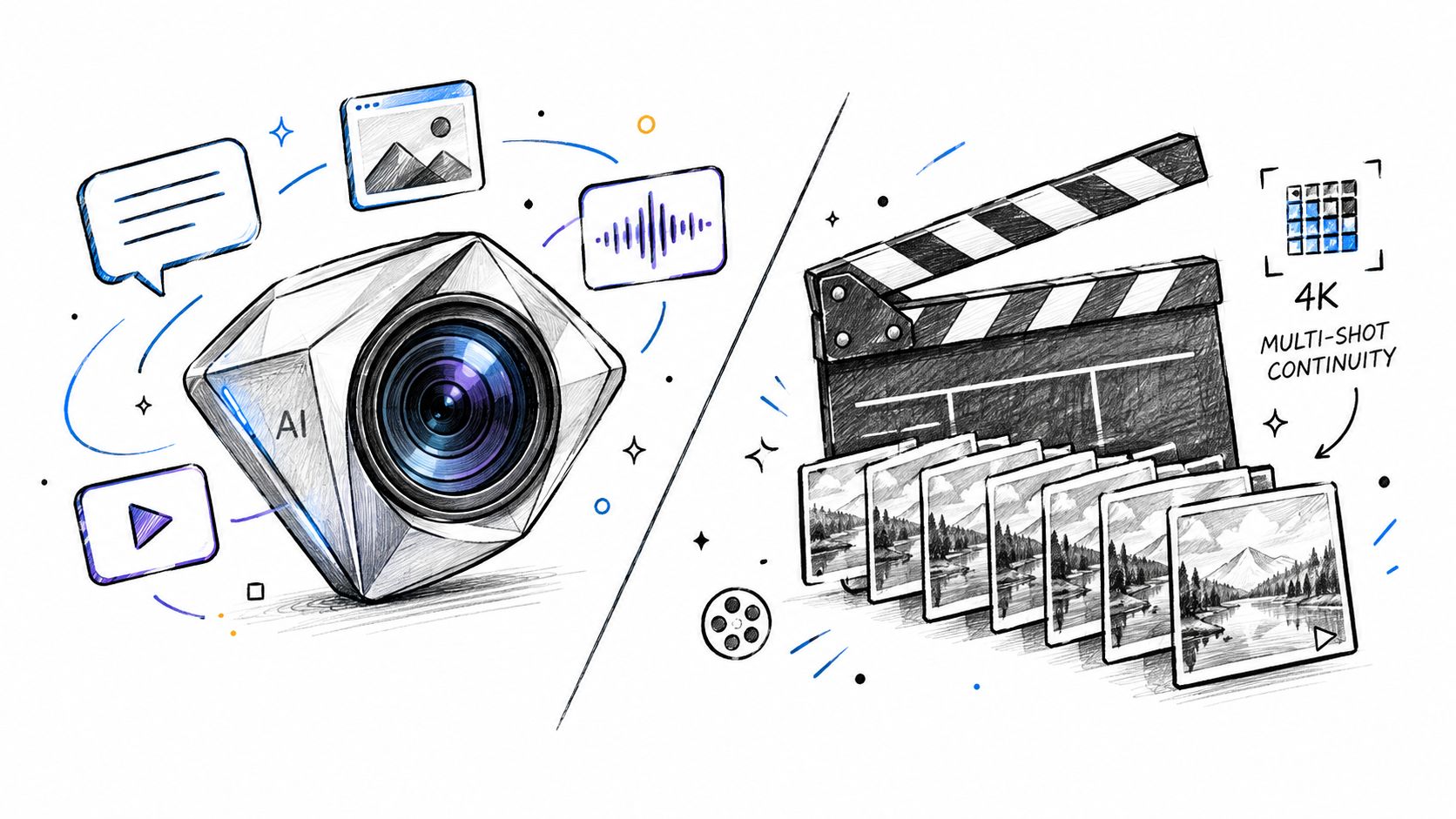
You've got a client brief, a handful of reference images, and just enough time to test one video model properly before production starts. Gemini Omni promises a conversational way to shape and revise scenes. Kling 3.0 offers a more directed approach, with shot sequencing, frame controls, and reference-led production. Both can produce impressive clips, but they solve different problems.
That difference matters more than a headline ranking. In this Gemini Omni vs Kling 3.0 comparison, the practical question is whether the same character, product, or logo survives from one cut to the next, and whether the model fits the way you work.
Table of Contents
- Why This Comparison Matters in 2026
- Gemini Omni and Kling 3.0 at a Glance
- Generation Quality Speed and Prompt Behavior
- The Multi-Shot Continuity Question Most Reviews Skip
- Cost Availability and Platform Fit
- Real-World Workflows and Sample Prompts
- Which Model You Should Choose
<a id="why-this-comparison-matters-in-2026"></a>
Why This Comparison Matters in 2026
A short-form creator preparing a product launch might need six connected shots by Friday. The opening shows the product on a table, the next shot follows a hand picking it up, and the final frame places the same item in a customer's daily routine. A model can produce attractive individual clips and still fail the job if the logo changes, the packaging shape drifts, or the actor's face becomes unrecognizable between cuts.
That's why the choice between Gemini Omni and Kling 3.0 shouldn't start with “which model wins?” It should start with the production constraint. Gemini Omni is built around multimodal input and conversational editing. Kling 3.0 exposes more explicit controls for directed, reference-led, multi-shot work. Those philosophies lead to different strengths during a real production week.
Creators also need to separate model capability from access. A feature listed in a launch announcement may not feel the same inside an app, an API, a social platform, or a third-party workspace. Anyone comparing several tools should keep a structured record of input support, revision behavior, output controls, and how much cleanup each result requires. A broader guide to compare AI model tools can help establish that kind of evaluation habit.
<a id="the-criteria-that-matter-on-a-deadline"></a>
The criteria that matter on a deadline
This comparison uses five practical tests:
- Modalities: What can you provide as source material, and what does the model return?
- Generation quality: How should you interpret benchmark claims and visible output?
- Prompt behavior: Does the model improve through dialogue, or does it respond best to a complete directing brief?
- Cost and availability: Where can you use it, and what does a known output price mean for planning?
- Workflow fit: Can you maintain identity and asset consistency without hand-stitching every shot?
The verdict changes by scenario. Kling 3.0 has a clearer shot-by-shot toolkit for continuity-heavy work. Gemini Omni is more natural when the creative process involves repeated revisions to images, video, audio, and text. Neither result makes the other obsolete.
<a id="gemini-omni-and-kling-30-at-a-glance"></a>
Gemini Omni and Kling 3.0 at a Glance
Google publicly rolled out Gemini Omni Flash on June 30, 2026, presenting it as a video-generation and conversational-editing model available through Google's Gemini Omni launch announcement. The model accepts text, image, and video inputs and returns video output. Google also identifies access through Google AI Studio and the Gemini API, while the broader Omni rollout reaches the Gemini app, Google Flow, and YouTube Shorts.
Google's product material describes Gemini Omni as a unified multimodal video model. It can work with text, images, audio, and video as inputs, generate video grounded in Gemini's world knowledge, and edit video through conversation. The model family is therefore positioned as both a generator and an editing interface, not only as a prompt-to-clip engine.
Kling 3.0 reached global launch on February 5, 2026, and Kuaishou's release notes marked a series upgrade on June 17, 2026. Independent launch summaries describe native 4K output, clips up to 15 seconds at up to 60 fps, and an AI Director mode that can sequence up to six shots inside one continuous clip. Those are orientation points, not a verdict yet. They tell you what each product is designed to do before you judge which approach works better for your project.
For a closer look at Kling's model-specific workflow, see the Kling 3.0 video generation page.
<a id="gemini-omni-vs-kling-30-spec-overview"></a>
Gemini Omni vs Kling 3.0 Spec Overview
| Attribute | Gemini Omni | Kling 3.0 |
|---|---|---|
| Developer | Kuaishou | |
| Public rollout or launch | Gemini Omni Flash rolled out publicly on June 30, 2026 | Global launch on February 5, 2026 |
| Later product update | Gemini Omni launch positioned the model for Google AI Studio and the Gemini API | Kling 3.0 series upgrade marked on June 17, 2026 |
| Input approach | Text, image, video, and audio inputs | Reference-led video workflow, including start and end frames |
| Output | Video | Video |
| Maximum continuous duration | Not specified in the verified launch data | Up to 15 seconds, with flexible duration from 3 to 15 seconds |
| Multi-shot controls | Conversational editing and cohesive reference-based generation | AI Director mode, up to six shots, start/end-frame control |
| Resolution detail | Not specified in the verified launch data | Native 4K output reported in independent launch summaries |
| Main production idea | Revise through conversation | Direct and sequence shots with references |
<a id="generation-quality-speed-and-prompt-behavior"></a>
Generation Quality Speed and Prompt Behavior
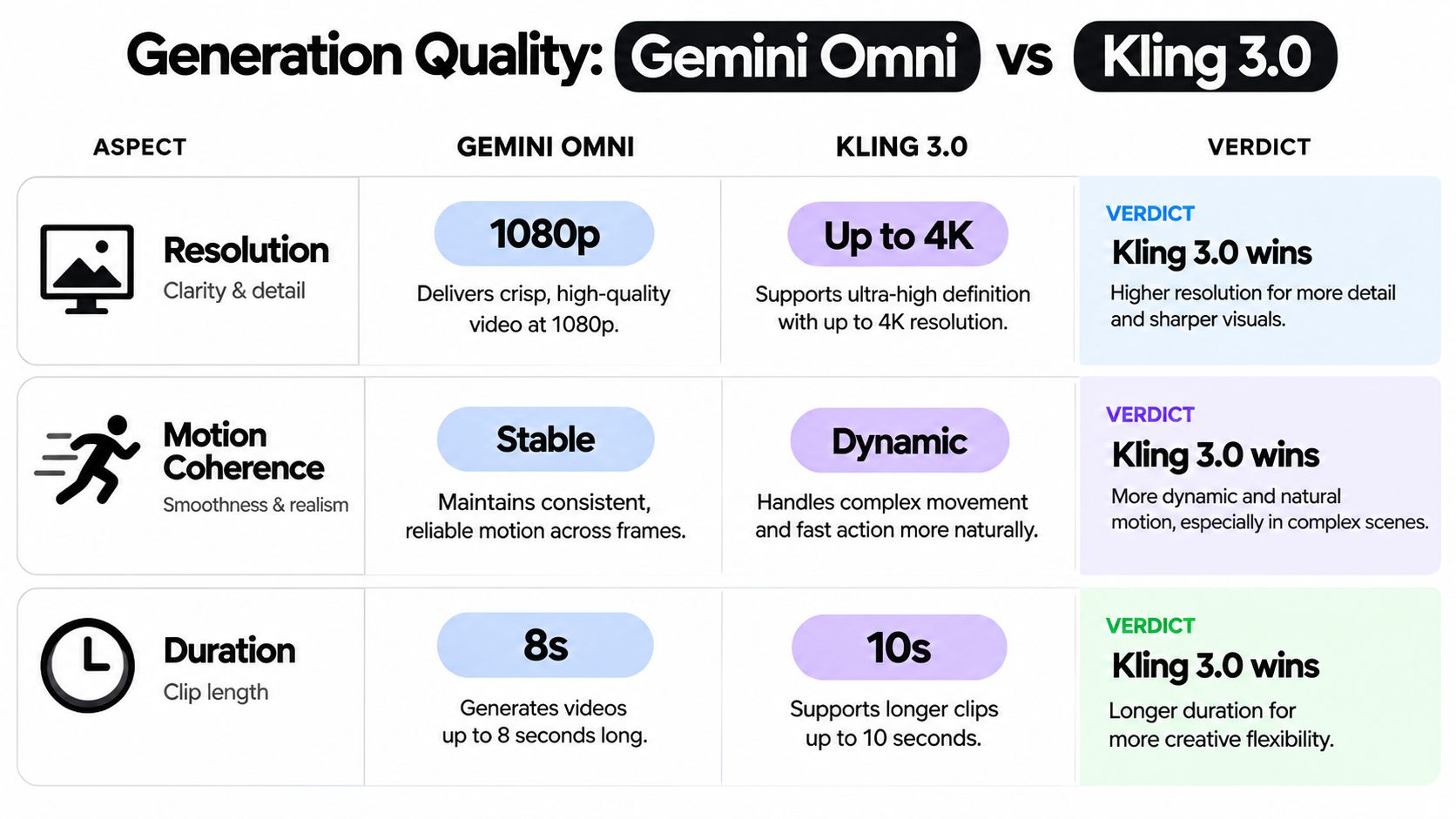
Quality comparisons become unreliable when they combine different evaluation systems. Google DeepMind reports that Gemini Omni led internal human evaluations for Overall Preference and Instruction Following. It also says Omni performed best on a MovieGenBench set of 1,003 prompts and tied with another model on a VBench image-to-video evaluation while leading other models, as described on Google DeepMind's Gemini Omni model page.
Kling's available comparison point is different. An independent OpenRouter listing reports Artificial Analysis Elo scores of 1,271 for Kling 3.0 Omni 720p Standard and 1,270 for Kling 3.0 720p Standard, with almost no separation between those Kling variants in that arena. That tells you the listed variants performed very similarly in that benchmark context. It doesn't establish a universal winner against Gemini Omni, because the tests, models, settings, and judging methods aren't identical.
<a id="output-controls-and-clip-planning"></a>
Output controls and clip planning
Kling gives creators clearer published duration controls. Its official rollout notes describe continuous video from 3 to 15 seconds, with flexible duration inside that range, as documented in the Kling 3.0 release notes. Native 4K output and high frame-rate options make it a logical candidate when the shot itself needs to carry cinematic movement or detailed product presentation.
Gemini Omni's practical advantage is the refinement loop. Instead of rebuilding a scene from scratch after every change, the creator can use a conversational instruction to reshape the result. That can be more valuable than a resolution comparison when the brief keeps changing during review.
<a id="prompt-behavior-in-production"></a>
Prompt behavior in production
Kling responds best when the prompt behaves like a shot list. Define the subject, environment, camera movement, lens feel, action, timing, and reference relationship. The more the output depends on a deliberate sequence, the more useful that directing mindset becomes.
Gemini Omni suits an editor's conversation. Start with the intended scene, then revise one aspect at a time: change the lighting, preserve the subject, alter the background, or use a supplied image as the visual anchor. The model's multimodal design makes that process particularly useful when the brief includes source footage or audio as well as text.
Prompt rule: Use Kling to direct a shot sequence. Use Gemini Omni to discuss and revise a scene.
Neither model's benchmark position replaces a test with your own faces, products, typography, and camera language. The creator's real measure is the number of usable shots after revisions, not the most impressive demo frame.
<a id="the-multi-shot-continuity-question-most-reviews-skip"></a>
The Multi-Shot Continuity Question Most Reviews Skip
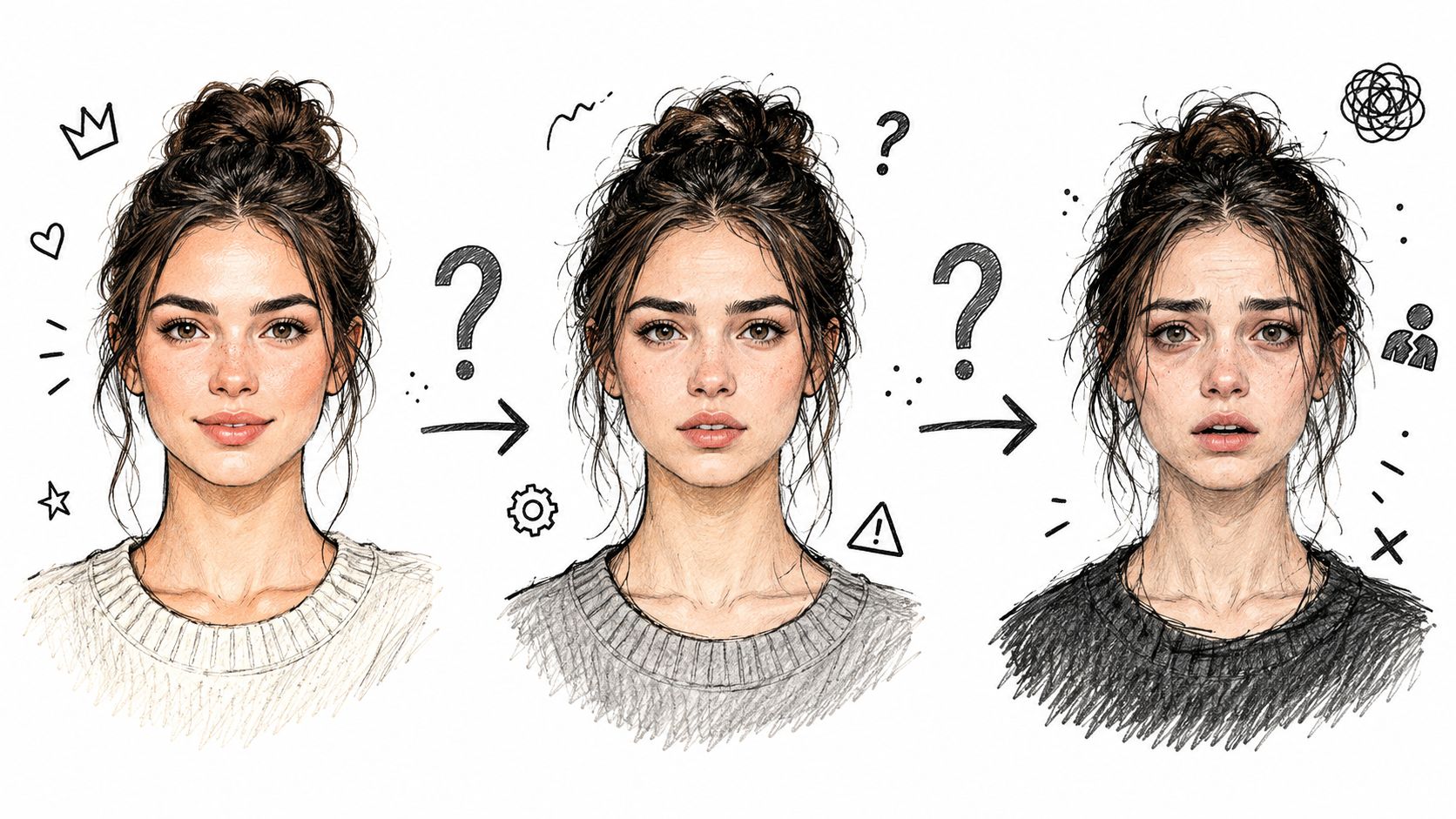
The most important question for an advertisement or episodic short is often invisible in a single generation. Can the model keep the same red sneaker, the same actor, and the same brand mark intact across several cuts?
A broken logo in the final shot can force a reshoot. A face that changes after a camera angle shifts can make the edit unusable. These failures cost more than a weak standalone clip because they interrupt the relationship between shots.
<a id="klings-continuity-controls"></a>
Kling's continuity controls
Kling 3.0 explicitly adds multi-shot generation, up to six sequenced shots, start/end-frame control, and multi-character coreference, according to the Kling 3.0 user guide. Those controls give the creator a way to describe a sequence as connected shots instead of treating every clip as an isolated generation.
Start and end frames are useful when a transition has to land on a specific visual state. For example, the first shot can end with the product held near the camera, while the next shot begins from that position. Multi-character coreference also addresses a common episodic problem, where two people must remain distinguishable while the camera changes position.
That doesn't guarantee perfect continuity. References can still degrade under complex movement, unusual perspectives, or crowded scenes. The difference is that Kling exposes controls aimed directly at the continuity problem.
<a id="gemini-omnis-cohesive-reference-approach"></a>
Gemini Omni's cohesive reference approach
Gemini Omni is positioned differently. Google describes it as turning image, text, video, or audio references into a cohesive output and editing video through conversation. That makes it attractive when a creator wants to preserve the creative intent of a source while adjusting the scene conversationally.
The workflow feels closer to a director reviewing a rough cut with an editor. “Keep the character's clothing, move the camera behind them, and make the room warmer” is a natural revision request. The risk is that conversational cohesion isn't the same as explicit shot locking. If a brand asset must remain pixel-consistent across several cuts, the creator should inspect every transition rather than assuming the dialogue history guarantees it.
This distinction matters for ads, shorts, and episodic content. Kling gives you more visible sequencing machinery. Gemini Omni gives you a more fluid way to reshape a cohesive scene from multiple kinds of references.
<iframe width="100%" style="aspect-ratio: 16 / 9;" src="https://www.youtube.com/embed/ytgApiFpvSA" frameborder="0" allow="autoplay; encrypted-media" allowfullscreen></iframe>
Continuity verdict: Choose Kling when shot relationships need explicit controls. Choose Gemini Omni when the main challenge is conversationally refining a reference-rich scene.
<a id="cost-availability-and-platform-fit"></a>
Cost Availability and Platform Fit
Gemini Omni has one unusually clear planning figure. Google stated a price of $0.10 per second of video output, matching the same per-second cost as Veo 3.1 Fast, in its public rollout announcement. A 15-second generated clip therefore represents $1.50 in output cost, before any other platform terms or workflow expenses, based on that stated per-second rate.
That calculation is useful because it turns a model comparison into a production estimate. If a team expects to generate multiple variants, it can multiply the planned output duration and include discarded attempts in the working budget. The figure applies to the stated Gemini Omni pricing context, so creators should still verify the current terms where they access the model.
<a id="availability-changes-the-decision"></a>
Availability changes the decision
Gemini Omni Flash is available through Google AI Studio and the Gemini API, and Google says the first Omni release is rolling out to the Gemini app, Google Flow, and YouTube Shorts. That spread matters to creators who already work inside Google's ecosystem or publish directly to YouTube-oriented surfaces.
Kling 3.0 has a different kind of advantage, its product cadence. It launched globally on February 5, 2026, and its model series received an upgrade marked on June 17, 2026. The short interval between those milestones suggests that creators adopting Kling should expect the platform to keep evolving, which can bring useful improvements but can also require repeated workflow checks.
<a id="the-veo-transition"></a>
The Veo transition
Creators already using Google's video tools also need to account for the product transition. Google's product page says Gemini Omni will replace Veo in the Gemini app and specifically supersede the previous Google Gemini Veo 3.1 model.
That doesn't mean every existing project should be migrated immediately. It does mean that a Veo-based workflow may change as Google moves users toward Omni. Teams should preserve prompts, references, approved outputs, and evaluation criteria so they can compare the replacement against their current process rather than relying on a launch demo.
<a id="real-world-workflows-and-sample-prompts"></a>
Real-World Workflows and Sample Prompts
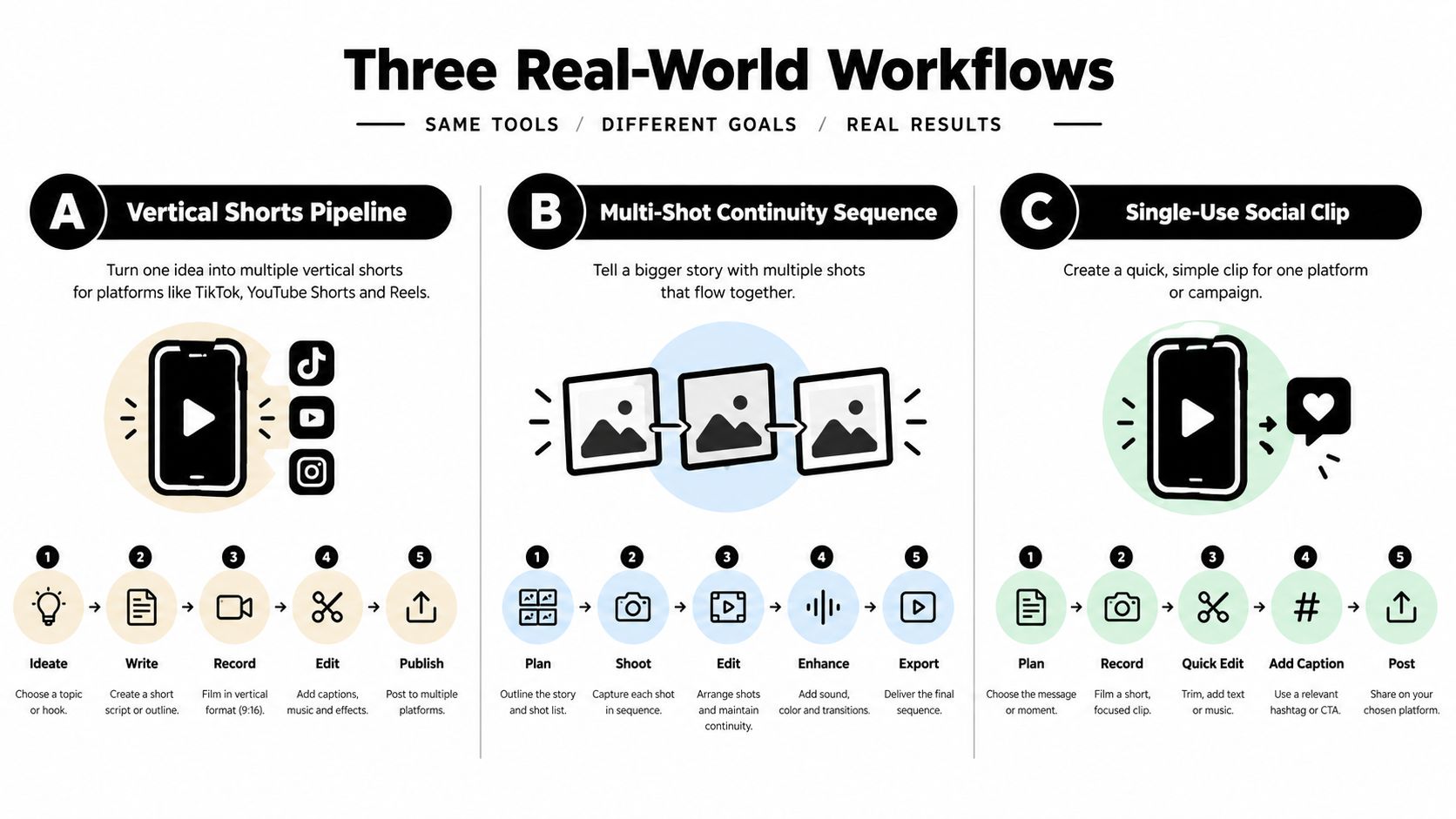
A good test doesn't ask both models to make the same vague cinematic clip. It gives each one a brief that matches its operating style. The following workflows use Kling for explicit sequencing and Gemini Omni for iterative, multimodal revision.
<a id="workflow-one-for-vertical-shorts"></a>
Workflow one for vertical shorts
For a short-form series, build the premise as a connected sequence rather than five unrelated prompts. Kling's AI Director mode can sequence up to six shots in one generation, which suits a vertical story with an opening hook, reaction, reveal, product detail, payoff, and closing frame.
Try a structured prompt such as:
Vertical short-form sequence. Shot one, close-up of a runner tying the same black and silver shoe beside a city track at dawn. Shot two, wide tracking shot as the runner starts. Shot three, low angle on the shoe striking wet pavement. Shot four, medium shot as the runner turns toward camera. Shot five, product close-up matching the reference image. Shot six, clean end frame with the shoe centered. Preserve the same runner, shoe shape, colors, and environment across all shots.
A second Kling prompt can focus on controlled transitions:
Create a connected multi-shot sequence using the supplied start frame and end frame. Keep the same character, jacket, backpack, and street lighting. Move from a slow push-in to a side tracking shot, then finish on the exact end-frame composition. Avoid changing the logo or adding text.
Before choosing a broader stack of tools, creators building a recurring vertical format may also benefit from reviewing practical roundups of best tools for short-form video. The important test remains your own reference asset, not a generic ranking.
<a id="workflow-two-for-a-product-advertisement"></a>
Workflow two for a product advertisement
Product work exposes continuity failures quickly. Supply a clean product reference, state which surfaces and markings must remain fixed, and define each shot's purpose. Kling's reference-led controls are useful when the product needs to appear in several angles without changing its physical identity.
Use a prompt like:
Generate a three-shot product advertisement from the supplied reference image. Shot one shows the product on a pale stone counter in soft morning light. Shot two follows a hand lifting it, keeping the exact proportions, surface finish, button layout, and logo placement. Shot three shows the product beside a cup near a window. Preserve the product identity across every cut and avoid invented text.
For a more demanding transition, try:
Use the supplied start frame and end frame. Keep the same product, hand, sleeve, counter, and light direction. Move from a locked product close-up to a slow side reveal, then land on the end frame. No new markings, color shifts, or altered proportions.
Inspect the output at the cut points. A clip can look convincing in motion while still changing a small brand asset between frames.
<a id="workflow-three-for-rapid-concept-development"></a>
Workflow three for rapid concept development
Gemini Omni fits a different pass. Start with an image, rough video, audio reference, or written concept, then revise conversationally. The goal isn't to specify every camera instruction up front. It's to keep the creative thread intact while you make targeted changes.
Start with:
Turn this reference image into a moody evening scene. Keep the person's clothing and facial identity. Use a slow camera move toward the doorway, with natural room ambience and no added text.
Then refine it:
Keep the same person and composition, but make the light warmer and move the camera slightly to the left. Preserve the doorway and clothing.
Then tighten the brand treatment:
Keep the scene unchanged. Replace the object on the table with the supplied product reference, preserve its markings, and make the final composition suitable for a vertical social clip.
That conversational loop can prepare concepts, revisions, and reference assets before the final production pass. A creator can also place outputs into a broader production layer such as the Veo 3 AI video generator, which works with text or static-image inputs and provides a separate environment for assembling video concepts. Review its pricing page directly for current access terms rather than assuming model access has identical conditions across platforms.
<a id="which-model-you-should-choose"></a>
Which Model You Should Choose
Choose from the handoff your project needs, not from a single impressive sample. This quick matrix keeps the decision tied to production work:
| Project type | Starting choice | Production reason |
|---|---|---|
| Product advertisement | Kling 3.0 | Better suited to planned cuts where product appearance and shot relationships must stay controlled. |
| Episodic scene | Kling 3.0 | Reduces the editing burden when characters, locations, and action need to carry across a sequence. |
| Concept development | Gemini Omni | Better suited to exploring references, testing directions, and revising an idea before committing to final shots. |
For existing-footage edits or mixed reference packages, Omni fits a process where the brief changes during review. Its access across Google AI Studio, the Gemini API, the Gemini app, Google Flow, and YouTube Shorts may also matter more than isolated generation quality for teams already using those surfaces.
Kling makes more sense when the deliverable has a defined shot plan and manual assembly would become the bottleneck. That includes branded sequences, short narratives, and recurring visual subjects. The decision should follow the cost of inconsistency in the finished edit, not just the quality of one frame.
Use the continuity verdict above as the tie-breaker, then test the selected model against the first real production handoff. Re-test after a major platform update or when the project changes scope.
Veo3 AI can provide a separate place to turn text prompts or static images into videos alongside Gemini Omni and Kling 3.0. Visit Veo3 AI to assess how that production layer fits your workflow.
Related Articles
Continue with more blog posts in the same locale.
Veo 3.1 vs Sora 2: Which AI Video Model Wins in 2026
Veo 3.1 vs Sora 2 compared side by side on quality, speed, pricing, and workflows. Find out which AI video model fits your creator needs.
Read article
Veo 3.1 vs Kling 3.0: Which AI Video Model Wins in 2026
Veo 3.1 vs Kling 3.0 compared side by side on quality, speed, pricing, and use cases. Find out which AI video model fits your workflow in 2026.
Read article
Veo 4 Explained: What It Is and How to Use It
Understand Veo 4 and how it changes AI video creation. Learn about features, workflow, and practical tips for making better videos.
Read article