
AI Commercial Generator: How It Works and How to Use One
Learn how an AI commercial generator turns prompts or images into video ads, plus steps to create promotional clips and check rights before publishing.
Veo3 AI · 14 min read · Nov 14, 2026
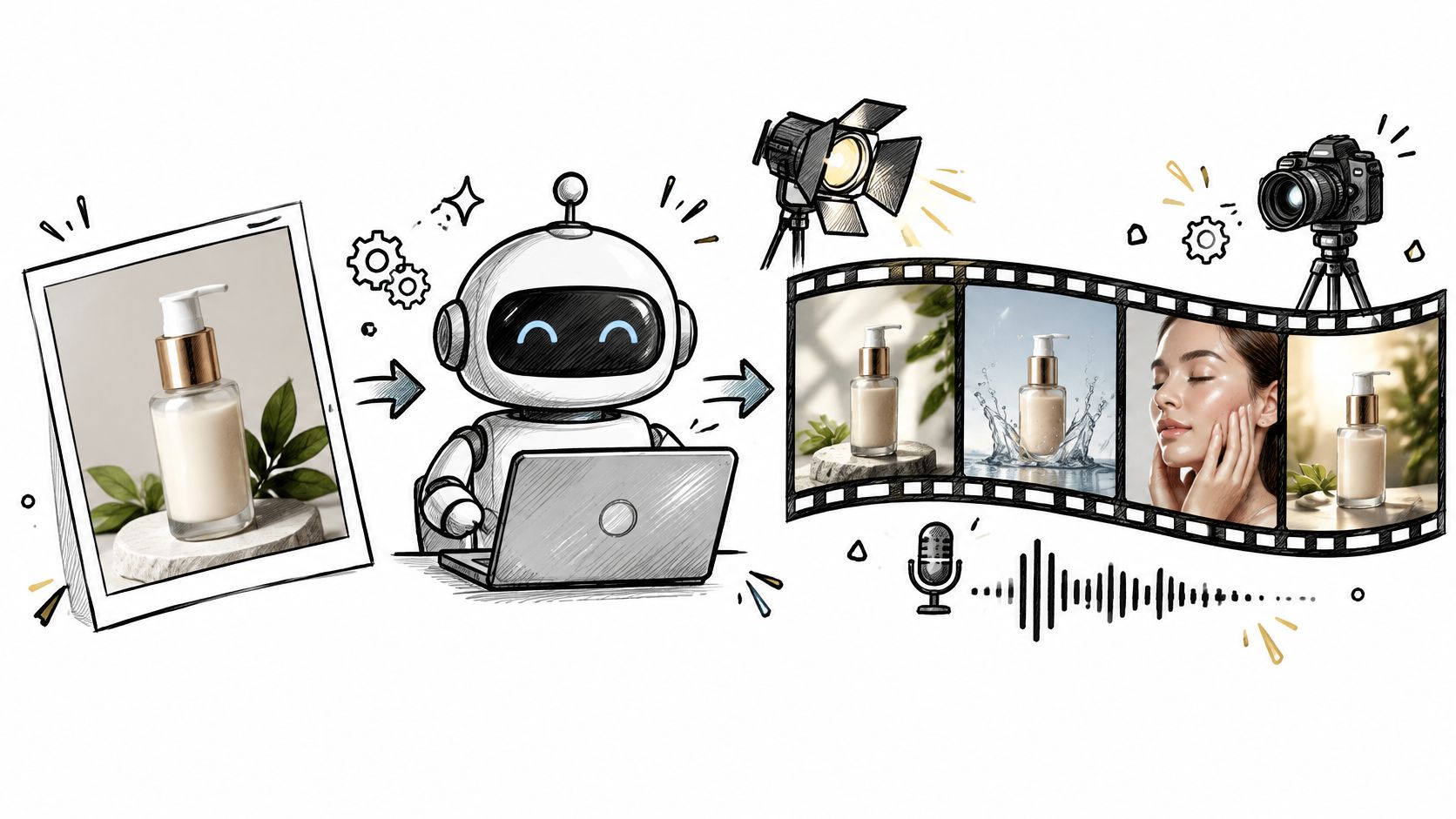
Twenty-two percent of video-ad creative was built or enhanced with generative AI in 2024, and buyers expect that share to reach 39% by 2026, according to IAB findings reported by eMarketer. Read that number twice. It doesn't describe a novelty category. It describes a large slice of the ads already competing for the same feed your brand sits in.
Which means the useful question is no longer whether an AI commercial generator can produce a watchable clip. It can. The question is whether you can plan a campaign around one without discovering at the export screen that your shot is the wrong length, your ratio doesn't fit the placement, or your rights paperwork is thin.
The order that works: format, then length, then input route, then prompt, then rights. Generate first and plan second, and a week disappears.
That sequence is the whole discipline. Fix those decisions early and the generation step becomes fast, cheap and repeatable. Skip them and you'll re-render the same clip five times while the deadline moves.
Table of Contents
- What an AI Commercial Generator Actually Does
- How Prompts and Images Become Video Ads
- Veo 3.1 Limits That Shape Your Ad Plan
- Choose Your Ad Format and Length First
- How to Build a Product Ad Step by Step
- Rights and Disclosure Checks Before You Publish
- Make Your First AI Commercial This Week
<a id="what-an-ai-commercial-generator-actually-does"></a>
What an AI Commercial Generator Actually Does
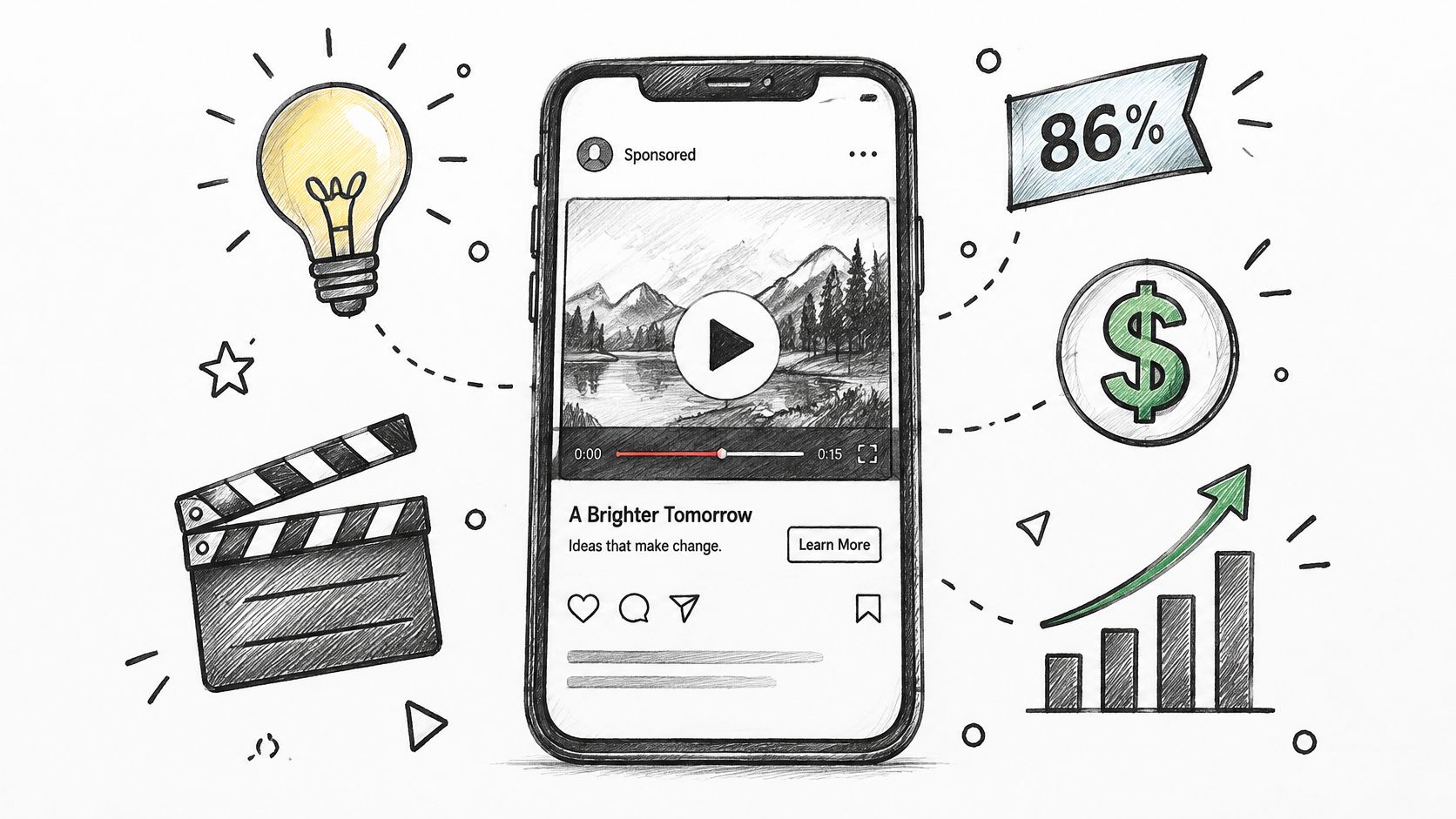
In 2025, 86% of video-ad buyers were using or planning to use generative AI to create video ad creative, according to the Interactive Advertising Bureau. That figure covers everything from caption tools to full video models, but it locates the market clearly: synthetic video has moved from experiment to line item.
An AI commercial generator takes a brief, a text prompt, a product photo or a reference image, and returns a short ad-style video with motion, lighting, camera movement and, in current models, synchronized sound. Think of it as a production assistant who turns a one-line brief into a rough cut in minutes. Fast, useful, and nothing like a full studio crew.
<a id="three-steps-it-shortens"></a>
Three steps it shortens
- Idea to storyboard. You describe the shot in words and get a moving version back, so a concept you'd normally sketch on paper exists as footage before lunch.
- Shooting or animating. No set, no lighting rig, no talent call for a first pass. A product photo can gain a slow push-in and a believable scene.
- First-pass soundtrack. Dialogue, room tone and product sounds can arrive with the picture instead of being sourced and aligned later.
Where it stops matters just as much. The tool doesn't set campaign strategy, doesn't clear rights in the images or music you upload, and can't promise the ad converts. It produces footage; you produce the campaign.
The practical path runs in a fixed order: how inputs become output, which limits to plan around, which format and ratio to lock, how to build one ad step by step, what to prove before publishing, and how to run a first measured test. Work through those and you'll know whether this fits your campaign before you spend a credit.
<a id="how-prompts-and-images-become-video-ads"></a>
How Prompts and Images Become Video Ads
A prompt is a shot list written as one paragraph. That's the mental model that fixes most bad output. Name the subject, the action, the camera angle, the lighting, any dialogue and the sound cues. Leave one of those out and the model fills the gap with something generic, which is usually the wrong something.
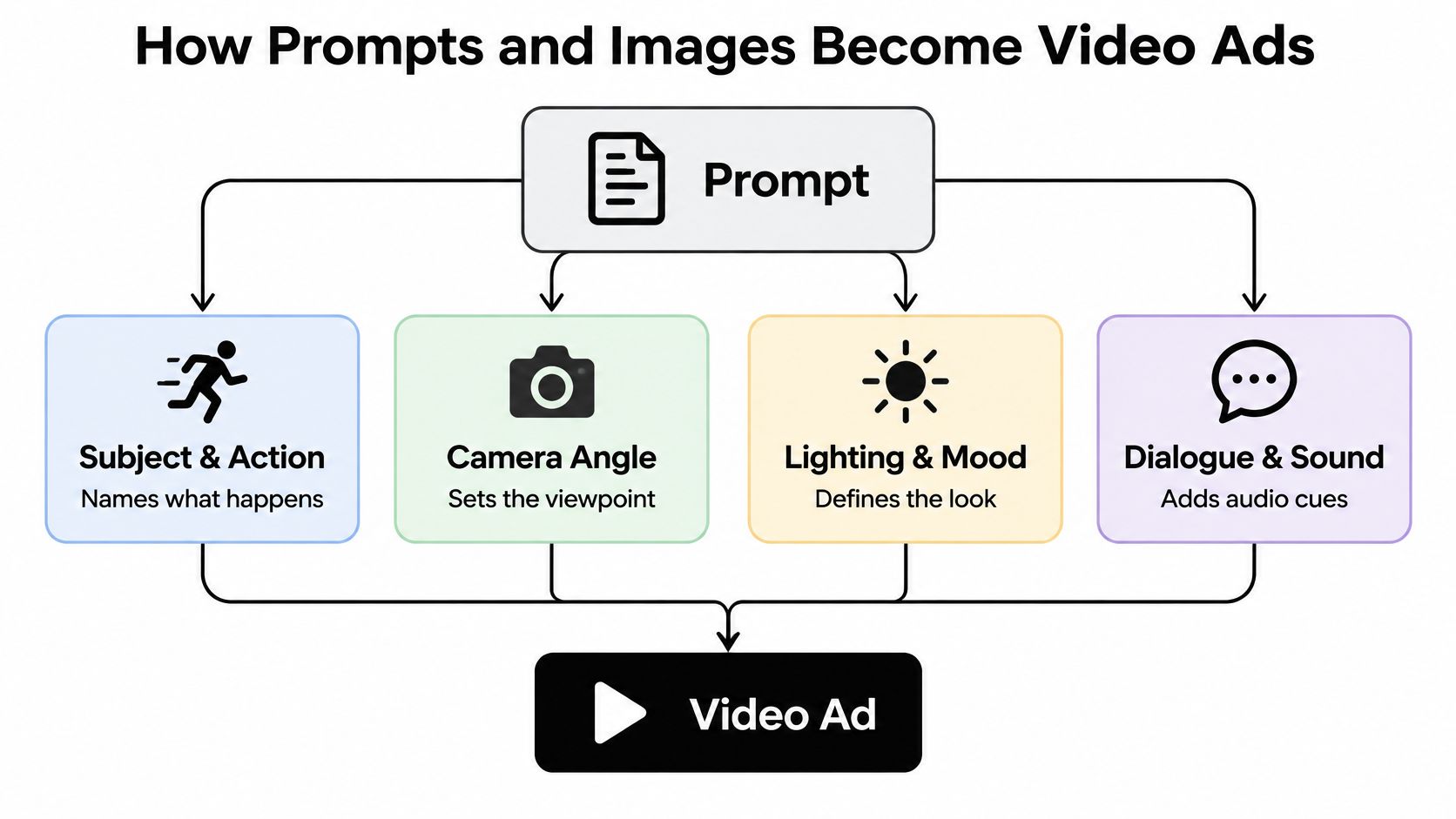
Sound is where current models changed the job. Google's Veo model documentation describes Veo as generating sound effects, ambient noise and dialogue natively, with audio synchronized to the prompt. Documented use cases include multi-person conversations and precisely timed sound effects. Practically, that means one prompt can request a spoken line, the room tone behind it and the click of a product lid, together, in sync.
<a id="input-routes-and-what-each-one-produces"></a>
Input routes and what each one produces
| Input | What you provide | Best for | What comes back |
|---|---|---|---|
| Text prompt | Scene, action, camera angle, dialogue, sound cues | Testing a concept before any shoot | One short clip of 4-8 seconds |
| Product or still photo | One clear product image | Animating an approved product shot | Motion and lighting added to the photo |
| Reference images | Up to three brand or character images | Keeping one look across several clips | A clip shaped by the references |
| First and last frame | Two specified frames | Controlling how a shot starts and ends | A clip that moves between the two frames |
| Video extension | A clip generated earlier | Building a longer sequence | A continuation of the earlier clip |
Take the skincare example. A bottle photographed on a plain background, fed in as a still, comes back with a slow push-in, a shifting highlight along the glass and a soft shadow that moves with it. Same product, no reshoot. Now feed three reference images of the same model across three clips and the face stays consistent instead of drifting between generations.
If you want to see what finished campaigns look like before writing your own brief, browse AI-powered ad case studies and note how short each shot is.
Rule of thumb: start with the image route when you already have approved product photography, and use text prompts when you're testing concepts before a shoot.
<a id="veo-31-limits-that-shape-your-ad-plan"></a>
Veo 3.1 Limits That Shape Your Ad Plan
A video ad is easier to plan when you settle its production limits before writing the script. The clip durations, output format, and image requirements in the current draft are not supported by a reliable source here, so they should not be treated as Veo 3.1 specifications.
For Veo3 AI, the product ad generator has a different, stated set of defaults: it uses Seedance 2 Mini and creates 5-second videos at 480p in a 16:9 aspect ratio. It can turn a product photo into an ad with motion, lighting, and a believable scene. That makes the output a starting shot, not automatically a finished 30-second commercial.
| Specification | Veo3 AI product ad generator |
|---|---|
| Clip length | 5 seconds |
| Videos returned per prompt | Not specified |
| Input image size | Not specified |
| Aspect ratio | 16:9 |
| Resolution | 480p |
| File format and frame rate | Not specified |
Treat the five-second duration as one building block. Before generating, outline the ad's main beats and decide which shots you need. Then check whether each generated clip supports its intended job, such as showing the product clearly or demonstrating how it is used.
A short clip can still help test a concept. Veo3 AI's product ad generator lets you describe an ad in plain language and change its angle, mood, or setting with a single line. You can also include a brand logo and product details. Those controls shape the creative direction, while the output settings determine how the video fits your production plan.
Write the beats first. Decide what each shot needs to communicate before generating it. That gives every clip a clear role in the finished ad.
<a id="choose-your-ad-format-and-length-first"></a>
Choose Your Ad Format and Length First
Format is a business decision, not a creative flourish. Settle it before a single prompt is written, because the format tells you the length, the ratio, the input route and the risk you're managing.
| Format | Typical length | Aspect ratio | Input route | Main risk |
|---|---|---|---|---|
| UGC-style testimonial | 8 seconds per shot | 9:16 | Product or still photo | Testimonial sounds scripted |
| Product launch teaser | 8 seconds | 9:16 or 16:9 | Text prompt | Product benefit unclear |
| Tutorial showing the product in use | 8 seconds per shot, chained | 16:9 for web, 9:16 for feeds | Video extension | Steps hard to follow |
| Unboxing reveal | 8 seconds per shot | 9:16 | Reference images | Product label text garbled |
| Problem-and-solution hook | 8 seconds | 9:16 | Text prompt | Pain point not clear in first seconds |
| TV-style spot | Up to 30 seconds, about four 8-second shots | 16:9 | First and last frame control | Lighting differs between shots |
Three situations, three starting points. A solo creator testing hooks on TikTok should begin with a 9:16 testimonial and a problem-and-solution hook, because both live or die in the first two seconds and both are cheap to re-render. A small ecommerce brand filling product pages gets more from tutorials and unboxing reveals in 16:9, where a visitor has already shown intent and wants detail. An agency pitching a concept anchors on a TV-style spot and carries three short hooks as alternates, so the client sees the big idea and the media plan in one meeting.
Platforms such as the Veo 3 AI video generator let you compare several outputs from one brief before committing budget to a direction, which is the cheapest way to learn whether a format suits a product.
For placement specs across each channel, keep our guide to social media video sizes open while you plan, and if short-form is the main channel, this breakdown of reaching audiences on TikTok and Shorts covers the pacing that keeps viewers past the first second.
The rule that survives every campaign: a format should follow the campaign goal, not the tool's most impressive output.
<a id="how-to-build-a-product-ad-step-by-step"></a>
How to Build a Product Ad Step by Step
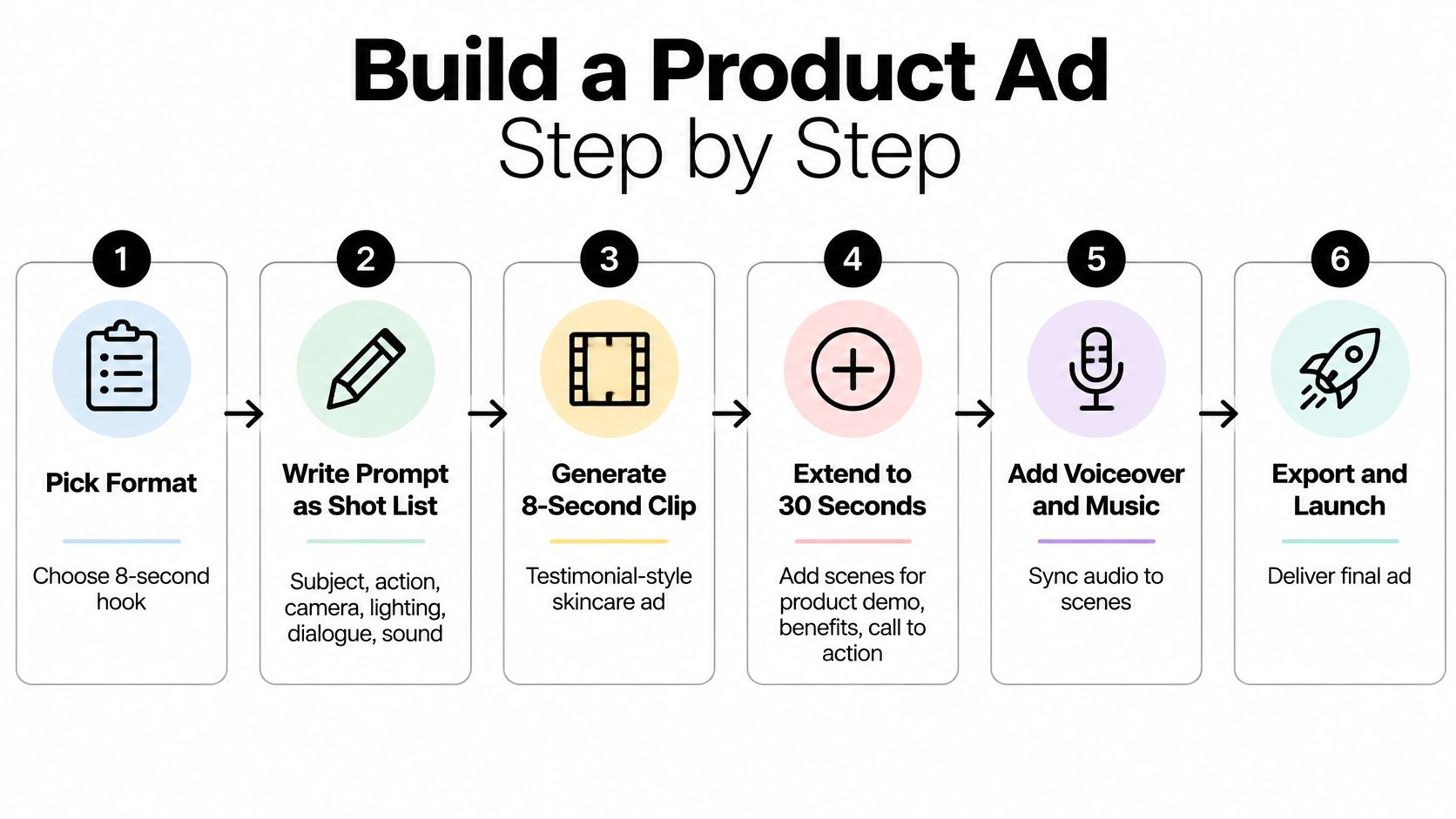
Say a skincare brand wants a 30-second campaign around one hero product, opening with an 8-second testimonial-style hook for a short-form feed. Here's the sequence, with the slip that catches people at each stage.
-
Pick the format and length before you write anything. Decide you're making an 8-second hook for a 9:16 feed, then build the rest of the 30 seconds from three more shots. The slip is writing a beautiful prompt first and discovering the length won't fit.
-
Gather assets. A product photo on a plain background, brand colors, and a logo you're cleared to use. The slip is uploading a shot where the label is angled or cropped, because the model will invent the missing text.
-
Write one brief as a single prompt. Subject, action, camera, lighting, dialogue, sound. Vague prompts produce generic motion, and generic motion reads as stock footage to a viewer.
-
Attach up to three reference images so the look holds across shots. Google documents text-to-video, image-to-video, first-and-last-frame generation, video extension and reference-image use, and the Gemini API documentation for Veo confirms up to three reference images, a choice between 16:9 and 9:16, and the ability to extend a clip you already generated. The slip is mixing references shot under different lighting.
-
Generate up to four variations and choose on product fidelity and motion, not on whichever result appeared first. Judge the label, the shape of the bottle and whether the camera move makes sense.
-
Chain the next shot with first and last frame control or video extension so the sequence stays continuous. The slip is a lighting mismatch between shot two and shot three, which viewers notice even when they can't name it.
-
Edit in a standard editor for trims, captions and music levels, then proofread every frame that contains label text. Small on-screen type is the most common defect in generated product footage.
-
Export in 9:16 or 16:9 at the resolution you planned and save the export settings alongside the project file. The slip is a perfect 16:9 master and a feed placement that crops the product out of frame.
Here's the same sequence running end to end, so you can see how the shots stitch together:
<iframe width="100%" style="aspect-ratio: 16 / 9;" src="https://www.youtube.com/embed/VjZm7H0DHjY" frameborder="0" allow="autoplay; encrypted-media" allowfullscreen></iframe>
<a id="rights-and-disclosure-checks-before-you-publish"></a>
Rights and Disclosure Checks Before You Publish
"Commercial use" is the phrase every comparison page promises and almost none defines. It bundles four separate permissions, and a campaign needs all four.
- The platform license. What the tool's terms let you do with an output: publish it, run it as paid media, hand it to a client. Scope limits on ad spend or distribution channels live here.
- Rights in what you uploaded. Your product photo may be fine, but the music, fonts and stock footage layered on top carry their own licenses, and some tools restrict using uploads to train models.
- Likeness and voice permissions. A real actor, employee or customer appearing in an ad needs documented consent, and a cloned voice needs the same.
- Copyright in the finished file. Permission to publish is not the same as ownership of something protectable and unique.
That last point is where teams often overestimate what they have. The U.S. Copyright Office's 2025 statement on AI and copyrightability draws a workable line: generative output may be protected when a human determines the expressive elements through arrangement or modification, but supplying prompts alone isn't enough. Creative direction and post-production are what make the file defensible.
<a id="the-evidence-file-to-keep"></a>
The evidence file to keep
- Source assets: images, music, fonts and footage, each with its license.
- Signed consent from any actor or customer shown, plus voice permissions where relevant.
- Prompt iterations and the model version used for each accepted clip.
- Edits, compositing and final human decisions, so authorship is traceable.
- Export settings and dates, so you can reproduce the file that ran.
<a id="disclosure-is-a-measured-decision-not-a-formality"></a>
Disclosure is a measured decision, not a formality
A label can help or hurt, and the evidence is mixed enough that a binary rule will mislead you. A 2025 peer-reviewed study across four studies found AI-salient advertising drew more online engagement but also more negative emotions and lower ad attitudes, with one naturalistic Facebook-ad analysis showing a negative indirect effect of −0.20 on ad attitude. So test placement and wording, and track brand lift, comments and complaints as three separate measures rather than one engagement number.
Brand safety runs on the same logic. Screen the clip and the prompt together, because unsafe meaning can come from their interaction rather than any single frame, and send borderline cases to a human reviewer. Watermarks such as Google's SynthID are designed to survive cropping, filters, frame-rate changes and compression, which makes them a useful signal that Google AI was involved. A signal is not clearance, though, and it says nothing about the model, prompt or consent behind the file.
<a id="make-your-first-ai-commercial-this-week"></a>
Make Your First AI Commercial This Week
One product, one format and four variations make a manageable first test. Keep the scope narrow so you can compare the ads without changing several things at once.
- Choose one product and one format from the table you settled earlier.
- Write a brief as a single prompt, describing the subject, action, camera angle and lighting. Add dialogue or sound only if your chosen workflow supports them.
- Generate four variations and compare product fidelity and motion.
- Apply the rights and disclosure checklist from the previous section, including source-asset licenses, consent records, prompt logs and your labeling decision.
- Publish a small test on one platform and decide what to measure before reviewing results.
Change one variable at a time. Veo3 AI's product ad generator lets you describe an ad in plain language and adjust its angle, mood or setting in a single line. For example, keep the brief the same and change only the camera angle across two versions. Commercial usage rights apply to videos generated on all subscription plans. Check current plans for plan details.
Choose three fixed checks: one hook metric, such as three-second view rate; one conversion metric, such as click-through or purchase rate; and a complaints review after a set period. This gives each variation the same basis for comparison.
Your first ad can start with one product photo or a plain-language brief. Veo3 AI can turn either into a short product ad with motion and lighting, so you can focus on comparing the creative rather than arranging a shoot. Start with one product, one format and four variations, then assess them against the same three checks. To begin, visit Veo3 AI.
Related Articles
Continue with more blog posts in the same locale.
Mise En Sce Ne for AI Video: Shape Look and Mood
Learn how mise en sce ne shapes AI video with setting, props, lighting and blocking, plus prompts to get consistent, moody results in 2026.
Read article
AI UGC Video Generator: How It Works and What to Check
Learn what an AI UGC video generator makes, how the pipeline works, where Veo 3.1 fits, and what to disclose and record before you publish.
Read article
Kling 4.0 vs Veo 3.1: Length, Resolution, Audio and Price Compared (2026)
Kling 4.0 makes one take of up to 30 seconds; Veo 3.1 makes 8-second clips up to 4K for far fewer credits. Compare length, resolution, audio, control and price, and see which fits your shot.
Read article