
Higgsfield AI vs Veo 3: 15-Model Hub or Google Video Model?
A practical Higgsfield AI vs Veo 3 guide for creators comparing a multi-model AI video hub with Google’s video model workflow.
Emma Chen · 18 min read · Apr 30, 2026
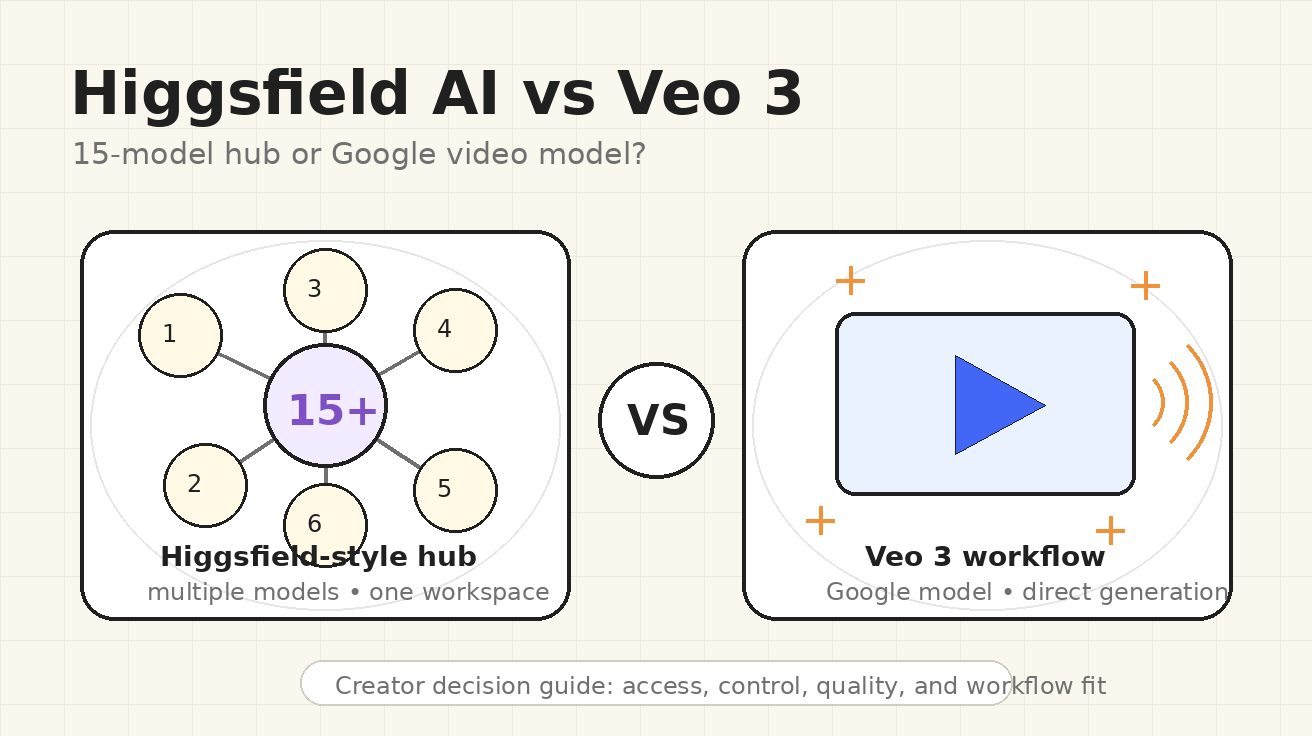
If you searched for Higgsfield AI vs Veo 3, you are probably comparing two very different ways to make AI video. Higgsfield AI is being discussed as a creative hub: one workspace where creators can access multiple video models, camera-style tools, presets, and editing workflows. Veo 3 is the Google video model path: a focused generation workflow built around Google’s model family, now increasingly connected to Gemini API, Google AI Studio, and productized video creation.
That difference matters more than a simple “which model is better?” debate. A hub can be useful when you want to test several models quickly, compare outputs, or build a creative workflow around presets and post-generation tools. A direct model workflow can be better when you want predictable access to a specific model, cleaner documentation, and a production process that does not depend on a third-party layer.
This guide compares Higgsfield AI and Veo 3 from the perspective of a working creator, marketer, or small production team. It does not assume that every marketing claim is final or permanent. In particular, the current “15+ models” positioning around Higgsfield should be treated as a web-sourced market claim and hub positioning, not as a stable guarantee of exactly which models will always be available in every plan or region. The safer question is: do you need a multi-model control room, or do you need a Google-model-first video pipeline?
Quick Verdict
Choose Higgsfield AI if your main need is exploration. It is attractive when you want a single workspace for trying different model families, comparing multiple visual styles, using cinematic presets, and moving from prompt to edited creative assets without rebuilding your setup each time.
Choose Veo 3 if your main need is direct model confidence. It is a better fit when you care about the Google ecosystem, API documentation, model-specific testing, and a workflow where the generation model itself is the center of the decision rather than one option inside a larger hub.
For many teams, the best answer is not either-or. Use Higgsfield-style hubs for early ideation and creative discovery. Use a Veo 3 workflow when the brief needs consistency, documentation, and a repeatable production process. If you are building pages, ads, product demos, or short-form social clips, this split can save time: explore broadly first, then commit to the workflow that gives you the cleanest final result.
Higgsfield AI vs Veo 3 at a Glance
| Category | Higgsfield AI | Veo 3 |
|---|---|---|
| Core positioning | Multi-model AI video workspace | Google video generation model workflow |
| Best for | Exploration, creative comparison, presets, model switching | Direct generation, Google ecosystem, model-specific testing |
| Main advantage | One place to test multiple video models and creative controls | Focused access to Google’s video model capabilities |
| Main risk | Availability, model list, and plan details can change | Less of a “many models in one room” experience |
| Workflow style | Hub: choose a model, prompt, adjust frames, apply tools | Model-first: prompt or image input, generate, iterate |
| Ideal user | Creators, agencies, social teams, visual experimenters | Developers, product teams, marketers who want Google-model output |
The table makes the central tradeoff clear. Higgsfield AI is not just trying to be a single model. Its public AI video page describes a workspace for top models in one place, with examples such as Veo, Sora, Kling, Wan, Seedance, and others. A recent third-party guide also framed Higgsfield as aggregating more than 15 AI video models. Those claims explain why the term higgsfield ai video generator is gaining attention: people are not only searching for one generator; they are searching for a shortcut through a crowded model market.
Veo 3, by contrast, is not a marketplace of models. It is a model path. Google’s recent Veo 3.1 Lite announcement emphasizes developer access through Gemini API and Google AI Studio, support for text-to-video and image-to-video, flexible landscape and portrait framing, and practical duration options. Even if your final tool is not Google’s own interface, the value proposition remains model-centric: you are choosing Google’s video generation family because you want what that model does.
What Higgsfield AI Is Really Selling
The strongest Higgsfield pitch is convenience. AI video has become fragmented. One model may be stronger at realistic motion, another may be better for stylized clips, another may handle image-to-video in a way that fits ads, and another may produce an interesting cinematic look from short prompts. Without a hub, creators end up with many tabs, many accounts, many credit systems, and many slightly different prompt habits.
Higgsfield’s public positioning is built around reducing that friction. The site describes “one studio” with multiple top-tier models in a single creative workspace, plus features for frame control, motion control, editing existing footage, first-and-last-frame references, and a Cinema Studio concept for more deliberate camera and lens-style choices. In plain English, the platform wants to feel less like a raw prompt box and more like a lightweight creative studio.
That is valuable for creators who do not yet know which model will win for a specific brief. A fashion ad, a surreal music teaser, a product demo, a cinematic B-roll shot, and a TikTok transition may each require a different generation approach. If a hub lets you compare outputs faster, the hub can be worth using even when the final model is not proprietary to the hub.
However, this also means you should evaluate Higgsfield as a workflow product, not only as a model-quality product. Ask questions like: how easy is it to compare generations, how transparent are the model options, how stable are the presets, can you reuse references, can you export cleanly, and does the interface reduce production time? The value of the hub is not only whether it has a famous model name on the menu. The value is whether it helps you make decisions faster.
What Veo 3 Is Really Selling
Veo 3 is selling the opposite kind of clarity: a direct relationship with a Google video model family. For teams that already use Google AI Studio, Gemini API, or Google Cloud workflows, that matters. Documentation, model names, access methods, input types, output constraints, and release notes are easier to track when the model provider is the center of the workflow.
Google’s official Veo 3.1 Lite announcement is especially relevant because it shows where the ecosystem is moving. The announcement describes a model designed for developers, with text-to-video and image-to-video support, 16:9 and 9:16 framing, 720p and 1080p resolutions, and duration options. The exact best option for a creator will depend on the current model version and access route, but the strategic direction is clear: Google wants video generation to become a buildable, repeatable capability.
That makes Veo 3 compelling for production teams. If you need to build a repeatable internal workflow for product videos, landing page demos, app store creative, education clips, or prototype storyboards, you may prefer the direct model path. You can document prompts, test the same prompt structure repeatedly, and integrate the workflow into a larger system.
Veo 3 is also easier to explain to stakeholders. “We are using Google’s video model workflow for this asset” is a simpler procurement and QA conversation than “we are using a hub that may route some generations through different underlying models.” That does not make hubs bad. It just means a direct model workflow can be cleaner when governance, repeatability, or technical documentation matters.
Quality Comparison: Do Not Judge From One Clip
The biggest mistake in any Higgsfield AI vs Veo 3 comparison is judging from one impressive demo. AI video models are unstable across prompt types. A model that looks excellent for cinematic nature footage can fail on hands, text, product geometry, or consistent character identity. A model that handles a product shot well may be weaker for complex camera movement. A hub that includes many models can produce both excellent and poor results depending on which model and settings are chosen.
For a fair comparison, test the same production brief in three categories:
- Realistic subject motion. Use a prompt with a person walking, turning, using an object, or interacting with a scene. Check body motion, object consistency, and facial stability.
- Product or brand asset control. Use a reference image or product description. Check whether logos, shapes, colors, and proportions stay usable.
- Cinematic camera direction. Request a dolly shot, push-in, orbit, handheld move, or first-to-last-frame transition. Check whether the motion feels intentional rather than random.
Higgsfield can be strong in this test because you may be able to try multiple model options and creative controls inside one environment. Veo 3 can be strong because you are testing a focused Google model path that may produce more predictable behavior once you understand its prompt style. The winner depends on your asset type, not on a generic scoreboard.
When I evaluate these tools for SEO and content production, I care less about the single prettiest result and more about the repeatable median result. If a tool can produce one stunning clip after twenty retries, it is useful for experimental creators. If it can produce seven acceptable clips out of ten, it is more useful for marketing operations. Your own testing should measure both.
Workflow Comparison: Hub Speed vs Model Discipline
A higgsfield ai video generator workflow is appealing because it compresses exploration. You can start from an idea, test a model, switch styles, use reference frames, and apply creative tools without leaving the same visual environment. This is especially useful for creators who need many variations: YouTube thumbnails that become motion teasers, TikTok hooks, short ad concepts, visual effects tests, or campaign moodboards.
The downside is that hub workflows can sometimes hide complexity. If the underlying model changes, if a feature moves to a different tier, or if a preset behaves differently after an update, your saved process may require adjustment. A hub is a product layer above the models. That layer creates convenience, but it also creates another dependency.
A Veo 3 workflow is more disciplined. You are building around one model family and learning its strengths. That can feel slower at first because you cannot simply jump across many models, but it can become faster once your team develops prompt templates. For example, a marketer might create reusable prompt blocks for product demo shots, scene transitions, lighting, motion intensity, negative constraints, and final aspect ratio.
For teams publishing regular content, discipline beats novelty. If your weekly workflow is “generate five hero videos, two landing page loops, and ten social clips,” you need a system that can be repeated by more than one person. A model-first workflow can be easier to standardize. A hub-first workflow can be better for discovery and pitch development.
Control: Presets, Cameras, Frames, and References
Higgsfield’s public page emphasizes control features: first and last image references, editing existing video, motion control, and a Cinema Studio concept with camera-like choices. This is the kind of feature set that appeals to creators who think in shots rather than only prompts. Instead of writing “cinematic close-up” and hoping the model understands, you can shape the direction with more explicit visual controls.
That matters because video generation is not only about image quality. Motion is the product. A still frame can look beautiful while the clip fails because the camera drifts, the subject mutates, or the action loses intent. Tools that help lock a starting point, guide an ending point, or reuse a motion reference can make the difference between a toy and a production workflow.
Veo 3’s control story is different. It depends more on the access route and the current model interface. In Google’s developer-oriented materials around Veo 3.1 Lite, the emphasis is on practical generation parameters such as input type, framing, resolution, and duration. That is useful for builders and teams that want predictable API or studio behavior. It may feel less like a cinematic playground, but it can be easier to document.
The practical answer: if you are directing visual style, Higgsfield’s control layer may feel more immediately creative. If you are building a repeatable production system, Veo 3’s model and API direction may feel more dependable.
Pricing and Credits: Be Careful With Claims
Many comparison posts try to declare a winner based on credits or subscription price. That is risky in this category. AI video pricing changes quickly, model availability changes, and third-party hubs may update which models are included in which plan. For that reason, this article does not rely on unverified price numbers.
Instead, compare cost in operational terms:
- How many usable clips do you get per hour of work?
- How many retries does a typical brief need?
- Can the tool reuse references and prompt structures?
- Does the output reduce editing time?
- Can your team document the workflow clearly?
- Does the tool create assets that are safe to publish without heavy cleanup?
A cheaper generation is not cheaper if it takes ten retries and an hour of manual repair. A more expensive workflow can be cheaper if it produces usable clips faster. For content marketing, the real cost is not only credits. It is the time between a brief and a publishable asset.
Use Cases: Which Tool Fits Which Job?
Social video ideation
Higgsfield AI is likely the better starting point for fast ideation. A social team can test several visual directions, compare model outputs, and build a moodboard quickly. If the goal is to find a hook for TikTok, Reels, or YouTube Shorts, a multi-model hub can create more creative surface area.
Product demos and landing page video
Veo 3 may be the better fit when the final output must align with a product page, a launch sequence, or a predictable brand workflow. You can build a prompt template, test the output style, and keep the process centered on a single model family. For teams already using Google tools, this is cleaner.
Film pre-visualization
Higgsfield’s shot-oriented positioning makes it attractive for pre-visualization. Camera concepts, frame references, motion controls, and cinematic presets can help a director or creator explore scenes before committing to production.
Developer workflows
Veo 3 is stronger for developers who want documented access and repeatability. If the project is an app feature, internal creative automation, or a scalable generation tool, a Google model workflow is easier to integrate into planning than a purely creator-facing hub.
AI video SEO content
For SEO teams, both are useful. Higgsfield helps generate creative examples and compare trends. Veo 3 helps anchor content around Google model search demand. If you are creating educational pages about AI video, internal links to resources like text-to-video, image-to-video, and Veo workflow guides can help users choose the right path after reading a comparison.
Testing Framework: Run a Fair Side-by-Side
If you want a practical answer, run a small benchmark. Do not rely on demo reels or social screenshots. Use the same three briefs in both workflows.
Brief 1: realistic human action A founder walks through a bright studio, picks up a phone, smiles at the camera, and points to a product screen. The camera slowly pushes in. Natural hand motion, realistic lighting, no text overlays.
Brief 2: product image-to-video A clean product photo turns into a 6-second ad loop. The product stays centered while the background lighting shifts and the camera makes a slow orbit. Preserve product shape and color.
Brief 3: cinematic concept shot A futuristic city street at dusk, rain on the ground, neon reflections, a slow low-angle tracking shot, subtle motion, realistic atmosphere, no readable signs.
For each tool, measure:
- first usable result rate
- number of retries
- motion stability
- subject consistency
- prompt adherence
- editing required
- export quality
- team confidence
This gives you a decision based on work, not hype. A hub wins if it helps you find better options faster. Veo wins if it gives you the best repeatable output for the specific asset you need.
Common Mistakes When Comparing Higgsfield AI and Veo 3
The first mistake is treating Higgsfield’s model hub claim as if it automatically beats a direct model. More models do not always mean better output. More models mean more options. Options are valuable only if the interface helps you choose, compare, and finish.
The second mistake is assuming a direct model workflow is less creative. Veo 3 can still support highly creative output. The difference is that creativity comes through prompt design, references, and model iteration rather than a broad hub menu.
The third mistake is ignoring rights, brand safety, and review. Any AI video workflow should include checks for distorted logos, unwanted text, face artifacts, unrealistic product behavior, and claims that the clip could imply. This is especially important for ads and landing pages.
The fourth mistake is over-optimizing for novelty. A new model announcement can drive traffic and curiosity, but your production workflow should be judged by reliability. If a tool helps you publish high-quality assets consistently, it is more valuable than a tool that only wins one viral demo.
Final Recommendation
For individual creators and agencies, start with Higgsfield AI if your immediate problem is creative exploration. The hub approach is useful when you need options, presets, reference workflows, and fast comparison across model styles. Just remember that the “15+ models” idea is best understood as market positioning around access and aggregation, not a permanent promise you should quote without checking the current platform page.
For product teams, developers, and marketers who need a repeatable pipeline, prioritize Veo 3. A Google-model-first workflow is easier to document, easier to benchmark, and easier to align with long-term production systems. It may not give you the same marketplace feeling, but it gives you a clearer model decision.
The most efficient 2026 workflow is hybrid: use Higgsfield-like hubs to explore creative directions, then use a Veo 3 workflow when you need disciplined execution. That way you get the advantage of discovery without losing the benefits of repeatability.
FAQ
Is Higgsfield AI better than Veo 3?
Not universally. Higgsfield AI is better when you want a multi-model creative workspace and fast exploration. Veo 3 is better when you want a Google video model workflow with clearer repeatability and documentation. The right choice depends on whether your bottleneck is creative discovery or production consistency.
Does Higgsfield AI really include 15+ video models?
The “15+ models” framing appears in current web coverage and market discussion of Higgsfield. Higgsfield’s own AI video page positions the product around access to multiple leading models in one workspace and names examples such as Veo, Sora, Kling, Wan, and Seedance. Because model availability can change, treat the exact count as a claim to verify on the live platform before making a purchase decision.
Can I use Higgsfield AI as a Veo 3 alternative?
Yes, if your goal is to generate AI video through a creator-friendly hub and compare multiple model options. But if your goal is specifically to build around Google’s Veo model family, then a direct Veo 3 workflow is still the cleaner choice.
Which is better for marketing videos?
For brainstorming and ad concept variations, Higgsfield AI can be more flexible. For repeatable product demos, landing page assets, and documented team workflows, Veo 3 may be better. Marketing teams should test both with the same brief and measure usable output, not only visual wow factor.
Which is better for developers?
Veo 3 is usually the stronger developer choice because Google’s model workflow is tied to developer documentation and API access paths. Higgsfield AI is more useful for creative teams and operators who want a visual workspace rather than a model integration layer.
Sources Checked
- Higgsfield AI public AI video page, which describes a multi-model AI video workspace and names examples of available model families.
- Google’s official Veo 3.1 Lite announcement, which describes developer access through Gemini API and Google AI Studio and outlines practical generation capabilities.
- Recent third-party web coverage describing Higgsfield as a multi-model AI video generator with “15+ models”; this article treats that as external market positioning rather than a fixed technical guarantee.
Related Articles
Continue with more blog posts in the same locale.

How to Make Sports Highlight Videos with Veo 3 AI (2026)
Create stunning sports highlight videos with Veo 3 AI. Generate dynamic action shots, slow-motion sequences, and dramatic replays using AI prompts.
Read article
How to Make a Short Film with Veo 3 AI (2026 Guide)
Learn how to create professional short films using Veo 3 AI. Step-by-step guide with prompts, workflow tips, and cinematic techniques.
Read article
How to Make Documentary Videos with Veo 3 AI (2026 Guide)
Create compelling documentary videos with Veo 3 AI. Learn prompting techniques, narrative structure, realistic footage generation, and post-production tips.
Read article