
MiniMax H3 vs Veo 3.1: Which AI Video Model Wins in 2026?
MiniMax H3 vs Veo 3.1 compared on quality, speed, price, and use cases. See which AI video generator actually fits your workflow before you spend a credit.
Veo3 AI · 14 min read · Oct 21, 2026

A client wants three vertical ads by Friday. You've got a fixed generation budget, a product shot that needs to stay recognizable, and two tempting choices in the dashboard: MiniMax H3 and Google's Veo 3.1. The loudest spec sheet won't tell you which model will deliver more usable footage before the credits run out.
There's no publicly documented, independently controlled head-to-head test that establishes one as the better model across identical prompts, dates, and evaluation conditions. The practical decision is less about crowning a universal winner and more about usable takes per credit: which tool gives your team footage it can cut, on time, with fewer costly retries.
Table of Contents
- The 2026 AI Video Choice Most Creators Get Wrong
- What MiniMax H3 and Veo 3.1 Actually Are
- Output Specs Compared Side by Side
- Real Cost Per Clip and What the Numbers Hide
- Quality Signals You Can and Cannot Trust
- Which Model Fits Which Real Workflow
- The Bottom Line and How to Decide Today
<a id="the-2026-ai-video-choice-most-creators-get-wrong"></a>
The 2026 AI Video Choice Most Creators Get Wrong
The usual mistake is choosing by a headline number. A resolution badge looks decisive, and a leaderboard score feels like a verdict. Neither tells you whether the model will keep your product's appearance stable, follow the camera direction, or produce an edit-ready take on the first try.
The available evidence for MiniMax H3 and Veo 3.1 comes from different kinds of sources: preference-based benchmark summaries, vendor documentation, and third-party pricing estimates. Those can help you build a shortlist, but they don't amount to a neutral, controlled comparison. H3 is the newer model, and platform versions, prices, and evaluation snapshots can change over time, making comparisons especially easy to overstate.
Producer's rule: Don't buy the best-looking demo. Buy the workflow that gives you the most usable footage for your actual brief.
For a vertical ad, “usable” might mean a clean product silhouette, a natural hand movement, and enough room for the final crop. For a spoken founder clip, dialogue timing and facial consistency may matter more than resolution. A model can win on a spec sheet and still lose the job if it takes repeated generations to get a take your editor can use.
The best way to evaluate either model is to run the same short shot list through both. Keep the brief, aspect ratio, reference material, and acceptance criteria consistent. Then judge the results by whether they meet your production requirements, not by whether the model's headline feature sounds impressive.
That's the lens for this comparison: specs and scores are inputs, not verdicts. H3 looks especially attractive when you need flexible reference-driven generation and longer single shots. Veo 3.1 has a strong case when your delivery depends on its documented output options or you want several candidates from one prompt. The right choice comes down to the footage your team can finish.
<a id="what-minimax-h3-and-veo-31-actually-are"></a>
What MiniMax H3 and Veo 3.1 Actually Are
MiniMax announced H3 as a general-purpose multimodal generation model on July 31, 2026. Third-party coverage reported that open weights became available around August 2–3, 2026. Google's Veo 3.1 has a listed release date of October 15, 2025, making it roughly nine months older than H3. MiniMax's H3 announcement documents its generation features and open-model positioning.
The difference in release timing matters because a model doesn't operate in a vacuum. Its current price, interface, available settings, and integrations depend on the platform serving it. A comparison assembled from details posted at different times can make two models look more directly comparable than they are.
H3's open-weight posture is relevant for teams that want to explore deployment options beyond a hosted interface. But “open weights” isn't a complete deployment plan. You still need to check the license, hardware requirements, operational costs, and whether your team can support the workflow. Google's Veo 3.1 documentation describes a hosted generation interface, which may fit teams that prefer to work through Google's documented platform rather than manage a model deployment themselves.
<a id="why-model-age-changes-the-comparison"></a>
Why model age changes the comparison
Think of the release dates as context, not a quality ranking. H3's arrival after Veo 3.1 makes it a newer challenger, but a newer model isn't automatically more reliable on your specific brief. Meanwhile, an older model may have established platform workflows that suit a production team's existing process.
MiniMax describes H3 as accepting text, images, video, and audio in one multimodal context, with modes for text-to-video, image-to-video, frame control, reference generation, and video editing. Its model guide lays out those workflows. In practice, that gives producers more ways to bring existing creative material into a generation request.
Veo 3.1 is the Google option for teams using its documented generation interface and delivery settings. The short version: H3 is the newer, open-weight multimodal challenger; Veo 3.1 is Google's hosted video model with documented high-resolution output options. Evaluate each against your project's constraints, not its age or ownership alone.
<a id="output-specs-compared-side-by-side"></a>
Output Specs Compared Side by Side
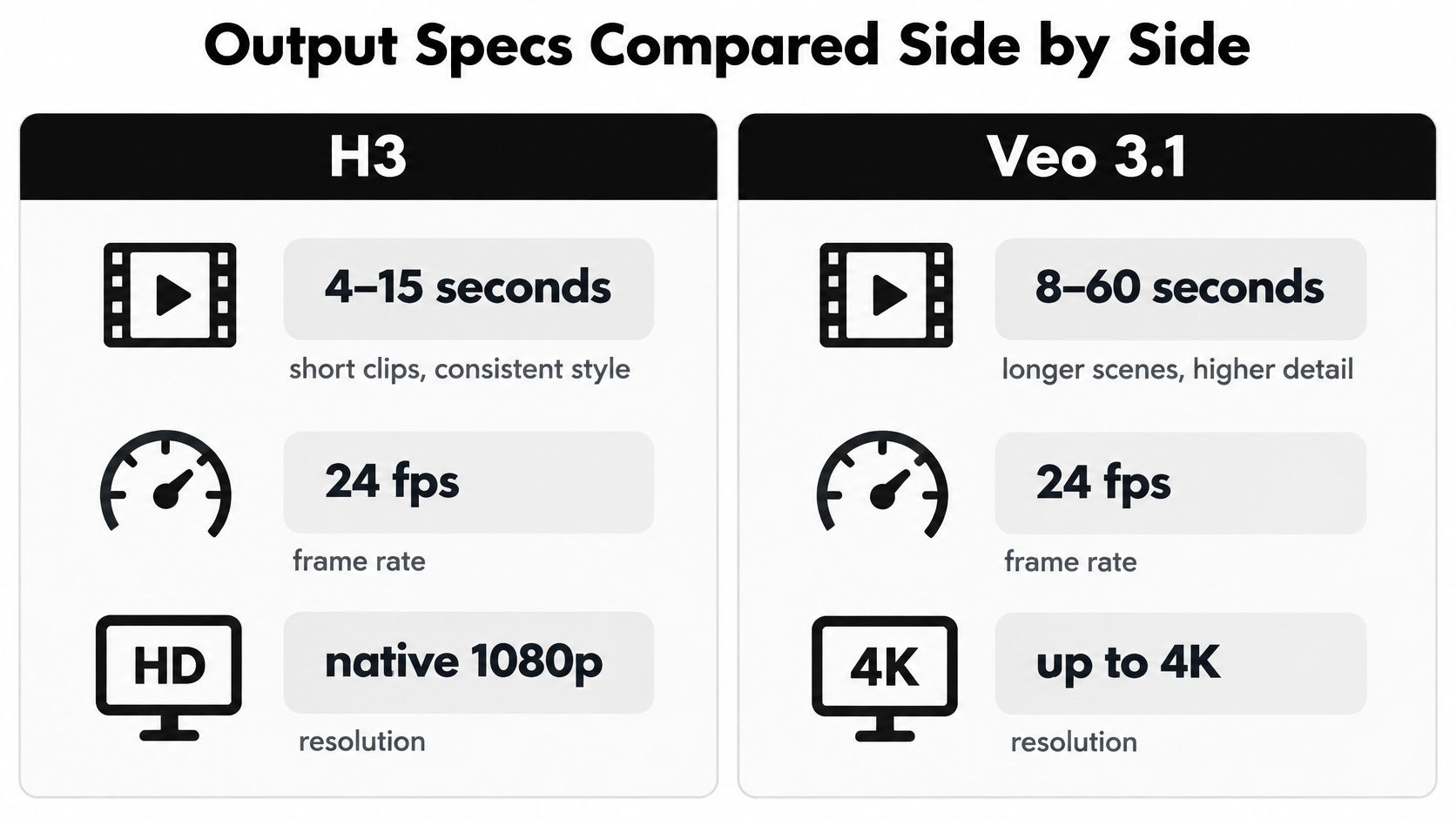
The specs matter when they affect the edit. Clip length changes how many generated shots you need. Aspect ratio determines whether you can frame for the destination platform from the start. Reference capacity affects how much source material you can provide in a single request.
The table keeps the practical differences in one place. H3's published range gives it more room for a longer continuous shot, while Veo 3.1's documented ability to return multiple candidates can support quick creative variation. Google's Veo 3.1 documentation lists its output settings and candidate-generation capability.
| Spec | MiniMax H3 | Veo 3.1 |
|---|---|---|
| Clip duration | 4–15 seconds | Generally positioned around 8 seconds |
| Frame rate | 24 fps | 24 fps |
| Aspect ratios | 21:9, 16:9, 4:3, 1:1, 3:4, 9:16 | 16:9, 9:16 |
| Resolution | 768-pixel short side by default; separate H3-Regenerate-2K workflow | 720p, 1080p, or 4K output |
| Audio | Native 32 kHz stereo audio | Native synchronized audio |
| Prompt candidates | Not specified in the cited documentation | Up to four videos per prompt |
| Reference inputs | Up to nine images, three video clips, and three audio clips, with a 12-file total limit | Up to three reference images |
<a id="which-output-details-change-the-edit"></a>
Which output details change the edit
H3's duration range is useful when a brief needs a longer uninterrupted action. A single request can cover more of a moment, though a longer take still has to hold together visually from beginning to end. Its broad aspect-ratio selection also gives teams more framing options, including square, portrait, and ultrawide formats.
Don't treat H3's 2K workflow as an always-on default. Its default uses a 768-pixel short side, and MiniMax identifies a separate H3-Regenerate-2K workflow. Veo 3.1's documented output choices include 4K, which may matter for a high-resolution delivery or a shot that needs room for reframing.
For production, the most useful spec is often the one that reduces work on the timeline. Longer clips can mean fewer separate generations for a continuous action. Multiple candidates can make it easier to compare creative directions without rewriting the prompt. The MiniMax H3 model page is another way to explore H3 in a generation workflow, but check the settings available in your chosen platform before building a pipeline around them.
<a id="real-cost-per-clip-and-what-the-numbers-hide"></a>
Real Cost Per Clip and What the Numbers Hide
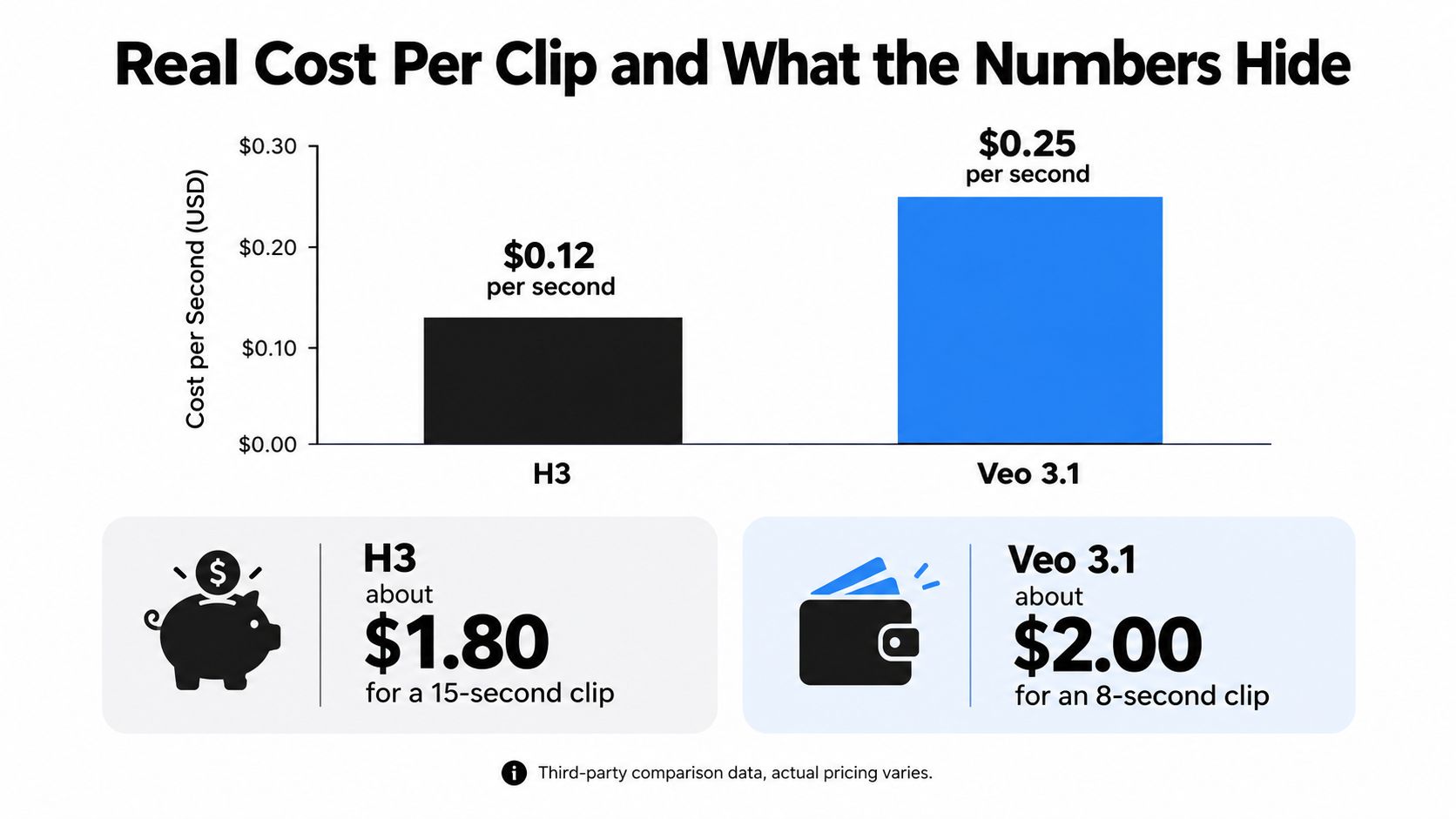
Third-party comparison data estimates H3 at approximately $0.12 per second, or about $1.80 for a maximum-length, 15-second clip. The same comparison characterizes H3 as roughly five times cheaper per second than Veo 3.1's flagship tier. Treat that as a comparison of reported estimates, not a universal checkout price: the final amount can vary with resolution, speed tier, subscription, taxes, and platform markup. The H3 versus Veo 3.1 cost comparison outlines those estimates.
A separate price listing puts H3 at approximately $7.80 per minute and Gemini Omni Flash at about $6.00 per minute. It lists some other 1080p systems near $20.16–$22.45 per minute. Those figures help position H3 among alternatives, but they aren't a direct Veo 3.1 consumer-price quote. Use your own account's pricing page and generation settings before setting a client budget.
<a id="budget-the-job-not-just-the-render"></a>
Budget the job, not just the render
A short social ad might only need a single generated shot. A longer hero spot may need several cuts, while a short film can involve many distinct shots and repeated attempts. You can estimate the base generation cost for H3 by multiplying the quoted per-second estimate by the intended duration, but that calculation doesn't account for retries, editing, audio finishing, or platform-specific fees.
For Veo 3.1, the available comparison characterizes the flagship tier as substantially more expensive than H3 but doesn't establish a universal per-second consumer price. I wouldn't make up a clip budget from that description. Check the current rate in the platform you'll use, then multiply by your planned duration and expected attempts.
Budget for revisions, not just the first render. A cheap generation that misses the brief repeatedly can cost more in credits and labor than a pricier model that delivers an edit-ready take.
The number worth tracking is cost per accepted take. Record how many attempts it takes to get footage that passes your actual requirements, then include the time your editor spends fixing issues. That gives you a better production estimate than comparing a headline rate alone. For current platform charges, consult the provider's pricing information before committing to a volume.
<a id="quality-signals-you-can-and-cannot-trust"></a>
Quality Signals You Can and Cannot Trust
H3's reported preference scores put it near the top of video rankings: one assessment lists 1,305.75 Elo for text-to-video without audio judging and 1,239.36 Elo when audio is judged. Another listing gives H3 1,302 Elo for text-to-video and 1,351 Elo for image-to-video. The available summaries don't establish that either set is a controlled head-to-head comparison with Veo 3.1. The H3 model evaluation summary reports the preference-based results and their limitations.
Elo scores reflect comparative human preferences in a particular evaluation setup. They aren't standardized measurements of fidelity, latency, or success on your client's shot list. The reported confidence intervals overlap with competing frontier systems, so these results support the conclusion that H3 is in a leading preference cluster, not that it beats Veo 3.1 on every task.

<a id="score-the-footage-your-client-will-see"></a>
Score the footage your client will see
Reuters' launch coverage reported that independent benchmarks and arena scores weren't available at H3's release, and that early quality claims initially came from MiniMax. Reuters' report on H3's launch provides useful context for weighing launch-era claims against independent evaluation.
For a real production test, score prompt adherence, character continuity, camera control, readable on-screen text, and audio timing. Add failure rate: how often does a generation have a defect that makes it unusable for the brief? Keep the acceptance criteria consistent across both models, or your test will measure changing standards rather than model performance.
Before you buy credits, ask:
- Can it follow the shot direction? Check whether the camera and action match the brief.
- Does the subject stay consistent? Watch faces, products, clothing, and background details across the take.
- Does the sound work? Judge intelligibility, timing, and consistency, not whether an audio track exists.
- Would you put it in the edit? Count accepted takes, not leaderboard positions.
The producer's decision should follow the footage. A high preference score can earn a model a test; only reliable, usable results earn it a place in a paid pipeline.
<a id="which-model-fits-which-real-workflow"></a>
Which Model Fits Which Real Workflow
For vertical short-form work, H3 is an attractive starting point. Its documented formats include 9:16 and its clip range reaches 15 seconds, which can suit a social shot that needs more than a quick visual beat. That doesn't guarantee a polished ad; it gives you a flexible starting format and duration.
For cinematic shots where 4K delivery or synchronized audio is central, Veo 3.1 has the clearer documented fit. Its output options include 4K, and the model is positioned around native synchronized audio. Choose it when those delivery needs matter enough to justify checking its current platform cost and testing the result against your brief.
High-volume ad iteration is a different job. Veo 3.1 can return up to four videos per prompt, which can make candidate review more convenient when a team needs creative alternatives. That doesn't mean every candidate will be usable, so have the team compare them against the same criteria rather than treating quantity as quality.
<a id="reference-heavy-work-favors-h3s-flexibility"></a>
Reference-heavy work favors H3's flexibility
H3's H3-Base-Ref2VA mode accepts up to nine images, three video clips, and three audio clips, subject to a 12-file total ceiling. Each reference video or audio clip must be 2–15 seconds, and the combined duration for video references and for audio references can't exceed 15 seconds. Audio can't be the only input; it must accompany an image or video. Google documents Veo 3.1 as accepting up to three reference images. Google's Veo reference documentation covers its image inputs.
That difference makes H3 worth testing for workflows that draw on multiple kinds of reference material, such as existing footage, character images, and sound cues. It doesn't prove that H3 will preserve every detail, so include reference adherence in your acceptance test.
| Workflow | Better fit | Why |
|---|---|---|
| Vertical social clips | MiniMax H3 | Flexible aspect ratios and longer clip options |
| 4K cinematic delivery | Veo 3.1 | Documented 4K output |
| Rapid candidate review | Veo 3.1 | Multiple videos from a prompt |
| Mixed-reference editing | MiniMax H3 | Broader documented reference inputs |
| Local-deployment exploration | MiniMax H3 | Open-weight posture |
| Hosted Google workflow | Veo 3.1 | Google's documented generation interface |
<a id="the-bottom-line-and-how-to-decide-today"></a>
The Bottom Line and How to Decide Today
Start with H3 if you're an indie creator, a social producer, or a team that wants to explore open-weight workflows and longer single shots. Pay for Veo 3.1 when 4K delivery, its documented hosted workflow, or multi-candidate generation fits the brief better. For brand teams, don't make compliance decisions based on model labels alone; check the platform, account terms, and your organization's requirements.
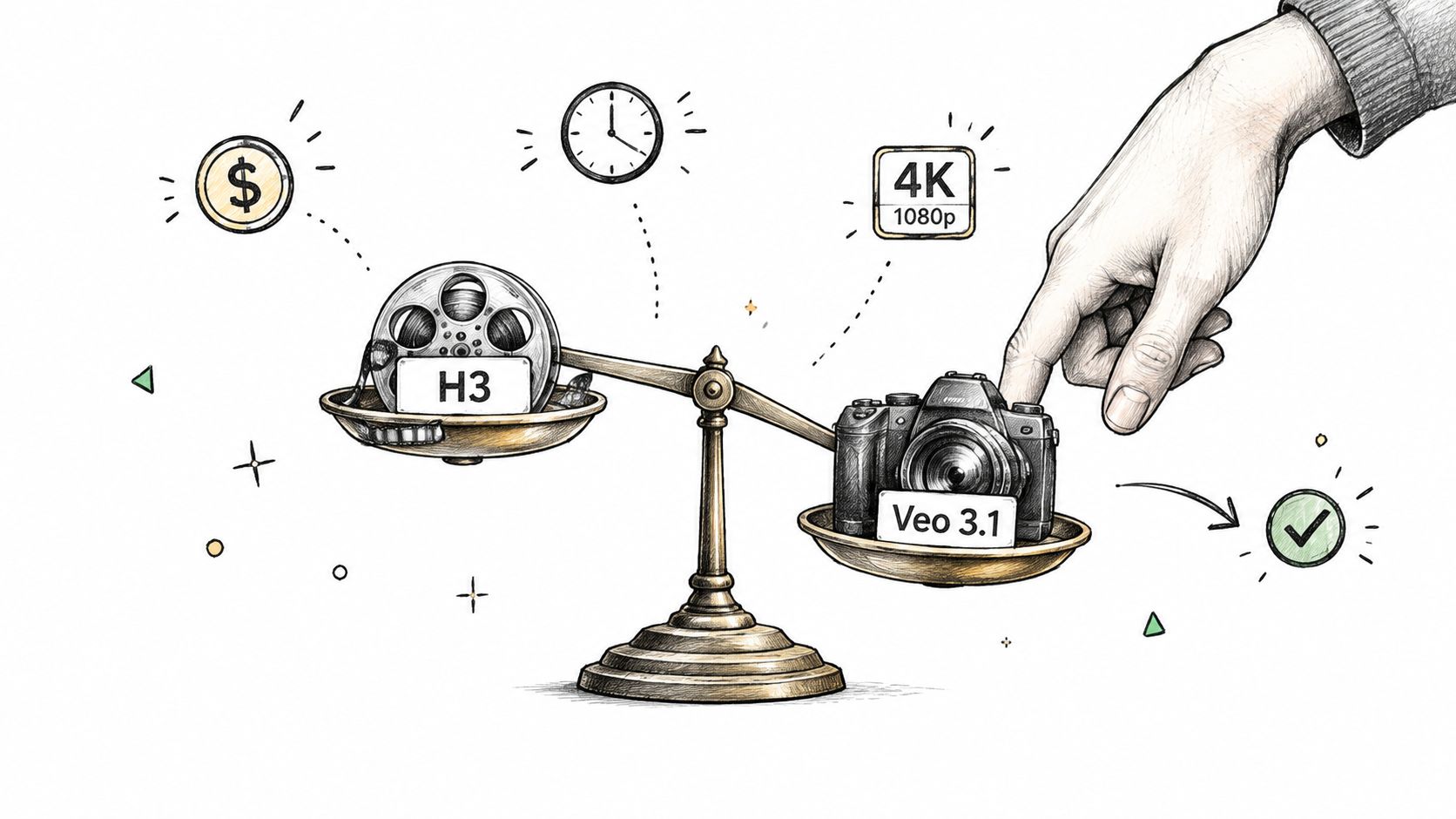
Before you commit, answer these questions: Do you need a longer continuous take? Which aspect ratio will you deliver? Is generated audio a requirement? Do you need 4K? How many reference files does the shot depend on? What's your budget for an accepted clip, including retries?
Keep an eye on H3 checkpoint updates, Veo release notes, and independent controlled benchmarks as they become available. Until someone tests both models against the same prompts and evaluation rules, your own shot list remains the most relevant test. You can also explore the Veo 3 AI video generator as an online option for generating and comparing AI video workflows.
<iframe width="100%" style="aspect-ratio: 16 / 9;" src="https://www.youtube.com/embed/GSYkE1r1JUQ" frameborder="0" allow="autoplay; encrypted-media" allowfullscreen></iframe>
Usable takes per credit, not peak Elo, determine whether a model pays for itself.
Veo3 AI brings video generation from text prompts or static images into one platform, with models including Veo 3.1, Seedance, and Hailuo. Visit Veo3 AI to compare generation workflows against your next brief and see which option gives you footage your editor can use.
Related Articles
Continue with more blog posts in the same locale.

10 Video Prompt Ideas for Cinematic AI Videos
Explore 10 practical video prompt ideas for Veo 3 AI, with templates, examples, and tested tips for cinematic results.
Read article
MiniMax H3 vs Kling 3.0: A Practical 2026 Guide
MiniMax H3 vs Kling 3.0 compared on quality, speed, cost, audio, and real workflows, so you can pick the right model for your next video in 2026.
Read article
7 AI Funny Video Tools for Hilarious Shorts
Discover 7 AI funny video tools for memes, avatars, surreal clips, and short-form content, plus practical ways to make viewers laugh.
Read article