
Seedream 5.0 Pro vs Nano Banana Pro: Which AI Image Model Wins?
Seedream 5.0 Pro vs Nano Banana Pro: detailed comparison of image quality, text rendering, editing control, speed, and pricing. Find out which AI image model fits your workflow.
Emma Chen · 13 min read · Jul 13, 2026
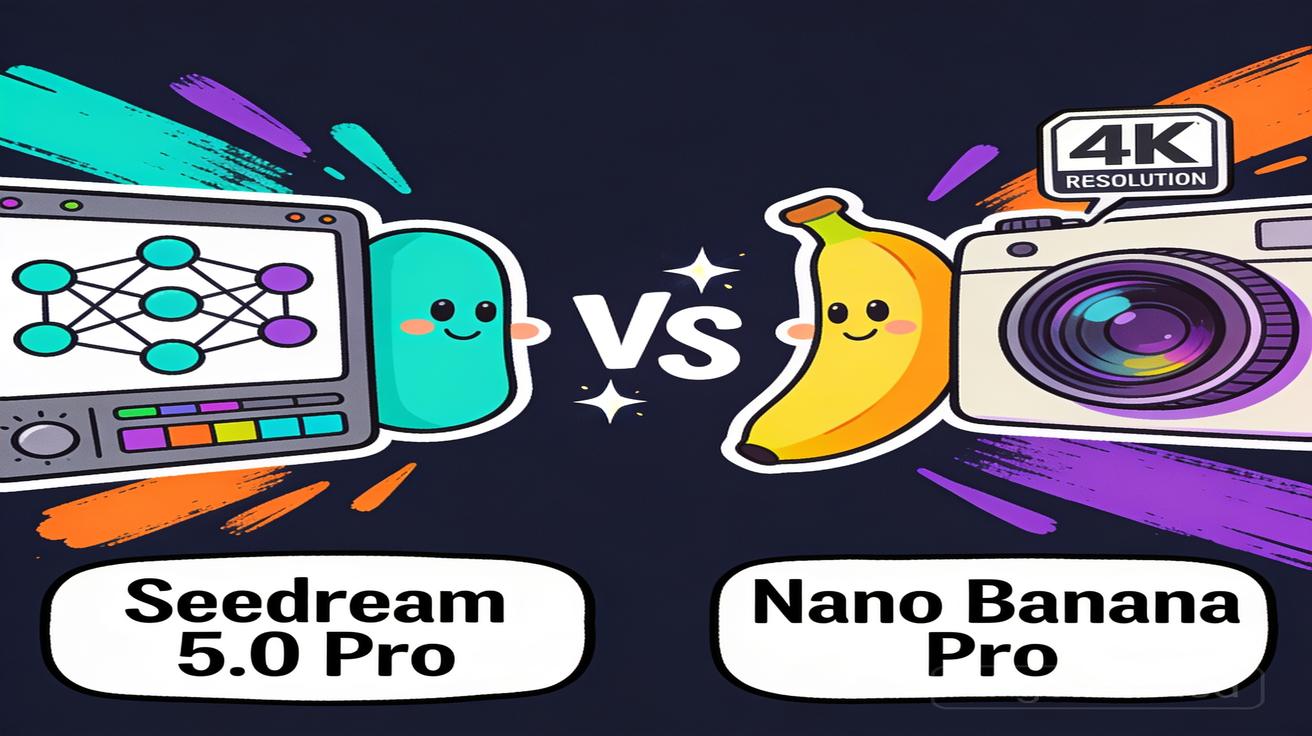
If you're choosing between Seedream 5.0 Pro and Nano Banana Pro for your image generation workflow, you're comparing two of the most capable AI image models released in 2026 — one from ByteDance, one from Google DeepMind. Both are flagship releases. Both are genuinely good. But they're built for different strengths, and picking the wrong one for your use case will cost you time, money, and frustrated revision cycles.
This guide breaks down every meaningful difference: image quality, text rendering, editing control, output resolution, pricing, and free access options. We also include Seedream 5.0 Lite in the comparison, because it sits between the two and often wins on cost-efficiency for mid-volume workflows. By the end, you'll know exactly which model fits your production needs.
AI Overview
Who wins overall? Nano Banana Pro wins on photorealism and text accuracy. Seedream 5.0 Pro wins on editing control and complex compositions.
Seedream 5.0 Pro vs Lite — what's the difference? Seedream 5.0 Lite is faster and cheaper (~$0.035/image). Seedream 5.0 Pro adds Interactive Editing and Layer Separation for professional production workflows.
Which handles text inside images better? Nano Banana Pro — 94–96% text accuracy, benchmark-level for ecommerce overlays and multilingual layouts.
Can I try either model for free? Seedream 5.0 (Pro and Lite): free credits on Nereo.io and Dreamina, no card required. Nano Banana Pro: free tier is 3 low-res images only via the Gemini app.
Which is better for ecommerce product images? Nano Banana Pro for photorealistic hero shots with precise text. Seedream 5.0 Pro for compositions you need to edit iteratively. Seedream 5.0 Lite for fast, low-cost concept generation.
Quick Comparison Table
| Seedream 5.0 Pro | Seedream 5.0 Lite | Nano Banana Pro | |
|---|---|---|---|
| Launch date | July 8, 2026 | February 2026 | March 2026 |
| Best for | Complex compositions, iterative editing | Fast ideation, web search integration | Photorealism, precise text |
| Text rendering | Good (creative use) | Moderate | Excellent (94–96% accuracy) |
| Editing control | Interactive + Layer Separation | Vague intent editing | Layered editing (less depth) |
| Output resolution | High quality | Standard | Native 2K / 4K |
| Generation speed | Moderate | Fast | Fast (up to 8x competitors) |
| Free access | Nereo.io / Dreamina free credits | Nereo.io / Dreamina free credits | 3 low-res via Gemini App |
| API pricing | Pay-per-image | ~$0.035 / image | ~$0.15 per 4K image |
Seedream 5.0 Pro vs Nano Banana Pro: Key Differences
1. Image Quality and Realism
Nano Banana Pro leads on texture fidelity. Skin, fabric, studio lighting, and material surfaces come out at benchmark quality — this is a model trained specifically for commercial-grade photorealism. It handles product photography, fashion shots, food images, and lifestyle content with a consistency that other models struggle to match at comparable speed.
The result is images that look like they came from a professional shoot rather than an AI generator. For brands that need output indistinguishable from traditional photography — ecommerce PDPs, luxury goods campaigns, editorial fashion — Nano Banana Pro is the closest thing currently available at scale.
Seedream 5.0 Pro takes a different approach. Rather than maximizing raw realism, it prioritizes prompt reasoning — the ability to interpret complex, multi-layered descriptions and translate them into compositionally accurate images. If your prompt has six objects with specific spatial relationships, text overlays, lighting from a particular direction, and a defined background environment, Seedream 5.0 Pro is more likely to get all of those constraints right simultaneously.
This distinction matters in practice. Nano Banana Pro may produce a more visually impressive single hero image, but Seedream 5.0 Pro handles the kind of structured, multi-element prompts that real production workflows generate. It's the difference between "best image" and "most accurate image."
Seedream 5.0 Lite trades both raw output quality and compositional accuracy for speed and cost. It remains solid for social media content, thumbnails, and concept iteration, but it's not the right tool when final production quality is the requirement.
Verdict: Photorealistic product hero shots and commercial photography → Nano Banana Pro. Dense multi-object layouts and complex prompt compliance → Seedream 5.0 Pro. Quick concept generation and social media assets → Seedream 5.0 Lite.
2. Text Rendering Accuracy
This is the clearest performance gap between the three models, and it has direct implications for ecommerce and advertising workflows.
Nano Banana Pro sets the benchmark with 94–96% text accuracy across evaluations. Price tags, product slogans, promotional copy, multilingual overlays, and typographic layouts come out reliably legible. The model was specifically optimized for text-in-image fidelity — a longstanding weakness in AI image generation that Nano Banana Pro has largely solved at the commercial level.
For workflows that depend on readable text — ecommerce banners, retail signage, promotional materials in multiple languages, packaging mockups — this accuracy difference between Nano Banana Pro and its competitors is the deciding factor. Getting text wrong in a product image isn't a minor aesthetic issue; it's an unusable asset that requires a full regeneration cycle.
Seedream 5.0 Pro handles creative typography well — stylized fonts, decorative lettering, artistic text treatments, and single-word overlays in English. Where it falls short is in longer text strings, small font sizes, and non-Latin character sets at commercial precision. For creative direction work or editorial design, Seedream 5.0 Pro's text capability is adequate. For ecommerce scale production where text must be 100% accurate across hundreds or thousands of images, the error rate is too high.
Seedream 5.0 Lite is the weakest of the three for precise text. It's reliable for decorative use and single-word text elements, but unreliable for multi-word strings that need to be legible at small sizes or reproduced consistently across a batch.
Verdict: Ecommerce text overlays, multilingual promotional materials, and retail signage → Nano Banana Pro, and it's not a close call. Creative typography and decorative lettering → Seedream 5.0 Pro.
3. Editing and Creative Control
This is where Seedream 5.0 Pro separates itself most clearly.
Interactive Editing lets you select a specific region of your generated image — a face, a background element, a product label, a shadow — and revise it without regenerating the full image. The rest of the image stays intact. This isn't inpainting in the traditional sense; it's region-aware revision that understands the context of what surrounds the selected element.
Layer Separation extends this further. Individual visual elements within the image — subject, background, lighting, text overlay — can be edited independently, like working in a non-destructive layer system. For brands that need to maintain visual consistency across a product line while varying specific elements (background, seasonal overlay, regional text), Layer Separation makes that possible without a full regeneration pipeline.
Together, these two features change the economics of AI-generated image production. Instead of cycling through dozens of full-image regenerations to fix a single out-of-place element, you revise in-place at minimal cost. For agency work, in-house creative teams, and any workflow with client revision cycles, the reduction in total generation cost is significant.
Nano Banana Pro supports region-based editing, but it's less precise than Seedream 5.0 Pro's interactive system. You can make changes to specific areas, but the granular control — especially the ability to isolate and independently edit multiple distinct elements — isn't at the same level.
Seedream 5.0 Lite offers vague intent editing: "make this brighter," "change the background color," "adjust the mood." Useful for broad adjustments, not useful for precise revisions in a production context.
Verdict: Iterative revisions and fine-tuned regional edits → Seedream 5.0 Pro, by a significant margin.
4. Speed and Output Resolution
Nano Banana Pro generates native 2K and 4K output without post-processing upscaling. What you see is actual model output at full resolution — not an upscaled standard image. Generation speed is up to 8x faster than some competing 4K models. For high-volume workflows that need production-ready resolution without a separate upscaling pipeline, this combination of speed and native quality is Nano Banana Pro's strongest practical advantage.
At 4K and 2K resolution, Nano Banana Pro's output quality holds — there's no soft detail or upscaling artifacts that sometimes appear when other models try to hit high resolutions through post-processing. For catalog-scale ecommerce production where every image needs to be usable at large format, this matters.
Seedream 5.0 Pro uses reasoning-based generation. The model spends more compute time interpreting your prompt and planning the composition before rendering. This makes it slower than Nano Banana Pro at comparable output sizes, but it also means complex prompts land more accurately on the first generation — reducing the total number of iterations needed across a project.
In practice, the speed difference depends on your workflow. If you're generating simple, single-subject images at scale, Nano Banana Pro is faster. If you're generating complex multi-element compositions where first-pass accuracy matters, Seedream 5.0 Pro's reasoning investment pays off in fewer revision cycles.
Seedream 5.0 Lite is the fastest of the three for standard (non-4K) output. For reference images, concept variants, social media content, and any workflow where speed matters more than maximum quality, Lite gives you the fastest iteration cycle at the lowest per-image cost.
Verdict: High-volume native 4K batch generation → Nano Banana Pro. Complex prompts where first-pass accuracy reduces total generation cost → Seedream 5.0 Pro. Fast drafts, social content, and concept work → Seedream 5.0 Lite.
5. Pricing and Free Access
| Seedream 5.0 Pro | Seedream 5.0 Lite | Nano Banana Pro | |
|---|---|---|---|
| Free access | Nereo.io / Dreamina free credits | Nereo.io / Dreamina free credits | 3 low-res via Gemini App |
| API pricing | Pay-per-image | ~$0.035 / image | ~$0.15 per 4K image |
| Paid plan required | No | No | $19.99/mo (Google AI Pro) for full access |
The cost gap at volume is significant. Seedream 5.0 Lite at approximately $0.035/image is roughly 4x cheaper than Nano Banana Pro at $0.15/image for 4K output. At 10,000 images per month, that's the difference between $350 and $1,500 in generation costs — before any other platform fees.
Seedream 5.0 Pro (pay-per-image, no subscription required) is the most flexible option for production teams that need high-quality output with editing capabilities without committing to a recurring subscription. You pay for what you generate.
Nano Banana Pro's effective free tier — 3 low-resolution images via the Gemini app — is more of a demo than a practical trial. If you want to evaluate the model properly before committing to a paid plan, you'll need the $19.99/month Google AI Pro subscription. This creates a real friction point for teams exploring options before budget commitment.
Both Seedream 5.0 models are available with free credits on Nereo.io — enough to complete a meaningful evaluation, no credit card required.
Verdict: On-demand production without subscription → Seedream 5.0 Pro or Lite. High-volume 4K ecommerce production with consistent text requirements → Nano Banana Pro (plan for the cost difference).
Which Should You Choose?
Choose Seedream 5.0 Pro if you:
- Work with complex prompts — multiple subjects, dense spatial layouts, structured multi-element compositions
- Need to revise specific image elements without regenerating the full image
- Run iterative production workflows with client revision cycles
- Need multilingual text rendering for creative typography (not commercial precision text)
- Want to try a flagship AI image model for free on Nereo.io
Choose Seedream 5.0 Lite if you:
- Need fast, low-cost image generation for rapid concept work
- Want web search integration built into the generation process
- Run high-volume workflows where cost-per-image is the primary constraint
- Generate social media content, video thumbnails, or reference imagery at scale
Choose Nano Banana Pro if you:
- Need native 4K photorealistic output for fashion campaigns, product photography, or commercial advertising
- Require precise text accuracy — price tags, multilingual promotional copy, retail signage
- Already operate in the Google ecosystem (Gemini App, Google AI Studio, Vertex AI)
- Need to batch-generate high-resolution catalog images with consistent text across hundreds of SKUs
Try Seedream 5.0 Pro on Nereo — Free
Nereo.io has integrated Seedream 5.0 Pro with free credits. No subscription required. Generate your first images, test the Interactive Editing and Layer Separation features, and evaluate output quality against your existing workflows before committing to any plan.
→ Try Seedream 5.0 Pro Free on Nereo
What Is Seedream 5.0 Pro?
Seedream 5.0 Pro is ByteDance's flagship AI image generation model, released July 8, 2026. It's available through Dreamina, CapCut, and Nereo.io.
Key capabilities:
- Interactive Editing — modify specific image regions without regenerating the full image
- Layer Separation — edit individual visual elements independently within a generated image
- Multilingual text rendering — support for complex character sets and international typography for creative applications
- Advanced prompt reasoning — accurate interpretation of multi-object, multi-constraint compositions with complex spatial relationships
Seedream 5.0 Pro is designed for professional production workflows where revision control and compositional accuracy matter more than raw speed. It sits at the top of the Seedream 5.0 family, with Seedream 5.0 Lite as the cost-optimized alternative for volume workflows.
What Is Seedream 5.0 Lite?
Seedream 5.0 Lite (launched February 2026) is the accessible tier of ByteDance's Seedream 5.0 family, optimized for speed and cost efficiency.
Key differentiators:
- Real-time web search integration — pulls current visual references and trending content during generation
- ~$0.035/image — among the lowest cost-per-image for standard quality AI image generation
- Fast generation speed — optimized for high-volume iteration workflows where time-to-output matters most
Seedream 5.0 Lite is best for rapid ideation, social media asset production, cost-sensitive workflows, and any use case that doesn't require fine-grained editing control or maximum output resolution.
What Is Nano Banana Pro?
Nano Banana Pro is Google DeepMind's AI image generation model built on the Gemini 3 Pro architecture, released March 2026. Available through the Gemini app, Google AI Studio, Vertex AI, and select third-party platforms.
Key strengths:
- Native 2K and 4K output — full-resolution model output, not post-processed upscaling
- Benchmark-level photorealism — optimized for fashion, product, and commercial photography at scale
- Precise multilingual text rendering — 94–96% text accuracy across price tags, slogans, promotional materials, and complex typographic layouts
- Fast generation speed — up to 8x faster than some competing 4K generation models
Nano Banana Pro is Google's commercial-grade flagship in generative imaging. Full access requires a Google AI Pro subscription ($19.99/month), with a limited free evaluation of 3 low-res images via the Gemini app.
Start Free on Nereo
Try both Seedream 5.0 Pro and Seedream 5.0 Lite on Nereo — free credits, no credit card required. Compare output quality side by side against your own prompts, evaluate the Interactive Editing workflow, and make an informed decision before committing to any plan.
Related Articles
Continue with more blog posts in the same locale.

Google Veo 無料
Google veo 無料. Find out if Google Veo is really free, what limits apply, and how to start using it today. A clear guide for creators comparing free options.
Read article
Veo 3 Kostenlos: Your Free Video Generation Guide
Learn how to use Veo 3 AI video generator for free. Step-by-step guide to creating videos with Veo 3 kostenlos, including tips and limitations of the free plan.
Read article
Gemini Omni Image to Video: The Complete Guide
Master Gemini Omni image to video workflows. Learn prompt templates, Veo 3.1 settings, resolution options, and practical tips for social and marketing videos.
Read article