
Veo 3.1 vs Veo 3: What's New and Should You Upgrade?
Comprehensive comparison of Veo 3.1 vs Veo 3. New features, performance improvements, and whether upgrading is worth it.
Emma Chen · 18 min read · Apr 25, 2026
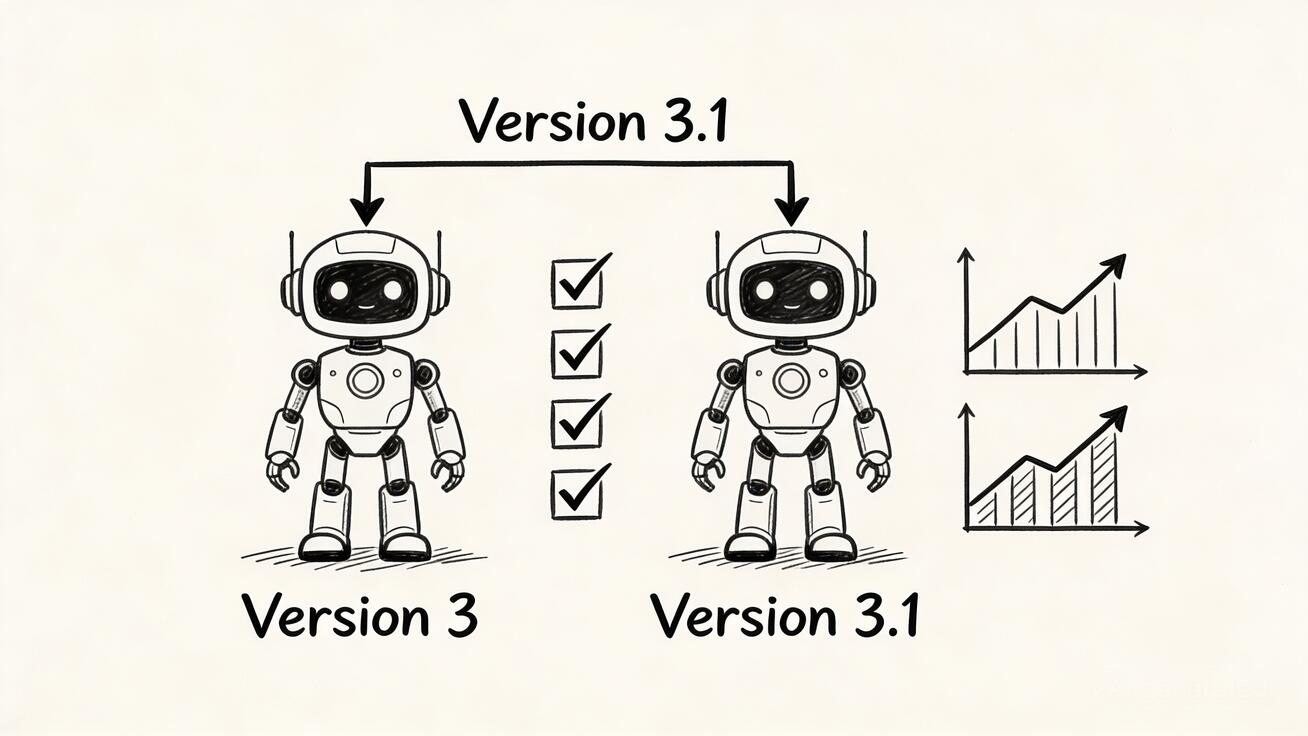
Google's Veo has rapidly evolved from a promising AI video generator to one of the most capable tools in the generative video space. With the release of Veo 3.1 in early 2026, Google has introduced significant improvements that build upon the foundation laid by Veo 3. But what exactly has changed, and more importantly—should you upgrade?
This comprehensive comparison breaks down everything you need to know about Veo 3.1 versus Veo 3, from technical improvements to pricing changes, helping you make an informed decision about which version best suits your creative workflow.
What Is Veo 3.1?
Veo 3.1 represents Google's latest iteration of its flagship AI video generation model. Announced in January 2026, this update focuses on three core areas: enhanced visual fidelity, improved creative control, and expanded output options. Unlike a complete model overhaul, Veo 3.1 is an evolutionary upgrade that refines and extends the capabilities introduced in Veo 3.
The update is particularly significant because it arrives at a time when AI video generation is becoming increasingly competitive. With competitors like OpenAI's Sora, Runway Gen-4, and Kling pushing boundaries, Google's response with Veo 3.1 demonstrates their commitment to maintaining leadership in this rapidly evolving space.
For creators already familiar with Veo 3's text-to-video capabilities, the 3.1 update offers meaningful improvements without requiring a complete workflow overhaul.
What's New in Veo 3.1?
Veo 3.1 introduces several key improvements that address common pain points users experienced with Veo 3. Here's a detailed breakdown of what's changed:
Enhanced Ingredients to Video
Perhaps the most significant upgrade in Veo 3.1 is the enhanced "Ingredients to Video" feature. While Veo 3 introduced image-to-video generation, Veo 3.1 takes this capability to new heights:
Character Consistency: Veo 3.1 dramatically improves identity consistency across scenes. Characters now maintain their appearance even as settings change, making it possible to tell coherent stories with the same character appearing in multiple scenes. This was a major limitation in Veo 3, where characters would often subtly change appearance between generations.
Background and Object Integrity: The new version maintains better consistency for backgrounds and objects within scenes. You can now reuse objects, backgrounds, and textures across multiple scenes, creating more cohesive narratives.
Seamless Element Blending: Veo 3.1 excels at combining disparate elements—characters, objects, textures, and stylized backgrounds—into cohesive, high-impact clips. This enables more complex creative compositions that were difficult or impossible to achieve with Veo 3.
Native Vertical Video Support
Veo 3.1 introduces native 9:16 vertical video output for the first time. While Veo 3 could generate vertical content through cropping, Veo 3.1 produces native portrait-mode videos optimized for platforms like YouTube Shorts, TikTok, and Instagram Reels.
This isn't just about aspect ratio—native vertical generation means the AI composes shots specifically for vertical viewing, resulting in better framing, more appropriate camera movements, and optimized visual storytelling for mobile-first content.
4K and Enhanced 1080p Resolution
Resolution capabilities have expanded significantly in Veo 3.1:
- 4K Generation: Veo 3.1 can now generate videos in true 4K resolution (3840x2160), ideal for high-end productions and large screen displays
- Enhanced 1080p: The 1080p output has been improved with sharper details and cleaner edges, making it perfect for professional editing workflows
- Upscaling Capability: A new standalone upscaling feature allows you to enhance existing videos—whether AI-generated or traditionally shot—up to 4K resolution
Veo 3 was limited to 720p and 1080p outputs, with the 1080p sometimes exhibiting softness in fine details. Veo 3.1 addresses these limitations comprehensively.
Richer Native Audio
While Veo 3 introduced native audio generation, Veo 3.1 produces richer, more nuanced sound:
- Natural Conversations: Dialogue sounds more authentic and contextually appropriate
- Synchronized Sound Effects: Audio syncs more precisely with visual events
- Enhanced Music: Generated music better matches the mood and pacing of videos
- 8-Second Audio Clips: Both versions support embedded audio in generated videos at 720p and 1080p
The audio improvements in Veo 3.1 are particularly noticeable in scenarios requiring precise lip-sync or when generating videos with complex ambient soundscapes. Creators working on narrative content will appreciate the more natural flow of dialogue and the improved spatial audio positioning that creates a more immersive viewing experience.
Improved Prompt Adherence
Veo 3.1 demonstrates significantly better understanding of complex prompts. Users report:
- More accurate interpretation of detailed instructions
- Better handling of cinematic terminology and styles
- Improved temporal consistency—actions flow more naturally across frames
- Reduced need for prompt engineering to achieve desired results
This improvement in prompt adherence means creators spend less time iterating and refining prompts to get the desired output. Where Veo 3 might require three or four attempts to capture a specific camera movement or lighting style, Veo 3.1 often nails it on the first try. The model's enhanced understanding of cinematic language—including terms like "dolly zoom," "rack focus," and "golden hour lighting"—makes it more accessible to filmmakers while still being intuitive for casual users.
Mobile-First Optimization
Veo 3.1 is explicitly designed with mobile creators in mind. The Gemini app integration allows users to generate expressive videos directly from their phones, with interfaces optimized for touch interaction and on-the-go creativity.
This mobile optimization extends beyond just the interface. Veo 3.1's processing has been streamlined to work efficiently with mobile network conditions, offering faster initial previews and the ability to queue generations for when you are on Wi-Fi. The integration with the Gemini app also means that creators can seamlessly move between image generation (using Gemini's image capabilities) and video generation, creating a complete mobile creative workflow that rivals desktop experiences.
Performance Comparison: Veo 3.1 vs Veo 3
Performance metrics reveal meaningful differences between the two versions:
Generation Speed
| Tier | Veo 3 | Veo 3.1 |
|---|---|---|
| Standard | ~45-60s for 8s clip | ~40-55s for 8s clip |
| Fast | ~20-30s for 8s clip | ~15-25s for 8s clip |
| Lite | N/A | ~10-15s for 8s clip |
Veo 3.1 is generally faster across equivalent tiers, with the new Veo 3.1 Lite offering the quickest generation for rapid iteration workflows.
The speed improvements in Veo 3.1 are not just about faster generation times—they also represent better resource utilization. Google's infrastructure optimizations mean that Veo 3.1 generates higher quality output in less time than Veo 3, making it more cost-effective for high-volume applications. For production environments where dozens or hundreds of clips are generated daily, these time savings compound significantly, reducing project turnaround times and enabling more iterative creative processes.
Maximum Video Length
- Veo 3: 8 seconds per generation
- Veo 3.1: 8 seconds per generation, with video extension capabilities in preview
While the base generation length remains 8 seconds, Veo 3.1 introduces video extension features (currently in preview) that allow users to extend videos beyond the initial 8-second limit—a capability Veo 3 lacks entirely.
The video extension capability is particularly valuable for storytelling applications where longer narrative sequences are required. While the technology is still in preview and results can vary, early testing shows promising results with seamless transitions between extended segments. This feature, combined with Veo 3.1's improved temporal consistency, opens up new possibilities for creating longer-form content from AI-generated video segments.
Batch Processing
Both versions support batch generation, but Veo 3.1 shows improved queue management and more consistent processing times when generating multiple variations.
For enterprise users and creative agencies running large-scale projects, Veo 3.1's improved batch processing represents a significant workflow enhancement. The more predictable processing times make it easier to schedule production workflows, and the improved queue management reduces the likelihood of failed or stuck generations that plagued some Veo 3 batch operations. This reliability improvement is often more valuable than raw speed in professional production environments.
Quality Comparison
When examining output quality side by side, several differences become apparent:
Visual Fidelity
Resolution and Detail: Veo 3.1's 4K output captures textures and fine details that Veo 3's 1080p simply cannot match. Even when comparing 1080p outputs, Veo 3.1 produces cleaner edges and more consistent lighting. The difference becomes particularly apparent in scenes with fine textures like hair, fabric, or natural elements like leaves and water.
Motion Quality: Veo 3.1 generates smoother, more natural motion. Where Veo 3 sometimes produced jerky or unnatural movements, especially with complex actions, Veo 3.1 maintains fluid motion throughout clips. This improvement is most noticeable in scenes with camera movements or when depicting actions like walking, running, or object manipulation.
Character Rendering: Human figures in Veo 3.1 exhibit more realistic proportions, better facial expressions, and more consistent anatomy compared to Veo 3, which occasionally produced distorted features or unnatural poses. The "uncanny valley" effect—that unsettling feeling when AI-generated humans look almost but not quite right—is significantly reduced in Veo 3.1, making the generated content more suitable for professional applications where viewer engagement is critical.
Temporal Consistency
One of Veo 3's biggest weaknesses was maintaining consistency across frames. Objects might change shape, lighting would shift inexplicably, or characters would morph slightly. Veo 3.1 addresses these issues:
- Objects maintain consistent shape and texture throughout videos
- Lighting remains stable unless intentionally changed
- Characters retain their appearance across the full clip duration
- Background elements don't drift or distort
This improvement in temporal consistency transforms what types of content are viable to create with AI video generation. Veo 3's inconsistencies made it challenging to create content featuring the same character in different scenarios—a major limitation for brand storytelling and narrative content. Veo 3.1's ability to maintain character identity across scenes opens up entirely new use cases, from serialized content creation to brand mascot videos where consistency is essential for recognition and trust.
Audio Quality
The native audio in Veo 3.1 represents a clear improvement:
- Veo 3: Basic sound effects and simple ambient audio
- Veo 3.1: Richer soundscapes, more appropriate audio-visual synchronization, and better music generation
The audio improvements extend beyond just quality—the synchronization between visual events and their corresponding sounds is more precise in Veo 3.1. A character's footsteps now match the visual timing of their walking animation, and environmental sounds like rain or wind feel properly integrated with the visual scene. For creators producing content where audio plays a central role, such as music videos or atmospheric storytelling, these improvements make Veo 3.1 the clear choice.
Pricing and Access Changes
Understanding the cost implications is crucial for deciding whether to upgrade. While both models offer similar base pricing, Veo 3.1 introduces new tier options that provide more flexibility for different budgets and use cases:
Pricing Structure
Both Veo 3 and Veo 3.1 follow similar pricing tiers on Vertex AI and the Gemini API, with costs scaling per second of video generated:
| Model | Video-Only | Video + Audio |
|---|---|---|
| Veo 3 Standard | ~$0.05/sec | ~$0.07/sec |
| Veo 3.1 Standard | ~$0.05/sec | ~$0.07/sec |
| Veo 3.1 Fast | ~$0.035/sec | ~$0.05/sec |
| Veo 3.1 Lite | ~$0.005/sec | N/A (video only) |
Note: Some sources report Veo 3.1 Standard with audio costs approximately 35-40% more than video-only, so pricing may vary based on configuration and region.
The introduction of Veo 3.1 Lite at roughly one-tenth the cost of the Standard tier represents a significant expansion of accessible use cases. While Lite doesn't include audio generation and may have slight quality trade-offs compared to Standard, it makes high-volume applications economically viable for the first time. A content creator generating 100 eight-second clips per day would spend approximately $4 with Veo 3.1 Lite versus $40 with the Standard tier—a dramatic difference that changes what types of projects are feasible.
Free Access Options
Neither Veo 3 nor Veo 3.1 offers unlimited free access. However, limited free usage is available through:
- Gemini App: Free tier with usage limits for both versions
- Google Cloud Trials: New Vertex AI users receive trial credits
- Promotional Periods: Google occasionally offers expanded access during promotional windows
For detailed information on accessing Veo 3.1 for free, check our complete guide to free Veo 3.1 access.
It's worth noting that while free access is limited, the barrier to entry for testing both models is quite low. The Gemini app's free tier provides enough generations to thoroughly evaluate whether Veo 3.1's improvements justify the cost for your specific use case before committing to a paid plan.
Availability
Veo 3:
- Gemini app
- Vertex AI
- YouTube (limited)
- Flow
Veo 3.1:
- Gemini app
- YouTube Shorts
- Flow
- Google Vids
- Gemini API
- Vertex AI (including Lite and Fast tiers)
- Google Vids
Use Case Scenarios: Which Version Should You Choose?
Different creators have different needs. Your choice between Veo 3 and Veo 3.1 should be driven by your specific workflow requirements, content goals, and budget constraints. Here's how to choose based on your specific use case:
Choose Veo 3.1 If:
You're Creating Short-Form Content: The native 9:16 vertical video support makes Veo 3.1 the obvious choice for TikTok, YouTube Shorts, and Instagram Reels creators. The optimized vertical composition means you won't lose important visual information to cropping, and the AI's understanding of mobile-first storytelling results in more engaging content that performs better on these platforms.
Character Consistency Matters: For storytelling, brand content, or any project where the same character appears multiple times, Veo 3.1's identity consistency is essential. Brand mascots, recurring characters in serialized content, or consistent spokesperson figures are now viable to create with AI video generation—a game-changer for content marketing and brand storytelling.
You Need Professional Quality: The 4K output and enhanced 1080p make Veo 3.1 suitable for broadcast and high-end productions. Commercial projects, corporate videos, and any content that might be displayed on large screens will benefit from the increased resolution and detail. The improved quality also provides more flexibility in post-production, allowing for cropping and stabilization without degrading the final output.
Audio Is Important: If you need synchronized sound effects, dialogue, or music in your generated videos, Veo 3.1's richer audio generation is worth the upgrade.
You Use Reference Images: The enhanced Ingredients to Video features make Veo 3.1 far more powerful for image-to-video workflows.
Veo 3 May Still Work If:
You Have Simple Needs: For basic text-to-video generation without complex requirements, Veo 3 remains capable.
Cost Is Critical: While pricing is similar, if you have existing Veo 3 credits or workflows, switching costs may not be justified for simple use cases.
You're Just Experimenting: For casual experimentation and learning, either version works well.
Consider Veo 3.1 Lite For:
High-Volume Applications: At approximately $0.005 per second, Veo 3.1 Lite is ideal for applications requiring many short videos.
Rapid Iteration: The faster generation speed and lower cost make it perfect for prototyping and testing ideas.
Video-Only Needs: If you don't need audio generation, Lite offers the most cost-effective option.
Should You Upgrade to Veo 3.1?
The decision to upgrade depends on your specific situation, your current workflow, and your future content goals. Here's a detailed breakdown to help you decide:
Definitely Upgrade If:
- You create short-form vertical content - The native 9:16 support is a game-changer for social media creators
- Character consistency is important - Veo 3.1 solves one of Veo 3's biggest limitations for narrative content
- You need 4K output - Essential for professional productions and large-screen display
- You use image-to-video workflows - Ingredients to Video is significantly improved with better blending and consistency
- Audio matters for your projects - The richer native audio enhances overall quality and reduces post-production work
Consider Staying With Veo 3 If:
- You only do occasional casual generation - Veo 3 remains capable for simple needs and experimentation
- You have significant existing credits - Use them up before switching to maximize your investment
- Your workflow is already optimized - The learning curve for new features may not be worth minimal gains for established pipelines
The Verdict
For most serious creators, Veo 3.1 is worth the upgrade. The combination of native vertical video, improved character consistency, 4K support, and enhanced audio addresses the most significant limitations of Veo 3. While casual users may not notice dramatic differences, anyone producing content professionally will appreciate the improvements.
The introduction of Veo 3.1 Lite also makes the ecosystem more accessible for high-volume applications, giving users three distinct tiers to match their specific needs and budget. This tiered approach means you can choose the right tool for each project rather than being locked into a one-size-fits-all solution.
Looking at the broader landscape of AI video generation, Veo 3.1 positions Google competitively against offerings from OpenAI, Runway, and others. While each platform has its strengths, Veo 3.1's combination of quality, consistency, and flexible pricing makes it a compelling choice for creators who need reliable, professional-grade output. The tight integration with Google's ecosystem—particularly YouTube—also provides workflow advantages for creators publishing to those platforms.
Frequently Asked Questions
Is Veo 3.1 a completely new model or just an update?
Veo 3.1 is an evolutionary update to Veo 3, not a completely new architecture. It builds upon Veo 3's foundation with significant refinements and new capabilities, particularly in areas like character consistency, resolution, and mobile optimization.
Can Veo 3.1 generate longer videos than 8 seconds?
Currently, both Veo 3 and Veo 3.1 generate 8-second clips as their base output. However, Veo 3.1 has introduced video extension capabilities (in preview) that allow extending videos beyond 8 seconds—a feature not available in Veo 3.
Does Veo 3.1 cost more than Veo 3?
Pricing for standard tiers is similar between versions, with video-only generation at comparable rates. However, Veo 3.1 offers more tiers (including the cost-effective Lite option), and audio-enabled generation may cost 35-40% more than video-only depending on configuration.
Can I still use Veo 3 after Veo 3.1's release?
Yes, Veo 3 remains available through the same platforms. Google typically maintains previous versions for backward compatibility, though new features and improvements are focused on the latest version.
Which platforms support Veo 3.1?
Veo 3.1 is available in the Gemini app, YouTube Shorts, Flow, Google Vids, Gemini API, and Vertex AI. The specific features available vary by platform—for example, 4K upscaling is currently limited to Flow, the API, and Vertex AI.
Does Veo 3.1 require different prompting techniques?
While Veo 3.1 understands prompts better than Veo 3, you don't need to learn entirely new prompting techniques. However, you can now use more detailed cinematic terminology and expect better results. Check out our text-to-video guide for prompting best practices.
Is there a free way to try Veo 3.1?
The Gemini app offers limited free access to Veo 3.1 for testing. Additionally, new Google Cloud users can access trial credits for Vertex AI. For detailed information on free access options, visit our comprehensive access guide.
How does Veo 3.1 compare to competitors like Sora or Runway?
Veo 3.1 competes favorably with other leading AI video generators, particularly in areas like character consistency and native audio generation. While each model has strengths, Veo 3.1's integration with Google's ecosystem and its native vertical video support make it particularly compelling for creators focused on short-form content.
Conclusion
Veo 3.1 represents a meaningful evolution of Google's AI video generation capabilities. While not a revolutionary leap, the improvements—particularly native vertical video, enhanced character consistency, and 4K output—address real pain points that creators faced with Veo 3.
For anyone serious about AI video generation, especially those creating content for social media platforms or professional productions, Veo 3.1 is the clear choice. The new Lite tier also makes high-volume applications more economically viable, opening up possibilities that were previously cost-prohibitive.
If you're currently using Veo 3 and wondering whether to upgrade, consider this: the vertical video support alone justifies the switch for short-form creators, while the character consistency improvements benefit anyone telling stories with consistent characters. Combined with 4K output and better audio, Veo 3.1 establishes itself as the superior option for most use cases.
The AI video generation landscape is evolving rapidly, with new capabilities emerging monthly. Veo 3.1 demonstrates Google's commitment to staying competitive in this space while providing practical improvements that solve real user problems rather than just adding flashy features. For creators building their workflows around AI video generation, this reliability and consistent improvement trajectory makes Veo a safe investment.
Ready to try Veo 3.1? Start experimenting in the Gemini app or integrate it into your workflow through the Gemini API or Vertex AI. The future of AI video generation is here—and it's more capable than ever.
Related Articles
Continue with more blog posts in the same locale.

Veo 3 vs HeyGen 2026: AI Video Generation vs AI Avatar Studio
Veo 3 vs HeyGen 2026: compare AI video generation and AI avatar studio workflows, see where each excels, and decide which belongs in your video production stack.
Read article
Veo 3 vs InVideo AI: Which Should You Use in 2026?
Veo 3 vs InVideo AI: understand the core difference between AI video generation and AI-assisted production, see how each excels, and decide which fits your workflow in 2026.
Read article
Veo 3 vs Pollo AI: Which AI Video Generator Should You Choose in 2026?
Compare Veo 3 and Pollo AI across video quality, native audio generation, pricing, and use cases. Find out which AI video generator is right for your workflow in 2026.
Read article