
Veo 3 vs Haiper: Which AI Video Generator Should You Use in 2026?
An honest, workflow-first comparison of Veo 3 vs Haiper for AI video generation in 2026, with prompts, use cases, and a clear recommendation.
Emma Chen · 16 min read · Jun 24, 2026
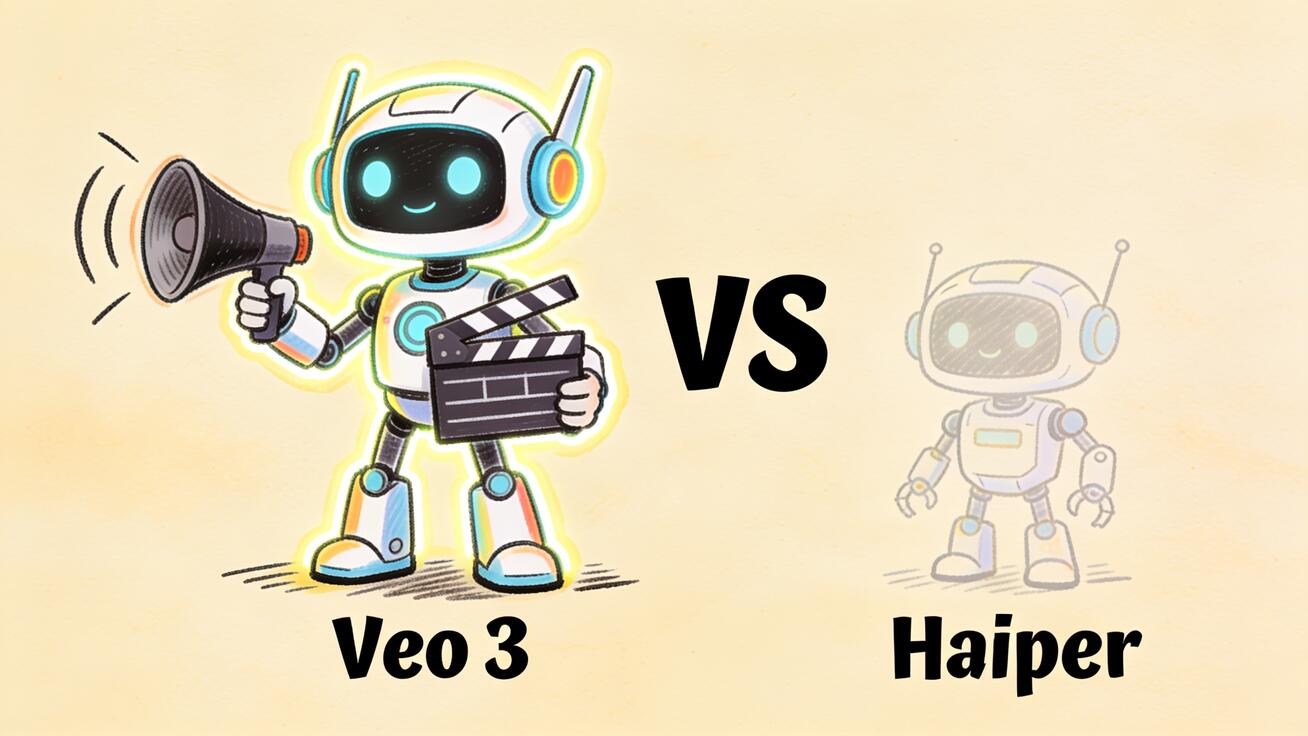
<p>If you are choosing between <strong>Veo 3 vs Haiper</strong> for your next AI video project, this head-to-head will save you the trial-and-error. Both names show up when people search for an AI video generator that turns text or an image into a finished clip, but they sit at very different points in the market today. Veo 3 is Google's flagship text-to-video and image-to-video model with native audio, while Haiper was an early, fast-moving startup that won fans for its free tier and quick generations. Below you will find an honest, workflow-first comparison so you can pick the right tool, set up a working pipeline, and know exactly what to prompt.</p>
<h2>Quick Answer: Veo 3 vs Haiper</h2>
<p>For most creators, marketers, and product teams generating video in 2026, <strong>Veo 3 is the stronger pick</strong>. It produces higher-fidelity clips, generates synchronized audio in the same pass as the video, and supports resolutions up to 4K. Haiper earned a real following for an accessible, free-to-start text-to-video and image-to-video experience, and its Haiper 2.0 and 2.5 releases pushed realism and added API access. But Haiper has since been discontinued as a standalone consumer platform, which matters a lot if you are building a repeatable workflow you can rely on month after month.</p>
<p>So the practical recommendation is simple: if you want a tool you can build a real content pipeline on, choose Veo 3. If you are only studying Haiper's historical output or you encounter it bundled inside a third-party aggregator, treat it as a reference point rather than a production backbone. The rest of this guide explains why, dimension by dimension, and shows you how to actually use Veo 3 to get the result Haiper users were originally after.</p>
<p>You can try the model directly through <a href="https://veo3ai.io/">Veo 3</a> and follow along with the prompt examples below.</p>
<h2>What Each Tool Is Built For</h2>
<h3>Veo 3 in one paragraph</h3>
<p>Veo 3 is Google's video generation model, available through Gemini, Vertex AI, and a number of partner platforms. Its headline capability is <strong>native audio</strong>: in a single generation pass it produces the picture plus ambient sound, sound effects, and dialogue with synchronized lip movement. The Veo 3.1 family extends this with multiple tiers — a top-fidelity model for final production cuts, a Fast variant for speed, and a Lite variant for cost-sensitive volume work — along with an upscaling capability that can lift output to 1080p and 4K. Clips are short and dense: typically around eight seconds of high-fidelity, audio-complete video per generation. That makes Veo 3 a natural fit for ad hooks, social cutdowns, product teasers, and any scene where sound and motion need to land together.</p>
<h3>Haiper in one paragraph</h3>
<p>Haiper launched as an accessible AI video generator focused on turning text prompts and images into short, smooth animated clips. It built its reputation on a generous free tier, fast generations, and creative effects like its video repainting feature, which let users restyle the colors and textures of existing footage. Haiper 2.0, released in late 2024, pushed toward more hyper-realistic output and better temporal coherence, and Haiper 2.5 added API integrations so the model could be used inside other tools. Those were genuine strengths in their moment. The key change for anyone planning a 2026 workflow is that Haiper is no longer operating as an actively maintained standalone platform, so its model line stopped advancing where Veo 3's kept moving.</p>
<h2>Veo 3 vs Haiper: Side-by-Side</h2>
<p>This table sticks to what is verifiable. Where a Haiper specification was never a stable public figure, it is marked as limited rather than guessed, because publishing a fabricated number would help no one.</p>
<table> <thead> <tr><th>Dimension</th><th>Veo 3</th><th>Haiper</th></tr> </thead> <tbody> <tr><td>Core inputs</td><td>Text-to-video and image-to-video</td><td>Text-to-video and image-to-video</td></tr> <tr><td>Native audio</td><td>Yes — dialogue, SFX, ambient, lip-sync in one pass</td><td>No native synchronized audio</td></tr> <tr><td>Max resolution</td><td>Up to 4K (720p / 1080p / 4K), with upscaling</td><td>HD-class output</td></tr> <tr><td>Model tiers</td><td>Veo 3.1, Fast, Lite</td><td>Haiper 2.0 / 2.5 (historical)</td></tr> <tr><td>Signature feature</td><td>Audio-visual sync without post-processing</td><td>Video repainting / restyle effects</td></tr> <tr><td>Platform status (2026)</td><td>Actively developed and supported</td><td>Discontinued as a standalone platform</td></tr> <tr><td>Best for</td><td>Production-grade ads, social, product video</td><td>Historical reference; legacy experiments</td></tr> </tbody> </table>
<p>The single most decision-shaping row is the last one. A model that is no longer being maintained cannot be a foundation for a content calendar, because there is no roadmap, no improving quality curve, and no guarantee of availability. That is not a knock on what Haiper achieved — it is just the reality of building a workflow you intend to repeat.</p>
<h2>Where Veo 3 Pulls Ahead</h2>
<h3>1. Native audio changes the workflow</h3>
<p>Most AI video tools, Haiper included, generate a silent clip that you then have to score, add sound effects to, and — if there is a speaker — dub or lip-sync in a separate editor. Veo 3 collapses that into one step. When you prompt a scene with a line of dialogue, it returns the footage with the spoken line already synced to the character's mouth, plus the room tone and effects implied by the action. For a creator shipping daily short-form video, removing the entire audio post-production stage is the difference between a one-tool pipeline and a four-tool one.</p>
<h3>2. Resolution headroom</h3>
<p>Veo 3 supports 720p, 1080p, and 4K, and its upscaling path can lift a generation to higher resolution for delivery. That headroom matters the moment your clip needs to run on a large screen, a landing-page hero, or a paid placement where compression artifacts read as cheap. HD-class output is fine for a quick social post but leaves less room to crop, reframe, or future-proof an asset.</p>
<h3>3. An active, tiered model line</h3>
<p>The Veo 3.1 family lets you match the model to the job: the flagship tier for the one hero shot that has to be flawless, Fast for iterating on hooks where you will generate a dozen options, and Lite for high-volume, cost-sensitive batches. A discontinued single model line cannot offer that kind of cost-quality dial, and it will not get better next quarter.</p>
<h3>4. It is a real foundation to build on</h3>
<p>This is the quiet advantage. When you invest time learning a model's prompting quirks, building templates, and wiring it into your publishing flow, you want that investment to compound. Veo 3 is being actively developed, so the prompts and pipelines you build today keep paying off. That durability is exactly what a head-to-head with a discontinued tool is meant to surface.</p>
<h2>Where Haiper Earned Its Reputation</h2>
<p>An honest comparison does not pretend the competitor had no strengths. Haiper genuinely did several things well, and understanding them tells you what to look for in any tool you adopt next.</p>
<ul> <li><strong>Accessibility.</strong> A free, low-friction entry point let people generate their first AI clip in minutes, which is why so many creators tried it early.</li> <li><strong>Speed.</strong> Fast generations made it easy to iterate on ideas without long waits, useful when you are sketching concepts.</li> <li><strong>Video repainting.</strong> Restyling the colors and textures of existing footage was a genuinely creative feature that not every competitor offered.</li> <li><strong>Image-to-video.</strong> Turning a single still into a moving clip was a core, dependable use case.</li> </ul>
<p>The good news is that you do not lose these capabilities by moving to Veo 3 — you get faster-improving versions of them, plus the native audio Haiper never shipped. So the migration is not a trade-off; it is an upgrade. If accessibility and speed were what drew you to Haiper, the Veo 3 Fast and Lite tiers are designed to answer exactly those needs.</p>
<h2>How to Get Haiper-Style Results With Veo 3</h2>
<p>Here is a concrete, repeatable workflow that reproduces what Haiper users wanted — a clean text-to-video or image-to-video clip — and then goes further with sound. Every step maps to an action you actually take.</p>
<h3>Step 1: Pick the input mode</h3>
<p>Decide whether you are starting from a <strong>text prompt</strong> or an <strong>image</strong>. Text-to-video is best when you have a scene in mind but no asset. Image-to-video is best when you have a product photo, a character render, or a frame you want to bring to life — the same image-to-video use case Haiper was known for. If you want to learn that path in depth, see <a href="https://veo3ai.io/blog/veo-3-lite-complete-guide-2026">the Veo 3 Lite complete guide</a>.</p>
<h3>Step 2: Write a structured prompt</h3>
<p>Veo 3 rewards specificity. Structure the prompt as: subject, action, setting, camera movement, lighting, mood, and — because Veo 3 does audio — the sound. A vague prompt gives a vague clip; a structured one gives you a usable shot on the first or second try.</p>
<h3>Step 3: Choose the model tier</h3>
<p>Select the flagship tier for a hero shot, Fast when you plan to generate several variations of a hook, or Lite for batch volume. Match the tier to how much the shot matters and how many versions you need.</p>
<h3>Step 4: Generate two or three versions</h3>
<p>Always generate more than one. AI video is probabilistic, so the second or third generation often beats the first. Compare them for subject consistency, natural motion, and whether the audio lands where you expect.</p>
<h3>Step 5: QA before you publish</h3>
<p>Run a quick check: is the subject consistent across the clip, does the camera move the way you asked, is the lip-sync clean if there is dialogue, and is there any text that came out garbled? Fix with a prompt tweak rather than accepting a flawed take.</p>
<h3>Step 6: Upscale and export</h3>
<p>Use the upscaling path if you need 1080p or 4K for the final placement, then export for your platform — TikTok, Reels, YouTube Shorts, a landing-page hero, or a product demo. Because the audio is already attached, the clip is closer to publish-ready than a silent generation would be.</p>
<figure> <img src="https://r2.seedance.tv/blog/veo-3-vs-haiper-section-1.jpeg" alt="Six-step Veo 3 video workflow from prompt to export with synchronized audio" /> <figcaption>The six-step Veo 3 workflow: input mode, structured prompt, model tier, multiple versions, QA, and upscale/export — with audio attached from the first pass.</figcaption> </figure>
<h2>Prompt Examples You Can Copy</h2>
<p>These are written for Veo 3 and lean on its native-audio advantage. Adjust the nouns to your product or scene.</p>
<h3>Product teaser (image-to-video)</h3>
<p><em>"Slowly orbit the camera around a matte-black wireless speaker on a concrete surface, soft morning light from the left, shallow depth of field, faint ambient room tone and a low confident bass note as the camera settles. Clean, premium, minimal."</em></p>
<h3>Social hook with dialogue (text-to-video)</h3>
<p><em>"Close-up of a friendly barista in a sunlit cafe looking into the camera and saying, 'You have to try this.' Warm natural light, gentle espresso-machine hiss and background chatter, handheld micro-movement, cheerful mood."</em></p>
<h3>App preview (text-to-video)</h3>
<p><em>"A smartphone floating against a soft gradient background, the screen animating through three app screens, subtle UI tap sounds and a light synth swell, smooth dolly-in, modern and clean."</em></p>
<h3>Cinematic establishing shot</h3>
<p><em>"Aerial push over a misty pine forest at dawn, birds calling and a low wind bed, slow forward drone motion, cool blue light warming toward the horizon, calm and expansive."</em></p>
<p>Notice that every prompt names the sound. That single habit is what separates a Veo 3 prompt from a prompt written for a silent generator, and it is the fastest way to feel the upgrade over a tool like Haiper.</p>
<h2>Best Use Cases for Veo 3</h2>
<ul> <li><strong>Short-form ads and hooks.</strong> Eight seconds of audio-complete video is exactly the length of a scroll-stopping opener for TikTok, Reels, or Shorts.</li> <li><strong>Product demos and teasers.</strong> Image-to-video from a product still, with ambient sound that makes the object feel real.</li> <li><strong>Landing-page hero loops.</strong> 4K headroom keeps the asset crisp on large screens.</li> <li><strong>Spoken-line social content.</strong> The native lip-sync removes the dubbing step that silent generators force on you.</li> <li><strong>Rapid concept testing.</strong> Use the Fast tier to generate many hook variations, then promote the winner to the flagship tier.</li> </ul>
<p>For a broader model face-off, the <a href="https://veo3ai.io/blog/veo-3-vs-sora-2026">Veo 3 vs Sora comparison</a> covers how Veo 3 stacks up against the other major flagship, and the <a href="https://veo3ai.io/blog/veo-3-1-new-features-update-2026">Veo 3.1 features update</a> tracks what is newest in the model line.</p>
<h2>Honest Limitations</h2>
<p>No model is perfect, and saying so is how you build trust. Veo 3 clips are short — around eight seconds — so longer narratives need to be assembled from multiple generations with careful continuity prompting. On-screen text can still render imperfectly, so avoid leaning on AI-generated captions for anything that must be legible; add real text in your editor. Complex multi-character scenes can drift in consistency, and very specific brand details may need several attempts to nail. Treat the model as a powerful first-draft engine, not a one-click final cut, and you will get reliably good results.</p>
<p>As for Haiper, the honest limitation is structural rather than technical: because it is no longer maintained as a standalone platform, you cannot count on it for ongoing production, and its capabilities are frozen where they stopped. That is the deciding factor for anyone planning forward.</p>
<h2>How to Decide in 30 Seconds</h2>
<p>If you are still on the fence, run your project through this short decision filter. It maps the most common needs to a clear answer and keeps you from over-thinking the choice.</p>
<ul> <li><strong>You need sound baked in.</strong> If your clip has a spoken line, a sound effect, or any audio that must match the picture, choose Veo 3 — native synchronized audio is its core advantage and it removes an entire post-production stage.</li> <li><strong>You are publishing on big or paid placements.</strong> If the asset runs on a large screen, a landing-page hero, or a paid ad slot, choose Veo 3 for its 4K resolution headroom and cleaner delivery.</li> <li><strong>You want a tool you can rely on month after month.</strong> If this is going into a content calendar you will repeat, choose Veo 3, because it is actively developed and Haiper is discontinued as a standalone platform.</li> <li><strong>You are studying Haiper's past output.</strong> If your only goal is research or historical reference, Haiper is a legitimate data point — but treat it as a snapshot, not a production tool.</li> </ul>
<p>In almost every forward-looking scenario, the filter lands on Veo 3. The one case where Haiper still matters is backward-looking: understanding how early accessible AI video generators worked and what creators valued in them. That history is genuinely useful context, and it explains why native audio and an active roadmap — the two things Veo 3 leads on — became the features that now define a serious AI video tool. When you are ready to build, the structured prompts and six-step workflow above turn that lead into finished, audio-complete clips on your first session.</p>
<h2>FAQ</h2>
<h3>Is Veo 3 better than Haiper?</h3>
<p>For production work in 2026, yes. Veo 3 offers native synchronized audio, resolution up to 4K, and an actively developed, tiered model line, while Haiper is discontinued as a standalone platform. Haiper was a strong, accessible tool in its time, but it is no longer a dependable foundation for a repeatable workflow.</p>
<h3>Does Haiper still work?</h3>
<p>Haiper is no longer operating as an actively maintained standalone consumer platform. You may still encounter the Haiper name inside third-party aggregators, but for a tool you intend to build a content pipeline on, a maintained model like Veo 3 is the safer choice.</p>
<h3>Can Veo 3 do image-to-video like Haiper?</h3>
<p>Yes. Image-to-video — turning a single still into a moving clip — is a core Veo 3 capability, and it adds native audio on top, which Haiper did not generate. Upload your image, write a structured prompt that includes the sound you want, and generate two or three versions to compare.</p>
<h3>Does Veo 3 generate sound?</h3>
<p>Yes, and this is its defining advantage. Veo 3 produces dialogue, sound effects, and ambient audio in the same pass as the video, with lip-sync for spoken lines. Most competitors, including Haiper, return silent clips that require separate audio work.</p>
<h3>How long are Veo 3 clips?</h3>
<p>Generations are typically around eight seconds of high-fidelity, audio-complete video. For longer pieces, stitch multiple generations together and use consistent prompting to maintain continuity across shots.</p>
<h2>Conclusion</h2>
<p>In the <strong>Veo 3 vs Haiper</strong> matchup, the verdict is clear for anyone building real video output today: Veo 3 is the recommended choice. It wins on native audio, on resolution up to 4K, and — most decisively — on being an actively developed model line you can build a durable workflow around, while Haiper has been discontinued as a standalone platform. Haiper deserves credit for making AI video accessible early and for creative touches like video repainting, but those strengths now live in faster-improving form inside Veo 3, with synchronized sound the older tool never shipped. If you came here looking for the clean text-to-video and image-to-video experience Haiper promised, the practical move is to set up the six-step Veo 3 workflow above, copy a prompt that names its sound, and generate your first audio-complete clip. Try <a href="https://veo3ai.io/">Veo 3</a> and build the pipeline you can actually keep using.</p>
Related Articles
Continue with more blog posts in the same locale.

Veo 3 vs HeyGen 2026: AI Video Generation vs AI Avatar Studio
Veo 3 vs HeyGen 2026: compare AI video generation and AI avatar studio workflows, see where each excels, and decide which belongs in your video production stack.
Read article
Veo 3 vs InVideo AI: Which Should You Use in 2026?
Veo 3 vs InVideo AI: understand the core difference between AI video generation and AI-assisted production, see how each excels, and decide which fits your workflow in 2026.
Read article
Veo 3 vs Pollo AI: Which AI Video Generator Should You Choose in 2026?
Compare Veo 3 and Pollo AI across video quality, native audio generation, pricing, and use cases. Find out which AI video generator is right for your workflow in 2026.
Read article