
Veo 3 vs InVideo AI: Which Should You Use in 2026?
Veo 3 vs InVideo AI: understand the core difference between AI video generation and AI-assisted production, see how each excels, and decide which fits your workflow in 2026.
Emma Chen · 14 min read · Jul 7, 2026
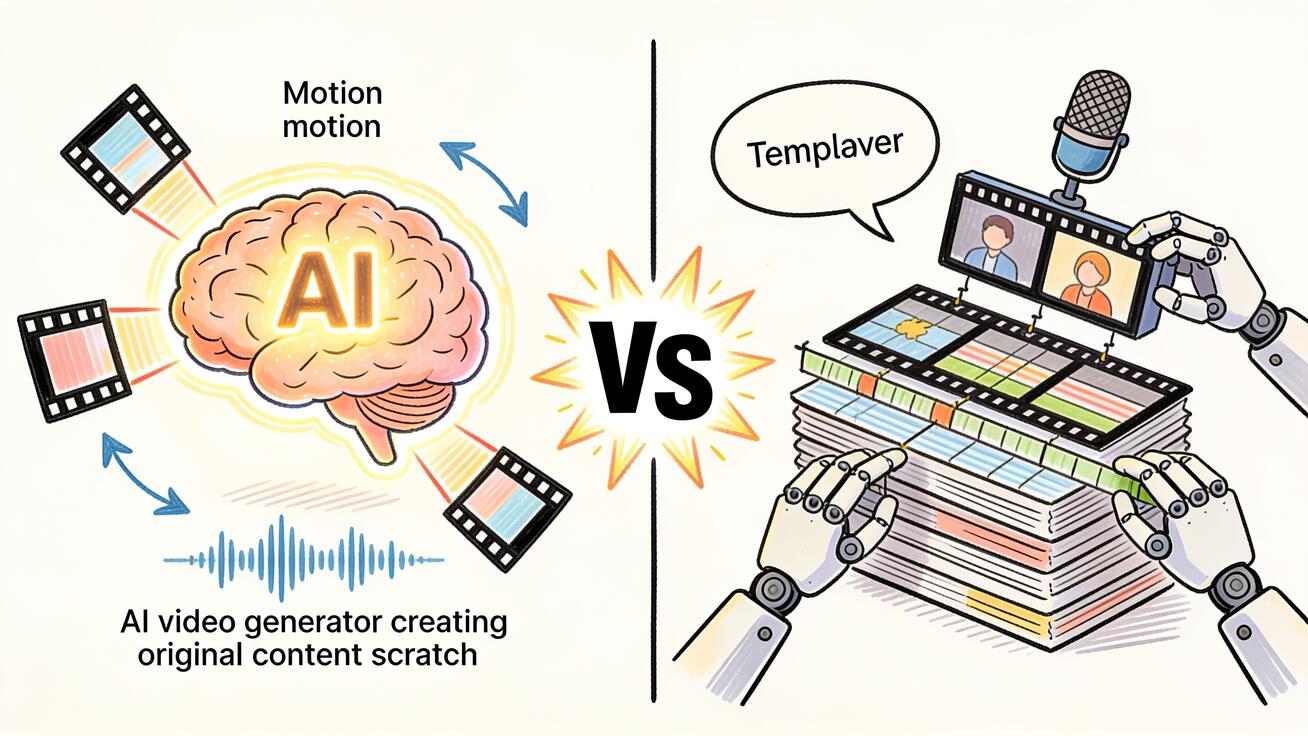
Veo 3 and InVideo AI represent two fundamentally different approaches to AI video creation — and understanding the difference is the fastest way to know which one belongs in your workflow. Veo 3 is a pure AI generation model: you describe a scene, and it renders video from nothing. InVideo AI is an AI-assisted editing and production platform: you provide existing footage, scripts, and assets, and it helps you assemble them into a finished video. They're not competing for the same job.
This comparison covers what each tool actually does, where each one excels, how their pricing compares, and which creators should be using which platform. If you want the short answer, you'll find it in the next section.
Quick Answer
Choose Veo 3 if you need to generate video clips from scratch — no existing footage required, native audio included, cinematic quality. It's the right tool for AI-generated content, product video concepts, social media clips, and any workflow where you're starting from a prompt or a still image.
Choose InVideo AI if you need to produce talking-head videos, news-style content, faceless YouTube channels, or any format built around existing footage, stock clips, voiceovers, and templates. InVideo is a production and editing accelerator, not a video generator.
For many creators, the answer is both: use Veo 3 for generated B-roll and scene footage, then assemble it in InVideo.
What Is Veo 3?
Veo 3 is Google DeepMind's AI video generation model, launched in 2025 as the third generation of its video AI research. It's notable for being the first mainstream AI video model to include native audio generation — ambient sound, sound effects, and dialogue are produced alongside the video in the same generation pass.
Veo 3 is available through:
- Google AI Studio: API access and developer tools
- Google Flow: Film-oriented creative workflows
- veo3ai.io: Creator-focused platform with an optimized interface
Veo 3 generates — it does not edit. You write a prompt or upload a reference image, and the model produces original video. There's no timeline editor, no template library, no voice cloning, and no talking-head generation. It's a creation tool, not a production suite.
Key Veo 3 capabilities:
- Text-to-video from natural language prompts
- Image-to-video (animate a still photo)
- Native audio generation (ambient, SFX, dialogue)
- Up to 8 seconds per clip at 1080p
- Camera motion control (dolly, pan, orbit, tilt)
- Strong physical simulation (water, fabric, smoke, particles)
- API access for developers and production pipelines
What Is InVideo AI?
InVideo AI is an AI-powered video production platform that has evolved from a template-based editor into a more automated workflow tool. Its core proposition is making professional-looking video content faster without requiring filmmaking skills or advanced editing software.
InVideo AI's main use cases are:
- Talking-head and spokesperson videos using AI avatars
- Faceless YouTube channels powered by AI-generated scripts and voiceovers
- News-style and explainer videos assembled from stock footage and AI narration
- Social media clips created from text prompts using stock footage and templates
- Repurposing long-form content (blogs, podcasts) into short video summaries
Key InVideo AI capabilities:
- AI avatar generation (digital human presenters)
- Text-to-video using stock footage and templates
- AI voiceover and voice cloning
- Script-to-video workflow
- Timeline editor for trimming and assembly
- Stock media library (millions of clips and images)
- Direct export for YouTube, TikTok, Instagram Reels
InVideo AI does not generate original video from scratch in the way Veo 3 does. Its "text-to-video" assembles existing stock clips with AI-selected transitions and voiceovers based on your script. The output quality and creative ceiling are defined by the stock library, not by a generative model.
Side-by-Side Comparison
| Dimension | Veo 3 | InVideo AI |
|---|---|---|
| Core technology | Generative AI video model | AI-assisted editing + stock library |
| Video source | AI-generated from prompt | Stock footage + AI assembly |
| Native audio | Yes (generated alongside video) | Voiceover / AI TTS (separate) |
| Max clip length | 8 seconds | Unlimited (assembled from clips) |
| Output quality ceiling | Cinematic 1080p | Good; constrained by stock quality |
| AI avatar / talking heads | No | Yes |
| Voice cloning | No | Yes |
| Timeline editor | No | Yes |
| Script-to-video | Prompt → video | Script → assembled footage |
| Stock library | No | Yes (millions of clips) |
| API access | Yes | Limited |
| Best for | AI content generation, creative concepts | Production workflows, faceless channels, explainers |
Video Quality: A Realistic Assessment
These tools generate different categories of output, so a direct quality comparison requires nuance.
Veo 3 output quality is judged on how realistic and cinematic the AI-generated footage looks. In 2026, Veo 3 produces the closest AI-generated video to real cinematography available in any consumer or prosumer tool. Physical environments are rendered with strong fidelity — water, fabric, lighting, crowd motion. Camera movement is smooth and controllable. Native audio that syncs to the visual content is a feature no other general-purpose AI video model offered at Veo 3's launch.
The limitation is clip length: 8 seconds maximum, which means complex scenes require planning around the 8-second constraint, or stitching multiple clips in post-production.
InVideo AI output quality is judged on how professional and polished the assembled video looks. At its best — with good script, appropriate template, and relevant stock footage — it produces broadcast-quality social content. The visual ceiling is defined by the stock footage library, which means some clips look dated or generic. AI avatars have improved significantly but still carry subtle tells at close inspection (skin texture, eye movement, natural speech pauses).
Neither is universally better. If the task is "create 60 seconds of professional talking-head content explaining a product," InVideo is faster and produces a more appropriate format. If the task is "create a 6-second cinematic shot of a coffee being poured with ambient sound," Veo 3 has no equivalent.
Pricing Comparison
Veo 3 Pricing
Veo 3 is free to test through Google AI Studio within rate limits. Paid access provides higher generation quotas and priority processing. On veo3ai.io, subscription plans start at accessible price points for content creators who want a dedicated interface.
The free tier is genuinely useful for testing and low-volume use. Paid tiers unlock higher resolution and priority queues.
InVideo AI Pricing
InVideo AI offers a free tier with watermarked exports and significant InVideo branding on outputs. Paid plans (starting around $20–28/month depending on the tier) unlock watermark removal, higher usage limits, AI avatar access, and commercial licensing.
InVideo's pricing is structured around video export volume — more videos per month at higher tiers. For high-volume channels (10+ videos/week), the cost adds up.
Pricing verdict: Both have accessible entry points. For pure video generation, Veo 3's pricing scales with quality and quota. For production workflows, InVideo's pricing scales with volume.
Use Cases: Which Tool Wins
Veo 3 is the clear choice for:
AI-generated B-roll and scene footage. If you're producing documentary content, explainer videos, or branded social content and need original clips you can't easily film, Veo 3 generates realistic footage on demand. A product designer in snowy conditions, a time-lapse of a coastal city, a slow-motion water pour — these are generation tasks that InVideo's stock library may or may not have covered.
Product and brand video concepts. Short product demonstrations that start from a product image, animated with camera motion and ambient sound. Veo 3's image-to-video makes a packshot feel like a commercial-grade asset.
Creative concepts and storyboards. Creative teams use Veo 3 to produce animated versions of storyboard concepts before committing to a film shoot. 8 seconds of AI-generated footage proves a visual idea faster than a still sketch.
Social clips with native audio. Instagram Reels and TikTok content that performs well needs audio. Veo 3's native audio generation means clips can go directly from generation to upload without a separate audio sourcing step.
InVideo AI is the clear choice for:
Faceless YouTube channels. InVideo's AI workflow is purpose-built for this: provide a topic, get a scripted video with voiceover and stock footage assembled for you. Veo 3 can't produce this format at all.
Spokesperson and talking-head videos. Companies producing product explainers or FAQ videos without a camera crew benefit from InVideo's AI avatar system. Veo 3 has no talking-head or avatar capability.
High-volume social content at scale. Teams producing 5–10+ videos per week for social channels can use InVideo's template and workflow system to maintain volume without proportional editing effort.
Script-to-video for written content. Bloggers and newsletter writers converting their articles into YouTube content benefit from InVideo's script-to-video pipeline.
Prompt Control vs. Template Control: The Core Difference
Understanding the creative input model for each tool helps set realistic expectations before you start.
Veo 3 is prompt-driven. Every generation starts from a natural language description of a scene. The quality of your output depends almost entirely on the quality of your prompt — how specifically you describe the subject, the action, the camera movement, the lighting, and the audio environment. The more direction you give the model, the more precisely the output matches your intent. There's no template to guide you; the blank prompt box is both the interface and the creative canvas.
This means Veo 3 has a high creative ceiling with a learning curve. Users who invest time in understanding prompt structure — subject + action + camera + lighting + style + audio — consistently produce better output than users who enter short, vague prompts. The model itself is not the variable; your prompt is.
InVideo AI is template-driven. You select a format (YouTube explainer, Instagram Reel, news report, product demo), provide a script or topic, and the system assembles your video within that format's structure. The template defines the visual language, pacing, text placement, and transition style. Your creative control is within the template's parameters — you can swap stock clips, change the voiceover, edit the script, and rearrange sections.
Template-driven workflows are faster to produce acceptable output from scratch but hit a visual ceiling defined by the template design and stock quality. The format is predictable; a "YouTube explainer" produced in InVideo will look like a YouTube explainer, which is exactly what's needed for that use case.
Neither is superior in absolute terms. The right question is: does your production need original scene footage with a specific visual concept (Veo 3), or does it need a predictable, professional format assembled efficiently from a script (InVideo)?
Workflow for Content Creators: Practical Scenarios
Scenario 1: Product launch social campaign
You're launching a new wireless speaker and need three short social clips (Instagram Reels format) and one 60-second YouTube overview video.
- Reels content: Use Veo 3 with image-to-video starting from your product packshot. Generate 3–4 clips showing the speaker in different environments — a desk setup, a kitchen scene, an outdoor patio. Native audio makes each clip immediately shareable without additional sound production. Total time: 30–45 minutes with prompt refinement.
- YouTube overview: Use InVideo AI. Write a 300-word product script; InVideo assembles a talking-head or voiceover-narrated video with relevant stock visuals and your product images embedded. Export-ready in 20–30 minutes.
The campaign uses both tools for different formats.
Scenario 2: Faceless YouTube channel (finance niche)
You're running a channel explaining personal finance topics without appearing on camera.
- InVideo AI is the correct tool for this entire workflow. The AI script-to-video pipeline handles topic → research → script → voiceover → stock footage assembly in a single session. Veo 3 cannot generate talking-head or explainer-style content; it doesn't have voiceover, avatar, or template capabilities.
Scenario 3: Film school short film B-roll
You're producing a 3-minute short film and need generated footage for three specific scenes — a night street in rain, an empty lecture hall with late afternoon light, a time-lapse of a harbor at sunset.
- Veo 3 is the correct tool. Write precise scene prompts for each clip, generate 3–4 variants per scene, select the best takes, and cut them into your edit. InVideo's stock library may have similar footage, but AI-generated content gives you exact compositional and mood control that stock can't match.
Scenario 4: Marketing team producing 20 explainers per month
Your marketing team produces product feature explainers across a SaaS platform, aiming for 2–3 minute videos per feature.
- InVideo AI handles this volume efficiently with its template system. Veo 3's 8-second clip limit would require assembling 15–20 clips per video and doesn't provide the voiceover or on-screen text capabilities needed for SaaS explainers.
Can You Use Both Together?
Yes, and this is a productive combination for many teams.
Workflow: Veo 3 for footage + InVideo AI for assembly
- Generate original scene footage using Veo 3 (AI-generated b-roll, product shots, visual metaphors)
- Import Veo 3 clips into InVideo alongside stock footage
- Assemble the full video in InVideo's timeline editor with AI voiceover and template styling
- Export and publish
This gives you the visual quality advantage of AI-generated footage (rather than generic stock) combined with InVideo's production speed for assembly, scripting, and voiceover.
FAQ: Veo 3 vs InVideo AI
Does InVideo AI use Veo 3 or any AI generation model? InVideo AI does not use Veo 3. Its "AI video" feature assembles content from a stock footage library using AI to select clips and match them to your script. It does not generate original video from a text prompt the way Veo 3 does. Some platforms have begun experimenting with integrating generative models into production tools, but InVideo's core workflow remains stock-based assembly as of 2026.
Can Veo 3 create voiceover or narration? No. Veo 3 generates ambient audio, sound effects, and dialogue that matches visible on-screen action, but it does not produce structured narration tracks or text-to-speech voiceover from a script. For voiceover, InVideo's TTS and voice cloning, or a separate tool like ElevenLabs, is the right choice.
Which tool is better for YouTube? It depends on the content type. For faceless channels, explainers, product reviews, and news-style content — InVideo AI is better. For cinematic short films, AI-generated visual essays, or creative content built around original AI-generated imagery — Veo 3 is better. Many YouTube creators use Veo 3 for generated scene footage and then edit it into their videos using any standard video editor.
Is InVideo AI good for AI-generated art or creative video? InVideo AI is not a generative model. It can help you produce well-structured creative videos using stock footage and templates, but the underlying visuals come from stock libraries, not from AI generation. For creative video where the visual content itself needs to be original AI-generated imagery, Veo 3 is the right platform.
Does Veo 3 have a timeline or editing interface? No. Veo 3 produces individual clips that you download and bring into your preferred editor — Adobe Premiere, DaVinci Resolve, CapCut, InVideo, or any other tool. It is a content generation tool, not an editing environment.
Summary: Which Is Right for You?
If your content need is starting from nothing and generating original video clips, Veo 3 is the tool. It's the most capable AI video generation model available in 2026, with native audio and strong prompt adherence.
If your content need is assembling a finished, long-form video from existing assets, stock footage, or AI avatars, InVideo AI is the tool. Its production pipeline, template system, and voice capabilities are designed for that workflow.
For creators building original AI-generated content at scale — product videos, short films, social campaigns with cinematic footage — Veo 3 is the starting point. The decision between Veo 3 and InVideo AI is not about which tool is more advanced in the abstract; it's about which production mode fits your content type. Generative model or production platform. Start from that question, and the right tool becomes obvious. Try Veo 3 directly on veo3ai.io to see what AI video generation can produce for your workflow. For a deeper look at what Veo 3 produces, see the Veo 3 review 2026 or the Veo 3 audio generation guide.
Related Articles
Continue with more blog posts in the same locale.
Veo 3 vs HeyGen 2026: AI Video Generation vs AI Avatar Studio
Veo 3 vs HeyGen 2026: compare AI video generation and AI avatar studio workflows, see where each excels, and decide which belongs in your video production stack.
Read article
Veo 3 vs Pollo AI: Which AI Video Generator Should You Choose in 2026?
Compare Veo 3 and Pollo AI across video quality, native audio generation, pricing, and use cases. Find out which AI video generator is right for your workflow in 2026.
Read article
Veo 3 vs CapCut AI: Generator vs Editor (2026 Guide)
Veo 3 vs CapCut AI compared: Veo 3 generates original video from a prompt, CapCut edits and packages clips. Which to use, and how to use both together.
Read article