
Veo 3 vs Krea AI: Google vs Krea Video in 2026
Veo 3 vs Krea AI compared for 2026: Google's dedicated cinematic video model with native audio versus Krea's all-in-one creative suite of 150+ models. Which wins for your workflow?
Emma Chen · 15 min read · Jun 24, 2026
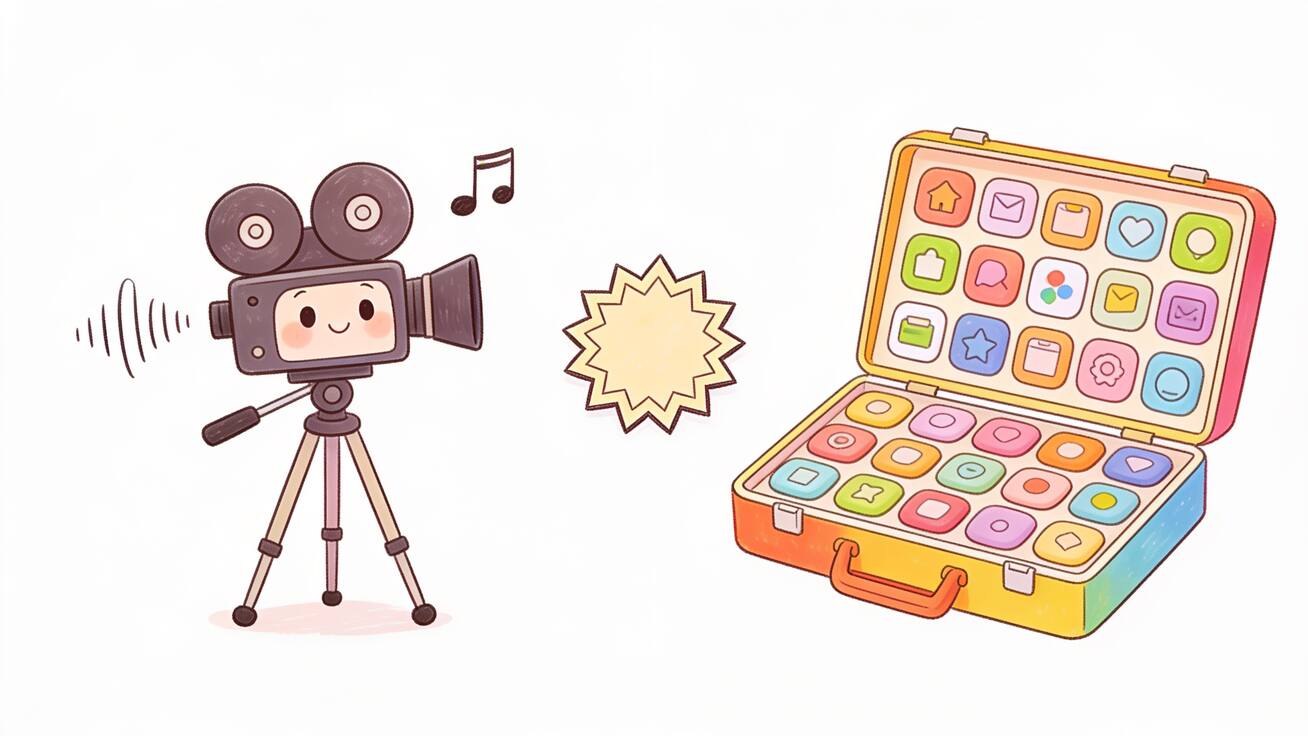
If you are choosing between Veo 3 and Krea AI in 2026, you are really choosing between two different philosophies of AI creation. Veo 3 is Google DeepMind's dedicated, cinematic video model with native audio baked in. Krea AI is a sprawling creative suite that aggregates many models for images, video, 3D, and upscaling under one subscription. They overlap on the surface — both can turn a prompt into a video clip — but they solve different problems. This guide breaks down Veo 3 vs Krea AI so you can pick the right tool for your actual workflow, with honest notes on where each one wins and where each one frustrates.
Quick Answer: Veo 3 vs Krea AI
Choose Veo 3 if your priority is finished, broadcast-quality video. Veo 3 is purpose-built for cinematic motion, realistic physics, character consistency across shots, and — most importantly — native audio. It generates dialogue, ambient noise, and sound effects inside the same pass as the visuals, so you get a clip that already sounds like a scene, not a silent loop you have to score later.
Choose Krea AI if you want one hub for many creative tasks and many models. Krea is an aggregator and creative workspace: real-time image generation, image editing across multiple editing models, upscaling, LoRA training, 3D, and a roster of video models you can switch between. It is breadth over depth — a Swiss Army knife for creators who jump between stills, video, and asset cleanup all day.
Put simply: Veo 3 is the camera and the sound stage; Krea AI is the studio that rents you a shelf of different cameras. If video is the deliverable and audio matters, Veo 3 is the stronger pick. If you live across images, upscaling, and experimentation and want video as one option among many, Krea AI earns its keep.
The rest of this article unpacks how that plays out in real projects.
What Veo 3 Actually Is
Veo 3 is Google DeepMind's flagship text-to-video and image-to-video model, available through the Gemini app, Google Flow, and the Gemini API. Its defining feature is native audio generation. Most video models output silent footage; Veo 3 produces synchronized sound — ambient room tone, footsteps, traffic, and even spoken dialogue with lip movement — generated together with the picture rather than stitched on afterward.
A few characteristics define how Veo 3 behaves in practice:
- Cinematic quality and physics. Veo 3 handles lighting, depth of field, reflections, and motion with a level of realism that reads as "filmed" rather than "rendered." Camera moves like dolly, pan, and crane respond to prompt direction.
- Character and scene consistency. You can keep a subject recognizable across shots, which matters for narrative sequences, ads, and explainers.
- Image-to-video. Feed it a still and Veo 3 animates it with believable motion while respecting the original composition.
- Clip extension. Longer sequences are built by generating from the final second of the previous clip, so you can stretch past a single short generation while keeping visual coherence.
The trade-off is focus. Veo 3 does video extremely well and does not pretend to be a full image editor, an upscaler farm, or a 3D tool. It is a specialist.
What Krea AI Actually Is
Krea AI positions itself as an AI creative suite for images, video, and 3D, and its real selling point is aggregation. Instead of building one model, Krea wraps a large catalog of models — well over a hundred across categories by 2026 — into a single interface with a unified credit system based on compute units. You pick the model that fits the task and Krea handles the plumbing.
What that breadth includes:
- Real-time image generation — a live canvas where the image updates as you type or sketch, which is genuinely fun and fast for ideation.
- Multiple image-editing models for changing expressions, lighting, or details in a simple interface.
- Upscaling to clean up and enlarge images.
- LoRA training so you can fine-tune a custom style or character.
- 3D and node-based workflows for more advanced composition.
- A menu of video models you can run from inside the suite, including various third-party generators.
Krea's pricing runs on compute units / credits with a free daily allowance to try basic features, and paid subscription tiers that unlock more units, more models, and higher upscaling. Because it is an aggregator, the video you get from Krea depends on which underlying video model you select — quality and capabilities vary model to model, and that is the point: you are renting access to many engines rather than mastering one.
The trade-off here is the mirror image of Veo 3's. Krea gives you enormous range, but no single part of it is built to be the absolute best in its category, and video — especially video with synchronized native audio — is not Krea's core identity the way it is Veo 3's.
Veo 3 vs Krea AI: Head-to-Head
Here is how the two compare on the dimensions that matter when you are actually shipping work.
Video Quality and Realism
Veo 3 is built for video as the end product, and it shows in motion realism, lighting, and physical believability. When the deliverable is a hero clip, a product shot, or a narrative scene, Veo 3's output tends to need less rescue work.
Krea can produce video too, but the quality depends on the model you route to inside the suite. You may get strong results from one engine and weaker results from another, and you are managing that selection yourself. For pure video fidelity on a single dependable model, Veo 3 leads.
Audio: The Decisive Difference
This is the cleanest line between the two. Veo 3 generates native audio — dialogue, sound effects, and ambient sound — inside the same generation. That collapses an entire post-production step. A character can speak, a street can sound like a street, and a product can land with a satisfying click, all from the prompt.
Krea, as an image-and-video creative suite, centers on visuals. If audio is a core requirement — talking characters, sound-designed ads, atmospheric scenes — Veo 3's integrated approach is a structural advantage, not a small feature checkbox. For more on getting audio right, see our Veo 3 native audio prompt guide.
Breadth of Tools
Krea wins decisively on range. Real-time image generation, multi-model editing, upscaling, LoRA training, and 3D in one place is a real productivity story for creators who touch many asset types. Veo 3 simply does not compete here, because it never set out to — it is a video model, not a suite.
If your week is 60% images, 20% upscaling and cleanup, and 20% short video clips, Krea's one-subscription breadth may save you from juggling five tools. If your week is mostly finished video, that breadth is overhead you are paying for and not using.
Workflow and Learning Curve
Veo 3 rewards prompt craft. Because it is one focused model, you can get deep: learn how it interprets camera language, pacing, and audio cues, and your hit rate climbs. Our Veo 3 prompt guide covers the structure that gets consistent results.
Krea rewards exploration. The real-time canvas and model menu encourage fast iteration and "try another model" experimentation. The flip side is decision fatigue — with 150+ models, knowing which one to use for a given job is its own skill, and the compute-unit accounting means experimentation has a running cost.
Automation and API Access
If you are building a pipeline rather than clicking buttons, Veo 3 is available through the Gemini API, which means you can script generation, batch jobs, and integrate video into an app or content engine programmatically. That matters for teams producing video at volume — product catalogs, personalized ads, or templated social clips — where a repeatable API call beats manual generation. Krea is built primarily as an interactive creative workspace; its strength is the hands-on canvas and model-switching experience rather than a developer-first automation surface. So if your goal is a programmatic video factory with audio, Veo 3's API path is the more natural fit; if your goal is a creative person at a workstation exploring ideas, Krea's interface is designed for exactly that.
Consistency Across a Project
Brand and narrative work lives or dies on consistency. Veo 3's character and scene coherence, plus its clip-extension approach that builds each new segment from the final second of the previous one, make it easier to keep a series of shots feeling like one production. With Krea, consistency depends on which underlying model you choose and how you manage references and LoRAs across generations — more control in theory, more manual coordination in practice. For a multi-shot ad or an explainer with a recurring character, Veo 3 reduces the babysitting.
Pricing Model
The two price differently in kind, not just amount. Veo 3 is accessed through Google's products and API, where cost scales with how much video you generate. Krea uses compute units / credits across a free tier and paid subscription levels, where your spend depends on which models you run and how heavy your usage is. Because Krea's video output depends on the underlying model you choose, comparing raw price is less useful than comparing cost-per-acceptable-result for your specific output. We avoid quoting exact figures here because both evolve quickly — check each provider's current pricing page before committing.
A Simple Decision Framework
Run your project through these questions:
- Is video the deliverable, or one of many? Video-first → lean Veo 3. Mixed media → consider Krea.
- Do you need sound? Yes → Veo 3's native audio is the shortcut. No → either works.
- How much do you value one engine vs. many? Mastery of one dependable model → Veo 3. Access to a buffet → Krea.
- Are you doing image work, upscaling, or LoRA training alongside video? Heavily → Krea's suite pays off. Rarely → you don't need it.
- What's your tolerance for model-shopping? Low (just give me a good result) → Veo 3. High (I like to tinker) → Krea.
Most teams shipping finished video — ads, explainers, social clips, product demos — will find Veo 3 the more direct path. Solo creators and designers working across stills and video may prefer Krea's all-in-one workspace, sometimes using Krea for images and Veo 3 for the hero video.
How to Make a Veo 3 Video: Step-by-Step
If you decide Veo 3 fits, here is the basic workflow to get a usable clip.
- Open Veo 3 in the Gemini app or Google Flow, or call it through the Gemini API for automated pipelines.
- Write a structured prompt. Describe the subject, the action, the setting, the camera move, the lighting, and — crucially — the audio you want. Veo 3 listens for sound cues.
- Add a reference image (optional). For image-to-video, upload a still to anchor composition and character, then prompt the motion.
- Generate and review. Watch for motion realism, character consistency, and whether the audio matches the scene.
- Extend if needed. Build longer sequences by continuing from the final second of the previous clip to keep coherence.
- Export and use. Drop the clip into your edit, TikTok, Reels, YouTube, a landing page hero, or a product demo.
Prompt Examples for Veo 3
Because Veo 3 generates audio natively, your prompts should describe sound as deliberately as picture. Copy-ready starters:
Cinematic product shot with sound:
"Macro shot of a smartwatch on a marble surface, soft morning light from a window, slow dolly-in, shallow depth of field. Audio: a quiet click as the screen wakes, faint ambient room tone, no music."
Talking character (dialogue):
"Medium close-up of a friendly barista behind a counter, warm cafe lighting, slight handheld movement. She looks at camera and says, 'Your usual today?' Audio: natural voice, espresso machine hiss and low cafe chatter in the background."
Atmospheric establishing shot:
"Wide aerial shot of a coastal town at golden hour, gentle drone push-forward, cinematic color grade. Audio: distant waves, seagulls, a light breeze."
UGC-style ad clip:
"Phone-style vertical video of a person unboxing sneakers on a wooden table, bright natural light, quick handheld energy. Audio: tearing tape, an excited 'oh wow,' light upbeat room tone."
For deeper prompt structure and dozens more examples, the Veo 3 prompt guide goes further than we can here.
Best Use Cases for Each Tool
Veo 3 is the better fit for:
- Ads and UGC where a character speaks or a product needs sound design.
- Explainers and narratives that need consistent characters across multiple shots.
- Social video for TikTok, Reels, and Shorts where finished, sounding-good clips win attention.
- Landing page hero videos and product demos that must look filmed.
- Anyone who wants audio without a separate sound-design pass.
Krea AI is the better fit for:
- Designers and illustrators who live in images and want a real-time canvas.
- Creators who upscale and clean up assets regularly.
- People training LoRAs for custom styles or characters.
- Multi-media generalists who want one subscription covering images, video, 3D, and upscaling.
- Tinkerers who enjoy comparing many models on the same idea.
Honest Limitations
No tool is perfect, and pretending otherwise wastes your time.
Veo 3 limitations: it is a video specialist, so it won't replace a dedicated image editor or upscaler. Audio is powerful but not always flawless — dialogue timing and accents can need re-rolls. Generation costs scale with usage, so heavy video work adds up. And like all generative video, it has content and safety filters that can reshape or block certain prompts.
Krea AI limitations: breadth comes at the cost of depth — no single capability is guaranteed best-in-class, and video quality swings with whichever underlying model you pick. The compute-unit system means experimentation has a meter running, and the sheer number of models can be paralyzing. Native, synchronized audio for video is not its core strength the way it is Veo 3's.
How They Fit Together
You do not always have to choose. A common 2026 workflow is to use Krea for image creation, editing, and upscaling, then bring the strongest still into Veo 3 for image-to-video with native audio as the finished hero clip. Krea handles the asset pipeline; Veo 3 handles the cinematic, sounding-good output. If you already use a broad suite, adding Veo 3 specifically for video-with-audio is a sensible split rather than an either/or.
If you want to see how Veo 3 stacks up against other dedicated video models, our comparisons of Veo 3 vs Runway Gen-3 and Veo 3 vs Grok Imagine cover more head-to-heads. For a wider survey, see our roundup of the best AI video generator apps in 2026.
FAQ
Is Veo 3 better than Krea AI for video? For finished video — especially anything needing native audio, character consistency, and cinematic realism — Veo 3 is the stronger dedicated tool. Krea can generate video, but quality depends on which model you route to inside its suite, and audio is not its focus.
Does Krea AI include video models? Yes. Krea is an aggregator and lists many models, including video generators, alongside its image, upscaling, 3D, and LoRA tools. You select a model per task and pay in compute units.
Can Veo 3 generate sound? Yes — that is its signature feature. Veo 3 generates native audio (dialogue, ambient sound, and effects) together with the video, not as a separate step.
Which is cheaper, Veo 3 or Krea AI? They price differently: Veo 3 cost scales with video generation through Google's products and API, while Krea uses a compute-unit/credit model with a free tier and paid subscriptions. The better question is cost-per-acceptable-result for your specific output. Always check current pricing pages.
Should I use both? Many creators do — Krea for images, editing, and upscaling, then Veo 3 for the final video with audio. The two complement each other rather than strictly competing.
Conclusion
The Veo 3 vs Krea AI decision comes down to one question: do you need the best dedicated video tool, or the broadest creative suite? Veo 3 is the specialist — cinematic motion, character consistency, and native audio that turns a prompt into a clip that already sounds like a finished scene. Krea AI is the generalist — a deep catalog of models for images, video, 3D, and upscaling under one credit-based roof. If video with sound is your deliverable, Veo 3 is the more direct, higher-ceiling choice, and many creators pair a broad suite with Veo 3 precisely for that final, sounding-good output. Pick the tool that matches what you actually ship — and if that is video, try building your next clip with Veo 3.
Related Articles
Continue with more blog posts in the same locale.

Veo 3 vs HeyGen 2026: AI Video Generation vs AI Avatar Studio
Veo 3 vs HeyGen 2026: compare AI video generation and AI avatar studio workflows, see where each excels, and decide which belongs in your video production stack.
Read article
Veo 3 vs InVideo AI: Which Should You Use in 2026?
Veo 3 vs InVideo AI: understand the core difference between AI video generation and AI-assisted production, see how each excels, and decide which fits your workflow in 2026.
Read article
Veo 3 vs Pollo AI: Which AI Video Generator Should You Choose in 2026?
Compare Veo 3 and Pollo AI across video quality, native audio generation, pricing, and use cases. Find out which AI video generator is right for your workflow in 2026.
Read article