
Veo 3 vs LTX Video (LTX-2): Full AI Video Comparison 2026
Veo 3 vs LTX Video (LTX-2) compared: open-source vs managed, quality, native audio, speed, cost, and which AI video model to pick in 2026.
Emma Chen · 15 min read · Jun 24, 2026
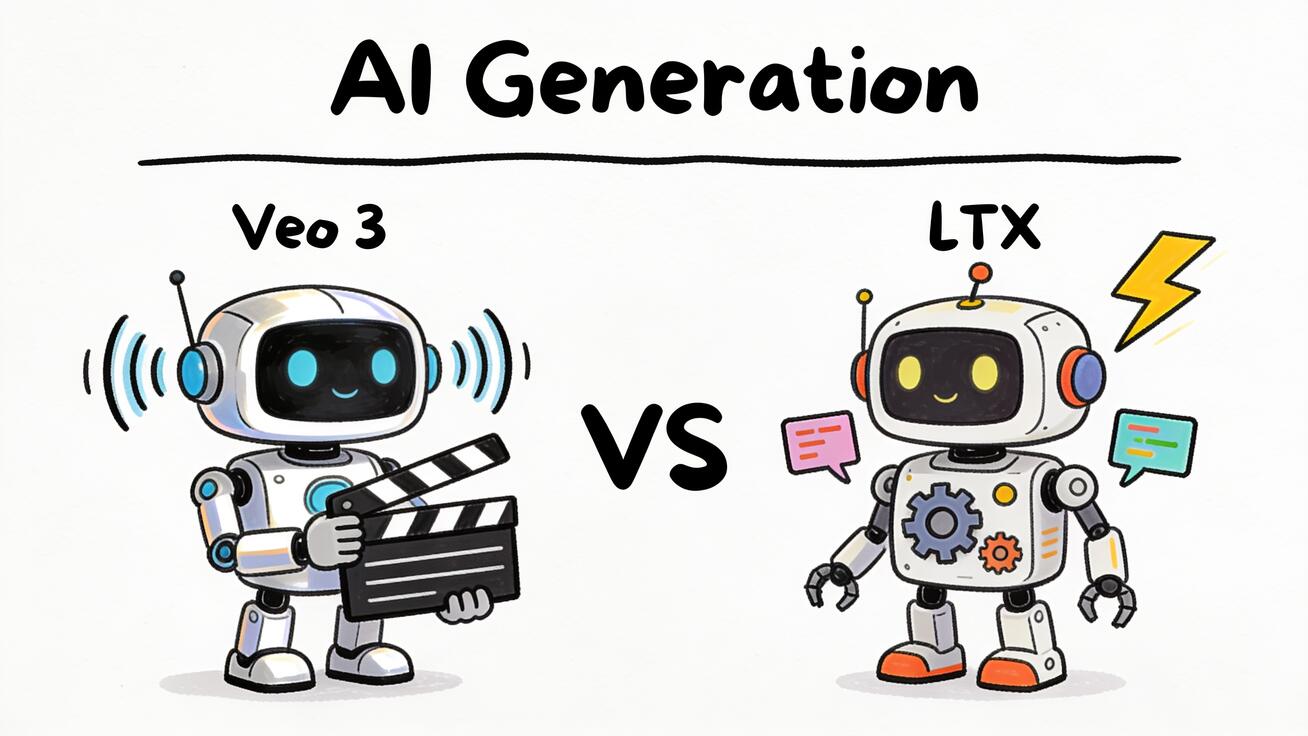
If you are deciding between Veo 3 vs LTX, you are really choosing between two different philosophies of AI video. Veo 3 is Google DeepMind's managed, cloud-hosted model built for cinematic quality and native audio. LTX Video — Lightricks' open-source model, now in its LTX-2 generation — is built for speed, local control, and the open-source/ComfyUI crowd that wants to run video generation on their own hardware. Both make short AI video clips from text or images, but they win at almost opposite things.
This guide breaks down the real, practical differences: open-source vs managed, output quality, audio, speed, cost, accessibility, and the use cases each one fits. By the end you will know which tool to pick for your project, not just which one has the longer feature list.
Quick Answer: Which Should You Pick?
Pick Veo 3 if you want the highest-quality, ready-to-publish clips with synchronized native audio (dialogue, sound effects, and ambient sound), and you would rather not manage GPUs, models, or pipelines. It is a managed Google product — you prompt, it renders, you download.
Pick LTX Video (LTX-2) if you want an open-source model you can run locally or self-host, plug into ComfyUI, fine-tune, and generate from at high speed without per-clip cloud fees. It trades some polish and built-in audio convenience for control, privacy, and cost-at-scale.
In one line: Veo 3 is the quality-and-convenience choice; LTX Video is the control-and-cost choice. Most creators and marketers will be happier with Veo 3; developers, technical artists, and teams generating at volume often prefer LTX.
The Core Tradeoff: Open-Source vs Managed
This is the decision that drives everything else, so it is worth understanding before you compare individual features.
Veo 3 is a managed, closed model. You access it through Google's products — the Gemini app, Flow, and Vertex AI for developers. You never see the weights, you do not run anything locally, and you do not tune the model. In exchange, Google handles the infrastructure: you get a polished result from a single prompt, with the heavy lifting hidden. The cost is per-use and recurring, and you operate inside Google's usage policies and rate limits.
LTX Video is open-source. Lightricks released the model with open weights, which means you can download it, run it on your own GPU, host it on your own cloud instance, and build it into your own application. The LTX-2 generation continues that open approach. This is the model's whole identity: it is the one serious AI video model that the local-generation community can actually run and modify.
The practical consequences:
- Privacy and data control. With LTX, your prompts and footage never have to leave your machine. For sensitive, unreleased, or client-confidential material, that matters. Veo 3 sends everything to Google's cloud.
- Customization. LTX can be fine-tuned and wired into custom ComfyUI graphs with LoRAs, control nodes, and conditioning. Veo 3 is a black box — you get prompt and reference inputs, nothing deeper.
- Cost structure. LTX has high upfront effort (hardware, setup) but low marginal cost per clip once running. Veo 3 has near-zero setup but a recurring per-clip or per-subscription cost that scales with volume.
- Maintenance. Veo 3 is maintained by Google — it just works. LTX puts the burden on you to manage drivers, dependencies, model updates, and your own uptime.
If you have never run a local model and do not want to, that single fact may already decide this for you in favor of Veo 3. If you live in ComfyUI and already run image models locally, LTX will feel natural.
| Dimension | Veo 3 (Google DeepMind) | LTX Video / LTX-2 (Lightricks) |
|---|---|---|
| Model type | Managed, closed, cloud-only | Open-source, open weights |
| Where it runs | Google cloud (Gemini, Flow, Vertex AI) | Your GPU, your server, or hosted |
| Native audio | Yes — dialogue, SFX, ambient | Not the core strength; community/external tooling varies |
| Setup effort | None — prompt and go | High — hardware, drivers, ComfyUI |
| Customization | Prompt + reference only | Fine-tuning, LoRAs, ComfyUI nodes |
| Cost model | Recurring per-use/subscription | Upfront hardware, low per-clip after |
| Best for | Creators, marketers, finished clips | Developers, technical artists, volume |
| Privacy | Data goes to Google cloud | Can stay fully local |
Output Quality
For most viewers, "quality" in AI video means three things: does it look realistic, does motion stay coherent, and does it hold together for the length of the clip.
Veo 3 is one of the strongest models available on cinematic fidelity. It handles complex scenes, lighting, reflections, and physical motion with notable consistency, and it follows detailed prompts closely — camera direction, shot framing, and subject behavior usually land. Subjects tend to stay stable across the clip rather than warping, which is where many models fall apart. Out of the box, a Veo 3 clip often looks like something you could publish without much cleanup.
LTX Video prioritizes a different balance. Because it is engineered to be fast and to run on accessible hardware, its raw single-shot polish can sit a step below a top-tier managed model in the most demanding cinematic scenes. But — and this is the open-source advantage — quality on LTX is not fixed. With the right ComfyUI workflow, control nodes, conditioning images, upscaling passes, and fine-tunes, technical users can push results well beyond the default and tailor them to a specific look. LTX rewards skill and iteration; Veo 3 rewards a good prompt.
The honest summary: for a non-technical user pressing "generate," Veo 3 will usually produce the more finished-looking result faster. For a technical user willing to build a pipeline, LTX offers a ceiling you control rather than one Google sets for you.
Audio: Veo 3's Biggest Advantage
This is the single clearest gap between the two.
Veo 3 generates audio natively, synchronized to the video. That includes spoken dialogue with lip movement, sound effects tied to on-screen action, and ambient background sound. In one generation you can get a character speaking a line, footsteps that match the walk, and room tone — no separate audio step. For dialogue scenes, ads, explainers, and anything where sound carries the message, this is a massive time saver and a real quality differentiator.
LTX Video's identity is the visual model. Native, perfectly synchronized speech-and-SFX generation in a single pass is not its headline capability the way it is for Veo 3. Open-source users typically add audio in a separate stage — generating or recording voiceover, adding sound design, and syncing in an editor or via additional tools. That is more work and more steps.
So if your project is audio-forward — talking-head clips, narrated ads, dialogue scenes, social videos that need sound to work — Veo 3 has a large, practical lead. If your project is silent or audio-added-later — B-roll, motion design, visual loops, footage you will score and sound-design yourself anyway — the gap shrinks and may not matter at all.
Speed and Throughput
Speed means different things here because the two models run in different places.
LTX Video is built for speed. Efficiency is a core design goal, which is exactly why it can run on consumer-grade GPUs at all. For users who have the hardware, it can produce clips quickly and, crucially, can be batched and parallelized across your own machines without paying a cloud bill per generation. If you need to generate hundreds or thousands of variations, LTX's local throughput economics are hard to beat — your only ceiling is your own hardware.
Veo 3 runs on Google's infrastructure, so your "speed" is really queue time plus render time plus any rate limits on your plan. It is fast enough for normal creative work, and you are not limited by your own machine — but you are limited by your plan's quotas, and every generation costs money. For one-off or moderate-volume creative work, this is fine. For massive batch generation, the per-clip cost adds up in a way local LTX avoids.
The takeaway: LTX wins on throughput-at-scale if you own the hardware; Veo 3 wins on zero-setup convenience for normal volumes.
Cost
Cost comparison is not apples-to-apples, so think in terms of your actual usage pattern.
Veo 3 is a recurring cost. You pay through a Google subscription or per-generation pricing via Vertex AI. There is essentially no setup cost — you can start in minutes — but the meter runs with every clip and every retry. For light-to-moderate use, this is the cheapest path to good results because you are not buying a GPU. For heavy, sustained, high-volume generation, recurring per-clip costs can become significant.
LTX Video flips the curve. The model itself is open-source and free to use under its license; your cost is hardware and time. If you already own a capable GPU, your marginal cost per clip approaches just electricity. If you do not, you either buy hardware or rent cloud GPUs — a real upfront or hourly expense, plus the engineering time to set everything up and keep it running. For a high-volume operation, that upfront cost amortizes fast and LTX becomes dramatically cheaper per clip. For someone making a handful of videos a month, it rarely pays off versus just using Veo 3.
Rule of thumb: low volume → Veo 3 is cheaper in practice. High, sustained volume with technical staff → LTX is cheaper at scale.
Accessibility and Ease of Use
Veo 3 is far easier to start with. If you can write a prompt, you can use it. There is no installation, no GPU requirement, no dependency management — you open a Google product, describe your shot, and generate. For creators, marketers, small teams, and anyone who wants results today, this is the lower-friction path by a wide margin.
LTX Video has a real learning curve. Running it well means setting up a local environment or cloud instance, installing ComfyUI, wiring up the right nodes, managing GPU drivers and VRAM, and learning how the model responds to conditioning and control inputs. For someone already comfortable in that world, none of this is a barrier — it is the point, because it is what unlocks the customization. For someone who is not, it is a wall.
This is the clearest "who is this for" signal in the whole comparison: Veo 3 meets you where you are; LTX expects you to come to it.
Best Use Cases
When Veo 3 fits best
- Ads and social content with sound — native audio means a finished, voiced clip in one pass.
- Dialogue and talking-head scenes — synchronized speech is its standout strength.
- Quick, high-quality one-offs — hero shots, product teasers, concept clips you need polished now.
- Non-technical creators and marketers — no setup, no hardware, no pipeline.
- Story and cinematic prototyping — strong prompt adherence and motion coherence for previs and pitches.
When LTX Video fits best
- Developers building video into a product — open weights mean you can embed and customize it.
- High-volume, batch generation — local throughput without per-clip cloud fees.
- Privacy-sensitive or confidential work — keep prompts and footage entirely on your own machines.
- Custom looks and fine-tuned styles — LoRAs, conditioning, and ComfyUI graphs let you tailor output.
- Tinkerers and technical artists — anyone who already runs local models and wants control over every stage.
Who Should Pick Which
Make the call on three honest questions:
-
Do you want to manage hardware and software, or not? If "not," choose Veo 3. The open-source benefits of LTX only materialize if you are willing to run and maintain it. There is no point picking LTX for control you will never use.
-
Does your project need built-in, synchronized audio? If yes — dialogue, voiced ads, sound-driven social clips — Veo 3's native audio is a decisive advantage. If your audio is added later or not needed, this stops mattering.
-
What is your volume and budget shape? Low-to-moderate volume with no GPU and no engineering time → Veo 3 is cheaper and faster in practice. High, sustained volume with technical staff and hardware → LTX's per-clip economics win at scale.
For the typical creator, marketer, or small business, Veo 3 is the recommendation: best quality-to-effort ratio, native audio, and nothing to set up. On veo3ai.io you can explore Veo 3's capabilities and see how its native-audio cinematic output compares across the AI video landscape — see our complete Veo 3 guide to get started.
For the developer, technical artist, or volume operation, LTX Video is a genuinely strong open-source option that no managed model can match on control, privacy, and cost-at-scale.
And it is not always either/or: some teams prototype quickly in Veo 3 to lock the creative direction with audio, then move volume production to a tuned LTX pipeline once the look is set. Using the right tool for each stage is often smarter than forcing one model to do everything.
How to Try Each One
To try Veo 3: access it through Google's Gemini app or Flow, or via Vertex AI if you are a developer. Write a detailed prompt — describe the subject, action, camera movement, setting, lighting, and the audio you want (dialogue lines, sound effects, ambient tone). Generate, review, and refine the prompt. Because audio is native, specify it explicitly in your prompt rather than treating it as an afterthought.
To try LTX Video: download the open-source model from Lightricks' official release, set up a local or cloud GPU environment, and load it into ComfyUI. Start with a community workflow, then add conditioning images, control nodes, and upscaling as you learn how the model responds. Expect to invest time up front; the payoff is a pipeline you fully control.
FAQ
Is LTX Video free? The model is open-source and free to use under its license. Your real costs are hardware (a capable GPU) or rented cloud compute, plus the time to set it up and maintain it. There is no per-clip fee the way there is with a managed cloud model.
Does LTX Video have native audio like Veo 3? Native, perfectly synchronized dialogue-and-sound-effects generation in a single pass is Veo 3's signature strength, not LTX's. LTX is primarily a visual model; open-source users typically add audio in a separate step. If built-in audio matters to you, Veo 3 leads clearly.
Is Veo 3 better quality than LTX Video? For a non-technical user pressing generate, Veo 3 usually produces the more finished, cinematic result with less effort, especially when audio is involved. LTX's quality is more variable but more controllable — skilled users can push it far with custom ComfyUI workflows and fine-tuning. "Better" depends on whether you value out-of-the-box polish or hands-on control.
Can I run Veo 3 locally? No. Veo 3 is a closed, managed model that runs only on Google's cloud. If running locally matters — for privacy, offline use, or cost-at-scale — that is exactly where LTX Video's open-source design has the advantage.
Which is cheaper, Veo 3 or LTX Video? For low-to-moderate volume with no existing hardware, Veo 3 is cheaper in practice because you avoid buying a GPU. For high, sustained volume with technical staff, LTX is far cheaper per clip once the upfront hardware cost is amortized.
Which should a beginner choose? Veo 3. It requires no setup, no hardware, and no technical knowledge — just a prompt. LTX Video's strengths are real but only unlock for users willing to run and maintain a local pipeline.
Conclusion
The Veo 3 vs LTX decision is not about which model is universally "best" — it is about which philosophy fits your work. Veo 3 is the managed, polished, native-audio choice: the fastest path to a finished, professional clip with no setup, and the right pick for the vast majority of creators, marketers, and businesses. LTX Video (LTX-2) is the open-source choice: a fast, controllable, privacy-friendly model that developers and technical teams can run, tune, and scale on their own terms.
Choose Veo 3 when you want quality and convenience with sound built in. Choose LTX Video when you want control, local execution, and low cost at scale. If you want to start creating cinematic, audio-rich AI video today with nothing to install, explore what Veo 3 can do at veo3ai.io and compare it against the rest of the field — including Veo 3 vs Sora and Veo 3 vs Runway — to find the right model for your next project.
Related Articles
Continue with more blog posts in the same locale.

Veo 3 vs HeyGen 2026: AI Video Generation vs AI Avatar Studio
Veo 3 vs HeyGen 2026: compare AI video generation and AI avatar studio workflows, see where each excels, and decide which belongs in your video production stack.
Read article
Veo 3 vs InVideo AI: Which Should You Use in 2026?
Veo 3 vs InVideo AI: understand the core difference between AI video generation and AI-assisted production, see how each excels, and decide which fits your workflow in 2026.
Read article
Veo 3 vs Pollo AI: Which AI Video Generator Should You Choose in 2026?
Compare Veo 3 and Pollo AI across video quality, native audio generation, pricing, and use cases. Find out which AI video generator is right for your workflow in 2026.
Read article