
Veo 3 vs Vidu: Native Audio vs Reference Consistency (2026)
Veo 3 vs Vidu compared for 2026: native synchronized audio and cinematic motion versus reference-driven character consistency. See which AI video generator fits your workflow.
Emma Chen · 16 min read · Jun 24, 2026
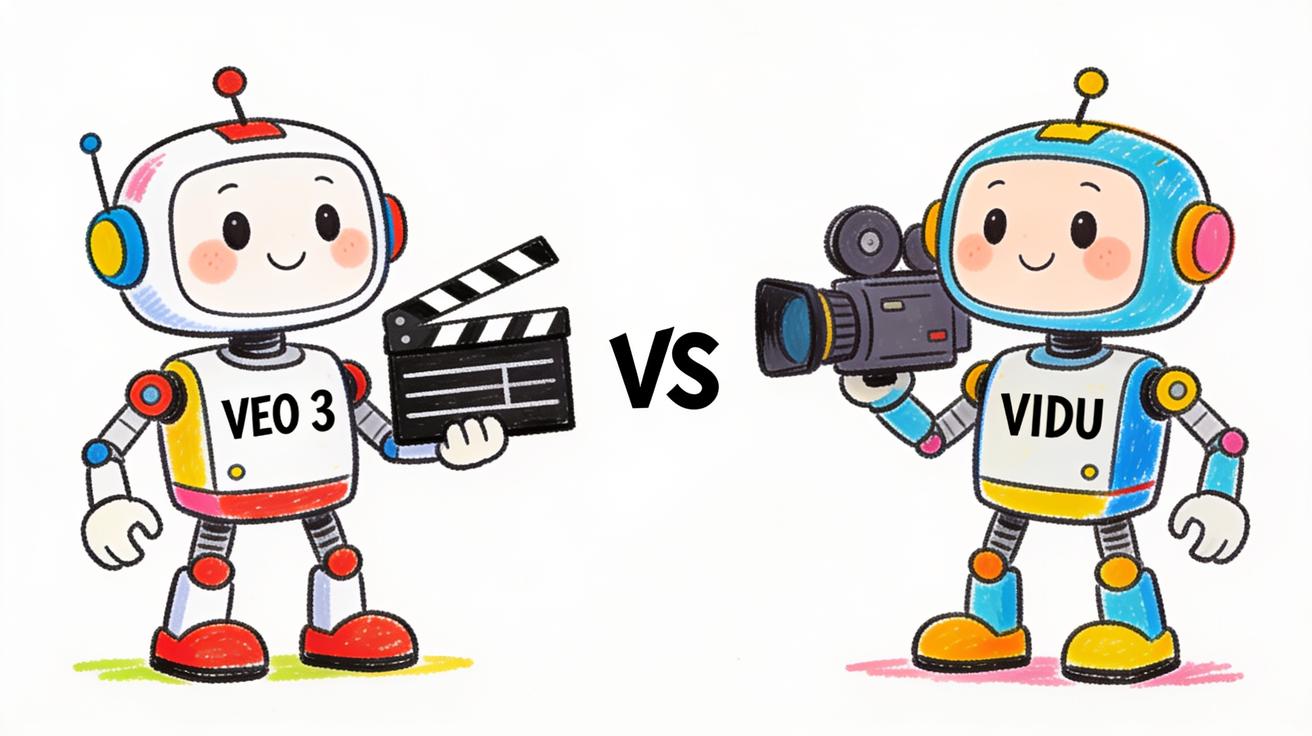
<p>If you are choosing between <strong>Veo 3 and Vidu</strong> for your next AI video project, you are really choosing between two different philosophies of what an AI video generator should do best. Veo 3, Google DeepMind's flagship model, is built around cinematic motion and native audio — it generates the picture and the sound together. Vidu, developed by Shengshu Technology, is built around reference-driven consistency — feeding it several images so the same character, prop, or scene stays stable across a video. This guide breaks down <strong>Veo 3 vs Vidu</strong> on quality, audio, consistency, workflow, and price so you can pick the right tool for your actual use case instead of the one with the loudest demo reel.</p>
<img src="https://r2.seedance.tv/blog/veo-3-vs-vidu-cover.jpeg" alt="Veo 3 vs Vidu AI video generator comparison" width="1312" height="736" />
<h2>Quick Answer: Veo 3 vs Vidu</h2>
<p>Here is the short version before we get into the details. Choose <strong>Veo 3</strong> when you need cinematic, physically believable motion and, above all, synchronized native audio — dialogue, sound effects, and ambience generated in the same pass as the video. Choose <strong>Vidu</strong> when your priority is keeping a specific character or product visually consistent across multiple shots using several reference images, and when you want a fast, budget-friendly tool to iterate quickly.</p>
<p>Neither tool is "better" in the abstract. A solo creator making a recurring animated character series will get more value from Vidu's multi-reference system. A marketing team shipping a polished product film with a spoken voiceover baked in will get more from Veo 3. Most of this article is about helping you figure out which description fits you.</p>
<h2>What Veo 3 Is Built For</h2>
<p>Veo 3 is Google's text-to-video and image-to-video model, accessible through the Gemini app, Google's Flow filmmaking tool, and Vertex AI for developers. Its headline capability — the thing that genuinely separated it from most of the field when it launched — is <strong>native audio generation</strong>. When you write a Veo 3 prompt that includes a line of dialogue, ambient noise, or a specific sound effect, the model attempts to generate that audio in sync with the visuals. The character's lips move roughly with the words; footsteps land when feet hit the ground; the café hums in the background.</p>
<p>The second pillar is <strong>motion and physics realism</strong>. Veo 3 handles things like water, fabric, hair, and weight transfer more convincingly than older models. Camera language in the prompt — a slow dolly-in, a handheld pan, a crane shot — is interpreted with reasonable fidelity, which makes it a favorite for cinematic and ad-style content. Output lands at 1080p, and prompt adherence is strong: when you describe a scene precisely, Veo 3 usually respects the structure of your description rather than inventing its own.</p>
<p>If you want to go deeper on getting the most out of the model, our <a href="https://veo3ai.io/blog/veo-3-prompt-engineering-guide-2026">Veo 3 prompt engineering guide</a> and the <a href="https://veo3ai.io/blog/veo-3-native-audio-prompt-guide-2026">Veo 3 native audio prompt guide</a> walk through the prompt structures that make the biggest difference.</p>
<h2>What Vidu Is Built For</h2>
<p>Vidu approaches video generation from a different angle. Its public positioning is "all-in-one AI image and video creation — fast, high-quality, and affordable," and its standout feature is <strong>Reference to Video</strong>. Instead of relying purely on a text prompt, you upload several images — Vidu's reference-to-video page describes support for multiple references at once — of a character, object, or scene, and the model blends them into a single coherent clip. You can supply different angles of the same character to reinforce consistency, which is genuinely useful for animation and serialized content.</p>
<p>Vidu also offers a "My References" library that lets you save characters, props, and scenes for reuse across generations, so you do not have to re-upload the same source images every time you start a new clip. Combined with text-to-video and image-to-video modes, this makes Vidu attractive for creators who are building a recurring visual world rather than one-off shots. Its messaging emphasizes semantic accuracy, visual aesthetics, and multi-entity consistency — keeping more than one subject stable in the same scene.</p>
<p>The trade-off, broadly speaking, is audio. Vidu's core strength is the picture and the consistency of subjects within it; if you need rich, synchronized spoken dialogue baked into the generation the way Veo 3 does it, that is not Vidu's central design focus. Many Vidu workflows add sound in a separate editing step.</p>
<h2>Veo 3 vs Vidu: Side-by-Side Comparison</h2>
<p>The table below summarizes the practical differences. Treat the Vidu column as a qualitative description of its publicly stated focus rather than a benchmark scorecard — exact capabilities and limits shift with each model update.</p>
<table> <thead> <tr><th>Dimension</th><th>Veo 3</th><th>Vidu</th></tr> </thead> <tbody> <tr><td>Core strength</td><td>Cinematic motion + native synchronized audio</td><td>Reference-driven character and object consistency</td></tr> <tr><td>Native audio</td><td>Yes — dialogue, SFX, and ambience in one pass</td><td>Not the central focus; sound usually added separately</td></tr> <tr><td>Input modes</td><td>Text-to-video, image-to-video</td><td>Text-to-video, image-to-video, reference-to-video (multiple images)</td></tr> <tr><td>Consistency approach</td><td>Strong prompt adherence and physics</td><td>Multi-reference uploads + saved reference library</td></tr> <tr><td>Best for</td><td>Ads, product films, dialogue scenes, cinematic shots</td><td>Recurring characters, animation, multi-subject scenes</td></tr> <tr><td>Access</td><td>Gemini app, Google Flow, Vertex AI</td><td>Vidu web app and API</td></tr> <tr><td>Positioning</td><td>Premium, quality-first Google model</td><td>Fast and affordability-focused</td></tr> </tbody> </table>
<p>For more head-to-head context across the field, see our <a href="https://veo3ai.io/blog/veo-3-vs-sora-2-comparison-2026">Veo 3 vs Sora 2 comparison</a> and <a href="https://veo3ai.io/blog/veo-3-vs-kling-3-comparison">Veo 3 vs Kling 3.0 comparison</a> — both rivals sit in a similar quality tier to Veo 3 and round out the picture.</p>
<h2>Audio: The Clearest Dividing Line</h2>
<p>If there is one factor that should drive your decision more than any other, it is audio. This is where <strong>Veo 3 vs Vidu</strong> stops being a close call.</p>
<p>Veo 3 was designed so that sound is part of the generation, not an afterthought. You can prompt for a character to say a specific line, and the model produces the speech with lip movement that roughly tracks the words, plus environmental audio that matches the scene. For anything where the audio and picture need to feel born together — a talking-head ad, a short narrative scene, a character delivering a punchline — this is a massive time-saver. You skip the entire pipeline of recording or generating a voice track and then painstakingly syncing it.</p>
<p>Vidu's design center is the visual side: consistent subjects, clean motion, and aesthetic control across multiple references. If your project is mostly visual — B-roll, animated sequences, product turnarounds, montage clips set to music — the lack of a Veo-style native dialogue engine may not matter at all, because you were going to add a music bed or voiceover in your editor anyway. But if spoken dialogue inside the generated clip is core to your concept, Veo 3 has the structural advantage.</p>
<img src="https://r2.seedance.tv/blog/veo-3-vs-vidu-decision.jpeg" alt="Decision flowchart for choosing between Veo 3 and Vidu" width="1312" height="736" />
<h2>Consistency: Where Vidu Pushes Hard</h2>
<p>The flip side is character and object consistency. This is the problem Vidu is most clearly engineered to solve, and it deserves credit for it.</p>
<p>With most text-to-video models, including Veo 3, keeping the exact same character across several separate clips is hard. You describe the character carefully, but small details drift between generations — a different jaw line here, a changed jacket color there. Veo 3 mitigates this with strong prompt adherence and image-to-video conditioning, and for many ad and cinematic shots that is enough, because you are often working within a single continuous scene.</p>
<p>Vidu attacks the problem directly. By letting you upload multiple reference images — including different angles of the same subject — and by storing them in a reusable reference library, it gives you more explicit control over identity. For a creator producing episode after episode with the same animated mascot, or a brand that needs the same product to appear identically across a dozen scenes, that reference-first workflow can save real rework. It is the kind of structural feature that a pure prompt-based approach struggles to match.</p>
<p>If subject consistency is your main pain point and you also want to compare other reference-strong tools, our <a href="https://veo3ai.io/blog/veo-3-vs-runway-gen-4-comparison">Veo 3 vs Runway Gen-4 comparison</a> covers another model with strong control features.</p>
<h2>How to Use Veo 3: Step by Step</h2>
<p>Here is the basic workflow for generating a clip with Veo 3, whether you are making an ad shot or a dialogue scene.</p>
<ol> <li><strong>Open Veo 3</strong> through the Gemini app or Google Flow, or call it via the Vertex AI API if you are building into a product.</li> <li><strong>Choose your input mode</strong>: start from a text prompt, or upload a still image to drive image-to-video.</li> <li><strong>Write a structured prompt</strong>: describe the subject, the action, the camera movement, the lighting, and — crucially — the audio. Specify dialogue lines in quotes and name any sound effects or ambience you want.</li> <li><strong>Generate and review</strong>: watch with sound on. Check lip sync, motion physics, and whether the audio matches the scene.</li> <li><strong>Iterate the prompt</strong>: tighten the camera language or audio cues and regenerate. Small prompt edits often fix the biggest issues.</li> <li><strong>Export and use</strong> the clip in your edit, landing page, or ad.</li> </ol>
<h2>How to Use Vidu: Step by Step</h2>
<p>Vidu's reference-driven flow looks a little different because the images do more of the work.</p>
<ol> <li><strong>Open the Vidu web app</strong> and pick reference-to-video if consistency is your goal (text-to-video and image-to-video are also available).</li> <li><strong>Upload your reference images</strong>: provide several images of your character, product, or scene, ideally including different angles to lock identity.</li> <li><strong>Save assets to your reference library</strong> so you can reuse the same character or prop in later generations without re-uploading.</li> <li><strong>Write a prompt</strong> describing the action and scene you want the referenced subject to perform.</li> <li><strong>Generate and review</strong>: check that the subject stayed consistent and that the motion reads cleanly.</li> <li><strong>Add audio in your editor</strong> if the project needs voiceover or a music bed, then export.</li> </ol>
<h2>Prompt Examples for Each Tool</h2>
<p>Because Veo 3 and Vidu reward different prompt styles, here are copy-ready starting points.</p>
<p><strong>Veo 3 (dialogue + audio scene):</strong></p> <p><em>"Medium close-up of a barista in a warm, busy café, morning light through the window. She looks at the camera and says, 'Your order is ready — enjoy!' Ambient café sound: low chatter, an espresso machine hissing. Slow dolly-in, shallow depth of field, cinematic color grade."</em></p>
<p><strong>Veo 3 (product / cinematic, no dialogue):</strong></p> <p><em>"A sleek smartphone rotating slowly on a reflective white surface, soft studio lighting, subtle lens flare. Gentle electronic ambience. Macro detail on the camera lenses, smooth 360-degree turntable motion."</em></p>
<p><strong>Vidu (reference-to-video, character consistency):</strong></p> <p><em>"[Reference images: 3 angles of the same cartoon fox character] The fox walks through an autumn forest, leaves falling, looking up at the sky with a curious expression. Soft storybook lighting, smooth side-scrolling camera."</em></p>
<p><strong>Vidu (multi-entity scene):</strong></p> <p><em>"[Reference images: a product bottle and a brand mascot] The mascot holds up the product bottle on a bright studio set, gesturing toward it, consistent colors and proportions across the shot."</em></p>
<p>For a deeper library of cinematic prompt patterns you can adapt to Veo 3, see our <a href="https://veo3ai.io/blog/best-veo-3-prompts-guide-2026">best Veo 3 prompts guide</a>.</p>
<h2>Pricing and Access: What to Expect</h2>
<p>On access, the two tools sit in different ecosystems. Veo 3 is delivered through Google's products — the Gemini app for consumers, Google Flow for filmmaking workflows, and Vertex AI for developers — and is positioned as a premium, quality-first model. Vidu is positioned around speed and affordability, with a web app and API, and its public materials emphasize being budget-friendly, including ways to earn free credits.</p>
<p>Because pricing tiers, credit costs, and free allowances change frequently for both products, the honest advice is to check each provider's current pricing page before you commit, rather than trusting a number you read in any comparison article. For Google's side specifically, our <a href="https://veo3ai.io/blog/veo-3-pricing-2026">Veo 3 pricing guide</a> tracks the latest tiers and free-access limits. The broad pattern, though, is durable: Veo 3 trades a higher cost for premium quality and native audio, while Vidu competes on speed, reference control, and lower cost of iteration.</p>
<h2>Limitations to Keep in Mind</h2>
<p>No AI video tool is magic, and being honest about the rough edges will save you hours of frustration. Knowing where each model struggles is just as important as knowing where it shines.</p>
<p>With <strong>Veo 3</strong>, the most common friction points are cost and clip length. Premium quality and native audio are not free, so high-volume iteration can get expensive if you regenerate aggressively. Generated dialogue is impressive but not perfect — complex multi-line conversations or unusual accents can still slip, and you may need several attempts to get clean lip sync. Text rendered inside the video (signs, labels, captions) can also come out garbled, which is a limitation shared across most current models, so plan to add critical on-screen text in your editor rather than relying on the generation.</p>
<p>With <strong>Vidu</strong>, the trade-off runs the other way. The reference-to-video system is powerful for consistency, but it depends on the quality of your input images — blurry, inconsistent, or low-angle-variety references produce weaker results, so it rewards a little preparation up front. And because audio is not the central design focus, you should budget time for a separate sound pass if your project needs voiceover or synced effects. As with any fast-moving model, specific limits and capabilities change with each update, so verify the current behavior on a small test clip before scaling up a production.</p>
<p>The practical takeaway: test both on a representative shot from your real project, not a generic demo prompt. The tool that handles your hardest shot best is the one to build your workflow around. For a broader view of where the whole field sits, our <a href="https://veo3ai.io/blog/veo-3-alternatives-2026">Veo 3 alternatives guide</a> maps out the other contenders worth a look.</p>
<h2>Which One Should You Choose?</h2>
<p>Here is how to decide quickly based on the kind of work you do.</p>
<p><strong>Choose Veo 3 if:</strong></p> <ul> <li>You need spoken dialogue or rich sound effects baked into the clip with synchronized lip movement.</li> <li>You are producing ads, product films, or cinematic shots where motion physics and camera language matter.</li> <li>You are already in the Google ecosystem or building on Vertex AI.</li> <li>You value top-tier output quality over per-clip cost.</li> </ul>
<p><strong>Choose Vidu if:</strong></p> <ul> <li>Your top priority is keeping the same character, mascot, or product consistent across many shots.</li> <li>You work with multiple reference images and want a saved library to reuse subjects.</li> <li>You are making animation, serialized content, or multi-subject scenes where you will add audio yourself later.</li> <li>You want a fast, lower-cost tool for high-volume iteration.</li> </ul>
<p>Many serious creators end up using both: Vidu to build and lock a consistent character or product across reference images, and Veo 3 to produce the hero shots where synchronized audio and cinematic motion carry the piece. There is no rule that says you must marry one tool.</p>
<h2>FAQ</h2>
<p><strong>Is Veo 3 better than Vidu?</strong> It depends on the job. Veo 3 leads on native synchronized audio and cinematic motion; Vidu leads on reference-driven consistency and affordable, fast iteration. Match the tool to your priority rather than asking which is "better" overall.</p>
<p><strong>Does Vidu generate audio like Veo 3?</strong> Native synchronized dialogue is Veo 3's signature strength. Vidu's design center is the visual side and subject consistency, so many Vidu users add voiceover or music in a separate editing step. Always check Vidu's current feature set, since models update often.</p>
<p><strong>Can Veo 3 keep a character consistent across clips?</strong> Veo 3 uses strong prompt adherence and image-to-video conditioning, which works well within a scene, but locking an identical character across many separate clips is harder than with Vidu's multi-reference approach. For heavy character-continuity work, a reference-first tool has an edge.</p>
<p><strong>Which is cheaper, Veo 3 or Vidu?</strong> Vidu positions itself as the more affordable, speed-focused option, while Veo 3 is a premium Google model. Exact costs change frequently, so compare each provider's live pricing page before deciding.</p>
<p><strong>Can I use both together?</strong> Yes. A common workflow is to lock characters and products in Vidu using references, then generate the audio-driven hero shots in Veo 3. Using both lets you exploit each tool's strongest dimension.</p>
<h2>Conclusion</h2>
<p>The <strong>Veo 3 vs Vidu</strong> decision comes down to two questions: do you need synchronized native audio and cinematic motion, or do you need rock-solid character and object consistency across many shots? Veo 3 owns the first; Vidu is built for the second. If your videos live or die on spoken dialogue, sound design, and physical realism, Veo 3 is the stronger pick — and you can dial in results fast with a well-structured prompt and the native audio workflow. If your videos depend on the same character or product showing up identically again and again, Vidu's reference system is purpose-built for you. Pick the tool that matches your actual priority, and when in doubt, try a single test clip in each before you commit a whole project. Ready to put Veo 3 to work? <a href="https://veo3ai.io">Start creating with Veo 3</a> and test your first prompt today.</p>
Related Articles
Continue with more blog posts in the same locale.

Veo 3 vs HeyGen 2026: AI Video Generation vs AI Avatar Studio
Veo 3 vs HeyGen 2026: compare AI video generation and AI avatar studio workflows, see where each excels, and decide which belongs in your video production stack.
Read article
Veo 3 vs InVideo AI: Which Should You Use in 2026?
Veo 3 vs InVideo AI: understand the core difference between AI video generation and AI-assisted production, see how each excels, and decide which fits your workflow in 2026.
Read article
Veo 3 vs Pollo AI: Which AI Video Generator Should You Choose in 2026?
Compare Veo 3 and Pollo AI across video quality, native audio generation, pricing, and use cases. Find out which AI video generator is right for your workflow in 2026.
Read article