
Veo Automation 2026: Build Repeatable AI Video Workflows with Veo 3.1
A practical 2026 guide to Veo automation: build repeatable Veo 3.1 AI video workflows with prompt templates, reference assets, QA gates, and analytics feedback.
Emma Chen · 19 min read · May 6, 2026
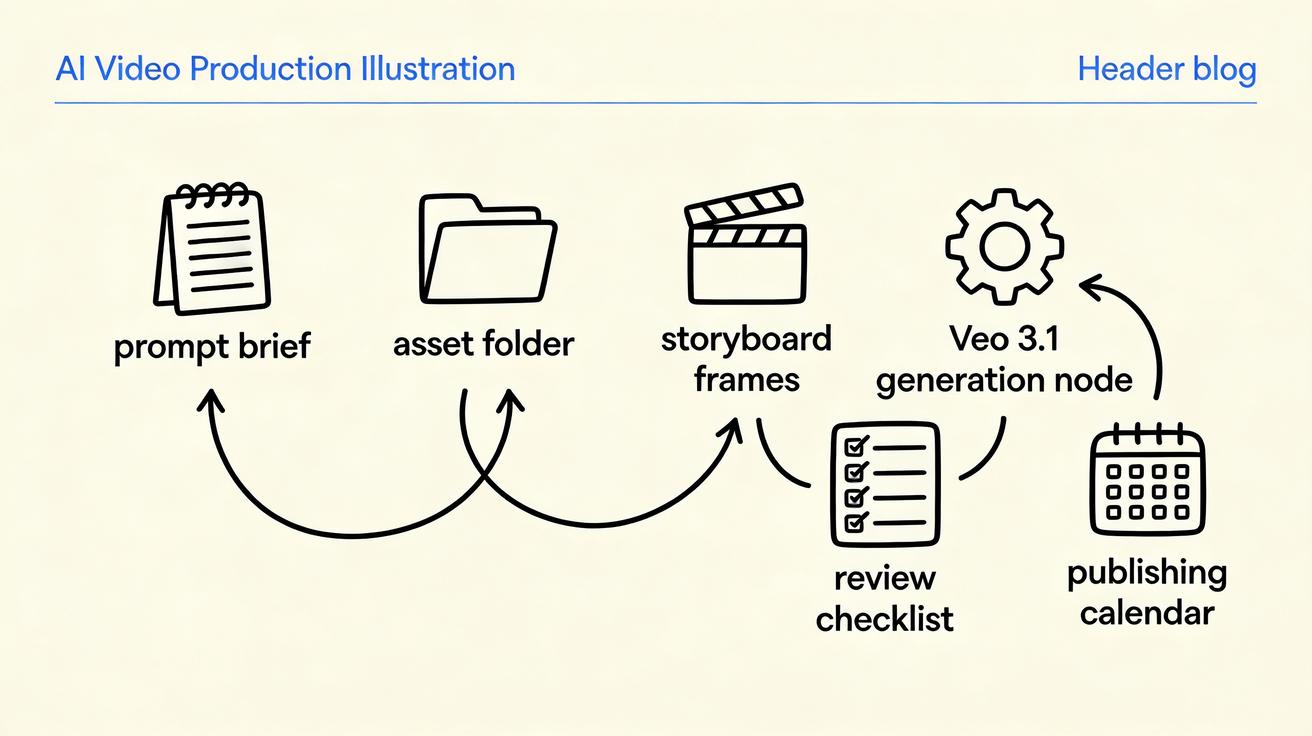
Veo automation is becoming the difference between occasionally making a good AI video and reliably producing usable video assets every week. Veo 3.1 gives creative teams more control than earlier text-to-video experiments: stronger prompt adherence, image-to-video workflows, reference images for consistency, native audio, first-and-last-frame transitions, and scene extension for longer sequences. Those capabilities are powerful, but they only compound when the team wraps them in a repeatable workflow.
That is the real opportunity in 2026. The winning teams are not simply asking Veo for one impressive clip. They are building a production system: a brief template, an asset intake process, prompt patterns, review gates, version naming, approval rules, analytics feedback, and a library of reusable scenes. This turns AI video generation from a novelty into an operating model for marketing, product education, social content, paid creative, ecommerce, and internal enablement.
This guide shows how to build practical Veo automation around Veo 3.1 without losing creative judgment. You will learn which parts of the process should be standardized, which parts should stay human, how to create prompt templates that can be reused across campaigns, how to run batches safely, and how to review outputs before they reach customers. If your goal is to move from “we made one cool AI clip” to “we can ship video consistently,” this is the workflow to start with.
What “Veo automation” really means
Veo automation does not mean letting a script publish random generated videos with no review. For serious teams, automation means reducing repeated manual work while keeping creative and brand decisions under control. The system should help you brief, generate, evaluate, organize, and reuse clips faster. It should not remove accountability.
A useful Veo automation workflow usually has seven layers:
| Layer | Purpose | Example output |
|---|---|---|
| Creative brief | Defines the business goal before generation | Product launch, tutorial clip, paid social hook |
| Asset intake | Collects approved inputs | Product image, brand colors, script, reference frames |
| Prompt template | Converts the brief into consistent Veo instructions | Scene, subject, motion, camera, audio, constraints |
| Batch generation | Produces controlled variations | 4 hooks, 3 camera moves, 2 aspect ratios |
| QA review | Filters unusable, off-brand, or inaccurate results | Approved / revise / reject decisions |
| Post-production | Adds captions, crop, logo safe zones, edits | Final short, loop, cutdown, thumbnail |
| Learning loop | Feeds performance back into prompts | Winning hook library, negative prompt notes |
The key is that each layer has an owner and an expected artifact. If your team only writes a fresh prompt in a chat box every time, you are not automating; you are improvising. Improvisation can create breakthroughs, but it does not create a dependable production pipeline.
Why Veo 3.1 changes the workflow conversation
Earlier AI video workflows often broke down because the model produced a visually interesting clip but ignored production constraints. A marketing team could generate motion, yet struggle with character consistency, scene continuity, audio direction, or transitions between shots. Veo 3.1 does not remove every limitation, but it gives teams more levers to design repeatable systems.
The most workflow-friendly capabilities are:
- Reference images for guiding characters, objects, locations, or visual style across multiple clips.
- First-and-last-frame control for creating planned transitions instead of hoping the model ends in the right composition.
- Scene extension for building longer sequences from a previous Veo output while preserving continuity.
- Richer native audio so sound direction can be included earlier in the generation brief.
- Improved prompt adherence for teams that need consistent shot types, motion, tone, and brand-safe constraints.
- Fast model variants for draft exploration before committing more review time to final candidates.
Those features make Veo 3.1 suitable for modular production. Instead of asking for a complete ad in one pass, you can build a set of controlled clips: opener, product reveal, benefit demonstration, transition, use-case shot, and closing loop. Each clip has a template, reference inputs, and review rules. That modularity is what makes Veo automation realistic.
The repeatable Veo workflow blueprint
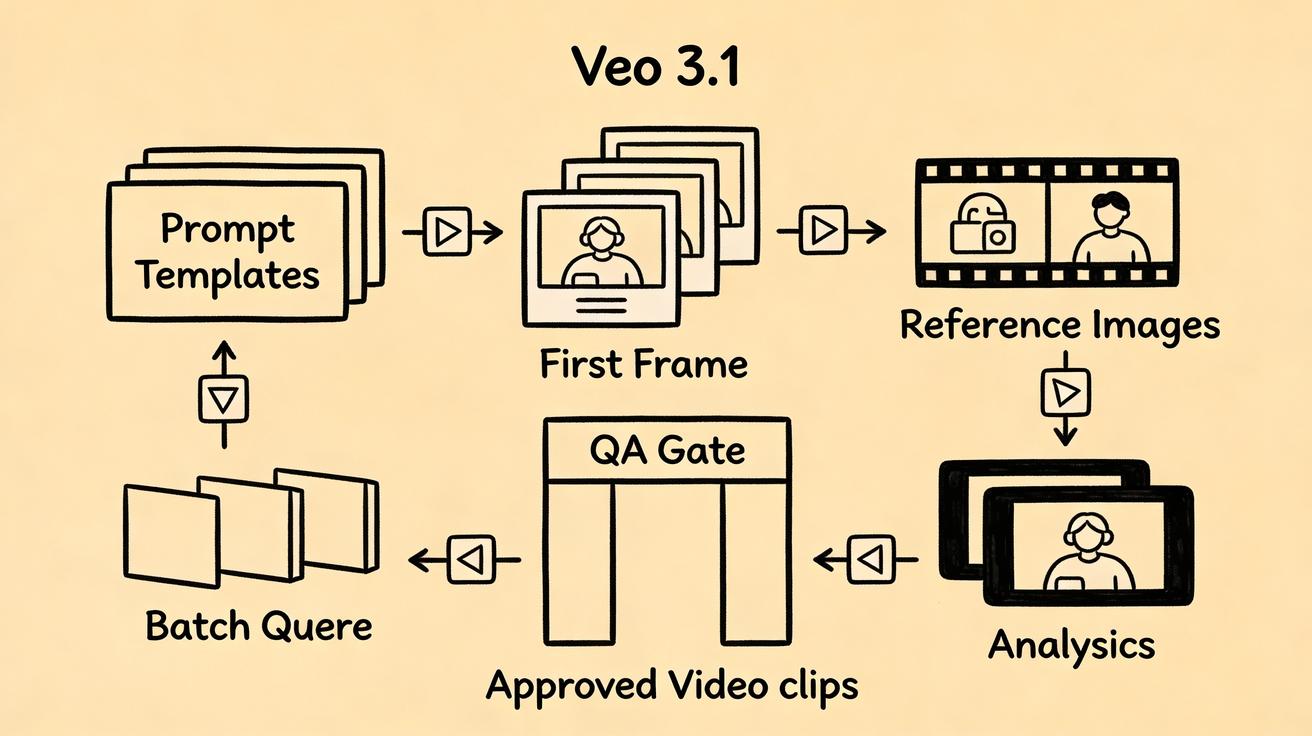
A repeatable workflow starts before anyone touches a prompt. The mistake many teams make is treating prompt writing as the first step. In reality, prompt writing should be the translation layer between business intent and model instruction. If the business intent is vague, the prompt will be vague too.
Use this blueprint for most Veo 3.1 production tasks.
1. Define the video job type
Start by classifying the job. This prevents every request from becoming a custom project.
Common job types include:
- Paid social hook
- Product page loop
- App feature demo
- YouTube Shorts concept
- Explainer intro
- Webinar teaser
- Landing page hero motion
- Ecommerce product lifestyle scene
- Internal training visual
- Customer support micro-demo
Each job type should have a standard duration target, aspect ratio, tone, CTA style, and QA checklist. A product page loop might need calm motion and no hard sell. A paid social hook might need faster action, a stronger opening frame, and room for captions. An onboarding demo might require accuracy over cinematic drama.
2. Create a structured brief
Do not ask the requester for “a video idea.” Ask for structured fields. A short intake form can save hours of cleanup.
Minimum brief fields:
- Audience
- Offer or message
- Primary scene
- Required asset inputs
- Product or feature details that must be accurate
- What the viewer should understand in the first three seconds
- Desired emotion
- Channel and aspect ratio
- Words, claims, or visuals to avoid
- Approval owner
This brief becomes the source of truth. If a generated clip looks attractive but contradicts the brief, it fails QA.
3. Build a prompt template, not a one-off prompt
A strong Veo prompt template should separate stable production instructions from variable campaign inputs. That makes the workflow reusable.
Use a template like this:
Video job type: [paid social hook / product loop / explainer intro]
Business goal: [what this clip must achieve]
Audience: [who is watching]
Subject: [main person, product, object, or scene]
Reference assets: [image 1 purpose, image 2 purpose, image 3 purpose]
Scene description: [location, action, mood]
Camera direction: [shot type, movement, framing]
Motion direction: [what changes over time]
Audio direction: [ambient sound, voice, music mood, silence if needed]
Visual style: [realistic, cinematic, clean SaaS, ecommerce studio, etc.]
Brand constraints: [colors, tone, logo handling, no false UI, no extra text]
Output constraints: [aspect ratio, duration target, loop/no loop]
Negative constraints: [avoid distorted hands, fake pricing, unreadable text, unsafe claims]
The template matters because it lets your team compare versions fairly. If one producer writes cinematic prompts and another writes abstract prompts, performance data becomes hard to interpret. Standardization improves both output quality and learning.
4. Attach reference assets deliberately
Veo 3.1 can use reference images to guide generation. In an automation workflow, every reference image should have a role. Avoid dumping random inspiration into the model.
Useful reference roles include:
- Character reference: keeps a spokesperson, creator avatar, or customer persona visually consistent.
- Product reference: preserves product shape, color, packaging, or interface cues.
- Environment reference: keeps a location, studio style, or background consistent.
- Style reference: communicates lighting, texture, illustration style, or camera mood.
- First frame: defines the opening composition.
- Last frame: defines where the shot should land.
Name the files clearly. For example: product_front_reference.jpg, studio_background_reference.jpg, last_frame_cta_card.jpg. Good naming helps the team know why each asset exists and whether it should be reused.
5. Generate controlled variations
Automation should not mean producing hundreds of random clips. It should mean generating a planned set of variations that test a real creative hypothesis.
For example, instead of asking for “10 videos,” ask for:
- 3 opening hooks: problem-led, benefit-led, curiosity-led
- 2 camera moves: slow push-in, side-to-side reveal
- 2 audio moods: quiet premium ambience, energetic product demo
That produces 12 possible combinations, but each variation has a reason. The reviewer can identify what changed and why it might perform differently. This is much more useful than a folder full of unrelated generations.
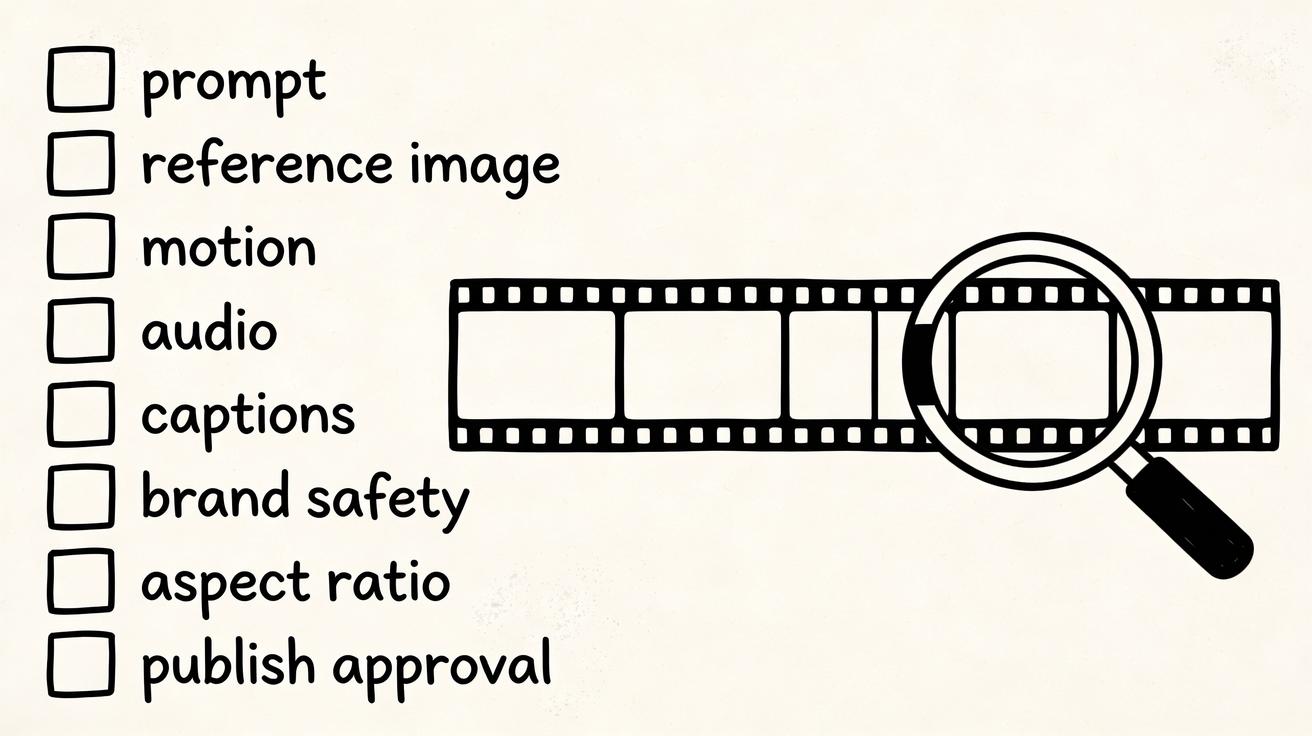
6. Review with a checklist
A Veo automation system needs a quality gate. The reviewer should not rely only on taste. Use a structured checklist so clips can be approved, revised, or rejected consistently.
Review categories:
- Brief alignment
- Product accuracy
- Character or object consistency
- Motion quality
- Audio fit
- Brand safety
- Caption safe area
- Aspect ratio suitability
- Loop quality if needed
- CTA clarity
- Legal or claims risk
- Reuse potential
A beautiful clip can still fail if it shows the wrong product detail or implies a feature the product does not have. The automation system must protect against that.
7. Store outputs as reusable modules
The best Veo clips should not disappear into campaign folders. Store approved clips in a reusable library with tags.
Recommended tags:
- Job type
- Product or feature
- Audience
- Prompt template version
- Reference assets used
- Aspect ratio
- Hook type
- Visual style
- Approval status
- Performance result
Over time, your prompt library and approved clip library become the core of your AI video operating system. This is where automation compounds.
A practical prompt library for Veo automation
A prompt library is not a folder of random successful prompts. It is a controlled set of templates mapped to business use cases. Below are practical templates your team can adapt.
Template 1: Product feature reveal
Create a short product feature reveal video for [audience].
The clip opens on [first frame or product reference], then shows [specific feature] through [clear motion].
Camera: [slow push-in / smooth orbit / top-down transition].
Visual style: clean, modern, high-trust, realistic lighting.
Audio: subtle interface sounds and a soft build, no distracting music.
Avoid: invented UI text, fake metrics, unreadable labels, exaggerated claims.
End frame: leave clean negative space for captions and CTA.
Use this when you need a landing page hero, feature launch post, or paid social cutdown. The important constraint is accuracy. If the interface or product detail matters, use a reference image and review carefully.
Template 2: Problem-solution social hook
Create a vertical video hook for [target audience] who struggles with [problem].
Open with a visual metaphor for the problem: [scene].
Transition into the solution: [product or workflow].
Motion should feel fast but not chaotic.
Camera: quick opening movement, then stable product-focused frame.
Audio: light tension in the first second, then optimistic resolution.
Avoid: fearmongering, fake statistics, messy text, unrealistic results.
Use this for TikTok, Reels, Shorts, and paid social tests. The automation opportunity is to swap the problem, audience, and product benefit while keeping the structure consistent.
Template 3: First-to-last-frame transition
Generate a smooth transition between the provided first frame and last frame.
First frame: [describe starting image].
Last frame: [describe ending image].
The transition should show [logical transformation] with [camera movement].
Maintain consistent lighting, perspective, and subject identity.
Audio: [ambient sound / soft whoosh / product sound / no voice].
Avoid sudden cuts, morphing artifacts, extra objects, or unreadable text.
This is ideal for before-and-after concepts, onboarding sequences, product reveals, or campaign teasers. Because the opening and ending states are known, the clip is easier to fit into an edited sequence.
Template 4: Scene extension
Extend the previous Veo clip by continuing the same environment, subject, camera direction, and mood.
The next action is [specific next beat].
Preserve continuity from the final second of the previous clip.
Audio should continue naturally and support [emotion or action].
Avoid introducing new characters, changing the product, changing time of day, or shifting visual style.
Use this when a single clip is not enough for an explainer, narrative ad, or tutorial sequence. Scene extension works best when each next beat is simple and clearly connected.
What to automate first
Teams often try to automate everything at once. That usually creates chaos. Start with the repeated steps that have clear rules.
Automate brief intake
Create a form or structured document that captures the same fields every time. This reduces back-and-forth and makes requests comparable. If your team uses a project management system, turn the brief into a task template.
Automate prompt assembly
Use your template fields to assemble a first draft prompt. A human producer should still edit it, but the system can pre-fill audience, product, channel, aspect ratio, negative constraints, and approved language.
Automate file naming
Bad naming breaks AI video operations. Use a pattern such as:
YYYYMMDD_campaign_jobtype_hook_v01_aspect_status
Example:
20260506_summerlaunch_productreveal_benefit_v03_9x16_approved
This sounds boring, but it prevents lost assets, duplicate work, and unclear approvals.
Automate QA routing
A generation should move to the right reviewer based on risk. A generic background loop may need one creative approval. A product claim or UI demo may need product marketing review. A regulated industry clip may need legal review. Automation can route the clip; humans still make the final call.
Automate learning capture
After publishing, record what happened. Which hook won? Which prompt template produced the best first frame? Which reference assets caused consistency problems? Which audio direction worked? Without a learning loop, every generation starts from zero again.
What should stay human
Veo automation works best when humans focus on judgment rather than repetitive formatting. Do not automate away the parts where taste, risk, and strategy matter.
Keep these human-controlled:
- Campaign strategy
- Final creative direction
- Product accuracy review
- Brand safety decisions
- Legal and claims review
- Performance interpretation
- Prompt library changes
- Approval for public publishing
AI video generation can create options quickly, but it cannot know whether a claim is approved, whether a visual metaphor fits the brand, or whether a clip supports the business goal. The workflow should make those decisions easier, not invisible.
Building a Veo 3.1 workflow for marketing teams
A marketing team usually cares about speed, message testing, and channel fit. The workflow should be optimized around campaigns rather than isolated clips.
Start with a campaign brief. Define the offer, audience, core objections, key benefits, and channels. Then create a matrix of video ideas. For a SaaS feature launch, the matrix might include:
- Pain point hook
- Before-and-after workflow
- Feature reveal
- Customer use case
- Founder-style announcement
- Tutorial micro-demo
- Retargeting reminder
Each row uses a different prompt template. Each row has planned variations. The output is not one final video; it is a batch of creative candidates that can be edited, captioned, tested, and reused.
For paid acquisition, the automation system should connect to performance data. If benefit-led hooks beat curiosity hooks, update the prompt library. If a calm product loop works on landing pages but fails in social feeds, tag it accordingly. The goal is not just to create more videos. The goal is to make each new batch smarter.
Building a Veo 3.1 workflow for product teams
Product teams need accuracy. Their Veo automation workflow should be stricter than a lifestyle marketing workflow.
Use approved product screenshots, UI recordings, or reference frames. Define which elements must not change. Avoid asking the model to invent interface details. If the video shows a product workflow, keep the generated scene abstract enough that minor UI differences do not mislead users.
A useful product workflow might be:
- Product marketer writes the feature brief.
- Designer provides approved reference frames.
- Producer selects a product-safe prompt template.
- Veo generates visual explainers or transitions.
- Product owner checks accuracy.
- Editor adds real captions, UI labels, and CTA in post-production.
- Final clip is stored with product version and approval notes.
This gives product teams the speed of AI video while reducing the risk of false UI, fake features, or overpromised outcomes.
Building a Veo 3.1 workflow for ecommerce teams
Ecommerce teams often need many videos for many SKUs. This is a natural fit for Veo automation, but only if product accuracy is respected.
Create a SKU video template with fields for product name, product photo, buyer use case, setting, benefit, and CTA. Then generate a limited set of scene types:
- Product in use
- Product reveal
- Lifestyle context
- Problem-solution moment
- Seasonal campaign scene
- Retargeting reminder
The system should never invent pricing, discounts, shipping claims, or performance claims. Add those in post-production only when they are approved. For product pages, prioritize clean loops and trust. For paid social, prioritize hooks and variation. For email, prioritize quick recognition and low visual clutter.
Common failure points and how to prevent them
Failure point: the prompt is too cinematic for the channel
A beautiful wide shot can fail as a vertical paid ad if the product is too small. Fix this by storing channel-specific prompt constraints. A 9:16 social prompt should mention close framing, subject prominence, and caption space.
Failure point: generated clips cannot be compared
If every variation changes the subject, camera, audio, and style, you cannot learn what worked. Fix this by changing one or two variables at a time.
Failure point: reference assets are inconsistent
If one reference image is studio-lit and another is a phone photo in a dark room, the model may blend conflicting cues. Fix this by assigning roles and using cleaner references.
Failure point: QA happens too late
If review only happens after editing, the team wastes time polishing unusable clips. Fix this with a first-pass Veo QA gate before post-production.
Failure point: the team never updates the prompt library
Prompt libraries decay if they are not maintained. Fix this by assigning an owner and reviewing templates every month based on performance and rejection reasons.
A 30-day implementation plan
You do not need a complex platform to begin. Start with a lightweight operating system and improve it as volume grows.
Week 1: Standardize the basics
Choose three video job types. Create one brief template, one prompt template per job type, and one QA checklist. Build a naming convention. Collect approved brand and product assets.
Week 2: Run controlled batches
Generate small batches for one campaign. Change only a few variables. Review the outputs with the checklist. Record rejection reasons. Save approved clips with tags.
Week 3: Add performance feedback
Publish the best clips on the intended channels. Track simple outcomes: watch rate, click-through rate, landing page engagement, ad approval status, or qualitative feedback. Map those results back to prompt templates and hook types.
Week 4: Create the first automation loop
Automate brief intake, prompt assembly, naming, and QA routing. Keep generation review and publishing approval human. Update the prompt library with what worked. Remove templates that repeatedly create low-quality outputs.
By the end of 30 days, the team should have a working Veo automation system: not perfect, but repeatable.
Metrics to track
Track operational metrics and performance metrics separately.
Operational metrics:
- Time from brief to first usable clip
- Number of generations per approved clip
- Rejection rate by reason
- Prompt template success rate
- Percentage of clips reused in more than one channel
- Review turnaround time
Performance metrics:
- Hook retention
- Click-through rate
- Conversion rate influence
- Landing page engagement
- Paid ad approval rate
- Cost per usable creative
- Winning prompt patterns
Do not overcomplicate the dashboard at first. The most important question is simple: are we creating more usable, on-brand video assets with less repeated effort?
Recommended Veo automation stack
A practical stack can be simple:
- Brief intake: form, project management task, or content calendar
- Asset storage: structured cloud folder with naming rules
- Prompt library: document, database, or internal wiki
- Generation: Veo 3.1 via Gemini API, Vertex AI, Flow, or a supported interface
- Review: checklist-based approval workflow
- Editing: captions, crop, CTA, brand overlays
- Publishing: social scheduler, CMS, ad platform, or landing page workflow
- Analytics: campaign dashboard and prompt performance notes
The exact tools matter less than the handoffs. Every generated video should have a brief, prompt version, input assets, reviewer, approval status, and performance note.
Internal linking ideas for a complete workflow
If you are building AI video production around Veo, pair automation with channel-specific workflows. For prompt-led concepts, start with a text-to-video workflow. For product photos, ecommerce assets, or first-frame control, use an image-to-video workflow. If you are comparing creative systems, keep a separate prompt library for Veo 3.1, Flow, and other AI video tools so your team can test them consistently.
The bottom line
Veo automation is not about replacing producers. It is about giving producers a system that makes repeatable work faster and creative judgment more valuable. Veo 3.1 provides the building blocks: prompt control, reference images, first-and-last-frame transitions, scene extension, and stronger audio-visual generation. The business value appears when those blocks are organized into a production workflow.
Start small. Pick three job types. Standardize the brief. Build reusable prompt templates. Generate controlled variations. Review with a checklist. Store approved clips. Feed performance back into the next batch. That is how Veo automation becomes a durable advantage instead of a one-off experiment.
FAQ
What is Veo automation?
Veo automation is a repeatable workflow for creating AI video with Veo. It standardizes briefs, assets, prompt templates, generation batches, review checklists, post-production, and performance feedback so teams can produce usable videos more consistently.
Is Veo automation fully hands-off?
No. The safest approach is human-in-the-loop automation. Software can assemble prompts, organize assets, run batches, route reviews, and capture performance notes, but humans should still own strategy, product accuracy, brand safety, legal review, and publishing approval.
Why is Veo 3.1 useful for automated workflows?
Veo 3.1 is useful because it supports more controlled production patterns, including reference images, first-and-last-frame transitions, scene extension, improved prompt adherence, and richer native audio. These features make modular, repeatable video workflows easier to build.
What should I automate first in a Veo workflow?
Start with brief intake, prompt assembly, file naming, QA routing, and learning capture. These steps are repetitive and rule-based. Keep final creative approval, product accuracy review, and public publishing decisions human-controlled.
How many variations should a team generate per concept?
Start small. Generate a controlled set of variations that tests one or two creative hypotheses, such as hook angle, camera movement, or audio mood. A focused batch of 6 to 12 variations is often more useful than dozens of unrelated clips.
Can ecommerce teams use Veo automation for product videos?
Yes, ecommerce teams can use Veo automation to create product loops, lifestyle scenes, paid social hooks, and retargeting clips. They should use approved product references, avoid invented claims, and add pricing or promotional details only in post-production after approval.
<script type="application/ld+json"> { "@context": "https://schema.org", "@type": "FAQPage", "mainEntity": [ { "@type": "Question", "name": "What is Veo automation?", "acceptedAnswer": { "@type": "Answer", "text": "Veo automation is a repeatable workflow for creating AI video with Veo. It standardizes briefs, assets, prompt templates, generation batches, review checklists, post-production, and performance feedback so teams can produce usable videos more consistently." } }, { "@type": "Question", "name": "Is Veo automation fully hands-off?", "acceptedAnswer": { "@type": "Answer", "text": "No. The safest approach is human-in-the-loop automation. Software can assemble prompts, organize assets, run batches, route reviews, and capture performance notes, but humans should still own strategy, product accuracy, brand safety, legal review, and publishing approval." } }, { "@type": "Question", "name": "Why is Veo 3.1 useful for automated workflows?", "acceptedAnswer": { "@type": "Answer", "text": "Veo 3.1 is useful because it supports more controlled production patterns, including reference images, first-and-last-frame transitions, scene extension, improved prompt adherence, and richer native audio. These features make modular, repeatable video workflows easier to build." } }, { "@type": "Question", "name": "What should I automate first in a Veo workflow?", "acceptedAnswer": { "@type": "Answer", "text": "Start with brief intake, prompt assembly, file naming, QA routing, and learning capture. These steps are repetitive and rule-based. Keep final creative approval, product accuracy review, and public publishing decisions human-controlled." } }, { "@type": "Question", "name": "How many variations should a team generate per concept?", "acceptedAnswer": { "@type": "Answer", "text": "Start small. Generate a controlled set of variations that tests one or two creative hypotheses, such as hook angle, camera movement, or audio mood. A focused batch of 6 to 12 variations is often more useful than dozens of unrelated clips." } }, { "@type": "Question", "name": "Can ecommerce teams use Veo automation for product videos?", "acceptedAnswer": { "@type": "Answer", "text": "Yes, ecommerce teams can use Veo automation to create product loops, lifestyle scenes, paid social hooks, and retargeting clips. They should use approved product references, avoid invented claims, and add pricing or promotional details only in post-production after approval." } } ] } </script>
Related Articles
Continue with more blog posts in the same locale.

How to Make Sports Highlight Videos with Veo 3 AI (2026)
Create stunning sports highlight videos with Veo 3 AI. Generate dynamic action shots, slow-motion sequences, and dramatic replays using AI prompts.
Read article
How to Make a Short Film with Veo 3 AI (2026 Guide)
Learn how to create professional short films using Veo 3 AI. Step-by-step guide with prompts, workflow tips, and cinematic techniques.
Read article
How to Make Documentary Videos with Veo 3 AI (2026 Guide)
Create compelling documentary videos with Veo 3 AI. Learn prompting techniques, narrative structure, realistic footage generation, and post-production tips.
Read article