
Veo 3 vs Runway Gen-4: Which AI Video Generator Wins in 2026
A comprehensive comparison of Google Veo 3 and Runway Gen-4 AI video generators. We analyze video quality, motion consistency, pricing, and features to help you choose the best tool for your creative projects in 2026.
Emma Chen · 16 min read · Apr 24, 2026
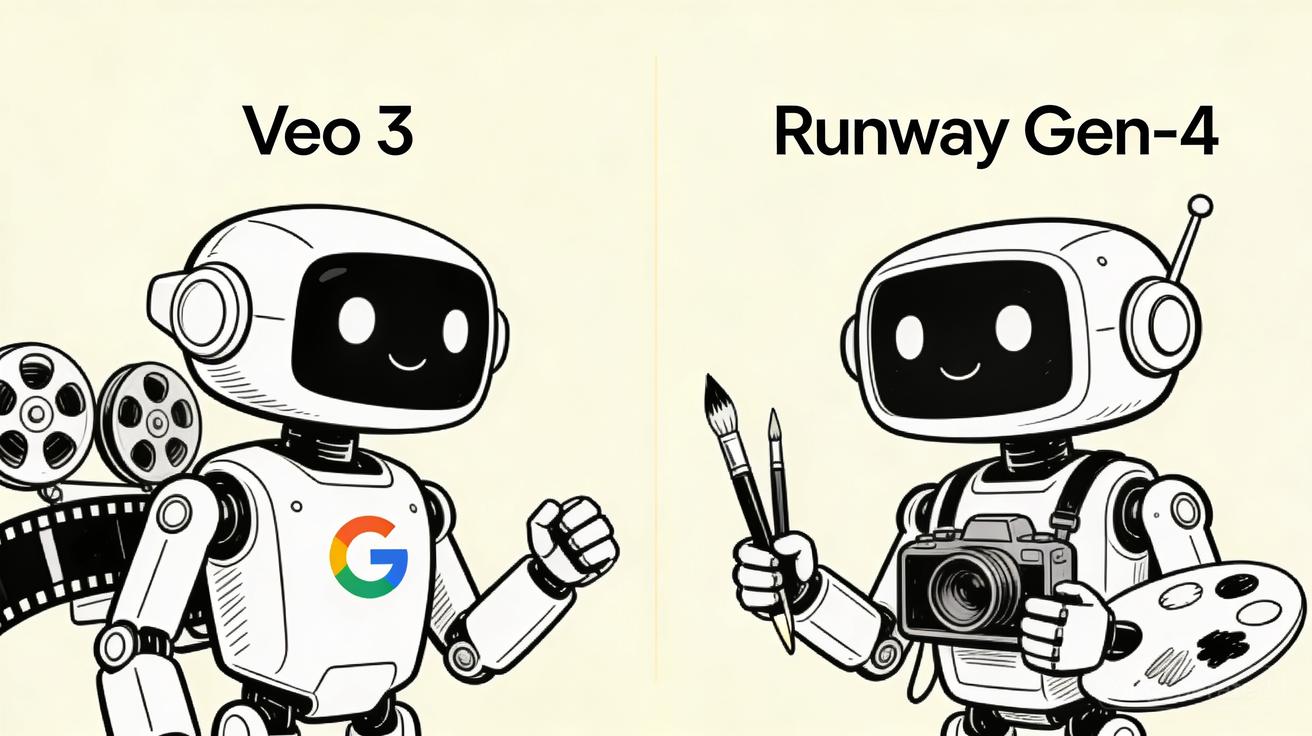
The AI video generation landscape has evolved at breakneck speed over the past two years. What started as experimental technology capable of producing choppy, dreamlike clips has transformed into a professional-grade tool that creators, marketers, and filmmakers can actually rely on for real-world projects. Two titans currently dominate this space: Google's Veo 3 and Runway's Gen-4. Both represent the bleeding edge of what's possible when artificial intelligence meets moving images, yet they approach the challenge from fundamentally different angles.
Veo 3 emerges from Google's DeepMind laboratories with the full weight of the tech giant's computational resources and research expertise. It promises cinema-quality output, superior physics simulation, and seamless integration with Google's ecosystem. Runway Gen-4, meanwhile, comes from a company that has lived and breathed AI video since its inception, with a laser focus on creator-friendly tools and rapid iteration based on real user feedback.
Choosing between these two powerhouses isn't straightforward. Each excels in different scenarios, and the "right" choice depends heavily on your specific needs, budget, and creative workflow. This comprehensive comparison will dissect every aspect of Veo 3 and Runway Gen-4, helping you make an informed decision about which AI video generator deserves your investment in 2026.
What is Veo 3?
Veo 3 represents Google's most ambitious entry into the AI video generation market to date. Announced at Google I/O and subsequently integrated into various Google products including Vertex AI and experimental consumer interfaces, Veo 3 builds upon the foundations laid by its predecessor while addressing many of the limitations that plagued earlier AI video models.
At its core, Veo 3 is a sophisticated diffusion model trained on an enormous dataset of video content. Google has leveraged its unparalleled access to YouTube's vast video library (where legally permissible) combined with licensed content to create a training corpus that dwarfs what most competitors can access. This manifests in Veo 3's remarkable ability to understand complex scenes, maintain temporal consistency across longer sequences, and generate footage that often approaches professional cinematography standards.
Key Features and Capabilities
Cinema-Quality Generation: Veo 3 produces videos at resolutions up to 1080p with professional color grading and cinematic aspect ratios. The model demonstrates particular strength in generating natural outdoor environments, architectural spaces, and macro photography-style shots that exhibit convincing depth and texture.
Advanced Physics Understanding: One of Veo 3's most impressive capabilities is its grasp of physical reality. Water flows convincingly, fabrics drape naturally, and objects interact with each other following real-world physics. This addresses one of the most common complaints about AI video—uncanny or physically impossible motion.
Extended Duration: Unlike earlier models limited to a few seconds, Veo 3 can generate coherent sequences lasting up to several minutes. More importantly, it maintains character consistency, environmental continuity, and narrative coherence across these longer durations—a feat that remains challenging for many competitors.
Multimodal Input: Veo 3 accepts text prompts, reference images, and even video clips as inputs. This flexibility allows creators to guide the generation process with varying levels of specificity, from loose creative direction to detailed storyboarding.
Safety and Responsibility Features: True to Google's corporate ethos, Veo 3 incorporates extensive safety guardrails. Digital watermarking (SynthID) helps identify AI-generated content, while robust content filters prevent generation of harmful, misleading, or explicit material.
Primary Strengths
Veo 3 excels when you need photorealistic output for commercial or professional use. Its understanding of lighting, camera movements, and environmental realism makes it ideal for product visualization, architectural walkthroughs, and marketing materials where quality cannot be compromised. The model's conservative approach to generation also means fewer bizarre artifacts or hallucinations that require extensive cleanup.
What is Runway Gen-4?
Runway has been a pioneer in generative AI for creative professionals since 2018, and Gen-4 represents their fourth major iteration of video generation technology. Unlike Google's broad approach, Runway has focused specifically on building tools for filmmakers, designers, and content creators—refining their models based on intensive feedback from working professionals.
Gen-4 emerges from Runway's experience powering major film productions, advertising campaigns, and creative projects. The company has positioned itself as the "Adobe of AI video"—providing a comprehensive creative suite rather than just a generation engine. This philosophy permeates every aspect of Gen-4's design.
Key Features and Capabilities
Comprehensive Creative Suite: Gen-4 isn't just a video generator—it's part of Runway's broader platform that includes tools like Motion Brush (for directing specific movements), camera controls, inpainting, green screen removal, and frame interpolation. These tools integrate seamlessly, allowing complex workflows without leaving the platform.
Character and Style Consistency: Runway has invested heavily in techniques to maintain character appearance and artistic style across multiple generations. This is crucial for narrative projects where the same character must appear in different scenes while remaining recognizable.
Real-Time Collaboration: Built for professional teams, Gen-4 supports collaborative workflows with project sharing, version history, and team management features. This enterprise focus distinguishes it from more consumer-oriented alternatives.
Extensive Fine-Tuning Options: Users can train custom models on specific visual styles, characters, or aesthetics. This allows brands to maintain visual consistency across campaigns or creators to develop signature looks.
API and Integration: Runway offers robust API access, enabling integration into existing production pipelines, content management systems, and automated workflows. This is essential for scale operations and enterprise deployments.
Primary Strengths
Gen-4 shines when creative control and workflow integration matter most. Its suite of editing tools means you rarely need to export to other software, speeding up production dramatically. The platform's focus on professional use cases results in features that working creators actually need—batch processing, precise control over outputs, and reliable performance under deadline pressure.
Head-to-Head Comparison
Video Quality and Realism
When examining raw output quality, both models produce impressive results, but their strengths diverge noticeably.
Veo 3 demonstrates superior photorealism in natural environments. Landscapes, architectural renderings, and product shots exhibit remarkable texture detail and convincing lighting. The model's access to YouTube's diverse content shows in its ability to replicate documentary-style footage, nature cinematography, and realistic urban environments. Skin tones appear natural, water reflections behave correctly, and complex materials like fur, glass, and foliage render with impressive fidelity.
However, Veo 3 occasionally struggles with human faces in dynamic motion. While static portraits can be stunning, facial expressions during speech or rapid movement sometimes enter the uncanny valley—technically proficient but emotionally hollow. Google has improved this significantly from previous versions, but it's not quite perfect.
Runway Gen-4 takes a different approach. While its photorealism is excellent, it particularly excels in stylized and artistic outputs. The model handles painterly aesthetics, anime-inspired visuals, and abstract compositions with greater flexibility than Veo 3. Gen-4 also demonstrates superior handling of human subjects in motion, likely due to Runway's specific training on performance and character animation data.
For purely photorealistic commercial work—real estate walkthroughs, product demonstrations, nature documentaries—Veo 3 edges ahead. For creative projects, fashion content, or anything requiring artistic interpretation, Gen-4 offers more compelling results.
Motion Consistency and Physics
AI video's biggest challenge has always been maintaining coherence across time. A single frame might look perfect, but sequences often dissolve into morphing chaos or physically impossible movements.
Veo 3 leverages Google's deep expertise in physics simulation to deliver remarkably consistent motion. Objects maintain their properties across frames—if a glass falls in frame one, it shatters correctly in frame thirty following gravitational physics. Fluid dynamics, fabric simulation, and rigid body interactions all behave with impressive realism.
The model also excels at maintaining environmental consistency. If a scene depicts a living room, furniture stays in the same positions, lighting conditions remain stable, and background elements don't randomly appear or disappear. This stability is crucial for longer-form content.
Runway Gen-4 matches Veo 3 in many physics scenarios while offering superior tools for controlling motion directly. The Motion Brush feature allows artists to specify exactly which parts of an image should move and how—enabling precise creative direction that Veo 3's more autonomous generation can't match.
Gen-4 also demonstrates better handling of complex character animations. Walk cycles, hand gestures, and facial expressions maintain consistency in ways that feel more natural and less algorithmic. This likely stems from Runway's focus on creative professionals who specifically requested better character performance.
For pure physics simulation, Veo 3 has a slight edge. For directed, character-focused motion, Gen-4 provides more practical tools and often better results.
Text-to-Video Capabilities
Both models accept text prompts, but their interpretation and execution differ.
Veo 3 benefits from Google's natural language processing expertise. It demonstrates superior understanding of complex, nuanced prompts with multiple elements, relationships, and stylistic directions. A prompt like "A moody noir scene with a detective examining evidence under a flickering street lamp, shot from a low angle with shallow depth of field" yields coherent results that match most specifications.
Veo 3 also handles negative prompts effectively—telling it what NOT to include works reliably. This is invaluable for iterative refinement.
Runway Gen-4 offers more structured prompting with template suggestions and prompt enhancement features. While its raw language understanding might not match Google's, the platform compensates with better UI/UX around prompt crafting. Auto-suggestions, style presets, and example galleries help users achieve desired results faster.
Gen-4 also provides more granular control over generation parameters—aspect ratio, duration, motion intensity, and camera movement can all be specified independently rather than parsed from natural language.
For users who want to write detailed, literary prompts and have the AI interpret them faithfully, Veo 3 is preferable. For those who prefer structured controls and guided workflows, Gen-4 offers a more user-friendly experience.
Image-to-Video Capabilities
Converting static images into moving sequences has become one of the most popular AI video use cases.
Veo 3 approaches image-to-video with its characteristic emphasis on realism. Given a photograph, it generates camera movements and environmental animations that feel like natural extensions of the original image. The model excels at "bringing photos to life" with subtle motions—clouds drifting, water rippling, hair swaying—without fundamentally altering the source image's composition.
However, Veo 3 is more conservative about adding elements not present in the source image. If you want a character in a static portrait to start walking, Veo 3 may resist or produce cautious, limited movement.
Runway Gen-4 offers more aggressive image animation capabilities. The platform readily transforms static images into dynamic scenes with significant motion, added elements, and narrative progression. A single character portrait can become a walking, talking sequence. A landscape can transform through seasons or time of day.
Runway's Motion Brush is particularly powerful here—users can paint over specific areas of an image to define exactly how they should animate, while leaving other areas static. This level of control is unmatched by Veo 3's more autonomous approach.
For subtle, realistic enhancement of existing images, Veo 3 works beautifully. For transformative animation and creative reinterpretation, Gen-4 offers far more possibilities.
Editing Features and Controls
This category reveals one of the most significant differences between the two platforms.
Veo 3 is primarily a generation engine. While Google has begun adding basic editing capabilities, the tool remains focused on creating new content rather than modifying existing footage. Users can perform inpainting (removing or adding elements) and extend sequences, but the editing toolkit remains relatively basic compared to professional video software.
The philosophy here is clear: generate perfect footage that needs minimal editing. When it works, this approach is elegant. When generation misses the mark, users must regenerate or export to other software for fixes.
Runway Gen-4 operates as part of a comprehensive creative suite. Beyond generation, users access:
- Inpainting and Outpainting: Remove unwanted elements or extend scenes beyond their original boundaries
- Frame Interpolation: Smooth slow-motion effects by generating intermediate frames
- Green Screen and Background Removal: AI-powered masking without manual rotoscoping
- Color Grading and Effects: Built-in LUTs and adjustment tools
- Layering and Compositing: Combine multiple generated elements within the platform
- Audio Integration: Lip-sync capabilities and sound effect generation
This integrated approach means many projects never need to leave Runway. For rapid iteration and streamlined workflows, this is invaluable. Professional video editors might still prefer exporting to DaVinci Resolve or After Effects for final polish, but Gen-4 handles the majority of common editing tasks competently.
If your workflow involves extensive editing, compositing, or refinement of AI-generated footage, Gen-4's comprehensive toolkit saves significant time compared to Veo 3's more limited post-generation options.
Pricing and Value
Cost structures differ significantly between the two platforms, reflecting their different target audiences and business models.
Veo 3 pricing varies by access method:
- Vertex AI Enterprise: Pay-per-second generation with volume discounts. High-resolution outputs and extended durations command premium pricing. Enterprise contracts negotiate custom rates based on committed usage.
- Consumer Experimental Access: Limited free tier with paid upgrade options. Pricing tends to fluctuate as Google experiments with different models.
- YouTube/Google Photos Integration: Bundled features for Google One subscribers or YouTube Premium members at various tiers.
For individual creators, Veo 3 can be expensive, especially for high-resolution, long-duration generations. Enterprise users with negotiated contracts may find better value, particularly if already invested in Google's cloud infrastructure.
Runway Gen-4 uses a more straightforward subscription model:
- Free Tier: Limited credits for experimentation, watermarked outputs
- Standard ($28/month): Suitable for individual creators with moderate usage
- Pro ($76/month): Higher resolution, unlimited generations, commercial usage rights
- Universe (custom pricing): Enterprise features including custom models, API access, and dedicated support
Runway's credit system can be frustrating—complex generations consume credits faster than simple ones, making budgeting unpredictable. However, the subscription model generally provides better value for consistent, professional use compared to Veo 3's usage-based pricing.
For hobbyists and occasional users, Veo 3's bundled access through Google services may offer better value. For professional creators generating regular content, Runway's predictable subscription pricing and unlimited generation tiers are more practical.
Speed and Generation Time
Performance varies significantly based on resolution, duration, and server load, but general patterns emerge.
Veo 3 tends to be slower but produces higher initial quality. A 10-second 1080p clip might take 2-3 minutes to generate. However, the "first draft" quality is often usable without regeneration, reducing overall iteration time.
Google's infrastructure means consistent availability and rarely experiences the capacity constraints that plague smaller platforms during peak usage.
Runway Gen-4 generates faster—often producing similar clips in 30-60 seconds. However, the platform's popularity means occasional queue times during peak hours, and complex generations with heavy motion or multiple elements can slow dramatically.
Runway's real-time preview and progressive generation features help mitigate wait times by showing results as they develop, allowing early cancellation of failed attempts.
For rapid iteration and experimentation, Gen-4's faster generation speeds enable more attempts in less time. For projects where quality matters more than speed, and fewer iterations are needed, Veo 3's slower but more reliable output may be preferable.
Use Case Recommendations
Choose Veo 3 When:
You need photorealistic output for commercial use. Real estate marketing, product visualization, and documentary-style content all benefit from Veo 3's superior realism and lighting accuracy.
You prioritize generation quality over editing flexibility. If your workflow involves getting the perfect shot in-camera rather than fixing it in post, Veo 3's higher initial quality reduces downstream work.
You're already invested in Google's ecosystem. Integration with Google Cloud, Vertex AI, and other Google services streamlines enterprise deployments.
You require extensive safety and compliance features. Google's enterprise-grade security, watermarking, and content policies satisfy strict organizational requirements.
You generate longer-form content. Veo 3's superior temporal consistency makes it better suited for narratives extending beyond a few seconds.
Choose Runway Gen-4 When:
You need creative control and editing capabilities. The integrated suite of tools enables workflows that would require multiple software packages with Veo 3.
You work with character animation or stylized aesthetics. Gen-4's strengths in character consistency and artistic interpretation suit creative projects better.
You collaborate with teams. Runway's project management, sharing, and versioning features support professional production workflows.
You require custom model training. Brands and creators needing consistent visual styles benefit from Gen-4's fine-tuning capabilities.
You iterate rapidly on concepts. Faster generation speeds and better preview capabilities accelerate creative exploration.
You need API access for automated workflows. Runway's developer-friendly API integrates more easily into existing pipelines than Google's enterprise-focused alternatives.
Final Verdict
Declaring an absolute winner between Veo 3 and Runway Gen-4 would be misleading—these tools serve different needs and excel in different contexts.
Veo 3 represents the pinnacle of photorealistic AI video generation. Its outputs approach professional cinematography, its physics simulation is unmatched, and its temporal consistency enables longer narratives than competitors. For commercial applications where realism is paramount—marketing, visualization, documentary content—Veo 3 delivers superior results.
However, Veo 3 remains primarily a generation tool. Its editing capabilities are limited, its creative controls less granular, and its pricing less predictable for high-volume users. It asks users to accept what it generates rather than collaboratively crafting output.
Runway Gen-4 offers a more complete creative platform. Its generation quality, while slightly behind Veo 3 in pure photorealism, remains excellent—and its superior editing tools, character animation capabilities, and workflow integration often produce better final results. For creative professionals, filmmakers, and design teams, Gen-4's comprehensive feature set saves more time than Veo 3's quality advantage gains.
The pricing models also favor different users. Casual creators accessing Veo 3 through Google service bundles get excellent value. Professional creators generating regular content find Runway's subscriptions more practical than usage-based pricing.
Our Recommendation:
For most professional creators and creative teams, Runway Gen-4 provides the better overall package. Its combination of quality generation, comprehensive editing tools, collaborative features, and predictable pricing creates a more practical daily driver for creative work.
Veo 3 is the superior choice when your specific project demands maximum photorealism, when you generate longer-form content requiring temporal consistency, or when enterprise compliance and safety requirements mandate Google's infrastructure.
Many professionals will ultimately use both—Veo 3 for specific high-fidelity shots and Gen-4 as their primary creative platform. The tools are complementary rather than mutually exclusive, and savvy creators leverage each where it shines.
The AI video revolution is here, and these two platforms represent the state of the art. Whichever you choose, you're accessing capabilities that would have seemed like science fiction just two years ago. The real winner is the creative community, now empowered to visualize ideas that previously required massive budgets and technical resources.
Related Articles
Continue with more blog posts in the same locale.

Veo 3 vs HeyGen 2026: AI Video Generation vs AI Avatar Studio
Veo 3 vs HeyGen 2026: compare AI video generation and AI avatar studio workflows, see where each excels, and decide which belongs in your video production stack.
Read article
Veo 3 vs InVideo AI: Which Should You Use in 2026?
Veo 3 vs InVideo AI: understand the core difference between AI video generation and AI-assisted production, see how each excels, and decide which fits your workflow in 2026.
Read article
Veo 3 vs Pollo AI: Which AI Video Generator Should You Choose in 2026?
Compare Veo 3 and Pollo AI across video quality, native audio generation, pricing, and use cases. Find out which AI video generator is right for your workflow in 2026.
Read article