
AI Movie Generator Compared: Models, Rights and Costs
Compare AI movie generator models on quality, speed, customization, rights and pricing, with scoring and use cases for creators and marketers in 2026.
Veo3 AI · 17 min read · Nov 7, 2026

The most popular advice for choosing an AI movie generator is also the least useful: watch the demos and pick the one that looks most cinematic. A demo shows what a model can produce, not how reliably you can produce it. Before paying for a subscription, judge cost per usable shot, the work required to finish that shot, and the rights you can defend when you publish.
Table of Contents
- What an AI Movie Generator Actually Delivers
- Model Specs Side by Side for 2026
- Score Generators on Consistency and Cost per Usable Shot
- Where Each Model Wins on Quality, Speed and Control
- Choosing a Generator for Your Use Case
- Ownership and Rights Before You Publish
- Where Veo 3 AI Fits a Longer Movie Workflow
<a id="what-an-ai-movie-generator-actually-delivers"></a>
What an AI Movie Generator Actually Delivers
An AI movie generator turns a text prompt, a still image, or both into a moving clip. The word movie can obscure the actual deliverable: generated footage still needs shot selection, sequencing, sound review, and editorial decisions before it becomes a coherent production.
This isn't a sudden departure from filmmaking history. A historical review of AI-assisted filmmaking identifies 1958 as the release year of the first computer-animated film and explains how contemporary video generators adapt techniques developed for text-to-image systems. Rather than generating every finished frame directly, models can work with compact representations and improve spatial and temporal detail afterward.
That distinction matters less to a buyer than the practical consequence: plausible imagery isn't the same as dependable footage.
<a id="think-in-shots-not-finished-films"></a>
Think in shots, not finished films
Useful starting tasks include previsualizing a camera angle, testing a marketing concept, animating a product photograph, or creating an isolated social clip. Each has a narrow acceptance test. Can the viewer recognize the product? Does the camera move communicate the intended idea?
A narrative sequence demands more. Test whether faces and wardrobe survive cuts, whether speech matches mouth movements, whether objects remain present, and whether the requested camera action completes without distortion. Don't assume success with a simple scene transfers to a person handling a product.
Buying principle: A generation is an attempt. A usable shot is a production asset.
For writers putting adoption claims into context, Statlyst's citable generative AI figures for reporting offers a supplementary reporting resource. For a purchasing decision, however, your own acceptance criteria matter more than category-wide enthusiasm.
Define those criteria before testing. Specifications determine which workflows are possible; repeated trials, editorial review, and rights documentation determine which outputs are worth buying.
<a id="model-specs-side-by-side-for-2026"></a>
Model Specs Side by Side for 2026
| Model | Max clip length | Resolution | Extension or reference images |
|---|---|---|---|
| Veo 3 | 4, 6 or 8 seconds | 720p or 1080p | No extension or reference images |
| Veo 3.1 | 8 seconds | 720p, 1080p or 4K | Extension and up to three reference images |
| Seedance 2 Mini (Veo 3 AI product ads) | 5 seconds default; maximum not established | 480p default, exports up to 1080p | Not established for this tool |
The rows describe three distinct offerings, not a universal ranking. Duration sets the available shot window; resolution sets output dimensions; extension and reference-image support indicate options for continuing or guiding a generation.
Google's Veo 3 technical documentation specifies 4-, 6-, or 8-second clips, 720p or 1080p, and no support for extension or reference images. It also documents up to four outputs per prompt, image inputs up to 20 MB, 9:16 and 16:9 formats, 24 frames per second, MP4 output, native sound, and C2PA Content Credentials.
The Gemini API video-generation guide describes Veo 3.1 as an 8-second model with 720p, 1080p, or 4K output and native audio. Google's Veo 3.1 announcement documents extension, up to three reference images, and transitions between supplied starting and ending frames.
<a id="read-capabilities-as-constraints"></a>
Read capabilities as constraints
The Seedance row reflects Veo 3 AI's product-ad tool: its defaults are 16:9, 5 seconds, and 480p, with exports available in 16:9 or 9:16 at up to 1080p. These tool-specific settings should not be treated as specifications for every implementation of Seedance 2 Mini.
Clip length affects how many shots a scene may need. Extension and reference images offer ways to guide continuity, but their availability does not establish that a sequence will remain consistent. Higher resolution matters when a delivery format requires it; it does not, by itself, correct weak motion or a changed face.
Specifications describe capability, not quality. A supported control still needs to produce an acceptable result on the intended material.
<a id="score-generators-on-consistency-and-cost-per-usable-shot"></a>
Score Generators on Consistency and Cost per Usable Shot
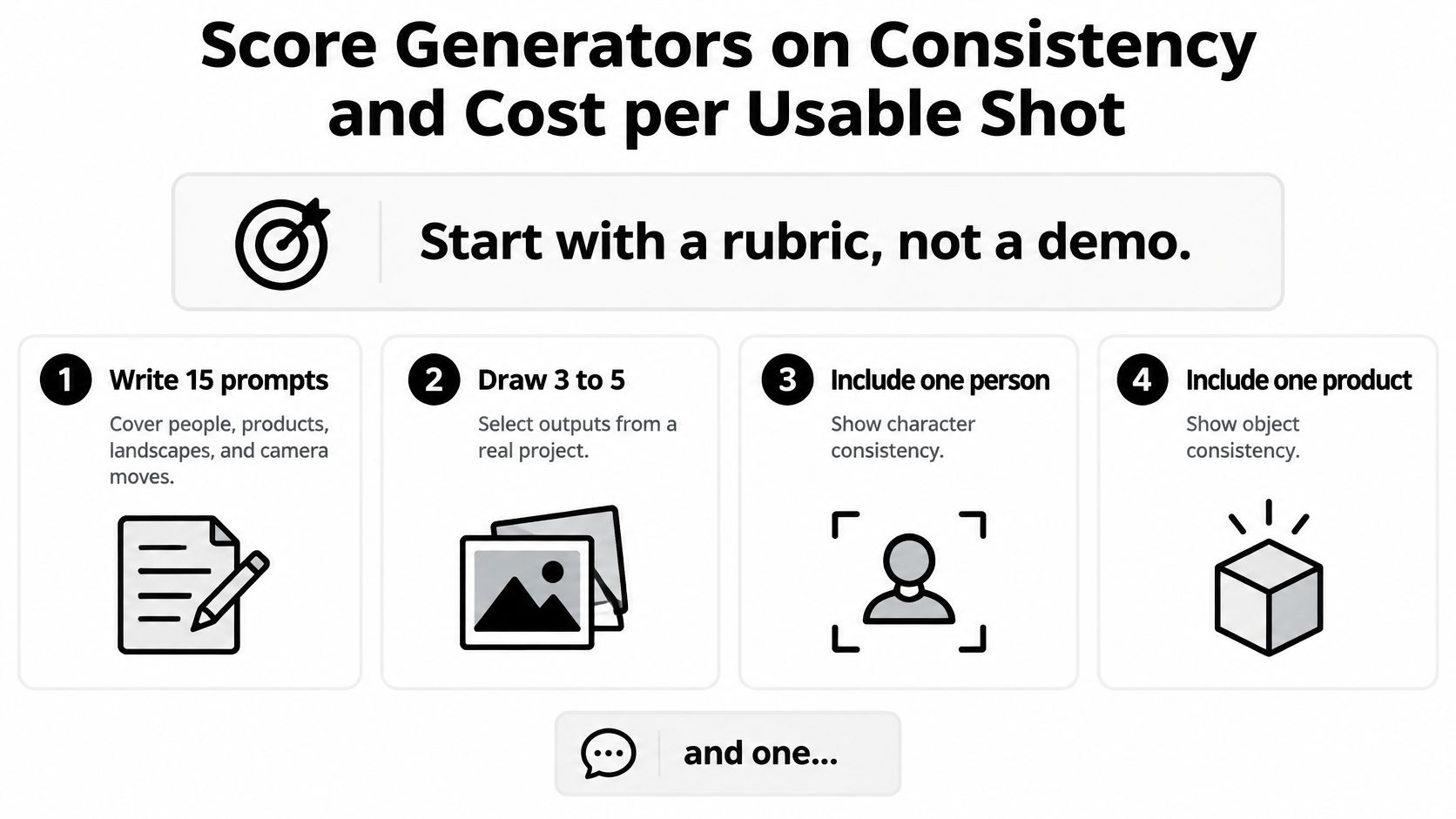
Start with a rubric, not a demo. Write down what would make a shot unacceptable before generating anything. Otherwise, an attractive result can tempt you to relax the requirements after you've spent credits.
Use this checklist to organize the test inputs.
<a id="build-a-repeatable-test"></a>
Build a repeatable test
- Write 15 prompts. Cover people, products, scenery, and camera moves, drawing 3 to 5 prompts from a real project that includes a person, a product, and a camera move.
- Run each prompt three times on every shortlisted generator, keeping duration, aspect ratio, resolution, and seed policy aligned wherever the interfaces allow it.
- Score each take from 1 to 5 on prompt adherence, motion quality, identity preservation, and visible artifacts. Keep the scores separate, and define a usable take as one scoring at least 4 on every task-critical dimension.
- Log credits, attempts, generation time, and hands-on review minutes. Calculate credits per usable shot = total credits spent ÷ accepted takes, then separately account for editing labor and the actual monetary cost of those credits.
These are proposed test settings, not measured model results. The point is to make your shortlist compete under the same conditions.
The approach follows the logic of VBench's multidimensional evaluation, which assesses 16 human-aligned dimensions, including imaging quality, motion smoothness, subject consistency, and video-text consistency. Your production rubric needn't replicate a research benchmark, but it should preserve that separation between different kinds of success.
A clip can look sharp while the product changes shape. Another can preserve the subject but ignore a requested camera move. Averaging both into a single attractive score hides the reason an editor will reject the footage.
<a id="make-rejection-criteria-explicit"></a>
Make rejection criteria explicit
Use short descriptions that another reviewer could apply:
- Prompt adherence: The required action, framing, setting, and subject attributes appear.
- Motion quality: Movement reads naturally at normal playback, without unexplained acceleration or abrupt changes.
- Identity preservation: The person, wardrobe, packaging, or other defining features remain recognizable.
- Artifacts: Hands, faces, edges, backgrounds, and object interactions don't contain distracting distortions.
For an ecommerce shot, a changed label can be an automatic rejection even if everything else passes. For a mood-board scene, that same level of detail may be irrelevant. Usability belongs to the assignment, not to a universal aesthetic standard.
Our free generator and tools include Flow AI video generator, text-to-video, image-to-video, and reference-to-video workflows. Our all-in-one environment provides access to models including Veo3, Seedance, MiniMax, Kling, and Omni Flash, so comparable inputs can be evaluated without organizing a separate workflow for every model family. Don't infer that each named family exposes identical settings or that Omni Flash establishes specifications for Gemini Omni.
For a complementary demonstration, review the video against your rubric rather than treating its selected outputs as a reliability test.
<iframe width="100%" style="aspect-ratio: 16 / 9;" src="https://www.youtube.com/embed/dOmKYJoRboE" frameborder="0" allow="autoplay; encrypted-media" allowfullscreen></iframe>
<a id="compare-accepted-output-not-attempts"></a>
Compare accepted output, not attempts
Consider a hypothetical test in which model A produces 4 usable shots from 12 takes, while model B produces 9 from 12. If both batches cost the same amount, B has the lower cost per accepted shot, even if A produces the most impressive individual clip.
If the batches have different costs, the acceptance counts alone aren't enough. Divide each batch's actual spending by its accepted shots, and include failed attempts in the numerator. Credits from different providers aren't a common currency.
Use the current pricing page to translate your test consumption into plan costs, and confirm the applicable commercial-use terms before publishing. Keep a separate measure for editing effort so a cheap render doesn't conceal expensive cleanup.
Choose the generator that delivers the most usable footage for your task at a defensible rights position. Your results describe a capability profile for that assignment, not a permanent overall ranking.
<a id="where-each-model-wins-on-quality-speed-and-control"></a>
Where Each Model Wins on Quality, Speed and Control
A defensible comparison doesn't award a winner without equivalent tests. The documented difference is strongest around available controls; comparative quality and speed still need measurement on your prompts.
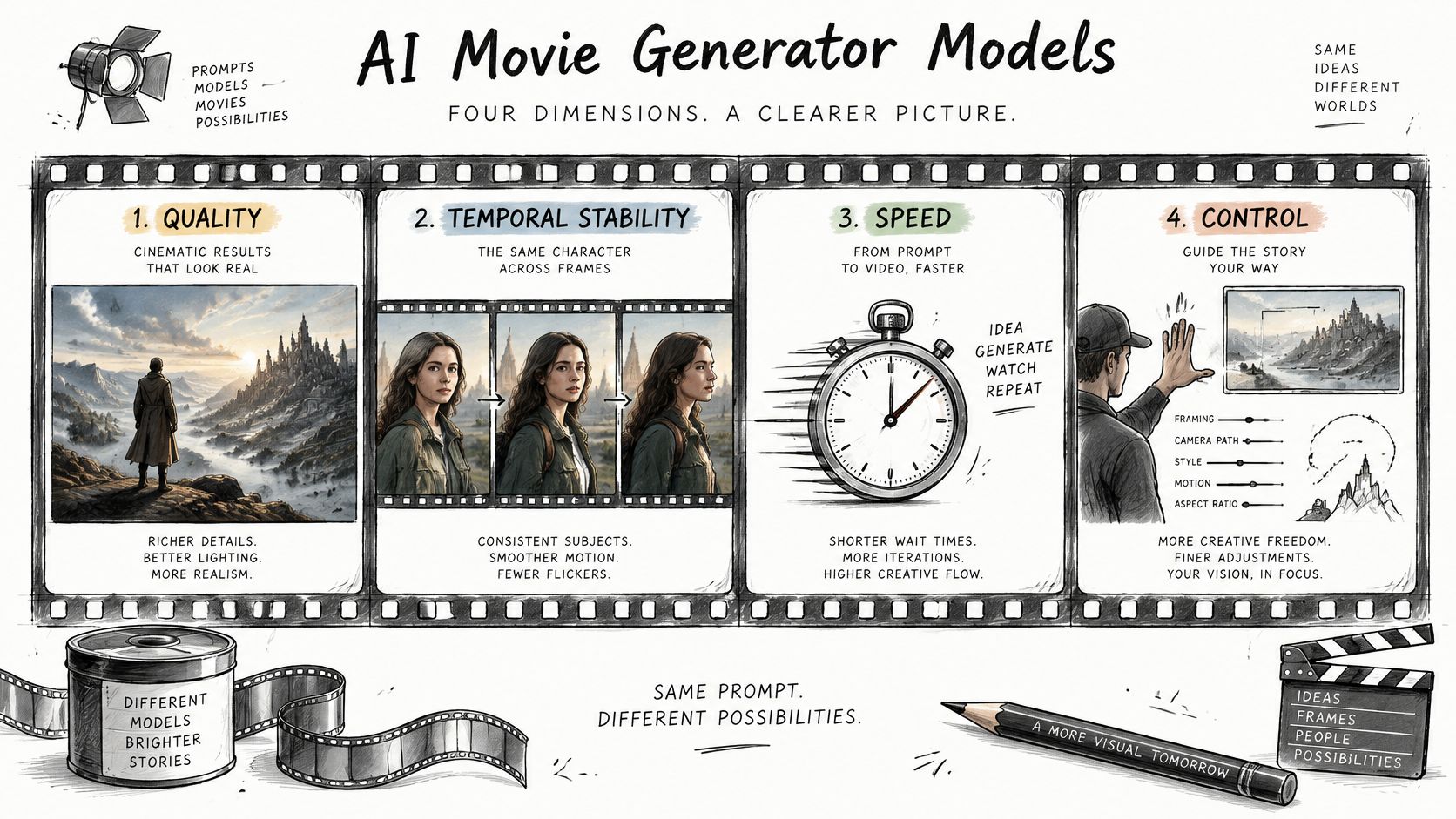
Use these dimensions to distinguish an impressive frame from an editable sequence.
<a id="quality-and-temporal-stability"></a>
Quality and temporal stability
Photographic realism concerns the appearance of individual frames. Temporal stability concerns whether the subject, surroundings, and movement remain coherent throughout playback. Examine both, because a polished opening image doesn't establish that the rest of the shot is usable.
Compare full clips at normal speed before inspecting suspicious frames. A frame-by-frame inspection helps diagnose a defect, but the delivery decision should also consider whether viewers will notice it during ordinary playback.
For MiniMax H3, Kling 3.0, and Gemini Omni, there's no verified head-to-head result here that justifies a quality winner. Put them through the same acceptance test rather than substituting familiarity with a brand for evidence about a particular model.
<a id="speed-and-controllability"></a>
Speed and controllability
Measure time to accepted shot, not just time to first output. Record queueing, generation, review, regeneration, and cleanup separately, with matching resolution and duration settings.
A fast first render is useful only if it moves the project forward. A slower model can still finish the assignment sooner when its controls reduce corrective work. That's a testable possibility, not a promised performance advantage.
Google's Veo 3.1 model documentation lists first-and-last-frame generation, extension, asset-image reference guidance, and sound generation. Those controls make Veo 3.1 a stronger documented starting point for testing constrained transitions and guided subjects, not an automatic winner on character consistency.
The model that wins the single demo often loses on the fifth retry.
Treat that as a purchasing warning rather than a measured finding. Selected demonstrations don't disclose how many outputs were rejected before the published result.
Audio deserves its own approval gate. Veo 3 and Veo 3.1 support native sound, but support doesn't establish correct dialogue, clean pronunciation, suitable ambience, or convincing synchronization. Check those properties independently, and leave audio capability unconfirmed for other models until you inspect their actual outputs.
A multi-model interface can simplify comparisons by reducing tool switching, but it doesn't remove model-specific restrictions. Keep the prompt, assets, and acceptance criteria fixed while recording which controls each engine exposes.
When the same character must appear throughout a sequence, prioritize tested control and repeatability over peak visual polish. A beautiful shot that can't connect to its neighbors can be the wrong production choice.
<a id="choosing-a-generator-for-your-use-case"></a>
Choosing a Generator for Your Use Case
| Use case | Priority | Generator type to start with | Watch for |
|---|---|---|---|
| Short-form ads for TikTok, Reels and Shorts | Vertical framing and subtitle-safe layout | Short-clip generator with 9:16 output | Speech timing and continuity across cuts |
| Multi-shot narrative | Character and location consistency | Model with reference-image support | Manual fixes and retries on every shot |
| Product demo for ecommerce | Stable product shape and lighting | Image-to-video photo animation | Unrealistic object physics |
| Marketing concept visuals | Speed and iteration | Fast text-to-video model | Low control over fine detail |
| Client work needing defensible rights | Documented edits and clear terms | Platform with clear commercial terms | Weak copyright on unmodified output |
Use case fit by priority. Start with the failure that would invalidate the delivery, then choose a generator type capable of addressing it.
Say a creator needs a 15-second vertical ad. That's a hypothetical delivery requirement, not a claim about a model's output length. The creator should test vertical compositions with room for subtitles and interface overlays, then assemble accepted material around the spoken message.
For that assignment, a short-clip workflow with quick accepted results may be preferable to a longer generation that requires reframing or awkward dialogue cuts. Judge the finished edit, not whether the generator can fill the entire runtime in one attempt.
<a id="match-the-failure-mode-to-the-task"></a>
Match the failure mode to the task
A marketer starting with a product photograph has a different problem. Begin with image-to-video and restrained movement, then inspect the silhouette, label, reflections, contact shadows, and interaction with the surface. A dramatic orbit is a poor trade if the bottle acquires a different cap.
VBench-2.0 organizes evaluation into Human Fidelity, Controllability, Creativity, Physics, and Commonsense. These categories offer a useful way to assign test emphasis: human fidelity for visible people, controllability for framing and camera movement, creativity for stylization, physics for object motion, and commonsense for everyday actions.
- People-led work: Test gestures, anatomy, expressions, and interactions rather than judging faces only in still frames.
- Product-led work: Require stable attributes and credible physical behavior before considering stylistic flourishes.
- Concept work: Allow more visual experimentation when the output communicates an idea rather than documenting a real product.
The key decision isn't which generator has the strongest average score. It's whether a weak category overlaps with something the project cannot forgive.
Choose a model whose weaknesses fall in the task's least consequential areas, not its least forgiving requirements. A product demo can't compensate for incorrect geometry with excellent scenery; a stylized concept pitch may tolerate deliberately unreal physics.
<a id="ownership-and-rights-before-you-publish"></a>
Ownership and Rights Before You Publish
Permission to use an output isn't the same as copyright ownership. A service's commercial-use terms can authorize publication without establishing that you own exclusive rights in every generated element.
The U.S. Copyright Office's 2025 guidance states that prompts alone don't provide sufficient human authorship, while protection may apply to human-authored expressive elements, creative arrangements, or modifications. That distinction makes blanket claims of ownership over untouched generations unreliable.
An output may therefore be commercially permitted but offer limited copyright exclusivity. Don't promise a client that raw AI footage is exclusively theirs merely because a platform allows commercial use.
<a id="build-a-rights-file-alongside-the-edit"></a>
Build a rights file alongside the edit
- Retain the production record. Save prompts, settings, source images, model identifiers, and the selected outputs together.
- Document human contributions through project files and version history, including sequencing, cuts, overlays, compositing, narration, and substantive visual changes.
- Separate third-party permissions. Keep music licenses, voice permissions, likeness releases, and source-asset licenses in their own clearly labeled records.
- Read the commercial-use terms applicable to the plan and workflow used, saving a dated copy for the project.
- Apply required disclosures. Confirm client, distribution-platform, and campaign requirements before delivery rather than adding a generic AI label afterward.
The Veo 3 commercial-use guide can help organize the platform-specific review. It shouldn't replace examination of the terms governing your particular project.
Rights checkpoint: Document what the human created, what the model generated, and what someone else licensed.
<a id="training-concerns-are-a-separate-question"></a>
Training concerns are a separate question
Adobe's 2025 global creator survey found that 69% of creators worried about their content being used to train AI without permission, while 28% cited uncertainty about model training as an adoption barrier. Those concerns address provenance and consent, not only whether an output looks original.
For client work, keep those questions distinct. Ask whether you're permitted to upload an asset, whether the resulting output is allowed under the service terms, and which human contributions may support protection. A favorable answer to one doesn't settle the others.
Documentation doesn't automatically create copyright or eliminate infringement risk. It does give reviewers a concrete record instead of an unsupported assurance that everything is owned.
This is general information about the U.S. position, not legal advice.
<a id="where-veo-3-ai-fits-a-longer-movie-workflow"></a>
Where Veo 3 AI Fits a Longer Movie Workflow
Say a small team is making a launch film for a reusable travel mug. The film needs an opening mood shot, a person picking up the mug, a product detail, and a closing message. The team should build a shot plan before asking any generator to produce footage.
The Veo 3 AI video generator fits at the generation stage, where a team can compare model approaches before committing the entire shot list to one engine. Keep the comparison tied to the same approved assets and delivery requirements.
The interface is one part of that production sequence.
<a id="develop-the-scene-before-creating-final-assets"></a>
Develop the scene before creating final assets
Ideation begins with a visual question. The team might test whether the opening works better on a kitchen counter or beside a packed commuter bag. Text-to-video helps explore composition and atmosphere without requiring the first output to survive into the final edit.
During previsualization, the editor chooses camera angles and rough pacing. Generate simpler versions of the intended shots, place them against a temporary voice-over, and check whether the audience can understand the story. Reject an unnecessary shot here rather than polishing it later.
A useful shot prompt identifies the subject, action, camera behavior, setting, and intended ending. For the mug pickup, request one clear action rather than combining a pickup, walk, drink, and camera orbit into the same instruction.
- Approve the visual direction: Choose the location, color treatment, wardrobe, and product appearance before creating final takes.
- Resolve edit points: Decide where an action should begin and end so adjacent shots can connect.
- Keep a continuity sheet: Record hand position, product orientation, screen direction, and other details the editor needs.
<a id="create-assets-then-assemble-the-film"></a>
Create assets, then assemble the film
For asset creation, use an approved product image as the visual anchor where the workflow supports it. A single starting image and a set of subject references serve different purposes: the former establishes an opening composition, while the latter guides identity or appearance.
For a reference-guided sequence, organize approved character, product, and location images before generation. Reusing assets makes the intended continuity explicit, but the editor must still compare the resulting clips rather than assuming that shared inputs guarantee a match.
During assembly, bring accepted takes into a separate editor such as DaVinci Resolve, Premiere Pro, or Final Cut Pro. Trim unusable beginnings and endings, build the sequence around the message, and add typography where it can be controlled precisely.
Review audio after the picture edit takes shape. Check spoken wording, synchronization, ambient changes between cuts, and whether music masks the message. A generated soundtrack that works in isolation may not fit the neighboring shot.
The final approval should cover story, continuity, sound, format, and rights records. Human editorial judgment decides whether the audience understands the film, not merely whether every shot passed an isolated technical test.
Veo3 AI offers text-to-video, image-to-video, reference-to-video, and access to multiple video models in one environment. Visit Veo3 AI with a small shot list and approved source assets, then compare accepted takes, total effort, and publishing requirements before choosing a workflow for your film.
Related Articles
Continue with more blog posts in the same locale.

Sora 2 Pricing: What It Cost, Why It Ended and What to Use Now
Looking up Sora 2 pricing? The Sora 2 API was removed on September 24, 2026. See what it cost and what the main alternatives cost today.
Read article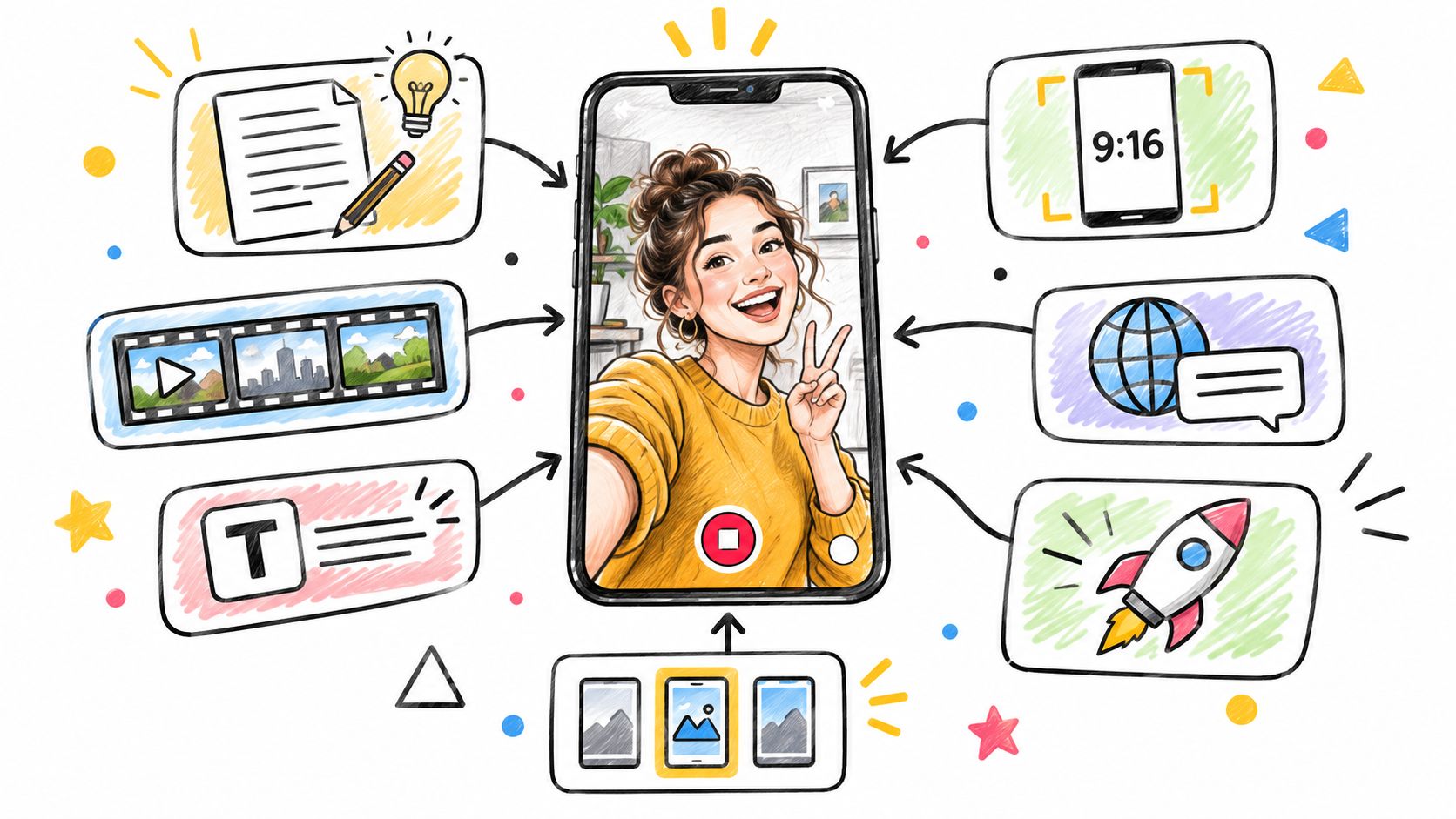
AI Reels Generator: 7 Tools to Make Vertical Video Fast
Compare the 7 best AI reels generator tools for 2026, with workflows, 9:16 presets, quick production recipes and tips for Japanese and Korean creators.
Read article
Gemini Omni 1.2 Flash: What's New Compared With 1.1
Gemini Omni 1.2 Flash adds 15-second clips, multi-turn editing and a 30% lower API price. Here is what changed from 1.1 and what to test first.
Read article