
10 Best Free AI Text to Video Generators for 2026
Discover the 10 best free AI text to video generators of 2026. Compare features, limits & find the right tool to create stunning videos from text prompts.
Veo3 AI · 21 min read · Jul 29, 2026

You've got a script, a product screenshot, or a rough idea, and you need video fast without opening a timeline editor that eats half your day. That's exactly where best free AI text to video generators earn their keep. Some are true generative tools that create new visuals from prompts, while others are better described as AI assemblers that turn text into polished videos using stock footage, templates, captions, and voice. Knowing that difference saves time, because the right tool depends on whether you want cinematic motion, a social clip, or a branded explainer.
This guide cuts straight to the tools. It compares the strongest free options for 2026, with a focus on what you can do on the free tier, where the limits hit, and which category fits your workflow. For a broader marketing context, the same shift that's pushing creators toward faster video also powers AI-driven social content creator workflows, where speed and iteration matter just as much as quality.
1. Veo3 AI
Veo3 AI is the strongest starting point if you want one web app that keeps the process simple. Instead of bouncing between multiple generators, it presents a single studio for prompt-based video creation and image-to-video work, with Veo 3, Sora 2, Seedance, and Hailuo integrated under one roof at Veo3 AI. That matters in practice because the free AI video market is fragmented in 2026, and the right tool depends on whether you care more about cinematic realism, motion style, or speed, not just brand recognition. The site's positioning around free access, creator ownership, and commercial use also makes it a practical fit for marketers, educators, and independent creators who want to test concepts without a heavy setup.

Why it stands out for free users
The biggest advantage here is workflow consolidation. You can upload an image or write a scene prompt, then adjust style, resolution, and output format without leaving the same environment. That's useful for short-form ads, animated photos, and educational clips where the goal is to move from idea to test render quickly, not to micromanage every frame.
The brand also stresses that creators retain full rights for personal and commercial use, which is a real selling point if you're prototyping client work or content that might get published later. The landing page also points to a pricing page, so the exact free ceiling may change, but the product itself is clearly pitched as free to start. For setup help, its internal guide on the free online AI video generator is the right place to check before you build a workflow around it.
Practical rule: Use Veo3 AI when you want a single place to test several high-end model styles before deciding which output feels right for your brand.
What works and what doesn't
This kind of all-in-one system works best for rapid prototyping, mood testing, and polished short clips. It's weaker when you need frame-level manual control, heavy compositing, or a long-form production pipeline. AI video still leaves room for artifacts, so the best use is to generate the core visual idea fast, then decide whether it needs light editing or a more manual finish.
2. Pika
Pika is one of the cleanest choices for creators who want a genuine freemium plan instead of a vague trial. The free tier gives you enough room to test ideas in a real way, and its credit model makes the trade-offs easy to understand. That's a big deal for Shorts, Reels, and other clips where you care more about momentum than endless render time, especially if you're trying to move from prompt to publishable draft quickly.
The platform is built around text-to-video and image-to-video, with features like Pikascenes, Pikatwists, Pikaswaps, and Pikadditions for shaping the final result. The free plan supports 5 to 10 second clips at 480p, and the plan notes point to 80+ monthly video credits with no watermark on downloads, which is unusually practical for testing. If you want to compare it against another high-end web generator, the internal matchup at Veo 3 vs Pika 2.2 is a useful companion read.
Best use case
Pika works best when you already know the shot you want. Prompt a quick product reveal, a stylized motion clip, or a concept visual, then use the scene tools to tune the result. It's not built for long stories or cinematic sequences that need lots of continuity. It is built for fast iteration, and the credit system makes that obvious from the start.
Trade-offs to expect
The free plan is limited to 480p, so don't expect broadcast polish. Clip length also stays short, which means you'll get more value from storyboard-style thinking than from trying to generate a complete narrative in one pass. Higher resolutions sit behind paid tiers, so Pika is strongest as a testing and ideation tool, not a full production engine.
- Good for: social creators, prompt testers, short brand concepts
- Not ideal for: longer stories, high-resolution campaigns, polished final exports
- Watch for: clip length caps and resolution limits that make the free plan better for drafts than final delivery
3. Luma Dream Machine
Luma Dream Machine is a strong pick if you care most about cinematic feel and model quality. Its free plan is real, but it behaves more like an evaluation lane than a production queue, which is how many teams should treat free text-to-video tools anyway. The platform's docs make the credit structure and plan tiers easy to read, so you can test the engine before deciding whether it belongs in your workflow.
The reason Luma belongs on a short list of best free ai text to video generators is straightforward. It gives you a real way to test text-to-video aesthetics on an actual system instead of guessing from screenshots. On higher tiers, it supports multiple Ray model versions, and the broader platform is available on web and iOS, which makes it easier to test from different devices and move quickly when an idea works. For a direct comparison with another high-end option, see our Veo 3 vs Luma Dream Machine comparison guide.
Where it fits in practice
Use Luma when visual mood, lighting, and movement matter more than assembly speed. It works well for creative teams exploring campaign concepts, concept art motion, or short visual tests before handing work to an editor. The free plan does include watermarks and is non-commercial, so treat it as a learning and preview environment rather than a publishing pipeline.
That limit can help teams that want to test prompt quality before spending budget too early. You can learn how the engine responds to scene structure, camera direction, and stylistic language, then decide whether the output deserves paid credits later. For brand work, that separation between testing and delivery keeps the process cleaner.
Prompting matters here. Short prompts with clear subject, motion, and visual style tend to give you a better read than overloaded descriptions with too many competing ideas. If you are testing multiple angles for the same concept, change one variable at a time, such as camera motion or lighting, so you can see what improved the render.
What to expect from the free tier
Free access is best understood as a sample of the system, not a generous content engine. Higher resolutions and longer clips consume credits quickly, and free users sit lower in the queue. That means your best results usually come from concise prompts, clear visual intent, and a willingness to iterate rather than force a perfect first render.
If your goal is rapid draft generation, Luma can still be useful. If your goal is volume, the free tier will feel tight fast. That trade-off is the core story with Luma, strong visual quality, limited free throughput, and a setup that rewards careful testing more than casual browsing.
The free plan is useful when you need a visual read on an idea, not when you need to ship volume.
4. Haiper
Haiper is a practical pick for creators who value speed and simple controls over deep customization. It fits naturally into short-form workflows, especially when you need a quick clip for testing a hook, a transition, or a visual concept for TikTok or Shorts. The interface is intentionally lightweight, which helps when you're generating often and don't want to spend time learning a dense tool.
The free experience is built around text-to-video generation with documented per-second credit pricing on paid usage, which makes the system feel transparent even before you upgrade. That kind of clarity matters, because free plans in this category often hide their real constraints until you've already written the prompt. Haiper is upfront enough to be used as a fast draft generator, not just a demo machine.
Why creators keep it in the mix
Haiper is useful when you need a low-friction path from prompt to render. It's easy to test several variations in one session, especially if you're creating content for daily posting or trying to find a visual direction fast. The web and iOS presence also makes it convenient if your workflow moves between desktop planning and mobile review.
The trade-off is that the free tier can change, and quality controls are tied to what the current plan allows. Watermarks or lower output settings may apply, which means you should treat free renders as draft assets first. For teams that produce short social content, that's often enough to validate the idea before moving into a paid pipeline.
Practical prompt approach
Haiper responds best to prompts that stay simple and visual. Write for action, subject, and setting, not for abstract mood alone. If you want a clip that feels usable, avoid stacking too many scene changes in one prompt, because short clips usually work best when one motion idea has room to breathe.
5. Krea AI
Krea AI stands out because its free plan is easier to reason about than many competitors. It explicitly lists 10 video generations per day, which gives educators, creative teams, and independent makers a predictable ceiling for experimentation. That predictability is valuable, because a free tool is only helpful if you can plan around it.
Krea is more of a creative suite than a single-purpose generator. That makes it attractive if you want to move between text-to-video, image-to-video, and other visual workflows without changing tools every time the prompt changes. The free plan is strong for repeatable testing, while the paid tiers expand the model options and control surfaces.
Why the daily allowance matters
Daily free generations encourage disciplined experimentation. Instead of burning through a one-time credit bank in one afternoon, you can come back with better prompts and compare outputs over time. That fits the nature of prompt craft, where the first version is rarely the best version.
Krea works especially well for creators who want a broader visual lab rather than a single-purpose generator. If you're trying to teach video generation, compare style responses, or build a repeatable creative process, the daily limit becomes a feature because it forces you to prioritize your best prompts.
Prompt tip: Keep one subject, one motion, and one style target in the first draft. Krea rewards clean prompts more than crowded ones.
The main limitation is that advanced models and features sit behind paid plans. That means the free tier is ideal for exploration and education, but not for high-volume production. If your work depends on broader model access or larger-scale output, you'll probably outgrow it once the testing phase ends.
6. PixVerse
PixVerse is built for creators who want quick starts on mobile and a broad mix of generation modes. It supports both text-to-video and image-to-video, and it also includes tools for transitions and clip fusion. That makes it useful when you want to assemble short social content with a bit more motion control than a basic prompt-only tool.
The mobile-first experience matters here. A lot of free tools are easy to admire on a desktop demo page, then awkward when you try to use them on a phone. PixVerse is more natural for creators who plan, generate, and publish on the move, especially when the end goal is rapid social output rather than a cinematic master file.
Where it helps most
PixVerse shines when you need to create several variations quickly and keep the workflow simple. It's a good fit for onboarding new users, generating motion tests, and trying out different visual directions without a lot of friction. The platform's active development also suggests a product that keeps evolving, which is useful in a market where model leaders change often.
The obvious limitation is the free tier itself. Free access is not meant for endless production, and higher-quality outputs require credits or paid access. Watermarks or other constraints may also apply, so the free tier is best treated as a sandbox.
Hands-on takeaway
If your team needs a mobile-friendly generator for social drafts, PixVerse is worth testing early. If you need polished output with no visible constraints, you'll likely need to move beyond the free layer. That's normal in this category, and PixVerse makes the progression from testing to paid use fairly straightforward.
7. Genmo
Genmo is the kind of tool you try when you want a different visual feel from the bigger, more crowded platforms. Its Mochi model gives it a distinct place in the market, and the free plan makes it accessible enough to test without commitment. For tinkerers, that matters, because creative variety often comes from trying a third engine, not just the obvious first two.
The platform is also easy to evaluate. It has a Free plan, documentation, and FAQ support, which lowers the friction for first-time users. That makes it a good option for people learning motion prompting or comparing how different models interpret the same scene.
Why it belongs on a shortlist
Genmo is useful when you want to sample motion fidelity and style without paying upfront. It's especially handy for creative teams that want one more reference point before choosing a main workflow. If you're making short concept clips, pitch visuals, or experimental content, the free tier gives you enough room to judge the model's personality.
The constraints are clear. Free exports include a watermark, credits are limited, and clip lengths are short. That makes it a poor choice for long narratives or polished commercial output unless you plan to stitch clips later in another editor. Still, as a low-risk test bed, it does exactly what a free tool should do.
Best fit
Use Genmo when you want to compare motion behavior, not just output sharpness. It's a good third engine for teams that already have a favorite tool and want to see whether a different model produces more interesting results.
8. Hugging Face Spaces ModelScope Text to Video
The ModelScope demo on Hugging Face Spaces is the most no-frills option in this list. It's free, browser-based, and zero-setup, which makes it ideal for learning how text-to-video systems behave before you commit to a paid tool. If you want to understand the basics of prompt craft rather than chase polished output, this is one of the easiest places to start.
Because it's a public demo, it's better for experimentation than production. You can use it to learn how scene prompts, motion language, and simple visual descriptions affect the output. That makes it especially useful for students, educators, and anyone who wants to understand the mechanics before paying for a more advanced generator.
Why it still matters
The value here isn't speed or polish. It's access. When a tool is fully free and available in the browser, it becomes a low-risk place to test whether text-to-video even fits your workflow. That's important for first-time users who don't need a brand name, just a functioning sandbox.
The downsides are obvious. Outputs are slower, queues can build, and fidelity trails modern paid systems. Public Spaces can also go offline if traffic gets heavy or maintenance changes. Even so, it stays relevant because it gives you a clean reference point for how a basic text-to-video pipeline behaves.
Free demos teach you prompt discipline faster than polished products do.
If your goal is to learn the vocabulary of video prompts, this is one of the easiest places to do it. If your goal is to ship client-ready content, use it for practice and move on.
9. InVideo AI
InVideo AI is the clearest example of an AI assembler in this list. Instead of generating entirely new visuals frame by frame, it turns scripts and text prompts into finished videos using narration, music, stock assets, and automated scene assembly. That makes it far more practical for explainers, marketing clips, and blog-to-video workflows than for cinematic experiments.
That difference matters. If you want a polished video fast and don't care whether every visual element is synthetic, InVideo AI is a smart choice. If you want new visuals generated from scratch, it's the wrong category, even if it still belongs among the best free AI text to video generators for business use.
Where it wins
InVideo AI is built for speed from script to publishable draft. Marketers and educators who already have written material can turn it into a shareable video without learning a timeline editor. The free tier is credit-limited, but it's still useful for testing whether the assembly workflow saves you time.
The main trade-off is that the output feels template-driven compared with true generative systems. That's not a bad thing, because a lot of business content doesn't need highly original visuals. It does mean that your prompt and script quality matter a lot, since the final video depends on how well the system maps your words to stock scenes.
Good prompt strategy
Write scripts with scene breaks in mind. Short, clear sections tend to assemble better than long paragraphs, because the tool is trying to match each beat with a visual moment. If you want the result to feel less generic, build the script around concrete actions, product states, or specific outcomes instead of broad corporate language.
10. Kapwing AI Text to Video
Kapwing sits firmly in the assembler camp, but that's exactly why many teams keep it around. It can turn text, scripts, and articles into video using stock assets, subtitles, AI voice, and brand tools, which makes it practical for branded social content and team collaboration. If your workflow already looks like editing, publishing, and revising, Kapwing feels natural very quickly.
It's especially useful for teams that need a browser-based production environment. You can move from prompt to a finished MP4-style workflow without opening separate tools for captions, voice, and basic formatting. That simplicity matters when the job is to get content out fast and keep it on brand.
What makes it different
Kapwing is not a diffusion-based generative engine, so the result won't feel like pure AI video generation. Instead, it gives you a structured path from text to assembled output, which can be better for explainers, announcements, and social assets. The free tier is useful, but it comes with watermark and usage limits, so it works best as a test bed or light-duty publishing tool.
For teams, the appeal is the blend of templates, collaboration, and brand control. You get a cleaner handoff from marketing to editing, and that can matter more than raw visual novelty. If your content strategy depends on consistency, Kapwing has a real place in the stack.
Best fit in the market
Choose Kapwing when you want speed, teamwork, and branded output more than generative novelty. It's a strong example of how AI assemblers solve a different problem from pure generators, and that difference is easy to miss if you only look at the word “free.”
Top 10 Free AI Text-to-Video Generators, Feature Comparison
| Tool | Core features | Quality (★) | Price/value (💰) | Who it's for (👥) | Unique edge (✨) |
|---|---|---|---|---|---|
| Veo3 AI 🏆 | Text/image → cinematic video; multi-model studio; adjustable resolution/format | ★★★★☆ | 💰 Free starter; possible premium limits | 👥 Marketers, short-form creators, educators, indie artists | ✨ All-in-one access to Veo3/Sora/Seedance/Hailuo; creator-owned outputs |
| Pika | Text/image-to-video; Pikascenes & editing modules; credit pricing | ★★★★ | 💰 Freemium (80+ monthly credits free); paid for higher res | 👥 Shorts/Reels creators, testers | ✨ Clear per-clip credit model; no free-tier watermark |
| Luma Dream Machine | Ray models (3.x); web + iOS; credit accounting & queues | ★★★★ | 💰 Free credits (watermarked/non-commercial); paid tiers for priority | 👥 Cinematic creators testing fidelity | ✨ High-fidelity Ray models; platform ecosystem (web+iOS) |
| Haiper | Fast T2V pipeline; web + iOS; per-second credit costs | ★★★☆ | 💰 Freemium with credits; higher quality needs paid credits | 👥 TikTok/Shorts creators needing speed | ✨ Fast, low-friction workflow optimized for short clips |
| Krea AI | Text/image → video; CU spend model; daily limits documented | ★★★★ | 💰 Free (e.g., 10 videos/day); Pro for advanced models | 👥 Educators, consistent experimenters, creators | ✨ Predictable daily allowances; team-friendly scaling |
| PixVerse | Text/image→video; transitions/fusion; mobile-first apps | ★★★☆ | 💰 Freemium with daily onboarding credits; paid for quality | 👥 Mobile social creators, rapid onboarding | ✨ Strong mobile onboarding + frequent feature updates |
| Genmo (Mochi) | T2V with distinct aesthetic; free plan (watermarked) | ★★★☆ | 💰 Free tier with watermark; paid for credits/higher res | 👥 Tinkerers seeking unique styles | ✨ Distinct visual style for creative variety |
| Hugging Face Spaces: ModelScope | Browser demo of ModelScope T2V; open code/papers | ★★★ | 💰 💰 100% free demo (no setup) | 👥 Researchers, students, prompt learners | ✨ Zero-cost, instant POC with code/paper links |
| InVideo AI | Script→video assembly; AI voice, music, stock assets | ★★★★ | 💰 Free tier (credit-limited); paid for full features | 👥 Marketers, educators needing finished explainers | ✨ Fast path from script to shareable video (nont-diffusion) |
| Kapwing AI, Text-to-Video | Script auto-assembly; AI B-roll, TTS, subtitles, brand kit | ★★★★ | 💰 Freemium (watermarks/limits); team plans for collaboration | 👥 Marketing teams, social media managers | ✨ Team/brand tooling + integrated editor and templates |
Which Free AI Video Generator Is Right for You?
Choosing among the best free ai text to video generators comes down to one question. Do you want true generative visuals, or do you want a fast assembler that turns text into a finished clip? If you want an all-in-one generator with multiple models in one place, Veo3 AI is the most flexible starting point. If you want quick social clips with predictable free access, Pika and Haiper are easier to test. If your workflow starts with a script, InVideo AI and Kapwing are the more practical choices because they build a usable video from text, stock, voice, and captions rather than chasing cinematic novelty.
For teams that care about experimentation, the free tier is best used as a proof layer. Test prompting style, clip length, watermarks, and whether the tool fits your content format before you commit to a paid plan. The strongest free tools in this category don't just make a video, they help you figure out what kind of video you should make next.
If you're choosing today, start with one true generative tool and one AI assembler. That simple split will tell you very quickly whether your workflow needs new visuals from scratch or just a faster way to package ideas into video.
If you want a free platform that brings together multiple leading models in one browser studio, Veo3 AI is built for that exact use case. It gives you a practical way to test text-to-video, image-to-video, and short cinematic clips without juggling separate tools. Visit it now and see whether its workflow fits the way you create.
Related Articles
Continue with more blog posts in the same locale.
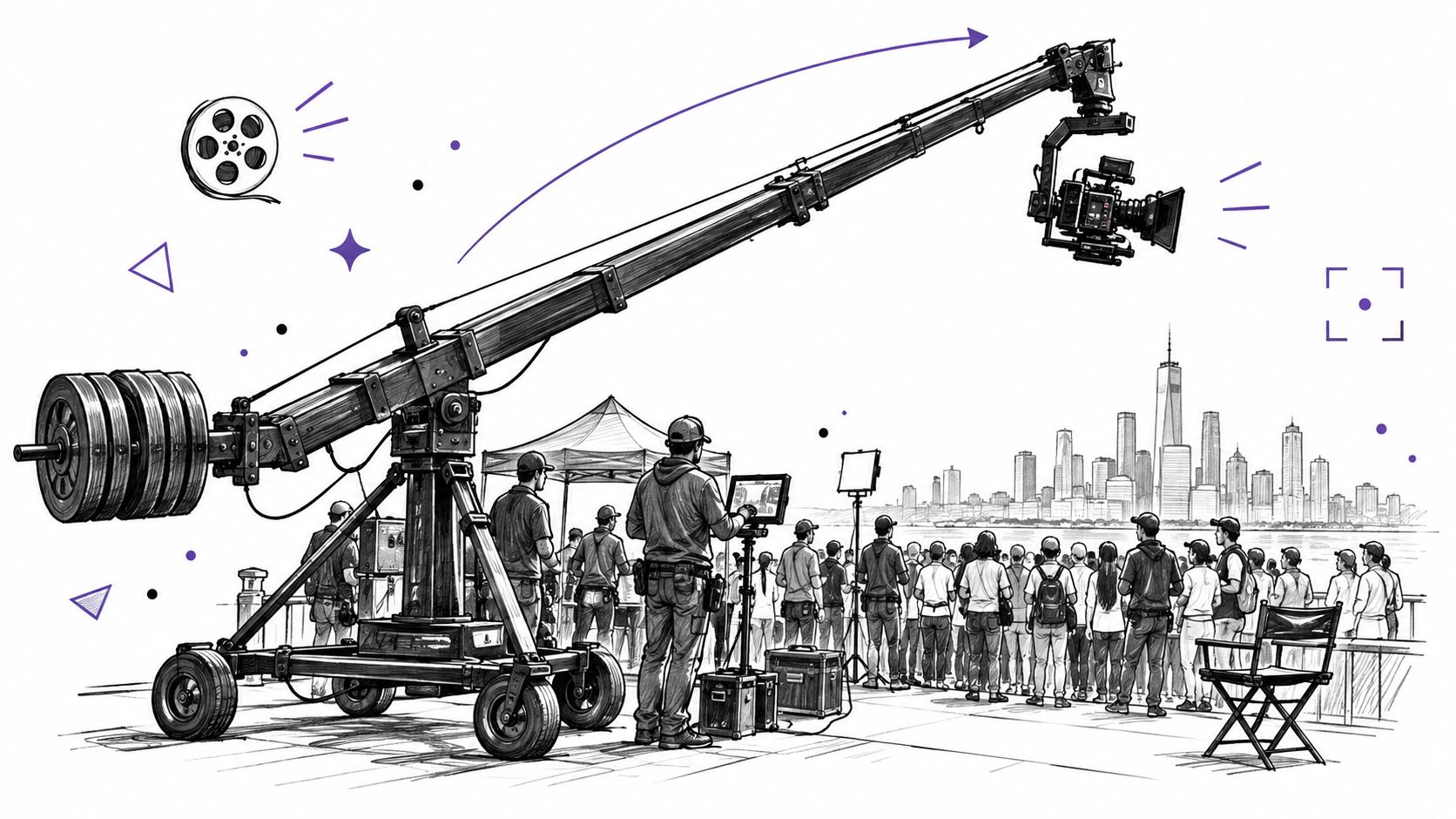
Crane Shot Film Explained: What It Is and How It Works
Crane shot film explained: how camera cranes work, their payload limits, famous examples, and how to recreate a crane move with AI video tools.
Read article
Text to Video Generator Compared: Models, Quality, Costs
Compare any text to video generator on quality tests, clip length, languages, credit costs and licensing, with a quick pick for each creator type.
Read article
MiniMax H3 Pricing: Rates, Credits and Clip Costs
MiniMax H3 pricing explained: per-second rates, credit packs, cost-per-clip examples and ways to lower your AI video budget.
Read article