
Gemini Omni vs MiniMax H3: Which AI Video Model Wins?
Gemini Omni vs MiniMax H3: compare video quality, architecture, and costs. Find the best AI video model for your creative workflow.
Veo3 AI · 16 min read · Oct 6, 2026
Gemini Omni Flash holds a slight lead in audio-inclusive text-to-video at approximately 1,245 Elo versus MiniMax H3 at about 1,234. MiniMax H3 leads video editing at approximately 1,130 Elo, compared with Gemini Omni Flash at about 1,122, so the better choice depends on the production task rather than an overall ranking.
The popular advice is to pick the model at the top of a leaderboard. That advice breaks down when the same models reverse positions between generating a new clip and transforming existing footage. For creators producing ads, social videos, product demonstrations, or branded content, the more useful question is not which model wins in the abstract. It's which system produces the required deliverable with the fewest failed generations, manual fixes, and workflow compromises.
Table of Contents
- Gemini Omni vs MiniMax H3: Where They Differ
- Architecture and Modality Support Explained
- Performance Benchmarks and Video Quality Analysis
- Latency, Cost, and Deployment Considerations
- Safety, Content Ownership, and Commercial Rights
- Prompt Engineering Best Practices for Video Generation
- Integrating Models into Your Video Workflow
- Final Verdict Choosing the Right Model for Your Needs
<a id="gemini-omni-vs-minimax-h3-where-they-differ"></a>
Gemini Omni vs MiniMax H3: Where They Differ
Gemini Omni Flash and MiniMax H3 sit close together in preference-based video evaluations, yet their production roles differ. Gemini Omni Flash is associated with a hosted, conversational workflow and iterative refinement. MiniMax H3 is an open-weight multimodal model designed to combine generation, references, editing, and native audio within one architecture.
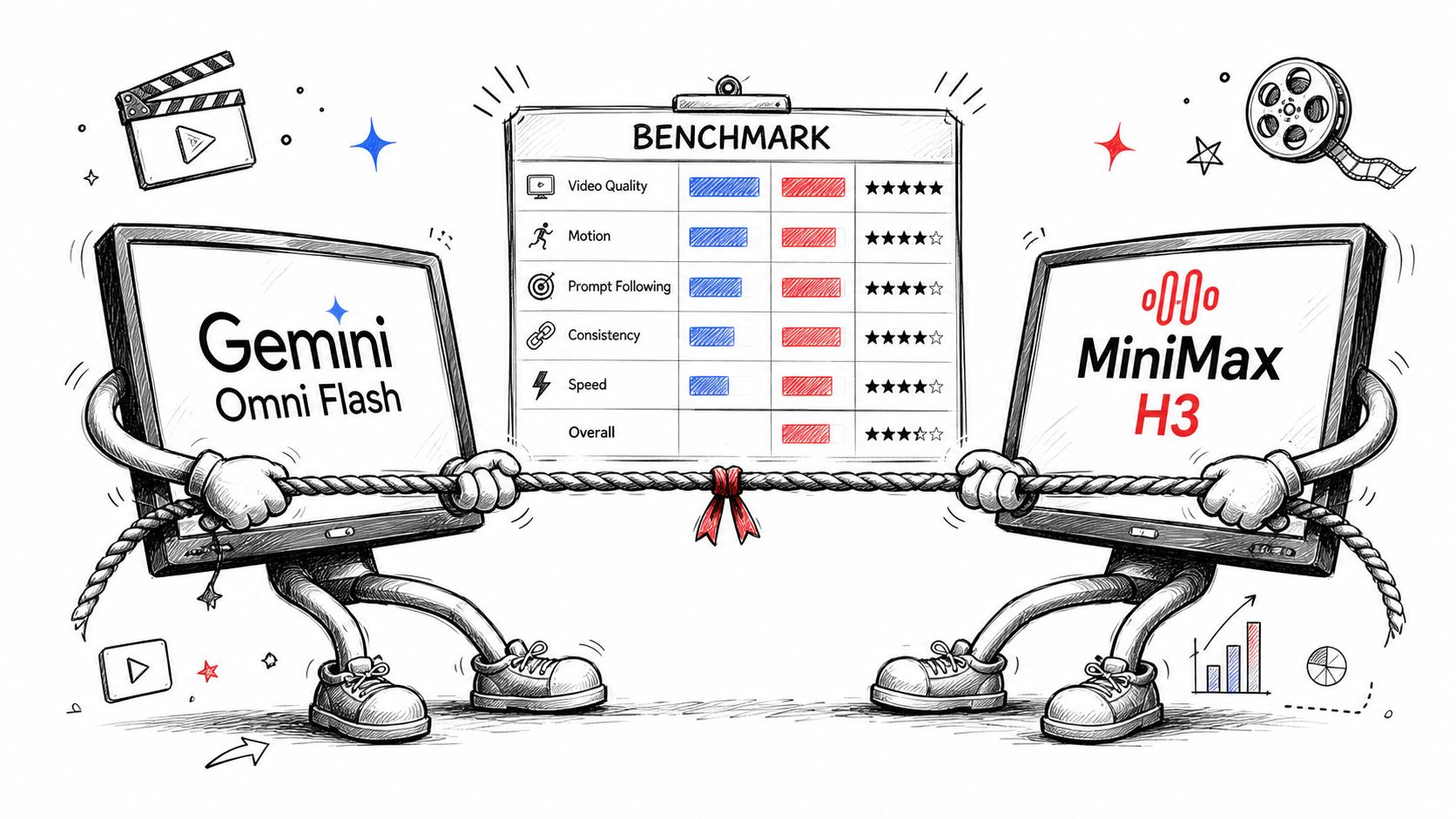
The cited August 2026 leaderboard places Gemini Omni Flash slightly ahead for audio-inclusive text-to-video, while MiniMax H3 leads for video editing. The narrow margins indicate a task split rather than a decisive overall winner. (Artificial Analysis benchmark reporting)
| Production question | Better starting point | Reason |
|---|---|---|
| New clips from written prompts | Gemini Omni Flash | It holds the slight preference advantage in the cited text-to-video evaluation |
| Editing or transforming existing footage | MiniMax H3 | It leads the cited video-editing evaluation |
| Local deployment and customization | MiniMax H3 | Its open-weight release offers more deployment control |
| Hosted access and ecosystem integration | Gemini Omni Flash | Google distributes it through several managed channels |
| Native multimodal production | MiniMax H3 | Text, images, video, and audio can share one generation context |
The table separates model capability from platform access. Gemini's advantage is practical for creators who want conversational iteration through managed services. H3's advantage matters when an agency needs to combine references, sound, branded assets, and deployment control in a more configurable workflow.
A short-form creator producing fresh social clips may prioritize fast prompt refinement and hosted access. A production team transforming existing footage may instead value H3's editing position and open-weight distribution. The channel through which a model is obtained can therefore affect revision cycles, integration work, and control as much as benchmark placement.
For a broader technical overview of where H3 fits in video and 3D workflows, the H3 model for video and 3D resource provides useful context.
Practical rule: Choose the model by the asset you must deliver, not by the rank attached to its name.
The rankings are snapshots from the first week of August 2026. Model versions, prompts, and user preferences can change, so buyers should test the exact task, duration, references, aspect ratio, and audio requirements before turning a benchmark result into a purchasing decision.
<a id="architecture-and-modality-support-explained"></a>
Architecture and Modality Support Explained
The architectural divide matters more than a headline ranking. MiniMax H3 was announced as an open-source model on July 31, 2026, with a dense, single-stream Omni-Transformer design. Its base system has approximately 33 billion parameters, distributed across 50 layers, with a hidden size of 5,376 and 56 attention heads, according to MiniMax's H3 announcement.
H3 places text, images, video, and audio in a shared context. A creator can supply a visual reference, source footage, and audio direction within one generation request instead of separating those inputs across different tools. The model is also positioned as an omni-modal video system because it generates video with native stereo sound, keeping audio inside the generation process rather than treating it solely as post-production.
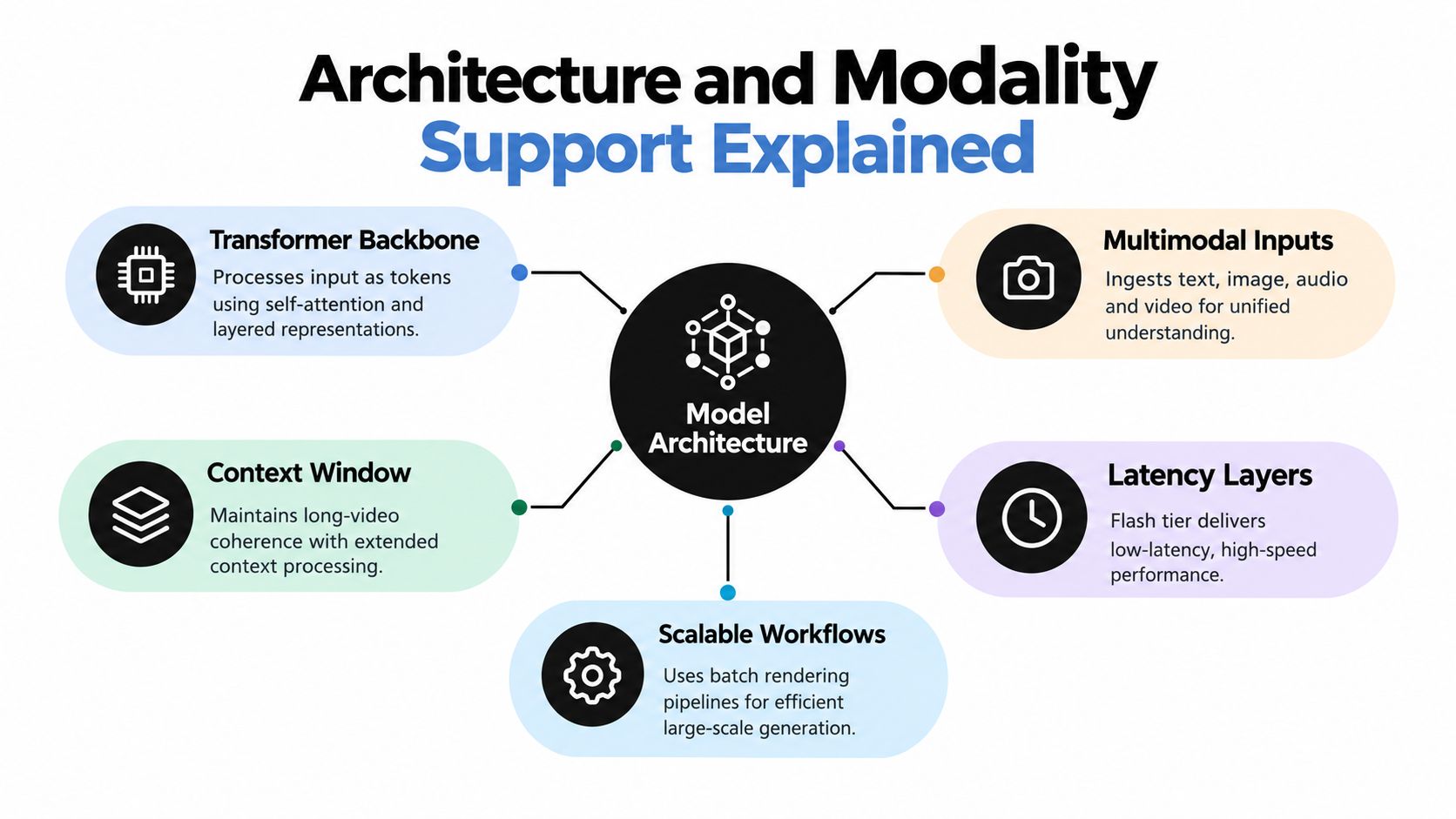
The H3 model card lists generation from 4 to 15 seconds at 24 frames per second, with a base output around 768 pixels on the short edge and a separate regeneration stage for outputs up to 2K. A 15-second clip therefore contains roughly 360 frames before interpolation or additional editing. H3 supports 16:9, 9:16, 1:1, 4:3, 3:4, and 21:9, giving production teams options for social feeds, square placements, and wider formats.
<a id="closed-access-changes-the-operating-model"></a>
Closed access changes the operating model
Open-weight distribution changes the buying decision. Developers can investigate local deployment, customization, and infrastructure choices rather than depending exclusively on a hosted interface. The trade-off is operational: the estimated model weights alone require roughly 134 GiB of BF16 memory, before activation memory and runtime overhead, as stated in the H3 announcement.
Gemini Omni Flash follows the managed-service model. Google handles hosting and runtime infrastructure, so teams can focus on prompting, review, and delivery through the available platform channels. That reduces setup work and supports conversational iteration, while limiting control over the underlying runtime and deployment environment.
The practical distinction is control versus operational simplicity. H3 suits an agency with GPU infrastructure, engineering capacity, or a requirement for customized deployment. Gemini Omni Flash suits a short-form team that wants hosted access and quick prompt-to-revision cycles without maintaining a large video model.
For a separate product reference, the Gemini Omni video model page outlines Google's workflow. Model architecture affects what each system can process, while distribution determines how much production responsibility remains with the user.
<iframe width="100%" style="aspect-ratio: 16 / 9;" src="https://www.youtube.com/embed/FwkWHkoKtcA" frameborder="0" allow="autoplay; encrypted-media" allowfullscreen></iframe>
<a id="performance-benchmarks-and-video-quality-analysis"></a>
Performance Benchmarks and Video Quality Analysis
The benchmark evidence doesn't support a universal winner. It supports a task-specific routing decision.
| Task | Gemini Omni Flash | MiniMax H3 |
|---|---|---|
| Audio-inclusive text-to-video | Approximately 1,245 Elo, ranked first | Approximately 1,234 Elo, ranked second |
| Video editing | Approximately 1,122 Elo, ranked second | Approximately 1,130 Elo, ranked first |
| Text-to-video without audio | Reported ahead of H3 | Approximately 1,307 Elo, ranked second |
| Image-to-video without audio | Reported behind the leading position | Approximately 1,351 Elo, ranked second |
| Open-weight category | Not an open-weight model | Led the open-weight category in the reported comparison |
The most important comparison is the reversal between the first two rows. Gemini Omni Flash has a narrow advantage when the task begins with a written description and asks the system to create a new clip. H3 has the advantage when the work involves editing or transforming existing video. Those results suggest that the models are optimized for different moments in the production cycle, even when their general visual quality appears similar. (Designkit's benchmark comparison)
<a id="why-aggregate-rankings-mislead-buyers"></a>
Why aggregate rankings mislead buyers
A leaderboard compresses a complicated workflow into one number. It doesn't tell a marketer whether a logo remains legible after revisions, whether a reference character stays consistent, whether the output fits a required aspect ratio, or whether generated audio can be used without another production pass.
For that reason, a serious evaluation should hold the following variables constant:
- Prompt content: Use identical creative direction, camera instructions, and dialogue.
- Reference assets: Supply the same image, source video, or audio wherever both systems allow it.
- Output constraints: Compare the same duration and aspect ratio when the APIs support them.
- Revision load: Test the first generation and at least one meaningful client-style change.
- Deliverable quality: Inspect text rendering, subject consistency, motion, audio, and export suitability.
A benchmark can tell you where to begin. It can't tell you which model will minimize prompt-to-publish effort for your particular asset.
The model that wins the first generation may not win the finished production.
This is why H3's editing result deserves attention even though Gemini Omni Flash holds the text-to-video lead. A production team often spends more time revising an acceptable clip than creating the initial draft. If the task is to preserve an existing shot while changing a product detail, wardrobe color, or background element, the editing workflow can matter more than the first-render ranking.
<a id="latency-cost-and-deployment-considerations"></a>
Latency, Cost, and Deployment Considerations
The economic difference between Gemini Omni Flash and MiniMax H3 starts before a clip is generated. It lies in who operates the inference stack, who absorbs infrastructure work, and how many production steps the team must manage around each model.
MiniMax H3 offers open-weight deployment potential. As noted in the architecture breakdown above, its estimated weight footprint comes before activation memory and runtime overhead. Local use therefore requires more than downloading a model. Teams must plan for suitable hardware, deployment engineering, monitoring, storage, and the operational differences between the base generation stage and higher-resolution regeneration.
That control can suit developers who need to inspect or adapt the system outside a closed service. It also transfers responsibility for uptime, scaling, updates, and performance tuning to the deploying team. Open architecture changes the cost structure, not just the access model.
Gemini Omni Flash assigns those responsibilities to Google. It is available through the Gemini API, Vertex AI, and the Gemini app, giving developers, enterprise users, and individual creators distinct distribution channels. Google also documents native audio generation, including dialogue, sound effects, and ambient noise. A hosted workflow can therefore support more than silent clip creation without requiring the team to operate the underlying inference hardware. (Google's Veo and Gemini distribution announcement)
<a id="cost-means-more-than-credits"></a>
Cost means more than credits
Hosted generation creates a visible usage cost. Failed generations, manual corrections, and infrastructure maintenance create less visible costs.
Evaluate the production economics with these questions:
- Can the team access the required output format without workarounds?
- Does the model preserve the subject after a revision?
- Can the team reuse existing audio, images, or video references?
- Will a hosted API satisfy data and operational requirements?
- Does local deployment justify its infrastructure burden?
MiniMax H3 is structurally attractive when control, multimodal inputs, native audio, and independent investigation matter more than operational simplicity. Gemini Omni Flash suits teams that prefer managed access and conversational refinement without running large-scale inference hardware.
The useful comparison is finished asset cost, not a headline rate. Include failed renders, editorial review, audio cleanup, compositing, and file movement between systems. For short-form video teams, distribution and deployment choices can determine production speed before raw model quality does.
<a id="safety-content-ownership-and-commercial-rights"></a>
Safety, Content Ownership, and Commercial Rights

Commercial production depends on two separate decisions: whether a model generates the requested content safely and consistently, and whether its access channel provides terms, licenses, and provenance controls that fit the intended use. A strong benchmark result does not settle either question.
Google's Veo materials identify C2PA Content Credentials, which can attach provenance information to generated media. They also describe synchronized dialogue, sound effects, and reference-image workflows for maintaining consistent characters or objects. These capabilities can support review and asset tracking, but they do not determine ownership of supplied material or replace a review of the platform's current terms. (Google's Veo prompting guide)
<a id="a-practical-rights-checklist"></a>
A practical rights checklist
- Review the current license before deployment. Open weights provide technical control, but they do not automatically grant unrestricted commercial rights in every territory or use case.
- Clear the reference material. A customer-supplied image, voice recording, logo, or source video can carry rights that remain separate from the generated output.
- Check branded text manually. H3 emphasizes brand and text rendering, yet either system may still produce spelling, layout, or trademark errors that require human inspection.
- Keep provenance records. Record prompts, source assets, model version, edits, and approvals. C2PA credentials can support this record when the selected Google workflow provides them.
- Separate model capability from ownership. Generating an advertisement or e-commerce clip does not by itself establish who owns every input, output, or derivative element.
MiniMax H3 is positioned for advertising and e-commerce use, particularly where native audio, reference inputs, and branded content matter. That positioning describes a practical fit, not a blanket commercial license. Teams should confirm the applicable model and platform terms before standardizing a campaign workflow.
The closed-versus-open distinction affects rights operations as much as model control. A hosted Gemini workflow concentrates access, updates, and provenance features in the platform. H3 can offer greater technical control, while placing more responsibility on the team to verify licensing, preserve records, and manage the production environment.
Rights therefore belong in the workflow design. The creator should know which assets entered the system, which model processed them, what credentials were attached, and who approved the final export.
<a id="prompt-engineering-best-practices-for-video-generation"></a>
Prompt Engineering Best Practices for Video Generation
Prompt quality matters more once a model can interpret sound, references, and existing footage. Short-form creators should write a production brief rather than a subject label. Specify the shot, camera movement, sound, duration, framing, and details that must remain stable. This approach also makes comparisons between a hosted closed model and an open-weight system more useful, because it tests how each model handles the same controlled instructions.
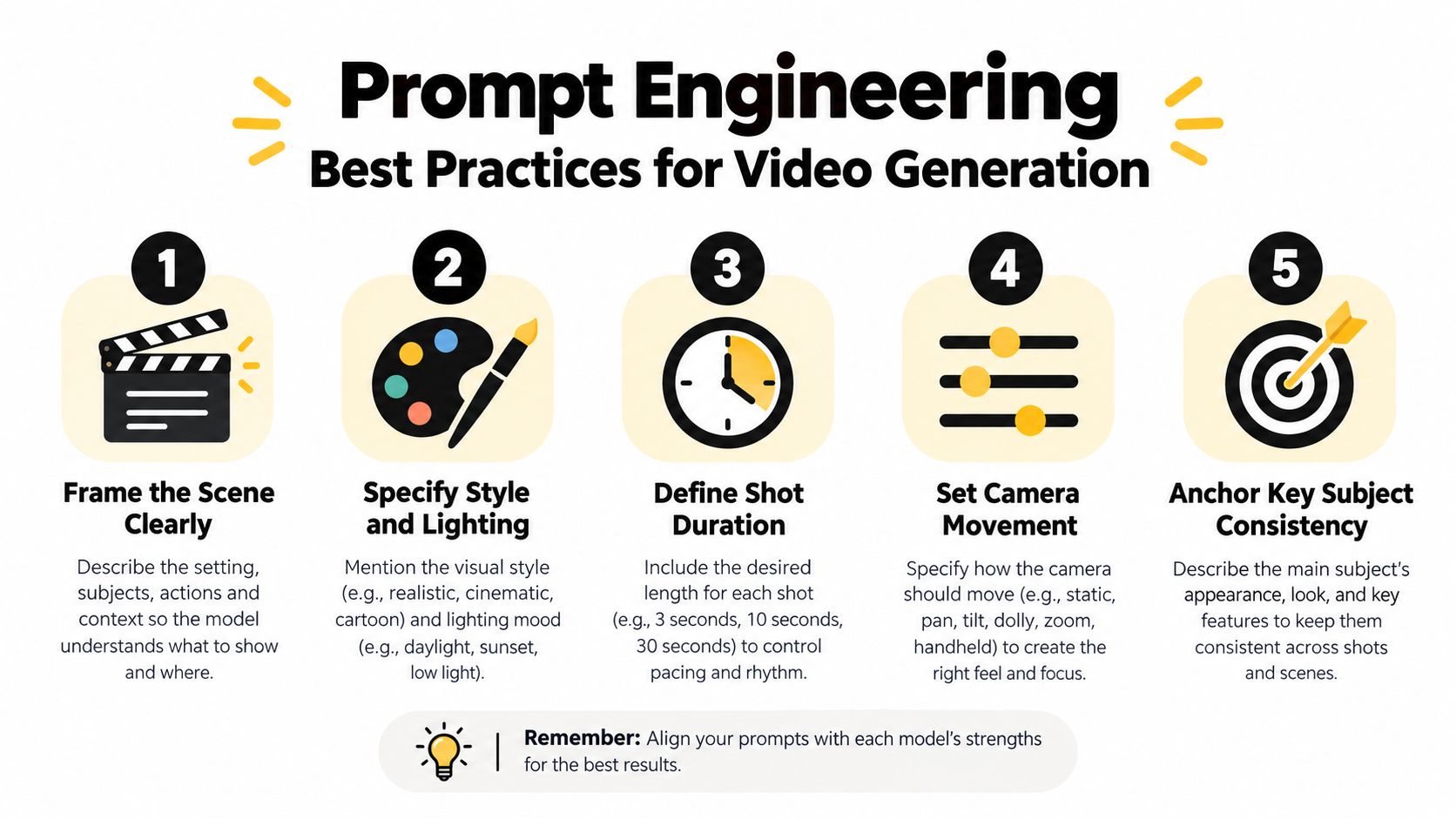
Google's Veo 3.1 prompting guidance recommends stating 720p or 1080p, selecting 16:9 or 9:16, and requesting clip lengths of 4, 6, or 8 seconds. It also addresses synchronized dialogue, sound effects, reference images, first-and-last-frame transitions, and video extension. These fields give creators a repeatable prompt structure, even when the final workflow uses a different model or access channel.
<a id="a-social-clip-example"></a>
A social clip example
For a vertical product Reel, begin with the delivery format: “9:16 vertical product demonstration.” Then define the subject, camera movement, lighting, action, and audio. A stronger prompt could request a glass bottle rotating slowly on a wet stone surface, a controlled close-up, soft morning light, a quiet water trickle, and a short spoken product line.
Specificity reduces ambiguity. “Make it cinematic” leaves the model to select the lens, movement, contrast, and pacing. “Locked close-up, shallow depth of field, slow clockwise rotation, soft side light, subtle water ambience” supplies a constrained production brief that is easier to evaluate and revise.
<a id="an-h3-audio-example"></a>
An H3 audio example
H3's native stereo audio makes sound design part of the generation prompt. Describe the source, direction, and relationship between sound and action: “rain hits the canvas awning, broth simmers near the microphone, distant traffic stays low, and the vendor speaks close to camera with a warm tired voice.”
The prompt then tests a capability that matters in a single generation, rather than treating audio as a later add-on. Reviewers can assess whether the result is usable or needs dialogue replacement, Foley, or mixing.
For either model, preserve identity anchors. Name clothing color, position, facial features, product shape, logo placement, and camera position. During revisions, separate changed elements from fixed ones: “Change the apron to deep crimson, keep the face, lighting, camera, rain, and audio identical.” That instruction is more operational than “make the scene look better.”
<a id="integrating-models-into-your-video-workflow"></a>
Integrating Models into Your Video Workflow
A reliable workflow routes different jobs to different model capabilities instead of forcing every shot through one engine.
Start with a shot brief that records the delivery ratio, duration, source references, audio needs, and revision risk. Use Gemini Omni Flash when the project depends on conversational refinement, hosted access, and iterative changes to a short clip. Use MiniMax H3 when the shot needs multimodal references, native stereo audio, broader aspect-ratio support, or open-weight deployment.
For Google's broader video stack, Veo 3.1 supports text-to-video, image-to-video, first-and-last-frame generation, video extension, reference-image conditioning, sound generation, and C2PA Content Credentials. Google lists access through the Gemini API, Vertex AI, and the Gemini app, so platform choice can matter as much as model choice.
<a id="a-workable-routing-pattern"></a>
A workable routing pattern
- Concept development: Draft several visual directions with a hosted conversational model.
- Reference-heavy shots: Use H3 when images, video, and audio need to inform one generation.
- Revision-sensitive footage: Prefer a workflow with a dedicated editing path when preserving untouched content matters.
- Audio finishing: Send generated clips through a specialist workflow for dialogue cleanup, noise reduction, and mix preparation. Resources for video editors and audio cleanup can help define that post-production stage.
- Assembly and publishing: Sequence approved shots, verify captions and brand elements, then check the final export against the platform specification.
This hybrid approach avoids a false choice between models. A team can use one system for ideation, another for a reference-controlled shot, and a dedicated audio tool for cleanup. The decision should be recorded at the shot level, because a 30-second ad assembled from multiple clips may contain several different technical requirements.
Measure prompt-to-publish time, not just render time. Count the number of regenerations, the number of manual fixes, the duration of audio cleanup, and the number of exports rejected for format or branding problems. Those measurements reveal which model improves the production process.
<a id="final-verdict-choosing-the-right-model-for-your-needs"></a>
Final Verdict Choosing the Right Model for Your Needs
MiniMax H3 is the stronger candidate when open-weight deployment, multimodal references, native stereo audio, broader formats, and editing performance matter most. Its infrastructure requirements are substantial, so local control only makes sense when the team can support the operational burden.
Gemini Omni Flash is the stronger candidate when hosted access, conversational iteration, Google ecosystem integration, and text-to-video generation are the priorities. Its advantage is less about a decisive visual-quality gap than about fitting smoothly into a managed creation and revision workflow.
Use this decision filter:
- Choose Gemini Omni Flash for hosted, iterative creation from text and straightforward revision workflows.
- Choose MiniMax H3 for open-weight experimentation, multimodal conditioning, native sound, and editing-oriented production.
- Test both when the project combines new generation with demanding revisions.
- Confirm current access, licensing, output constraints, and platform terms before committing a commercial pipeline.
- Judge the final deliverable, not the first clip or a single leaderboard position.
The most defensible answer to the Gemini Omni vs MiniMax H3 question is conditional. Gemini leads one important generation task, H3 leads editing, and the practical winner is the model that removes the most work from your specific route to publication.
Veo3 AI brings multiple AI video models into one online workflow for creators who want to turn text prompts or static images into finished video concepts. Visit Veo3 AI to compare model options, test creative directions, and build short-form assets without managing separate tools for every generation task.
Related Articles
Continue with more blog posts in the same locale.
How to Get Access to Veo 3: The Complete Guide
Learn how to get access to Veo 3 through Google subscriptions, APIs, or the Veo 3 AI video generator platform. Compare paths, limits, and setup steps.
Read article
Gemini Omni vs Seedance 2.0: The Creator's Guide
Gemini Omni vs Seedance 2.0: which AI video model wins for your workflow? Compare speed, quality, pricing, and find the best tool for short-form creators.
Read article
Seedance 2.0 Price Guide 2026: Plans, Costs, and Savings
Seedance 2.0 price varies by plan and provider. Compare subscriptions, per-second rates, and token costs with this complete 2026 guide to find the best deal.
Read article