
Genv AI vs Veo 3: Quality, Pricing, and Creator Workflow Compared
Compare Genv AI vs Veo 3 for quality, pricing, workflow, native audio, and creator use cases before choosing your AI video generator.
Emma Chen · 19 min read · Apr 29, 2026
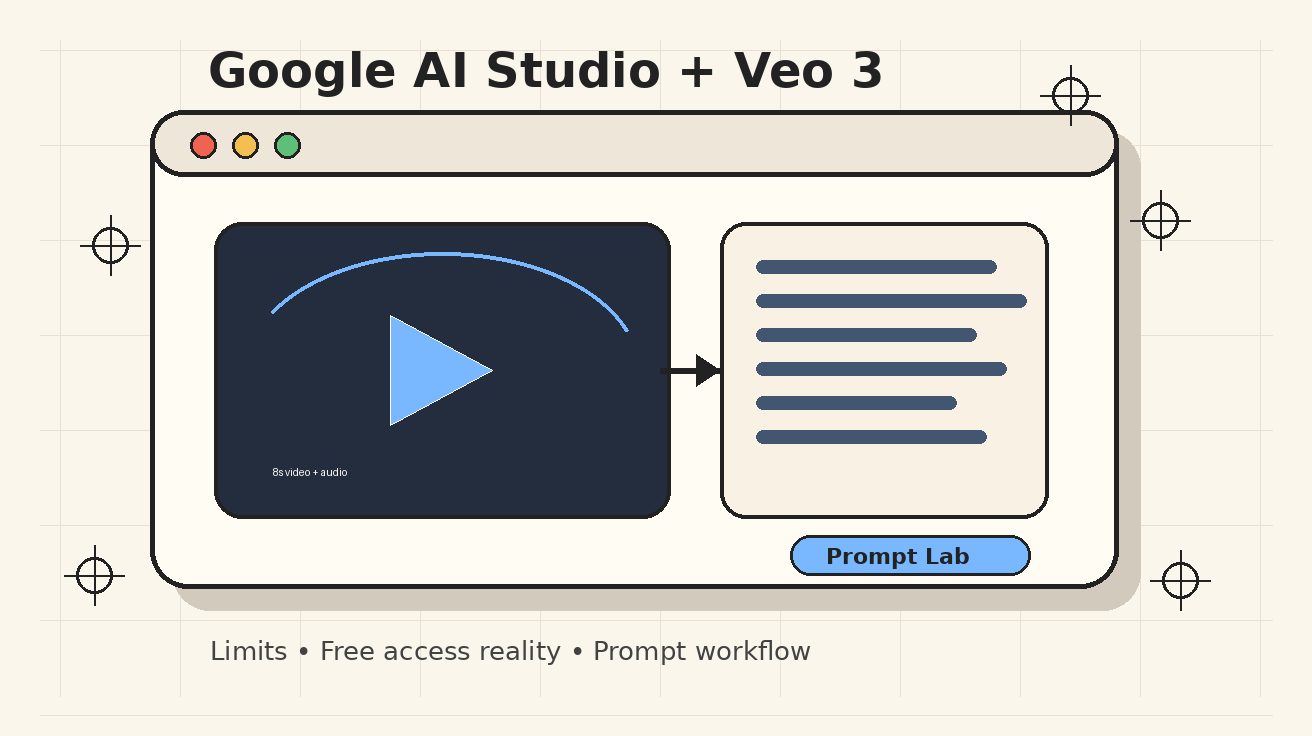
Meta description: Compare Genv AI vs Veo 3 on quality, pricing, model access, mobile workflow, native audio, and creator use cases before choosing an AI video generator.
Genv AI is suddenly showing up in searches from creators who want a fast mobile AI video generator, while Veo 3 remains one of the benchmark models for cinematic text-to-video and image-to-video output. If you are comparing genv ai with Veo 3, the first thing to understand is that they are not the same type of product. Genv AI is an app-style creator interface that advertises access to multiple video models, including Veo 3.1 Fast, Sora 2, and Grok 3. Veo 3 is Google DeepMind's video generation model family, available through Google products such as Gemini, Flow, AI Studio, and related Google AI plans depending on region and eligibility.
That difference matters. Choosing between Genv AI vs Veo 3 is not only a question of which one looks better. It is a question of control, reliability, cost transparency, export workflow, safety policies, and how much of the underlying model behavior you can tune. A mobile app can be faster for casual social clips because it packages prompts, aspect ratios, styles, downloads, and sharing into one simple flow. A direct Veo workflow can be stronger for creators who need predictable quality, prompt adherence, native audio, reference-image control, or integration into a repeatable production pipeline.
This comparison breaks down the practical choice from a creator perspective: quality, pricing, workflow speed, model access, commercial usage considerations, and when to use each option. If you are just starting with Veo-style generation, you can also test prompt structure in our Veo 3 text-to-video workflow and reference-image ideas in the Veo 3 image-to-video workflow. For troubleshooting prompt failures after you choose a tool, see our Veo 3 negative prompt guide.
Quick verdict
Use Genv AI if you want a lightweight mobile app that can quickly turn a prompt into short social-ready videos, especially if you prefer presets, vertical formats, and simple sharing over detailed production control. Use Veo 3 directly if your priority is the highest model quality, stronger prompt following, more transparent model positioning, native audio control, and a workflow that can scale beyond casual clips.
The short version: Genv AI is best treated as a convenient front-end app. Veo 3 is the underlying premium model ecosystem you choose when output quality and control matter more than convenience.
Decision table: Genv AI vs Veo 3
| Category | Genv AI | Veo 3 |
|---|---|---|
| Product type | Mobile creator app / wrapper-style interface | Google DeepMind video model family and Google creator workflow |
| Best for | Quick social clips, mobile-first creators, casual ideation | Cinematic videos, prompt-faithful scenes, production workflows, advanced creators |
| Model access | App listing advertises Veo 3.1 Fast, Sora 2, and Grok 3 | Direct Google model access through supported Google products and plans |
| Quality ceiling | Depends on which model the app routes to and what controls it exposes | Higher and more predictable ceiling when using full Veo workflows |
| Prompt control | Usually simplified; good for speed but less transparent | Stronger control over prompt detail, references, audio, and iteration |
| Native audio | App advertises AI voice/background music features | Veo 3/3.1 is known for native audio, dialogue, ambient sound, and sync |
| Aspect ratios | App listing highlights 9:16 and 16:9 | Supports creator workflows including vertical and horizontal outputs, depending on product surface |
| Pricing signal | App Store listing shows free app with in-app purchases; example iOS plans include weekly and monthly premium options | Google AI plan access varies by region and tier; Pro/Plus/Ultra style access and quotas matter more than sticker price |
| Transparency | Easier to use, but less clear which backend model created each clip unless the app exposes it | More transparent when using Google's official surfaces |
| Best choice | Speed and convenience | Quality, control, and serious production |
What is Genv AI?
Genv AI, listed as “GenV - AI Video Generator” on mobile app stores, presents itself as an AI video app for turning text prompts into Full HD videos. The public App Store listing describes support for text-to-video generation, 1080p output, 9:16 and 16:9 formats, creative styles such as cinematic, anime, realistic, cartoon, and stylized looks, and a fast mode using Veo 3.1 Fast. It also says the app is built using APIs from models such as Sora 2, Google Veo 3.1 Fast, and Grok 3. The Google Play search listing similarly positions the app around AI video generation powered by Grok, Veo, and Sora.
That positioning makes Genv AI interesting, but it also means creators should evaluate it differently from a foundational model. Genv AI is not necessarily the model itself. It is an application layer that may simplify access to several models, add mobile presets, package prompts into a smoother interface, and handle exporting. That can be valuable. Many creators do not want to learn every parameter, credit rule, or advanced prompt pattern before making a TikTok concept or YouTube Shorts hook. They want a box where they can type “cinematic drone shot of a futuristic city at sunrise” and get a usable clip.
The tradeoff is that wrapper-style apps can hide important details. You may not always know which model generated a specific result, what quality tier was used, whether a fast model or a higher-quality model was selected, how retries are counted, or whether the export is compressed. For casual creators, that may be acceptable. For marketers, filmmakers, agencies, or anyone building a repeatable content workflow, that opacity becomes a real cost.
What is Veo 3?
Veo 3 is Google's advanced AI video generation model family. Google describes Veo 3 as designed for greater realism, better prompt following, improved creative control, real-world physics, and native audio generation. In practice, Veo's biggest advantage is that it is not just a moving-image generator. It is a video model built around scene coherence, camera behavior, sound effects, dialogue, ambience, and alignment between what you ask for and what appears in the clip.
The Veo ecosystem is also more structured. Depending on the Google product surface and plan, creators can work through Gemini, Flow, AI Studio, or API-oriented workflows. Google has described Veo 3.1 Lite as a faster and more efficient option, while full Veo 3.1 access is positioned as the higher-quality option for more demanding generation. Google also highlights 8-second video generation, native audio, photo-to-video workflows, reference-image guidance, and safety measures such as SynthID watermarking in Gemini-generated videos.
For creators, the important difference is this: direct Veo access gives you a clearer relationship with the model. You can design a prompt workflow, test reference images, compare outputs, iterate, and build production habits around Veo's strengths. If the goal is a polished product shot, a cinematic trailer concept, a consistent character scene, or a brand-safe social ad, that clarity is often more important than having a one-tap app.
Quality comparison: which output looks better?
Quality is the first reason people search for Veo 3 alternatives, and it is the most nuanced part of the Genv AI comparison. If Genv AI routes a generation through Veo 3.1 Fast, the output may look close to Veo-style quality for simple prompts. A clean prompt, a short duration, a common camera movement, and a familiar visual style can produce impressive results even inside a simplified app. For quick social concepts, that may be enough.
However, the quality ceiling is usually higher when you use Veo directly, because the workflow is closer to the model's intended controls. Veo's strengths show up in difficult scenes: realistic physical motion, character consistency, camera continuity, dialogue timing, environmental sound, and prompts with multiple constraints. A simple app interface may expose style and aspect ratio, but it may not expose every control needed to resolve difficult generation problems.
Consider a creator trying to produce a 16:9 cinematic product ad. The prompt might require a glass bottle on a wet marble counter, a slow macro push-in, condensation that moves naturally, warm restaurant background lights, and a voiceover line timed to the reveal. In a mobile app, you might get a good-looking clip quickly. In Veo, you can spend more time specifying camera, lighting, lens behavior, subject movement, and audio environment. That extra control gives Veo a better chance of matching the brief.
For vertical content, the gap can be smaller. A TikTok hook, meme-style reaction clip, anime transformation, or short mood piece may not need advanced controls. If Genv AI offers a faster vertical workflow, it can be more efficient than opening a desktop-oriented production setup. In other words, Genv AI can win on speed-to-first-draft, while Veo wins on quality-to-final-cut.
Quality factors to test before committing
Do not choose based on one demo. Test these five prompts in both tools:
- A realistic human walking through a crowded environment.
- A product close-up with reflections, shadows, and a camera push-in.
- A talking scene with short dialogue and ambient sound.
- A vertical social ad with text-safe composition.
- An image-to-video prompt using your own reference image.
Score the outputs for prompt accuracy, face and hand stability, physics, motion smoothness, audio sync, export quality, and how many retries it took to get a usable result. The real price of AI video is not the subscription fee. It is the number of failed generations required before the clip is usable.
Pricing comparison: apparent cost vs usable cost
Pricing is where Genv AI can look attractive at first glance. The public iOS listing shows Genv AI as a free app with in-app purchases, including examples such as a weekly premium plan and a monthly premium plan. Public app store information can vary by region, platform, and update cycle, so creators should always check the live subscription screen before purchasing. Still, the basic pattern is clear: Genv AI is packaged like a consumer mobile app, with a low-friction entry point and recurring premium options.
Veo 3 pricing is more tied to Google account plans, product access, quotas, and model tier. Google AI plans and Gemini/Flow access can differ by country, age eligibility, account type, and current rollout. In the US market, Google AI Pro and Ultra style tiers have commonly been associated with higher AI access levels, while Google documentation positions Veo 3.1 Lite around speed and Veo 3.1 around top quality. The practical question is not simply “Which monthly plan is cheaper?” It is “How many usable clips can I create, at what quality, with what control?”
A creator who only needs ten casual clips per month may find a mobile app subscription easier to justify. A studio that needs consistent product videos, campaign variations, or client review cycles may prefer the more expensive but more controllable Veo path. Failed generations, unclear limits, compressed exports, and lack of project organization can become more expensive than the subscription difference.
How to calculate real cost
Use this simple formula:
Real cost per usable clip = monthly spend / number of clips you would actually publish
If a $19.99 app plan produces 20 clips but only 3 are publishable, the usable cost is about $6.66 per clip. If a higher-tier Veo workflow costs more but produces fewer failures and better final assets, the usable cost may be lower for serious work. This is why creators should test a small batch before committing to a monthly workflow.
Also check these details before paying:
- Are credits unlimited, capped, or subject to fair-use limits?
- Are fast and high-quality models priced differently?
- Does export resolution match the advertised quality?
- Is commercial use allowed under the app or platform terms?
- Can you cancel easily?
- Are generated videos watermarked?
- Can you download original files without heavy compression?
- Are prompts, uploaded images, or outputs used for product improvement?
Workflow comparison: mobile speed vs production control
Genv AI's strongest workflow advantage is simplicity. A mobile creator can open the app, choose a style, select vertical or horizontal format, type a prompt, generate, download, and share. That is exactly the workflow many social creators want. If your content is built around daily ideation, trend reaction, or quick short-form tests, a lightweight app may reduce friction.
Veo's workflow is better for deliberate production. You can start with a script, break it into shots, write prompt variants, use reference images, test motion and lighting, then iterate toward a final sequence. That is slower at the beginning, but it compounds. Once you learn what Veo responds to, your prompt library becomes reusable. You can create brand templates, scene structures, negative prompt patterns, and shot lists that make each new video more predictable.
For example, a creator building a product demo series might use this Veo workflow:
- Write a one-sentence creative brief.
- Split the brief into three 8-second shots.
- Create one prompt per shot with subject, camera, lighting, action, environment, and audio notes.
- Generate a rough version.
- Fix drift using more specific constraints or a reference image.
- Export the best clips.
- Edit them into a final ad with captions and brand overlays.
That workflow is harder to manage in a simplified app. But it is exactly what turns AI video from a novelty into a reliable content engine.
Creator use cases: which tool fits your job?
Social media creators
For TikTok, Reels, and Shorts experimentation, Genv AI can be a good fit. The app-first workflow, vertical aspect ratio support, and style presets are aligned with fast content creation. If your goal is to test five hooks before lunch, you may not want to manage a more advanced desktop workflow.
However, if your account depends on a consistent character, recurring visual identity, or polished brand look, Veo becomes more attractive. Social creators often start with convenience and then move toward control once the format proves it can drive views.
YouTube creators
For YouTube intros, B-roll, visual metaphors, and explainers, Veo is usually the stronger choice. YouTube content has a higher tolerance for pre-production. You can write scenes, generate supporting visuals, and edit them into a longer video. Quality inconsistencies are more visible on larger screens, so prompt adherence and export clarity matter.
Genv AI may still be useful for concept thumbnails, quick Shorts, or testing visual ideas before producing a more polished clip elsewhere.
Marketers and advertisers
Marketers should prioritize control, rights, brand consistency, and repeatability. A mobile app can help with rapid ideation, but campaign assets often require a stronger audit trail. Who generated the clip? Which model was used? What was the prompt? Can the output be recreated? Are there usage restrictions? Can the team organize revisions?
For these reasons, Veo is the safer default for serious marketing workflows. Use Genv AI for brainstorming, then use Veo for final production when quality and compliance matter.
Filmmakers and visual storytellers
Veo's cinematic strengths make it the better option for filmmakers. Camera language, lighting design, realistic movement, environmental audio, and scene continuity are central to film work. Genv AI can generate interesting inspiration, but direct Veo workflows give filmmakers more room to shape a shot instead of accepting whatever the app returns.
Is Genv AI a Veo 3 alternative?
Yes, but with an important caveat. Genv AI can be considered a Veo 3 alternative if your real need is “an easier app that can generate AI videos, possibly using Veo-powered fast modes.” It is not a pure alternative if your need is “direct access to Google's best Veo controls and output quality.”
Think of it like comparing a camera app with a professional camera system. The app may be faster and more convenient. The professional system may be more expensive and slower to learn, but it gives you more control and better reliability when the shot matters.
If you are searching “genv ai vs veo 3,” your decision should start with your workflow maturity:
- If you are experimenting, choose the simpler tool first.
- If you are publishing daily social clips, test both and measure usable output per hour.
- If you are producing client work, use direct Veo workflows or another transparent production tool.
- If you need native audio and prompt accuracy, prioritize Veo.
- If you need a mobile-first app with presets, prioritize Genv AI.
Prompting differences
Genv AI will likely reward shorter, style-driven prompts because mobile apps are usually optimized for quick input. A good Genv AI prompt might be:
Vertical 9:16 cinematic shot of a futuristic sneaker floating above a neon city street, rain reflections, slow camera orbit, dramatic lighting, social media ad style.
That prompt gives the app enough direction without requiring too much production detail.
Veo can benefit from more structured prompts:
A vertical 9:16 product ad. A futuristic white sneaker floats two inches above a wet neon street at night. The camera begins with a low macro close-up on the sole, then slowly orbits clockwise as blue and magenta reflections ripple across the pavement. Add soft city ambience, light rain, and a short bass hit as the sneaker rotates toward camera. Keep the shoe shape consistent, no warped logos, no extra text.
The second prompt is longer because Veo can make better use of scene structure, camera motion, audio cues, and constraints. If you want to improve direct Veo results, build prompts around six elements: subject, action, camera, environment, lighting, and audio.
Safety, watermarking, and commercial considerations
Creators often ignore terms until a clip goes viral or a client asks for documentation. Do not skip this step. Genv AI's app listing includes standard creative-use disclaimers and app terms. Google also applies safety policies and, in Gemini-generated Veo videos, has described SynthID watermarking to indicate AI-generated content. Neither detail is automatically bad. They simply affect how you should use the output.
For personal and entertainment content, both workflows can be fine if you follow platform rules. For commercial content, check terms before using generated people, trademarks, copyrighted characters, celebrity likenesses, music-style references, or brand logos. If you work with clients, keep a record of prompts, generation dates, tools used, and final edits.
Recommended testing plan
Before you buy a subscription or commit your team, run a controlled 60-minute test.
- Choose three real content briefs you would actually publish.
- Write one short prompt and one detailed prompt for each brief.
- Generate each prompt in Genv AI and Veo.
- Track generation time, failures, visual quality, audio quality, and export usability.
- Calculate usable clips per hour, not just clips generated.
- Keep the best clip from each tool and compare them on a phone and desktop screen.
This process prevents a common mistake: judging an AI video tool from a single lucky output. The best tool is the one that repeatedly gets you close to a publishable result.
Final recommendation
For most creators, Genv AI is worth testing as a fast mobile AI video app, especially if you want simple vertical clips, style presets, and quick sharing. It may be a convenient way to experiment with model-powered video generation without learning every Veo workflow detail.
But if the core question is quality, Veo 3 remains the stronger default. It gives you a clearer path to cinematic realism, prompt adherence, native audio, reference-image control, and production repeatability. Genv AI can be part of your ideation stack. Veo should be your serious production stack when the final result matters.
The best workflow may combine both: use Genv AI to brainstorm fast social concepts, then rebuild winning ideas in Veo with stronger prompts, better references, and more deliberate control.
FAQ
Is Genv AI the same as Veo 3?
No. Genv AI is an AI video generator app that advertises access to models such as Veo 3.1 Fast, Sora 2, and Grok 3. Veo 3 is Google's underlying video generation model family and creator ecosystem.
Which has better video quality, Genv AI or Veo 3?
Veo 3 usually has the higher quality ceiling when used directly, especially for realistic physics, prompt adherence, native audio, and controlled cinematic scenes. Genv AI can still produce strong clips when it routes prompts through capable models and the prompt is simple.
Is Genv AI cheaper than Veo 3?
It can look cheaper because it is packaged as a consumer app with free access and in-app purchases. But real cost depends on limits, retries, export quality, and how many clips are actually usable. Always calculate cost per publishable clip.
Does Genv AI use Veo 3?
The public app listing says Genv AI is built using Google Veo 3.1 Fast API along with other model APIs. Because app behavior can change, check the current app description and generation settings before assuming every output uses Veo.
Is Veo 3 good for social media videos?
Yes. Veo is strong for social videos when you want high-quality vertical clips, native audio, realistic motion, and more control. For a simpler workflow, start with text-to-video prompts and adapt them to vertical format.
What is the best Veo 3 alternative?
The best alternative depends on your goal. Genv AI is a convenient app-style alternative for quick mobile creation. Other alternatives may be better for editing, avatars, enterprise workflows, or API access. For quality-focused cinematic work, direct Veo access remains difficult to beat.
Should marketers use Genv AI or Veo 3?
Use Genv AI for rapid idea testing. Use Veo 3 for final campaign assets where quality, prompt records, repeatability, and brand control are more important.
Related Articles
Continue with more blog posts in the same locale.
How to Make Sports Highlight Videos with Veo 3 AI (2026)
Create stunning sports highlight videos with Veo 3 AI. Generate dynamic action shots, slow-motion sequences, and dramatic replays using AI prompts.
Read article
How to Make a Short Film with Veo 3 AI (2026 Guide)
Learn how to create professional short films using Veo 3 AI. Step-by-step guide with prompts, workflow tips, and cinematic techniques.
Read article
How to Make Documentary Videos with Veo 3 AI (2026 Guide)
Create compelling documentary videos with Veo 3 AI. Learn prompting techniques, narrative structure, realistic footage generation, and post-production tips.
Read article