
How to Make a Short Film with Veo 3 AI (2026 Guide)
Learn how to create professional short films using Veo 3 AI. Step-by-step guide with prompts, workflow tips, and cinematic techniques.
Emma Chen · 20 min read · Jul 27, 2026
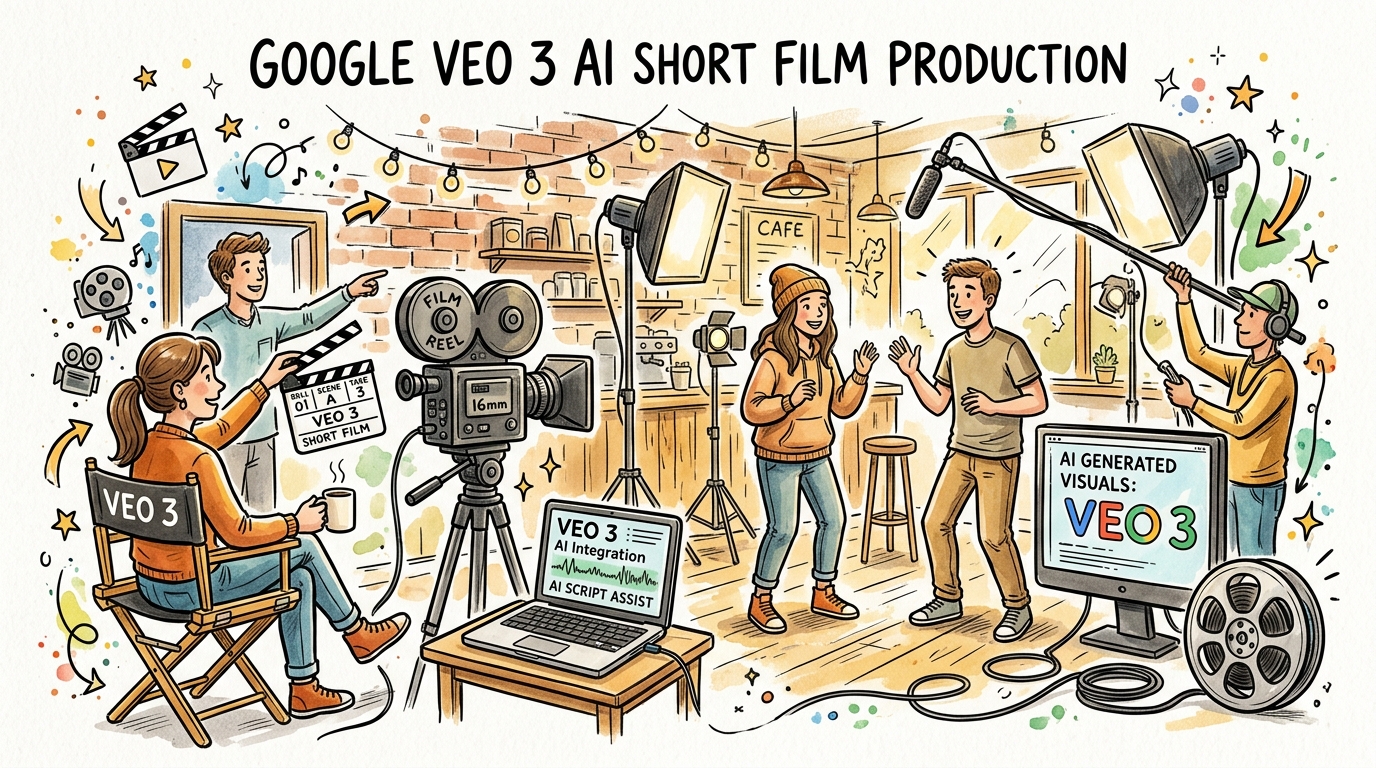
Short films have always been the proving ground for storytellers — a format that demands economy of expression, creative vision, and technical skill all at once. In 2026, Google's Veo 3 has fundamentally changed what solo creators can accomplish. With its cinematic video generation, native audio synthesis, and unprecedented scene coherence, Veo 3 enables filmmakers to produce professional-grade short films without a camera crew, expensive equipment, or a production budget that runs into thousands of dollars.
This guide walks you through the complete process: from initial concept and script to shot-by-shot prompt engineering, character consistency techniques, audio design, post-production workflow, and distribution strategy. Whether you are a seasoned filmmaker exploring AI tools or a first-time creator with a story to tell, this is the most comprehensive Veo 3 short film guide available in 2026.
What Makes Veo 3 Uniquely Suited for Short Film Production
Before diving into the workflow, it helps to understand why Veo 3 stands apart from earlier AI video tools when it comes to narrative filmmaking.
Cinematic Coherence at the Scene Level
Earlier AI video generators produced compelling individual clips, but struggled when you needed multiple shots to feel like they belonged to the same world. Veo 3 addresses this through improved temporal consistency and style retention across prompts. When you establish a visual grammar in your first shot — specific lighting, color grading, focal length — you can maintain it across an entire sequence with deliberate prompt engineering.
Native Audio and Dialogue Generation
One of the most transformative features of Veo 3 is its ability to generate synchronized audio: ambient sound, music beds, and most importantly, spoken dialogue. For short films, this means you can produce scenes where characters actually speak without needing voice actors, ADR sessions, or separate audio software. Veo 3's audio model understands scene context well enough to generate footsteps on gravel, rain against windows, or crowd murmur that matches the visual environment.
Prompt-Responsive Cinematography
Veo 3 understands directorial language. You can specify lens choices (50mm prime, anamorphic wide), camera movement (slow dolly in, handheld follow), depth of field (shallow focus, rack focus pull), and lighting setups (golden hour backlight, practical interior tungsten). This vocabulary means cinematography is no longer a hardware problem — it is a writing problem.
Output Length and Scene Stitching
Veo 3 generates clips up to approximately 8 seconds at high quality, with some modes extending to 16 seconds. A short film typically requires 30–120 shots depending on pacing. Planning your shot list with this constraint in mind is one of the key skills this guide will teach you.
Step 1: Concept Development and Script Structure for Veo 3
Choosing the Right Story Format
Not every story is equally suited to AI-generated video production in 2026. Veo 3 excels with:
- Single-location dramas — minimal world-building required, easier to maintain visual consistency
- Montage and mood pieces — where shot variety matters more than strict continuity
- Genre films with visual grammar — noir, sci-fi, horror, and westerns have established aesthetics that Veo 3's training data represents richly
- Character studies — a focused story with one or two characters across several scenes
- Documentary-style narratives — where slight inconsistencies read as naturalism
Avoid, at least until you have more experience: complex action sequences with many characters, stories requiring strict object permanence across shots, and crowd scenes requiring dozens of distinct faces.
Writing a Veo 3-Compatible Script
A conventional screenplay is useful, but you will also need to produce what filmmakers call a shot breakdown — a list of every individual clip you need to generate. For a five-minute short film running at roughly 24 clips per minute (accounting for average clip durations), you need approximately 120 clips.
Structure your script with this in mind:
- Three-act structure, compressed — Setup (Act 1) should be 1–2 minutes. Confrontation (Act 2) runs 2–3 minutes. Resolution (Act 3) is 1–2 minutes.
- Scene economy — Every scene should serve at least two purposes: advance plot AND reveal character, or establish setting AND build tension.
- Dialogue as scene anchor — In Veo 3, dialogue grounds a scene. Plan where characters speak and where they are silent, allowing ambient audio to carry the weight.
Example 3-act outline for a 5-minute short:
"Last Signal" — Sci-fi drama
- Act 1 (90 seconds): Astronaut discovers anomalous transmission in deep space station. Establishing shots of the station, close-ups of instruments, character introduction at workstation.
- Act 2 (150 seconds): Investigates the source of the signal; encounters evidence of a previous crew. Tension builds through discovery shots, environmental storytelling, and one brief dialogue scene.
- Act 3 (60 seconds): Sends a response; waits. Final wide shot of station against stars. Open ending.
Step 2: Shot Breakdown and Prompt Architecture
The Shot Breakdown Document
Before writing a single Veo 3 prompt, complete a shot breakdown. This is a table with columns for shot number, scene, shot type, camera movement, subject action, dialogue, and production notes. Working through this discipline before prompting in Veo 3 saves hours of iteration and ensures your final film has intentional visual rhythm rather than a random collection of generated clips.
Anatomy of a High-Performance Veo 3 Prompt
Every Veo 3 prompt for narrative filmmaking should contain the following elements in this order:
- Shot type and framing — Close-up, medium shot, wide establishing shot, over-the-shoulder, POV
- Subject description — Who or what is in the frame, and what are they doing
- Environment — Location, time of day, weather, architectural or natural details
- Cinematography — Lens, camera movement, depth of field
- Lighting — Quality (hard/soft), direction, color temperature
- Mood and tone — The emotional register of the shot
- Audio cues — Ambient sound, dialogue, music direction
- Visual style reference — Film grain, color grade, era of filmmaking
Prompt template:
[SHOT TYPE], [SUBJECT ACTION], [ENVIRONMENT DETAILS], [CAMERA MOVEMENT/LENS],
[LIGHTING], [MOOD], [AUDIO], [STYLE REFERENCE].
Real Prompt Examples for Veo 3 Short Films
Opening establishing shot — sci-fi:
Wide establishing shot, a cylindrical deep-space research station slowly rotating against a field
of stars, Earth visible as a blue crescent in the far background, slow push in from extreme wide
to medium wide over 7 seconds, cool blue-white practical lighting, no atmosphere, silent except
for low subsonic hum, photorealistic, anamorphic lens flares, inspired by 2001: A Space Odyssey
color palette.
Character introduction — interior drama:
Medium close-up shot, a woman in her 40s with short silver hair and tired eyes sits at a cluttered
metal workstation, her face lit only by the blue glow of instrument panels, she slowly reaches
forward and touches a blinking red indicator light, rack focus from her hand to her face,
interior station ambient hum, subtle tension, photorealistic, 35mm film grain, warm tungsten
mixed with cold monitor light.
Dialogue scene:
Over-the-shoulder medium shot, a woman in a space station uniform speaks urgently into a radio
panel, she says "Station Kepler to mission control, I'm receiving a signal on frequency 1420.
It's not ours", her voice slightly echoed in the metal corridor, fluorescent overhead light
casting subtle shadows, handheld camera with minimal shake, realistic audio with station
background noise.
Emotional close-up:
Extreme close-up of the woman's eyes, tears forming but not falling, she stares at something
offscreen, rack focus slowly pulling from her eye to a blurred object in the background,
complete silence except for a distant metallic ticking sound, golden hour light from a small
porthole, slow motion 120fps, desaturated color grade.
Step 3: Character Consistency Across Scenes
Character consistency is the hardest technical challenge in Veo 3 short film production. Since Veo 3 generates each clip independently, your protagonist may subtly change appearance between shots. Here are the techniques professionals use in 2026.
Build a Character Bible Prompt
Create a detailed text description of each character that you will paste into every prompt involving that character. Keep it under 60 words for efficiency, but include the most distinctive visual markers:
CHARACTER ANCHOR — Elena Vasquez: woman, early 40s, short silver-streaked black hair,
sharp jaw, tired brown eyes, small scar above left eyebrow, wearing navy blue technical
uniform with mission patch on left shoulder, slim build, medium height.
Place this anchor block at the start of every prompt featuring Elena. Veo 3 uses this as a consistency reference.
Shot Type Strategy for Consistency
The tighter your shot, the more consistent your character will appear. Use this hierarchy:
- Wide shots — Character details matter less; use freely for establishing scenes
- Medium shots — Paste the full character anchor; review carefully
- Close-ups — Faces are most variable; generate multiple takes and select the most consistent
- Extreme close-ups — Focus on hands, eyes, objects; avoid full-face details
Continuity Across Session Breaks
Veo 3 does not retain memory between separate generation sessions. If you are generating clips over multiple days, save your best reference clips and use them as image-to-video starting frames when possible. Many Veo 3 workflows use a "hero frame" — a single still extracted from your best character clip — as the reference image for subsequent character shots.
Using Reference Images
When you have a strong reference image of your character from a previous clip, use it as the image-to-video input for new shots. This dramatically improves facial and costume consistency. The workflow is:
- Generate initial character clip with text prompt
- Extract the best frame using your video editor
- Use that frame as the reference image + abbreviated character prompt for subsequent clips
- Maintain a folder of approved reference frames for each character
Step 4: Scene Composition and Visual Storytelling
The Language of Camera Angles in Veo 3
Camera angles communicate subtext. Using them deliberately makes your Veo 3 short film feel directed rather than generated:
- Low angle (looking up at subject) — Power, threat, importance. "Low-angle medium shot looking up at the commander as she delivers bad news."
- High angle (looking down at subject) — Vulnerability, smallness, surveillance. "High-angle wide shot of Elena alone in the vast corridor."
- Dutch angle (tilted horizon) — Unease, psychological instability. "Dutch angle medium close-up of the blinking radio panel."
- Eye level — Neutrality, naturalism, equality. Use for most dialogue scenes.
- POV shot — Immersion, identification. "POV shot moving slowly down a dark corridor, flashlight beam sweeping left and right."
Scene Transitions and Visual Rhythm
In your shot breakdown, plan your transitions deliberately. Veo 3 clips can be edited together in any video editor, but think about transition types during the prompting phase:
- Hard cut to opposite shot size — Wide to close-up creates impact. Sequence: wide establishing → extreme close-up of detail.
- Match cut — Two clips where the motion or shape rhymes. A hand reaching for a lever matched to a hand reaching for a door handle.
- Smash cut — Jarring tonal break. Quiet intimate scene cut to sudden loud environment.
- Dissolve pairs — Generate two clips that fade well at their start/end frames. Useful for time-passing transitions.
Lighting as Storytelling
Describe lighting in every Veo 3 prompt. Do not leave it to chance. Specific lighting directions that work reliably:
"Lit from a single window on the left side, hard directional light casting long shadow across
the right half of the face, golden hour warmth, rest of the room in deep shadow"

"Three-point lighting setup, soft key from above right, fill from left reducing contrast,
clinical white balance, corporate interior feel"

"Backlit silhouette against a sunset, subject completely in shadow except for rim lighting
on hair and shoulders, warm orange and purple sky behind"
Step 5: Audio Design and Dialogue Techniques
Planning Your Audio Landscape
Audio is where Veo 3 short films can feel genuinely cinematic. Plan three audio layers for every scene:
- Ambient bed — The constant background sound of the environment (station hum, city traffic, forest wind)
- Foreground audio events — Specific sounds tied to actions (footsteps, door closing, keyboard typing)
- Dialogue or voice — Characters speaking, or internal narration
Describe all three in your prompt when relevant:
"...ambient audio: continuous low engine room hum at -20dB, occasional metal creak;
foreground: Elena's boots on metal grating, wrench tapping against pipe;
no dialogue in this shot"
Writing Dialogue for Veo 3
Veo 3's audio generation works best with:
- Natural, conversational sentence lengths — Three to fifteen words per spoken line
- Clear pronunciation context — If a character has an accent, note it: "speaks with a soft Eastern European accent"
- Emotional direction — "says quietly, suppressing fear" or "speaks with forced calm"
- Single speaker per clip — Multiple characters speaking in one clip creates audio quality issues; plan for shot-reverse-shot dialogue sequences
Dialogue prompt template:
Medium close-up of [CHARACTER], [ENVIRONMENT], [LIGHTING].
[Character] says "[DIALOGUE LINE]", [EMOTIONAL DIRECTION], [CAMERA BEHAVIOR].
Audio: [AMBIENT SOUND], character voice [VOCAL QUALITY DESCRIPTION].
Example:
Medium close-up of Elena at the radio panel, blue instrument light, station interior.
Elena says "I've been alone here for six months. You're the first signal I've heard.",
voice quiet and slightly trembling, camera static with slight handheld breathing movement.
Audio: continuous low station hum, soft static from radio, Elena's voice with slight echo
in metal room, no music.
Using Silence and Sound Design
Some of the most powerful moments in short films are silent. Veo 3 excels at generating atmospheric ambient sound that communicates mood without words. Plan "silence" scenes deliberately — they provide contrast that makes your dialogue moments land harder.
Step 6: Production Workflow — From Prompts to Rough Cut
Batch Generation Strategy
Rather than generating clips one at a time, professional Veo 3 filmmakers work in batches:
- Write all prompts for one scene before generating anything
- Generate 2–3 variations of each critical shot (character close-ups, key action moments)
- Review the batch and select the best take for each shot
- Immediately log which clip corresponds to which shot number
A simple spreadsheet with columns for Shot#, Prompt text, Generated filename, and Selected (Y/N) keeps production organized.
Directory Structure
Organize your project files from the start:
/project-last-signal/
  /script/
    script-v1.pdf
    shot-breakdown.xlsx
  /prompts/
    scene-01-prompts.txt
    scene-02-prompts.txt
  /generated/
    /takes/           (all generated clips, unreviewed)
    /selected/        (approved takes, renamed by shot number)
  /assets/
    /reference-frames/ (hero frames for character consistency)
    /music/
    /sfx/
  /edit/
    rough-cut-v1.mp4
    fine-cut-v1.mp4
  /export/
    final-1080p.mp4
    final-4k.mp4
The Generation-Review Loop
For a 5-minute short film, expect to generate 300–400 clips to select the best 120. This ratio improves with experience — beginners might need 5 takes per shot; advanced users often get acceptable results in 2–3 takes. The key practices that improve your hit rate:
- Be specific rather than creative in prompts — Vague aesthetic descriptions generate inconsistent results. "Shot in the style of Denis Villeneuve" is less reliable than "cool desaturated color grade, extreme wide composition, slow movement, anamorphic bokeh."
- Iterate on failing prompts — If a shot type is not working, add one specific element at a time rather than rewriting the entire prompt.
- Use successful clips as references — When a clip nails the aesthetic you want, describe its specific qualities and replicate them in subsequent prompts.
Step 7: Editing Your Veo 3 Short Film
Software Choices
Any professional video editor works for Veo 3 short films. The most common choices among AI filmmakers in 2026:
- DaVinci Resolve (free tier) — Industry-standard color grading, capable NLE, excellent for the color consistency work required when blending Veo 3 clips
- Adobe Premiere Pro — Most widely used, strong for fast assembly edits
- Final Cut Pro — Best performance on Apple Silicon, magnetic timeline helps with pacing
- CapCut Pro — Popular for creators targeting short-form social platforms
Color Grading for Consistency
Individual Veo 3 clips may vary slightly in color temperature and exposure even when you specify consistent lighting in prompts. Color grading is not optional for professional results — it is the step that turns a collection of clips into a unified film.
Basic color grading workflow:
- Apply a base LUT to all clips that establishes your overall look (many cinematography-inspired LUTs are freely available)
- Match blacks and whites across clips using the video scopes (parade, waveform)
- Correct skin tones on character close-ups — this is the most noticeable inconsistency in AI-generated footage
- Apply scene-specific adjustments on top of the base grade to reinforce mood
Pacing and Rhythm
Short films live or die on pacing. The average cut in modern cinema is 4–6 seconds. For an AI-generated film, consider:
- Let establishing shots breathe — 6–8 seconds for wide shots that orient the viewer
- Accelerate in tension sequences — Cut to 2–3 second clips during action or confrontation
- Use music to drive rhythm — Generate or source music first, then cut the film to the music rather than adding music afterward
- The pause before payoff — Hold on a character's face for 2 extra seconds before a major reaction; it creates anticipation
Sound Mix
Veo 3 generates audio with each clip, but you will need to blend it in post. The audio workflow:
- Extract audio from all selected clips separately
- Clean problematic audio — Some clips have generation artifacts; replace with alternative takes or manual SFX
- Build your ambient bed — Lay down continuous room tone or environment sound underneath all clips in a scene
- Layer dialogue on top, ensuring consistent volume and reverb for the space
- Add music last — Keep music at -15 to -20 dB under dialogue; push it up in dialogue-free sequences
Step 8: Distribution Strategy for Your Veo 3 Short Film
Platform-Specific Formatting
Different platforms favor different formats. Export your final cut in multiple versions:
- YouTube — 1920×1080 or 3840×2160, H.264 or H.265, no hard duration limit. Ideal for films 3–20 minutes. Upload full-resolution master.
- Instagram Reels / TikTok — 1080×1920 (vertical), maximum 3 minutes. Consider creating a vertical cut of key scenes from your horizontal film.
- Vimeo — Best quality compression, filmmaker community. Use for portfolio work and festival submissions.
- Film festivals — Many AI film festivals now accept Veo 3 work. Export ProRes or uncompressed for festival submissions.
Metadata and SEO for Your Film
If distributing on YouTube, treat it as an SEO exercise:
- Title — Include your film's name and the genre: "Last Signal (2026) | AI Short Film | Veo 3"
- Description — 300+ words covering the film's story, your production process, and the tools used
- Tags — AI film, Veo 3, AI short film, Google Veo, AI filmmaking, your genre
- Chapters — Mark the three acts with timestamps
Building Audience for AI Films
The AI filmmaking community is active and growing in 2026. Share your Veo 3 short film in:
- Reddit communities — r/aivideo, r/artificial, r/MediaSynthesis welcome AI short film debuts
- Discord servers — Many AI tool communities have dedicated film showcase channels
- X/Twitter — The AI video community is concentrated here; share a 60-second clip with behind-the-scenes prompt examples
- AI film festivals — Runway AI Film Festival, Tribeca AI Showcase, and several independent festivals now have dedicated AI categories
Advanced Techniques: Taking Your Veo 3 Short Film Further
Shot Stacking for Extended Scenes
When you need a scene longer than 8 seconds, use shot stacking: generate multiple clips of the same moment from slightly different angles or with slightly different timing, then cut between them to extend the scene's duration while maintaining the sense of continuous time.
Example for a 30-second scene of a character walking down a corridor:
- Shot 1: Wide establishing of corridor, character entering frame from right, 7 seconds
- Shot 2: Medium shot from ahead, character walking toward camera, 6 seconds
- Shot 3: Close-up of character's face as she walks, 5 seconds
- Shot 4: POV shot of what she sees ahead, 5 seconds
- Shot 5: Over-the-shoulder as she stops at a door, 6 seconds
Total: 29 seconds from five clips, each under 8 seconds.
Using Text Overlays and Titles
Veo 3 does not generate text overlays, but your video editor handles this natively. For short films:
- Opening title — Use a simple fade-in text overlay on your opening shot. White or off-white text on a dark frame reads best.
- Location/time cards — "Day 167. Station Kepler." appear as text overlays, not as Veo 3-generated content.
- End credits — Keep them simple and fast. A 30-second credit roll is appropriate for a 5-minute film.
Creating a Visual Motif
Strong films return to a visual motif — an image, object, or shot type that appears at key structural moments. In your Veo 3 workflow, you can create a consistent motif by reusing a specific prompt with minor variations:
Opening: Extreme close-up of Elena's hand touching a blinking red light, everything else dark. Midpoint: Same shot, same prompt, but her hand trembles slightly. Climax: Same shot, the light has stopped blinking. Her hand hovers without touching.
This kind of visual rhyming is what separates a story from a slide show, and Veo 3 makes it achievable with careful prompt consistency.
Hybrid Production: Combining Veo 3 with Live Footage
Some creators in 2026 use Veo 3 for establishing shots, environments, and cutaways while shooting key character moments on a smartphone or mirrorless camera. This hybrid approach offers the best of both worlds: consistent human character performance from live footage, and unlimited world-building from Veo 3.
The matching trick is color grading: apply the same base LUT and corrections to your live footage that you apply to your Veo 3 clips, and the two sources blend more seamlessly than you might expect.
Frequently Asked Questions About Making Short Films with Veo 3
Q: How long does it realistically take to make a 5-minute short film with Veo 3?
A: First-time creators typically spend 40–60 hours producing a 5-minute short film with Veo 3. This includes script development (5–8 hours), shot breakdown (3–4 hours), prompt writing (5–6 hours), generation and selection (15–20 hours), editing (8–10 hours), color grading (3–5 hours), and sound mix (3–5 hours). Experienced Veo 3 filmmakers can complete the same project in 15–25 hours. Like any craft, efficiency comes with practice. The prompt writing and generation phases shrink the most dramatically as you develop an intuition for what Veo 3 responds to well.
Q: Do I need to credit Veo 3 or Google in my film's credits?
A: As of 2026, Google does not require a specific on-screen credit for Veo 3-generated content, though reviewing the current Terms of Service before release is recommended. Many AI filmmakers voluntarily note "Created with Google Veo 3" in their film description or end credits as a matter of community transparency. Some film festivals require disclosure of AI tools used in the production process. Check the submission requirements of any festival you are targeting.
Q: Can a Veo 3 short film be submitted to traditional film festivals?
A: Yes, and this is happening. Many established festivals now accept AI-generated films in dedicated categories, and some accept them in open competition. Sundance, Tribeca, SXSW, and others have developed AI submission policies throughout 2025–2026. The most important thing is full disclosure of your production process. A well-crafted Veo 3 short film that tells a compelling story will find an audience; the tool is less important than the vision.
Q: What is the cost of using Veo 3 for a short film project?
A: Veo 3 is available through Google's AI platforms with various pricing tiers. For a 5-minute short film requiring 300–400 generation attempts, expect to spend a meaningful amount of generation credits. Many filmmakers work within a monthly subscription that covers their production volume. Testing your workflow with short test sequences before committing to a full project helps you estimate costs accurately for your specific working style and the quality level you are targeting.
Q: How do I handle scenes where Veo 3 keeps generating the wrong result?
A: When a shot type consistently fails, step back and diagnose whether the issue is the subject matter, the camera specification, or the environmental description. Try isolating each element: generate the environment without the character, then the character without movement, then combine them. Sometimes the issue is a specific word that Veo 3 interprets differently than you intend — replacing "dramatic" with "tense" or "urgent" can unlock better results. If a shot is simply not achievable with Veo 3 at the quality you need, consider whether a different shot type serves the same narrative purpose. Creative flexibility is the most valuable skill in AI filmmaking.
Conclusion: The Future of Short Filmmaking with Veo 3
The barrier to cinematic storytelling has dropped dramatically. With Veo 3, the question is no longer whether you have a camera, a crew, or a budget. The question is whether you have a story worth telling and the discipline to tell it well through prompts, structure, and craft.
The most successful Veo 3 short films in 2026 share a common quality: they are made by people who learned traditional filmmaking principles and applied them to a new tool. Understanding why a low-angle shot communicates power, why a scene needs both audio layers and silence, why color consistency matters — these are not technical requirements of Veo 3, they are requirements of cinema itself.
Start with a short, tight story. Three to five minutes. One or two locations. Two characters maximum. Spend more time on your shot breakdown than on your prompts. Generate more clips than you think you need. Cut ruthlessly in the edit. Let the audio do work that your visuals cannot.
Veo 3 is a powerful tool, but the short film you make with it will be defined by your vision, your storytelling instincts, and your willingness to iterate until every scene is earning its place in the final cut. That has always been what short filmmaking demands — and Veo 3 simply removes the obstacles that used to stand between the story and the screen.
Ready to start your Veo 3 short film? Begin with your logline — a single sentence that captures your story's premise, protagonist, and conflict. Everything else builds from there.
Related Articles
Continue with more blog posts in the same locale.
How to Make Sports Highlight Videos with Veo 3 AI (2026)
Create stunning sports highlight videos with Veo 3 AI. Generate dynamic action shots, slow-motion sequences, and dramatic replays using AI prompts.
Read article
How to Make Documentary Videos with Veo 3 AI (2026 Guide)
Create compelling documentary videos with Veo 3 AI. Learn prompting techniques, narrative structure, realistic footage generation, and post-production tips.
Read article
Veo 3 Cinematic Lighting Prompts: 20 Copy-Paste Prompts for Film-Quality AI Videos (2026)
Create film-quality AI videos with Google Veo 3 using these 20 cinematic lighting prompts. From golden hour to neon noir — master every lighting style.
Read article