
How to Make Documentary Videos with Veo 3 AI (2026 Guide)
Create compelling documentary videos with Veo 3 AI. Learn prompting techniques, narrative structure, realistic footage generation, and post-production tips.
Emma Chen · 18 min read · Jul 27, 2026
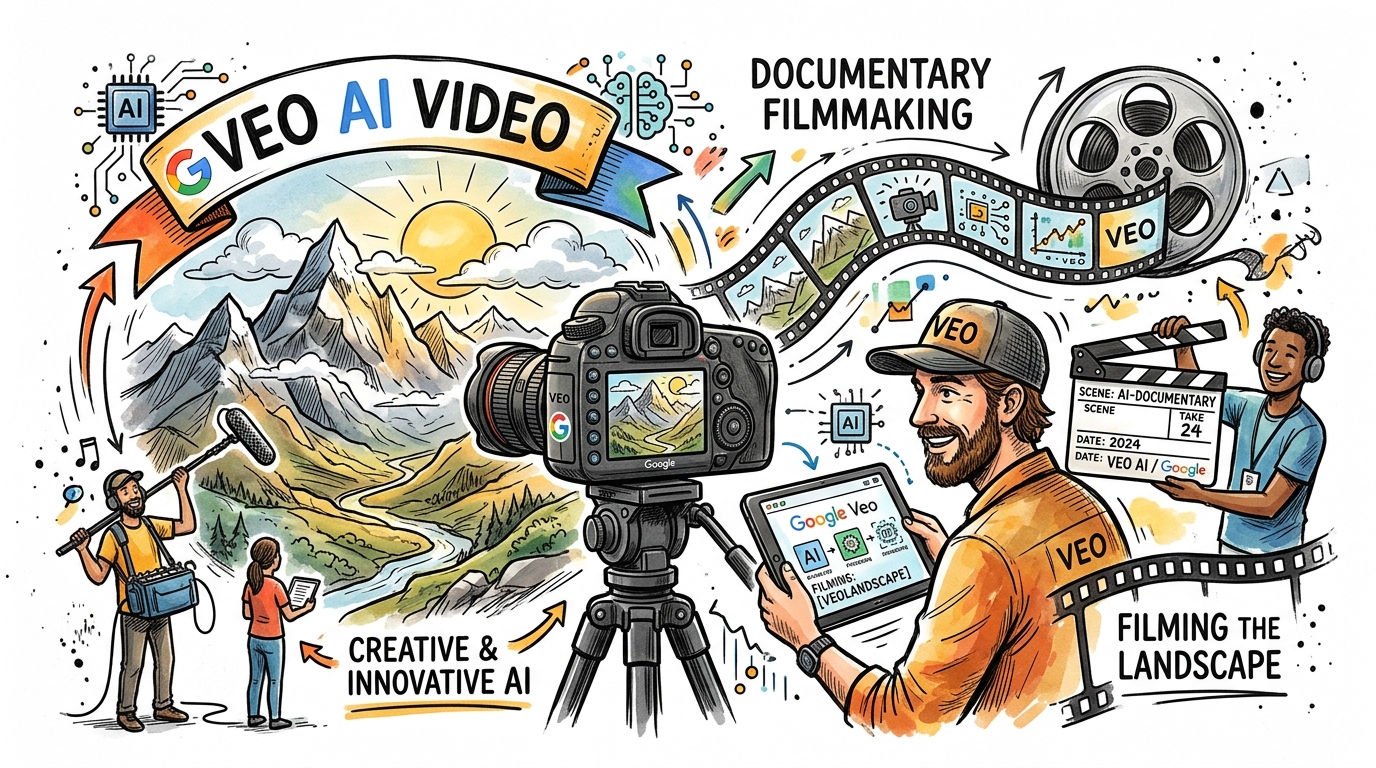
Documentary filmmaking has always demanded a unique combination of storytelling craft, technical skill, and access to compelling visuals. For independent filmmakers, journalists, and content creators, gathering authentic footage has historically been the most expensive and time-consuming part of the process. Veo 3, Google's most advanced AI video generation model, changes this equation entirely.
With Veo 3, you can generate photorealistic documentary-style footage — from sweeping aerial shots of remote landscapes to intimate handheld interview setups — without leaving your studio. This guide walks you through every stage of documentary production using Veo 3, from understanding the model's strengths to crafting prompts that produce cinematic-quality results and assembling a finished film.
Whether you're creating a short-form documentary for YouTube, a long-form investigative piece, or a branded documentary for a client, Veo 3 gives you a production toolkit that was unimaginable just a few years ago.
Why Veo 3 Is Built for Documentary Filmmaking
Not every AI video tool is suited for documentary work. Documentary content demands visual authenticity, tonal consistency, and the ability to convey a sense of real place and real people. Veo 3 delivers on all three fronts in ways earlier AI models could not.
Photorealistic Output Quality
Veo 3 generates footage at a level of visual fidelity that can pass as genuine documentary material. The model understands lighting conditions, environmental context, and human behavior in a way that produces footage with natural imperfections — the slight grain of a handheld camera, the natural glare of sunlight through a window, the uneven movement of a documentarian following their subject.
This matters for documentary work because the genre relies on believability. Viewers are attuned to what real documentary footage looks like, and Veo 3's output respects those conventions. Earlier AI video tools produced footage that felt artificial or overly polished — acceptable for branded content but unconvincing for documentary-style storytelling. Veo 3 breaks from that pattern.
Native Audio and Ambient Sound Generation
One of Veo 3's most significant advantages for documentary creators is its native audio generation capability. The model generates synchronized ambient sound — city noise, wind in trees, crowd murmur, construction sounds, rain on pavement — alongside the video. This eliminates one of the most tedious parts of documentary post-production: sourcing and syncing background audio.
For documentary work, ambient sound is not optional. It creates the immersive texture that makes audiences feel they are present in a location. A market scene without crowd noise, a forest without birdsong, a factory without machinery — these feel like watching silent footage. Veo 3 handles ambient audio generation automatically when prompted correctly, saving documentary creators hours of audio work per project.
Temporal Coherence and Scene Continuity
Documentary editing relies on B-roll footage that maintains visual consistency across cuts. Veo 3 produces temporally coherent clips — scenes that have a natural beginning, middle, and end without jarring visual glitches or subject discontinuity. This makes it far easier to assemble documentary sequences from multiple generated clips.
Prompt Responsiveness for Documentary Conventions
Veo 3 understands documentary filmmaking vocabulary deeply. Terms like "handheld camera," "observational documentary style," "cinema vérité," "rack focus on subject," "natural available light," and "intimate close-up" translate directly and accurately into the model's output. This allows documentary makers to use the same language they would use when briefing a professional cinematographer.
Step 1 — Define Your Documentary's Visual Language
Before generating a single clip with Veo 3, you need to establish your documentary's visual language. This is the consistent aesthetic and technical approach that will tie all your footage together across the final edit.
Choose Your Documentary Style
Different documentary styles have distinct visual signatures that you'll need to communicate consistently in your Veo 3 prompts:
Cinema Vérité / Observational: Handheld camera, natural lighting, no direct audience address, subjects moving freely in their environment. The camera follows the action rather than staging it.
Expository / Traditional: More controlled compositions, steady camera movements, deliberate pacing. Often used for historical, scientific, or educational documentaries.
Archival / Historical: Aged film grain, desaturated or sepia color tones, visible scratches and dust artifacts, aspect ratios suggesting older formats like 4:3 or Super 8mm film.
Intimate Interview Style: Close framing on the subject's face, shallow depth of field, warm practical lighting, subjects addressing an off-camera interviewer.
Environmental and Landscape Documentary: Wide establishing shots, sweeping aerial movements, dramatic natural light, large-scale geography emphasized.
Create a Visual Style Document Before Prompting
Before generating content in Veo 3, write down three to five consistent visual descriptors you'll apply across all your clips. For example, a documentary about urban life might use: "handheld, desaturated blue-gray tones, natural window light, tight framing, visible grain." Applying these consistently creates visual cohesion.
Step 2 — Crafting Documentary Prompts for Veo 3
Prompt engineering is the core skill for documentary work in Veo 3. The model responds to specific, detailed prompts that combine subject description, camera behavior, lighting conditions, and emotional tone.
The Documentary Prompt Formula
A strong Veo 3 documentary prompt typically follows this structure:
[Camera type and movement] + [Subject and action] + [Location and environment] + [Lighting condition] + [Visual style markers] + [Audio cues]
Real-World Prompt Examples for Documentary Footage
Observational Street Documentary:
Handheld cinema vérité camera follows an elderly street vendor arranging fruit on a wooden cart at dawn in a narrow urban alleyway, natural golden morning light filtering between tall buildings, slight camera shake, documentary style, ambient city sounds awakening, desaturated warm tones, shallow depth of field
Environmental Documentary — Landscape B-Roll:
Wide establishing aerial drone shot slowly pulling back over a dense rainforest canopy at golden hour, warm orange light casting long shadows over the treetops, faint wind sound through leaves, slight atmospheric haze, nature documentary cinematography style, Sony Venice camera aesthetic
Interview Setup — Subject in Natural Environment:
Medium close-up of a middle-aged woman scientist sitting at a cluttered laboratory desk, looking slightly off-camera left toward an unseen interviewer, natural window light from the right creating soft shadows, shallow depth of field with blurred lab equipment in background, observational documentary style, handheld with minimal movement, warm indoor lighting
Historical / Archival Look:
Super 8mm film aesthetic, slightly overexposed, warm sepia and orange tones, visible film grain and occasional dust artifacts, a cobblestone market street in a European city circa 1960s, people in period clothing browsing stalls, ambient crowd sounds, gentle camera movement suggesting handheld filming, authentic vintage documentary look
Industrial Documentary — Factory B-Roll:
Low-angle handheld shot tracking a factory worker in protective gear inspecting machinery along a production line, tungsten industrial lighting mixed with natural light from high windows, rhythmic mechanical sounds of machinery, slight motion blur on moving parts, documentary observational style, desaturated industrial tones
Wildlife Documentary Approach:
Long telephoto lens compression shot of a lone elephant moving slowly across a dry savanna at dusk, dramatic low golden light raking across the landscape, shallow depth of field, slow patient camera drift tracking the animal, ambient wind and distant animal calls, nature documentary BBC Earth style cinematography
Using Negative Prompts to Avoid Common Issues
Veo 3 allows you to specify what you don't want in your output. For documentary work, include negative guidance like:
- "no CGI artifacts, no unrealistic lighting, no motion blur artifacts"
- "no direct camera address, no staged poses"
- "no over-saturated colors, no cinematic color grading"
- "no visible AI generation artifacts"
Step 3 — Building Documentary Narrative Structure
Compelling documentary storytelling follows recognizable narrative patterns. Understanding these structures helps you plan your Veo 3 generation workflow strategically.
The Three-Act Documentary Structure
Even short-form documentaries benefit from a clear three-act structure:
Act 1 — World Establishment (25% of runtime): Introduce the setting, the central subject or issue, and the stakes. In Veo 3 terms, this means generating wide establishing shots, environmental context footage, and introductory B-roll that orients the viewer.
Act 2 — Deepening and Conflict (50% of runtime): Develop the story through specifics, reveal complexity, and create tension. This is where interview-style close-ups, observational footage of activity, and detailed B-roll carry the narrative.
Act 3 — Resolution and Reflection (25% of runtime): Arrive at a conclusion, shift perspective, or leave the viewer with a resonant final image. Veo 3's strength for this section is atmospheric wide shots that carry emotional weight — landscapes, empty spaces, or returning to the opening environment with new eyes.
Pacing Your Shot Generation
Plan your Veo 3 generation workflow to match your narrative arc:
- Opening shots: Generate 3-5 wide establishing clips that introduce the world of your documentary
- Subject introduction: Generate 2-3 observational medium shots of your central subject or environment in action
- Deep dive B-roll: Generate 8-12 thematic B-roll clips that illustrate key points from your narration or interview audio
- Emotional beats: Generate 2-4 atmospheric or intimate shots for emotional high points
- Closing images: Generate 2-3 reflective wide shots for your documentary's ending
Step 4 — Creating Authentic B-Roll with Veo 3
B-roll is the lifeblood of documentary filmmaking. It's the footage that plays over narration, over interview audio, over musical passages — the visual texture of your documentary world. Veo 3 excels at generating documentary B-roll because of its understanding of context and natural movement.
Types of Documentary B-Roll You Can Generate
Location Atmosphere B-Roll: Footage that establishes where your documentary takes place — streets, buildings, landscapes, interiors. These clips give the viewer a sense of place.
Example prompt for location B-roll:
Slow pan across a fishing village harbor at dawn, wooden boats gently rocking in calm water, nets hanging to dry, fishermen in the distance preparing equipment, soft morning mist, natural available light, cinema vérité documentary style, ambient water and seabird sounds
Process and Activity B-Roll: Footage showing people or systems in action — working, creating, navigating. This footage carries the "how" of your documentary subject.
Example prompt for activity B-roll:
Close-up handheld shot of weathered hands carefully repairing a traditional fishing net, natural side lighting from a nearby window highlighting the texture of the rope, slow deliberate movements, observational documentary framing, ambient workshop sounds
Transitional B-Roll: Brief clips used to bridge scenes or advance time — a clock face, a city waking up, seasons changing. Veo 3 generates these abstract, atmospheric clips particularly well.
Example prompt for transitional B-roll:
Time-lapse style shot of clouds moving over a city skyline from afternoon to evening, documentary observational style, natural light shifting, ambient city sounds fading, wide angle lens, cinematic but grounded
Reaction and Detail B-Roll: Tight shots of faces reacting, hands working, objects of significance. These clips add intimacy and help editors cover interview cuts.
Maintaining Consistency Across B-Roll Clips
The biggest challenge when assembling Veo 3-generated B-roll is maintaining visual consistency. Every clip you generate should include your established visual style descriptors. Create a prompt template with your core style elements and vary only the subject and action. This workflow ensures your B-roll cuts together seamlessly.
Step 5 — Interview-Style Footage and Voiceover Integration
Generating Interview-Style Footage in Veo 3
Even without real interview subjects, Veo 3 can generate convincing interview-style footage to serve as placeholder visuals or stylistic framing. More importantly, it generates listening and reaction footage that can be used around real interview audio.
Key prompt elements for interview-style footage:
- Specify the subject's positioning ("looking slightly off-camera left")
- Describe the background environment that establishes their world
- Use shallow depth of field to separate subject from background
- Include practical light sources (desk lamp, window light) for authenticity
- Add minimal camera movement to suggest a documentary camera operator
Example interview-style prompt:
Medium close-up of an older fisherman with weathered face seated outdoors against a backdrop of fishing boats in a harbor, looking slightly off-camera at an interviewer, natural afternoon side light, slight visible camera breathing movement, shallow depth of field, observational documentary style, ambient harbor sounds
Writing and Recording Narration/Voiceover
Narration is the backbone of many documentary formats. For Veo 3 documentary projects, your narration script drives the B-roll selection. Write narration first, then generate footage to illustrate each passage.
Narration writing principles for AI-assisted documentary:
- Write in present tense for immediacy
- Use specific, visual language — describe what you want viewers to see
- Leave breath room — narration that rushes doesn't allow visuals to land
- Plan for natural pauses where B-roll can breathe without narration
Once your narration script is written, map each paragraph to specific Veo 3 prompts that visually represent the content being described.
Step 6 — The Archival Look: Creating Historical Documentary Footage
One of Veo 3's most impressive capabilities for documentary makers is its ability to generate footage that convincingly resembles archival material from different historical periods.
Archival Prompt Techniques
16mm Film Aesthetic (1960s-1980s):
16mm film grain texture, slightly underexposed, natural color balance with slight magenta cast, subtle frame unsteadiness, documentary footage of a busy city intersection in the 1970s, pedestrians in period clothing, period vehicles, visible film splice artifacts, ambient street sounds, cinema vérité handheld style
Super 8mm Home Film Aesthetic:
Super 8mm film, warm overexposed tones, pronounced film grain, slight vignetting at edges, flickering frame rate, family at a summer gathering in a backyard circa 1968, casual spontaneous movement, no sound or quiet ambient audio, authentic home movie documentary feel
Early Broadcast Television Aesthetic:
1980s broadcast television quality, slightly washed-out colors, interlacing artifacts, news documentary style, reporter standing outside a government building, overcast natural light, slightly compressed video quality, ambient location sound, journalistic documentary framing
Black and White Documentary (Classic Style):
Black and white documentary photography aesthetic converted to film, high contrast, deep shadows, natural light from large windows, industrial workers in a factory during the 1950s, observational documentary style, ambient machinery sounds, grain texture of silver gelatin film
Integrating Generated Archival Footage with Real Historical Content
If your documentary combines real archival footage with Veo 3-generated material, match the visual properties of your generated footage to the real archival material you're working with. Analyze the grain structure, color temperature, and aspect ratio of your real archival clips and replicate those properties in your Veo 3 prompts.
Step 7 — Post-Production Workflow for Veo 3 Documentary Projects
Generating clips with Veo 3 is only the beginning. The post-production phase is where your documentary comes together as a cohesive narrative film.
Organizing Your Generated Footage
Before editing, organize all your Veo 3-generated clips by scene and function:
- Folder structure: Establishing shots / Interview coverage / B-roll thematic / Archival / Transitions / Closing
- Naming convention: Include the prompt keywords in the filename for easy identification
- Selects process: Review each clip and mark selects before beginning the edit
Color Grading for Documentary Consistency
Even with consistent Veo 3 prompts, individual clips may have slight color variations. A brief color grading pass ensures all clips share the same tonal language.
For observational documentaries, apply:
- Slight desaturation (reduce saturation by 10-20%)
- Lift the shadows slightly (avoid pure blacks)
- Gentle warmth or coolness depending on your documentary's emotional tone
- Consistent vignetting to draw focus to the center frame
For archival-style documentaries, enhance:
- Film grain overlay that matches across all clips
- Consistent color shift (warm for older periods, cooler for contemporary)
- Uniform aspect ratio (crop to 4:3 for authentic older format feel)
Audio Mixing for Documentary Projects
Veo 3 generates ambient audio with your clips, but documentary projects require careful audio layering:
- Narration/VO track: Sits highest in the mix at -6dB
- Interview audio: At -8 to -10dB, with room ambience underneath
- Music bed: Sits lowest at -18 to -24dB, ducks further under narration
- Ambient/Veo 3 generated audio: At -12 to -14dB as texture layer
- Sound effects: Specific sounds that punctuate moments at -10dB
The ambient audio generated by Veo 3 works well as your texture layer. Cross-fade it between clips to create smooth audio transitions.
Pacing and Rhythm in Documentary Editing
Documentary editing rhythm comes from varying clip lengths intentionally:
- Wide establishing shots: 4-8 seconds
- Medium observational shots: 3-5 seconds
- Close-up detail shots: 2-3 seconds
- Transitional atmospheric shots: 5-10 seconds
- Interview coverage shots: Match to audio content length
Avoid cutting too quickly in documentary work. Unlike commercial video, documentary respects the viewer's attention and allows scenes to breathe.
Step 8 — Advanced Veo 3 Documentary Techniques
Once you have the fundamentals, these advanced techniques will elevate your documentary work.
Sequential Shot Generation for Scene Construction
Rather than generating individual unrelated clips, plan sequences — groups of shots that tell a mini-story within your documentary. Generate:
- Establishing shot — Wide, shows the location
- Medium shot — Gets closer to the action
- Close-up — Reveals detail
- Reaction or result shot — Shows the consequence
Structuring your generation this way means your editing choices are built into the footage from the start.
Example sequence for a cooking documentary:
- Wide: Kitchen interior, person preparing at counter
- Medium: Hands chopping vegetables, deliberate movement
- Close-up: Knife detail on specific ingredient
- Result: Completed dish being plated
Simulating Camera Operator Presence
Great documentary footage feels like there's a skilled human behind the camera. Veo 3 can simulate this presence through specific prompt language:
- "slight camera breathing movement" — mimics a camera operator's natural body movement
- "rack focus from foreground to background subject" — creates the feel of a deliberate focus pull
- "camera operator anticipates subject movement" — generates footage where the framing responds to action
- "documentary camera repositioning" — suggests the camera moving to improve its angle during a scene
Using Veo 3 for Documentary Cutaways and Inserts
Cutaways (shots that cut away from the main action) and inserts (tight shots of specific objects or details) are essential documentary tools. Veo 3 generates these highly specific shots particularly well because they require less temporal coherence than longer narrative sequences.
Example cutaway prompts:
- "Extreme close-up of a cracked smartphone screen, natural light, documentary detail shot"
- "Insert shot of hands turning the pages of an old notebook, shallow depth of field, warm light"
- "Detail cutaway of a factory machine part in motion, slight motion blur, industrial documentary style"
Common Mistakes to Avoid When Making Documentary Videos with Veo 3
Even experienced filmmakers make specific mistakes when transitioning to AI-assisted documentary production with Veo 3. These are the most common pitfalls and how to avoid them.
Over-generating without a plan: Generating dozens of clips without a narrative structure leads to an uneditable library. Always write your documentary outline first, then generate footage to fill specific needs.
Ignoring visual consistency: Using different style descriptors across different clips destroys the cohesive visual language that makes a documentary feel unified. Build a prompt template and stick to it.
Neglecting audio: Veo 3's ambient audio is a major asset. Don't strip it out immediately — evaluate it first. Much of it will be usable and saves significant post-production time.
Over-polishing the footage: Documentary audiences trust rough edges. Applying too much color grading, too much stabilization, or too many visual effects can strip out the authenticity that Veo 3 worked hard to generate.
Not planning for transitions: Generate transitional B-roll clips deliberately. The spaces between major documentary scenes are just as important as the scenes themselves.
Practical Documentary Project Example: A Veo 3 Mini-Documentary Framework
Here's a practical framework for a 5-minute documentary short using Veo 3, organized by scene:
Opening (0:00-0:45) — 4-5 generated clips: Wide establishing shots of your documentary's world, no narration yet, let the visuals breathe with ambient audio.
Introduction (0:45-1:30) — 3-4 clips + narration: Observational footage introducing the central subject or question. Narration introduces the theme.
Development Section 1 (1:30-2:30) — 5-6 clips + narration: Detailed B-roll illustrating the first major aspect of your story. Mix wide shots and close-up details.
Development Section 2 (2:30-3:30) — 5-6 clips + interview-style footage: Deeper investigation. Include interview-style framing for personal perspective.
Climax or Revelation (3:30-4:15) — 3-4 clips: The emotional or informational peak of your documentary. Use stronger close-ups and atmospheric shots.
Closing (4:15-5:00) — 3-4 clips: Return to wide shots from the opening. Reflective tone. Allow the final image to hold.
Total Veo 3 clips needed: approximately 23-29 clips for a 5-minute documentary.
Frequently Asked Questions About Documentary Videos with Veo 3
Q: Can Veo 3 generate footage featuring real specific people for documentary use?
A: Veo 3 does not generate images of real specific individuals to protect privacy and prevent misuse. For documentary work involving real people, you'll need to film interview subjects yourself. However, Veo 3 excels at generating all the B-roll, establishing shots, atmospheric footage, and observational sequences that surround those interviews. Most documentary runtime is B-roll, so Veo 3 can handle a substantial portion of your production even when real interview footage is required.
Q: How do I maintain visual consistency across many generated clips in a Veo 3 documentary project?
A: Create a master prompt template with your core visual style descriptors — camera type, lighting conditions, color tone, grain characteristics, and mood language. Add this template as a consistent prefix to every clip prompt you write. The more consistently you apply these descriptors across your generation session, the more cohesive your final footage library will be. Minor variations between clips can be further harmonized in color grading during post-production.
Q: What documentary genres work best with Veo 3 AI video generation?
A: Environmental and nature documentaries, historical documentaries, social observational documentaries, and travel documentaries all work exceptionally well with Veo 3 because they rely heavily on atmospheric B-roll and location footage rather than specific individual subjects. Investigative documentaries that require footage of specific real events or named individuals are more challenging — Veo 3 works best as a supplementary B-roll tool in those cases. Branded documentaries and corporate documentary content are also an excellent use case since the subjects and messages can be fully designed around what Veo 3 generates well.
Q: How long does it take to produce a short documentary with Veo 3?
A: A 3-5 minute documentary short using Veo 3 for all B-roll and atmospheric footage typically takes 1-2 days for a solo creator. This breaks down to: 2-3 hours for scripting and prompt planning, 3-5 hours for generation (including reviewing and regenerating clips that don't meet quality standards), 2-4 hours for assembly editing and audio work, and 1-2 hours for color grading and final export. Compare this to traditional documentary production, which might require weeks of location shooting to gather equivalent footage.
Q: Does footage generated by Veo 3 need to be disclosed as AI-generated in documentary contexts?
A: Disclosure standards for AI-generated content in documentary filmmaking are still evolving in 2026. The ethical consensus in the documentary community is leaning toward transparency, particularly for footage representing real events or real places. Many filmmakers using Veo 3 for documentary work include a brief production disclosure noting that certain footage was generated using AI tools. This is especially important in journalistic documentary contexts where the authenticity of footage is part of the documentary's claim to truth.
Conclusion
Veo 3 represents a genuine shift in what's possible for documentary filmmakers working independently or with small teams. The model's photorealistic output quality, native audio generation, and deep understanding of documentary cinematography conventions make it a practical production tool rather than a novelty.
The most important principle for documentary work with Veo 3 is to let the technology serve the story, not the other way around. The techniques in this guide — establishing a consistent visual language, crafting specific prompts, planning your narrative arc before generating footage, maintaining audio quality through the mix — are all in service of creating a documentary that moves, informs, or challenges its audience.
Start with a small project: a 2-3 minute documentary short on a subject you know well. Use Veo 3 to generate all your B-roll and atmospheric footage. Edit it together with narration you record yourself. Watch the result. You'll quickly discover which Veo 3 capabilities align best with your particular documentary style, and you'll develop a personal prompting vocabulary that you can refine across future projects.
The democratization of documentary production through tools like Veo 3 means that compelling, visually sophisticated documentary storytelling is no longer limited to those with large production budgets. The barrier is craft and storytelling intelligence — exactly the skills that define great documentary filmmaking regardless of the tools used to produce it.
Start generating. Your documentary audience is waiting.
Related Articles
Continue with more blog posts in the same locale.
How to Make Sports Highlight Videos with Veo 3 AI (2026)
Create stunning sports highlight videos with Veo 3 AI. Generate dynamic action shots, slow-motion sequences, and dramatic replays using AI prompts.
Read article
How to Make a Short Film with Veo 3 AI (2026 Guide)
Learn how to create professional short films using Veo 3 AI. Step-by-step guide with prompts, workflow tips, and cinematic techniques.
Read article
Veo 3 Cinematic Lighting Prompts: 20 Copy-Paste Prompts for Film-Quality AI Videos (2026)
Create film-quality AI videos with Google Veo 3 using these 20 cinematic lighting prompts. From golden hour to neon noir — master every lighting style.
Read article