
How to Make Sports Highlight Videos with Veo 3 AI (2026)
Create stunning sports highlight videos with Veo 3 AI. Generate dynamic action shots, slow-motion sequences, and dramatic replays using AI prompts.
Emma Chen · 24 min read · Jul 27, 2026
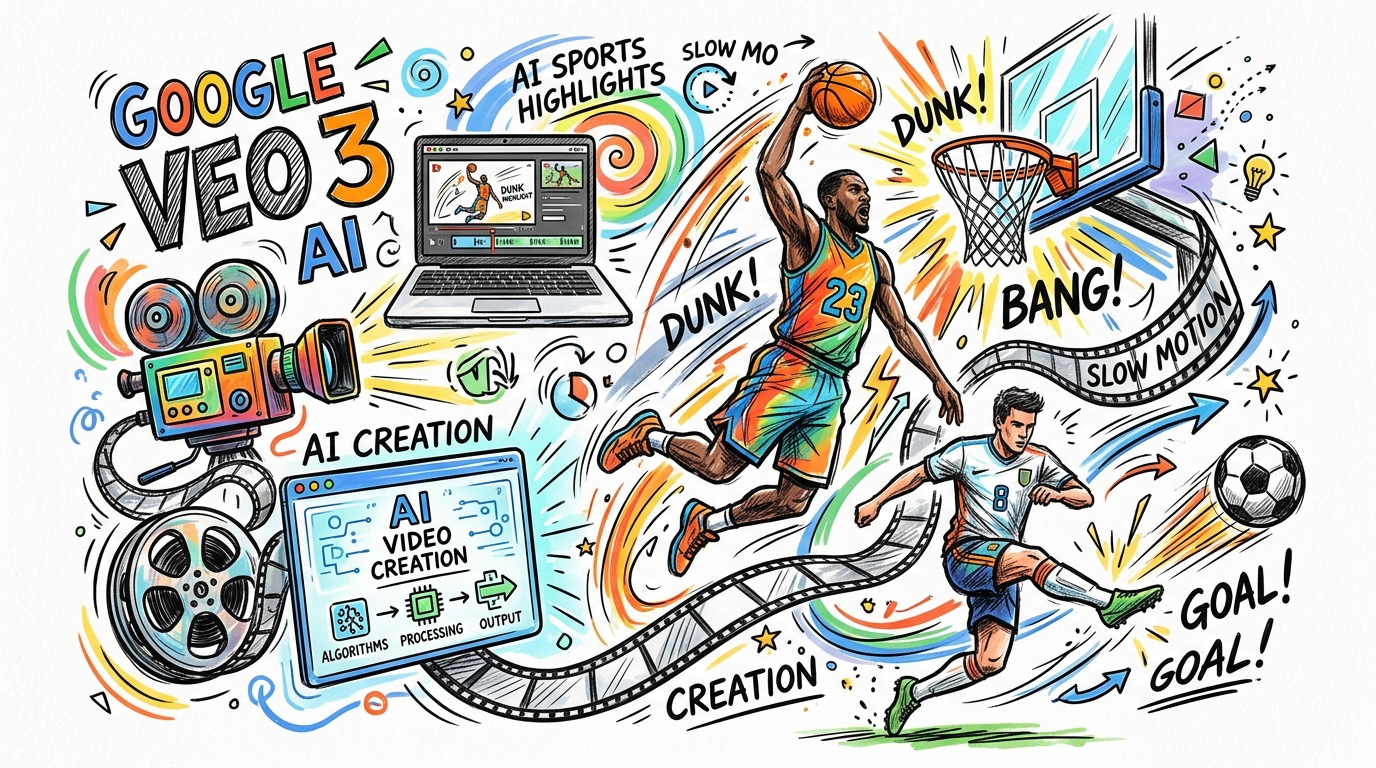
Sports highlight videos are some of the most watched content on the internet. Whether you are a content creator covering basketball, soccer, running, or extreme sports, getting the perfect footage has historically meant hiring camera crews, securing venue access, and spending hours in post-production. Veo 3 AI changes everything. With Google's most advanced video generation model, you can now create professional-grade sports highlight videos, cinematic action sequences, and dramatic slow-motion replays entirely through AI prompts.
This guide walks you through everything you need to know to generate stunning sports content with Veo 3. We cover the right prompts to use for specific sports, camera angle techniques, crowd scene generation, and a complete editing workflow that produces broadcast-quality results.
Why Veo 3 Excels at Sports Content
Not every AI video model handles fast motion well. Quick lateral movements, ball physics, athlete biomechanics, and the complex interplay of crowd and action are notoriously difficult for generative models to render convincingly. Veo 3 sets itself apart in several key ways that make it uniquely suited to sports highlight creation.
Motion coherence at high speeds is a defining strength. Earlier generative video models struggled with subjects moving quickly across a frame. Limbs would distort, objects would smear, and temporal consistency would break down within seconds. Veo 3 has internalized how athletes actually move. A sprinter stride, a basketball player jump shot, a soccer player bicycle kick — these are rendered with biomechanically accurate motion that holds up over multiple seconds of generated footage.
Physics-aware environment rendering gives Veo 3 generated sports scenes their sense of authenticity. Sports happen in complex environments: stadiums with specific lighting conditions, outdoor tracks with weather variability, indoor arenas with crowd reflections on polished floors. Veo 3 understands spatial context and maintains consistent environmental rendering throughout a clip. Stadium lights stay fixed. Grass textures remain stable. The ball arc follows plausible physics even in generated footage.
Cinematic camera control sets Veo 3 apart for sports content creators specifically. You can prompt for a tracking shot following an athlete, a low-angle ground-level view as a runner passes, or a dramatic slow-motion zoom into a game-winning moment. These are camera techniques that cost tens of thousands of dollars to execute in real production, now accessible through a single descriptive sentence in your Veo 3 prompt.
Audio-visual synchronization means your sports clips come with crowd noise, ball impact sounds, and environmental audio already matched to the on-screen action. For highlight reels, this is invaluable. The satisfying crack of a basketball hitting the rim, the roar of a crowd as a goal scores, the rhythm of a sprinter footfalls on a track — Veo 3 generates all of this automatically alongside the video.
Consistent visual style across generations matters enormously when building a multi-clip highlight reel. Veo 3 allows you to carry forward style descriptions across prompts, maintaining the same cinematic look, color grading aesthetic, and lighting character across all your generated clips. This makes assembling a cohesive highlight package far easier than mixing footage from different sources.
Setting Up Your Veo 3 Sports Highlight Workflow
Before diving into specific prompts, it helps to establish a structured workflow. Sports highlight videos typically follow a narrative arc consisting of build-up, peak action, dramatic moment, and aftermath. Your Veo 3 generation sessions should mirror this structure.
Plan Your Highlight Sequence
Start by mapping out the clips you need. A standard 60 to 90 second highlight video for social media typically requires:
- One to two establishing shots covering the stadium, venue, or pre-game atmosphere
- Three to five action sequences showing key plays, moments of skill, and athletic achievement
- One to two close-up reaction shots of athlete celebration or crowd response
- One dramatic slow-motion moment capturing the decisive point, winning goal, or finish line crossing
With this structure in mind, you can generate each segment separately with Veo 3, then assemble them in your editing software of choice.
Understand Veo 3 Prompt Language for Sports
Veo 3 responds well to prompts that combine four elements: subject description, action description, camera specification, and environment or atmosphere. For sports content, a well-structured prompt follows this pattern: subject and appearance performing the action, then camera type and movement, then environment with atmosphere and lighting details.
Here is a concrete example for a basketball dunk scene: A professional basketball player in a red jersey drives to the basket, leaping for a powerful one-handed dunk — slow motion tracking shot at rim level — packed indoor arena with dramatic overhead lighting: crowd erupting, player jersey number visible, sweat catching stadium lights, hardwood court gleaming below.
This prompt structure gives Veo 3 all the context it needs to generate visually coherent, emotionally resonant sports footage.
Iteration and Refinement Strategy
Veo 3 may not produce the perfect clip on the first attempt. For sports content specifically, plan on generating two to three variations of each key clip. Effective variation techniques include adjusting the camera description to change perspective between aerial, ground level, broadcast-style, and first-person views. You can also modify the athlete position or movement phase at the start of the clip, add or remove environmental elements like crowd density or weather effects, and shift the timing focus to an earlier or later phase of the athletic movement.
Keep your best clip from each batch. Over time you will develop intuition for which prompt variations reliably produce the results you want for specific sports and camera setups.
Basketball: Prompt Templates and Techniques
Basketball is one of the sports that Veo 3 handles particularly well. The combination of fast lateral movement, vertical jump physics, and the distinctive visual language of indoor arenas gives Veo 3 a rich set of reference patterns to draw from.
Dunks and High-Flying Plays
Use this template for explosive plays: A tall athletic basketball player in a white home jersey explosively drives through two defenders, rises above the rim, and thunders down a two-handed dunk — dramatic low-angle upward shot tracking the jump from court level — packed NBA-style arena with bright overhead spotlights: crowd noise rising, sneakers squeaking on polished hardwood, ball slamming through the net with force.
For better basketball prompts, specify jersey colors to create visual contrast with the opposing team. Mention court type such as polished hardwood or outdoor blacktop for environmental consistency. Pair slow motion with a specific moment such as the apex of the jump or the ball leaving the hand for maximum dramatic effect. Add specific crowd descriptions for believable atmosphere.
Three-Point Shots and Clutch Moments
For perimeter scoring plays: A guard in a dark blue away jersey catches a pass at the corner three-point line, plants his feet in perfect shooting form, and releases a high-arcing jump shot — medium handheld broadcast-style shot following the ball arc toward the basket — sold-out arena under bright arena lighting: defender closing out too late, crowd leaning in anticipation, ball dropping cleanly through the net.
Fast Breaks and Transition Plays
For up-tempo transition moments: Two players in yellow jerseys sprint ahead on a two-on-one fast break, the ball handler making a no-look bounce pass to the cutter for an easy layup — wide tracking shot running alongside the play at full speed — arena in the second quarter: players breathing hard, sneakers pounding the hardwood, the pass arriving at perfect timing as the crowd reacts.
earlier or later phase of the athletic movement. Keep the best clip from each batch and discard the rest. Over time you will develop intuition for which prompt variations reliably produce the results you want for specific sports and camera setups.
Basketball: Prompt Templates for Explosive Court Action
Basketball is one of the sports that Veo 3 handles particularly well, thanks to the combination of fast lateral movement, vertical jump physics, and the distinctive visual language of indoor arenas.
Dunks and High-Flying Plays
For explosive plays near the basket, try this template: A tall athletic basketball player in a white home jersey explosively drives through two defenders, rises above the rim, and thunders down a two-handed dunk — dramatic low-angle upward shot tracking the jump from court level — packed NBA-style arena with bright overhead spotlights: crowd noise rising, sneakers squeaking on polished hardwood, ball slamming through the net with force.
Key tips for basketball dunk prompts:
- Specify jersey colors to create visual contrast between teams
- Mention court surface type for environmental consistency
- Pair slow motion with a specific movement moment for maximum drama
- Add crowd density descriptions to make the atmosphere feel real
Three-Point Shots and Clutch Moments
For perimeter scoring plays: A guard in a dark blue away jersey catches a pass at the corner three-point line, plants his feet in perfect shooting form, and releases a high-arcing jump shot — medium handheld broadcast-style shot following the ball arc toward the basket — sold-out arena under bright arena lighting: defender closing out too late, crowd leaning in anticipation, ball dropping cleanly through the net.
Fast Breaks and Transition Play
For up-tempo sequences: Two players in yellow jerseys sprint ahead on a two-on-one fast break, the ball handler making a no-look bounce pass to the cutter for a layup — wide tracking shot running alongside the play at full speed — indoor arena in the second quarter with engaged crowd: players breathing hard, sneakers pounding the hardwood, the pass arriving at perfect timing to finish.
Soccer: Generating World-Class Football Moments
Soccer presents unique challenges and opportunities for Veo 3. The large open pitch, variable weather conditions, and the drama of set pieces and goal celebrations are areas where Veo 3 produces spectacular results.
Goals and Scoring Moments
The goal moment is the emotional peak of any soccer highlight. Here is an effective prompt template: A striker in a red and white jersey receives a through ball just inside the penalty area, takes one touch to control, and rifles a low shot into the bottom corner — cinematic slow-motion side-on camera shot following the ball trajectory — packed stadium under floodlights at night: goalkeeper diving too late, net rippling as the ball hits, crowd exploding in celebration behind the goal.
For aerial goals: A tall center forward rises above two defenders at the back post, meeting a cross perfectly and heading the ball downward into the net — dramatic aerial camera shot swooping down to follow the header — rainy night match under glowing stadium floodlights: water spraying from players hair on impact, grass glistening with moisture, goalkeeper unable to reach the ball.
Free Kicks and Set Pieces
Set pieces have an inherent cinematic quality that Veo 3 captures beautifully. A midfielder in a yellow jersey stands over a direct free kick twenty-five yards from goal, takes a measured run-up, and bends the ball perfectly over the defensive wall and into the top corner — slow-motion broadcast camera shooting through the defensive wall — tense stadium atmosphere with sixty thousand fans in silence before the kick, then erupting as the ball finds the net.
Goalkeeper Saves and Defensive Heroics
Great saves are as highlight-worthy as goals: A goalkeeper in a green jersey and gloves flings himself full length to his right, fingertips barely getting to a powerful shot and diverting it around the post — ultra slow-motion tracking shot from behind the goal — night match under intense floodlights: crowd gasping, the goalkeeper body fully extended parallel to the ground, mud and grass spattering as he lands and slides.
Running and Athletics: Capturing Speed and Endurance
Track and field events offer Veo 3 some of its most visually compelling sports content opportunities. The combination of pure speed, athletic form, and competitive drama makes for powerful highlight material.
Sprint Finishes
The sprint finish is one of sport most dramatic moments: Eight athletes in competition kit burst forward simultaneously, driving with explosive leg power — low ground-level tracking shot running alongside the athletes from the inside lane — outdoor Olympic-style stadium with full grandstand crowd: athletes muscles visibly straining, arms pumping in perfect rhythm, photo-finish tension building as they approach the tape in the final meters.
For the decisive finish moment itself: Two sprinters hit the finish line simultaneously, torsos leaning forward at maximum effort — ultra slow-motion front-on camera shooting from just past the finish line — late afternoon golden light with packed stadium behind them: crowd on feet, both athletes expressions showing maximum exertion, timing board visible overhead.
Marathon and Long-Distance Racing
Long-distance events offer different visual possibilities: A lone marathon runner in bright orange kit runs through a city course, surrounded by crowds lining both sides of the street — smooth tracking drone shot from slightly above and ahead — sunny race day atmosphere with cheering spectators and race banners: runner expression showing focused determination, footsteps rhythmic and controlled, city skyline visible in the background.
High Jump and Field Events
Vertical disciplines create naturally cinematic content: A high jumper in a national team kit approaches the bar with a curved run, plants her lead foot, arches her back over the Fosbury flop position, and clears the bar cleanly — dramatic slow-motion side-on tracking shot — outdoor athletics stadium on a clear evening: bar wobbling slightly after the athlete clears, landing mat visible below, crowd rising in anticipation as the jump unfolds.
Extreme Sports: Action, Adrenaline, and Cinematic Energy
Extreme sports are ideal territory for Veo 3 because they combine athletic skill with visually striking environments and inherently dramatic stakes. The wide range of extreme sports also provides excellent variety for highlight packages.
Skateboarding and Street Sports
Urban skateboarding has a distinctive visual culture that Veo 3 captures well: A skateboarder in a graphic tee and baggy pants approaches a large concrete stairset, pops a perfectly executed kickflip over the entire set, and rolls away clean — dynamic low-angle tracking shot following the skater from the side — urban outdoor skate spot with golden hour sunlight: board flip visible in slow motion at the apex, concrete textures sharp, city background slightly blurred.
For vert skating: A skateboarder launches out of a halfpipe into a massive aerial, grabs the board with one hand, and rotates 540 degrees before coming back down into the pipe — wide side-on shot with the sky visible behind the athlete — outdoor skate competition with crowd around the halfpipe: crowd cheering at maximum height, competitor expression showing controlled concentration, sun directly behind creating dramatic rim lighting.
Snowboarding and Winter Action
Snow sports create beautiful visual contrasts: A snowboarder in bright red gear drops into a steep mountain halfpipe, launches massive airs on each wall, and pulls off a perfectly executed double cork rotation — cinematic tracking drone shot following the halfpipe run — sunny winter day with deep blue sky: snow spraying from the board on each landing, mountains visible in the distance, crowd positioned along the halfpipe top visible.
For backcountry snowboarding: A snowboarder in powder-specific gear drops off a cliff into waist-deep powder snow, carving massive arcs down a steep untouched slope — drone shot flying alongside and slightly above — perfect bluebird day in a remote mountain range: enormous powder plumes erupting with each turn, mountains stretching to the horizon, complete wilderness silence except for the board cutting through snow.
Rock Climbing and Bouldering
Climbing creates unique visual drama through verticality: A rock climber in climbing shoes and chalk-dusted hands makes a dynamic dyno move between holds on a steep overhang, catching the upper hold perfectly and locking off — dramatic slow-motion upward-facing camera from below the overhang — indoor competition bouldering wall with crowd watching: chalk dust visible in the air, camera catching the precise moment of hand contact with the hold, competitor expression of total focus.
Advanced Camera Techniques for Sports Highlights
The camera specification in your Veo 3 prompts is one of the most powerful levers you have for creating cinematic sports content. Here are the most effective camera approaches and how to describe them.
Slow-Motion Techniques
Slow motion transforms ordinary athletic movement into something cinematic. The key is specifying not just the speed but also which moment should be highlighted in slow motion. Effective descriptions include: ultra slow-motion capture showing the exact moment of ball contact, 240fps-style slow motion revealing the muscle definition of the jump, cinematic slow-motion zoom into the athlete face at the moment of victory, and slow-motion spray of water or sweat particles at the point of athletic impact.
The most effective slow-motion sports clips in Veo 3 focus on a single decisive moment rather than a long sequence. A three-second slow-motion clip of a basketball leaving a player hand at the peak of a jump shot will be more visually compelling than a fifteen-second slow-motion sequence of the entire shooting motion.
Tracking Shots and Dynamic Camera Movement
Tracking shots that follow athlete movement create a sense of speed and presence that static cameras cannot replicate. Useful camera descriptions for Veo 3 include: handheld tracking shot running alongside the sprinter at full speed, smooth Steadicam-style follow shot moving through a crowd of players, drone shot accelerating to keep pace with the cyclist on a descent, and low ground-level dolly shot tracking the soccer ball across the pitch.
Broadcast and Television-Style Camera Work
Broadcast-style camera work signals professionalism and authority to viewers who associate this look with major televised sports coverage. Describe this style with terms like: broadcast-standard medium shot from elevated camera platform, multi-camera broadcast setup with close cut to the decisive moment, television-style zoom from wide establishing shot to tight close-up of the action, and stadium broadcast camera angle showing the full play development before zooming to the finish.
First-Person and Immersive Perspectives
First-person perspectives create visceral engagement with sports action: helmet-mounted camera perspective of a downhill skier navigating gates at high speed, athlete-eye view looking up at the basketball rim for a free throw, cyclist point-of-view perspective approaching a steep descent, and over-the-shoulder perspective showing a quarterback scanning the field before throwing.
Crowd Scenes and Atmosphere Generation
The difference between a generic sports clip and a compelling highlight is often the crowd. Veo 3's crowd generation capabilities are sophisticated enough to create believable stadium atmospheres that match the intensity of the athletic action.
Describing Crowd Reactions Effectively
The most effective crowd descriptions in Veo 3 prompts connect the crowd reaction directly to the athletic moment being shown. Rather than simply writing a crowd cheering in the background, specify the type and intensity of the reaction: sixty thousand fans simultaneously rising to their feet as the ball crosses the goal line, crowd holding collective breath in silence as the free throw attempts goes up, stadium erupting in synchronous celebration with arms raised and noise visible in the crowd movement.
Crowd density descriptions also matter significantly. A sold-out arena of eighty thousand people creates a different visual atmosphere than a half-filled mid-week venue. Be specific about crowd size and energy level to match the stakes of the moment you are depicting.
Establishing Shots for Stadium Atmosphere
Establishing shots set the stage for your highlight package and give viewers the visual context that makes the action sequences more meaningful. Effective Veo 3 establishing shot prompts include: aerial drone shot of a packed outdoor stadium at night with field lights blazing and full crowd visible, wide establishing shot of an indoor basketball arena from above showing the full court with pre-game warmups in progress, and golden hour exterior shot of a major stadium with crowds streaming in through the main gates.
Editing Workflow for Veo 3 Sports Highlights
Generating the clips is only half the process. The editing workflow that turns your Veo 3 generated footage into a polished highlight package matters just as much as the quality of individual clips.
Organizing Your Generated Clips
Before editing, organize all generated clips into a clear folder structure. Create separate folders for establishing shots, action sequences, reaction shots, and slow-motion moments. Name each clip descriptively based on the sport, moment type, and camera angle so you can find specific clips quickly during the edit.
Rate each clip on a simple three-point scale: clips you will definitely use, clips that might work as backup, and clips to discard. Being ruthless at this stage makes the assembly edit much faster.
Structuring the Narrative Arc
The most effective sports highlight videos follow a clear narrative structure even when they do not follow any real game chronology. Open with an establishing shot that sets the venue and atmosphere. Build with two to three action sequences that escalate in intensity. Deliver the emotional peak with your strongest clip, ideally the most dramatic slow-motion moment. Close with a reaction shot or a wide shot that provides resolution.
Music selection should be done before the final assembly edit because music tempo and energy level will determine how you pace the cuts between clips. A fast-tempo track calls for rapid cuts on beat, while a cinematic orchestral score allows longer holds on individual clips.
Pacing and Cut Timing
Sports highlight videos work best when the editing rhythm matches the energy of the sport being shown. Basketball and soccer highlights typically use rapid cuts with an average of two to three seconds per clip. Running and swimming highlights can sustain longer holds of four to six seconds because the continuous motion within each clip maintains visual interest. Slow-motion moments should be held longer — six to ten seconds — to give viewers time to absorb the detail.
Avoid cutting mid-motion unless you are intentionally using the cut for stylistic effect. The most natural cut points in sports footage are at the completion of a discrete action: after the ball enters the net, after the athlete lands from a jump, after the finish line is crossed.
Adding Text and Graphics
Simple text overlays significantly increase the informational value of sports highlight videos. Consider adding sports-appropriate lower thirds that identify the type of play or athletic feat being shown. For social media content, adding captions that describe what viewers are seeing helps maintain engagement from viewers watching without sound.
Practical Tips for Better Veo 3 Sports Results
Based on systematic testing with Veo 3 for sports content creation, here are the most impactful practical tips that improve output quality consistently.
Be specific about the sport and level of play. A professional level basketball game in a major arena will generate different results than a pickup game at an outdoor court. Being explicit about the competitive level, venue quality, and athlete professionalism helps Veo 3 calibrate the appropriate visual quality and production value.
Describe athlete physical characteristics clearly. Rather than writing a basketball player, write a six-foot-six athletic forward with a muscular build. The more specific you are about physical appearance, the more consistent Veo 3 will be in maintaining the athlete appearance across multiple clips in the same highlight package.
Ground environmental descriptions in specific times and conditions. An evening match under stadium floodlights gives Veo 3 dramatically more context than just an outdoor soccer game. Golden hour lighting, overcast morning conditions, rainy night matches, and clear afternoon skies all generate distinctly different visual aesthetics. Choose the lighting conditions that serve your creative vision and be consistent across all clips in your highlight package.
Use sport-specific vocabulary. Terms that are specific to each sport — the lane in basketball, the penalty area in soccer, the infield in baseball — trigger more accurate and contextually appropriate visual generation in Veo 3. Using the correct technical vocabulary of each sport signals to the model that you understand the sport and want accurate representation.
Request specific equipment details. Describing the basketball as an orange rubber ball is less effective than describing it as a regulation basketball. Similarly, a carbon fiber road bicycle, a graphite tennis racket, and a leather soccer ball all trigger more accurate equipment representation than generic descriptions.
Frequently Asked Questions About Veo 3 Sports Video Generation
Q: Does Veo 3 handle all sports equally well?
Veo 3 performs best with sports that have strong visual representation in its training data. Basketball, soccer, running, and skateboarding tend to produce highly realistic results because these sports are heavily represented in online video content. Very niche or unusual sports may require more detailed prompting to get specific movements and equipment right. For any sport, detailed prompts that specify the exact movement phase, equipment appearance, and venue type will always outperform vague prompts.
Q: Can I generate specific famous athletes or official team uniforms with Veo 3?
Veo 3 intentionally avoids generating realistic depictions of specific named athletes or trademarked team logos and uniforms. Instead, describe athletic archetypes using physical characteristics, position, and generic color schemes. A tall athletic player in a red and white jersey playing for a home team will generate credible sports footage without running into intellectual property limitations. This approach also gives you creative freedom to build consistent athlete characters across multiple clips.
Q: How long can Veo 3 generate sports clips?
Veo 3 generates clips in set durations typically ranging from five to eight seconds depending on the access tier and platform you are using. For most sports highlights, this is sufficient to capture a single complete action — a dunk, a goal, a sprint finish. For longer sequences, generate multiple clips and assemble them in editing. Planning your highlight structure before generation ensures you request the right number of clips to cover your full narrative arc.
Q: What is the best way to maintain visual consistency across multiple Veo 3 clips?
Consistency comes from using the same descriptive language for recurring elements across all your prompts in a session. Keep the athlete appearance description identical across every prompt that features the same athlete. Use the same venue and lighting description for all clips that should appear to take place in the same location. Reuse specific phrases that describe your target visual aesthetic — cinematic, broadcast-quality, slow-motion, golden hour — in every prompt to maintain a coherent visual tone.
Q: How does Veo 3 compare to other AI video generators for sports content?
Veo 3 leads the field specifically because of its combination of motion realism, physics accuracy, and camera control capabilities. For sports content where fast movement, accurate physics, and professional camera work are all required simultaneously, Veo 3 delivers results that other models struggle to match. The audio generation capability is also a significant differentiator — getting synchronized crowd noise and impact sounds automatically saves significant post-production work.
Conclusion: The Future of Sports Content Creation with Veo 3
Veo 3 represents a genuine shift in what is possible for sports content creators. Tasks that previously required teams of camera operators, location permits, expensive equipment, and days of post-production can now be accomplished by a single creator with a well-crafted prompt and a clear creative vision.
The key to getting the most from Veo 3 for sports highlights is specificity and structure. Describe your athletes with physical clarity, specify your camera angles with precision, ground your action in real sporting moments, and give your environment the detail it needs to feel authentic. Follow the structured workflow outlined in this guide — plan your sequence, generate systematically, review and select, assemble with intention — and you will consistently produce highlight content that connects with sports audiences.
Sports highlights work because they capture moments of peak human performance and let audiences experience the emotion of those moments on demand. Veo 3 does not replace that emotional truth — it makes it accessible in new ways, for new stories, for creators who previously had no path to professional sports footage. Whether you are building an audience around a specific sport, creating content for a sports brand, or exploring the creative possibilities of AI sports video generation, Veo 3 is the most capable tool available today.
Start with the prompt templates in this guide, run your first generation sessions with Veo 3, and iterate toward the specific visual style that works for your sports content goals. The results will exceed your expectations.
Related Articles
Continue with more blog posts in the same locale.
How to Make a Short Film with Veo 3 AI (2026 Guide)
Learn how to create professional short films using Veo 3 AI. Step-by-step guide with prompts, workflow tips, and cinematic techniques.
Read article
How to Make Documentary Videos with Veo 3 AI (2026 Guide)
Create compelling documentary videos with Veo 3 AI. Learn prompting techniques, narrative structure, realistic footage generation, and post-production tips.
Read article
Veo 3 Cinematic Lighting Prompts: 20 Copy-Paste Prompts for Film-Quality AI Videos (2026)
Create film-quality AI videos with Google Veo 3 using these 20 cinematic lighting prompts. From golden hour to neon noir — master every lighting style.
Read article