
Veo 3 Cinematic Lighting Prompts: 20 Copy-Paste Prompts for Film-Quality AI Videos (2026)
Create film-quality AI videos with Google Veo 3 using these 20 cinematic lighting prompts. From golden hour to neon noir — master every lighting style.
Emma Chen · 15 min read · Jul 26, 2026
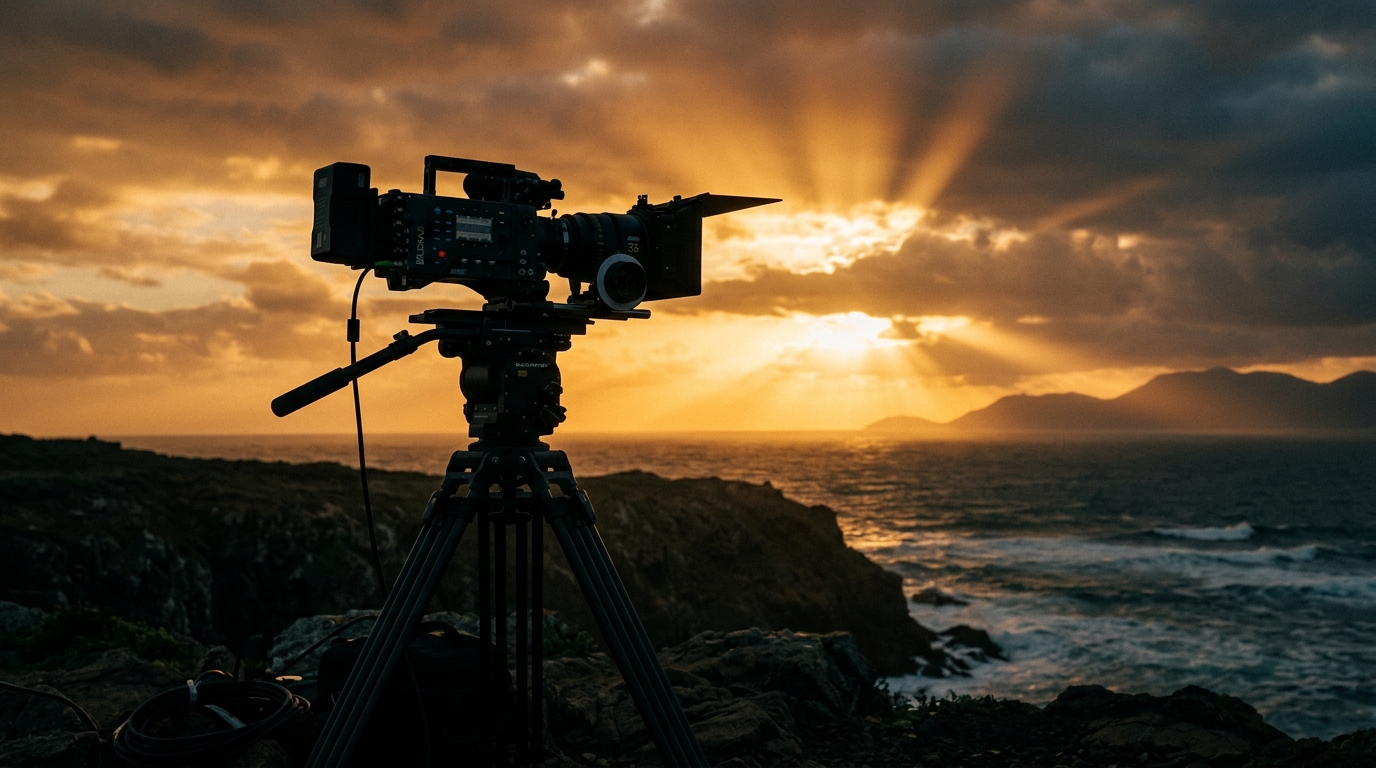
If you've spent time with Google Veo 3, you already know the model can produce jaw-dropping footage — but you've also seen how quickly a mediocre prompt turns that potential into flat, lifeless video. The single variable that separates cinematic results from forgettable ones? Lighting.
Professional cinematographers spend years learning how light shapes mood, directs the viewer's eye, and gives subjects emotional weight. With Google Veo 3, you can shortcut that learning curve entirely — as long as you know how to describe light in your prompt.
This guide gives you 20 copy-paste cinematic lighting prompts across four major lighting categories. Each prompt is tested for Veo 3's native understanding of film vocabulary, and each one comes with context on what it achieves and when to deploy it. By the end, you'll also understand how to layer lighting descriptors with camera movement for fully realized, film-quality shots.
Why Lighting Makes or Breaks Your Veo 3 Outputs
Google Veo 3 was trained on an enormous corpus of real-world video — including professionally shot films, commercials, and documentaries. This means the model has a deep, implicit understanding of how light behaves in different real-world contexts. When you use specific lighting terminology in your prompts, you're not just describing a visual style; you're triggering a learned pattern that Veo 3 associates with entire aesthetic systems: color temperature, shadow directionality, contrast ratios, atmospheric haze, and more.
Generic prompts like "a man walking down a street at night" give Veo 3 no lighting anchor. The model defaults to a visually neutral interpretation — ambient, flat, forgettable. But a prompt like "a man walking through rain-slicked streets, lit by flickering neon signs casting magenta and teal reflections on wet pavement, deep shadows between pools of light, anamorphic lens flare" triggers an entirely different neural pathway. The model recognizes the neon noir genre, applies the associated lighting physics, and produces footage that looks like a scene from a prestige drama.
The key insight: Veo 3 responds to cinematography language. The more specific and film-accurate your lighting description, the more coherent and high-quality the output.
There are five dimensions of lighting you can control in Veo 3 prompts:
- Light source — what is physically producing the light (sun, practical bulbs, neon signs, fire, screen glow)
- Quality — hard vs. soft, diffused vs. direct
- Direction — overhead, backlit, side-lit, motivated by a source
- Color temperature — warm golden tones, cool blue shadows, mixed-color practical lights
- Contrast ratio — the relationship between the brightest highlight and the deepest shadow
Every prompt in this guide explicitly addresses at least three of these dimensions.
Category 1: Natural Light — 5 Prompts
Natural light is the most powerful tool in Veo 3's repertoire. The model understands the physics of sunlight at different times of day, how it interacts with weather conditions, and how it changes the emotional register of a scene.
Prompt 1: Golden Hour Portrait
Close-up portrait of a woman standing in an open field, shot during golden hour, warm amber sunlight streaming in from low on the horizon at camera left, creating a soft rim light that separates her from the background, long shadows stretching across the grass, skin tones rendered in rich, honeyed warmth, shallow depth of field with a bokeh-drenched background of sun-dappled meadow, cinematic 24fps, 2.39:1 anamorphic ratio
What it achieves: The golden hour directive tells Veo 3 to render sunlight at roughly 10–15 degrees above the horizon — producing that characteristic warm-amber quality (color temperature around 2500K) with long, dramatic shadows. The rim light specification (camera left, low angle) gives the subject physical separation from background without needing a separate fill light description.
When to use it: Emotional character moments, romance narratives, product launches with a premium/aspirational feel, travel content.
Prompt 2: Overcast Soft Light — Forest Scene
A lone hiker pausing on a forest path, overcast sky diffusing the light into a seamless, directionless softbox effect, cool blue-gray light wrapping around the subject and every leaf and branch, no harsh shadows, rich green saturation in the foliage, a faint atmospheric mist threading between trees in the midground, handheld camera with subtle breathing motion, cinematic color grading with lifted blacks
What it achieves: Overcast conditions create a natural giant softbox — the entire sky becomes a diffused light source with an effective spread of 180 degrees. Veo 3 renders this as wrapped, shadow-free illumination with a cooler, slightly desaturated base. The atmospheric mist adds depth and dimension that overcast light alone can't provide.
When to use it: Nature and outdoor content, somber or introspective moods, environmental storytelling where you want the scene to breathe without visual distraction.
Prompt 3: Harsh Midday Sun — Desert Landscape
Wide establishing shot of a lone figure walking across a cracked desert salt flat, brutal midday sun directly overhead creating hard, near-shadowless light, bleached whites and bone-dry earth tones, extreme contrast between the white salt crust and the dark distant mountains, heat shimmer distortion rising from the ground, the figure silhouetted only at the edges where sunlight creates a thin separation line, anamorphic lens, drone-like overhead angle slowly descending to eye level
What it achieves: Midday sun is typically avoided in traditional cinematography, but used intentionally it creates a specific oppressive, isolating aesthetic. Veo 3 renders the overhead light source as near-vertical, minimizing cast shadows and bleaching surfaces to near-white exposure. The heat shimmer specification triggers atmospheric distortion effects.
When to use it: Survival narratives, dystopian scenarios, any content that needs to feel psychologically intense or hostile.
Prompt 4: Blue Hour — Urban Twilight
Wide shot of a city intersection at blue hour, the last traces of deep indigo twilight in the sky perfectly balanced against the warm yellow-orange artificial street lights, neon shop signs just starting to activate, wet pavement reflecting a mosaic of light sources, a figure crossing the empty street, the scene existing in that fleeting moment where ambient and artificial light achieve perfect equilibrium, tripod-locked camera, 4K cinematic
What it achieves: Blue hour (10–20 minutes after sunset) is beloved by cinematographers because it creates naturally balanced ambient-to-artificial light ratios. Veo 3 understands this moment and renders the characteristic dual color temperature — cool blue ambient sky against warm artificial sources — which produces natural color contrast without any post-processing framing required.
When to use it: Urban mood pieces, transitional moments in narratives, product shots that need a premium metropolitan feel.
Prompt 5: Backlit Magic — Silhouette and Translucency
A dancer performing on a beach at sunset, camera positioned to face directly into the sun, the dancer's figure rendered as a deep, detailed silhouette surrounded by a blazing corona of warm golden light, the sheer fabric of their costume glowing translucent orange where the backlight passes through it, lens flares streaking horizontally in anamorphic style, the sea behind them fractured into a million glittering highlights, slow motion 120fps, epic scale
What it achieves: Backlighting (placing the light source behind the subject relative to the camera) is one of cinema's most dramatic techniques. This prompt specifically leverages translucency — where Veo 3 renders light passing through thin materials — which creates a visually stunning effect that is very difficult to achieve in normal lighting conditions.
When to use it: Dance and movement content, fashion and apparel, emotionally climactic moments in any narrative.
Category 2: Studio and Dramatic Lighting — 5 Prompts
Studio lighting setups are among Veo 3's strongest capabilities because they map directly to film vocabulary the model was trained on. These prompts use named lighting setups that professional cinematographers use every day.
Prompt 6: Rembrandt Lighting — Character Drama
Medium close-up of an older man sitting at a wooden table, Rembrandt lighting setup with a single key light positioned high at 45 degrees to camera left, creating the characteristic triangular highlight on the shadow-side cheek, deep chiaroscuro contrast between illuminated and shadowed halves of the face, warm tungsten-colored key light, the background falling into near-complete darkness, weathered skin texture rendered in exquisite detail, cinematic still
What it achieves: Rembrandt lighting is one of the most recognized portrait lighting techniques in cinema — named after the Dutch master's use of natural window light. The prompt specifies the triangular cheek highlight (the defining characteristic) and chiaroscuro contrast ratio. Veo 3 has strong training signal on this setup and reliably produces it when named directly.
When to use it: Character-driven drama, interview-style content, period pieces, any shot that needs psychological depth and weight.
Prompt 7: Hard Interrogation Light
A figure seated in a plain chair in a bare concrete room, a single bare high-wattage bulb hanging overhead casting harsh, unforgiving downlight, deep eye socket shadows, hard shadows on the floor and walls below every surface, the figure's face alternating between zones of overexposed white and absolute black shadow, sweat visible on skin, a second figure standing just outside the light radius barely visible, tension-saturated, film noir aesthetic, 4:3 ratio
What it achieves: The single overhead bare bulb is a cinematographic shorthand with enormous cultural weight — it immediately reads as interrogation, pressure, truth-extraction. Veo 3 renders the overhead source as a point light with no diffusion, creating hard-edged shadows that fall dramatically straight down, maximizing the psychological discomfort of the setup.
When to use it: Thriller and crime content, investigative narratives, any scene that needs to communicate psychological pressure or institutional authority.
Prompt 8: Butterfly Lighting — Glamour Portrait
Beauty close-up of a woman, butterfly lighting setup with a large softbox positioned directly in front of and above the subject angled down at 45 degrees, creating the characteristic butterfly-shaped shadow under the nose, even bilateral illumination on both cheeks, skin luminosity maximized, a subtle fill reflector lifting shadow below the chin, clean white background, high fashion editorial aesthetic, 85mm equivalent lens compression
What it achieves: Butterfly (or Paramount) lighting is the standard for glamour and beauty photography/video. The frontal-overhead position eliminates unflattering side shadows and maximizes facial symmetry. Veo 3 reliably produces the characteristic nose shadow and even facial illumination when this setup is named.
When to use it: Beauty and cosmetics content, fashion editorial, lifestyle brand video.
Prompt 9: Split Lighting — Duality and Conflict
Tight portrait of a face split perfectly down the vertical center line of the nose, left half bathed in hard warm amber light, right half plunged into complete shadow, the boundary between light and dark running as a razor-sharp line directly through the bridge of the nose and chin, minimal ambient fill so the shadow side is true black, a sense of internal duality and conflict radiating from the composition, dramatic music video aesthetic
What it achieves: Split lighting's perfectly divided face is one of cinema's most loaded visual metaphors — duality, two-sidedness, hidden nature. Veo 3 responds to the geometric specificity of the "vertical center line" description and the instruction for the shadow side to be "true black" (indicating minimal fill ratio).
When to use it: Character introduction shots for morally complex characters, music video aesthetics, brand content that wants to convey disruption or contrast.
Prompt 10: Practical Light Study — Candlelight Interior
Intimate interior scene of two people sharing a meal by candlelight, multiple candle sources scattered across the table providing the only illumination, warm flickering amber light creating pools of illumination that fade rapidly into surrounding darkness, subjects' faces lit from below by the nearest candles creating a subtle uplight that flickers softly, the flame itself clearly visible as the motivated practical source, rich deep shadows in the room's corners, 35mm film grain texture, romantic and timeless
What it achieves: Practical lighting (where the visible light source in the frame is also the actual light source) is a marker of sophisticated cinematography. Veo 3 connects the visible candle to the lighting it produces, and the "from below" uplight description triggers the characteristic candlelit facial rendering.
When to use it: Romance content, intimate character moments, historical or period content, luxury dining or hospitality brand video.
Category 3: Neon and Urban Night — 5 Prompts
Neon and urban night aesthetics are among the most searched visual styles in AI video generation. Google Veo 3 has exceptionally strong output in this category because of its robust training on cyberpunk, noir, and contemporary urban cinematography.
Prompt 11: Neon Noir — Rain-Slicked Streets
A figure in a long coat walks slowly down a rain-soaked alley in a dense city at 3am, neon signage in electric magenta and cyan overhead casting fragmented reflections across the wet cobblestones, each puddle a perfect mirror of the signs above, steam rising from grates creating diffusion halos around every light source, deep pools of absolute darkness between each neon source, the figure partially revealed and hidden as they pass each light, anamorphic horizontal lens flares, cinematic 2.39:1 crop
What it achieves: This prompt stacks three signature neon noir elements: the rain-reflective surface (multiplying light sources downward), steam diffusion (creating halo and bloom effects around lights), and the figure moving through alternating light/dark zones (a classic noir movement motif). Veo 3 renders these in combination with exceptional coherence.
When to use it: Cyberpunk content, thriller/noir narratives, fashion films with an edge, tech brand identity videos.
Prompt 12: Tokyo Street — Mixed Practical Sources
Hyper-realistic street scene in a dense East Asian city at night, hundreds of overlapping practical light sources — LED shop signs, hanging paper lanterns, LED screens, fluorescent storefronts, passing vehicle headlights — creating a chaotic, beautiful multiplicity of color temperatures simultaneously (cool blue-white LED, warm tungsten, saturated red and green neon), pedestrians moving through this multi-source environment, their faces lit from different angles as they pass different sources, dense atmospheric haze, elevated camera angle looking down at 30 degrees
What it achieves: Unlike single-source prompts, this one deliberately creates lighting chaos — which is how real dense urban environments actually look. The specific instruction for multiple simultaneous color temperatures tells Veo 3 not to normalize or average the lighting, preserving the layered complexity that makes these scenes visually arresting.
When to use it: Travel content, documentary-style urban storytelling, fashion shoots needing authentic street energy.
Prompt 13: Gas Station Night — Liminal Americana
A solitary gas station at 2am on an empty desert highway, the fluorescent canopy lights casting a harsh blue-white industrial glow across the forecourt, an island of stark illumination in the surrounding pitch-black desert, a single figure filling a tank looking lost in thought, the forecourt light ending abruptly at the edge of the darkness, the infinite dark desert suggesting unknowable distance, long exposure-style rendering with slight bloom on every fluorescent tube, melancholy and liminal
What it achieves: The gas station at night is a potent cinematic location — Veo 3's training includes films and photography in this liminal genre. The contrast between the hard fluorescent canopy light and the surrounding absolute darkness is the key lighting specification, creating a visual metaphor for isolation and threshold.
When to use it: Road trip narratives, existential/introspective content, Americana aesthetic projects.
Prompt 14: Nightclub Interior — Strobe and Colored Wash
Dance floor of an underground nightclub, lighting alternating between deep red and electric blue washes from large LED wash fixtures, periodic white strobe freezing motion in staccato flashes, laser beams cutting through haze machine smoke in visible geometric lines, multiple moving heads scanning colored beams across the ceiling, a crowd of dancing figures lit differently in each strobe flash, photography-at-night aesthetic with motion blur between strobes, energetic and kinetic
What it achieves: Club lighting involves temporal variation — lights changing over time — which makes it a technically demanding scenario for video generation. This prompt specifies the key elements: the color wash cycle (red/blue), the strobe frequency, the haze (which makes light beams visible as volumetric rays), and moving heads (motorized fixtures that sweep beams).
When to use it: Music videos, event brand content, nightlife editorial.
Prompt 15: Under Bridge — Urban Sodium Vapor
A skater performing tricks under a concrete highway overpass at night, illuminated by distant sodium vapor street lights casting a monochromatic amber-orange wash across everything, the underside of the bridge in near-complete shadow, the skater emerging briefly into a pool of orange light from the nearest street lamp, graphic black shadows cast by the bridge infrastructure above, a distant train crossing the elevated highway visible in the background, raw urban documentary aesthetic, handheld camera
What it achieves: Sodium vapor lights (the classic amber street lamps being gradually replaced by LED) produce an almost monochromatic orange light that desaturates everything in the scene except the most saturated colors. Veo 3 renders this distinctive color temperature accurately, and the architectural shadow from the bridge structure creates graphic, hard-edged shadow patterns.
When to use it: Skateboarding and action sports content, urban documentary, gritty authentic aesthetic projects.
Category 4: Sci-Fi and Fantasy Lighting — 5 Prompts
Sci-fi and fantasy lighting pushes Veo 3 into its most imaginative territory. The model has strong training on this aesthetic space and responds well to physics-informed fantasy lighting descriptions.
Prompt 16: Bioluminescent Forest
A figure moving slowly through an ancient forest at night, thousands of bioluminescent plants, fungi, and insects casting soft, self-generated blue and teal light across everything, the light source distributed throughout the environment rather than directional, rendering every surface in a cool blue-green luminescence that seems to come from within, the figure's face lit from all directions by this ambient bioluminescent glow, no external light source, the forest itself radiating life, ethereal and dreamlike, slow camera push-in
What it achieves: Bioluminescence is unique as a light source because it is non-directional and integrated into the environment itself. Specifying "the light source distributed throughout the environment rather than directional" tells Veo 3 to render ambient rather than hard light, with the light appearing to originate from the surrounding world rather than a specific fixture.
When to use it: Fantasy and world-building content, nature brand storytelling, game trailers, ethereal mood pieces.
Prompt 17: Portal Light — Interdimensional Gateway
A woman standing before a massive circular portal of pure white-gold light, the portal's radiance casting strong backlighting that completely silhouettes her figure with a blazing corona, volumetric light rays pouring through the opening from an unseen light source beyond, the floor in front of the portal illuminated by the overflow of portal light in shifting, animated patterns, the surrounding space in complete darkness making the portal the only source, cinematic sci-fi epic aesthetic, heroic framing from low angle
What it achieves: The portal as a single overwhelming motivated light source creates one of science fiction cinema's most recognizable visual moments. The backlit silhouette with corona is a specific technical description (light behind subject creates rim separation from background) while the volumetric rays specification tells Veo 3 to render physically-based light scattering.
When to use it: Sci-fi narrative content, game cinematics, adventure and fantasy brand identity.
Prompt 18: Laboratory Thriller — Cool Clinical Light
A scientist working alone in a dark laboratory at night, illuminated only by the blue-white glow of multiple computer screens and equipment monitors casting harsh frontal and side light on their face, cool 6500K LED task lighting above the workbench creating a narrow pool of clinical white light over the experimental equipment, the rest of the lab in deep shadow with occasional green and amber indicator lights from machines in standby mode, intense focus and isolation, thriller genre visual language, close-up to wide shot sequence
What it achieves: Screen light and monitor glow are among Veo 3's most accurately rendered light sources — the cool, blue-shifted color temperature and the on/off flicker of screens are deeply embedded in the model's understanding. The specific color temperature (6500K) and the clinical LED specification above the workbench layer a secondary light source that prevents the shot from being pure screen-lit.
When to use it: Tech and science content, thriller narratives, startup and innovation brand storytelling.
Prompt 19: Fantasy Fire — Dragon Scale Interior
An interior of a vast stone chamber lit entirely by dragon fire, massive jets of orange and red flame reflecting off polished obsidian walls and pillars, the fire light constantly shifting and animated, deep shadows between each pillar flickering with the flame's movement, extreme contrast between near-white flame centers and the surrounding near-black stone, particulate embers drifting upward through the light beams, a lone armored figure visible in medium shot with the dynamic fire light playing across their armor, epic fantasy film production value
What it achieves: Fire as a light source is directional, warm-colored (2000-3000K), and temporally dynamic — it moves. The instruction for the light to be "constantly shifting and animated" specifically addresses Veo 3's temporal coherence, ensuring the lighting changes over the duration of the clip rather than remaining static. The polished reflective surfaces multiply and distribute the fire light throughout the space.
When to use it: Fantasy game trailers and cinematics, fantasy narrative content, epic brand storytelling.
Prompt 20: Hologram Interface — Soft Tech Glow
A character interacting with a hovering holographic interface in a dark space, the hologram casting soft diffused blue-cyan light across the character's face and hands, the holographic display itself rendered as translucent planes of light visible from multiple angles, the character's environment otherwise completely dark making them a floating figure of light, the glow from the hologram soft enough not to be harsh but bright enough to fully illuminate the subject's face, ultra-modern sci-fi user interface aesthetic, medium shot
What it achieves: Holographic light is a variant on the screen/monitor glow concept but softer and more diffused. The prompt specifies the correct physics: the hologram emits light that illuminates the person interacting with it, which is physically motivated and therefore generates coherent lighting in Veo 3's physics model. The "translucent planes of light visible from multiple angles" description helps Veo 3 render the volumetric nature of holographic displays.
When to use it: Tech product launches, futuristic brand identity, sci-fi cinematics, UI/UX explainer content.
How to Combine Lighting with Camera Movement
The prompts above establish lighting as the foundation of your scene. But Google Veo 3 really comes alive when you combine lighting specifications with deliberate camera movement. Here's how these two elements interact:
Static Camera + Dynamic Light
When the camera is locked off (tripod-mounted, static), dynamic light sources become the film's energy. Use this combination when your subject is moving through different light conditions:
Locked-off camera, a figure walking away from camera down a corridor illuminated by intermittent fluorescent lights, each tube flickering independently, the figure alternately fully lit and plunged into darkness, the camera never moving
The static camera makes the light variation more legible and controlled.
Moving Camera + Static Light
When the camera moves (dolly, steadicam, drone) through a static lighting environment, you get progressively revealed beauty that mimics high-end commercial production. The scene-transition techniques covered in our guide to Veo 3 scene transitions and camera techniques pair perfectly with the lighting setups described here.
Slow dolly forward into a candlelit room, the warm amber light growing larger and more enveloping as the camera advances, subject's face gradually revealed as the camera crosses the threshold of the room
Both Moving Together
The most cinematic combination: camera movement that tracks or orbits a subject while the lighting changes. This requires Veo 3 to maintain consistency across both transformations simultaneously.
360-degree orbit around a central subject as the background lighting transitions from warm golden sunset through blue hour to full neon-lit night, the orbit completing exactly as the lighting transition completes, the subject perfectly lit at every position of the orbit
Camera Direction as Lighting Choice
The direction your camera faces completely changes how light reads in frame. A low-angle camera facing a window creates a silhouette. The same low-angle camera facing away from the window creates a fully front-lit subject. For advanced prompt work, always specify the camera's relationship to the primary light source:
- "Camera facing into the light source" → silhouette and backlight
- "Camera opposite the light source" → key light, subject fully illuminated
- "Camera at 90 degrees to the light source" → split lighting, deep shadows
- "Camera below the light source looking up" → dramatic uplight, theatrical
Tips for Getting Consistent Results in Veo 3
After extensive testing with these prompt patterns, here are the most reliable techniques for getting repeatable, high-quality cinematic lighting from Google Veo 3:
1. Name the lighting setup first Veo 3 responds to named setups (Rembrandt, butterfly, split, backlit) before it responds to descriptions. Lead with the name, then describe the specific implementation: "Rembrandt lighting — single key light at 45 degrees upper left, characteristic triangular highlight on shadow-side cheek."
2. Specify the color temperature numerically for precision Instead of "warm light," use "2700K tungsten warmth" or "5500K daylight white." Veo 3 has a working knowledge of the Kelvin temperature scale and renders it more precisely than subjective descriptors.
3. Describe the shadow, not just the light Professional cinematographers always think about where shadows fall, not just where light goes. "A hard shadow falling at 45 degrees down-left from the subject" is a more complete lighting description than just specifying the light position.
4. Add a light quality descriptor Hard (sharp-edged shadows) vs. soft (gradual, wrapped shadows) is one of the most important lighting decisions in cinematography. Always specify: "hard, defined shadows" or "soft, wrapped light with gradual shadow falloff."
5. Include a reference frame if needed For unusual lighting setups, adding a film reference can anchor Veo 3's interpretation: "lighting in the style of neo-noir cinematography," "warm natural light in the style of summer farmhouse films," or "clinical cold lighting as used in medical thriller cinematography."
6. Test one variable at a time When a prompt isn't producing what you want, isolate the lighting specification. Run two versions — one with only the lighting changes — to identify which element is affecting the output.
For deeper work on Veo 3's core capabilities and prompt construction across different content types, see our comprehensive guide to using Google Veo 3 for free.
Conclusion
Cinematic lighting isn't a cosmetic detail — it's the structural language that tells viewers what to feel, where to look, and how to interpret every shot. The 20 prompts in this guide cover the most important lighting categories for Veo 3 work: natural light in its many forms, dramatic studio setups, the neon-and-rain urban night aesthetic, and the imaginative space of sci-fi and fantasy lighting.
The underlying logic is always the same: describe light sources specifically (what, where, how hard/soft, what color temperature), describe shadows (where they fall, how defined they are), and describe the relationship between camera and light. Google Veo 3 responds to precision.
Start with the prompts as written, then modify one element at a time to tune them to your specific project. You'll quickly develop an intuition for which lighting choices Veo 3 renders most confidently — and that intuition is the foundation of a genuinely powerful AI video workflow.
Ready to try these prompts? Head to veo3ai.io to generate your first cinematic-quality Veo 3 video.
Published by Emma Chen | veo3ai.io | 2026
Related Articles
Continue with more blog posts in the same locale.
How to Make Sports Highlight Videos with Veo 3 AI (2026)
Create stunning sports highlight videos with Veo 3 AI. Generate dynamic action shots, slow-motion sequences, and dramatic replays using AI prompts.
Read article
How to Make a Short Film with Veo 3 AI (2026 Guide)
Learn how to create professional short films using Veo 3 AI. Step-by-step guide with prompts, workflow tips, and cinematic techniques.
Read article
How to Make Documentary Videos with Veo 3 AI (2026 Guide)
Create compelling documentary videos with Veo 3 AI. Learn prompting techniques, narrative structure, realistic footage generation, and post-production tips.
Read article