
MiniMax H3 Max vs Turbo: Which Model Should You Pick
MiniMax H3 Max vs Turbo compared on speed, quality, and cost. See real benchmark numbers and a clear recommendation for video creators.
Veo3 AI · 15 min read · Oct 22, 2026

The faster model can be the more expensive production choice. MiniMax H3 Max Turbo emphasizes throughput, but the published comparison reports softer fine detail than H3 Max, with both capped at 768p in that evaluation. If your final product shot needs another generation or corrective finishing, a shorter render doesn't automatically mean a cheaper deliverable (Morphic's model comparison).
My recommendation is straightforward: use Turbo to find the shot, and pay for Max only when its additional detail matters to the finished asset. The MiniMax H3 Max vs Turbo decision should start with what you need to deliver, not how quickly you can generate something you might discard.
Table of Contents
- Why the Speed Question Is the Wrong One to Lead With
- What H3 Max and H3 Max Turbo Actually Are
- Benchmark Numbers Side by Side
- Where the Quality Difference Actually Shows Up
- Resolution, Duration, and the Delivery Pipeline Trap
- Real Pricing for a Finished Clip
- Which Model Fits Which Creator
- The Clear Recommendation for Veo3 AI Users
<a id="why-the-speed-question-is-the-wrong-one-to-lead-with"></a>
Why the Speed Question Is the Wrong One to Lead With
Calling Turbo a faster H3 Max is useful shorthand, but it's an incomplete buying rule. You aren't buying inference time. You're buying footage that survives creative review, editing, subtitles, localization, and export without forcing another production cycle.
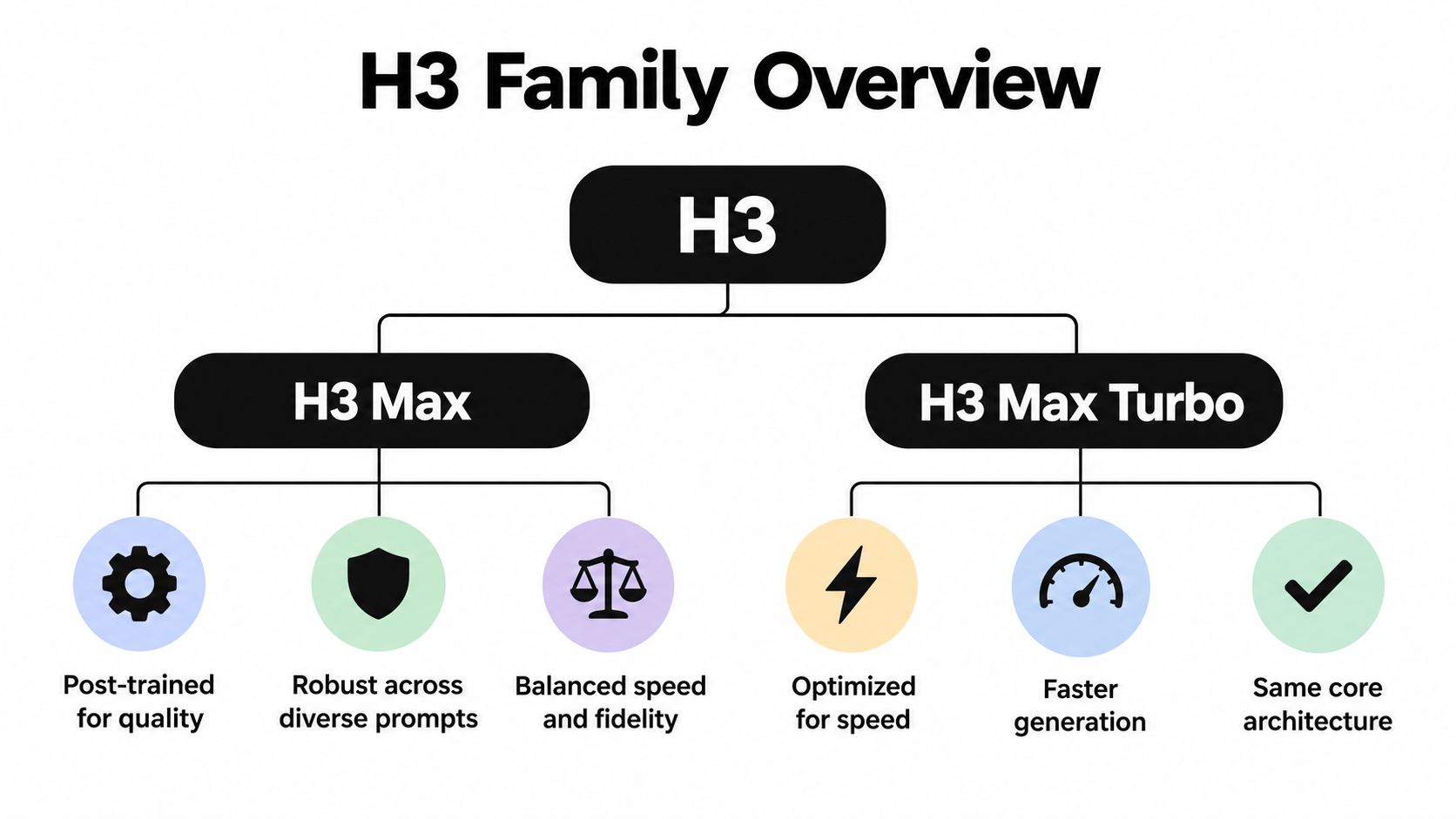
The distinction matters because the models occupy different positions within the same general generation lineage. H3 Max is the quality-oriented option, while Turbo is a distilled version optimized for maximum speed, according to the Sogni model documentation. That's a trade-off to manage, not a reason to declare either model the universal winner.

<a id="compare-the-jobs-not-just-the-models"></a>
Compare the jobs, not just the models
| Production priority | My starting choice | What decides whether it stays |
|---|---|---|
| Explore hooks and camera ideas | H3 Max Turbo | Whether the concept reads clearly |
| Review product textures | H3 Max | Whether the detail survives finishing |
| Assemble connected narrative shots | Test conditioning first | Whether adjacent clips join cleanly |
| Meet a demanding delivery specification | Check the output path first | Whether the generated footage meets the requirement |
For social drafts, I'd prioritize responsiveness. A creator needs to reject a weak opening, adjust the camera instruction, and review the next candidate without treating every attempt as a final render.
For a product close-up, I'd reverse that priority. If the material itself sells the product, a softened surface isn't a harmless compromise. It changes the thing the audience is supposed to notice.
Practical rule: Judge the model at the point of approval, not at the moment the preview appears.
That means establishing your acceptance criteria before spending credits. Decide which defects require rejection, which can be hidden by the edit, and which are irrelevant to the intended placement. Otherwise, you'll keep comparing attractive previews rather than usable campaign assets.
<a id="what-h3-max-and-h3-max-turbo-actually-are"></a>
What H3 Max and H3 Max Turbo Actually Are
“Max” doesn't mean a higher-resolution successor to H3. MiniMax's model-level documentation describes H3 Max as a post-trained, speed-optimized H3 variant with 480p or 768p output, integer-duration clips from 5–15 seconds, and a 24 fps baseline. It supports text-to-video and image-to-video using first- or last-frame inputs; underlying H3 offers 768p and 2K output, 4–15-second clips, and broader first–last-frame and multimodal reference controls (MiniMax's video-generation documentation).
That family relationship is more useful than the product names. H3 is the broader foundation to consider when output specification or conditioning requirements dominate. Max and Turbo are production choices that emphasize different balances of fidelity and turnaround.
<a id="separate-model-capability-from-interface-capability"></a>
Separate model capability from interface capability
The shared Max-versus-Turbo comparison centers on the same output class and nominal clip window. Don't assume that choosing the slower option grants the broader H3 control set. Equally, don't assume every interface exposes all the inputs supported elsewhere in the family.
Before building a shot list, inspect the actual controls available in your chosen service:
- Generation mode: Confirm whether you're submitting text, a starting image, an ending image, or a reference package.
- Duration selection: Check the selectable lengths rather than inferring them from a marketing description.
- Conditioning options: Establish whether the interface accepts the exact combination of inputs your sequence requires.
The MiniMax H3 overview is a useful starting point for navigating the family, but your production settings still need to match the endpoint you will use.
My advice is to keep model selection and delivery selection separate in your project notes. Record the model, the exposed controls, and the output setting as distinct decisions. A familiar family name isn't enough information for another editor or producer to reproduce the shot.
<a id="benchmark-numbers-side-by-side"></a>
Benchmark Numbers Side by Side
Turbo's latency advantage is measurable across the tested configurations. The table below uses fal's published inference benchmarks; the advantage column describes lower inference time, not a guaranteed reduction in the complete production schedule.
Inference time in seconds across resolutions and durations
| Configuration | H3 Max | H3 Max Turbo | Turbo advantage |
|---|---|---|---|
| 480p, 5-second output | 0.75 seconds | 0.44 seconds | Lower inference time |
| 480p, 10-second output | 1.72 seconds | 1.00 seconds | Lower inference time |
| 480p, 15-second output | 3.14 seconds | 1.71 seconds | Lower inference time |
| 768p, 5-second output | 2.46 seconds | 1.54 seconds | Lower inference time |
| 768p, 10-second output | 7.55 seconds | 4.29 seconds | Lower inference time |
| 768p, 15-second output | 15.17 seconds | 8.44 seconds | Lower inference time |
All table measurements come from the fal benchmark linked above. Turbo wins every listed pairing, and the absolute time gap grows on the longer, higher-resolution configurations. That consistency makes it a sensible default for interactive prompt development rather than a model that wins only under a narrowly selected test.
<a id="what-the-stopwatch-doesnt-include"></a>
What the stopwatch doesn't include
These are provider-published inference timings, not an independent laboratory test or an end-to-end service guarantee. Queueing, upload, safety processing, and delivery can add waiting time outside the measured generation step. Record the time from submission to playable result if you're evaluating the experience a creator gets.
A faster inference path is particularly useful when someone is actively reviewing each result. It matters less when a batch runs unattended and an editor won't inspect the outputs until later. In that situation, acceptance rate and the work required after generation deserve more weight.
Don't promise a client a turnaround based on a backend timing field. Promise against the workflow you've tested.
For readers widening their shortlist, Vocuno's Vocuno versus Minimax is an additional comparison resource. Keep that broader evaluation separate from these timings; a comparison page isn't evidence that another service will reproduce fal's measurements.
The financial implication is directional rather than automatic: quicker feedback can make exploration less cumbersome. Whether that also lowers your final bill depends on the charging model and how many candidates you keep.
<a id="where-the-quality-difference-actually-shows-up"></a>
Where the Quality Difference Actually Shows Up
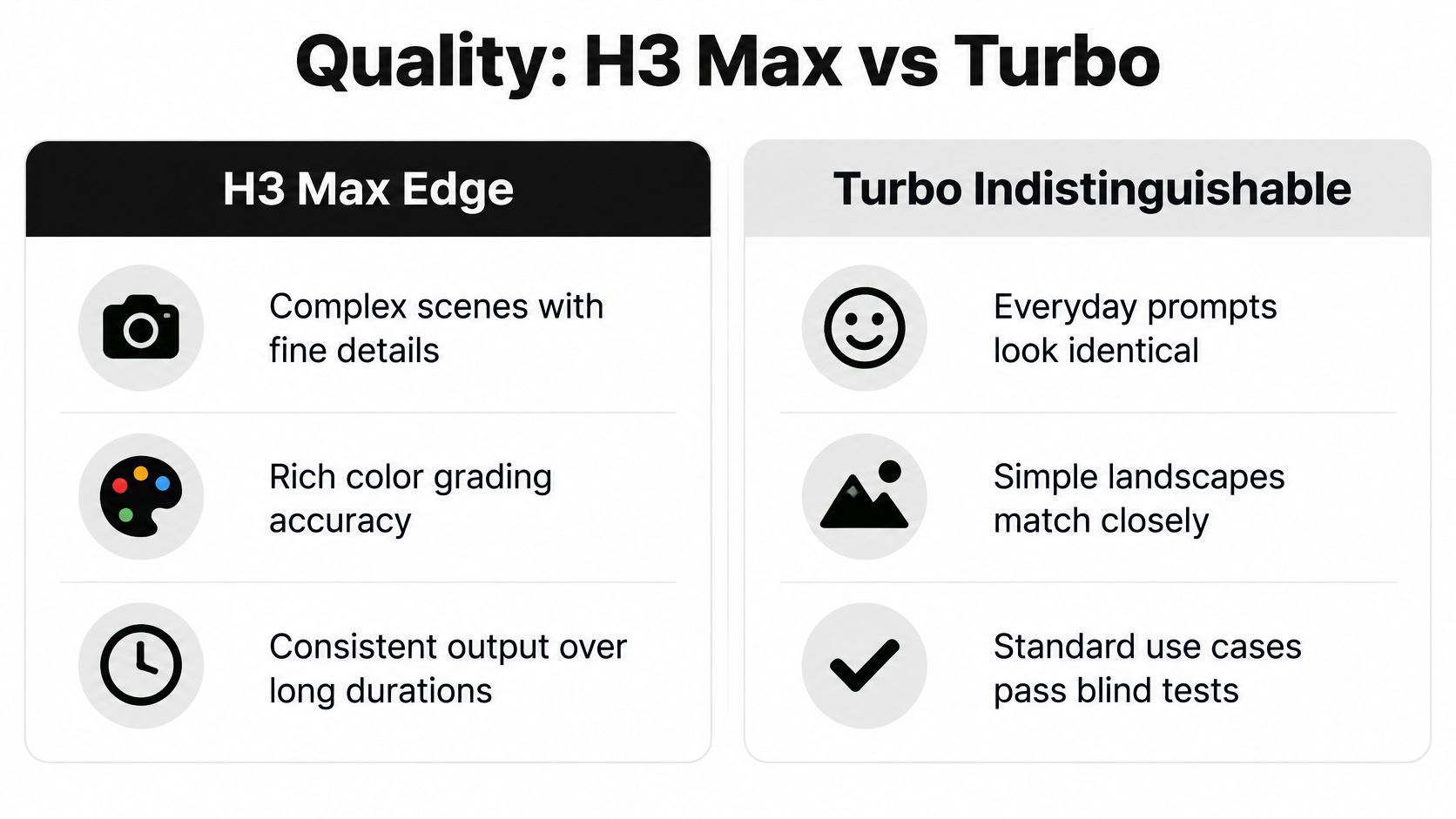
The useful quality distinction is texture versus throughput, not good video versus bad video. In the Morphic comparison cited at the opening, H3 Max reportedly retained more detail in a match flame and a watch bezel. Turbo softened those features while preserving the broader composition and editing rhythm.
That's exactly where I'd scrutinize a commercial shot. A watch bezel is part of the product's perceived finish, not incidental background decoration. A flame can be the visual subject itself, so its structure may matter more than the surrounding composition.
<a id="inspect-the-feature-that-earns-the-shot-its-place"></a>
Inspect the feature that earns the shot its place
The same comparison characterizes Turbo using a roughly 97th-percentile quality figure in its own evaluation. Treat that as a platform-specific directional signal, not proof that every Turbo clip retains a fixed percentage of Max's quality. It doesn't establish that ordinary prompts are identical or that either model passes a universal blind test.
My review process would focus on the intended selling point:
- Product surfaces: Look at engraving, edge definition, reflections, and material texture.
- Directed action: Check whether the requested action happens, rather than accepting a visually attractive substitute.
- Final presentation: Review the edited, compressed version at its intended viewing size before paying to replace it.
For a broad establishing shot, fine-detail differences may not affect the message. For an extreme product close-up, they can determine whether the shot belongs in the campaign. Don't assume phone delivery makes every flaw invisible, especially when the framing deliberately directs attention to that flaw.
The Bulk Image Generation video guide offers another resource for readers exploring realistic AI-video workflows. Use your own product reference and acceptance checklist to decide whether a particular output is convincing.
Pay for Max when the viewer is supposed to inspect the image. Keep Turbo when its output already communicates the intended action and survives the final edit. Upgrading a shot that nobody needs to inspect isn't quality control; it's spending without a production reason.
<a id="resolution-duration-and-the-delivery-pipeline-trap"></a>
Resolution, Duration, and the Delivery Pipeline Trap
Choose the delivery requirement before choosing the render setting. Provider listings aren't fully consistent: some describe additional output configurations or native higher-resolution availability, while other documentation emphasizes lower-resolution options. The fal introduction to H3 Max is relevant to this provider-specific discussion and also identifies start/end-frame and seed controls.
Treat those differences as a verification task, not permission to assume the highest advertised format is universally available. Ask what the selected endpoint generates, whether enlargement happens afterward, and what file you receive.
<a id="use-a-delivery-acceptance-checklist"></a>
Use a delivery acceptance checklist
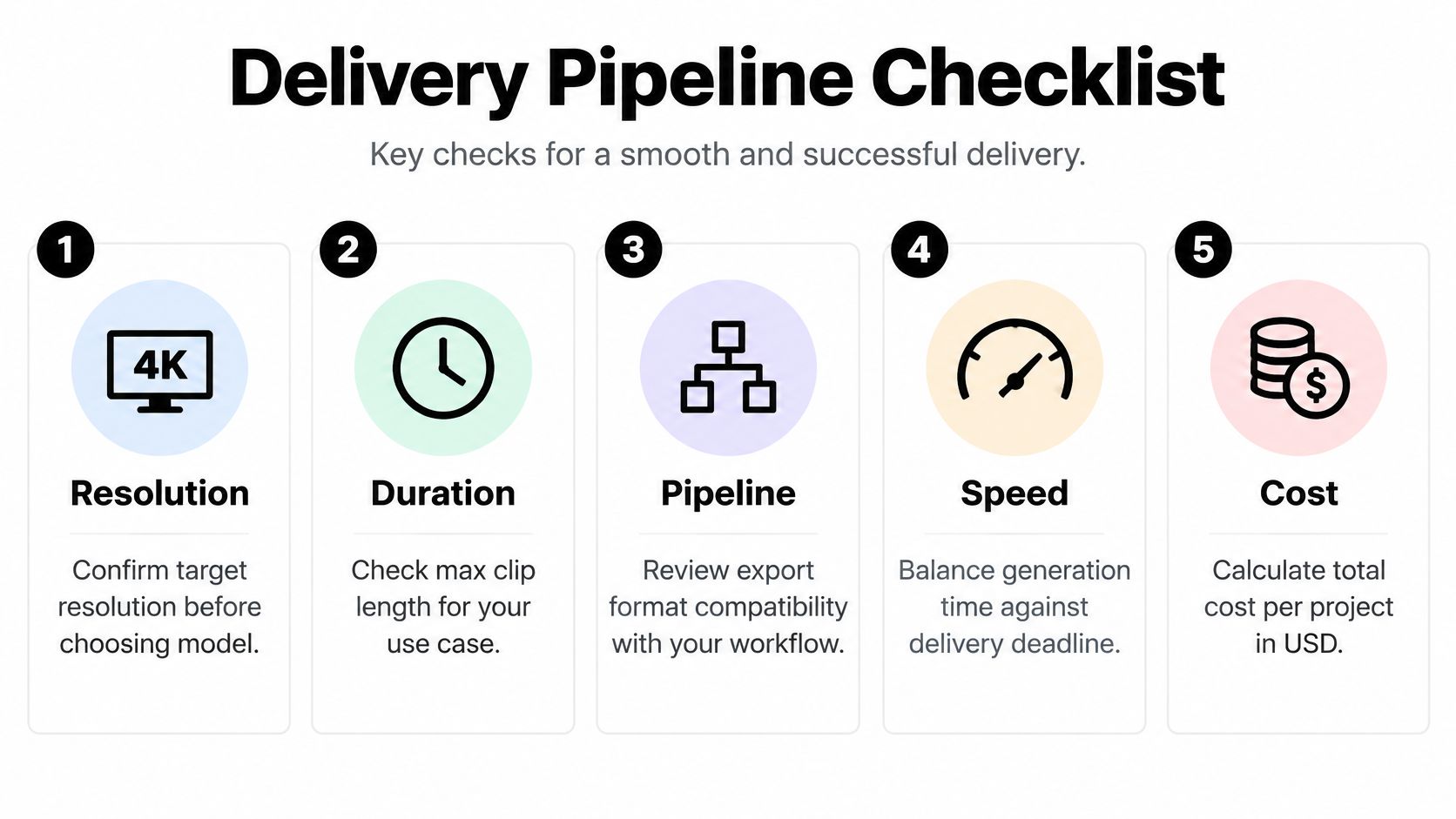
- Specify the destination. Write down the required frame dimensions, crop, duration, and export format for TikTok, Shorts, Reels, or the advertising placement.
- Separate drafts from masters. Use economical previews to answer creative questions. Don't treat a concept approval as approval of the final image quality.
- Inspect enlargement. Check edges, surfaces, and motion after upscaling. Enlarging an image doesn't prove that its original detail meets the delivery requirement.
- Test the joins. Generate adjacent shots with the intended conditioning, then place them together in the edit.
- Review the complete export. Include subtitles, localized copy, grading, and platform compression before declaring the clip usable.
Continuity deserves special attention. A storyteller doesn't need a collection of individually impressive shots if the subject changes shape or position between them. Start- and end-frame controls are valuable only when the resulting transition satisfies the sequence.
Seed control can help organize a controlled test, but don't treat a shared seed as a promise of identical behavior across models. Keep your reference assets, prompt settings, and edit context stable, then judge the actual output.
Delivery test: A generation is successful only after it works inside the sequence and survives the required export.
Turbo's advantage can persist or disappear here. If both models require the same finishing work, faster generation remains useful. If Turbo requires additional repairs while Max drops directly into the edit, compare the complete workload instead of defending the cheaper render.
<a id="real-pricing-for-a-finished-clip"></a>
Real Pricing for a Finished Clip
Launch pricing and standard pricing are different comparisons. The SeeAPI pricing comparison lists the following per-second rates, with Turbo's launch rate below its listed standard rate.
| Resolution | H3 Max | Turbo launch rate | Turbo standard rate |
|---|---|---|---|
| 480p | $0.05 | $0.00625 | $0.025 |
| 768p | $0.08 | $0.01 | $0.04 |
The representative clip costs below are arithmetic from that same cited rate table, not additional provider quotations. They exclude any separate finishing charges or service-specific credit conversion.
| 768p generation | H3 Max | Turbo launch rate | Turbo standard rate |
|---|---|---|---|
| 5 seconds | $0.40 | $0.05 | $0.20 |
| 15 seconds | $1.20 | $0.15 | $0.60 |
<a id="calculate-acceptance-economics"></a>
Calculate acceptance economics
The standard-rate comparison is the sensible planning baseline unless your chosen provider explicitly offers the launch rate. Don't combine a promotional Turbo price with a standard Max price and describe the result as a permanent universal saving. Confirm the current rate before committing a campaign budget.
For a working production estimate, use:
Cost per usable clip = generation spend across all attempts, plus finishing costs, divided by accepted clips.
That model forces you to count rejected generations. It also prevents a cheap preview from looking economical when someone spends significant time repairing it.
As a hypothetical planning example, a workflow that needs ten drafts per accepted short must budget for those ten attempts, not just the selected render. That's an assumption to enter from your own project history, not a measured failure rate for either model.
Track editing labor separately from credits so you can see why a model wins. Turbo may reduce generation spend while leaving finishing unchanged. Max may justify its premium on a demanding shot if it avoids corrective work.
For publisher-specific billing, consult the current platform pricing page. Don't assume an API dollar rate maps directly to another service's credit balance, subscription allowance, or available generation settings.
<a id="which-model-fits-which-creator"></a>
Which Model Fits Which Creator
<a id="for-exploration-heavy-creators"></a>
For exploration-heavy creators
A TikTok creator planning thirty hook variations, as a hypothetical production batch, should start with Turbo. The job is to discover which opening communicates immediately, not to perfect a discarded concept. Keep the framing and message comparable so you're judging creative differences instead of unrelated visual changes.
A marketer testing ad creatives should also begin with Turbo, but with a stricter review sheet. Separate the hook, product action, camera movement, and copy treatment rather than changing everything together. For batch localization, approve the base visual concept before investing in each language version.
Standardize on Turbo when your team's main job is selecting among directions. Introduce Max when a specific shot fails a defined visual requirement.
<a id="for-finish-sensitive-productions"></a>
For finish-sensitive productions
A brand producing a hero product close-up should start its final-shot evaluation with Max. Give the reviewer the product reference and ask whether the material, edge treatment, and requested action are acceptable. Don't approve a beautiful but inaccurate result just because it looks expensive.
A short-form storyteller should test the sequence before choosing a default. Place the outgoing and incoming shots next to each other and inspect subject identity, position, lighting, and motion. If the required conditioning isn't available, neither a faster model nor a more detailed image solves the underlying problem.
<a id="for-teams-choosing-a-production-stack"></a>
For teams choosing a production stack
A mixed workflow is often the most defensible choice: Turbo for exploration, Max for selected finishing candidates. Teams can standardize completely on Turbo when their accepted exports consistently meet the brief without extra repair. There's no production virtue in upgrading every approved draft.
If the job requires the broader H3 output or reference path described earlier, choose H3 rather than trying to solve that requirement through the Max label. Creators also evaluating Veo 3.1 should apply the same acceptance criteria instead of comparing unrelated showcase clips.
Editing is part of this decision. Pin Generator's resource to compare short form video editors is useful when reviewing that downstream tool choice. Select an editor around the actual captioning, localization, assembly, and export work your team performs.
<a id="the-clear-recommendation-for-veo3-ai-users"></a>
The Clear Recommendation for Veo3 AI Users
Turbo should be your default for short-form exploration, social drafts, and ad variations. The benchmark pattern and listed standard-rate economics support that choice. Those jobs involve making and rejecting creative decisions, so spending on fine detail before approving the direction is usually the wrong order of operations.
That isn't a recommendation to publish every Turbo output. It's a recommendation to reserve your quality budget for images that have already earned a place in the edit. A rejected hook doesn't become more useful because you rendered it with the slower model.
<a id="upgrade-against-a-visible-requirement"></a>
Upgrade against a visible requirement
Choose H3 Max for hero close-ups and final renders where the shot's purpose depends on texture or precise execution. A flexible deadline makes that choice easier, but an available budget alone isn't a reason to upgrade. Name the defect you expect Max to solve before spending more.
Use neither model when the required delivery format or conditioning falls outside your available endpoint. Escalate to the underlying H3 workflow or another suitable option. Don't let a model preference override the production specification.
- Choose Turbo by default when you're still deciding what the video should say or show.
- Choose Max selectively when the approved shot needs better retained detail.
- Choose another path when output requirements or reference controls are the blocker.
<a id="make-the-final-decision-from-matched-outputs"></a>
Make the final decision from matched outputs
Run the same approved brief through each candidate using matching resolution, duration, and reference settings wherever possible. Finish the outputs in the same edit, then compare the exports without giving the reviewer a model label. Record acceptance, corrective work, total spend, and elapsed time.
That's the test that answers the buying question. Not which preview impressed you first, but which production path got an acceptable asset into the campaign with less unnecessary work.
The rule of thumb is simple: draft with Turbo, finish with Max only when the exported shot proves you need it.
The Veo 3 AI video generator brings text- and image-based video creation into a shared environment for evaluating creative directions. Visit Veo3 AI, check the available MiniMax model options, and compare matched Max and Turbo candidates through your actual finishing workflow before committing your production credits.
Related Articles
Continue with more blog posts in the same locale.

MiniMax H3 vs Veo 3.1: Which AI Video Model Wins in 2026?
MiniMax H3 vs Veo 3.1 compared on quality, speed, price, and use cases. See which AI video generator actually fits your workflow before you spend a credit.
Read article
10 Video Prompt Ideas for Cinematic AI Videos
Explore 10 practical video prompt ideas for Veo 3 AI, with templates, examples, and tested tips for cinematic results.
Read article
MiniMax H3 vs Kling 3.0: A Practical 2026 Guide
MiniMax H3 vs Kling 3.0 compared on quality, speed, cost, audio, and real workflows, so you can pick the right model for your next video in 2026.
Read article