
10 Prompt Engineering Tips for Generative Video Workflows
Discover 10 prompt engineering tips for mastering generative video workflows with practical examples, templates, and Veo3 AI strategies.
Veo3 AI · 19 min read · Jul 22, 2026

Ever struggled to make an AI video follow the idea in your head, not just the words on the screen? That gap is where prompt engineering tips matter most. Since prompt engineering moved into mainstream use after ChatGPT's public release in November 2022, vendors have treated it as a practical skill, not a novelty, and OpenAI's guidance makes the point plainly, be specific, add context, define the format, and use examples when needed. For video work, that matters even more because a small wording change can shift the visual result in a big way, especially when you're building text-to-video or image-to-video workflows for short-form content.
If you're trying to streamline social media video creation with AI, the right prompt structure saves time and reduces guesswork (streamline social media video creation with AI). Tools like Veo3 AI are a useful fit here because they support both text and image inputs, letting you render video with specific format and resolution settings. The practical goal isn't poetic prompting. It's getting predictable output that matches your brand, your platform, and your edit timeline, and a good reference point for that workflow is this Veo3 prompt engineering guide.

1. Be Specific and Descriptive with Visual Details
Generic prompts usually produce generic videos. If you ask for a “product video,” the model has too much room to improvise. If you ask for a sleek smartphone rotating 360 degrees with soft golden hour lighting from the left, against a minimalist white background with subtle shadows, the model has a much tighter target.
Start with the subject, then layer the shot
For video prompts, the most reliable order is subject first, then shot design. Begin with the object or person, then add camera movement, lighting, palette, and mood. A prompt like fast-paced montage of social media icons with neon cyan, magenta, and yellow, quick half-second cuts, dynamic zoom-ins gives Veo3 AI far more to work with than “make it energetic.”
Practical rule: If you would not brief a human editor that vaguely, do not brief the model that vaguely either.
For product marketing, specify direction and temperature of light, reflections, shadow softness, and framing. For lifestyle clips, add mood words like serene, mysterious, or energetic after the visual details, not before them. The model handles output better when the prompt reads like a production note instead of a mood board. If you want a deeper Veo3-specific structure, the Veo3 prompt engineering guide is a useful reference for prompt ordering and visual specificity.
2. Use Style and Aesthetic Keywords Strategically
Style keywords compress a creative direction into a few words, so they can steer a video prompt faster than a long description. A prompt for a TikTok clip with Y2K aesthetic, pink and purple neons, grainy camera filter, fast transitions will usually feel very different from one built around minimalist flat design, clean typography overlays, soft pastel palette. The goal is not to stack every trendy label you know. It is to choose one aesthetic lane and keep the rest of the prompt aligned with it.
Keep the style signal clean
Style works best when it matches the job the video has to do. A product launch can use cinematic, high-end commercial style, shallow depth of field, luxury lighting, dramatic camera movement. A tutorial can stay easy to read with minimalist, instructional, clean motion graphics. If the style cues fight each other, the model often produces a video that feels confused, because it is trying to satisfy too many visual identities at once.
A practical test is to change only the style phrase while keeping the rest of the prompt fixed. That shows whether noir, futuristic, editorial, or documentary better fits the audience and the clip's purpose. The survey evidence on prompt engineering points in the same direction. Small prompt changes can create meaningful output differences, so style choice is not decorative, it shapes the result in a direct way.
For Veo3 AI, pairing a style keyword with the platform's own style selection is usually more reliable than relying on either one alone. Keep a short log of which combinations work for your brand, because a style that looks good in one test render may not hold up across a batch of videos. That record helps you choose faster the next time you write a prompt.
3. Structure Prompts with Clear Action Sequences
Video is time-based, so the prompt should move through time as well. If you only describe a scene, the model may generate something visually attractive but narratively flat. Break the prompt into First, Then, Next, and Finally, and the system has a sequence to follow.
A simple product demo works well in that format. Try: First, closed package on a table. Then, hands open the box. Next, the product slides out under a spotlight. Finally, the product spins with close-ups on the key features. That structure gives the model a beginning, middle, and end, which usually improves coherence.
Build the timeline before the visuals get fancy
Prompts often fall apart at this point. People add beautiful adjectives, but never tell the model what happens in what order. For a recipe video, you might write: Start with an overhead shot of the ingredients, pan to the cutting board, zoom in on the chop, then cut to the pan as the ingredients sizzle, finish with the plated dish. That is much easier for the model to interpret than a paragraph of disconnected imagery.
Structured prompting tends to work better than loose description, especially for tasks that need consistency and a clear sequence of events. In video, consistency means smoother transitions, fewer visual jumps, and a better chance that the clip tells a usable story. The broader prompt-engineering discussion in The Prompt Report on prompt-engineering techniques points in the same direction.
A good habit is to assign rough durations to major beats when the platform supports it. Even if the model does not obey every second exactly, the sequence still helps shape pacing. If you have ever had an unboxing video start on the close-up shot and end before the reveal, you already know why this matters.
4. Leverage Context and Reference Anchoring
Reference anchoring gives the model a visual compass. If you say like Apple's minimalist product ads, the system gets a clearer sense of spacing, pacing, and polish than it would from “clean and modern.” If you say similar to GoPro's action sports aesthetic, but with softer colors and slower motion, you've provided both a reference point and your own twist.
Use one strong reference, not five weak ones
Too many comparisons pull the prompt in different directions. A prompt that references Apple, GoPro, TED Talks, and a music video all at once often becomes self-contradictory. One strong reference, plus your unique brand requirement, is usually enough. For an educational video, TED Talks visual style with a speaker on stage and subtle animated graphics can be a useful anchor. For a social clip, GoPro-like energy with lifestyle softness can keep motion lively without looking chaotic.
This approach also fits the broader prompt-engineering guidance from Microsoft, which emphasizes specific prompts and giving the model an “out” when needed, rather than overloading it with vague direction (Microsoft prompt engineering concepts). In practice, a good anchor narrows the visual field. It doesn't replace the rest of the prompt, it stabilizes it.
When you work in Veo3 AI, references are especially useful for client work. A marketer can say premium skincare ad pacing with soft diffusion and elegant close-ups, then adapt the result into a brand-specific clip. That's more useful than trying to describe every visual from scratch. Save the reference combinations that consistently produce usable results, because repeatability is the key advantage here.
5. Implement Progressive Refinement Through Iteration
Strong prompts rarely work on the first pass. Iteration is the workflow. Start with a broad version, review the output, then change one variable at a time. If the first render is too plain, add lighting detail. If the scene feels crowded, simplify the background. If the motion feels stiff, adjust the action sequence.
Treat prompt writing like editing, not guessing
A good prompt session usually moves in versions. Version one is basic. Version two adds subject detail. Version three tightens the camera movement and color palette. That process is faster and cleaner than trying to write a perfect prompt in one pass.
The same discipline shows up in Braintrust systematic prompt engineering, where teams define clear success criteria and test against known inputs instead of relying on ad hoc tweaks.
Don't change three things at once if you want to know what actually improved the result.
That matters even more for video than for text because visual changes interact. A new camera angle may improve composition but reduce product visibility. A stronger aesthetic cue may make the clip look better but harder to read. Keep notes on what changed, what improved, and what got worse. If you're building a content series, use the first successful prompt as a base template and modify only the parts that need to change.
For creators who use Veo3 AI, preview renders are useful because they let you check direction before you commit to a full batch. The same mindset applies if you're working on finding and validating product features. You are testing creative decisions against output quality, then tightening the prompt based on what the model produces.
6. Incorporate Technical Parameters and Format Specifications
A good visual prompt can still fail if the output doesn't fit the platform. A vertical TikTok clip, a YouTube intro, and an Instagram Reel all need different framing choices. If you specify the format in the prompt, you reduce cleanup later.
Write for the destination first
For short-form vertical content, use a prompt like 15-second video, 9:16 aspect ratio, 1080x1920 resolution, optimized for mobile. For a YouTube bumper, 1920x1080 horizontal, 5-second duration, 60fps motion graphics is more useful. The model can't perfectly solve every post-production need, but it can get much closer when the target format is stated early.
That lines up with the technical structure Veo3 AI documents in its own prompt guidance, where the prompt formula includes subject, environment, camera, lighting, style, audio, and duration. A technical spec sheet for each channel saves time because you stop rewriting the same constraints over and over. A short-form creator may need one set of specs for TikTok, another for Reels, and another for Shorts.
Here's the practical trade-off. The more technical constraints you add, the less creative drift you'll get, but the more you risk over-constraining the model. Keep the essentials, aspect ratio, duration, resolution, and platform fit. Leave optional details out unless they matter for the shot. If you're using Veo3 AI's built-in format controls, match the prompt to those settings instead of fighting them. The model works better when prompt and interface point in the same direction.
7. Use Negative Prompts to Exclude Unwanted Elements
Positive instructions tell the model what to include. Negative prompts tell it what to avoid. That second part is often the difference between a usable clip and a cleanup job. If you want a professional product video, it helps to say avoid blurry footage, no text overlays, no watermarks, no low resolution.
Exclusions are guardrails, not decoration
Common quality problems belong in negative prompts first. If your brand style is clean and modern, add exclusions like no oversaturated colors or no grainy texture. If you're creating an educational presentation, you may want no distracting animations, no bright flashes, no amateur lighting. These guardrails are especially useful when you generate content in batches, because they help keep the outputs from drifting.
Veo3 AI has published its own guidance on negative prompts, which is useful because it reflects a practical production workflow rather than a purely theoretical one (Veo 3 negative prompts guide). The trick is to keep the exclusions specific. “Bad quality” is too vague. “Blurry footage, visible watermarks, shaky handheld motion, and extra text” gives the model something concrete to suppress.
A strong negative prompt can also protect consistency across a campaign. If one product video must feel premium and another feels rough around the edges, brand trust can suffer. The downside is that too many negatives can box the model in and flatten the result. Use the smallest set that removes the most common mistakes, then expand only when the outputs show a repeated problem.
8. Optimize for Emotional and Psychological Impact
Video isn't just about showing an object or a process. It's about how the viewer feels while watching it. If the goal is luxury, say so in the prompt. If the goal is excitement, encode that through pacing, color, and motion.
Match tone to audience and outcome
A luxury product clip might use elegant, slow movements, warm gold lighting, and quiet premium cues to create aspiration. A motivational video might start calm, then build brightness and energy until the final frame feels uplifting. A social clip meant for sharing may need playful joy, bright colors, quick cuts, and moments of surprise. Those emotional choices shape the entire visual language.
This is one place where many teams under-specify the brief. They describe the scene but not the feeling. The result looks fine and lands flat. Use emotional words together with visual choices, because the two reinforce each other. Warm tones can suggest comfort, cool tones can signal trust, and vivid contrast can push energy.
What works best is emotional consistency, not emotional overload. A clip that tries to feel premium, playful, urgent, and serene at the same time usually lands as confused.
For video marketing, that consistency matters. For education, it matters too. If you want calm comprehension, don't pair the content with frantic motion. If you want urgency, don't bury the point under slow transitions. The prompt should support the viewer response you want, not just the visuals you like.
9. Create Modular Prompt Templates and Components
Templates make video prompting scalable. Instead of writing each prompt from scratch, create a reusable structure with placeholders. That's the difference between experimenting and operating at volume.
A practical template for social video might look like this, [EMOTION] product showcase featuring [PRODUCT_NAME] in [SETTING], with [COLOR_PALETTE] lighting, using [CAMERA_STYLE] cinematography, duration [SECONDS], style [AESTHETIC]. For educational content, try [TOPIC] explained through [VISUAL_METAPHOR], paced at [SPEED], using [ANIMATION_STYLE], with color scheme [COLORS], targeting [AUDIENCE_LEVEL]. For marketing, [BRAND_NAME] [PRODUCT_BENEFIT] video, featuring [KEY_VISUAL], set in [CONTEXT], mood [EMOTIONAL_TONE], technical specs [RESOLUTION], [ASPECT_RATIO].
Build around your most common use cases
You probably only need a handful of base templates. Start with the three to five video types you make most often, then add placeholders for the elements that change. That keeps the template flexible without making it vague. If you use Veo3 AI for both text-to-video and image-to-video, one template can serve both by swapping the subject source and keeping the style, motion, and format consistent.
The Seedance prompt resource is a useful reminder that modular prompting works best when the parts are clearly separated. Keep a library of your best settings, settings for mood, settings for camera motion, and settings for output format. Then version-control the templates as you learn what your audience responds to. A template isn't a shortcut around thinking. It's a way to make good thinking repeatable.
10. Integrate User Feedback and Performance Analytics into Prompt Optimization
Strong prompt engineers do not rely on guesswork. They watch what viewers do after a video goes live, then use that response to shape the next draft. If one version earns more saves, shares, or completions, that tells you something useful. If another version gets dropped early, that matters too.
Close the loop between prompt and performance
Set clear success criteria before publishing. For a social creator, that might be retention or shares. For a marketing team, it might be conversions or click-throughs. For an educator, it might be comprehension and completion. Once the video runs, record which prompt elements matched the stronger clips. Was it the emotional tone, the pacing, the camera style, or the negative prompt that changed the result?
Teams should treat prompt work as workflow design, not quick experimentation. Start with a defined success target, then test against known inputs and compare results across similar videos. That approach matters for branded video, because guesswork does not scale well. Once a template starts producing the right outcome, keep the pieces that work and test one new variation at a time.
A monthly review cycle makes the process easier to maintain. Pull the better-performing prompts into a shared library, note how the audience responded, and retire the weaker versions. Even qualitative feedback from comments or client notes can reveal patterns that the analytics dashboard misses. If a series keeps performing better with slower pacing and tighter framing, use that insight in the next prompt instead of relearning it from scratch.
10-Point Prompt Engineering Tips Comparison
| Technique | 🔄 Implementation Complexity | ⚡ Resources & Speed | ⭐ Expected Effectiveness | 📊 Typical Outcomes / Impact | 💡 Ideal Use Cases / Key Tip |
|---|---|---|---|---|---|
| Be Specific and Descriptive with Visual Details | High 🔄, requires detailed visual language | Moderate ⚡, more upfront writing, fewer iterations | ⭐⭐⭐⭐⭐, very accurate first-pass visuals | 📊 Fewer revisions; consistent brand aesthetic; professional output | 💡 Product demos & marketing; use cinematic terms, specify lighting/angles |
| Use Style and Aesthetic Keywords Strategically | Medium 🔄, needs familiarity with style terms | Low ⚡, quick to apply once learned | ⭐⭐⭐⭐, strong stylistic cohesion | 📊 Consistent visual identity; rapid style replication | 💡 For influencers & trend-driven content; combine 2–3 style refs |
| Structure Prompts with Clear Action Sequences | Medium 🔄, requires sequencing and timing | Moderate ⚡, improves coherence, needs formatting | ⭐⭐⭐⭐, better narrative flow and pacing | 📊 Smoother transitions; higher viewer engagement for tutorials | 💡 Use temporal markers (First, Then, Finally) and durations |
| Leverage Context and Reference Anchoring | Low 🔄, cite known references for clarity | Low ⚡, fast to implement | ⭐⭐⭐⭐, predictable, aligned outputs | 📊 Enterprise-level aesthetics with fewer iterations | 💡 Use "in the style of" + a unique twist; great for benchmarking |
| Implement Progressive Refinement Through Iteration | Medium 🔄, iterative management and tracking | Moderate ⚡, multiple renders and analysis cycles | ⭐⭐⭐⭐, converges on optimal prompts over time | 📊 Builds prompt library; faster path to desired results | 💡 Change one variable at a time; document iterations |
| Incorporate Technical Parameters and Format Specifications | Low 🔄, straightforward technical inclusion | Low ⚡, saves post-production time | ⭐⭐⭐⭐⭐, platform-ready outputs, minimal rework | 📊 Eliminates format conversions; preserves quality | 💡 Create a platform spec sheet (resolution, aspect, fps) early |
| Use Negative Prompts to Exclude Unwanted Elements | Medium 🔄, requires knowing what to exclude | Low ⚡, small incremental effort per prompt | ⭐⭐⭐⭐, reduces artifacts and unwanted styles | 📊 Cleaner outputs; fewer post-production fixes | 💡 Start with common issues (blur, watermarks); balance constraints |
| Optimize for Emotional and Psychological Impact | Medium 🔄, needs audience insight and nuance | Moderate ⚡, may require A/B testing | ⭐⭐⭐⭐, high engagement potential when aligned | 📊 Increased shares, conversions, and retention if effective | 💡 Use color psychology and pacing; test emotional angles |
| Create Modular Prompt Templates and Components | Medium 🔄, initial planning and template design | Low ⚡, accelerates scale once set up | ⭐⭐⭐⭐, consistent quality at volume | 📊 Faster production; easier A/B testing and onboarding | 💡 Build [PLACEHOLDER] templates and version-control them |
| Integrate User Feedback & Performance Analytics into Optimization | High 🔄, needs analytics, workflows, and governance | High ⚡, investment in tracking and analysis | ⭐⭐⭐⭐⭐, data-aligned optimization maximizes ROI | 📊 Continuous improvement; strong audience alignment | 💡 Define clear metrics, run A/B tests, document correlations |
Putting Prompt Engineering Into Practice
Prompt engineering works best as a production skill, not a creative gamble. For video workflows, that means writing prompts with the same discipline you would use for a shot list, a creative brief, or an edit plan. Start with specific visual detail, add style cues that match the brand, structure the scene as a sequence, and keep a record of what improves the output. That separates random generations from a repeatable workflow.
The most reliable results usually come from prompts that are concise and structured. Research on prompt design points in the same direction, clear task definition, examples, and repeatable structure tend to outperform loose wording. For video, that structure matters even more because you are managing motion, pacing, composition, and format at the same time. Veo3 AI can fit into that workflow as one practical option for turning text or static images into video with controllable settings, which makes it easier to prototype and refine without switching between tools.
Keep the workflow simple. Write a base prompt, add a platform-specific template, test one variable, then save the strongest version. If a prompt needs too much explanation, it probably needs better structure. If a video keeps drifting off brand, the fix is usually tighter context, stronger exclusions, or a more explicit sequence.
For a deeper pass on AI image workflows that support video creation, the MyImageUpscaler AI prompt pro tips post is a useful companion read. Then take one of your current prompts, rewrite it with the templates above, and render a fresh Veo3 AI version today. The fastest way to improve results is to test a cleaner prompt on a real project right now.
A CTA for Veo3 AI.
Related Articles
Continue with more blog posts in the same locale.
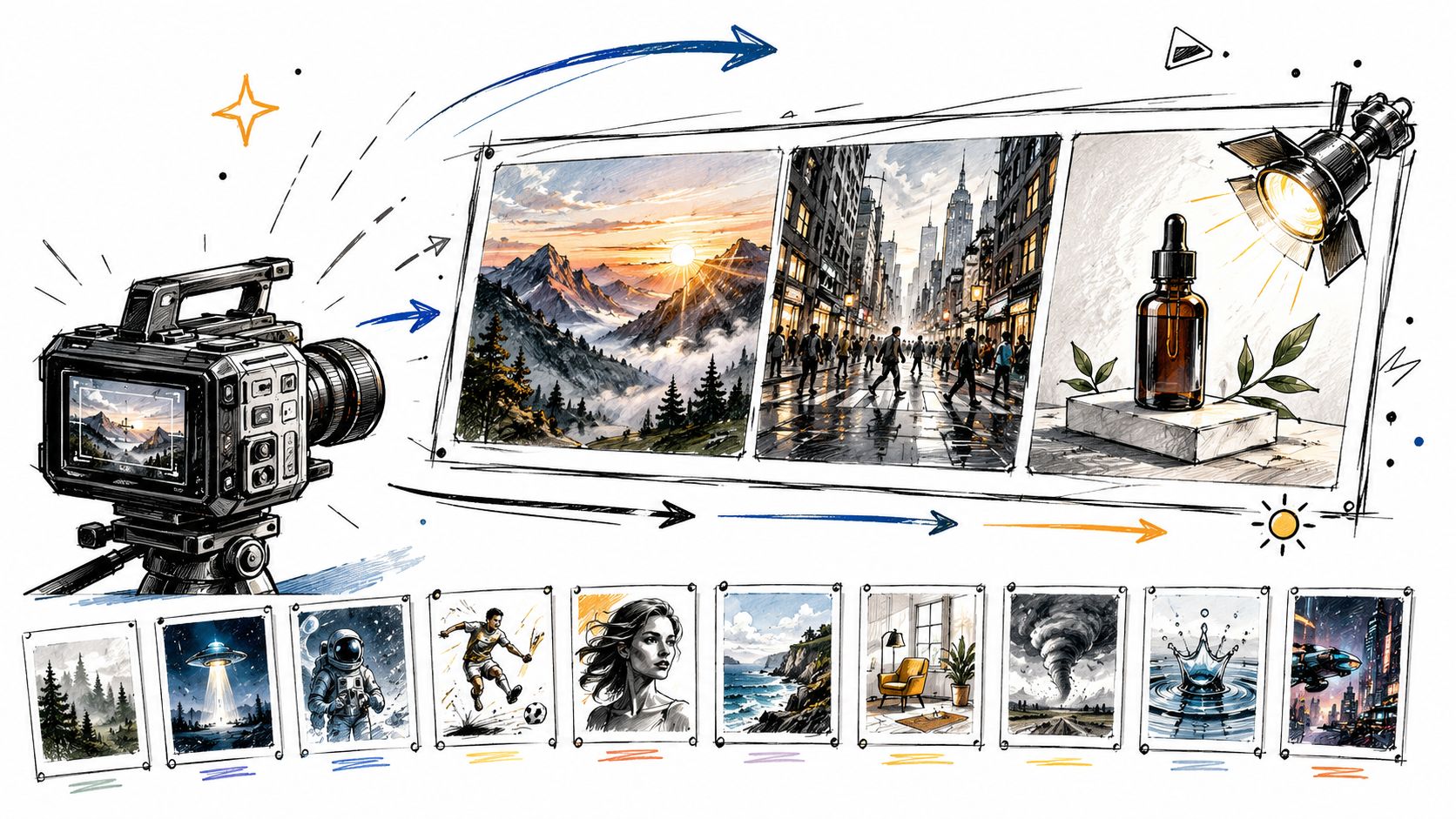
10 Video Prompt Ideas for Cinematic AI Videos
Explore 10 practical video prompt ideas for Veo 3 AI, with templates, examples, and tested tips for cinematic results.
Read article
MiniMax H3 vs Kling 3.0: A Practical 2026 Guide
MiniMax H3 vs Kling 3.0 compared on quality, speed, cost, audio, and real workflows, so you can pick the right model for your next video in 2026.
Read article
7 AI Funny Video Tools for Hilarious Shorts
Discover 7 AI funny video tools for memes, avatars, surreal clips, and short-form content, plus practical ways to make viewers laugh.
Read article