
Runway Agent 2.0 Review: AI Video Automation You Need to Know (2026)
Runway Agent 2.0 review: how autonomous AI video production works, key features, pricing, real workflow examples, and honest comparison with Veo 3.
Emma Chen · 15 min read · Jul 3, 2026
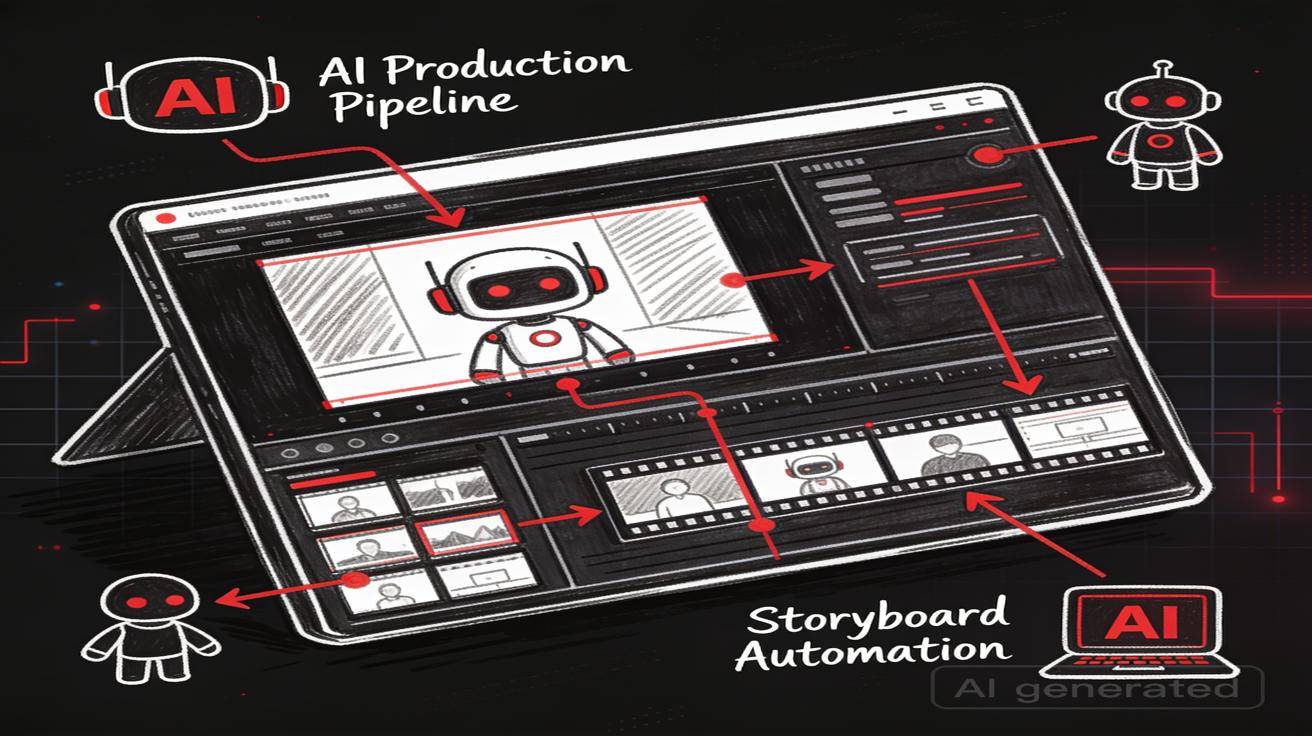
Runway Agent 2.0 landed on June 25, 2026, and it is easily the most ambitious thing Runway has shipped since Gen-4. If you have spent the last two years prompting text-to-video models one clip at a time, Runway Agent 2.0 asks a different question entirely: what if you described the video you wanted — the whole thing, with shots, pacing, voice, and music — and an autonomous agent planned and produced it for you? This Runway Agent 2.0 review breaks down what the tool actually does, how the autonomous "runway gen 4 agent" workflow works in practice, what it costs, where it beats the competition, and — just as importantly — where it still falls short of models like Google's Veo 3. No hype, no fabricated benchmarks. Just an honest look at whether this belongs in your workflow.
We test AI video tools every week here at veo3ai.io, and Runway's move toward agentic production is a signal about where the whole category is heading. Let's dig in.
What Is Runway Agent 2.0?
Runway Agent 2.0 is an autonomous AI video production system built on top of Runway's Gen-4 foundation model. Instead of treating video generation as a series of isolated prompts, the Agent behaves like a virtual director and editor. You give it a brief — a script, a concept, a marketing goal — and it decomposes that into a shot list, generates each shot, maintains character and scene consistency across them, and stitches the result into a coherent sequence.
According to Runway, the Agent is designed around "campaign creation, data analysis, and cross-platform marketing" — it can create entire campaigns, analyze performance data to improve creative, and scale output across platforms, formats, and markets. That framing matters. Runway is no longer positioning itself purely as a clip generator competing on raw fidelity; it is positioning the Agent as a production layer that sits above the model.
The core shift is agentic delegation. In older workflows, you were the director, the editor, and the continuity supervisor. With Agent 2.0, you delegate the mechanical and repetitive parts — multi-shot consistency, rotoscoping, lighting matching, re-timing — to the Agent, and you keep the creative decisions. Runway describes the Agent as capable of "maintaining visual fidelity across entire sequences," which is the single hardest problem in generative video and the thing that has historically forced creators back into manual editing.
How Autonomous Video Production Actually Works
The autonomous pipeline in Runway Agent 2.0 moves through roughly four stages. Understanding these stages is the key to using it well.
1. Intent parsing. You describe the project in natural language. This can be a full script, a loose creative brief, or a marketing objective ("a 30-second product teaser for a sustainable sneaker brand, energetic, Gen Z audience"). The Agent interprets that intent and proposes a structure.
2. Multi-shot planning and storyboarding. The Agent breaks the concept into individual shots, deciding on framing, sequence, and pacing. This is the automatic storyboarding layer — instead of you manually planning 8 shots, the Agent proposes them and you approve or adjust. Because it plans the whole sequence up front, it can enforce continuity decisions before generation rather than patching them after.
3. Generation with consistency locking. Each shot is generated through Gen-4. Runway's "Runway Characters" identity-locking engine keeps a character's facial features and clothing stable across shots, camera angles, and lighting conditions. According to Runway, the Gen-4 foundation model supports extended continuous generation with temporal consistency, which is what makes multi-shot sequences hold together instead of drifting.
4. Audio and assembly. Voice and sound are handled through Runway's Seed Audio system, which generates speech and sound effects from text (with optional audio references). The Agent can place voiceover, ambient sound, and music into the timeline, then assemble the shots into a finished cut.
The important mental model: the Agent plans, generates, and assembles — you supervise and approve. It is not a magic "type one sentence, get a finished film" button, and treating it that way is the fastest route to disappointment.
Key Features Worth Knowing
Here are the features that actually change how you work, based on Runway's documentation and hands-on reporting as of June 2026.
- Multi-shot planning: Automatic decomposition of a brief into a structured shot list with pacing and framing suggestions.
- Automatic storyboarding: The Agent proposes a visual sequence you can edit before committing generation credits — a genuinely useful cost-control feature.
- Runway Characters (identity locking): A dedicated engine that holds facial features and wardrobe consistent across shots. This is Runway's headline strength.
- Physics Engine Toggle: According to Runway, when editing scenes with water, smoke, or fabric, the Agent can apply realistic physical constraints — for example, adding a storm can re-light foreground subjects to match lightning and simulate wind on clothing.
- Voice and music integration (Seed Audio): Text-to-speech and sound effect generation, supporting extended audio clips in common formats, billed per second of generated audio.
- Rotoscoping and lighting adjustment: Delegable editing tasks the Agent can perform across a sequence rather than frame by frame.
- Gen-4 quality base: Extended continuous generation with temporal consistency and high-resolution output.
The through-line across all of these is consistency. Runway's competitive bet is that the studio and marketing market cares less about a single stunning 5-second clip and more about a coherent 60-second sequence where the same character, product, and look survive from shot to shot.
How to Access Runway Agent 2.0 and What It Costs
Runway Agent 2.0 is available through runwayml.com. You sign in to the Runway platform, and Agent features are surfaced within the standard creative workspace. There is API access as well for teams that want to build the Agent and Seed Audio into their own pipelines.
On pricing, Runway operates a credit-based model. As of 2026, the publicly listed structure looks approximately like this (always verify current pricing on Runway's site, since credit allocations change):
- Free plan: A one-time credit grant (reported around 125 credits) to try the platform.
- Standard: Around $12/month billed annually, with roughly 625 monthly credits.
- Pro: Higher monthly credit allocation (reported around 2,250 credits).
- Max: The heaviest tier, with a large monthly credit pool (reported around 9,500 credits).
Audio generation through Seed Audio is billed separately at a small per-second credit rate with a per-generation minimum. The practical implication: autonomous multi-shot production burns credits faster than single-clip generation, because you are generating multiple shots plus audio. The automatic storyboarding step, where you approve a plan before generating, exists partly to help you avoid wasting credits on shots you don't want. Budget accordingly, and lean on the storyboard preview before you commit.
For teams doing high-volume marketing output, the Max tier is where the Agent economics start to make sense. For solo creators experimenting, Standard is the sensible entry point, with the understanding that a full multi-shot project can consume a meaningful chunk of a monthly allocation.
Real Workflow Examples
Theory is fine, but the value of an agentic tool shows up in concrete workflows. Here are three, each written as steps you could actually follow.
Workflow 1: A 30-Second Product Teaser (Marketing)
- Brief the Agent: "30-second teaser for a wireless earbud, sleek and premium, urban night setting, one recurring product hero shot."
- Review the storyboard: The Agent proposes ~6 shots — establishing city shot, product reveal, lifestyle shot, feature close-up, logo card. You reorder two shots and cut one.
- Lock the product: Use Runway Characters / reference imaging to lock the earbud's appearance so it looks identical in every shot.
- Generate: The Agent produces each shot with consistent lighting and color grade.
- Add audio: Seed Audio lays down a voiceover tagline plus ambient city sound; you drop in a licensed music bed.
- Approve and export. Human input required: the brand voice, the tagline copy, the final color call. Automated: shot planning, generation, continuity, rough audio placement.
Workflow 2: A Multi-Shot Narrative Scene (Film / Previz)
- Provide a script snippet: A short dialogue scene between two recurring characters in a diner.
- Character setup: Define both characters once via reference images; the identity-locking engine keeps them consistent across the scene.
- Storyboard approval: The Agent breaks the scene into shot-reverse-shot coverage plus an establishing wide.
- Generate with the Physics Engine on: Steam from coffee, rain on the window — the Agent applies physical plausibility.
- Human pass: You regenerate two shots where an expression felt off, then fine-tune timing.
- Result: A previz-quality scene. Human input required: performance direction, which shots to regenerate, edit rhythm. Automated: coverage planning, continuity, environmental effects.
Workflow 3: Cross-Platform Campaign Variants (Scale)
- One master brief, many outputs: Ask the Agent to produce a hero video plus platform variants (vertical for Reels/Shorts, square for feed, horizontal for YouTube).
- Reframing and re-timing: The Agent adapts framing and pacing per format rather than you manually re-cropping.
- Localized audio: Generate voiceover variants in different languages via Seed Audio.
- Review the set: Approve each variant, regenerate weak ones.
- Export the whole campaign. Human input required: platform strategy, brand approval, localization QA. Automated: reframing, variant generation, audio localization drafts.
The pattern is consistent: the Agent handles decomposition, continuity, and repetitive transformation; humans handle taste, brand judgment, performance nuance, and final QA.
Quality: How Does Runway Gen-4 / Agent 2.0 Output Compare?
On raw shot quality, Runway Gen-4 is genuinely strong, and its standout is cross-shot consistency. Where many models produce a beautiful individual clip but drift when you ask for a second angle of the same character, Runway's identity locking holds up notably better. That is the whole reason the agentic, multi-shot workflow is viable at all.
Motion coherence and temporal stability are solid, and the Physics Engine toggle produces more believable interactions with smoke, water, and fabric than naive generation. For studio previz and marketing sequences that need continuity, this is a real advantage.
Where it is less dominant: single-clip photorealism and prompt adherence for complex, novel scenes. Competitors like Google's Veo 3 and Kling have been trading blows on per-clip realism and physics, and depending on the exact prompt, Veo 3 can produce a more convincing standalone shot with synchronized native audio. Runway's edge is the sequence; the competition's edge is often the individual moment.
Runway Agent 2.0 vs Veo 3: An Honest Comparison
Since veo3ai.io lives and breathes Veo 3, we owe you a straight comparison rather than a home-team spin. These tools optimize for different things.
| Dimension | Runway Agent 2.0 (Gen-4) | Google Veo 3 |
|---|---|---|
| Core strength | Autonomous multi-shot production & continuity | High-fidelity single-clip realism |
| Workflow model | Agentic: plans, generates, assembles a sequence | Prompt-driven: strong individual clips |
| Character consistency | Excellent (identity-locking engine) | Good, improving, less specialized |
| Native audio | Seed Audio (voice + SFX, text-driven) | Native synchronized audio built into generation |
| Physics realism | Physics Engine toggle for smoke/water/fabric | Strong physics and real-world simulation |
| Best for | Campaigns, previz, marketing at scale | Cinematic single shots, realism-first work |
| Pricing model | Credit tiers (~$12+/mo) | Via Google's AI ecosystem / Gemini plans |
| Learning curve | Higher (agent supervision) | Lower (prompt and go) |
The honest takeaway: If your job is producing coherent multi-shot sequences — ad campaigns, branded content, previz where the same character and product must persist — Runway Agent 2.0 is built for exactly that, and its consistency tooling is ahead. If your job is generating the single most realistic, audio-synced hero shot from a prompt, Veo 3 remains extraordinarily competitive and often wins on per-clip believability and integrated sound. Many serious teams will use both: Veo 3 for hero moments, Runway Agent for the connective tissue that turns clips into a sequence.
Limitations and When NOT to Use Runway Agent 2.0
No tool is universal. Here is where the Agent is the wrong choice.
- Single-clip realism jobs. If you just need one gorgeous 6-second shot, the agentic overhead (planning, storyboarding, supervision) is wasted effort. A direct prompt to Veo 3 or Gen-4 without the Agent is faster.
- Tight budgets on volume. Multi-shot generation plus audio consumes credits quickly. If you are on a low tier and need many projects, costs add up fast.
- Precise frame-level control. The Agent is opinionated. If you want to hand-craft every keyframe and transition, a traditional editor with generated clips gives you more control than delegating to an autonomous planner.
- Fully unattended output. "Autonomous" does not mean "walk away." Expect to review storyboards, regenerate weak shots, and QA continuity. Treating it as a one-click film generator produces mediocre results.
- Highly novel or surreal single scenes. For unusual prompts far outside common footage patterns, per-clip prompt adherence can wander, and some competitors handle exotic scenes better.
Set expectations correctly: this is a production accelerator with a human in the loop, not a replacement for creative judgment.
Who Should Use Runway Agent 2.0
- Marketers and growth teams: The campaign-creation and cross-platform variant workflows are the clearest fit. If you ship a lot of short-form video across channels, the Agent's reframing and variant generation is a real time-saver.
- Content creators producing series: Anyone who needs the same character or brand look to persist across episodes or shots will benefit most from the identity-locking engine.
- Studios doing previz: For rapid, consistent previsualization of multi-shot scenes, the Agent turns a script snippet into approvable coverage quickly.
- Agencies scaling output: Teams on higher tiers who need volume with brand consistency get the strongest ROI.
Who should probably skip it (for now): hobbyists making occasional one-off clips, and realism purists chasing the single best-looking shot, who may be better served by prompting Veo 3 or Gen-4 directly.
FAQ
What is Runway Agent 2.0? It is Runway's autonomous AI video production system, launched June 25, 2026, built on the Gen-4 model. It plans multi-shot sequences, generates them with consistency locking, integrates voice and music, and assembles a finished cut — acting as a virtual director and editor you supervise.
Is Runway Agent 2.0 fully autonomous? Not entirely. It automates planning, generation, continuity, and rough assembly, but expects human supervision — approving storyboards, regenerating weak shots, and doing final QA. Think "autonomous production assistant," not "one-click filmmaker."
How much does Runway Agent 2.0 cost? Runway uses credit-based tiers, reportedly starting around $12/month (annual) for Standard, with Pro and Max offering larger credit pools, plus a limited free trial. Audio via Seed Audio is billed per second. Multi-shot projects consume credits faster, so verify current pricing on runwayml.com before committing.
How does Runway Agent 2.0 compare to Veo 3? Runway Agent 2.0 excels at autonomous multi-shot sequences and character consistency; Veo 3 excels at high-fidelity single clips with strong native audio. For campaigns and previz, Runway's continuity tooling leads. For a single realistic hero shot, Veo 3 is often the stronger pick. Many teams use both.
Can Runway Agent 2.0 generate voice and music? Yes. Through Runway's Seed Audio system it generates speech and sound effects from text, with optional audio references, which the Agent can place into the timeline. Licensed music beds can also be layered in.
Does Runway Agent 2.0 keep characters consistent across shots? Yes — this is its headline strength. The Runway Characters identity-locking engine holds facial features and wardrobe stable across shots, angles, and lighting, which is what makes multi-shot sequences hold together.
When should I NOT use Runway Agent 2.0? Skip it for single-clip realism jobs, very tight budgets on high volume, frame-level manual control, or if you expect fully unattended output. In those cases a direct prompt to Gen-4/Veo 3 or a traditional editor is a better fit.
Conclusion and Recommendation
Runway Agent 2.0 is a real step toward agentic video production, and it succeeds at the hardest part of the problem: keeping characters, products, and looks consistent across an entire multi-shot sequence. For marketers, agencies, and studios that need coherent campaigns and previz at scale, it is one of the most capable tools available as of mid-2026, and the automatic storyboarding plus identity locking genuinely accelerate real production work.
Our recommendation: if your work is sequence-based — campaigns, branded series, previz — Runway Agent 2.0 is worth adopting, ideally on the Pro or Max tier where the credit economics make sense. If your work is single-shot and realism-first, keep Veo 3 as your primary and treat Runway as a complement for the connective, multi-shot work. The smartest teams won't pick a winner; they'll use Veo 3 for hero moments and Runway Agent 2.0 for everything that has to hold together around them.
Just remember the golden rule: autonomous does not mean hands-off. Supervise the storyboard, regenerate the weak shots, QA the continuity — and Runway Agent 2.0 will do the heavy lifting on everything in between.
Related Articles
Continue with more blog posts in the same locale.

How to Make Sports Highlight Videos with Veo 3 AI (2026)
Create stunning sports highlight videos with Veo 3 AI. Generate dynamic action shots, slow-motion sequences, and dramatic replays using AI prompts.
Read article
How to Make a Short Film with Veo 3 AI (2026 Guide)
Learn how to create professional short films using Veo 3 AI. Step-by-step guide with prompts, workflow tips, and cinematic techniques.
Read article
How to Make Documentary Videos with Veo 3 AI (2026 Guide)
Create compelling documentary videos with Veo 3 AI. Learn prompting techniques, narrative structure, realistic footage generation, and post-production tips.
Read article