
Seedance 2.0 Price Guide 2026: Plans, Costs, and Savings
Seedance 2.0 price varies by plan and provider. Compare subscriptions, per-second rates, and token costs with this complete 2026 guide to find the best deal.
Veo3 AI · 14 min read · Oct 3, 2026

Seedance 2.0 price isn't a single fixed number, but typically ranges from subscription plans starting around $28 per month to per-second API rates starting at roughly $0.067 for 480p video. The right cost depends on your output resolution, clip duration, audio settings, reference media, and whether you pay monthly or per generation.
That distinction changes the buying decision. A creator making occasional social clips may value predictable credits, while a developer generating videos on demand may prefer usage-based billing. The headline price only becomes useful after you translate it into the cost of the exact videos you plan to produce.
Table of Contents
- Understanding the Seedance 2.0 Pricing Structure
- Breaking Down Monthly Subscription Plans
- Comparing API and Per-Second Billing Models
- Calculating Real Costs for Your Video Projects
- Integrating Seedance 2.0 with Veo3 AI
- Strategies to Reduce Your AI Video Costs
- Choosing the Right Plan for Your Needs
<a id="understanding-the-seedance-20-pricing-structure"></a>
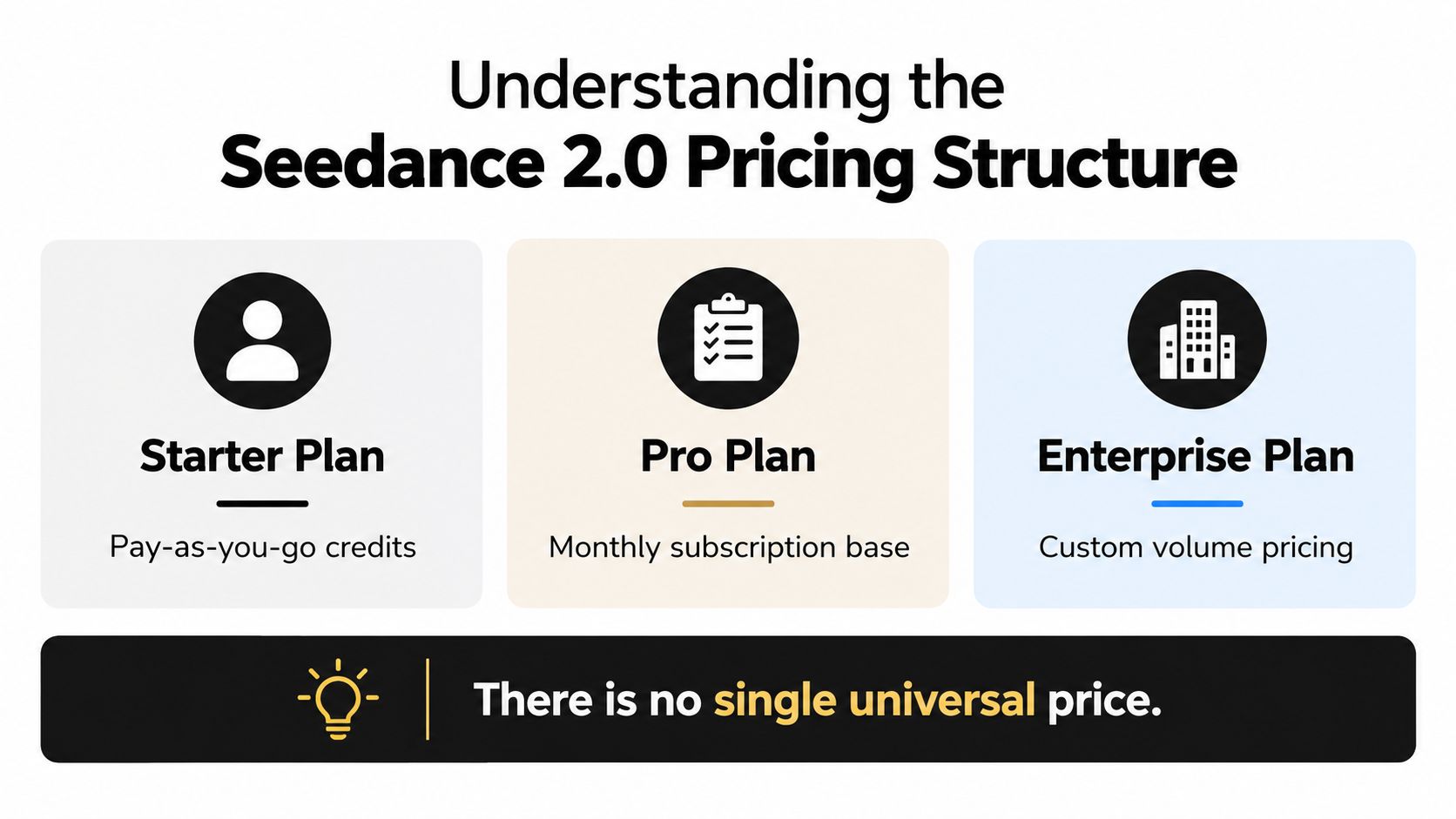
Understanding the Seedance 2.0 Pricing Structure
Seedance 2.0 pricing is fragmented, and that fragmentation affects real cost more than the headline number. Monthly subscriptions package credits into a recurring bill, while API and per-second billing charge for output as it is generated. The same project can land in a different cost bracket depending on whether it is billed as a subscription workflow or a usage-based one.
That makes the pricing question less about “What does Seedance 2.0 cost?” and more about “What does my output pattern cost?” A team producing a steady stream of clips can value predictable credit usage, while a developer generating on demand may care more about variable billing tied to each render. The right comparison starts with the unit you purchase, not the banner price.
A third-party pricing listing reports API rates that vary by output type, resolution, aspect ratio, duration, and input mix. It also shows supported clip lengths from 4 to 15 seconds. The detailed Seedance 2.0 pricing breakdown makes clear that one universal price would hide the billing variables that shape the final invoice.
<a id="two-models-two-budgeting-problems"></a>
Two models, two budgeting problems
A subscription answers one question, how much gets spent this month. API billing answers another, how much each approved output costs. The first model reduces budget uncertainty for regular users, but unused credits, resolution caps, and mode limits can shrink its practical value. The second model avoids a recurring commitment, yet a high-resolution workflow can become expensive when every retry is billed again.
The market also includes different access routes and providers. One listing shows monthly plans around $29.90, $49.90, and $99.90, while other providers advertise per-second rates as low as $0.101 or $0.022 for fast tiers. Those figures come from different commercial arrangements, so they should not be treated as interchangeable quotes. Teams that also evaluate review overhead can compare pricing for AI Video Detector alongside production costs when publication requires verification before release.
Practical rule: Match the billing unit to the planning unit. If you budget by finished clips, calculate cost per clip. If you budget by monthly access, calculate usable output after credit and resolution limits.
<a id="breaking-down-monthly-subscription-plans"></a>
Breaking Down Monthly Subscription Plans
The listed subscription menu has four monthly prices, $39, $80, $160, and $360, with annual-equivalent rates of $28, $56, $112, and $252 per month. Those tiers provide 400, 1,600, 4,800, and 12,000 credits, respectively, according to This subscription pricing breakdown. The highest tier reaches 4K output, while lower tiers may be capped at 720p.
The monthly fee is only the starting point. To estimate usable value, divide the plan's credits by the credit cost of the exact output you intend to approve. A $39 plan with 400 credits, for example, produces about 20 five-second 720p drafts if each generation costs 20 credits. That estimate assumes one attempt per draft. Retries, rejected outputs, audio, reference media, or higher resolution reduce the number of finished clips.
Annual-equivalent pricing can make a subscription appear substantially cheaper, but the lower rate matters only when the included credits fit your production schedule. A creator producing occasional 720p drafts may waste capacity by choosing a large tier designed for heavier output. A team requiring 4K delivery may find a lower-priced plan unusable even when its credit balance looks sufficient.
<a id="credits-arent-the-same-as-finished-videos"></a>
Credits aren't the same as finished videos
Credit consumption can vary by mode, duration, resolution, audio, and reference media. Two users on the same subscription can therefore receive very different numbers of approved clips. The relevant calculation is:
usable clips = included credits ÷ credits per generation
Then adjust the result for expected retries and any outputs that fail review.
Resolution also creates a spending constraint. A plan that covers early storyboards may stop fitting the project once 4K delivery, audio generation, or repeated iterations becomes necessary. For a small one-off assignment, upgrading can cost more than a usage-based route, even if the higher tier offers a lower effective monthly rate.
| Subscription feature | What it tells you | What it doesn't tell you |
|---|---|---|
| Monthly fee | Your recurring commitment | Your final cost per approved clip |
| Included credits | Your available usage pool | The credit cost of each generation |
| Resolution ceiling | The maximum output available | Whether it fits every deliverable |
| Annual-equivalent price | The effective monthly rate | Whether unused capacity creates waste |
A separate guide on Eklipse pricing plans and limits illustrates the same evaluation principle for creator software. Compare usable output, plan restrictions, and expected retries rather than relying on the headline monthly fee.
<a id="comparing-api-and-per-second-billing-models"></a>
Comparing API and Per-Second Billing Models
API billing is attractive when generation volume varies. You don't pay for a full month just to produce a small batch, and you can connect generation to an existing application or workflow. The trade-off is that every second, resolution choice, and retry has a direct effect on spending.
One independent API listing gives a clear rate ladder: 720p costs $0.3034 per second, 720p Fast costs $0.2419 per second, and 1080p costs $0.682 per second. It also lists token-based charges of $0.014 per 1,000 tokens for 480p, 720p, and 1080p outputs. The Seedance 2.0 text-to-video API listing demonstrates why “API price” still isn't a complete description. You need to know the selected mode and billing dimension.
<a id="subscription-versus-api"></a>
Subscription versus API
| Decision factor | Monthly subscription | Per-second or token API |
|---|---|---|
| Best fit | Predictable recurring production | Variable or programmatic generation |
| Main risk | Paying for unused credits | Accumulating costs through retries |
| Quality control | Often tied to plan limits | Selected per request, where supported |
| Budget visibility | Fixed invoice, variable output | Variable invoice, precise usage |
| Workflow | Usually a managed interface | Often requires integration work |
The API route can be more economical for a project with low or irregular usage. It can also be more expensive when a team generates many high-resolution drafts before approving one. The relevant comparison isn't subscription fee against API rate. It's monthly plan cost against total generated seconds at the required resolution.
Audio adds another layer. A 10-second 4K clip with audio can cost materially more than a 10-second low-resolution clip, even though the duration is identical. Teams should record resolution, audio status, aspect ratio, input type, and retry count in their production log rather than tracking only the number of exported files.
Budgeting principle: Treat every draft as billable production unless your provider explicitly says otherwise. The final video may be short, but the path to that final video can include multiple charged generations.
<a id="calculating-real-costs-for-your-video-projects"></a>
Calculating Real Costs for Your Video Projects
A 15-second 1080p clip at $0.682 per second costs about $10.23 before revisions. If the team needs two retries, the same approved asset represents three generations, or approximately $30.69. This calculation shows why Seedance 2.0 price comparisons based only on headline rates can understate the project budget.
Start with the provider's per-second rate, multiply it by the required duration, then account for output settings and planned generations. The source pricing page supplies rates for different configurations, while resolution, audio, references, or tokens may affect the applicable charge.
<a id="a-four-step-calculation"></a>
A four-step calculation
-
Define the deliverable. Record the target resolution, duration, audio requirement, aspect ratio, and reference inputs. “A video” is too vague for a defensible estimate.
-
Select the applicable rate. Match the rate to the chosen resolution and mode. The 1080p rate in the worked example cannot forecast a 4K campaign, and a lower-resolution rate will produce an inaccurate budget for a higher-quality output.
-
Multiply by duration. For per-second billing, multiply the rate by generated seconds. In the example, $0.682 multiplied by 15 seconds produces $10.23 for one generation.
-
Multiply by planned generations. Include alternate versions, failed prompts, and retries. Three generations of that 15-second clip cost about $30.69 before any separate charges. A budget based only on final exports therefore understates usage.
Seedance 2.0 supports durations from 4 to 15 seconds, and its multimodal workflow accepts up to 3 video clips, 9 images, and 3 audio clips as references. ByteDance's technical overview documents those capabilities. Longer narratives require separate generations or an editing workflow, so each additional clip becomes another cost decision.
For product teams, the same method applies to automated video for ecommerce. Estimate the cost of the approved product clip, then add expected revisions and alternate formats rather than budgeting around one theoretical generation.
<a id="integrating-seedance-20-with-veo3-ai"></a>
Integrating Seedance 2.0 with Veo3 AI
The platform choice affects the cost model as much as the model choice. Standalone Seedance 2.0 access may suit a narrow workflow, while a shared workspace can reduce administrative overhead across several video models. The useful comparison is not the monthly fee alone. It is whether the platform shows how credits change with each model, output length, and resolution.
Seedance 2.0 uses a unified multimodal audio-video architecture and accepts text, image, audio, and video inputs. ByteDance's launch description describes those four input types as part of the model's design. That affects production planning because reference assets can influence how many generations a brief requires. A team should record the intended resolution and clip length before comparing credit rates, then price the actual workflow rather than a generic “video” request.

<a id="convenience-can-change-the-cost-equation"></a>
Convenience can change the cost equation
An integrated workspace can simplify asset handling, model testing, and project management. It can also hide cost differences behind one dashboard. Switching from Seedance 2.0 to another model may change the credit rate, supported resolution, or available controls, so a single account does not create a single pricing structure.
Creators comparing adjacent options can review Veo 3.1 alongside the Veo 3 AI video generator. The comparison should follow the brief. Use Seedance 2.0 when its multimodal references and audio-video workflow fit the required output, then test another model against a defined production limitation.
Veo3 AI provides access to multiple AI video generation models, including Seedance, in one environment. Its Seedance 2.0 workflow page can help teams review model access and generation controls before assigning a project to a specific tool.
The cost advantage of consolidation comes from fewer tool changes and clearer project handling. It does not remove usage charges. Before choosing a platform, map the required models, output lengths, resolutions, and expected revisions, then confirm that its credit display makes each cost visible.
<iframe width="100%" style="aspect-ratio: 16 / 9;" src="https://www.youtube.com/embed/t13MM2XKn1I" frameborder="0" allow="autoplay; encrypted-media" allowfullscreen></iframe>
<a id="strategies-to-reduce-your-ai-video-costs"></a>
Strategies to Reduce Your AI Video Costs
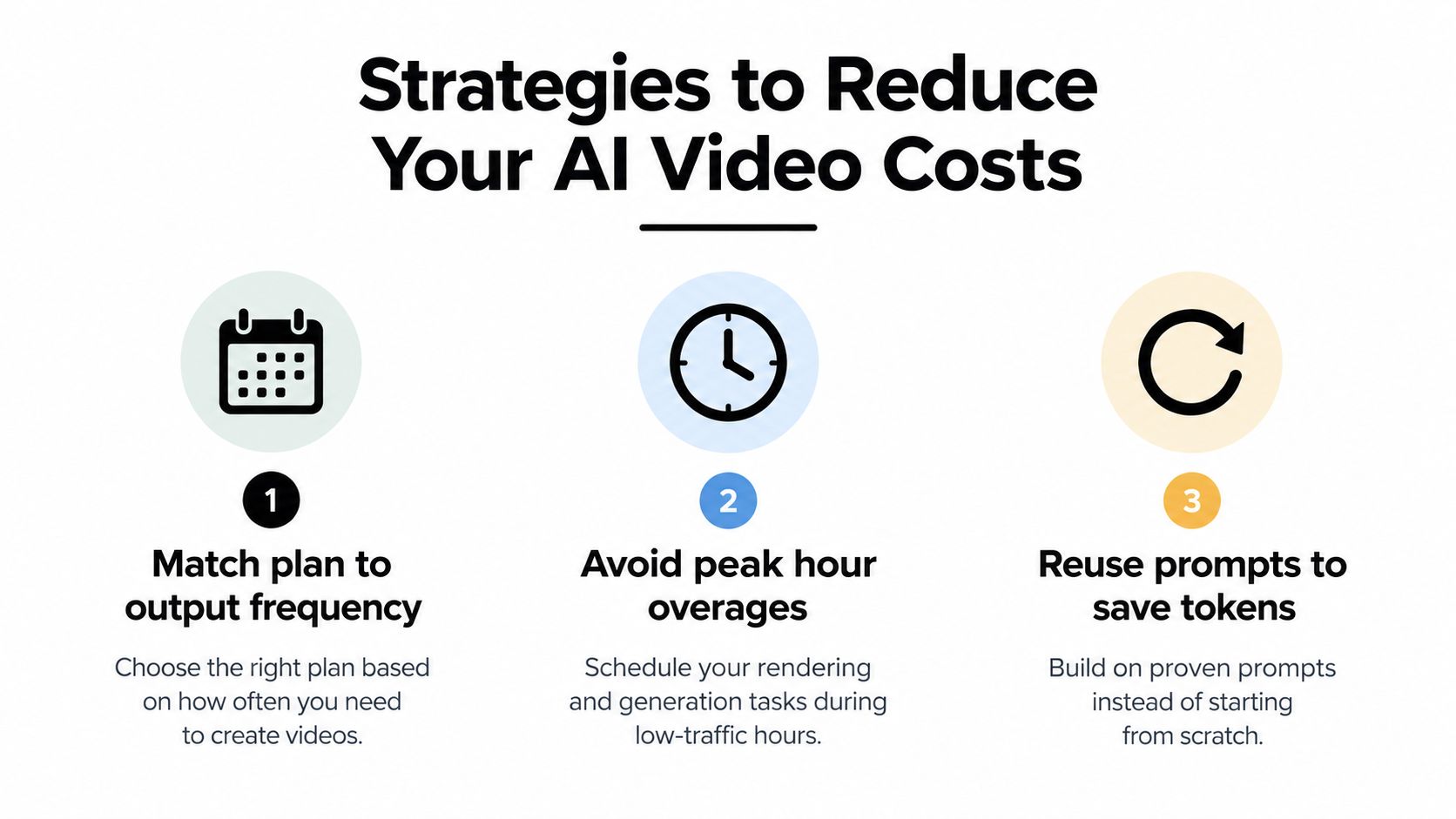
Three cost levers usually matter more than the advertised monthly fee: output frequency, generation settings, and the number of revisions required. A lower-priced plan can cost more in practice if it triggers upgrades or limits the format needed for delivery. Compare plans against the seconds and resolutions your project will consume.
<a id="match-the-commercial-model-to-your-output"></a>
Match the commercial model to your output
For occasional clips, compare a low-tier subscription with pay-as-you-go access. For recurring production, calculate whether the included credits cover the required duration and resolution. Extra credits have no value if your workflow does not use them. Upgrade only when additional capacity removes a specific production constraint.
Seedance 2.0 accepts four input modalities, text, image, audio, and video, which can give a team more precise control over a generation. The official launch information confirms that multimodal input is part of the model's design. A prepared reference may reduce failed experiments, but it does not guarantee a usable first result. Include revisions and rejected outputs in the cost estimate.
Three decisions have a disproportionate effect on waste:
- Match plan to output frequency: Use recurring credits for steady demand and usage-based billing for uneven workloads.
- Check peak-hour rules: Queue priority, processing modes, or access limits can reduce the practical value of a nominal credit balance when deadlines are fixed.
- Reuse proven inputs: Store tested prompt structures, reference assets, and format requirements together. Rebuilding the same setup for each iteration increases both labor and generation costs.
Resolution requires a separate calculation. If the final asset is intended for a mobile feed, producing every draft at the highest available resolution may add cost without improving the published video. Validate concepts in a lower-cost format, then reserve premium output for the version that passes review.
Cost discipline: Separate exploration from delivery. Controlled drafts limit waste, while final renders use the quality settings the audience will see.
<a id="choosing-the-right-plan-for-your-needs"></a>
Choosing the Right Plan for Your Needs
A team producing 20 approved 10-second 1080p clips, with two retries per clip, must budget 600 billable seconds. At $0.682 per second, that is approximately $409, compared with a $160 plan containing 4,800 credits. The subscription appears cheaper only if its credits apply to the required resolution and output workflow. This calculation is more useful than comparing monthly fees alone.
The right choice depends on the billing unit that matches production. A recurring credit plan suits predictable work when credits cover the needed resolution and are used consistently. Per-second API billing suits uneven demand, but the estimate must include drafts, failed generations, retries, and alternate versions. Use the provider's That plan comparison to confirm how credits, access, and billing terms are defined before committing.
<a id="three-usage-patterns"></a>
Three usage patterns
The occasional creator should record the actual number of clips, their duration, and the minimum acceptable resolution. A subscription may fit when usage is regular and the interface matters, but unused credits reduce its effective value. Divide the plan cost by the credits likely to be consumed, then compare that result with the cost of the same seconds through usage-based billing.
The marketing team should calculate cost per approved campaign asset. One concept may require multiple aspect ratios, reference inputs, revisions, and premium renders. Separate low-cost concept tests from final 1080p outputs. This shows whether a larger credit allowance reduces the cost of approved deliverables or merely funds more experimentation.
The developer or agency should track generated seconds by project and resolution. API billing provides tighter control over irregular workloads, provided the team sets approval rules for high-resolution output and monitors retries. A short-lived project can otherwise accumulate a larger bill than its final asset count suggests.
Record duration, resolution, retry count, and approved outputs for one representative project. Then calculate the effective cost per delivered clip, not just the advertised plan fee. Pricing may change with provider policy, model updates, resolution access, and billing cycles, so verify current terms before subscribing.
Veo3 AI combines multiple AI video models, including Seedance, in one platform. Review its available tools and generation options at Veo3 AI, then apply the same duration, resolution, and revision assumptions to compare workflows on equal terms.
Related Articles
Continue with more blog posts in the same locale.
Gemini Omni vs Kling 3.0: The Full 2026 Comparison
Gemini Omni vs Kling 3.0 compared on quality, speed, pricing, multi-shot control, and workflows — plus recommendations and sample prompts for creators.
Read article
Veo 3.1 vs Sora 2: Which AI Video Model Wins in 2026
Veo 3.1 vs Sora 2 compared side by side on quality, speed, pricing, and workflows. Find out which AI video model fits your creator needs.
Read article
Veo 3.1 vs Kling 3.0: Which AI Video Model Wins in 2026
Veo 3.1 vs Kling 3.0 compared side by side on quality, speed, pricing, and use cases. Find out which AI video model fits your workflow in 2026.
Read article