
How to Make AI Hug & Reunion Videos with Veo 3
Step-by-step guide to making wholesome AI hug and reunion videos with Veo 3. Animate a photo of loved ones into a believable embrace with native synchronized audio. Copy-ready prompt templates included.
Emma Chen · 17 min read · Jun 24, 2026
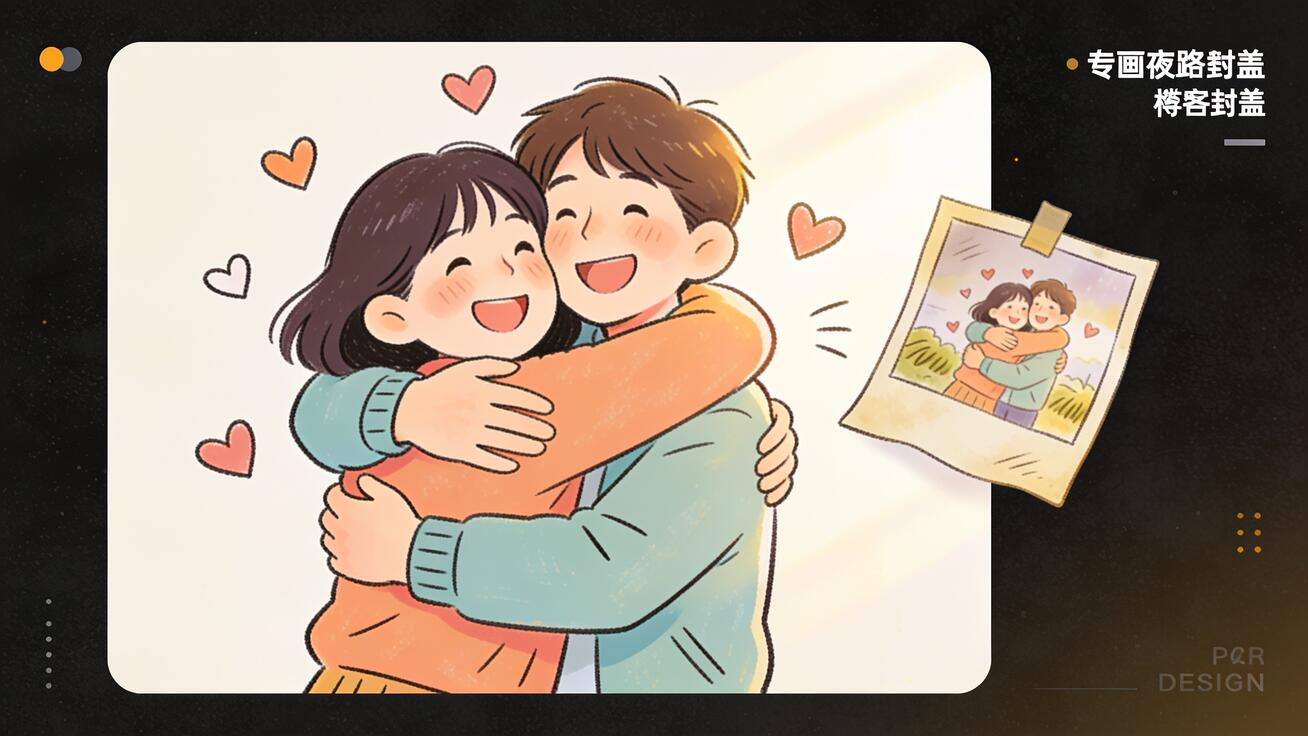
<p>There is a whole genre of video that makes people cry in the best way: an old photograph slowly coming to life as two people lean in and wrap each other in a long, warm hug. A grandparent and grandchild reunited. A soldier coming home. Two friends who lost touch finally embracing again. These wholesome <strong>AI hug video</strong> clips have taken over family group chats and social feeds because they turn a still memory into a moment of motion and sound. And the tool that makes the most convincing versions right now is Veo 3, because it generates the picture <em>and</em> synchronized native audio in a single pass — the soft "I missed you," the gentle laugh, the ambient room tone — so the emotion actually lands.</p>
<p>This guide is a complete, step-by-step walkthrough for making wholesome reunion and hug videos with Veo 3. If you have been looking for a reliable <strong>AI hug video generator</strong> workflow — one that takes a real photo of your loved ones and animates a believable, emotional embrace — this is the one to bookmark. We will cover how to prepare your photo, the exact prompt structure that produces a natural hug instead of a glitchy one, how to use Veo 3's native audio for reunion sound, copy-ready prompt templates, the consent and brand-safety rules you must respect, and a QA checklist so the final clip looks and feels right.</p>
<h2>Quick Answer: How to Make an AI Hug Video with Veo 3</h2>
<p>To make an AI hug video with Veo 3, start from a clear photo of the two people you want to animate, open Veo 3's image-to-video tool, upload the image, and write a prompt that describes the hug motion, the emotional tone, the camera behavior, and the audio you want (a soft greeting, a happy laugh, gentle background sound). Then generate. Because Veo 3 produces synchronized native audio along with the video, the reunion sound is created in the same pass as the motion — you do not need to add a separate soundtrack to make it feel real. Most creators generate two or three versions from the same photo and pick the one with the most natural body movement and facial expression.</p>
<p>The short version: <strong>upload a photo → write a hug-and-audio prompt → generate → pick the best version → export.</strong> The rest of this guide explains how to do each step well, because the difference between a hug video that makes people emotional and one that looks like a melting glitch is almost entirely in the photo prep and the prompt.</p>
<h2>Why Veo 3 Is the Right Tool for Hug and Reunion Videos</h2>
<p>An <strong>AI hugging video</strong> lives or dies on two things: the realism of the motion and the believability of the sound. A hug where arms pass through bodies, faces warp, or the two people drift apart looks unsettling rather than touching. And a silent reunion clip feels strangely empty — the sound of someone saying a name, a quiet sob of joy, or the rustle of a real embrace is what makes viewers feel it.</p>
<p>Veo 3 is built for exactly this. It is an image-to-video and text-to-video model with strong physical motion modeling, which matters enormously for a hug: arms need to wrap, weight needs to shift, and the two subjects need to stay anchored to each other. Just as importantly, Veo 3 generates <strong>native synchronized audio</strong> — dialogue, ambient sound, and effects — in the same generation as the picture. For a reunion clip, that means the "It's so good to see you" can be timed to the moment the two faces meet, instead of being awkwardly dubbed on afterward. If you want to understand how that audio engine works under the hood, our <a href="https://veo3ai.io/blog/veo-3-native-audio-prompt-guide-2026">Veo 3 native audio prompt guide</a> breaks down how to direct dialogue, sound effects, and lip sync.</p>
<p>Compared to older animate-a-photo tools that only morph a face into a smile or a slow zoom, Veo 3 can stage an actual interaction between two people in a scene with camera movement, lighting, and sound. That is the leap that makes modern reunion videos feel like real footage rather than a moving postcard.</p>
<h2>Step 1: Choose and Prepare the Right Photo</h2>
<p>The photo is 80% of your result. A great hug video almost always starts from a great source image. Here is what to look for and how to prepare it.</p>
<h3>Pick a photo that already implies closeness</h3>
<p>The best source images for a reunion hug show two people standing or sitting reasonably close, both faces clearly visible, with enough body in frame for arms to move. A tight head-and-shoulders crop gives Veo 3 very little room to animate a hug, so prefer a half-body or full-body shot. If you only have separate portraits of two people, you can still work with them, but a single photo where both subjects already share the frame produces far more coherent embraces.</p>
<h3>Prioritize clarity and lighting</h3>
<ul> <li><strong>Sharp focus:</strong> blurry or low-resolution photos lead to warping faces. Use the clearest version you have.</li> <li><strong>Even lighting:</strong> harsh shadows across a face can confuse motion. Soft, frontal light works best.</li> <li><strong>Unobstructed faces:</strong> avoid sunglasses, heavy hats, or hands covering faces if you want expressive reunions.</li> <li><strong>Neutral or simple background:</strong> busy backgrounds sometimes distort during motion; a doorway, living room, or outdoor scene usually animates cleanly.</li> </ul>
<p>If your photo is old, scanned, or slightly damaged, a quick restoration pass (de-noise, light sharpening) before you upload will noticeably improve the final motion. The cleaner the input, the more stable the hug.</p>
<h2>Step 2: Write the Hug Prompt (Structure That Works)</h2>
<p>A reliable hug prompt has four parts. Describe them in this order and Veo 3 will give you far more consistent results than a one-line request like "make them hug."</p>
<ol> <li><strong>Subjects and starting state:</strong> who is in the frame and what they are doing at the start. ("Two adults standing a step apart, looking at each other.")</li> <li><strong>The hug motion:</strong> the specific movement you want, described physically. ("They step forward and embrace in a warm, gentle hug, arms wrapping around each other's backs.")</li> <li><strong>Emotion and expression:</strong> the feeling on their faces. ("Both smiling with emotional, joyful expressions; eyes slightly teary.")</li> <li><strong>Audio and camera:</strong> the sound you want and how the camera behaves. ("Soft happy laughter and a quiet 'I missed you'; gentle ambient room tone; camera slowly pushes in.")</li> </ol>
<p>Keeping the motion gentle and realistic is the single biggest trick. Dramatic, fast movements ("they run and leap into a hug") are much harder for any model to render cleanly and often produce artifacts. A slow, warm embrace is both more believable and more emotionally effective. For more on directing how the camera moves during the moment, see our <a href="https://veo3ai.io/blog/veo-3-camera-control-prompts-2026">Veo 3 camera control prompts</a> guide.</p>
<h2>Step 3: Use Veo 3's Native Audio for the Reunion Sound</h2>
<p>This is where Veo 3 separates itself from older photo-animation tools. The sound of a reunion is half the emotion, and Veo 3 generates it natively, in sync with the motion. You direct the audio right inside the same prompt.</p>
<p>For hug and reunion videos, the most effective audio prompts are short and specific. You generally want one of three things:</p>
<ul> <li><strong>A short spoken line:</strong> a warm greeting timed to the embrace, such as "I missed you so much." Keep spoken lines to a few words — short lines sync more cleanly to mouth movement.</li> <li><strong>Emotional non-verbal sound:</strong> happy laughter, a soft joyful sob, a relieved sigh. These are often more universal and less prone to lip-sync mismatch than dialogue.</li> <li><strong>Ambient atmosphere:</strong> gentle room tone, a quiet outdoor breeze, soft background warmth. This grounds the clip and stops it feeling sterile.</li> </ul>
<p>Describe the audio in plain language inside the prompt — for example, "soft happy laughter and the quiet sound of an emotional reunion; warm ambient room tone." Veo 3 will generate that audio aligned to the action. If you want a deeper breakdown of writing dialogue versus sound effects and getting lip sync right, the <a href="https://veo3ai.io/blog/veo-3-native-audio-prompt-guide-2026">native audio prompt guide</a> is the companion piece to this section.</p>
<h2>Copy-Ready Hug & Reunion Prompt Templates</h2>
<p>Here are prompt templates you can paste into Veo 3 and adapt. Replace the bracketed parts with details from your own photo. These are written for the image-to-video flow (upload your photo first, then use the prompt to describe the motion and sound).</p>
<h3>Template 1: Classic warm reunion hug</h3>
<p><em>"The two people in the photo step toward each other and share a warm, gentle hug, arms wrapping around each other's backs. Both have joyful, emotional expressions, smiling with slightly teary eyes. Soft happy laughter and a quiet 'I missed you.' Gentle ambient room tone. The camera slowly pushes in. Natural, realistic motion, soft lighting."</em></p>
<h3>Template 2: Grandparent and grandchild</h3>
<p><em>"The older person and the child in the photo embrace in a tender, loving hug. The child wraps their arms around the grandparent; the grandparent smiles warmly and gently pats their back. Soft, happy giggling from the child and a warm 'There you are.' Quiet, cozy indoor ambience. Slow, steady camera, natural motion, warm afternoon light."</em></p>
<h3>Template 3: Friends reuniting outdoors</h3>
<p><em>"The two friends in the photo walk the last step toward each other and hug warmly, patting each other on the back. Big genuine smiles, eyes lit with happiness. Cheerful laughter and a bright 'It's been way too long!' Soft outdoor ambience with a light breeze. Camera holds steady then drifts gently. Realistic, natural movement, golden-hour lighting."</em></p>
<h3>Template 4: Quiet, emotional embrace (minimal dialogue)</h3>
<p><em>"The two people in the photo come together in a long, heartfelt embrace, holding each other closely. Eyes closed, deeply emotional, peaceful expressions. No spoken words — only a soft, relieved sigh and quiet, tender background ambience. The camera slowly pushes in and holds. Gentle, slow, realistic motion, soft diffused light."</em></p>
<p>Notice the pattern across all four: gentle motion, clearly described emotion, short or non-verbal audio, and a slow camera. That combination is what consistently produces a believable, moving hug. If you are brand new to the image-to-video workflow itself, start with our <a href="https://veo3ai.io/blog/veo-3-image-to-video-complete-guide-2026">Veo 3 image-to-video complete guide</a> and then come back to these templates.</p>
<h2>Step 4: Generate, Compare, and Pick the Best Version</h2>
<p>Hug videos are an area where generating more than one version pays off. The same photo and prompt can produce noticeably different results from run to run — in one the embrace is perfect, in another the arms drift. The workflow most creators settle on:</p>
<ol> <li><strong>Generate two or three versions</strong> from the same photo and prompt.</li> <li><strong>Compare the body mechanics first:</strong> do the arms actually wrap and stay connected, or do they pass through / drift apart?</li> <li><strong>Then check the faces:</strong> are expressions warm and stable, or do they warp during motion?</li> <li><strong>Then check the audio:</strong> does the spoken line or laughter land at the right moment and match the emotion?</li> <li><strong>Pick the cleanest take</strong> and only re-prompt if none are usable.</li> </ol>
<p>If every version has the same problem (for example, the arms never connect), that is a signal to adjust the prompt — slow the motion down, simplify the action, or pick a source photo where the two subjects already stand closer together. Small prompt changes usually fix it faster than re-rolling the same prompt repeatedly.</p>
<h2>Best Use Cases for AI Hug Videos</h2>
<p>The wholesome reunion-hug format is versatile. The most popular, genuinely meaningful uses include:</p>
<ul> <li><strong>Memorial and remembrance tributes:</strong> animating a treasured photo of a loved one who has passed, to feel one more warm moment. This is the most emotionally powerful use — and the one that most demands taste and family consent.</li> <li><strong>Long-distance family:</strong> turning a photo of relatives separated by distance into a "we'll hug again soon" clip to share in the family chat.</li> <li><strong>Reunion announcements:</strong> homecomings, anniversaries, friends meeting after years apart — a short hug clip makes a lovely surprise or invitation.</li> <li><strong>Birthday and holiday messages:</strong> a warm animated embrace adds feeling to a greeting that a static photo cannot.</li> <li><strong>Restoring old photographs:</strong> bringing a decades-old family picture to life as a gentle, moving keepsake.</li> </ul>
<p>Across all of these, the emotional payoff comes from restraint: a gentle, believable hug with the right sound beats an over-the-top, dramatic animation every time.</p>
<h2>Consent, Ethics, and Brand-Safety Rules</h2>
<p>Animating real people's faces is powerful, and it carries real responsibility. Follow these rules without exception:</p>
<ul> <li><strong>Only animate people you have the right to use.</strong> Use photos of yourself, your own family, or people who have given clear permission. Do not animate strangers, public figures, or anyone who has not consented.</li> <li><strong>For memorial videos, get family agreement.</strong> Animating someone who has passed away is deeply personal. Make sure the people closest to them are comfortable with it, and treat the result with care.</li> <li><strong>Keep it wholesome and honest.</strong> These tools are for warm, affectionate, family-friendly moments. Do not create misleading clips that fake events, put words in someone's mouth, or could deceive viewers about something real.</li> <li><strong>Label AI-generated content where appropriate.</strong> When sharing publicly, being transparent that a clip is AI-generated builds trust and respects your audience.</li> </ul>
<p>Used this way — for genuine, consented, affectionate moments — AI hug videos are one of the most heartwarming things you can make with this technology.</p>
<h2>QA Checklist Before You Share</h2>
<p>Run through this quick checklist before you post or send your hug video:</p>
<ul> <li><strong>Hands and arms:</strong> do the arms wrap naturally without passing through bodies or vanishing?</li> <li><strong>Faces:</strong> are both faces stable and recognizable throughout, with no warping during the embrace?</li> <li><strong>Connection:</strong> do the two subjects stay anchored together, or drift apart at the end?</li> <li><strong>Audio sync:</strong> does any spoken line match mouth movement, and does the emotional sound fit the moment?</li> <li><strong>Audio quality:</strong> is the ambient sound pleasant and not distracting or distorted?</li> <li><strong>Length:</strong> is the clip the right length — long enough to feel the moment, short enough to keep the motion clean?</li> <li><strong>Consent:</strong> do you have the right to use and share these faces?</li> </ul>
<p>If anything fails, re-generate or adjust the prompt before sharing. A 10-second clip that passes every check is worth far more than three rushed ones that warp.</p>
<h2>Limitations to Keep in Mind</h2>
<p>Veo 3 is the strongest tool for this today, but it is not magic. Be realistic about a few things:</p>
<ul> <li><strong>Complex motion is harder.</strong> Two people is the sweet spot; crowds, fast running hugs, or multiple simultaneous actions are more prone to artifacts.</li> <li><strong>Exact likeness can shift slightly.</strong> Faces are usually recognizable but may drift a little during big movements — favor gentle motion and shorter clips for the most faithful results.</li> <li><strong>Spoken dialogue is the hardest audio.</strong> Short lines or non-verbal sounds (laughter, sighs) sync more reliably than long sentences.</li> <li><strong>You may need a few tries.</strong> Generating two or three versions and picking the best is part of the normal workflow, not a sign you did something wrong.</li> </ul>
<p>If you are weighing Veo 3 against other tools for this kind of work, our <a href="https://veo3ai.io/blog/veo-3-vs-krea-ai">Veo 3 vs Krea AI comparison</a> walks through where each model is strongest. And if you enjoy this wholesome, family-friendly style of generation, you will probably also like making <a href="https://veo3ai.io/blog/veo-3-ai-baby-videos">AI baby videos with Veo 3</a>, which uses the same native-audio approach.</p>
<h2>FAQ</h2>
<h3>What is an AI hug video?</h3>
<p>An AI hug video is a short clip created by animating a still photo so that the people in it appear to embrace, usually in a warm reunion. With Veo 3, the clip also includes synchronized native audio — like a soft greeting, laughter, or ambient room tone — generated in the same pass as the motion, which makes the moment feel real rather than silent.</p>
<h3>Can I make an AI hug video from a single photo?</h3>
<p>Yes. The best results come from one photo that already shows both people in the same frame, standing or sitting reasonably close, with clear faces. Upload that photo to Veo 3's image-to-video tool, describe the hug motion and the sound you want, and generate. A single shared-frame photo produces far more coherent embraces than stitching separate portraits together.</p>
<h3>How do I get the reunion sound to feel real?</h3>
<p>Direct the audio inside your prompt. Ask for a short spoken line ("I missed you"), an emotional non-verbal sound (happy laughter, a relieved sigh), and gentle ambient atmosphere. Veo 3 generates this audio synced to the motion. Keep spoken lines short for cleaner lip sync, and lean on laughter or ambience when you want something more universal.</p>
<h3>Is it okay to animate a photo of someone who has passed away?</h3>
<p>It can be a beautiful tribute, but treat it with care. Animate only with the agreement of the people closest to them, keep the result respectful and wholesome, and never use it to deceive. Memorial hug videos are among the most meaningful uses of this technology when done thoughtfully and with consent.</p>
<h3>Why do the arms or faces sometimes look wrong?</h3>
<p>Usually it is the motion being too fast or complex, or the source photo being too tightly cropped or low quality. Slow the hug down in your prompt, simplify the action, and start from a sharp half-body or full-body photo. Generating two or three versions and picking the cleanest one solves most issues.</p>
<h2>Conclusion: Make Your First AI Hug Video with Veo 3</h2>
<p>A great AI hug video is not about flashy effects — it is about a believable, gentle embrace paired with the right emotional sound. That combination of realistic motion and native synchronized audio is exactly what makes Veo 3 the best AI hug video generator available right now. Start from a clear photo where both people share the frame, write a four-part prompt (subjects, hug motion, emotion, audio and camera), generate two or three versions, and pick the one with the most natural movement and the most fitting sound. Respect consent and keep it wholesome, and you will end up with a clip that genuinely moves the people you share it with. Upload your photo, paste one of the templates above, and create your first reunion hug video with Veo 3 today.</p>
Related Articles
Continue with more blog posts in the same locale.
Veo 3 Talking Head Video: How to Create AI Presenter Videos (2026)
Create AI presenter videos with Veo 3: character prompts, lip sync, platform formats, brand spokesperson, social persona, and training video host — with ready-to-use templates.
Read article
Veo 3 Drone Shot Prompts: How to Create Aerial Camera Moves (2026)
Veo 3 drone shot prompts: aerial camera vocabulary, pull-back reveal, orbit, tracking shots, environment examples for real estate, travel, sports, and documentary.
Read article
Veo 3 for E-Commerce: AI-Generated Product Videos That Convert (2026)
Learn how to use Veo 3 for e-commerce product video: I2V packshot prompts, platform specs, category playbooks for fashion, food, cosmetics, and home goods, plus QA checklists.
Read article