
Veo 3 for E-Commerce: AI-Generated Product Videos That Convert (2026)
Learn how to use Veo 3 for e-commerce product video: I2V packshot prompts, platform specs, category playbooks for fashion, food, cosmetics, and home goods, plus QA checklists.
Emma Chen · 16 min read · Jul 7, 2026
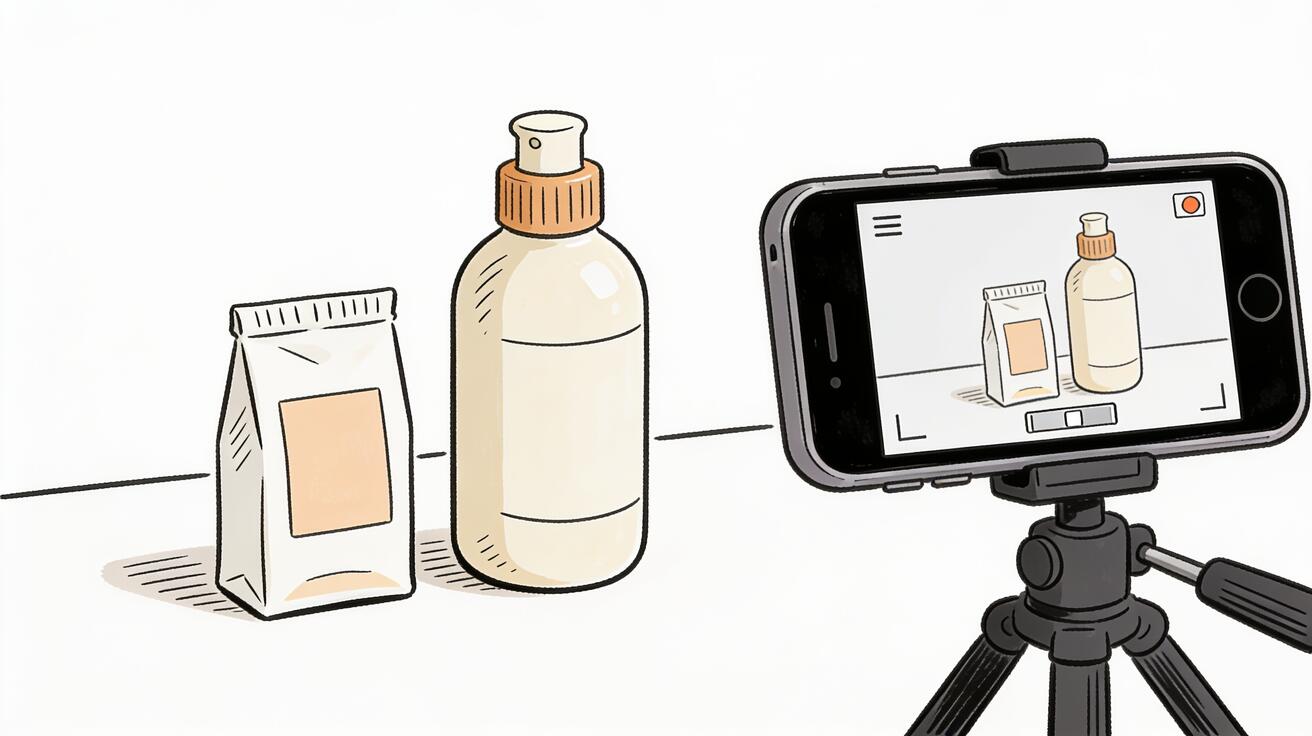
Veo 3 for e-commerce means going from a product image or a text prompt to a publish-ready 1080p video clip with native audio in minutes. For online retailers and brand marketers managing hundreds of SKUs, this changes the economics of product video production. Instead of scheduling studio shoots, working with videographers, and managing weeks of post-production, you generate product clips on demand.
This guide covers what Veo 3 can and can't do for e-commerce video, how to write prompts for product shots, image-to-video for product packshots, the specific formats and specs you need for different platforms, and how to integrate Veo 3 into an e-commerce content workflow.
Quick Answer: Can Veo 3 Generate E-Commerce Product Videos?
Yes. Veo 3 generates 8-second clips at 1080p with native audio. It works for:
- Product rotation and detail reveal shots
- Lifestyle and scene-setting clips for social media
- Brand and campaign concept footage
- B-roll for longer product videos assembled in an editor
It does not replace conventional filming for scenarios where you need extended demonstrations (30+ seconds of continuous footage without cuts), precise close-up label legibility, or interactive product features being shown in use. For those, conventional filming or a more specialized production tool is better.
For the majority of e-commerce product video needs — listing page clips, social Reels, email header videos, landing page hero footage — Veo 3 is production-ready.
Why Veo 3 for E-Commerce in 2026
The demand for product video in e-commerce has increased faster than most brands' production capacity. Research consistently shows:
- Product pages with video see 80%+ higher conversion rates than pages with images only
- Video content on Instagram, TikTok, and Pinterest generates more product discovery than static images
- Personalized and seasonal video variations (holiday gift packaging, summer launch) require frequent asset turnover that traditional production can't support at scale
Veo 3 addresses the production gap. With 8-second clips at cinematic quality and native audio, it covers the majority of formats where video performs best: short-form social clips, listing page intro videos, and seasonal campaign content.
The model's native audio is a significant advantage for social e-commerce. A product clip on TikTok with realistic ambient sound — café noise for a coffee maker, beach ambient for sunscreen — performs better than a muted clip with a music track added in post. Veo 3 generates this audio alongside the video without a separate production step.
Image-to-Video: Your Packshot Becomes a Video
The most practical entry point for e-commerce brands is image-to-video. You already have product photography — a packshot, a lifestyle photo, a render. Upload it to Veo 3, write a motion and camera prompt, and the model returns a video that starts from your exact image.
What to provide as a source image:
- Your cleanest, highest-resolution packshot (the same one used for product listings)
- A lifestyle photo showing the product in context
- A rendered image from your product design software
What your prompt needs to direct:
- The primary motion (product rotation, steam rising from hot food, bubbles in a beverage)
- The camera movement (slow push-in, orbit, static hold)
- The lighting intent (preserve studio lighting, natural lighting, dramatic product shot)
- The audio (near-silent for professional product shots, ambient for lifestyle content)
E-Commerce I2V Prompt Templates
Clean product rotation (packshot):
The product rotates 45 degrees to reveal the side label, then holds. Smooth orbit from front to profile over 7 seconds. Clean studio lighting, consistent throughout. Near-silent, minimal room tone.
Cosmetics lifestyle:
Steam rises gently from the jar surface as morning light catches the texture. Camera holds close-up and very slowly tilts up over 7 seconds. Soft diffused morning light from the left. Quiet bathroom ambient, faint birdsong outside.
Electronics reveal:
The device powers on as the camera slowly pushes in from medium to close-up, focusing on the screen lighting up. Soft product studio lighting with one fill highlight. Subtle electronic activation sound, clean ambient.
Beverage lifestyle:
Droplets of condensation run slowly down the cold can. Camera holds in a macro close-up, slight handheld drift. Warm golden afternoon light from the side. Subtle fizz and pour sound.
Text-to-Video: Category Content Before the Product Exists
Text-to-video is the right approach for seasonal and category content where your specific product image isn't the focus, or when you need to visualize a product concept before the final packshot is available.
When to use text-to-video for e-commerce:
- Holiday gift season content (products in holiday settings before the seasonal packaging is ready)
- New product category entry (generate category footage before launch to warm up social audiences)
- Scene-setting lifestyle content that contextualizes the product without centering it
- Campaign concept proof before green-lighting a full conventional production
Text-to-video prompt template for e-commerce:
[Product type with key visual attributes] in [aspirational scene context].
[Camera movement and speed]. [Lighting description]. [Audio].
Holiday example:
A premium skincare set with gold packaging sits on a marble surface surrounded by holly branches and warm string lights. Camera holds in a medium wide shot, then slowly pushes in to the gift set. Warm candlelight ambient, soft focus on background bokeh. Quiet holiday music in the background, subtle crackle of a distant fireplace.
Summer product launch:
A sunscreen bottle sits at the edge of a pool, water reflecting off its label, morning light. Camera starts wide and slowly arcs around the product over 7 seconds. Bright natural outdoor light, clean commercial aesthetic. Pool ambient sound, light wind, distant beach.
Platform Specs and Export Settings
Veo 3 exports standard MP4 at 1080p. Each clip is a maximum of 8 seconds. Here's how to use that output per platform:
| Platform | Format | Duration | Audio |
|---|---|---|---|
| Shopify listing | MP4, 16:9, 1080p | 6–8s loop | Optional |
| Instagram Reels | MP4, 9:16 (crop or shoot vertical) | 6–8s | Yes, native |
| TikTok | MP4, 9:16 | 6–8s | Yes, native |
| Pinterest video pin | MP4, 16:9 or square | 6–8s | Optional |
| Amazon listing | MP4, 16:9 | 6–30s (stitch multiple clips) | Optional |
| Email campaign | GIF or MP4, 16:9 | 3–6s | No (muted by default in email) |
| YouTube (product explainer B-roll) | MP4, 16:9 | 6–8s per clip, assembled | Yes |
For Amazon and other platforms requiring 15–60 second product videos, Veo 3's 8-second clips can be stitched in video editing software (Adobe Premiere, DaVinci Resolve, CapCut) to build a longer product demo video from multiple angles.
Building a Complete Product Video Set
A complete product video set for an e-commerce launch typically requires:
- Hero shot (8s): Primary packshot product rotation or presentation
- Detail/feature shot (8s): Close-up of a key product feature, texture, or design element
- In-use lifestyle (8s): Product in context — how it's used or where it fits into the consumer's life
- Social vertical (8s): Same concept, reframed for 9:16 Instagram/TikTok format
Generate all four with Veo 3 in one session (30–45 minutes including prompt iteration), and you have a complete content set for launch. This replaces a half-day studio shoot for many product categories.
QA Checklist for Veo 3 E-Commerce Clips
Before publishing any Veo 3 product clip:
Product accuracy:
- [ ] Brand colors are accurate
- [ ] Logo and text (if visible) are legible and correct
- [ ] Product shape and proportions look right throughout the full 8 seconds
Motion quality:
- [ ] Movement is smooth with no jumps or artifacts
- [ ] Camera movement is deliberate, not accidental drift
Technical:
- [ ] Clip resolution is 1080p minimum
- [ ] Aspect ratio matches the platform (16:9 for desktop, 9:16 for vertical social)
- [ ] Audio level is appropriate (not too loud for social autoplay)
- [ ] First frame is a good thumbnail (platforms pull the first frame by default)
Veo 3 E-Commerce: What It Can't Do
Be honest about limitations before building a production workflow around Veo 3:
Fine-label text legibility. If your product's label is the key differentiator (pharmaceutical packaging, premium wine labels, limited-edition design), close-up AI generation may not reproduce the text accurately enough for a product listing where text accuracy matters legally or commercially.
Clips longer than 8 seconds without cutting. Veo 3 generates 8 seconds maximum per clip. A 60-second product demo requires multiple clips stitched in an editor. This adds post-production steps back into the workflow.
Interactive feature demonstrations. If your product has a button that triggers an LED, a bottle that produces a specific spray pattern, or a mechanism that needs to be shown in precise detail, conventional filming gives you more control. Veo 3 approximates product features from your prompt, which may not match your specific product's exact behavior.
Category-Specific Prompt Playbooks
Fashion and Apparel
Fashion product video works best when you communicate fabric movement and how the garment fits in motion. Static product photography can't show drape, stretch, or texture the way video can.
Flatlay with fabric movement:
A folded merino wool sweater in heather grey sits on a slate grey surface. The fabric slowly unfolds as a gentle breeze lifts the edges. Camera holds in a static medium close-up. Flat lay product lighting from above. Very quiet ambient, faint rustling fabric sound.
Lifestyle apparel:
A woman in a flowing linen summer dress walks slowly along a sunlit stone path in an outdoor garden. Camera tracks alongside her at eye level, keeping pace. Warm afternoon golden-hour light, slight lens flare. Natural outdoor ambient, light footsteps on stone, distant birds.
The challenge with fashion and apparel is that Veo 3's 8-second clip may not show a full stride or movement sequence. Plan accordingly: focus on a detail that tells the story (the fabric catching light, the texture up close) rather than trying to fit a full outfit tour into 8 seconds.
Food and Beverage
Food video for e-commerce and social platforms responds well to sensory prompts — the sound, the heat, the moisture.
Hot beverage:
A ceramic pour-over coffee cone drips the final drops of dark espresso into a white cup on a wooden surface. Camera starts on a macro close-up of the stream and very slowly tilts up to reveal the full setup. Warm morning light from the side. Quiet kitchen ambient, faint drip sound, steam rising.
Cold beverage — condensation reveal:
A tall glass of iced tea with lemon slices and mint stands on a wet marble counter. Condensation forms rapidly on the glass as the camera slowly pushes in to a close-up of the drops running down the side. Cool ambient, refrigerator hum, quiet clinking ice.
Packaged food — unboxing style:
A matte kraft paper bag of artisanal coffee beans opens at the top as if just unsealed, the bag slightly expanding. The first scent notes rise as steam-like wisps curl up from the opening. Camera holds on a medium close-up, barely drifts right. Warm overhead product lighting. Faint crinkle of paper, ambient café background.
Home and Lifestyle Products
Home products benefit from environmental context — showing the product in the room where it belongs.
Candle lifestyle:
A hand-poured soy candle in a concrete vessel sits on a weathered wooden shelf next to a small succulent. The flame dances gently as soft afternoon light comes through sheer curtains behind it. Camera holds in a medium close-up, very slight drift right. Warm amber ambient, soft crackle of the flame.
Kitchen tool in action:
A matte black chef's knife rests on a dark walnut cutting board, a slice of bright red tomato next to it with perfect cross-sections visible. Camera starts on a top-down bird's-eye view and slowly tilts toward a front-facing angle. Clean side lighting with one sharp shadow. Near-silent, very subtle surface ambient.
Personal Care and Cosmetics
Skincare and beauty video responds to the tactile and aspirational. Show the product in a space that looks like where the buyer wants to be.
Skincare morning routine context:
A glass dropper bottle of face serum stands upright on a white marble vanity beside a small jade roller. Morning light streams from a window on the left. Camera starts in a medium wide shot and slowly pushes in to a close-up of the dropper tip catching the light. Quiet bathroom ambient, distant birdsong, faint running water.
Cosmetics application:
A blush compact opens to reveal a cream-pink powder as a makeup brush sweeps across it in one slow stroke. Camera holds in a macro close-up. Bright, diffused vanity lighting. No audio, near-silent, clean product photography feel.
Veo 3 vs. Conventional Product Video: Cost and Time Comparison
For e-commerce teams deciding whether to integrate Veo 3, the economic argument is straightforward:
| Scenario | Conventional | Veo 3 |
|---|---|---|
| Single SKU launch clip | $300–$800, 2–3 day turnaround | $2–8, 30–60 min |
| Seasonal variation of existing product (5 clips) | $800–$2,000, 5–7 days | $10–40, 2–4 hours |
| Category-level social content (10 clips) | $2,000–$8,000, 1–2 weeks | $20–80, 4–8 hours |
| Full catalog (100 products, 1 clip each) | $20,000–$80,000, months | $200–800, days |
The cost estimates for Veo 3 are approximate compute and tool costs. The time estimates assume an experienced user who doesn't need extensive prompt iteration. At catalog scale, the time and cost differential is enormous, even accounting for post-production time to review and QA each clip.
The caveat: the time comparison assumes the generated clips meet the quality bar on the first or second attempt. In practice, some product categories (complex fashion, high-detail packaging with fine text) require more regeneration cycles, which adds time back in. Build a buffer for categories you haven't tested yet.
Integrating Veo 3 into Your E-Commerce Workflow
The most common integration pattern for e-commerce teams is using Veo 3 alongside existing product photography workflow, not replacing it:
Phase 1 — Product photography (existing process): Shoot your standard packshots and lifestyle images. These become your source material for image-to-video.
Phase 2 — Video generation from packshots: Take your best packshots into Veo 3, write rotation and reveal prompts, and generate 3–4 takes per product. Select the best.
Phase 3 — Social content generation: Use text-to-video to create lifestyle and campaign content that doesn't depend on a specific product image. Seasonal content, category-level awareness, brand atmospheric clips.
Phase 4 — Platform distribution: Export, resize, and upload to your platforms. Shopify listings, Instagram Reels, TikTok, Pinterest. Adjust aspect ratios per platform spec.
Phase 5 — Performance measurement: Track time-on-page, conversion rate changes, social saves/shares over 2–4 weeks. This data tells you which product categories and video formats are working, informing the next production cycle.
This integration model keeps your existing photography workflow intact while adding video output at a fraction of additional cost and time.
FAQ
Do I need to provide a product image to use Veo 3 for product video? No. You can describe your product in text and generate video without an image. Image-to-video (I2V) gives you more control over product accuracy, while text-to-video is better for lifestyle/category content where you don't need to start from a specific packshot.
How do I make the product colors look accurate in AI-generated video? Describe the exact color clearly in your prompt ("matte sage green ceramic surface," "warm amber honey-toned glass bottle"). For critical brand colors, use image-to-video with your packshot rather than text-to-video, since starting from your actual product image anchors the color to the source.
Can Veo 3 generate vertical video for TikTok and Reels? Yes. Specify "9:16 vertical format" or "vertical aspect ratio, portrait orientation" in your prompt or use the aspect ratio settings in the interface. Most platforms default to 9:16 for short-form social video.
What file format does Veo 3 export? Veo 3 exports MP4 at 1080p. This is compatible with all major e-commerce platforms, social media platforms, and video editing software.
How many clips should I generate per product? For a standard product launch, plan on 3–5 takes per clip concept (1–2 for quick QA review and selection). For your production set, aim for at least a hero clip, a detail clip, and a lifestyle/social clip per product. Generate more variants if the first round of takes doesn't include one you'd publish.
Can AI-generated product video run into copyright or platform compliance issues? Clips generated by Veo 3 from your own product images and original prompts are yours to use commercially. Standard platform content policies apply — your clip still needs to comply with platform advertising standards (no misleading claims, accurate product representation). AI-generated video is treated the same as conventionally filmed content under most platform policies.
Measuring Success: Metrics That Tell You Video Is Working
Before adding video to every product page, establish your baseline and measure with intention.
Conversion rate on product pages: The clearest signal. Compare conversion rate on pages with video vs. pages without. Run for at least 3–4 weeks before drawing conclusions due to traffic variability.
Average session duration: Video extends time on page, which is a positive SEO signal and indicates engagement. Check this in GA4 under Engagement > Pages and Screens.
Social engagement — saves and shares: For Instagram and TikTok product clips, saves and shares are higher-intent engagement signals than views or likes. A video that gets saved means the viewer wanted to come back to it.
Click-through rate on social: If you're running product clips as ads or organic social, CTR tells you whether the video creative is working better than your previous static image creative.
Give any new video format at least 4–6 weeks of data before making decisions. AI-generated product video often has a higher first-impression quality than buyers expect, which can drive engagement in the first week. Then performance normalizes. The 4–6 week view gives you a stable baseline for ongoing comparison.
Conclusion
Veo 3 for e-commerce is not a full replacement for conventional product photography and video production. It's a high-speed production tool for the majority of product video needs: listings, social content, seasonal variations, and campaign footage where 8-second clips at 1080p with native audio are the right format.
The strongest use cases are catalog-scale content needs, seasonal variation production, and social-first video where authentic ambient audio makes the difference. Start with your existing product packshots, apply the I2V prompt templates above, and measure conversion changes over 4–6 weeks.
For most e-commerce brands managing 20+ SKUs or needing regular seasonal content refresh, Veo 3 closes the production gap between what's needed and what's feasible to film. The economics are clear: one studio shoot day versus generating clips on demand. Try it at veo3ai.io, or see the Veo 3 vs InVideo AI comparison if you're evaluating production workflow platforms alongside Veo 3.
Related Articles
Continue with more blog posts in the same locale.
Veo 3 Talking Head Video: How to Create AI Presenter Videos (2026)
Create AI presenter videos with Veo 3: character prompts, lip sync, platform formats, brand spokesperson, social persona, and training video host — with ready-to-use templates.
Read article
Veo 3 Drone Shot Prompts: How to Create Aerial Camera Moves (2026)
Veo 3 drone shot prompts: aerial camera vocabulary, pull-back reveal, orbit, tracking shots, environment examples for real estate, travel, sports, and documentary.
Read article
Veo 3 Vertical Video (9:16): How to Make Portrait Clips for TikTok, Reels & Shorts
How to make vertical 9:16 Veo 3 videos for TikTok, Reels, and Shorts — native generation, the API aspect-ratio parameter, prompt framing, copy-ready prompts, and a full workflow.
Read article