
Veo 3 API: How Developers Can Access Google's AI Video Generator (2026)
Complete developer guide to Veo 3 API. Access via Gemini API and Vertex AI, Python code examples, pricing, and production best practices.
Emma Chen · 9 min read · Apr 1, 2026
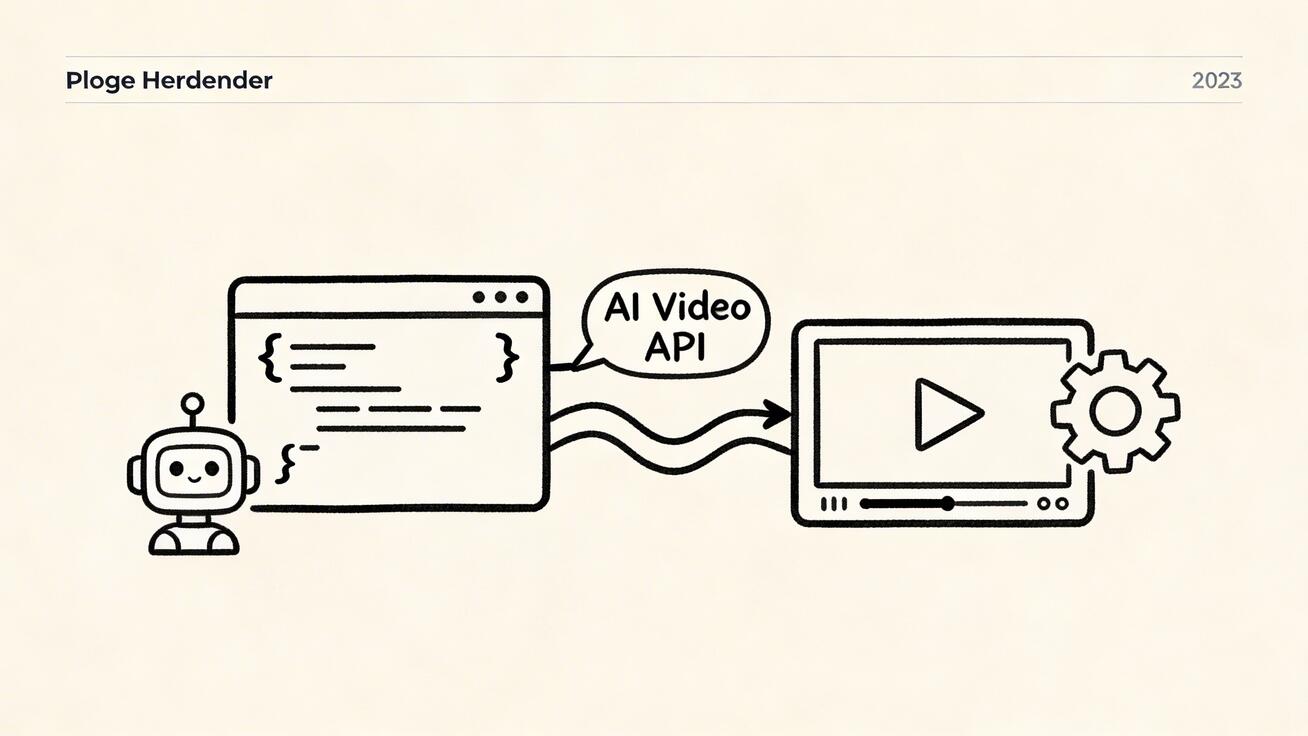
Google's Veo 3 API opens up programmatic access to one of the world's most capable AI video generation systems. Whether you're building a content automation pipeline, developing a video creation app, or integrating AI video into your existing tools, thi
Quick Answer: Google Veo 3 is Google DeepMind's state-of-the-art AI video generation model that creates cinematic, high-quality videos from text and image prompts, with native audio generation and exceptional motion realism.
s guide covers everything you need to know about the Veo 3 API in 2026.
What Is the Veo 3 API?
The Veo 3 API is Google's programmatic interface for accessing its Veo 3 video generation model. It allows developers to:
- Submit text prompts and receive AI-generated video clips
- Automate video creation at scale
- Integrate AI video generation into web apps, mobile apps, and automated pipelines
- Access advanced generation parameters not available in the consumer UI
The API is available through Google Cloud Vertex AI and the Google AI Studio API, giving developers flexible deployment options depending on their use case.
Getting Started with the Veo 3 API
Prerequisites
Before calling the Veo 3 API, you'll need:
- A Google Cloud account with billing enabled
- A project with the Vertex AI API enabled
- Appropriate IAM permissions (roles/aiplatform.user or higher)
- The Google Cloud SDK installed and authenticated
# Install Google Cloud SDK (if not already installed)
curl https://sdk.cloud.google.com | bash
exec -l $SHELL

# Authenticate
gcloud auth application-default login

# Set your project
gcloud config set project YOUR_PROJECT_ID

# Enable Vertex AI API
gcloud services enable aiplatform.googleapis.com
API Access Options
Option 1: Vertex AI API (Recommended for Production)
- Enterprise-grade infrastructure
- Full SLA and support
- Regional deployment options
- Fine-grained IAM access control
- Ideal for production applications
Option 2: Google AI Studio API (Best for Development)
- Simpler authentication (API key-based)
- Faster setup for prototyping
- Rate limits apply
- Not recommended for production at scale
Making Your First API Call
Using the Python SDK
import vertexai
from vertexai.preview.vision_models import VideoGenerationModel

# Initialize Vertex AI
vertexai.init(project="your-project-id", location="us-central1")

# Load the Veo 3 model
model = VideoGenerationModel.from_pretrained("veo-3.0-generate-001")

# Generate a video
operation = model.generate_video(
    prompt="A serene mountain lake at dawn, mist rising over still water, "
           "golden morning light, slow pan from left to right, cinematic",
    aspect_ratio="16:9",
    duration_seconds=8,
)

# Wait for completion and get result
videos = operation.result(timeout=300)
print(f"Generated {len(videos.videos)} video(s)")

# Save to file
videos.videos[0].save("output_video.mp4")
print("Video saved: output_video.mp4")
Using the REST API
For languages without a native SDK, you can call the REST API directly:
# Get an access token
ACCESS_TOKEN=$(gcloud auth print-access-token)
PROJECT_ID="your-project-id"

# Submit generation request
curl -X POST \
  "https://us-central1-aiplatform.googleapis.com/v1/projects/${PROJECT_ID}/locations/us-central1/publishers/google/models/veo-3.0-generate-001:predict" \
  -H "Authorization: Bearer ${ACCESS_TOKEN}" \
  -H "Content-Type: application/json" \
  -d '{
    "instances": [{
      "prompt": "A busy Tokyo street at night, neon signs reflecting in wet pavement, crowds of people, cinematic",
      "generate_audio": true,
      "aspect_ratio": "16:9"
    }],
    "parameters": {
      "duration_seconds": 8,
      "sample_count": 1,
      "temperature": 0.7
    }
  }'
The API returns an operation resource. Poll it to retrieve your completed video:
# Poll for completion (replace OPERATION_ID with the returned ID)
curl -X GET \
  "https://us-central1-aiplatform.googleapis.com/v1/projects/${PROJECT_ID}/locations/us-central1/operations/OPERATION_ID" \
  -H "Authorization: Bearer ${ACCESS_TOKEN}"
Key API Parameters
Core Generation Parameters
| Parameter | Type | Description | Default |
|---|---|---|---|
prompt |
string | Text description of the desired video | Required |
duration_seconds |
int | Video length (4, 6, or 8 seconds) | 8 |
aspect_ratio |
string | "16:9" or "9:16" | "16:9" |
sample_count |
int | Number of videos to generate (1-4) | 1 |
generate_audio |
bool | Include ambient audio generation | false |
Advanced Parameters
| Parameter | Type | Description |
|---|---|---|
temperature |
float | Generation creativity (0.0-1.0) |
negative_prompt |
string | Elements to exclude from generation |
seed |
int | For reproducible generation |
enhance_prompt |
bool | AI-enhanced prompt rewriting |
reference_images |
array | Images to guide visual style |
Example: Full Parameter Usage
operation = model.generate_video(
    prompt="A futuristic city at night with flying cars",
    negative_prompt="blurry, low quality, cartoon, animated",
    aspect_ratio="16:9",
    duration_seconds=8,
    generate_audio=True,
    enhance_prompt=True,
    number_of_videos=2,
    temperature=0.8,
)
Image-to-Video API
Veo 3 also supports image-to-video generation, animating a reference image:
from vertexai.preview.vision_models import VideoGenerationModel, Image

model = VideoGenerationModel.from_pretrained("veo-3.0-generate-001")

# Load reference image
reference_image = Image.load_from_file("product_photo.jpg")

# Animate the image
operation = model.generate_video(
    prompt="Gentle camera movement, soft lighting changes, slight environmental motion",
    image=reference_image,
    duration_seconds=8,
    aspect_ratio="16:9",
)

videos = operation.result(timeout=300)
videos.videos[0].save("animated_product.mp4")
This is particularly valuable for e-commerce applications where you want to animate product photography without a video shoot.
Handling Async Operations
Veo 3 generation is asynchronous — requests are submitted and completed later. Production code should handle this properly:
import time
import vertexai
from vertexai.preview.vision_models import VideoGenerationModel

def generate_with_retry(prompt: str, max_wait: int = 600) -> bytes:
    """Generate a video with proper async handling and timeout."""
    vertexai.init(project="your-project-id", location="us-central1")
    model = VideoGenerationModel.from_pretrained("veo-3.0-generate-001")

    print(f"Submitting generation request...")
    operation = model.generate_video(
        prompt=prompt,
        duration_seconds=8,
        aspect_ratio="16:9",
    )

    start_time = time.time()
    while not operation.done():
        elapsed = time.time() - start_time
        if elapsed > max_wait:
            raise TimeoutError(f"Generation timed out after {max_wait}s")
        print(f"Waiting... ({elapsed:.0f}s elapsed)")
        time.sleep(10)

    if operation.exception():
        raise RuntimeError(f"Generation failed: {operation.exception()}")

    result = operation.result()
    print(f"Generation complete! {len(result.videos)} video(s) generated")
    return result.videos[0]

# Usage
video = generate_with_retry("Sunset over San Francisco Bay, golden hour, aerial view")
video.save("output.mp4")
Rate Limits and Quotas
Understanding API limits is critical for production planning:
| Tier | Requests per minute | Requests per day | Concurrent operations |
|---|---|---|---|
| Free (AI Studio) | 2 | 10 | 1 |
| Standard (Vertex AI) | 5 | 50 | 3 |
| Elevated | 20 | 200 | 10 |
| Enterprise | Custom | Custom | Custom |
Request quota increases through the Google Cloud Console → APIs & Services → Quotas, or contact Google Cloud support for enterprise needs.
Best practices for quota management:
- Implement exponential backoff for 429 (rate limit) errors
- Queue generation requests when operating near limits
- Monitor quota usage via Cloud Monitoring
- Separate development and production quotas
Error Handling
from google.api_core import exceptions

try:
    operation = model.generate_video(prompt="...")
    result = operation.result(timeout=300)
except exceptions.ResourceExhausted as e:
    print(f"Rate limit hit: {e}. Implement backoff.")
except exceptions.InvalidArgument as e:
    print(f"Invalid request: {e}. Check prompt and parameters.")
except exceptions.PermissionDenied as e:
    print(f"Permission denied: {e}. Check IAM roles.")
except exceptions.DeadlineExceeded as e:
    print(f"Request timed out: {e}. Increase timeout or retry.")
except Exception as e:
    print(f"Unexpected error: {e}")
Common error codes:
RESOURCE_EXHAUSTED (429)— Rate limit exceeded; implement backoffINVALID_ARGUMENT (400)— Prompt or parameters invalid; review requestPERMISSION_DENIED (403)— IAM misconfiguration; check account permissionsDEADLINE_EXCEEDED (504)— Generation taking too long; increase timeout (up to 10 minutes)
Pricing
Veo 3 API pricing (Vertex AI, as of 2026):
| Operation | Price |
|---|---|
| Per 4-second video generated | ~$0.35 |
| Per 8-second video generated | ~$0.70 |
| Image-to-video (per 8s) | ~$0.70 |
| Audio generation add-on | +$0.10/video |
Prices approximate. Check Google Cloud Pricing calculator for current rates.
For production applications generating 100+ videos/day, negotiate committed use discounts with Google Cloud account team.
Complete Production Example
Here's a full production-ready pipeline that generates, validates, and stores AI videos:
import uuid
import boto3
import vertexai
import tempfile
import os
from pathlib import Path
from vertexai.preview.vision_models import VideoGenerationModel

class Veo3Pipeline:
    def __init__(self, project_id: str, location: str = "us-central1"):
        vertexai.init(project=project_id, location=location)
        self.model = VideoGenerationModel.from_pretrained("veo-3.0-generate-001")

    def generate(self, prompt: str, aspect_ratio: str = "16:9") -> Path:
        """Generate video and return local file path."""
        print(f"Generating: {prompt[:60]}...")

        operation = self.model.generate_video(
            prompt=prompt,
            aspect_ratio=aspect_ratio,
            duration_seconds=8,
            generate_audio=True,
        )

        result = operation.result(timeout=600)

        # Save to temp file
        output_path = Path(tempfile.mktemp(suffix=".mp4"))
        result.videos[0].save(str(output_path))
        print(f"Saved to: {output_path}")
        return output_path

    def upload_to_s3(self, file_path: Path, bucket: str, key: str) -> str:
        """Upload to S3/R2-compatible storage and return URL."""
        s3 = boto3.client('s3', endpoint_url=os.environ['STORAGE_ENDPOINT'])
        s3.upload_file(str(file_path), bucket, key,
                       ExtraArgs={'ContentType': 'video/mp4'})
        return f"{os.environ['STORAGE_URL']}/{key}"

# Usage
pipeline = Veo3Pipeline(project_id="my-project")
video_path = pipeline.generate(
    "A professional product showcase video for a luxury watch, "
    "rotating on a dark surface, dramatic lighting, cinematic close-up"
)
url = pipeline.upload_to_s3(video_path, "my-bucket", f"videos/{uuid.uuid4()}.mp4")
print(f"Video available at: {url}")
Frequently Asked Questions
How do I get access to the Veo 3 API?
Enable Vertex AI in Google Cloud Console, then access Veo 3 through the veo-3.0-generate-001 model endpoint. You may need to request access approval for certain quota tiers.
What video formats does the Veo 3 API return?
The API returns MP4 format (H.264 codec) at 24fps. Resolution depends on aspect ratio: 1920x1080 for 16:9, 1080x1920 for 9:16.
Can I use the Veo 3 API in production applications?
Yes, Vertex AI is production-grade with SLAs. Implement proper error handling, quota monitoring, and exponential backoff for reliable production use.
How long do generation requests take?
Typical generation times: 60-180 seconds for an 8-second video. Factor this into your application architecture — async patterns are essential.
Is there a Veo 3 Node.js SDK?
Google Cloud's Node.js client library supports Vertex AI. The video generation SDK is primarily Python-first, but you can call the REST API from any language.
Conclusion
The Veo 3 API unlocks programmatic AI video generation at scale. With proper authentication, async handling, and error management, you can build production-ready video generation pipelines in hours rather than days.
The key insight for developers: treat video generation like any other async API. Submit, poll, handle errors gracefully, and build retry logic from day one. The generation quality payoff — photorealistic, cinematic AI video on demand — is worth the architectural investment.
For applications that don't need the full Vertex AI infrastructure, veo3ai.io provides a streamlined API and UI for direct Veo 3 access.
Last updated: April 2026 | Author: Emma Chen
Building a Video Generation Microservice
For teams integrating Veo 3 into larger systems, here's an architecture pattern that works well:
Architecture Overview
[Client App] → [Queue (Redis/SQS)] → [Worker Service] → [Veo 3 API] → [Storage (R2/S3)]
                                            ↓
                                     [Webhook/Callback]
                                            ↓
                                     [Client Notification]
This decoupled architecture handles Veo 3's async nature gracefully, prevents blocking client threads, and scales horizontally.
Worker Service Implementation
import redis
import json
from celery import Celery

app = Celery('veo3_worker', broker='redis://localhost:6379/0')

@app.task(bind=True, max_retries=3)
def generate_video_task(self, job_id: str, prompt: str, webhook_url: str):
    """Celery task for async Veo 3 generation."""
    try:
        pipeline = Veo3Pipeline(project_id="my-project")
        video_path = pipeline.generate(prompt)
        storage_url = pipeline.upload_to_s3(video_path, "videos-bucket", f"{job_id}.mp4")

        # Notify client via webhook
        import requests
        requests.post(webhook_url, json={
            "job_id": job_id,
            "status": "complete",
            "video_url": storage_url
        })
        return storage_url

    except Exception as exc:
        # Retry with exponential backoff
        raise self.retry(exc=exc, countdown=60 * (2 ** self.request.retries))
This pattern is battle-tested for production video generation workloads and handles Veo 3's variable generation times elegantly.
Monitoring and Observability
For production Veo 3 API usage, implement:
- Generation success rate — Track what percentage of requests complete successfully
- P50/P95/P99 latency — Monitor generation time distribution
- Quota utilization — Alert when approaching rate limits
- Cost per video — Track spend as volume scales
- Error categorization — Distinguish between quota errors, content policy blocks, and system errors
Tools that work well: Google Cloud Monitoring (native), Datadog, or any OpenTelemetry-compatible system.
The Veo 3 API, properly instrumented and architected, becomes a reliable foundation for AI video applications at any scale.
Content Moderation and Safety
The Veo 3 API includes Google's built-in content safety filters. As a developer, you need to plan for this:
Understanding Safety Filters
Veo 3 automatically blocks generation requests that contain:
- Explicit sexual content
- Graphic violence
- Real people depicted without consent (specific face recognition)
- Dangerous or harmful instructions
- Content targeting minors inappropriately
These filters operate at the prompt level (pre-generation) and output level (post-generation). You may encounter safety blocks even for prompts that seem innocuous but contain ambiguous language.
Handling Safety Errors
from google.api_core import exceptions as gcp_exceptions

try:
    operation = model.generate_video(prompt=user_prompt)
    result = operation.result()
except gcp_exceptions.InvalidArgument as e:
    if "safety" in str(e).lower() or "content_filter" in str(e).lower():
        # Safety block - log for review, don't retry as-is
        logger.warning(f"Safety block for prompt: {user_prompt[:100]}")
        return {"error": "content_policy", "message": "Prompt was blocked by safety filters"}
    raise
Best Practices for Developer Safety Compliance
- Never pass raw user input directly to the API — Sanitize and validate all prompts
- Implement your own content filter before the API call for faster rejection
- Log all safety blocks — Patterns reveal if legitimate use cases are being caught
- Provide user feedback — Tell users why their prompt was rejected (vaguely) and how to rephrase
- Review your terms of service — Ensure your application's use case aligns with Google's acceptable use policy
Safety compliance isn't just a technical issue — it's a product design issue. Build your UX to guide users toward prompts that generate successfully.
The Future of the Veo API
Google's roadmap for Veo API capabilities points toward:
- Longer video generation (30-60 second native clips)
- Multi-scene generation (storyboard input)
- Character consistency (maintain a character across multiple generated clips)
- Style reference (train style from uploaded example videos)
- Real-time generation (streaming video output)
These capabilities will expand the types of applications developers can build on Veo. The API architecture you build today should be designed to accommodate these future features with minimal refactoring.
The developer opportunity is substantial: building video creation tools, content automation systems, creative AI applications, and enterprise video workflows on Veo 3's API foundation. The quality of the underlying model makes it possible to build genuinely useful products that weren't feasible 12 months ago.
Testing Your Veo 3 Integration
Before deploying to production, a comprehensive test suite saves significant debugging time:
import pytest
from unittest.mock import MagicMock, patch

class TestVeo3Pipeline:

    @patch('vertexai.init')
    @patch('vertexai.preview.vision_models.VideoGenerationModel.from_pretrained')
    def test_generate_success(self, mock_model_class, mock_init):
        """Test successful video generation."""
        mock_operation = MagicMock()
        mock_operation.done.return_value = True
        mock_operation.exception.return_value = None
        mock_video = MagicMock()
        mock_operation.result.return_value.videos = [mock_video]
        mock_model_class.return_value.generate_video.return_value = mock_operation

        pipeline = Veo3Pipeline(project_id="test-project")
        result = pipeline.generate("A beautiful sunset")

        assert result is not None
        mock_model_class.return_value.generate_video.assert_called_once()

    @patch('vertexai.init')
    @patch('vertexai.preview.vision_models.VideoGenerationModel.from_pretrained')
    def test_rate_limit_handling(self, mock_model_class, mock_init):
        """Test that rate limit errors are handled gracefully."""
        from google.api_core import exceptions
        mock_model_class.return_value.generate_video.side_effect = \
            exceptions.ResourceExhausted("Rate limit exceeded")

        pipeline = Veo3Pipeline(project_id="test-project")

        with pytest.raises(exceptions.ResourceExhausted):
            pipeline.generate("A beautiful sunset")

        # Verify the error was raised (caller should implement retry)

# Run: pytest test_veo3.py -v
A well-tested Veo 3 integration is resilient against API changes, quota variations, and generation failures that are inevitable in production environments.
Quick Reference: Essential Commands
# Check Veo 3 API availability in your region
gcloud ai models list --region=us-central1 | grep veo

# Test authentication
gcloud auth application-default print-access-token

# Check quota usage
gcloud compute project-info describe --project=YOUR_PROJECT | grep quota

# Enable required APIs
gcloud services enable aiplatform.googleapis.com storage.googleapis.com

# Grant appropriate IAM role
gcloud projects add-iam-policy-binding YOUR_PROJECT \
    --member="serviceAccount:YOUR_SA@YOUR_PROJECT.iam.gserviceaccount.com" \
    --role="roles/aiplatform.user"
With these building blocks — authentication, generation, async handling, error management, testing, and monitoring — you have everything needed to ship a production Veo 3 integration. The API is powerful, the documentation is comprehensive, and the underlying model quality justifies the investment.
Related Articles
Continue with more blog posts in the same locale.

Veo 3 Talking Head Video: How to Create AI Presenter Videos (2026)
Create AI presenter videos with Veo 3: character prompts, lip sync, platform formats, brand spokesperson, social persona, and training video host — with ready-to-use templates.
Read article
Veo 3 Drone Shot Prompts: How to Create Aerial Camera Moves (2026)
Veo 3 drone shot prompts: aerial camera vocabulary, pull-back reveal, orbit, tracking shots, environment examples for real estate, travel, sports, and documentary.
Read article
Veo 3 for E-Commerce: AI-Generated Product Videos That Convert (2026)
Learn how to use Veo 3 for e-commerce product video: I2V packshot prompts, platform specs, category playbooks for fashion, food, cosmetics, and home goods, plus QA checklists.
Read article