
Veo 3 ASMR Prompts: Make Viral ASMR Videos with Sound
Use Veo 3 to create satisfying ASMR videos with native synchronized sound. Step-by-step workflow plus a copy-paste library of Veo 3 ASMR prompts for glass cutting, lava, fruit, soap, sand, and rain.
Emma Chen · 12 min read · Jun 24, 2026
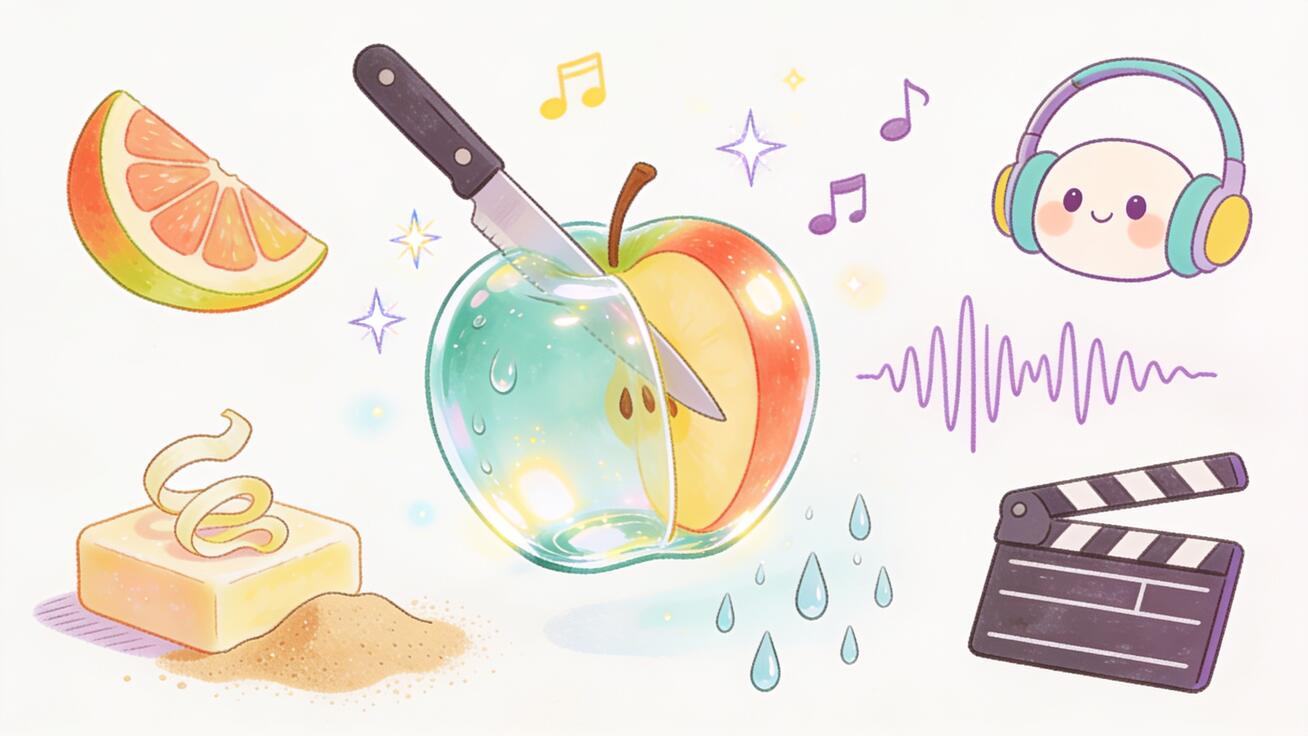
ASMR is one of the most reliable formats on short video right now: glass being sliced like butter, a knife gliding through a bar of soap, lava oozing over crystal, a strawberry cut into perfect translucent slices. The catch has always been the audio. A satisfying visual without the matching crunch, sizzle, or squish falls flat. This is exactly where Veo 3 ASMR prompts change the workflow. Veo 3 generates native synchronized audio in the same pass as the video, so the sound is produced for the footage instead of being bolted on afterward. That single feature makes Veo 3 one of the best AI tools for creating clean, satisfying ASMR clips that are ready to post.
Quick Answer: A Veo 3 ASMR prompt is a text description that tells Veo 3 both what to show and what it should sound like — for example, "extreme close-up of a sharp knife slowly slicing through a translucent glass apple, crisp glassy crunch, ASMR, no music." Because Veo 3 creates the audio in sync with the video, you get the crunch, sizzle, or squish matched to the motion without any manual sound editing. Below is a step-by-step workflow plus a copy-paste library of ASMR prompts for glass cutting, lava, fruit slicing, soap, kinetic sand, rain, and more.
This guide is a practical playbook, not a theory lecture. You will get the prompt structure that works, a library of ready-to-use ASMR prompts, sound-design tips, the right aspect ratios, and how to post for reach.
Why Veo 3 Is Built for ASMR
Most AI video generators output silent footage. You then have to find a sound effect, license it, and line it up frame by frame so the crunch lands exactly when the knife meets the glass. For ASMR — a format that lives and dies on audio-visual sync — that manual step is the whole job, and it rarely lines up perfectly.
Veo 3 takes a different approach. Its standout strength is native audio generation: it synthesizes sound based on what is happening on screen, in the same generation as the video. When the model renders a knife pressing into a crisp surface, it also generates the matching contact sound at the moment of contact. For ASMR creators this collapses a multi-step editing pipeline into a single prompt.
That matters for three reasons:
- Sync is automatic. The sizzle of lava, the snap of a slice, the patter of rain — the audio is generated against the motion, so timing feels natural instead of dubbed.
- The texture matches the material. A glass object sounds glassy; a soft soap bar sounds dull and waxy; sand sounds granular. The model reasons about the material it is rendering.
- No licensing or sourcing. You are not digging through a stock library for "knife crunch v3." The sound comes with the clip.
You still direct it. Veo 3 will not read your mind about how crunchy or how quiet a clip should be — that is what the prompt is for. The rest of this guide is about writing prompts that get the audio and the visual you actually want.
If you want the deeper mechanics of how the audio model behaves, see our companion explainer on Veo 3 audio and sound generation. For general prompt craft, the Veo 3 prompt guide is a good base layer to combine with the ASMR-specific tips here.
How to Make an ASMR Video with Veo 3 (Step by Step)
You can make a postable ASMR clip in a few minutes. Here is the repeatable workflow.
1. Pick one satisfying action
ASMR works best with a single, clear action: one slice, one pour, one press. Do not stack three ideas into one clip. "Knife slicing a glass apple" is a clip. "Knife slicing a glass apple while it rains and lava flows" is a mess. Choose one hero action and let it breathe.
2. Write the prompt with sound baked in
Describe the shot and the sound in the same prompt. Name the camera framing (extreme close-up), the subject and material (translucent glass apple), the motion (slow slice), and the audio (crisp glassy crunch, ASMR, no background music). The sound instruction is not optional — it is half the prompt.
3. Choose Veo 3 and generate
Open your Veo 3 workflow, paste the prompt, and generate. If you are exploring tools side by side, you can also run Veo 3 alongside other models inside Seedance and compare which gives the cleanest audio for your material. Generate 2–3 variations from the same prompt so you can pick the best take.
4. Review with the sound on
Always review ASMR clips with audio playing. Check three things: is the sound synced to the motion, is the texture believable, and is there unwanted background music or noise. If the audio is too musical or too quiet, add explicit instructions ("no music, only the sound of the slice, crisp and loud") and regenerate.
5. Pick the best take and export
Choose the variation with the cleanest sync and texture. Export in the aspect ratio for your platform (more on that below), and you have a ready-to-post clip.
The whole loop — prompt, generate, review, export — is fast enough that you can build a batch of ten ASMR clips in a session. That batching is what makes ASMR a sustainable content engine rather than a one-off.
The Veo 3 ASMR Prompt Library (Copy-Paste)
Below are ready-to-use Veo 3 ASMR prompts, grouped by category. Each one already includes a sound instruction. Copy, paste, and tweak the material, color, or camera as you like. The structure to keep is: framing + subject/material + slow action + explicit sound + "ASMR, no music."
Glass cutting
Glass-cutting ASMR is the breakout format — the contrast between a hard object and a clean, butter-smooth slice is hypnotic.
Extreme close-up, macro shot of a razor-sharp knife slowly slicing through a translucent blue glass apple on a white marble surface. The glass parts cleanly into two halves. Crisp, glassy crunching sound synced to the cut, ASMR, no music, no voice.Macro shot of a sharp blade cutting through a glowing crystal-clear glass cube in slow motion, tiny glass shards sparkling as it splits. Bright glassy snapping sound, satisfying ASMR, no background music.Top-down close-up of a knife slicing a glass strawberry into thin transparent slices, each slice falling gently to the side. Delicate high-pitched glass crunch per slice, ASMR, no music.
Lava and molten textures
Extreme macro close-up of glowing orange lava slowly oozing over a black volcanic rock, bright embers glowing. Low bubbling and soft crackling sizzle, deep and warm, ASMR, no music, no narration.Slow-motion close-up of molten glass being poured over a smooth surface, glowing red-orange, cooling at the edges. Gentle sizzling and faint cracking as it cools, satisfying ASMR, no music.
Fruit slicing
Macro close-up of a very sharp knife slicing a ripe strawberry into perfectly thin translucent slices on a wooden board. Crisp, juicy slicing sound and the soft tap of the blade on wood, ASMR, no music.Extreme close-up of a knife cutting a kiwi in half in slow motion, juice glistening, seeds in a perfect ring. Soft wet slicing sound, fresh and crisp, ASMR, no background music.Top-down shot of a sharp blade slicing a watermelon into clean cubes, vivid red flesh. Deep juicy crunch with each cut, satisfying ASMR, no music, no voice.
Soap cutting
Macro close-up of a sharp blade slicing a pastel pink bar of soap into clean curling shavings on a dark surface. Soft waxy crunching and crumbling sounds, dry and crisp, ASMR, no music.Extreme close-up of soap curls being shaved off a lavender soap bar in slow motion, each curl falling neatly. Gentle crackling and crumbling sound, satisfying ASMR, no background music.
Kinetic sand
Macro close-up of a sharp knife slowly slicing through a block of smooth teal kinetic sand, the cut surface perfectly clean. Soft grainy crunching and crumbling sound, granular and satisfying, ASMR, no music.Close-up of a metal cutter pressing down into colorful layered kinetic sand, releasing a clean square block. Crisp sandy crunch as it compresses, ASMR, no voice, no music.
Rain and water
Cozy close-up of rain droplets sliding down a window at night, warm city lights blurred in the background. Steady gentle rain patter and the soft tap of drops on glass, relaxing ASMR, no music.Macro slow-motion shot of a single water droplet falling into a still pool, perfect ripples spreading outward. Crisp droplet plink echoing softly, ASMR, no background music.
Crunch and texture
Extreme close-up of fingers slowly pressing into a sheet of crisp bubble wrap, each bubble popping in sequence. Sharp satisfying pops synced to the press, ASMR, no music, no voice.Macro close-up of a spoon cracking the caramelized top of a crème brûlée, the surface shattering. Crisp glassy crack followed by a soft scoop sound, satisfying ASMR, no background music.
When a prompt does not land on the first try, change one variable at a time — make the camera tighter, slow the action, or make the sound instruction more specific ("loud and crisp" versus "soft and gentle"). That one-variable discipline is how you learn what your material needs.
Anatomy of a Great Veo 3 ASMR Prompt
Every strong ASMR prompt has the same five parts. Once you internalize this skeleton you can write a new prompt for any material in seconds.
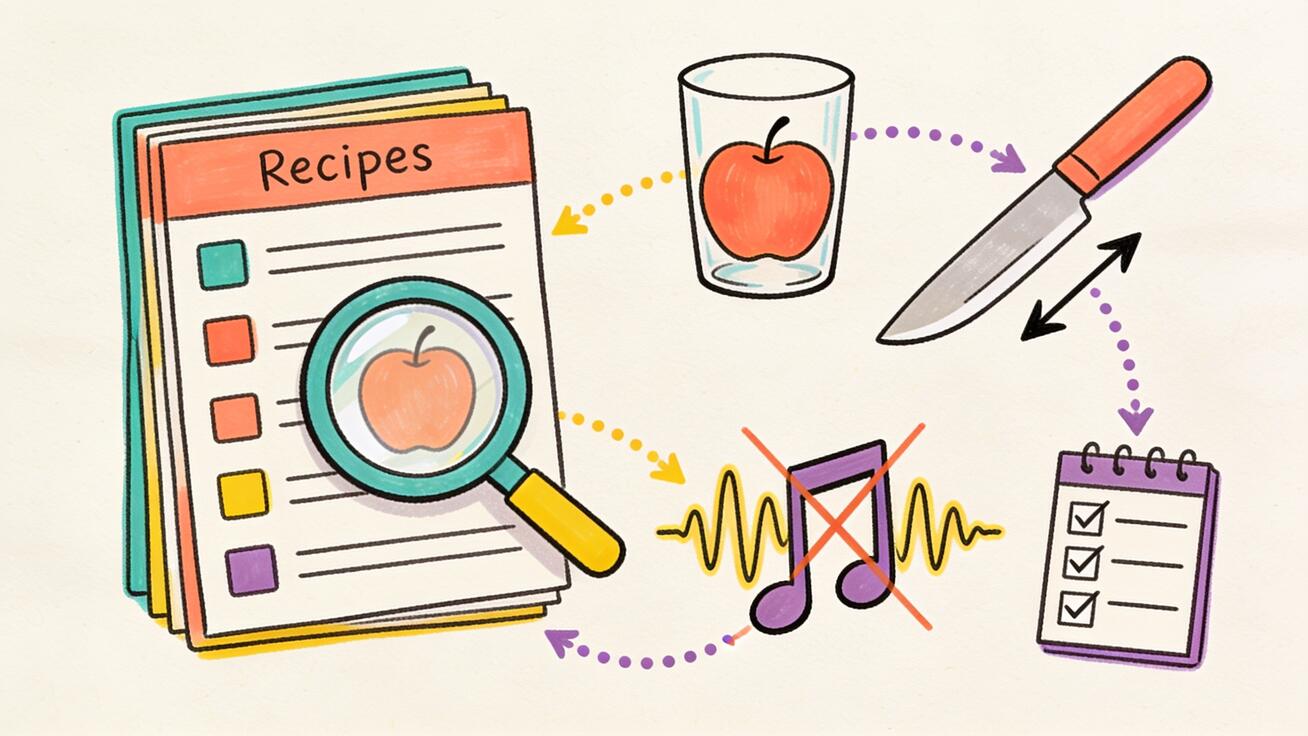
- Framing. ASMR is intimate, so use tight shots:
extreme close-up,macro shot,top-down close-up. Distance kills the effect. - Subject and material. Be specific about the object and what it is made of:
translucent blue glass apple,pastel pink soap bar,teal kinetic sand. The material drives the sound. - Slow, single action. One verb, slowed down:
slowly slicing,gently pressing,oozing. Slow motion gives the audio room to register and feels more satisfying. - Explicit sound. This is the part beginners skip. Name the sound and its quality:
crisp glassy crunch,soft grainy crumble,low bubbling sizzle. Tell the model what you want to hear. - Audio exclusions. ASMR should usually be clean: add
no music, no voice, no narration. Without this, Veo 3 may add background music that ruins the effect.
A quick before/after shows why the sound line matters. Weak: "a knife cutting a glass apple." Strong: "extreme close-up, a sharp knife slowly slicing a translucent glass apple, crisp glassy crunch synced to the cut, ASMR, no music, no voice." The second one tells Veo 3 the framing, the pace, and — critically — exactly what it should sound like.
A few sound-design tips that consistently help:
- Say "synced to the cut." Explicitly asking for the sound to match the motion nudges the model toward tighter audio-visual alignment.
- Control loudness with words. "Loud and crisp" versus "soft and gentle" meaningfully changes the output character.
- Exclude what you don't want. Background music, ambient chatter, and room tone can all be suppressed by naming them as exclusions.
- One sound, not five. Like the visual, the audio should focus on one hero sound. A clip that tries to feature crunch, sizzle, and patter at once sounds muddy.
For more on shaping the audio specifically, the native audio prompting guide goes deeper on phrasing that steers the sound model.
Aspect Ratios and Posting for Virality
A great clip still needs the right packaging. ASMR over-indexes on mobile-first vertical feeds, so default to vertical unless you have a reason not to.
- 9:16 vertical — TikTok, Instagram Reels, YouTube Shorts. This is the default for ASMR. Keep the satisfying action centered.
- 1:1 square — works as a safe fallback for Instagram feed posts.
- 16:9 horizontal — only for YouTube long-form compilations or when you are stitching multiple ASMR clips together.
A few posting habits that help ASMR clips travel:
- Hook in the first second. The slice should start almost immediately. ASMR viewers swipe fast; do not open with a slow build.
- Keep it short and loopable. 5–10 seconds that loop cleanly outperform a long clip. A seamless loop quietly inflates watch time.
- Sound on by design. Prompt for clean, prominent audio and add an on-screen "sound on" cue, since many feeds autoplay muted.
- Batch and series. Post a recurring format — "glass fruit slicing, day 7" — so the audience knows what they are coming back for.
- Caption for the feeling. "Watch with sound 🔊 so satisfying" beats a technical description.
If you want a deeper playbook on what actually drives reach, pair this with our guides on how to make viral videos and TikTok ad videos with Veo 3. The mechanics that make a product clip pop — strong hook, clean loop, sound-on packaging — apply directly to ASMR.
Best Use Cases for Veo 3 ASMR Clips
ASMR is not only a hobby format. It does real work across several creator and brand goals.
- Faceless content channels. ASMR is the ideal faceless format — no on-camera presence, no studio, just satisfying visuals and sound. Veo 3 lets one person run a daily faceless ASMR channel without a kitchen full of props.
- Brand and product teasers. A soap brand can show stylized soap-cutting ASMR; a food brand can show glistening fruit slices. The format sells texture and quality without a hard pitch.
- Hooks and pattern interrupts. A two-second ASMR slice at the top of a longer video is a proven scroll-stopper that buys you the next five seconds of attention.
- Relaxation and sleep content. Rain on glass, gentle water droplets, and soft crackles fit calming, long-play compilations for sleep and focus audiences.
- Series and challenges. "Cutting impossible objects" or "glass fruit of the day" turn one prompt template into a repeatable, recognizable series.
The common thread: ASMR converts a single good prompt into a content engine. Because Veo 3 handles the audio, the marginal cost of the next clip is mostly just writing the next prompt.
FAQ
Can Veo 3 really generate ASMR sounds automatically? Yes. Veo 3's native audio generation synthesizes sound based on the on-screen content in the same pass as the video, so a slicing motion produces a matching slicing sound without separate editing. You still steer the result by describing the sound you want in the prompt.
How do I stop Veo 3 from adding background music?
Add explicit exclusions to your prompt, such as no music, no voice, no narration. ASMR generally wants only the hero sound — the crunch, sizzle, or patter — so naming music as an exclusion keeps the clip clean.
What aspect ratio should I use for ASMR? Default to 9:16 vertical for TikTok, Reels, and Shorts, since ASMR is a mobile-first format. Use 1:1 as a fallback for feed posts and 16:9 only for horizontal compilations.
Why does my ASMR audio feel out of sync? Tighten the prompt. Use a closer framing, slow the action, and add a phrase like "sound synced to the cut." Slow, single actions give the audio model the clearest motion to align to.
Is ASMR content brand-safe? The satisfying-visual ASMR covered here — glass cutting, fruit slicing, soap, sand, rain — is clean and broadly brand-safe. Keep prompts to these wholesome, oddly-satisfying categories and avoid anything sexualized or impersonating a real person.
How long should an ASMR clip be? Short and loopable wins. Aim for 5–10 seconds that loop cleanly; a seamless loop raises watch time and replays, which feeds the algorithm.
Conclusion
The reason Veo 3 ASMR prompts work so well is simple: ASMR is an audio-visual format, and Veo 3 is one of the few AI video tools that generates synchronized audio natively. Instead of sourcing and syncing sound by hand, you describe the slice and the crunch in one prompt and let the model produce both together. Start with the prompt skeleton — framing, material, slow single action, explicit sound, and audio exclusions — then pull from the prompt library above for glass, lava, fruit, soap, sand, or rain. Generate a few variations, review with the sound on, export vertical, and post with a "sound on" cue.
Build a batch, find the format your audience loves, and turn one good template into a series. With Veo 3 handling the hardest part — clean, synced ASMR sound — your job is just to keep writing better prompts. Open your Veo 3 workflow, paste one of the prompts above, and make your first satisfying ASMR clip with sound today.
Related Articles
Continue with more blog posts in the same locale.
Veo 3 Talking Head Video: How to Create AI Presenter Videos (2026)
Create AI presenter videos with Veo 3: character prompts, lip sync, platform formats, brand spokesperson, social persona, and training video host — with ready-to-use templates.
Read article
Veo 3 Drone Shot Prompts: How to Create Aerial Camera Moves (2026)
Veo 3 drone shot prompts: aerial camera vocabulary, pull-back reveal, orbit, tracking shots, environment examples for real estate, travel, sports, and documentary.
Read article
Veo 3 for E-Commerce: AI-Generated Product Videos That Convert (2026)
Learn how to use Veo 3 for e-commerce product video: I2V packshot prompts, platform specs, category playbooks for fashion, food, cosmetics, and home goods, plus QA checklists.
Read article