
Veo 3 vs Grok Imagine: Google vs xAI AI Video 2026
Veo 3 vs Grok Imagine compared: video quality, native audio, speed, pricing, and which AI video model to pick in 2026 for Google vs xAI.
Emma Chen · 16 min read · Jun 24, 2026
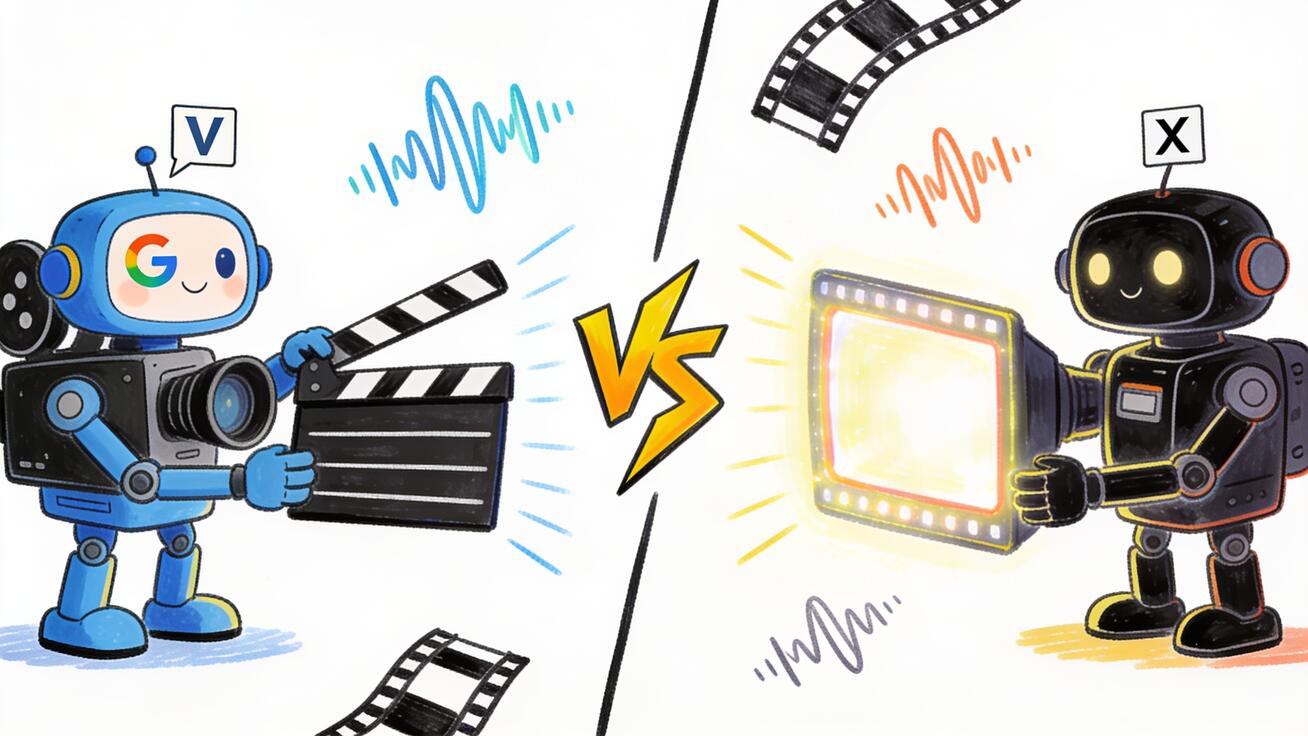
Google's Veo 3 and xAI's Grok Imagine are now the two AI video models everyone is benchmarking against. Veo 3 set the bar for cinematic, audio-native generation from a major research lab. Grok Imagine arrived fast, loud, and aggressively priced — and its Video 1.5 release in June 2026 put it at the top of public blind-test leaderboards. If you are trying to decide between Veo 3 vs Grok Imagine, this guide compares them on the things that actually change your output: video quality, native audio, speed, pricing, access, and the kind of work each one is best at.
No hype, no invented benchmarks. Where a number is public, it is here. Where it isn't, this guide says so instead of guessing.
Quick Answer: Which One Should You Use?
- Choose Veo 3 if you want the most reliable cinematic quality, strong prompt adherence, native synchronized audio with believable dialogue, and tight integration with Google's ecosystem (Gemini, Flow, Vertex AI). It is the safer pick for client work, ads, and anything where consistency matters more than raw speed.
- Choose Grok Imagine if you want the fastest iteration loop, the lowest cost per clip, audio generated in the same pass, and a workflow built for high-volume social content. Its Video 1.5 model currently sits at #1 on the Image-to-Video Arena leaderboard in xAI's own reporting, and it is tightly wired into the Grok app and X.
- Use both if you produce at volume: draft and explore with Grok Imagine because it is cheap and fast, then finish your hero shots in Veo 3 where quality and control carry the most weight.
The rest of this article explains why those recommendations hold, with a side-by-side breakdown you can map to your own use case.
What Is Veo 3?
Veo 3 is Google DeepMind's flagship text-to-video and image-to-video model. It builds on years of Google research lineage — Imagen Video, VideoPoet, and earlier Veo generations — and its defining feature is native audio: Veo 3 generates synchronized dialogue, sound effects, and ambient sound as part of the same generation, not as a separate pass you have to stitch on later.
Veo 3 (and the iterative Veo 3.1 update) is available to creators through several Google surfaces:
- The Gemini app, for consumer prompting.
- Flow, Google's filmmaking tool built around Veo for scene-by-scene storytelling.
- Vertex AI / the Gemini API, for developers and enterprises building it into pipelines.
What people consistently praise about Veo 3 is prompt adherence and physical realism — motion that respects weight and momentum, fewer of the "melting" artifacts that plagued earlier video models, and dialogue that lands close to lip movement. It outputs up to 1080p and is built to feel like footage rather than a moving painting. That reliability is why Veo 3 became the default reference point that every newer model — including Grok Imagine — measures itself against.
What Is Grok Imagine?
Grok Imagine is xAI's image-and-video generator, built into the Grok app and the X ecosystem. Like Veo 3, it takes a text prompt, a still image, or both, and produces a video clip with synchronized audio generated in a single pass — dialogue, sound effects, and ambience all land on the action without a second step.
The model runs on xAI's Aurora engine. The headline release this cycle is Grok Imagine Video 1.5, which Elon Musk pushed to wide availability on June 17, 2026. According to xAI, Video 1.5 improves on every axis that matters for real creative work: clearer and better-synced speech, sound effects that land on the action, and motion that holds together across the length of a clip with fewer warps and more believable weight.
Grok Imagine also leans hard into iteration speed and workflow. Recent additions include:
- Projects in a left sidebar to organize work.
- Parallel agents — you can kick off several prompts at once instead of waiting for one generation to finish before starting the next.
- Library search to find any image or video you've made without scrolling.
- An Imagine Agent Mode for faster iterate-and-edit loops.
Grok Imagine has shipped multiple generation modes over 2026 — a Speed mode for fast lower-fidelity output, a Quality mode for higher image fidelity, and a Pro mode that targets 1080p. The Video 1.5 Fast variant is built for throughput: xAI reports it produces 6-second, 720p videos in about 25 seconds, down from 40+ seconds in the prior model. And in xAI's reporting, Video 1.5 took the #1 spot on the Image-to-Video Arena leaderboard in blind user testing.
A note on that leaderboard claim: it comes from xAI's own announcement. Leaderboards move, and "best in a blind test" is not the same as "best for your specific shot." Treat it as a strong signal that Grok Imagine is genuinely competitive at the top tier — not as a guarantee it beats Veo 3 on your prompt.
Veo 3 vs Grok Imagine: Side-by-Side
| Dimension | Veo 3 (Google) | Grok Imagine (xAI) |
|---|---|---|
| Maker | Google DeepMind | xAI |
| Core strength | Cinematic quality, prompt adherence, control | Speed, cost, high-volume iteration |
| Native audio | Yes — dialogue, SFX, ambience in one pass | Yes — dialogue, SFX, ambience in one pass |
| Max resolution | Up to 1080p | Up to 1080p (Pro mode) |
| Speed | Quality-first; slower per clip | Very fast; ~25s for a 6s 720p clip (1.5 Fast) |
| Where you use it | Gemini app, Flow, Vertex AI / Gemini API | Grok app, X, web, iOS/Android, Imagine API |
| Workflow features | Flow scene tools, enterprise pipelines | Projects, parallel agents, library search |
| Best for | Ads, client work, hero shots, narrative | Social volume, fast drafts, meme-speed content |
The single biggest takeaway from this table: both models now generate native synchronized audio, which used to be Veo 3's clearest differentiator. That gap has closed. The decision has moved from "which one has sound" to "which one fits my speed, cost, and quality needs."
Video Quality and Realism
Veo 3's reputation rests on consistency. Across complex prompts — multiple subjects, camera moves, physical interactions — it tends to hold structure and produce footage that reads as real. If you need a product to sit correctly on a table while a hand reaches for it, or a character whose face stays stable across a pan, Veo 3 is the model that most often gets it right on the first or second try. That predictability is worth a lot when you are billing a client or running a paid ad.
Grok Imagine Video 1.5 closed much of the realism gap. xAI's own framing — fewer warps, better weight and momentum, dialogue that's clearer and better synced — describes exactly the failure modes earlier fast models suffered from. In practice, Grok Imagine now produces clips that are genuinely usable for social and short-form content, and its top-of-leaderboard placement reflects that real users often prefer its output in blind comparisons.
The honest framing: at the top tier, quality differences are now prompt-dependent and shot-dependent rather than categorical. For a clean, cinematic hero shot where you'll only ship one take, Veo 3's control bias is an advantage. For ten variations of a punchy 6-second clip where you'll pick the best, Grok Imagine's speed lets you generate more options and choose — which can beat a single "more correct" render.
Native Audio: The Feature That Defined Veo 3 — and Grok Closed
When Veo 3 launched with native audio, it was a step change: dialogue, foley, and ambience generated together meant you could skip a whole sound-design stage for social content. Lip-sync that's close enough, a door that actually thuds, rain you can hear — all in one render.
Grok Imagine now does the same in a single pass. For creators, this matters more than the marketing makes it sound. The value of single-pass audio isn't just "free sound" — it's that the audio is generated to match the motion, so footsteps hit on the step and a slam lands on the impact. Both models do this now, which means your choice between them should be driven by quality, speed, and cost, not by audio capability alone.
One practical caveat for both: AI-generated dialogue is still the hardest part. Short lines, clear phrasing, and a single speaker work best. Long monologues, overlapping speech, and precise lip-sync over many words remain a stress test for every model on the market — Veo 3 and Grok Imagine included. Write your prompts around short, punchy spoken lines and you'll get far better results from either one.
Speed and Iteration
This is where Grok Imagine has drawn its sharpest line. Video 1.5 Fast generating a 6-second, 720p clip in roughly 25 seconds is a workflow advantage, not just a spec. Combined with parallel agents — running several prompts at once — Grok Imagine is built for a "generate many, pick the best" loop. For a social team producing dozens of clips a week, that throughput compounds.
Veo 3 prioritizes quality over raw speed. It is not slow in absolute terms, but its design philosophy is "get the shot right," and that means you typically iterate fewer times with more deliberation. For narrative work or a polished ad where each shot is precious, that's the right trade. For a meme-speed content calendar, it's friction.
If your bottleneck is ideas per hour, Grok Imagine's iteration loop wins. If your bottleneck is getting one specific shot exactly right, Veo 3's control wins.
Pricing: How Each Model Charges
Pricing is where these two diverge most clearly, and it's the factor most likely to decide things for high-volume creators.
Grok Imagine is positioned as the aggressive-value option. On the Imagine API, video generation with audio is priced at $4.20 per minute of generated video. For comparison points that xAI itself published, that is roughly a third of Google Veo 3.1 Preview at about $12 per minute with audio, and far below OpenAI's Sora 2 Pro at around $30 per minute. On the consumer side, Grok Imagine is bundled into SuperGrok tiers: SuperGrok Lite at $10/month (entry-level generation, lower resolution and shorter clips), SuperGrok at $30/month (HD 720p generation, far higher generation limits), and SuperGrok Heavy at $300/month for the heaviest users.
Veo 3 is delivered through Google's stack. For developers, it's billed through the Vertex AI / Gemini API on a per-second-of-video basis, and the per-minute comparison above ($12/minute for Veo 3.1 Preview with audio in xAI's published comparison) puts it at a premium to Grok's API. For consumers, Veo access is bundled into Google's AI subscription tiers rather than sold as a standalone video credit, with higher Veo limits reserved for the top-end plan.
The pattern is clear: Grok Imagine competes on price, with an API rate that undercuts Veo 3 substantially, while Veo 3 charges a premium that maps to its quality-and-control reputation. If you generate a high volume of clips, cost-per-minute differences add up quickly and tilt toward Grok. If you generate a smaller number of high-stakes shots, the absolute price difference is small relative to the value of getting them right, which favors Veo 3.
(Prices change frequently in this market. Always confirm current rates on each provider's official pricing page before you commit budget — the figures above reflect publicly reported rates as of mid-2026.)
How to Use Veo 3: A Practical Workflow
Here's a repeatable way to get strong results from Veo 3, whether you're prompting in the Gemini app, building in Flow, or calling the API.
- Start from a clear shot description. Name the subject, the setting, the camera move, and the mood in one tight sentence. Veo 3 rewards specific, structured prompts over long, vague ones.
- Add audio intent explicitly. Because Veo 3 generates sound natively, describe what you want to hear: "soft rain ambience," "a single line of calm dialogue: 'We're almost there,'" "distant city hum." Keep spoken lines short.
- Use image-to-video for control. If you have a key frame — a product shot, a character reference, a brand asset — start from that image so the model anchors to your look instead of inventing one. This is the single most reliable way to keep brand and subject consistency.
- Generate, then judge against your brief. Check motion realism, subject stability across the clip, lip-sync if there's dialogue, and whether the audio lands on the action.
- Iterate the prompt, not just the seed. If motion is wrong, adjust the verb and camera description. If audio is off, rewrite the sound line. Small targeted edits beat re-rolling blindly.
- Export and finish. Pull the clip into your editor for color, trims, captions, and platform formatting (9:16 for Reels/TikTok/Shorts, 16:9 for YouTube and landing pages).
If you're new to Veo and want a deeper walkthrough, see our Veo 3 complete guide and our breakdown of Veo 3 vs Sora 2 for another head-to-head reference.
How to Use Grok Imagine: A Practical Workflow
Grok Imagine's workflow is optimized for volume and speed. A loop that works well:
- Open Imagine in the Grok app or on the web, and start a Project so your variations stay organized.
- Prompt with a still image when you can. Image-to-video is where Grok Imagine currently leads the leaderboard, so feeding it a strong key frame is your highest-leverage move.
- Run parallel agents. Instead of waiting on one render, fire off several prompt variations at once and compare results side by side.
- Lean on Speed/Quality/Pro modes deliberately. Draft in a faster mode to explore concepts, then re-render your winner in Pro mode for 1080p output.
- Keep dialogue short and punchy for the best single-pass audio, same as with Veo 3.
- Search your library to pull the best clip back out, then export for your platform.
The mental model: Grok Imagine is a generate-many-pick-one machine. Use its speed to widen your options, not to settle for the first render.
Best Use Cases for Each
Veo 3 is the stronger pick for:
- Paid ads and client deliverables where one polished hero shot matters more than ten rough ones.
- Narrative and storytelling work, especially inside Flow's scene-based filmmaking tools.
- Brand-consistent product video where image-to-video control keeps the look on-model.
- Enterprise pipelines that already live in Google Cloud / Vertex AI.
Grok Imagine is the stronger pick for:
- High-volume social content — Reels, Shorts, TikTok — where speed and cost per clip drive your output.
- Fast concepting and mood exploration before committing to a finished render.
- Creators and teams already inside the Grok / X ecosystem.
- Budget-sensitive workflows where the API price difference materially changes your unit economics.
A Note on Trying Models Without a Waitlist
One real friction with the frontier models is access: gated tiers, regional rollouts, and subscription requirements before you can generate your first clip. If you want to experiment with multi-model image-to-video and text-to-video right away — and compare looks before you commit budget to Veo 3 or Grok Imagine — a multi-model platform is a fast way to start. Seedance lets you try image-to-video and text-to-video across several models with a free tier and commercial rights, which is a low-risk way to learn what kind of prompts and shots you actually need before you scale up on a premium model. Try Seedance free at seedance.tv →
Frequently Asked Questions
Is Grok Imagine better than Veo 3? In xAI's reported blind testing, Grok Imagine Video 1.5 ranked #1 on the Image-to-Video Arena, ahead of Veo 3.1 and other top models. But "better in a blind average" isn't "better for your shot." Veo 3 still leads on control and consistency for high-stakes cinematic work, while Grok Imagine wins on speed and price. The right answer depends on whether you value polish or throughput.
Do both Veo 3 and Grok Imagine generate audio? Yes. Both generate synchronized dialogue, sound effects, and ambience in the same pass as the video. Native audio used to be Veo 3's signature edge; Grok Imagine has since matched it.
Which is cheaper, Veo 3 or Grok Imagine? Grok Imagine is cheaper on the API — about $4.20 per minute of video with audio, versus roughly $12 per minute for Veo 3.1 Preview in xAI's published comparison. For high-volume work, that gap is significant. For a few high-value shots, the absolute difference is small.
What resolution can each model output? Both reach up to 1080p — Veo 3 natively, and Grok Imagine in its Pro mode. For fast drafts, Grok Imagine's lower-resolution modes generate in seconds.
Can I use Veo 3 or Grok Imagine for commercial work? Both are usable for commercial content, but licensing terms, plan tiers, and usage limits vary and change often. Always confirm the current commercial-use terms on each provider's official site before publishing paid work.
Should I learn one or both? If you produce at volume, learn both. Use Grok Imagine's speed and price to explore and draft, then finish hero shots in Veo 3 where control matters most. The two are more complementary than mutually exclusive.
Conclusion
The Veo 3 vs Grok Imagine decision is no longer about which model has audio — both generate synchronized sound in a single pass — but about what you're optimizing for. Veo 3 is the quality-and-control choice: the most reliable cinematic output, the best prompt adherence, and deep integration with Google's Gemini, Flow, and Vertex AI tools. Grok Imagine is the speed-and-value choice: a top-ranked image-to-video model with a fast iteration loop, parallel agents, and an API price that undercuts Veo 3 by roughly two-thirds.
For most creators, the smartest move isn't picking a winner — it's matching the model to the job. Draft fast and cheap, finish polished and controlled. And if you want to test multi-model image-to-video before committing budget to either frontier model, start with a free, no-waitlist option, learn what your shots actually need, then scale up. Whichever path you choose, 2026 is the first year where both Veo 3 and Grok Imagine are genuinely production-ready — and the competition between Google and xAI is making AI video better and cheaper for everyone.
Related Articles
Continue with more blog posts in the same locale.

Veo 3 vs HeyGen 2026: AI Video Generation vs AI Avatar Studio
Veo 3 vs HeyGen 2026: compare AI video generation and AI avatar studio workflows, see where each excels, and decide which belongs in your video production stack.
Read article
Veo 3 vs InVideo AI: Which Should You Use in 2026?
Veo 3 vs InVideo AI: understand the core difference between AI video generation and AI-assisted production, see how each excels, and decide which fits your workflow in 2026.
Read article
Veo 3 vs Pollo AI: Which AI Video Generator Should You Choose in 2026?
Compare Veo 3 and Pollo AI across video quality, native audio generation, pricing, and use cases. Find out which AI video generator is right for your workflow in 2026.
Read article