
Veo 4 Release: Everything You Need to Know (April 2026)
Google has released Veo 4, the most powerful AI video generation model yet. Learn about Veo 4 features, pricing, how to access it, and how it compares to Veo 3.
Emma Chen · 16 min read · Apr 13, 2026
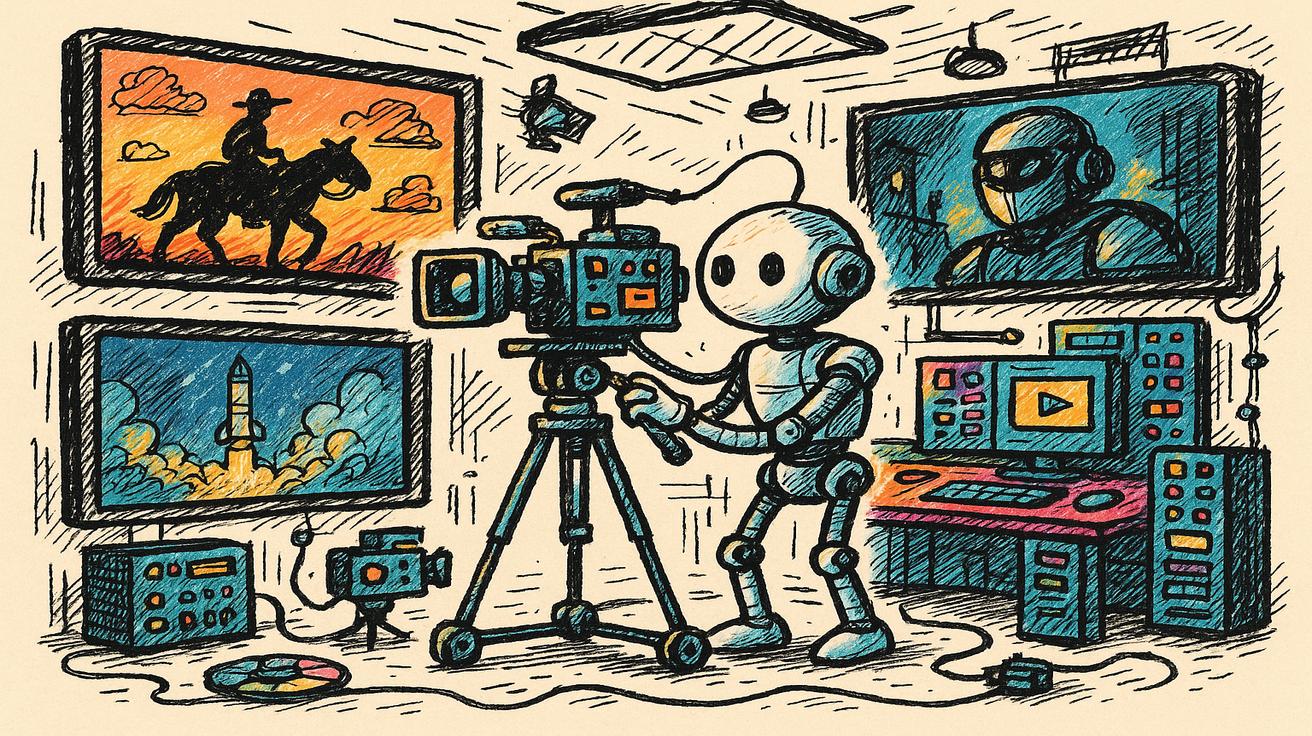
Google has done it again. In April 2026, the tech giant officially released Veo 4, the most advanced AI video generation model in its lineup — and possibly in the entire industry. Coming just months after Veo 3.1 was made free for all Google users, Veo 4 raises the bar dramatically with longer videos, storyboarding capabilities, superior character consistency, and multimodal input support.
If you've been following Google's AI video journey, you know things have moved fast. Veo 3 arrived in May 2025 with the ability to generate synchronized audio. Veo 3.1 landed in late 2025, bringing speed improvements. Now Veo 4 represents a genuine generational leap — not just an incremental update.
In this guide, we break down everything you need to know about Veo 4: what it is, what's new, how to access it, how it compares to previous versions, and whether it's worth using over competing tools.
What Is Google Veo 4?
Google Veo 4 is the latest generation of Google DeepMind's AI video generation model. Like its predecessors, it converts text prompts (and now other inputs) into high-quality video clips. But Veo 4 goes further than any previous version with several breakthrough capabilities.
At its core, Veo 4 is a multimodal generative AI model that can:
- Generate videos up to 30 seconds from a single text prompt
- Accept images, audio, and even storyboard inputs to guide generation
- Produce footage at up to 4K resolution
- Maintain consistent characters, physics, and lighting across frames
- Generate synchronized, realistic audio alongside the video
Veo 4 is developed by Google DeepMind and is accessible through Google's AI platforms including Google Flow, Gemini, and Google AI Studio (API tier).
The significance of this release can't be overstated. Veo 4 doesn't just improve video quality — it changes what's possible with AI video generation. Storyboarding, in particular, marks a shift from generating isolated clips to creating structured, narrative-driven content.
Veo 4 Key Features
1. Extended Video Length: Up to 30 Seconds
One of the most requested upgrades from Veo 3 users was longer generation. Veo 4 delivers. While Veo 3 could produce clips of around 8 seconds and Veo 3.1 pushed that to around 15 seconds, Veo 4 supports 10-30 second video generation from a single prompt.
This might sound like a small upgrade, but for content creators, 30 seconds is a complete story. It's enough for a product demo, a social media reel, a short ad, or a scene from a larger film. Previously, creators had to stitch together multiple clips in editing software. Now, Veo 4 can produce that entire sequence in one generation.
2. Storyboarding: From Single Clips to Narrative Sequences
This is arguably Veo 4's most significant new capability. Storyboarding allows users to define a sequence of scenes, camera angles, and narrative beats — and Veo 4 generates a coherent video that follows that structure.
With storyboarding in Veo 4, you can:
- Define Scene A → Scene B → Scene C with different prompts for each
- Set camera movements (close-up, wide shot, pan, zoom) per scene
- Specify character actions and transitions
- Get a unified, narrative video output rather than disconnected clips
This brings Veo 4 much closer to professional video production tools and makes it genuinely useful for filmmakers, advertisers, and content studios.
3. Enhanced Video Quality: Up to 4K
Veo 4 generates videos at up to 4K resolution, a significant step up from Veo 3's output. But resolution alone doesn't tell the whole story. Veo 4 also improves:
- Temporal consistency: Each frame flows naturally into the next, eliminating the flickering and morphing artifacts common in AI video
- Motion realism: Physics simulation is significantly improved, making water, cloth, hair, and other dynamic elements behave believably
- Lighting accuracy: Veo 4 understands how light changes as camera angles and time-of-day shift within a scene
The practical result is video that looks less "AI-generated" and more like footage from a professional shoot.
4. Advanced Character Consistency
Character drift — where a person's face, clothing, or style changes between frames — has been the Achilles heel of AI video generators. Veo 4 addresses this directly with advanced character anchoring technology.
Once a character is established in a scene, Veo 4 maintains their appearance throughout the entire video sequence, even during:
- Complex movements (running, dancing, gesturing)
- Camera angle changes (front-on to profile, wide to close-up)
- Scene transitions (interior to exterior, different lighting)
This makes Veo 4 the first AI video model that's genuinely usable for character-driven storytelling at scale.
5. Multimodal Input Support
Veo 4 isn't just text-to-video. It supports a full range of inputs:
- Text prompts: Describe what you want in natural language
- Image references: Upload a photo to define visual style, character appearance, or setting
- Audio inputs: Provide a voiceover or music track to sync the video to
- Storyboard templates: Upload a rough storyboard to guide scene composition
- Video continuation: Extend an existing video clip in the same style
This multimodal flexibility makes Veo 4 far more versatile than any previous version of Veo.
6. Zero-Shot Avatar Creation
Veo 4 can create personalized video avatars without any fine-tuning or additional training. Upload a photo of a person, describe what you want them to do, and Veo 4 generates a realistic video of that avatar — with consistent identity preserved throughout.
This capability opens up major use cases for personalized video content, virtual influencers, educational content with human presenters, and corporate communications.
Veo 4 vs Veo 3.1 vs Veo 3: Full Comparison
Here's how the three generations of Google Veo compare across the most important dimensions:
| Feature | Veo 3 | Veo 3.1 | Veo 4 |
|---|---|---|---|
| Release Date | May 2025 | Late 2025 | April 2026 |
| Max Video Length | ~8 seconds | ~15 seconds | 10-30 seconds |
| Resolution | 1080p | 1080p | Up to 4K |
| Audio Generation | ✅ Yes | ✅ Yes | ✅ Yes (improved) |
| Storyboarding | ❌ No | ❌ No | ✅ Yes |
| Character Consistency | Moderate | Good | Excellent |
| Multimodal Input | Text + Image | Text + Image | Text + Image + Audio + Storyboard |
| Free Access | No | ✅ Yes (via Google Vids) | Limited |
| 4K Resolution | ❌ No | ❌ No | ✅ Yes |
| Avatar Creation | ❌ No | ❌ No | ✅ Yes |
| Multi-angle Camera | ❌ No | ❌ No | ✅ Yes |
The jump from Veo 3 to Veo 4 is substantial — more than the typical point release. In terms of capability, Veo 4 is in a different league from its predecessors.
How to Access Veo 4
Veo 4 is available through several Google platforms, but access varies by subscription tier:
Google Flow (Recommended for Creators)
Google Flow (labs.google/flow) is Google's dedicated AI filmmaking platform powered by Veo. It's designed specifically for creative professionals and supports the full range of Veo 4 features including storyboarding and multi-angle camera control.
Access is currently available through Google's AI subscription plans:
- Google AI Pro: $19.99/month — includes Veo credits for video generation
- Google AI Ultra: $49.99/month — higher credit limits, priority access to Veo 4
Google Gemini (App and Web)
Veo 4 features are rolling out through Gemini for subscribers on the Ultra plan. If you already have Gemini Ultra, you may see Veo 4 options appearing in the video generation interface.
Google AI Studio (API Access)
Developers and technical users can access Veo 4 through the Google AI Studio API. This is a paid-tier API — pricing is per-clip or per-second of generated video. Check the Google AI Studio pricing page for current rates.
Google Vids (Free Tier: Veo 3.1)
If you're looking for free access, Google Vids (vids.new) offers Veo 3.1 for free to all Google account holders. Veo 4 is not currently available on the free tier, but Veo 3.1 is still an excellent choice for most use cases.
Veo 4 vs Competitors: How It Stacks Up
Veo 4 enters a competitive landscape that includes Runway Gen-4, Kling 3.0, Pika 2.2, and Sora. Here's how it compares:
| Feature | Veo 4 | Runway Gen-4 | Kling 3.0 | Pika 2.2 |
|---|---|---|---|---|
| Max Video Length | 30 seconds | 16 seconds | 10 seconds | 10 seconds |
| Storyboarding | ✅ Yes | ❌ No | ❌ No | ❌ No |
| 4K Output | ✅ Yes | Limited | ❌ No | ❌ No |
| Audio Generation | ✅ Yes | ❌ No | ❌ No | Limited |
| Character Consistency | ⭐⭐⭐⭐⭐ | ⭐⭐⭐⭐ | ⭐⭐⭐⭐ | ⭐⭐⭐ |
| Free Tier | Veo 3.1 free | Limited trial | Limited trial | Limited free |
| Pricing | From $19.99/mo | From $12/mo | From ~$10/mo | From $8/mo |
Veo 4 leads the pack on video length, storyboarding, and audio integration. Runway remains competitive on pricing. Kling 3.0 is strong on motion quality for shorter clips.
Where Veo 4 wins decisively: narrative video production, longer content, character-driven stories. Where competitors may be preferred: simpler short clips on a tight budget.
Is Veo 4 Free? Pricing Explained
Veo 4 itself is not free — it requires a paid Google AI subscription or API access. However, here's a quick breakdown of the cost landscape:
Free Options:
- Veo 3.1 is free via Google Vids for all Google account holders — up to ~12 videos/day
- Free tier doesn't include Veo 4 features (storyboarding, 4K, 30-second clips)
Paid Access:
- Google AI Pro ($19.99/month): Includes Veo credits through Google Flow; suitable for regular creators
- Google AI Ultra ($49.99/month): Higher credit limits, priority access to Veo 4 capabilities
- API (Google AI Studio): Pay-as-you-go pricing for developers; suitable for high-volume generation
Is it worth it? If you need the full power of Veo 4 — storyboarding, 30-second clips, 4K output — the Pro or Ultra plan makes sense for professional use. For casual video creation, Veo 3.1's free tier remains an excellent option.
Best Use Cases for Veo 4
Veo 4's extended length, storyboarding, and 4K output make it ideal for:
1. Social Media Content Creators
Create 30-second Reels, TikToks, and YouTube Shorts with consistent characters, cinematic quality, and synchronized audio — all from a text prompt.
2. Marketing and Advertising Agencies
Generate professional-quality product demos, brand videos, and ad creatives without expensive production shoots. Storyboarding lets agencies pre-visualize campaigns in minutes.
3. Independent Filmmakers
Use Veo 4 to prototype scenes, test camera angles, and generate B-roll footage. The multi-angle camera support and character consistency make it viable for short film production.
4. E-commerce Brands
Create product showcase videos with consistent visual style across your entire catalog. Upload product images as reference inputs and generate polished video content automatically.
5. Educational Content Creators
Generate engaging explainer videos with avatar presenters, animated diagrams, and scene transitions — without a production team.
6. Corporate Communications
Create personalized video messages, training materials, and internal communications using avatar technology.
How Veo 4 Fits Into Google's AI Ecosystem
Veo 4 doesn't exist in isolation — it's part of a broader Google AI ecosystem that includes:
- Gemini: Google's flagship AI assistant, which integrates Veo for video generation
- Google Flow: Dedicated filmmaking platform powered by Veo
- Google Vids: Collaborative video creation tool (free tier uses Veo 3.1)
- Google AI Studio: Developer API access to Veo and other models
- Imagen 4: Google's image generation model, which works alongside Veo for mixed media projects
This ecosystem integration gives Veo 4 a unique advantage: it's not just a standalone video generator. It's part of a connected creative suite that includes image generation, audio, writing assistance, and video — all within Google's infrastructure.
For creators already using Gemini or Google Workspace, Veo 4 is a natural extension of their existing workflow.
What Creators Are Saying About Veo 4
Since Veo 4's launch in April 2026, the response from the creative community has been overwhelmingly positive — particularly around two features: storyboarding and character consistency.
Independent filmmakers have highlighted how storyboarding removes the biggest bottleneck in their workflow: translating a script into a visual sequence. Previously, this required either manual storyboard artists or expensive pre-production tools. Now, Veo 4 can generate a rough visual sequence directly from a script, giving directors a starting point they can iterate on rapidly.
Marketing agencies have praised the 30-second clip length as a game-changer for social media advertising. The ability to generate complete, narrative-driven ads without a production shoot — and at 4K quality — significantly reduces campaign costs and turnaround times.
For smaller creators and solo content producers, Veo 4's avatar creation has been the standout feature. Creating personalized video content at scale — with consistent host appearances across multiple videos — is now within reach for individual creators who previously couldn't afford video production.
Tips for Getting the Best Results from Veo 4
If you're new to Veo 4 or AI video generation in general, here are some practical tips to maximize your output quality:
1. Be specific with your prompts Veo 4 responds well to detailed, specific descriptions. Instead of "a person walking in a city," try "a young woman in a red coat walking briskly through a rain-soaked Tokyo street at night, neon lights reflecting on wet pavement, cinematic wide shot."
2. Use reference images for consistency When generating content with recurring characters or specific visual styles, always provide a reference image. This dramatically improves character consistency and style coherence across multiple generations.
3. Plan your storyboard before generating For storyboarding projects, sketch out your scene structure before you start. Define what happens in each scene, what the camera should show, and how scenes transition. The more structured your input, the more coherent your output.
4. Iterate, don't perfect Veo 4 is a creative tool, not a one-shot solution. Generate multiple variations of a scene and choose the best elements from each. Professional creators typically generate 5-10 variations per scene before selecting their final cut.
5. Use audio input for sync If you have a voiceover or music track, input it as an audio reference when generating your video. Veo 4 will attempt to sync visual pacing and scene transitions to the audio rhythm — a powerful feature for music videos and narrated content.
Frequently Asked Questions
Q: Is Veo 4 available right now? A: Yes, Veo 4 launched in April 2026. Access is available through Google Flow and Gemini Ultra on paid plans. Free users can access Veo 3.1 via Google Vids.
Q: What's the difference between Veo 4 and Veo 3? A: Veo 4 adds storyboarding, extends video length to 30 seconds, improves resolution to 4K, introduces zero-shot avatar creation, and dramatically improves character consistency. See the full comparison table above.
Q: Can I use Veo 4 for free? A: Veo 4 itself requires a paid plan (Google AI Pro or Ultra). However, Veo 3.1 is free for all Google account holders through Google Vids (vids.new).
Q: How does Veo 4 storyboarding work? A: Storyboarding in Veo 4 lets you define a sequence of scenes with different prompts, camera angles, and character actions. Veo 4 generates a unified video that follows the narrative structure you've defined — rather than generating isolated clips.
Q: Is Veo 4 better than Runway Gen-4? A: For longer videos, storyboarding, and audio integration, Veo 4 has a clear advantage. Runway remains competitive for shorter clips and offers more affordable entry-level pricing. The best choice depends on your specific use case.
Conclusion
Veo 4 is the most significant leap forward in AI video generation we've seen so far in 2026. With 30-second video generation, native storyboarding, 4K output, improved character consistency, and zero-shot avatar creation, it sets a new benchmark for what's possible with AI-assisted filmmaking.
For professional creators, marketers, and filmmakers, Veo 4 is now the tool to beat. For casual users, Veo 3.1 remains excellent and completely free.
The AI video revolution isn't coming — it's already here. And with Veo 4, Google is firmly in the lead.
Ready to explore AI video generation? Visit veo3ai.io for the latest guides, comparisons, and tutorials on Google Veo and all major AI video tools.
The Road Ahead: What Veo 5 Might Bring
With Veo 4 barely weeks old, it may seem premature to look ahead — but Google DeepMind has established a clear pattern of rapid iteration. Based on Veo's trajectory, here's what the community expects from future versions:
Longer videos: Veo 4 caps out at 30 seconds. Future versions will likely push toward 60 seconds, 2 minutes, and eventually full short-film lengths. Veo 4 already demonstrated that longer generation is technically feasible while maintaining quality.
Real-time generation: Current generation times for a 30-second Veo 4 clip range from 30 seconds to a few minutes depending on complexity. Future models will likely approach real-time or near-real-time generation, enabling live video creation for streaming and interactive applications.
Native multi-character scenes: Veo 4 handles single-character consistency well. Future versions will likely extend this to multiple characters interacting in the same scene — maintaining individual identities while managing complex multi-character dynamics.
Improved prompt adherence: Like all current AI video models, Veo 4 sometimes interprets prompts loosely. Future versions will offer more precise control, allowing creators to specify exact camera positions, character actions, and scene compositions with confidence they'll be followed.
Deeper ecosystem integration: Expect tighter integration between Veo, Gemini, Google Workspace, and potentially Anclaude. The long-term vision appears to be AI video generation as a ubiquitous creative tool — accessible anywhere in the Google ecosystem.
For now, Veo 4 represents the state of the art. If you create video content professionally or even as a serious hobby, there has never been a better time to explore what AI video generation can do for your workflow.
Start with Veo 3.1 for free and upgrade to Veo 4 when you're ready to take your production to the next level.
Related Articles
Continue with more blog posts in the same locale.

How to Make Sports Highlight Videos with Veo 3 AI (2026)
Create stunning sports highlight videos with Veo 3 AI. Generate dynamic action shots, slow-motion sequences, and dramatic replays using AI prompts.
Read article
How to Make a Short Film with Veo 3 AI (2026 Guide)
Learn how to create professional short films using Veo 3 AI. Step-by-step guide with prompts, workflow tips, and cinematic techniques.
Read article
How to Make Documentary Videos with Veo 3 AI (2026 Guide)
Create compelling documentary videos with Veo 3 AI. Learn prompting techniques, narrative structure, realistic footage generation, and post-production tips.
Read article