
AI Video for Business: Uses, Workflow and ROI in 2026
Learn how AI video for business works across marketing, product demos, internal training and localization, with workflow, measurement and trust guidance.
Veo3 AI · 14 min read · Nov 17, 2026
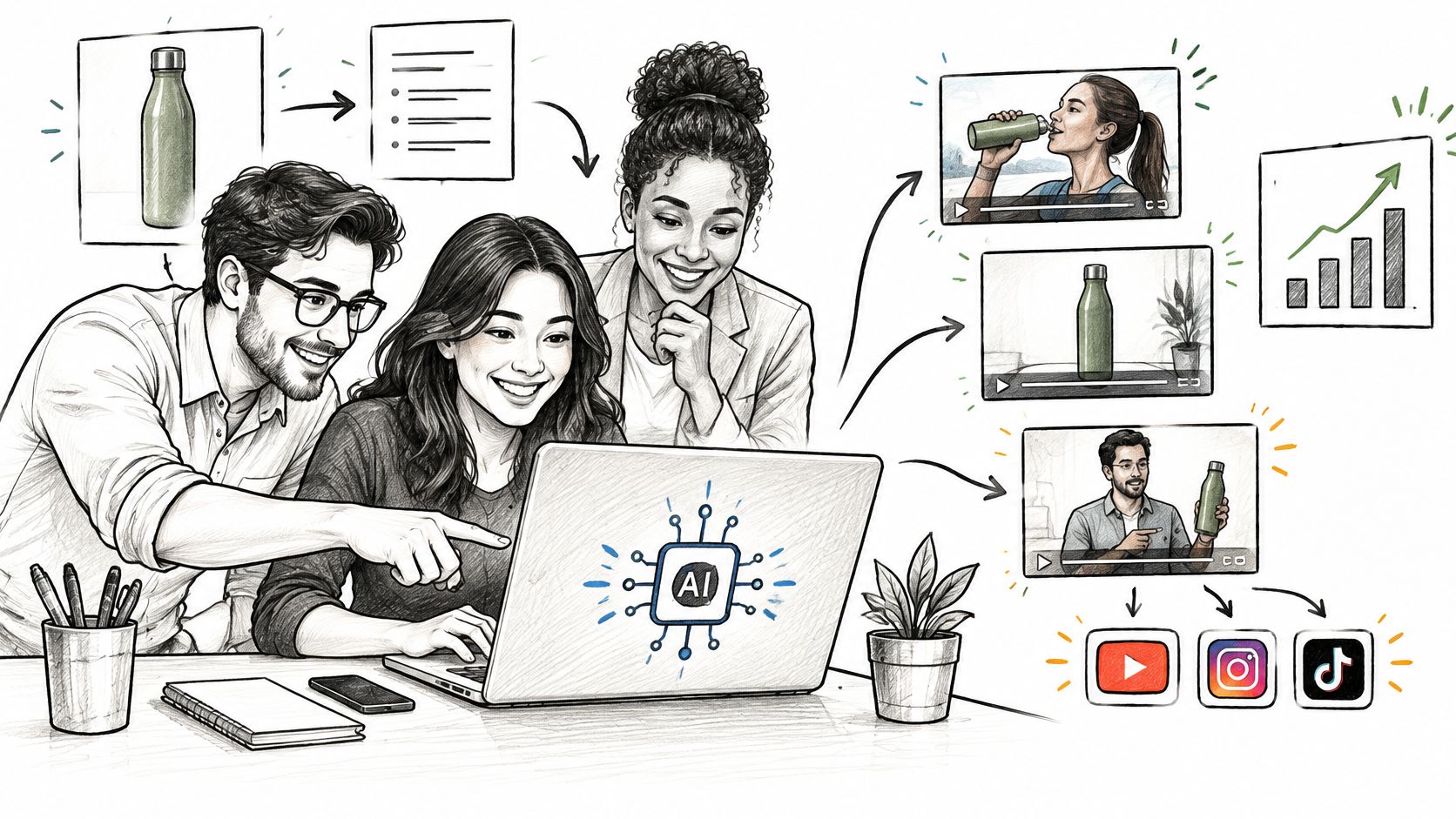
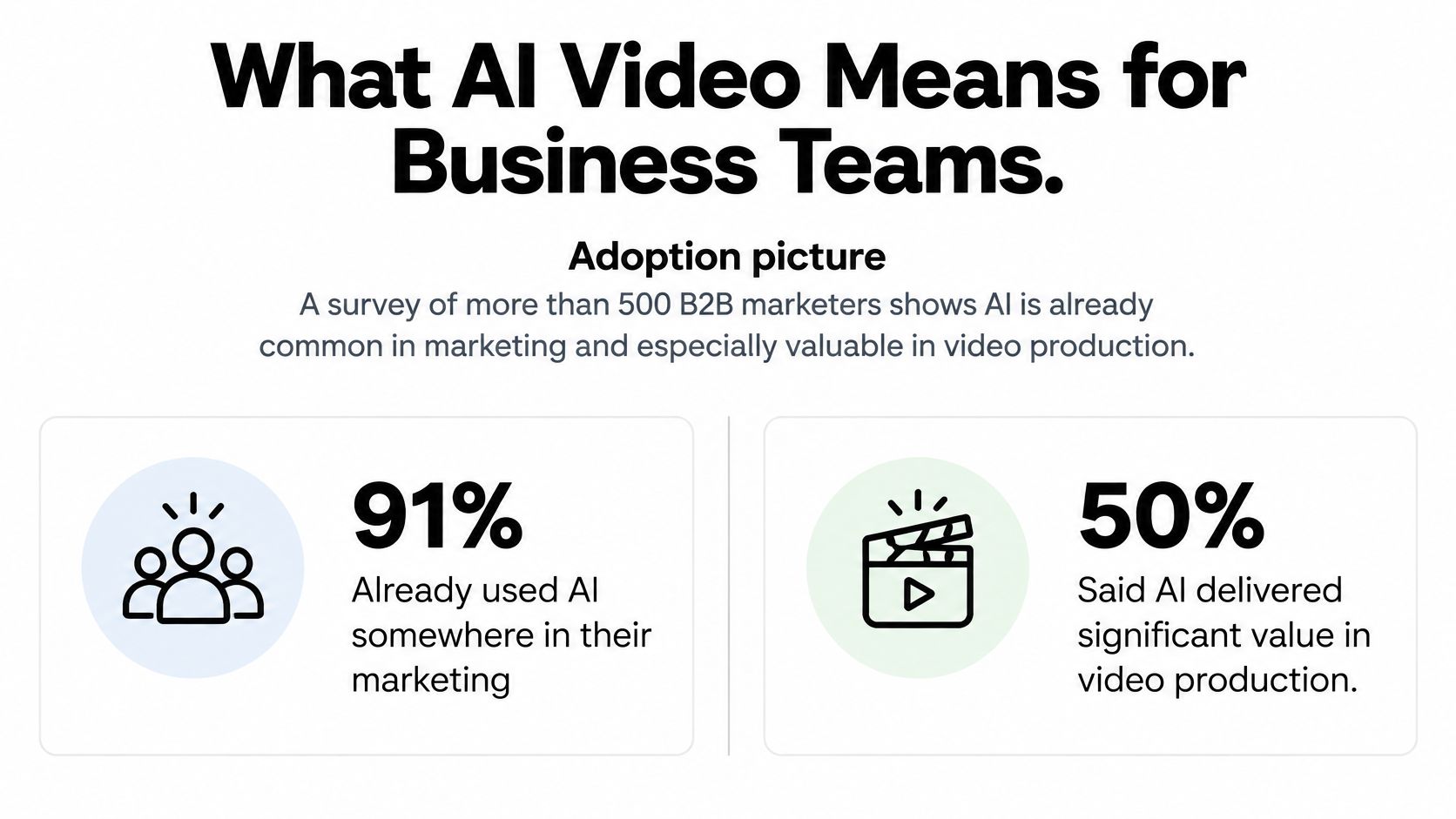
In a November 2024 survey of more than 500 B2B marketers, 91% already used AI somewhere in their marketing strategy, and 50% said it delivered significant value in video production, according to Goldcast's AI video report. That makes AI video for business an operating decision, not an experimental side project. The question is whether your team can turn faster production into better results without publishing misleading, inaccurate or unlicensed content.
Table of Contents
- What AI Video Means for Business Teams
- Where AI Video Fits Across Business Functions
- Measuring Whether AI Video Pays Off
- From Brief to Published Video Workflow
- Localization and Repurposing Across Markets
- Trust, Disclosure and Rights Before Publishing
- Start With One Pilot Video Project
<a id="what-ai-video-means-for-business-teams"></a>
What AI Video Means for Business Teams
Say a coffee company needs a launch campaign for a new roast. Traditionally, its marketer would send a brief to a production crew, arrange the product shoot and wait for edited footage. With generative video, the marketer can send a text prompt or product photograph to software and receive a draft clip instead.
AI video includes that kind of generation, plus tools that help script, edit, caption and adapt existing footage. A generated clip isn't necessarily a finished advertisement. Someone still needs to check the packaging, message, pacing and offer.
The adoption picture helps explain why teams are redesigning that process.
<a id="where-the-production-promise-holds"></a>
Where the production promise holds
For the coffee company, the useful output isn't an impressive camera move. It's having workable creative ready while the launch offer is still relevant.
The business promise has distinct parts:
- More usable creative: Produce alternative hooks, settings and explanations without organizing another shoot.
- Shorter turnaround: Put a concept in front of the decision-maker before committing to a production direction.
- More reuse: Adapt approved material for an advertisement, product page or social post.
The trade-off is control. A generator may invent lettering on a coffee bag, change its proportions or show a brewing method the product doesn't support. Use generation for concept drafts, ad variants, illustrated explainers and social cuts; use actual footage when the buyer needs proof of how something looks or works.
A high-stakes brand film may still justify a camera crew, particularly when the founder's presence, a location or a physical demonstration carries the message.
Practical rule: Treat AI video as a production system to design around, not a novelty effect to chase.
<a id="where-ai-video-fits-across-business-functions"></a>
Where AI Video Fits Across Business Functions
Choose the function by the business result you need, then match the format to it.
Business functions, AI video formats and success metrics
| Business function | Typical AI video format | Main output | Success metric |
|---|---|---|---|
| Paid advertising | Product ad clip from a photo or prompt | 9:16 and 16:9 cuts for TikTok, Reels, Shorts | Click-through rate, cost per acquisition |
| E-commerce product pages | Product showcase loop | Short looping clip for listings | Conversion rate on product page |
| Sales enablement | Personalized explainer | Prospect-specific pitch clip | Meetings booked |
| Internal communications | Onboarding or policy explainer | Training module with narration | Completion rate, time to competence |
| Customer support | How-to clip | Help-center video | Ticket deflection rate |
| Social content | Short-form clip | Concise vertical videos | Engagement rate |
<a id="customer-facing-uses"></a>
Customer-facing uses
Paid advertising works well for controlled variation. Say a retailer turns a product photo into a 15-second ad, then tests a convenience-led opening against a gift-led opening. Click-through rate shows whether the opening attracts attention; cost per acquisition shows whether that attention is worth buying.
On an e-commerce product page, a showcase loop can make a listing easier to understand. A luggage seller might illustrate available colors and travel settings, but should use real footage to demonstrate wheel performance or capacity. Product-page conversion matters more than how polished the loop looks.
For sales enablement, personalize the problem and proposed next step, not just the prospect's name. A pitch for a warehouse operator should explain a warehouse problem. Meetings booked are useful only when those meetings meet the sales team's qualification criteria.
<a id="operational-and-publishing-uses"></a>
Operational and publishing uses
An internal onboarding explainer can show a new employee how to request equipment. Pair narration with the actual request form, and check whether employees can complete the task afterward. A completed video doesn't establish competence.
For customer support, build around a specific repeat question, such as resetting account access. Use accurate screen recordings rather than generated interfaces. Check whether viewers resolve the issue without opening another ticket, not just whether help-center views increase.
Social content is suitable for concise ideas, visual hooks and campaign reminders. A bakery could animate a seasonal menu illustration, while retaining real photographs of the food customers will receive. Engagement helps compare creative, but it isn't a substitute for orders.
Seasonal campaigns also need clear approval ownership because offers and assets expire. Sprello's resource on governance-ready AI for seasonal launches is a useful companion when organizing that work.
The common mismatch is measuring videos produced instead of the outcome in the last column. A busy production queue can coexist with an ineffective campaign.
<a id="measuring-whether-ai-video-pays-off"></a>
Measuring Whether AI Video Pays Off
Adoption and output aren't proof of value. Adwave's AI video statistics roundup reports that more than 80% of organizations saw no tangible enterprise-level EBIT impact from generative AI, a broader measure than video alone. A cheap clip that attracts the wrong buyers can become an expensive mistake when you scale its distribution.
Metrics for judging AI video business value
| Metric | What it tells you | Caveat |
|---|---|---|
| Cost per qualified action | Spend per qualified lead, signup or sale from video | Needs a clean attribution window |
| Revision hours per finished asset | Real production effort after generation | Track review time, not just render time |
| Engagement rate | How viewers respond to the clip | High engagement can coexist with low conversion |
| Conversion lift against control | Whether AI video beats the current creative | Requires identical offers and comparable audiences |
| Localization cost per market | Expense of adapting an asset to a new language | Include native review time |
| Downstream revenue or retention | Long-term value of viewers who saw the video | Slow to read; plan the test window early |
<a id="run-a-test-you-can-interpret"></a>
Run a test you can interpret
Say a software company is promoting a product launch. Split the same eligible audience into comparable groups, keep the offer and landing page unchanged, and run AI-assisted creative against the current conventional version during a fixed window. Don't give the AI version a stronger discount or a warmer audience.
Use a short cut as the starting candidate: Wistia's analysis, summarized by MarTech, found average engagement of 50% for videos under one minute, 46% for videos lasting one to three minutes and 45% for videos lasting three to five minutes. Those are duration benchmarks, not evidence that AI-generated videos convert better.
Keep the offer tied to an actual objective: the same Wistia report announcement identifies company goals and objectives as influencing 60% of production decisions and product or service launches as influencing 52%.
Count generation costs, rejected attempts, editing, approvals and media spend. The AI video generator pricing guide can help frame the software-cost comparison, but your team's labor belongs in the calculation too.
A small engagement gain doesn't justify a conversion loss unless engagement itself is the agreed business objective.
If acquisition cost improves while lead quality holds, expansion may be justified. If viewers watch longer but fewer qualified prospects act, revise the message before increasing spend. When the test produces too few qualified actions to distinguish the versions, call it inconclusive rather than declaring a winner.
<a id="from-brief-to-published-video-workflow"></a>
From Brief to Published Video Workflow
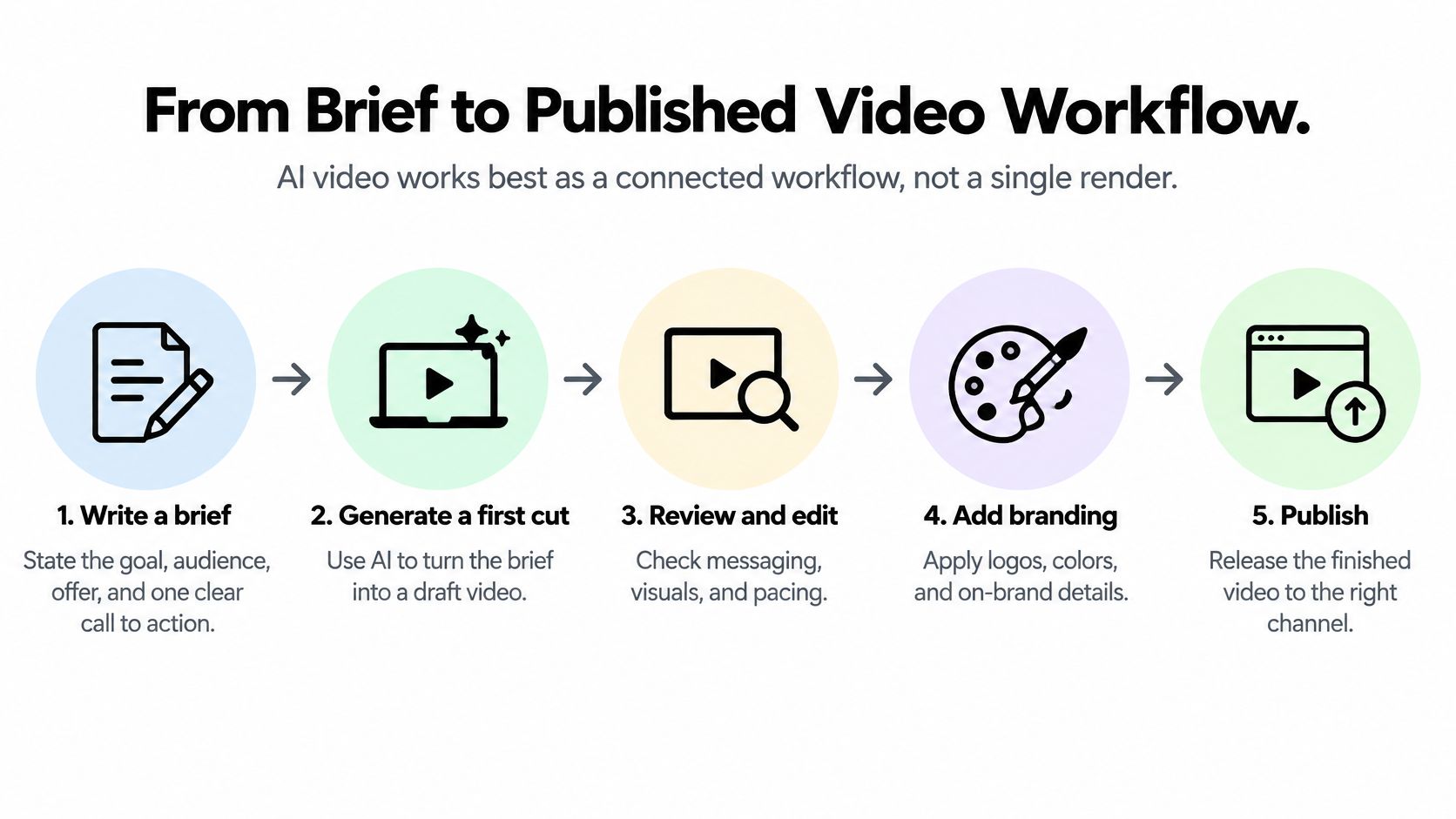
AI video works best as connected work, not a single render. In Wistia's 2025 analysis, script generation and editing were common AI uses, cited at 43% and 42%, respectively.
This overview shows the production path; the operating steps below add the checks that make it repeatable.
<a id="keep-the-handoffs-explicit"></a>
Keep the handoffs explicit
-
Write the brief. State the goal, audience, offer and a clear call to action, then name the person who can approve the result. A common slip is asking for an engaging video without specifying what viewers should understand or do.
-
Draft the script and storyboard. Use a text model or approved copy to map spoken lines to visuals, with each scene doing a specific job. Don't let the model introduce unsupported product benefits just to make the script sound persuasive.
-
Generate the first clip. Start from a prompt or an authorized product image, and choose the destination aspect ratio before generation. Choosing the frame after editing can crop out the product, hide captions or force another render.
-
Add the audience aids. Prepare captions, voiceover or dubbing where needed, and listen to the full audio rather than trusting the transcript alone. Check product-name pronunciation, subtitle timing and whether essential information remains understandable with the sound off.
-
Review the publishable content. Assign factual claims to a subject-matter owner and visual consistency to a brand reviewer. Inspect identifiable people, music, product geometry and on-screen lettering; an attractive first impression can hide a consequential error.
-
Export and publish deliberately. Make channel-specific variants, inspect the exported files on a phone and attach campaign tracking links. Keep the approved master separate from working drafts so a rushed publisher doesn't upload an obsolete version.
-
Feed results into the next brief. Record the winning hook, audience response, qualified actions and revision effort. Don't save only the finished file; save the decisions that explain why it worked or failed.
For teams combining generated assets with filmed material, Busylike's digital video production workflow guide provides a useful reference for coordinating the wider production process.
<a id="make-the-next-campaign-easier"></a>
Make the next campaign easier
Store approved prompts, scripts, brand assets and export presets in a shared project folder. Reusable approvals can reduce setup work substantially, but a new offer or product claim still needs fresh scrutiny.
Use this video as a visual companion while planning the production handoffs.
<iframe width="100%" style="aspect-ratio: 16 / 9;" src="https://www.youtube.com/embed/o50NuZruy1s" frameborder="0" allow="autoplay; encrypted-media" allowfullscreen></iframe>
The next campaign should require less setup because the team isn't rebuilding its process. Don't promise a fixed time saving before measuring the work.
<a id="localization-and-repurposing-across-markets"></a>
Localization and Repurposing Across Markets
Once a product demo converts, adapting it is often a better investment than generating another untested concept. Wistia's 2025 findings, covered by MarTech's State of Video summary, show that more than 60% of AI users used or planned to use AI-generated captions, while 38% used AI for voice dubbing and 31% for language translation.
Say your approved source is a 60-second product demo. It could become a 15-second vertical cut for Reels, a 30-second landing-page cut, a captioned square version for LinkedIn and a Spanish voiceover for a Latin American campaign. A Japanese or Korean product clip should follow native review, not an automated language swap.
<a id="automate-mechanics-review-meaning"></a>
Automate mechanics, review meaning
The routine work is largely mechanical. Caption generation, aspect-ratio crops and social-length trims can reduce repetitive editing, provided someone checks the exported result.
Separate those tasks from the decisions that require local judgment:
- Captions and framing: Use burned-in captions for feeds where they suit the channel, or closed captions where viewers need control. Keep text clear of interface overlays and avoid cropping out the feature being discussed.
- Script adaptation: Have a native reviewer check idiom, tone, terminology and the call to action. A direct translation can preserve every word while losing the reason to buy.
- Dubbed presentation: Check timing, pronunciation and presenter-identity permissions. A translated voice shouldn't imply that an identifiable person approved words they never authorized.
- Market readiness: Verify the local offer, product availability, destination page and support language before distributing the clip.
Budget growth doesn't remove these constraints. Treat translation as a campaign expense with an owner, rather than a free byproduct of generation.
Keep a source-to-variant register so the team knows which language versions contain each offer and claim. When the master changes, that register identifies which exports need updating.
Localize the message that already converts. Don't translate every unused creative variant in the same week; first establish which promise deserves more distribution.
<a id="trust-disclosure-and-rights-before-publishing"></a>
Trust, Disclosure and Rights Before Publishing
Disclosure doesn't automatically destroy advertising effectiveness. An IAB study found that 73% of Gen Z and Millennial consumers said knowing an ad was AI-created would either increase or not change purchase likelihood. That doesn't establish acceptance for every audience or use case, but it challenges the assumption that concealment is necessary.
<a id="match-the-presenter-to-the-promise"></a>
Match the presenter to the promise
Test clearly labeled synthetic presenters, human voiceovers and fully animated assets against each other. Keep the message consistent so you're comparing presentation rather than different offers.
For a product demo, accurate evidence matters more than a photorealistic presenter. A performance ad can use animation without pretending to document a real event, while internal training should identify who owns the underlying policy.
Testimonials need a stricter boundary. An avatar may narrate approved marketing copy, but it shouldn't impersonate a customer or claim personal product experience that never happened.
<a id="preserve-provenance-and-permissions"></a>
Preserve provenance and permissions
NIST's synthetic-content guidance identifies provenance as a mitigation direction while cautioning that provenance methods vary in strength. A watermark alone isn't sufficient.
Keep the model, prompt or source-image lineage, generation date, edits and licensing status with each exported asset. Maintain an associated audit record when an export format or publishing platform strips metadata.
Commercial permission from a platform doesn't settle every copyright question. The Congressional Research Service's generative-AI copyright report explains that commercial purpose is part of fair-use analysis, not a standalone determination of legality.
Publishing boundary: Don't let realistic production imply evidence, endorsement or consent that you don't possess.
Use this release checklist:
- Disclosure: Apply appropriate labeling and check the destination platform's requirements.
- Claims: Obtain named human approval for factual statements and demonstrations.
- People and voices: Retain consent covering the intended use, audience and language adaptation.
- Inputs: Keep permissions for uploaded images, footage, audio and music.
- Provenance: Associate the generation and editing record with the final export.
- Final inspection: Watch the actual uploaded version, including captions, thumbnails and destination links.
When ownership or consent is uncertain, replace the asset or hold publication. Rendering again doesn't resolve the underlying permission problem.
<a id="start-with-one-pilot-video-project"></a>
Start With One Pilot Video Project
I would start with a narrow project: a familiar product, an established channel and a measurable action. Avoid making your first experiment an executive announcement, a sensitive testimonial or a campaign that must launch without review time.
Choose a function from the comparison table and assign a business owner. For example, an e-commerce team could test a product showcase against its current listing creative, using product-page conversion as the primary metric and returns or complaints as warning signals.
<a id="decide-the-release-conditions-first"></a>
Decide the release conditions first
Before production, write down the test window, control version and result that would justify expansion. Set a spending limit and decide who can pause publication if the creative misrepresents the product.
Apply the publishing controls from the first draft, rather than reconstructing permissions afterward. Keep the file's provenance record, clear every uploaded asset and obtain sign-off on the finished claims.
A practical prototyping option is our Veo 3 AI video generator, with Veo 3.1 available for teams evaluating that model; consult our pricing page for current costs. Customers can use generated videos commercially under our terms, which the publishing owner should still confirm before release.
Scale a repeatable business result, not an impressive first render.
Run the pilot through the full production and approval process, then judge it against the chosen metric. Expand only when the result, production effort and review burden make sense together.
Veo3 AI offers text-to-video and image-to-video tools for prototyping business creative and producing product-ad variants. Visit Veo3 AI to build a pilot around an approved asset, a clear offer and a result your team can measure.
Related Articles
Continue with more blog posts in the same locale.
7 Full Shot Examples for AI Video Prompts in 2026
Seven full shot examples for AI video, with prompt ideas, framing notes, movement tips, and use cases for ads, dance, action, and brand content.
Read article
Can You Turn a Photo Into a Video? What AI Can Do
Can you turn a photo into a video? Yes. Learn how AI image-to-video tools animate a still photo, what goes wrong, and how to get clean results.
Read article
AI Commercial Generator: How It Works and How to Use One
Learn how an AI commercial generator turns prompts or images into video ads, plus steps to create promotional clips and check rights before publishing.
Read article