
AI Video Generator Pricing: Plans, Credits and Real Costs
Compare AI video generator pricing across free, subscription and pay-as-you-go plans, and learn what drives the real cost of each usable clip.
Veo3 AI · 12 min read · Nov 9, 2026

One finished minute of AI-generated video can cost about $3 to $48 in direct generation, before retries, editing, storage, platform margins, or a subscription fee. As a general estimate, a typical second falls between about $0.05 and $0.80. Low-resolution output sits near the bottom of that band. At the high end, 4K with audio can approach the top, so a short clip stays cheap while a full minute of high-end output climbs toward the upper end of that minute range.
That spread is why AI video generator pricing behaves more like cloud rendering than a flat editing licence. Resolution, audio, model quality, and discarded takes move the bill. A monthly sticker price captures none of it. Two buyers on the same headline plan can pay very different amounts per usable clip once failed generations and audio are counted.
Table of Contents
- Pricing Models for AI Video Generators Compared
- What Drives the Cost of Each Finished Clip
- How Credits and Rollover Rules Change Value
- Calculating Cost per Usable Second
- Matching Pricing to Short-Form, Marketing and Localized Work
- Testing the Free Veo 3 AI Video Generator Before You Pay
- Choose the Pricing Model That Matches Your Monthly Output
<a id="pricing-models-for-ai-video-generators-compared"></a>
Pricing Models for AI Video Generators Compared
Most tools now bill per generation or per second of output, not as a one-time software licence. A low monthly plan and a metered API can look similar on a pricing page and still produce very different invoices once you count only the clips you keep.
| Model | How you pay | Typical inclusion or limit | Best fit |
|---|---|---|---|
| Free generator | No subscription fee | Capped generations and feature limits | Testing prompts, styles and aspect ratios |
| Monthly subscription | Fixed monthly fee with a credit allotment | Commercial rights on paid tiers; unused credits may expire | Steady weekly output with a predictable budget |
| Pay-as-you-go API | Per credit or per second of generated video | Pay only for output generated, no fixed fee | Bursty campaigns and developer workflows |
Free generator. You pay no subscription. Generations and features are capped, which is enough to test prompts, styles, and aspect ratios. Commercial rights on free output are not always stated, so read the FAQ before you publish.
Monthly subscription. You pay a fixed fee for a credit allotment. Paid tiers commonly grant commercial rights, and unused credits may expire when the cycle resets. Veo3 AI offers various subscription plans with different video generation limits, so match the current allowance to the seconds you need instead of trusting a headline price.
Pay-as-you-go API. You pay per credit or per second and skip the fixed fee. That fits a bursty campaign or a developer workflow where volume swings.
The same comparison habit shows up next door. Teams that compare social media management plans on FoPost look at what each tier includes, not the smallest monthly number. For video, the cheapest start depends on whether output is occasional or steady. Retries, audio, and resolution are what test that choice.
<a id="what-drives-the-cost-of-each-finished-clip"></a>
What Drives the Cost of Each Finished Clip
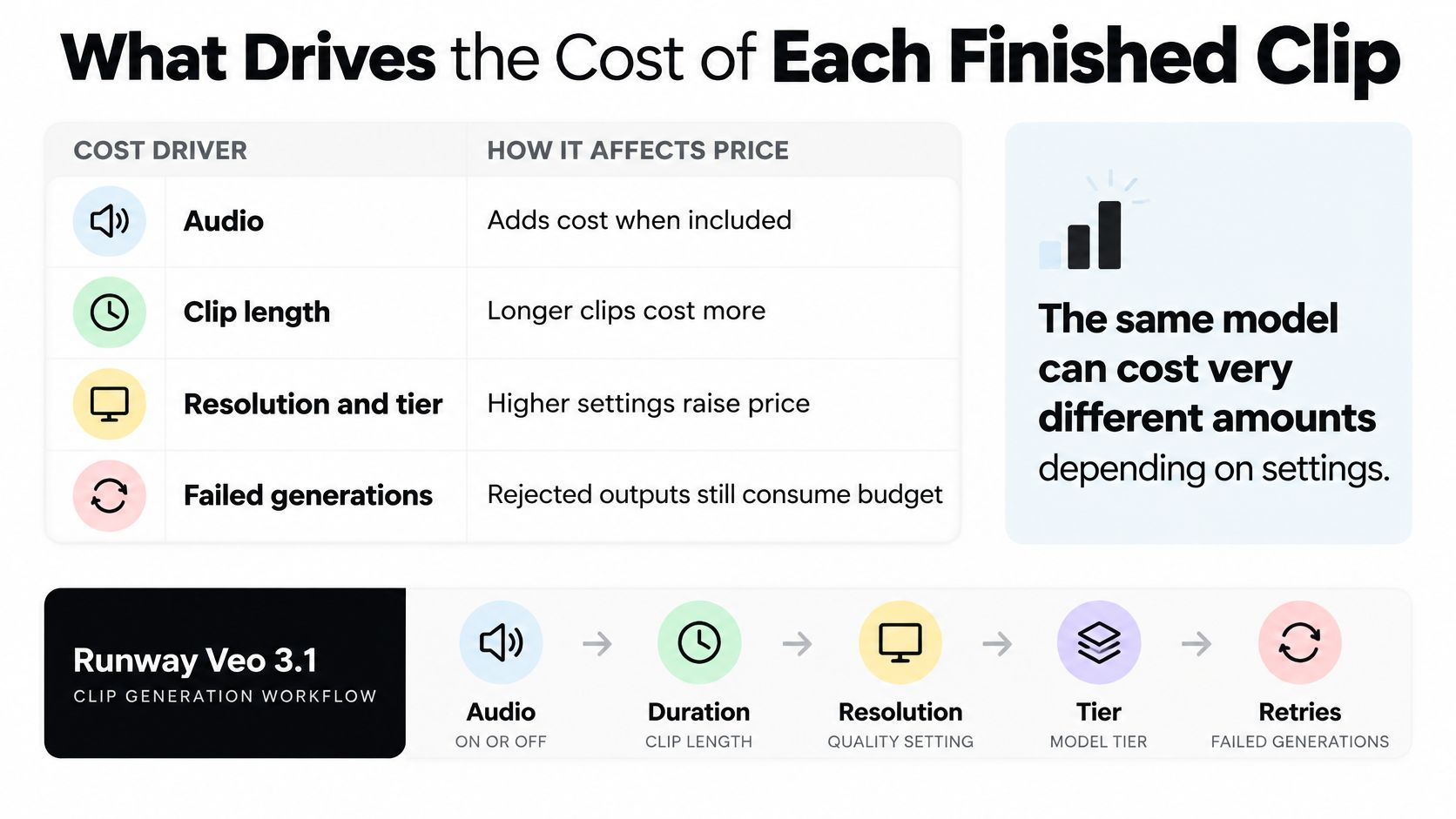
Audio can double the per-second charge. Runway's model-pricing documentation lists Veo 3.1 at 20 credits per second without audio and 40 credits per second with audio, at both 720p and 1080p. A five-second clip therefore costs 100 credits without audio or 200 credits with it.
<a id="four-drivers-four-different-bills"></a>
Four drivers, four different bills
| Cost driver | Documented example | Effect on price |
|---|---|---|
| Audio | Veo 3.1 at 20 credits per second without audio and 40 with audio (Runway) | Doubles the per-second cost |
| Clip length | A 5-second clip costs 100 credits without audio or 200 with audio (Runway) | Scales in proportion to duration |
| Resolution and tier | 8-second 720p Lite at about $0.40 vs 8-second 4K Standard at about $3.20 | Up to an eightfold gap before retries |
| Failed generations | Discarded attempts may still consume credits on metered plans | Multiplies the cost per usable clip |
On Runway's schedule, duration scales linearly: five seconds cost five times as much as one second at the same audio setting.
Resolution and tier can change the bill more sharply. A scenario-based pricing note estimates an 8-second 720p Lite clip at about $0.40 and an 8-second 4K Standard clip at about $3.20, an eightfold difference before retries. Units matter, too. Google Cloud's model pricing lists Veo 3.1 video with audio at $0.40 per count for 720p and 1080p. That is a per-count price, not a per-second rate, so the figures cannot be compared directly without accounting for the units.
Retries raise the cost of a keeper. If a metered plan charges for each attempt, two discarded takes and one usable clip mean paying for three generations. The practical comparison is cost per accepted clip, not cost per first render. The same finished-output perspective appears in budgeting for AI music videos.
Set the production requirements before comparing tools:
- Duration: Use the number of seconds you will export, not a shorter demo length.
- Audio: Specify whether it is on or off, since it can double the credit rate.
- Resolution: Compare the intended output quality and the tier required for it.
- Aspect ratio: Choose 9:16 or 16:9. If you need both, allow for another generation.
<a id="how-credits-and-rollover-rules-change-value"></a>
How Credits and Rollover Rules Change Value
A credit has no fixed value in seconds. The model and settings determine how many credits each generation uses, so compare plans by the clips their credits can produce.
<a id="when-leftover-credits-vanish"></a>
When leftover credits vanish
Runway's pricing page lists monthly credit allotments for paid plans. Standard and Pro credits expire at the end of each billing cycle, while Max allows up to one month of unused credits to roll over.
If a launch uses most of its credits in week one and production then slows, the unused Standard or Pro balance will expire at the cycle boundary. Max can preserve some of that balance for the following month, which matters most when demand varies from month to month.
Practical rule: Compare plans after accounting for credits that may expire unused, not just the allotment available at the start of the cycle.
<a id="what-an-api-credit-actually-buys"></a>
What an API credit actually buys
Runway's API pricing guide prices credits at $0.01 per credit and notes that sales tax may apply depending on location. Its examples charge:
- Gemini Omni Flash text-to-video: 10 credits per second.
- Image-to-video: 10 credits per second, plus 1 credit for the first-frame image.
- Video-to-video: 11 credits per second of input video, capped at 10 seconds, plus 1 credit per reference image.
At that rate, text-to-video costs $0.10 per second before tax, or about $1.00 in credits for a 10-second clip. Image-to-video and video-to-video also charge for supplied assets, so their cost cannot be estimated from output duration alone.
For any plan, translate the credit allowance into the number of clips it can produce under your intended settings. Then account for expiration: a larger monthly balance may offer less value if your output is irregular and credits go unused.
<a id="calculating-cost-per-usable-second"></a>
Calculating Cost per Usable Second
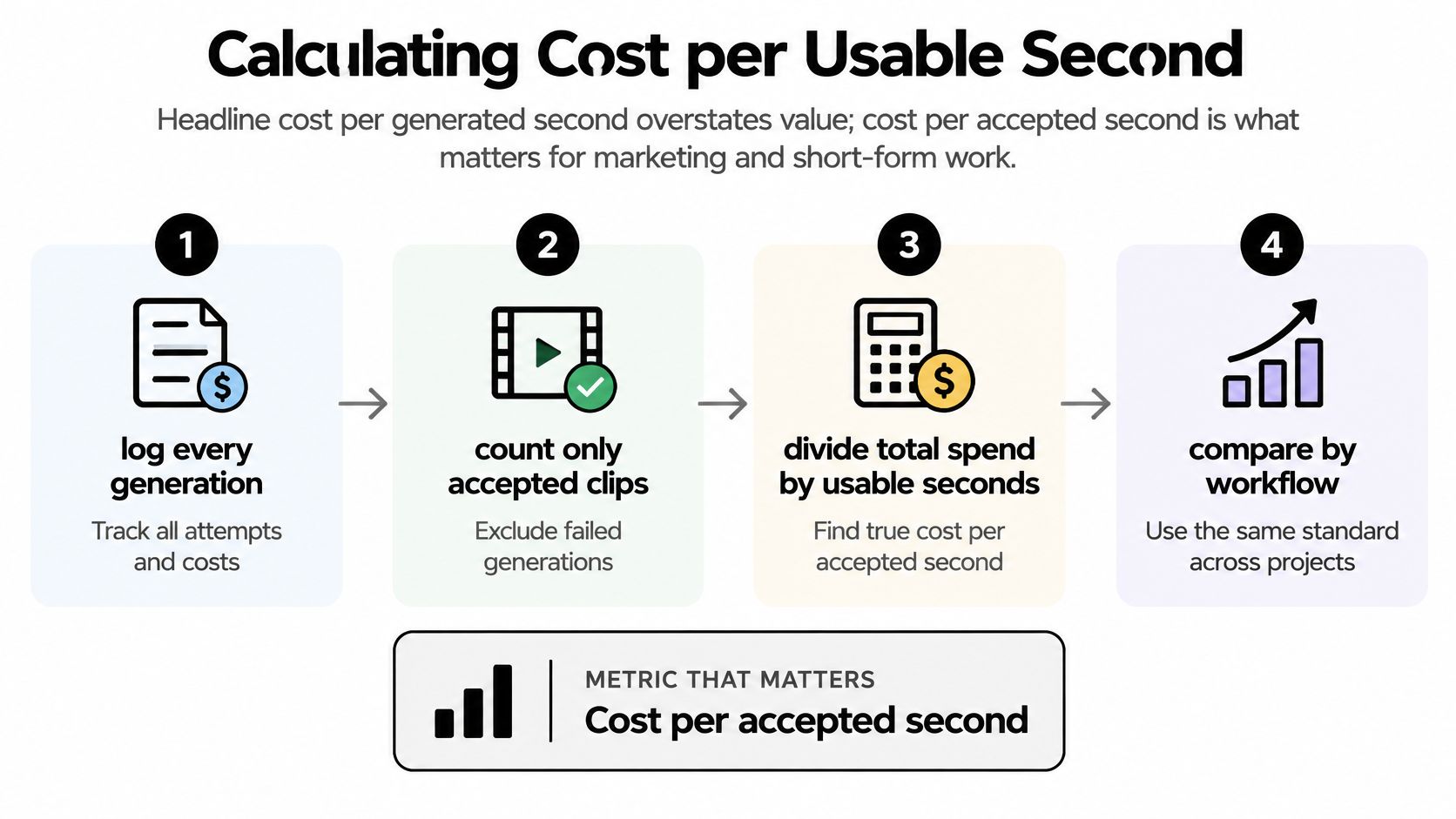
Cost per generated second can understate what a finished clip costs. Calculate cost per accepted second by dividing total spend, including failed and discarded attempts, by the seconds that meet your quality threshold. For a short-form ad, a lower-priced model can cost more if it takes several retries to produce publishable footage.
AIGCBench reports that mainstream image-to-video systems typically generate up to 96 frames, about 3 seconds at 24 frames per second, and take roughly 1 minute on an NVIDIA V100 GPU. Record wait time alongside cost: a low cash price may still slow production. A credit allotment is only comparable once you know how credits map to resolution, duration, frame rate, and audio. EvalCrafter uses 17 objective metrics; motion smoothness, temporal consistency, visual quality, and subject fidelity can help define which takes count as usable.
<a id="the-log"></a>
The log
- Log every generation, including failures and discards.
- Record seconds, resolution, and audio for each take.
- Add up the credits or cash spent.
- Divide by the seconds that meet your quality threshold.
- Repeat at identical settings for each tool. For another model, keep duration and audio consistent, then compare the result with this MiniMax H3 pricing breakdown.
<a id="how-to-read-the-retry-math"></a>
How to read the retry math
The table calculates cost per usable clip using Google Cloud's listed Veo 3.1 unit price of $0.40 per generation. Divide total spend by the number of usable clips.
| Scenario | Generations | Usable clips | Cost per usable clip |
|---|---|---|---|
| Clean first take | 1 | 1 | $0.40 |
| Three attempts for one usable clip | 3 | 1 | $1.20 |
| Six attempts for one usable clip | 6 | 1 | $2.40 |
| Ten attempts for two usable clips | 10 | 2 | $2.00 |
Three attempts raise the cost to $1.20 per usable clip; six raise it to $2.40. Ten generations yielding two keepers cost $2.00 each. A higher per-generation price can still produce a lower cost per usable clip if fewer retries are needed.
<a id="matching-pricing-to-short-form-marketing-and-localized-work"></a>
Matching Pricing to Short-Form, Marketing and Localized Work
<a id="short-form-creators"></a>
Short-form creators
You post TikTok, YouTube Shorts, or Reels several times a week, and plenty of takes never ship. Once that volume is steady, a monthly subscription with a clear credit allotment usually beats per-second billing. Watch cost per accepted second. The mistake is a plan whose unused credits reset while your calendar is lumpy.
<a id="product-ad-marketers"></a>
Product-ad marketers
A burst for TikTok, Instagram Reels, YouTube Shorts, or Facebook isn't a weekly habit. Pay-as-you-go fits. Test several hooks on a free route before you commit credits, and budget extra attempts on the opening seconds. Our product ad generator doesn't require video editing or design skills, and those ads are designed for TikTok, Instagram Reels, YouTube Shorts, and Facebook. Watch cost per usable ad. The mistake is paying for a full month before the hooks are proven. The same order shows up in budgeting for influencer partnerships: prove the creative, then commit the larger line.
<a id="japanese-and-korean-creators"></a>
Japanese and Korean creators
A low generation price may not include multilingual captions, voice, or local-format exports. Check language support and captioning on the pricing and feature pages first. Watch the cost of any extra tools that get a clip to publishable. The mistake is ranking per-second rates and ignoring those add-ons.
Each buyer should confirm the exact tier and feature set on the pricing page before deciding.
<a id="testing-the-free-veo-3-ai-video-generator-before-you-pay"></a>
Testing the Free Veo 3 AI Video Generator Before You Pay
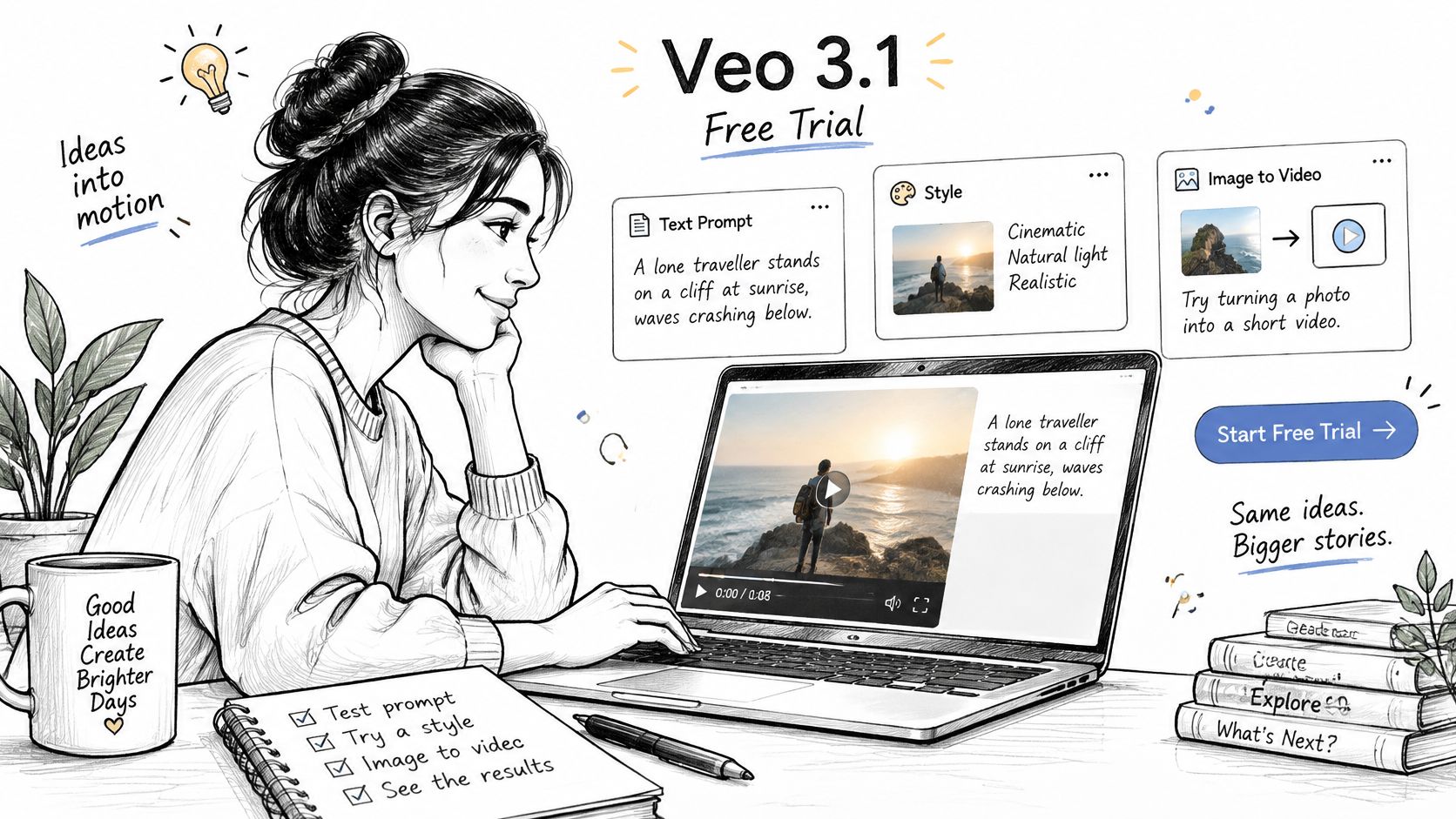
A free run only tells you the price if you record what you throw away. On the free Veo 3 AI video generator, run the same prompts, styles, and image-to-video jobs you would later buy. Set duration to the length you intend to publish. Generations run up to 8 seconds on all plans, so an 8-second free clip is the same length as a paid one. Check the FAQ for free-generator limits, formats, and output rules before you treat one lucky take as a rate.
<a id="a-five-prompt-protocol"></a>
A five-prompt protocol
- Pick five prompts from your usual content, not one demo line.
- Run each at the resolution, audio setting, and aspect ratio you expect to buy.
- Count attempts until you have a usable clip, and note which settings ate the extra tries.
- Divide attempts by accepted seconds. Free spend is zero, so this retry factor is the number you later apply to paid credits. Headline monthly price ignores it.
- Repeat on one competing model at the same duration, resolution, audio, and aspect ratio.
Five ordinary prompts show how often that content succeeds and how many retries resolution or audio adds. That rate is what moves cost per usable clip. It does not prove the same rate on other prompts. Results can vary and are not guaranteed.
Keep the paid plan closed until that retry factor is stable enough to price.
<a id="choose-the-pricing-model-that-matches-your-monthly-output"></a>
Choose the Pricing Model That Matches Your Monthly Output
<a id="occasional-output"></a>
Occasional output
Start on the free generator. Move to pay-as-you-go only for a defined campaign with a fixed seconds budget. You're buying a known number of renders, not a month of access you might leave idle.
<a id="steady-weekly-output"></a>
Steady weekly output
A monthly subscription is usually easier to budget, provided the tier's allotment covers required seconds at your resolution and audio setting, including retries. Different plans carry different generation limits. Pick the one whose seconds survive your reject rate, not the one with the roundest monthly fee.
<a id="agencies-and-teams"></a>
Agencies and teams
Check seat counts, rollover, and commercial rights on each tier. Commercial rights on free output are not always stated, so confirm paid-tier terms before purchase. Videos generated on all our subscription plans include commercial usage rights.
Price the month you will publish, not the month the plan advertises.
Convert every option into cost per usable second before you decide. Add monthly seconds, apply the retry factor from your own test, and compare current tiers and rollover rules. Check current plan details on the Veo3 AI pricing page. Confirm prices there rather than relying on figures in this article.
Veo3 AI turns text prompts and still images into short clips in one workspace, so you can test success rate before you commit to credits or a subscription. If audio, resolution, and retries are what move your bill, run a free generation at the settings you would buy. Visit Veo3 AI and match a current plan to the usable seconds you need this month.
Related Articles
Continue with more blog posts in the same locale.
Best AI B Roll Generator Tools Compared for 2026
Find the best AI B Roll Generator tools for short-form video. Compare Veo 3 prompts, strengths, limits, and tips for adding B-roll to Reels and Shorts.
Read article
AI Movie Generator Compared: Models, Rights and Costs
Compare AI movie generator models on quality, speed, customization, rights and pricing, with scoring and use cases for creators and marketers in 2026.
Read article
Sora 2 Pricing: What It Cost, Why It Ended and What to Use Now
Looking up Sora 2 pricing? The Sora 2 API was removed on September 24, 2026. See what it cost and what the main alternatives cost today.
Read article