
First Persons Point of View: How to Film It
Learn first persons point of view for film and AI video, including lenses, movement, audience fit, and comfort.
Veo3 AI · 16 min read · Oct 30, 2026
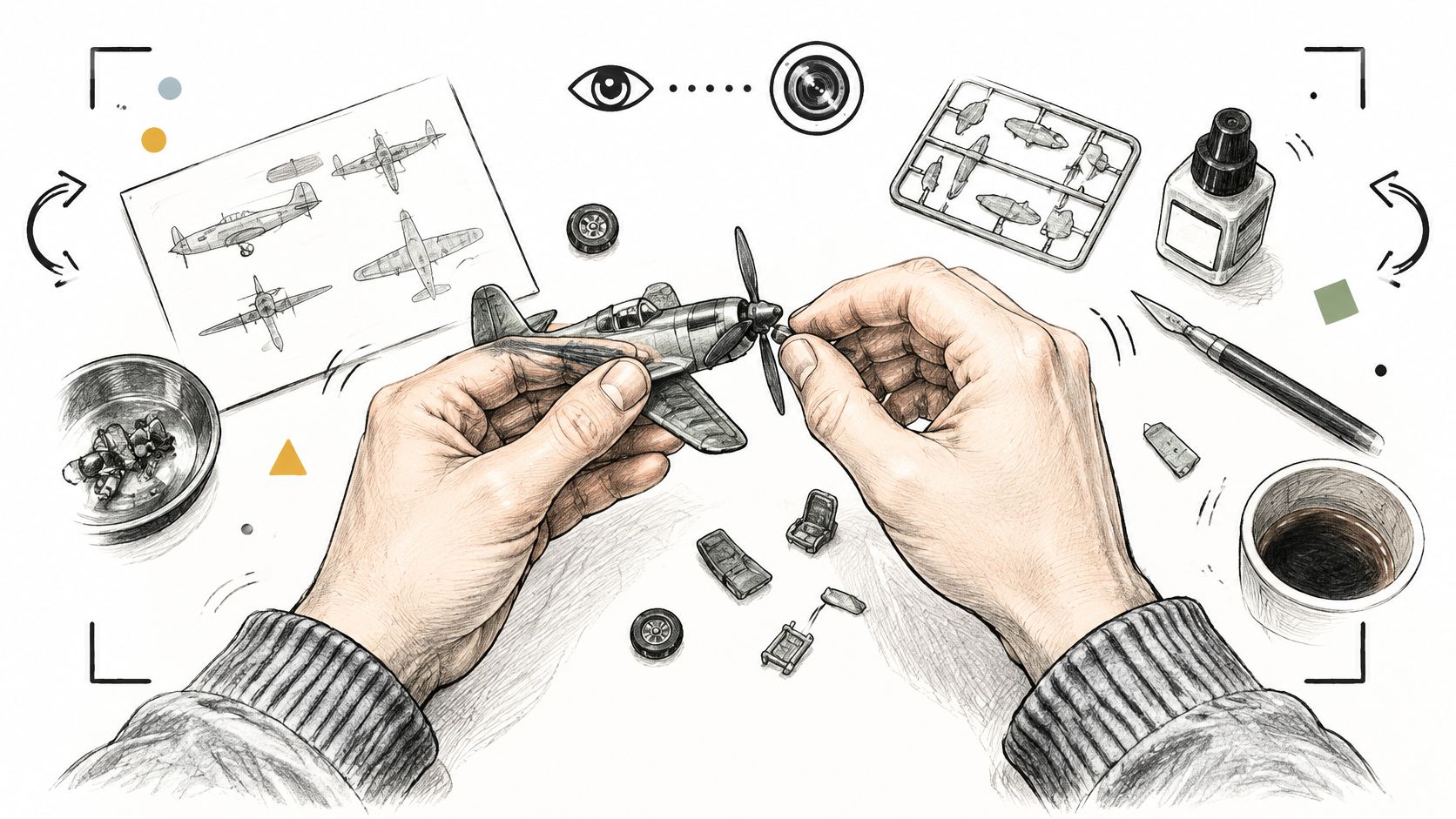
Most short-form advice treats the eyes of the character as a free upgrade. Put the lens there, the advice says, and viewers will feel closer to the clip. That advice skips the choice that decides whether the shot helps.
First person's point of view is a segmentation choice, not a default visual upgrade. It can raise intimacy for a small creator, a hands-on demo, a game, or a walk into a place. It can also hide the face a large personality needs, and it can make a clip harder to finish when the head path is wild.
A camera records what that person sees. It does not record what they think. Breath, a short line of voice, or someone else's reaction has to carry the interior. Before you render, name the job of the next clip in one line: feel the action, teach a hand movement, or make a person trustworthy. The viewpoint follows that job.
Table of Contents
- What First Persons Point of View Means
- When First Person Helps the Audience
- Camera Height Lenses and Head Movement
- Stories That Belong in First Person
- Shots People Can Watch Comfortably
- How to Prompt a First-Person AI Shot
- Choose the Viewpoint Before You Render
<a id="what-first-persons-point-of-view-means"></a>
What First Persons Point of View Means
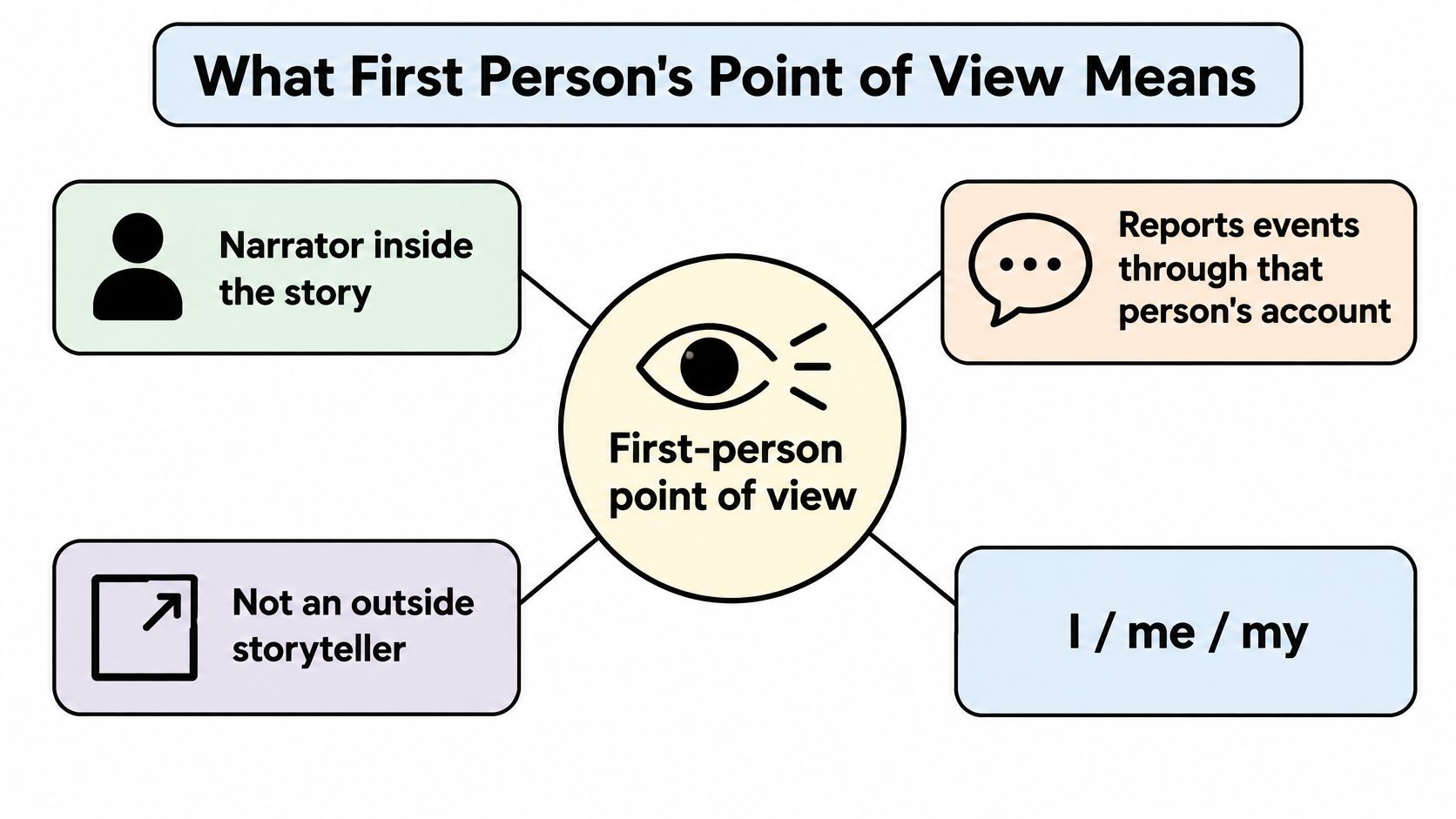
First person's point of view places the narrator inside the story and reports events through that person's account, not through an outside storyteller. As LitCharts explains in its point of view guide, the clearest marker is the pronoun. Singular forms are I, me, my, and mine. Plural forms are we, us, our, and ours. Second person uses you and your. Third person generally uses he, she, it, or they. The reader, or the viewer, gets the scene through a participant or a nearby observer.
Two shapes sit under those pronouns, and they do different jobs on screen.
Central means the narrator is the protagonist and drives the plot. On video that becomes an eye-level camera that never cuts to the hero's face. You live the action, and you never get a reaction shot of the person whose eyes you are using.
Peripheral means a nearby witness reports someone else's story. The camera belongs to a companion who can watch the lead and comment. You can see the main person's face. You still cannot claim their private thoughts.
<a id="what-each-form-looks-like-through-a-lens"></a>
What each form looks like through a lens
Second person is direct address. It works in a short instruction ("you fold the corner here") and almost never holds a whole film, because a feature built entirely on "you" starts to feel like a command. Third person is ordinary coverage: a body stays in the frame, and an outside view organizes the scene.
| Form | Pronouns | Who holds the story | Video equivalent |
|---|---|---|---|
| First-person central | I, me, my, mine | Protagonist recounts their own events | Eye-level camera; the hero's face stays off screen |
| First-person peripheral | I, we, my, our | A nearby witness reports the lead | Companion camera that watches and can comment |
| Second person | you, your | The audience is addressed directly | Rare full-time camera; useful for short instruction |
| Third person | he, she, it, they | An outside narrator | Standard coverage with the body visible |
A lens can show a doorway, a hand, and a flinch. It cannot show a decision forming. Voice, breath, or a heartbeat has to carry that interior.
This camera idea is older than action cameras, VR, or AI video. Film scholarship on subjective cinema marks 1947 as a milestone: Delmer Daves's Dark Passage held viewers in Vincent Parry's position for about the first 36 minutes of its 107-minute runtime, and Robert Montgomery's Lady in the Lake showed much of its story through Philip Marlowe's eyes. Filmmakers still add voice-over and breathing because a camera cannot show thought. That limit is why the rest of this piece is about when to use a row in the table, and how to shoot it so a short clip stays readable.
<a id="when-first-person-helps-the-audience"></a>
When First Person Helps the Audience
POV does not pay the same dividend for every account. A 2025 study of TikTok videos found that first-person perspective increased total likes by 36% for micro-influencers compared with third-person videos, but the effect reversed for macro-influencers. Tutorials that call POV a universally stronger format leave you without a rule for the reversal.
Think of the shot as a private conversation. It strengthens a small creator whose identity is the product, because the viewer is standing in that person's shoes. It can hide the face, the expression, and the social scene that a large personality sells. If people follow you to watch how you react, taking your face away is a cut, not a gift.
<a id="a-working-choice-not-a-style-preset"></a>
A working choice, not a style preset
Use first person for immersive demos, gaming, travel, hands-on tutorials, and creator-led storytelling. Use wider or third-person coverage for authority-building ads and campaigns that sell a recognizable face. The niche matters as much as the follower count. A repair account with a modest audience is selling the hands. A host with a large audience is often selling the person in the room.
| Audience or goal | Prefer | Why | Measure besides likes |
|---|---|---|---|
| Micro-influencer, identity-led | First person | Intimacy; likes were 36% higher than third person in the 2025 TikTok study | Completion, comments |
| Macro-influencer, personality-led | Wider or third person | The study's effect reversed; face and social context matter | Comments, follows |
| Hands-on tutorial or demo | First person | The viewer needs to see the hands and the step | Completion, replays |
| Gaming or travel immersion | First person | The place or action is the subject | Replays, watch time |
| Authority ad or brand face | Wider or third person | Trust comes from a visible person, not a hidden operator | Conversions, saves |
Likes are a weak scorecard. Render a first-person cut and a third-person cut of the same idea, then log completion rate, replays, comments, and conversions separately. A travel clip can earn replays because people want to stand on that street again. An ad can lose the sale because nobody saw who was speaking.
Practical rule: If the viewer must feel the action, choose the eyes. If the viewer must trust a person, show the person.
Say a bakery runs two cuts of the same croissant fold. The first-person cut shows the dough under the hands and often holds people who came to learn the fold. The wider cut shows the baker's face, the counter, and the line of customers, which is the cut you want when the job is "come to this shop." Same recipe, different job, different camera.
<a id="camera-height-lenses-and-head-movement"></a>
Camera Height Lenses and Head Movement
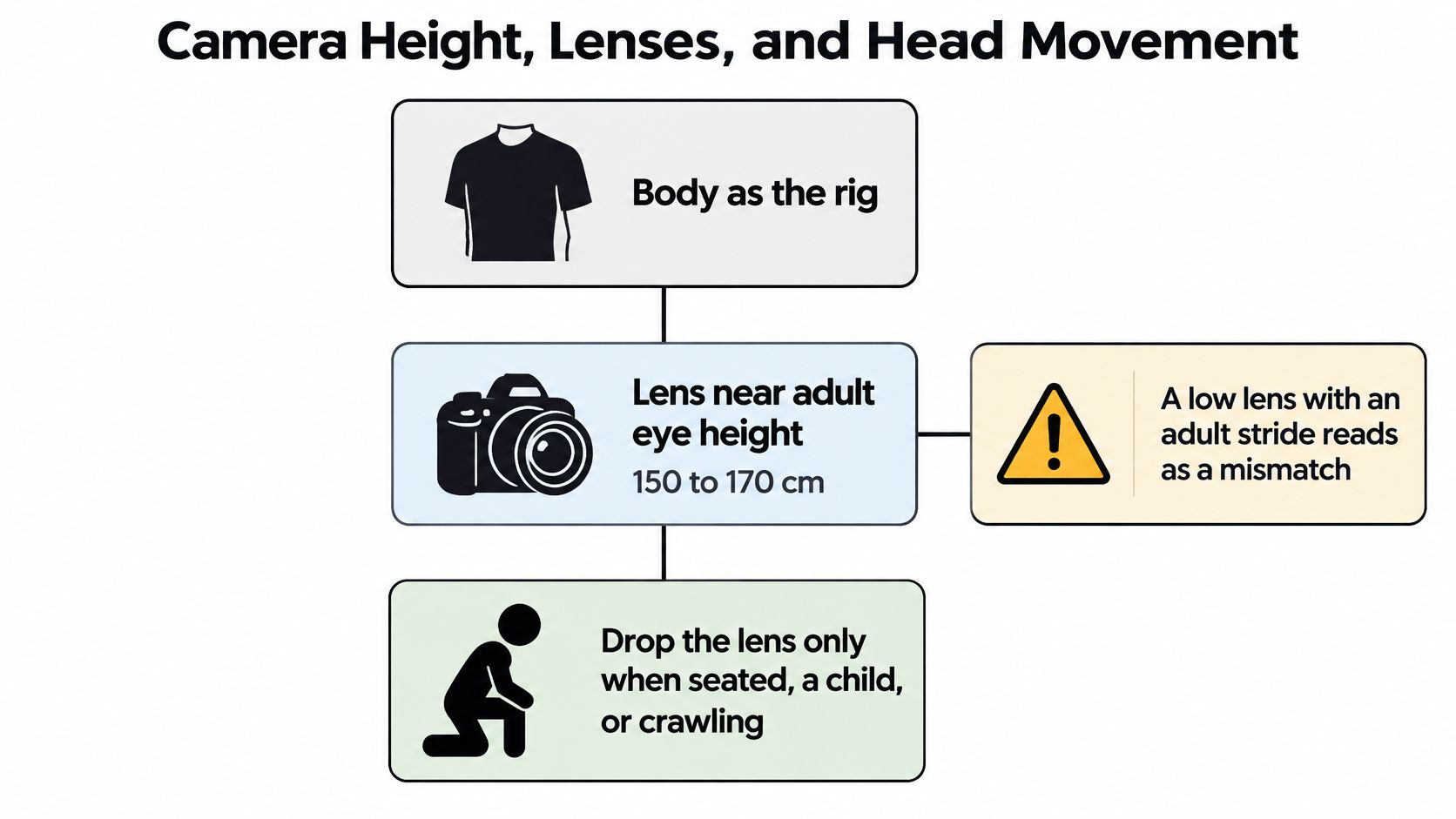
Treat the body as the rig. Place the lens near adult eye height, about 150 to 170 cm, and drop it only when the character is seated, a child, or crawling. A low lens with an adult stride reads as a costume, not a person. Viewers feel the mismatch before they can name it: the steps are long, the counter is suddenly at chest height, and the world looks like a pet's view of a kitchen.
<a id="the-on-set-card"></a>
The on-set card
For a natural field of view, favor a 24 to 35 mm full-frame equivalent. Go wider than about 16 mm only for a deliberate fisheye or helmet look, because doorframes bow and hands swell. Avoid a 50 mm or longer lens for the main viewpoint. It crops peripheral vision and feels like binoculars. People do not walk through a room with that kind of tunnel.
The same discipline shows up in stills. The Virtual Tour Easy photography guide is useful here because it treats camera height and a level horizon as the difference between a room a person could enter and a room that looks staged. A walking POV needs that same honesty. If the horizon tips for no reason, the body feels broken.
Motivate every move as a head. Use slow pans, small tilts, and a light walking bob. Keep the horizon close to level unless the character looks down. Put hands or a tool in frame for a second when the action needs proof, then let them leave. Permanent hands look like a game HUD. Match focus to attention: the object being used stays sharp, and the far background can soften.
| Choice | Working range | What it sells | When it fails |
|---|---|---|---|
| Camera height | About 150 to 170 cm for a standing adult | The viewer is that person | Too low reads as a child, crawl, or pet |
| Lens | 24 to 35 mm full-frame equivalent | Ordinary peripheral vision | Wider than about 16 mm bows frames; 50 mm or longer feels like binoculars |
| Head motion | Slow pan, small tilt, light walking bob | A skull, not a drone | Fast spins and whip pans cause discomfort and hide the action |
| Horizon | Near level unless the character looks down | A balanced body | A constant Dutch angle feels like a broken gimbal |
| Hands and tools | Brief entries during the action | Proof of a body | Hands parked in frame look like a game HUD |
| Subjective sound | Breath, heartbeat, cloth, short voice-over | Thoughts the lens cannot show | Silence plus wild camera motion feels empty |
<a id="sound-the-picture-cannot-supply"></a>
Sound the picture cannot supply
Add the track that pictures leave out. Breath on effort, a muffled heartbeat in danger, cloth rustle, and a short voice-over for one thought the lens cannot show. One line is enough: "The latch is stuck on the left." Silence plus a roaming camera feels empty, because nothing tells the viewer why the head turned.
If you are writing those moves as prompts rather than blocking them on a set, the notes in Veo 3 camera control prompts are the place to name pan speed, tilt, and where the hands enter. Comfort limits, including a ban on spins, belong with how people watch, not on this card.
<a id="stories-that-belong-in-first-person"></a>
Stories That Belong in First Person
Two bookshelf cases make the split concrete before you assign it to a clip.
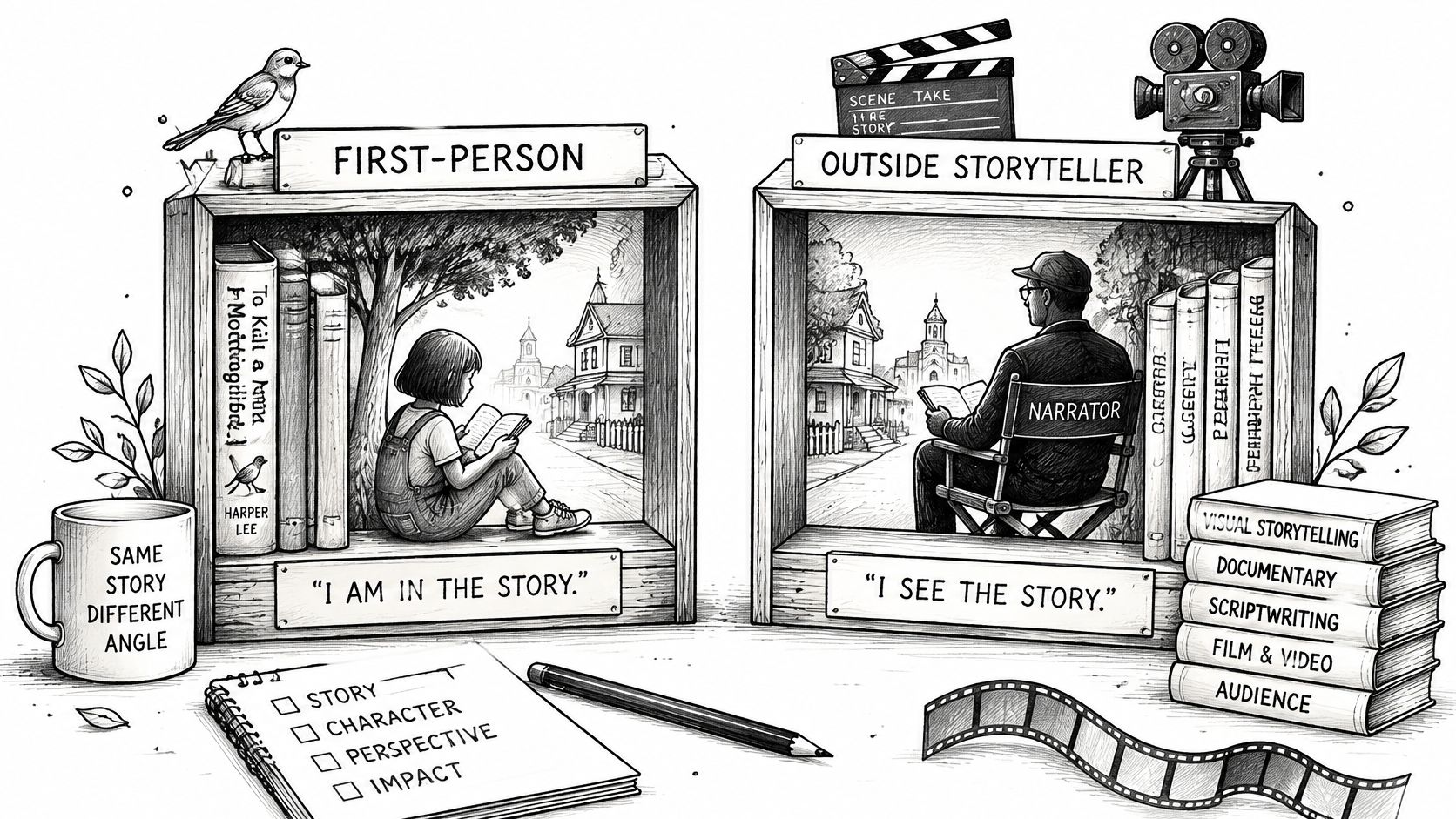
Grammarly's point of view breakdown separates first-person central from first-person peripheral. Scout in Harper Lee's To Kill a Mockingbird is central: she is the protagonist, so the plot is her experience and her limits. Nick Carraway in F. Scott Fitzgerald's The Great Gatsby is peripheral: he is close enough to see Gatsby, he does not drive Gatsby's plot, and his bias is part of the telling.
<a id="jobs-you-actually-shoot"></a>
Jobs you actually shoot
A baking demo or a repair is central. The hands are the plot. You do not need the baker's face to prove the fold, and showing it would break the feeling of doing the work.
A travel arrival can go either way. It is central when the feeling of entering the place matters, the doorway, the noise, the first look down the street. It is peripheral when a guide is watching a companion and the companion's reaction is the point.
A product witness clip is peripheral. The camera stands beside the buyer and reports what the product does. You can show the buyer's face. You cannot narrate a private thought they never said.
A gaming clip is usually central and can stay locked off for 15 to 60 seconds, because the goal is participation, not a face. Longer than that without a new action, and the lock starts to feel like a mistake rather than a choice.
Central POV hides the hero's expression, so emotion has to land in voice, breath, or the reaction of someone else in frame. Peripheral POV can show the lead's face, and it still cannot claim their private thoughts.
Say you are cutting a 20-second unboxing. Central means the viewer tears the tape and never sees their own smile. Peripheral means a friend films the buyer, comments once, and lets the buyer's face do the feeling. Pick the version that matches what you are allowed to know.
A short look at how restrictive the eyes can feel on a real set helps before you lock a whole clip that way.
<iframe width="100%" style="aspect-ratio: 16 / 9;" src="https://www.youtube.com/embed/axdIiQQT4m4" frameborder="0" allow="autoplay; encrypted-media" allowfullscreen></iframe>
<a id="shots-people-can-watch-comfortably"></a>
Shots People Can Watch Comfortably
The same closeness that creates immersion can make information harder, or more uncomfortable, to take in. Commentary on first-person footage in digital communication notes that rapid camera movement may cause discomfort, and that important visual details can be unclear without captions, descriptive narration, or labels. Viewers of restrictive first-person films also need a moment to adapt, and they can detach when they never get spatial context.
Most AI-video guides chase convincing motion and stop there. That misses people who watch silently, on a phone, in a second language, or with motion sensitivity. Captions alone do not fix a camera path that hides the point.
<a id="an-accessible-path"></a>
An accessible path
- Stabilize the head path. Ban rapid spins and abrupt cuts. A skull turns, then settles.
- Keep the important action near the center. Phone viewers crop edges, and a tool at the corner disappears. A Reel layout guide for content marketers is a practical check for what survives the safe zone on a vertical frame.
- Hold a beat at the start. Let the room be readable before the move. One second of a still doorway saves a confused swipe.
- Burn in short captions for silent autoplay. One line per beat, large enough to read without sound.
- Say off-screen events in dialogue or narration. Do not whip the camera around to find a knock at the door. "Someone's at the door" does the job.
- Export a reduced-motion alternate when the audience includes motion-sensitive viewers or a multilingual feed watched without sound. Same action, calmer path, same captions.
Test the message, not the spectacle. If someone who has never seen the brand can repeat the point after one silent viewing, the viewpoint is serving the story. If they only remember the rush, widen the shot or slow the path. Design the camera path, the pacing, the sound, and the overlays together. A caption on a spin still leaves the viewer dizzy, and a calm path with no words still leaves a silent viewer guessing.
<a id="how-to-prompt-a-first-person-ai-shot"></a>
How to Prompt a First-Person AI Shot
Once the job is clear, run one routine. Do not ask a model for "cinematic POV" and hope it picks the right body.
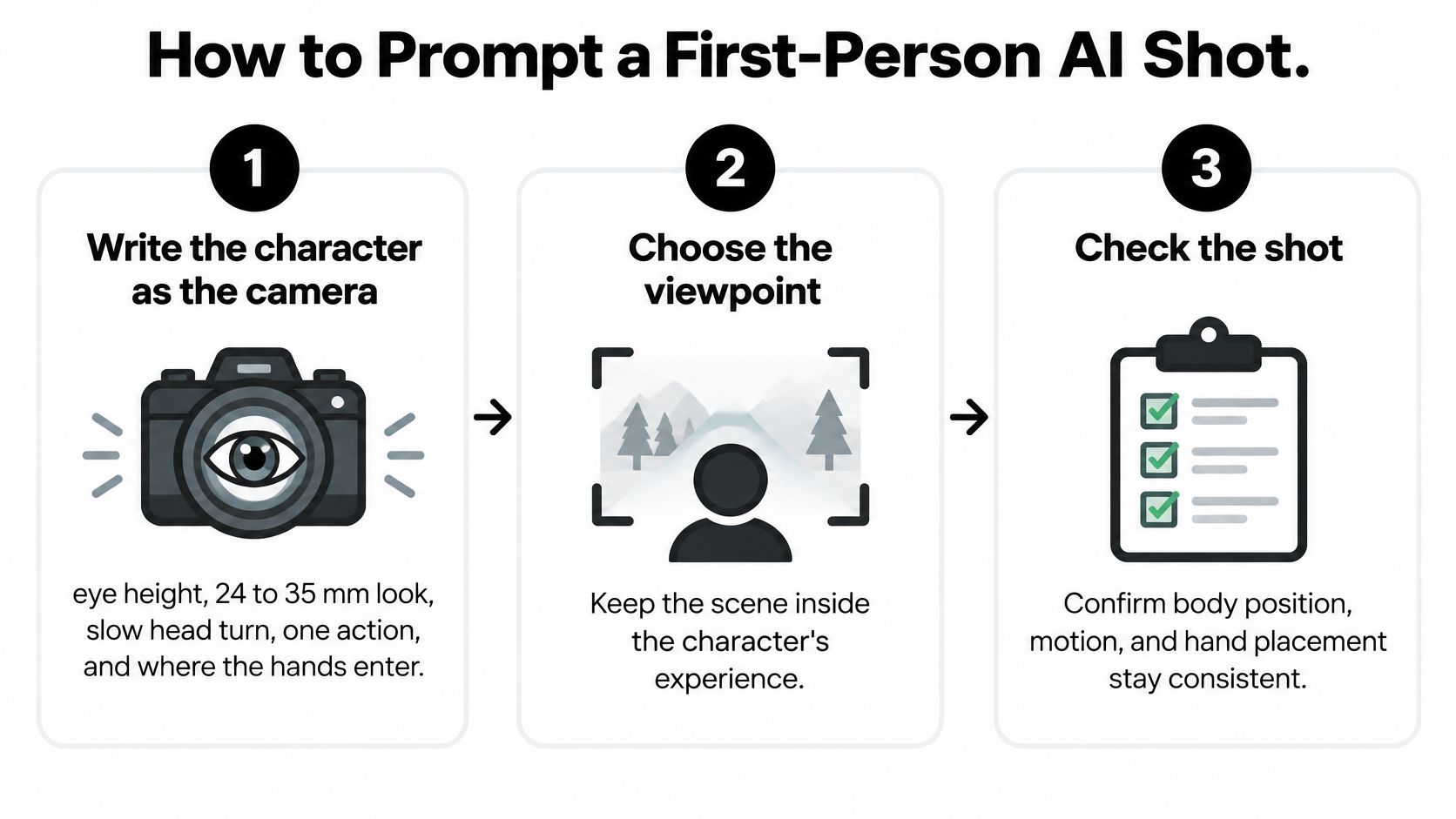
- Write the character as the camera. State eye height, a 24 to 35 mm look, a slow head turn, one action, and where the hands enter. "Adult eye height, natural lens, slow look down, right hand sets a screwdriver on the screw" is a shot. "Epic first person" is a mood.
- Name the goal in the same prompt. A 15-second repair demo tells the model not to wander into a scenic spin. Duration and one action keep the clip inside the job.
- Add the subjective sound. One breath, a tool noise, and a line of voice-over that states the thought. If you are drafting that interior line the way you would draft a narrator, practical tips for writing fiction with AI help you keep the sentence in the character's mouth instead of in an announcer's.
- Generate two passes of the same idea, one first person and one wider, and keep the one that matches the audience rule. Same action, two viewpoints, then you choose.
- Check the shot before you publish. Reject a floating horizon, a visible operator, or a whip pan, and regenerate with a calmer path rather than fixing comfort only with captions.
On that check, use Veo 3.1 inside the Veo 3 AI video generator with hard limits on real people. Do not upload any image, video, or audio of a real person under 18 for any purpose, including a reference, a first or last frame, a character reference, or a voice sample. Do not upload a real person's image unless it is a photo of yourself or you have that person's express written authorization. Do not depict a minor in a violent, degrading, abusive, or exploitative way. If a prompt needs a face you do not have rights to, rewrite the shot so the hands and the object carry it.
Watch the silent captioned version once before you publish. If the step is unclear with the sound off, the prompt is not finished. Questions about what a render costs belong on the pricing page, not in the prompt itself.
<a id="choose-the-viewpoint-before-you-render"></a>
Choose the Viewpoint Before You Render
Name the job of the next clip in one line. Feel the action, teach a hand movement, or make a person trustworthy. That sentence picks the camera. A style word does not.
If the job is feeling or teaching, and the account is creator-led or small, render first person. Keep eye height, a 24 to 35 mm look, a calm head path, brief hands, captions, and a reduced-motion alternate. The viewer should be able to repeat the step after one silent pass.
If the job is trust, a known face, or an authority ad, render the wider shot and keep first person for a short insert, the hands on the product, then back to the person. Compare the two cuts on completion, replays, comments, and conversions. Likes alone will flatter the louder camera.
Veo3 AI is built to turn an idea into a cinematic clip in minutes. On a product ad, you describe the spot in plain language and can change the angle, mood, or setting in a single line, which is how you test the eyes against a wider frame without rebuilding the whole idea. Pricing questions go to the pricing page.
Write the viewpoint into the prompt before generating, because a generic request for cinematic POV will not choose it for you.
Veo3 AI turns a plain description into a short cinematic clip, including a first-person shot when you specify eye height, one action, and where the hands enter. Use it to render the eyes and a wider cut of the same idea, then keep the version people can finish. Visit Veo3 AI and write the viewpoint into the prompt before you generate.
Related Articles
Continue with more blog posts in the same locale.
YouTube 1000 Subscribers: A Practical Growth Guide
Hit YouTube 1000 subscribers with the real ad gates, a 12-month upload plan, titles that convert, and Shorts rules that protect watch time.
Read article
Add a Moustache to a Photo the Right Way
Add a moustache to a photo with AI, a phone app, or layers. Match the method to the face, blend the hair, and export a still worth sharing.
Read article
Crane Shot Film Explained: What It Is and How It Works
Crane shot film explained: how camera cranes work, their payload limits, famous examples, and how to recreate a crane move with AI video tools.
Read article